

Descrizione
Keep Tracks of each plugin’s last active datetime, helpful to find obsolete plugins for deletion.
Features:
- No Complex Settings
- WP Settings Date Timezone
- View Last Time Activity In Plugin’s List View Page
Screenshot
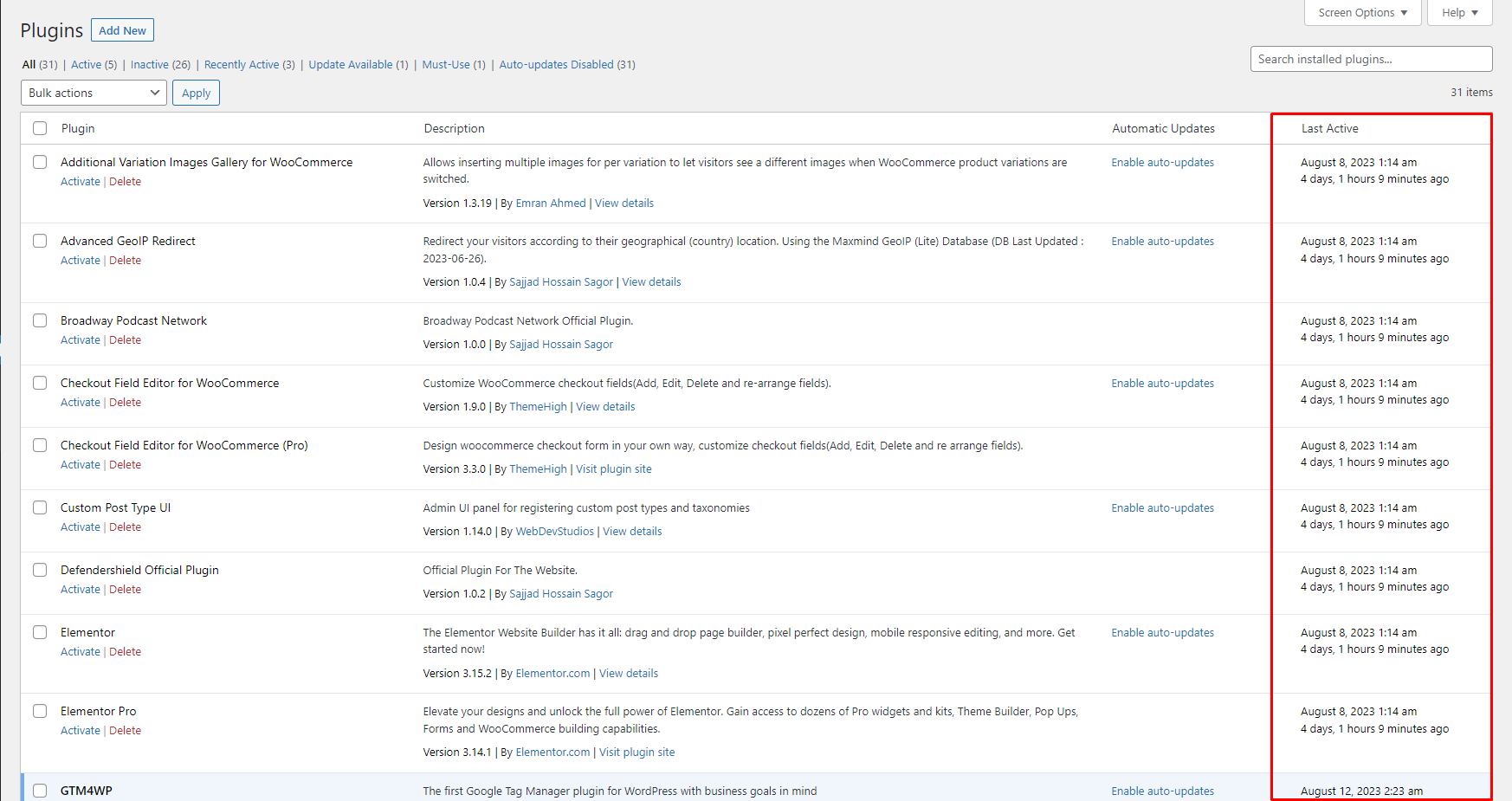
Dashboard.

Installazione
To add a WordPress Plugin using the built-in plugin installer:
Go to Plugins > Add New.
- Type in the name “Last Activity” in Search Plugins box
- Find the “Last Activity” Plugin to install.
- Click Install Now to begin the plugin installation.
- The resulting installation screen will list the installation as successful or note any problems during the install.
If successful, click Activate Plugin to activate it, or Return to Plugin Installer for further actions.
To add a WordPress Plugin from GitHub repo / plugin zip file :
1. Go to WordPress plugin page
2. Click Add New & Upload Plugin
3. Drag / Click upload the plugin zip file
4. The resulting installation screen will list the installation as successful or note any problems during the install.
If successful, click Activate Plugin to activate it, or Return to Plugin Installer for further actions.
FAQ
-
How to use this plugin?
-
Just activate the plugin, you are good to go. Go to the plugins page /wp-admin/plugins.php and see the last active date.
Recensioni
Non ci sono recensioni per questo plugin.
Contributi e sviluppo
“Last Activity” è un software open source. Le persone che hanno contribuito allo sviluppo di questo plugin sono indicate di seguito.
Collaboratori
Traduci “Last Activity” nella tua lingua.
Ti interessa lo sviluppo?
Esplora il codice segui il repository SVN, segui il log delle modifiche tramite RSS.
Changelog
2.0.3
- Compatibility checkup for latest wp version 6.9
2.0.2
- Minor fix
2.0.1
- Checked for latest wp version 6.8
2.0.0
- Compatibility check for wp 6.7
1.0.1
- Compatibility check for wp 6.6
1.0.0
- Initial release.
