

外掛說明
為 WordPress 網站前端表單新增符合 GDPR 規範的人機驗證反垃圾訊息功能,包含留言表單、註冊表單、忘記密碼表單及登入表單。如需發佈留言或註冊,使用者必須輸入圖片中顯示的代碼。這會防止自動漫遊器的垃圾訊息並增加網站安全性。這個外掛不需要搭配外部服務 (例如 Google reCAPTCHA),不需要 API 金鑰,也不會儲存使用者辨別資料,因此能符合 GDPR 規範。
主要特色
- 人機驗證位置:留言表單、登入表單、註冊表單或忘記密碼表單。
- 字元類型:大寫字母、小寫字母或大小寫字母混合。
- 人機驗證類型:英數字元混合、僅英文字母或僅數字。
- 使用者介面可本地化。
螢幕擷圖
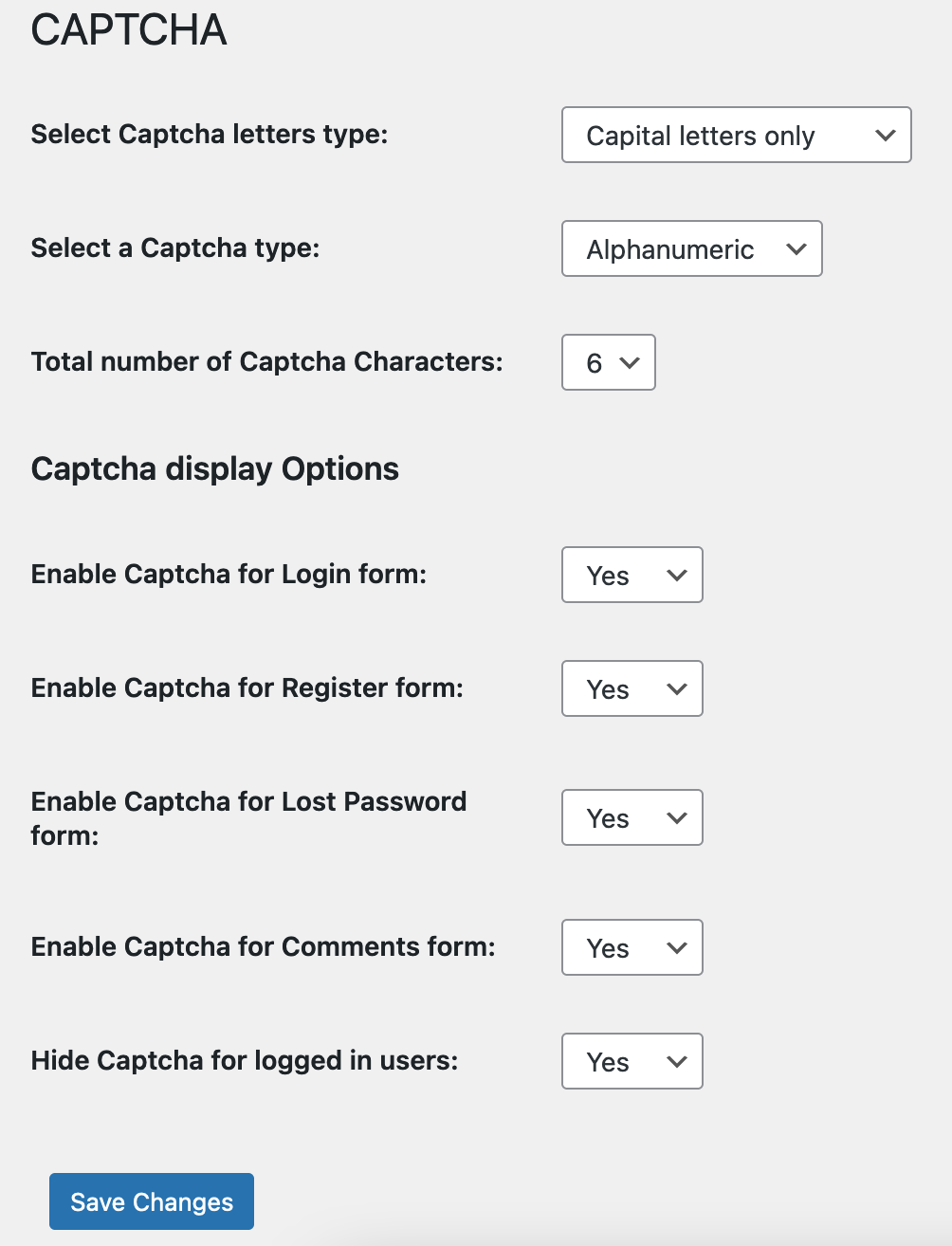
人機驗證設定 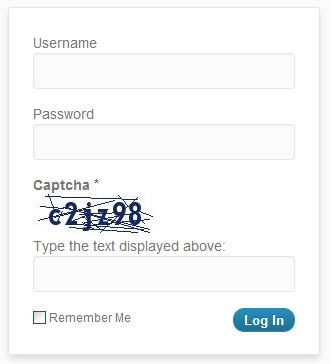
登入表單中的人機驗證 
重設密碼表單中的人機驗證 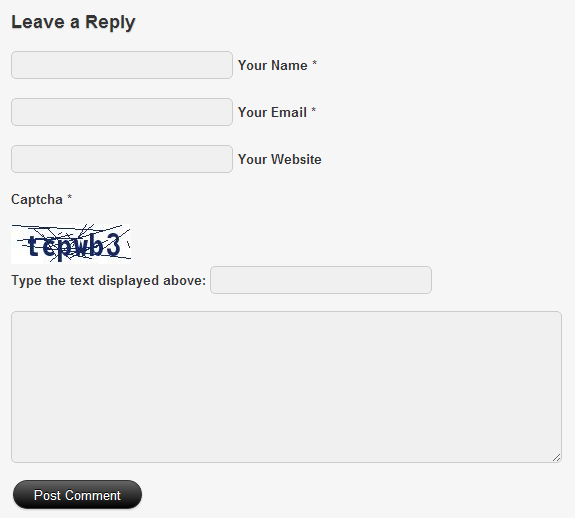
留言表單中的人機驗證


安裝方式
- 下載外掛安裝套件 ZIP 壓縮檔。
- 將外掛安裝套件 ZIP 壓縮檔解壓縮所得的
captcha-code-authentication資料夾上傳至網站的/wp-content/plugins/目錄中。 - 啟用外掛。
- 點擊 [人機驗證] 選單。
- 進行設定。
- 大功告成!
常見問題集
-
如何停用這個外掛?
-
在 WordPress 管理後台的 [外掛] 頁面停用外掛,或透過 FTP 存取並重新命名
/wp-content/plugins/captcha-code-authentication資料夾。 -
這個外掛是否會降低網站效能?
-
否,不會。這個外掛僅會在顯示外掛功能的頁面載入。
-
如何回報安全性程式碼錯誤?
-
使用者可以透過 Patchstack 的漏洞揭露計畫回報安全性問題。Patchstack 團隊會協助驗證、分類及處理任何安全性漏洞。點擊這裡回報安全性漏洞。
解除安裝與停用及刪除外掛一樣簡單。
使用者評論

2025 年 7 月 23 日
1 則留言
I got surprised that, my fresh website sudden installed this plugin automatically. Even i never seen their name ever. They hide the plugin from WP Plugin list and uses as core plugin and uses option on WP Setting. Offering premium plan and doing huge spam. I recommend WP to remove their plugin for doing spam marketing and fraud install.

2025 年 1 月 15 日
Waste of time,

2024 年 8 月 8 日
A PHP session was created by a session_start() function call. This interferes with REST API and loopback requests. The session should be closed by session_write_close() before making any HTTP requests.
on the file wpcaptcha.php you should fix line 40 to 44 with this
if ( !session_id() )
{ session_start( [ ‘read_and_close’ => true, ] ); }
I had to find it my way out

2024 年 1 月 1 日
I hope it’s harder to get around

2023 年 2 月 24 日
HelloThis plugin works for the post and page comments form but does not work for Woocommrce and the comment is sent without entering the security code.please check it. Thankful

2020 年 6 月 15 日
The plugin does not stop registrations of bots.
Плагин не помогает от спама!
參與者及開發者

變更記錄
3.3
- 2025/08/04
- minor code fixes
3.2
- 2024/06/30
- minor security fix
3.1
- 2024/03/13
- bug fix related to saving settings
3.0
- 2024/01/31
- security fix
2.9
- 2023/12/29
- complete rewrite
1.0
- 2012/07/17
- initial release
