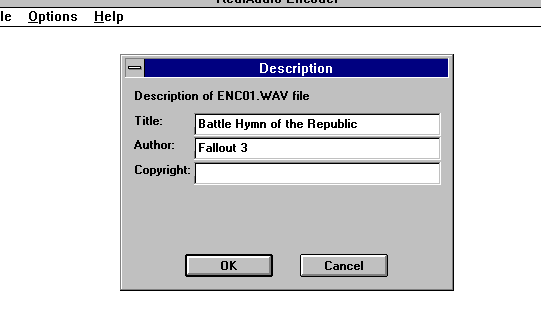
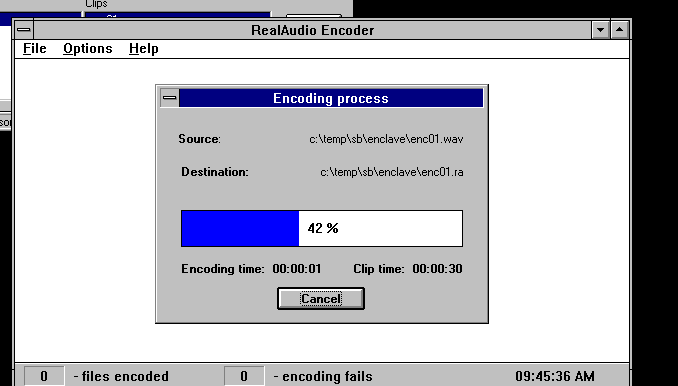
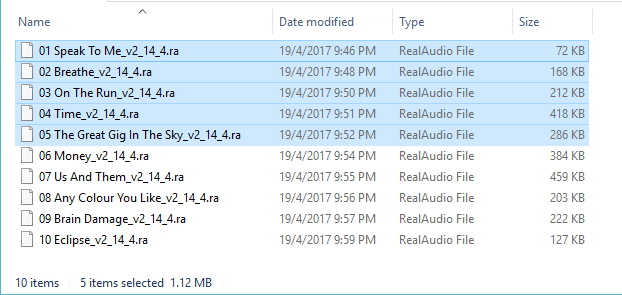
I have some old stuff transcoded to Real Audio, because why not? It’s like a magical hidden file-format from years past.
Granted the streaming software is so old, it breaks with NAT, but there was an older playable RAM / playlist file that’d just pull down .ra’s from a web server, like a snap. Except I never could get it to work right, but I didn’t spend much energy on it, because who cares?

Well I went for it today, hooked up some tcpdump after getting the stupid ‘error 11’ and yeah, turns out that even the 3.0 client is HTTP 1.0. So that means it doesn’t use named servers, so you can’t really put it on a modern web server. It’s bad enough it doesn’t like modern cryptography, but this is just the worst. So I figured I’d just try to do something raw as I’m also kinda annoyed that I can’t have good old HTTP access to my vpsland archive, since google will penalize you for having HTTP sites/links. But a $1 VPS and a $1 domain, and I’m in business.
The first thing I went to do was to setup haproxy to front all this, as I like to use all kinds of weird backends, like UnixWare, or Windows NT 3.1
+
+frontend http8888
+        bind *:8888
+        mode http
+        http-request set-header Connection "keep-alive" if { req.ver "1.0" }
+        http-request set-header Host "dsotm.rabbitfoxtrot.uk" if { req.ver "1.0" }
+
+        acl dsotm hdr(host) -i dsotm.rabbitfoxtrot.uk:8888
+        acl is_ra path_end .ra .RA
+        acl is_ram path_end .ram .RAM
+        use_backend dsotm if dsotm || is_ra || is_ram
+
+backend dsotm
+        balance leastconn
+        option httpclose
+        option forwardfor
+        server local1 127.0.0.1:80 check inter 500 maxconn 20
a
This diff is for the /etc/haproxy/haproxy.conf which simply adds an 8888 front end. I set it to add a ‘keep-alive’ & ‘Host’ fields in the header to start to make it seem a bit right.
Next it will parse out the extension of what files are being retrieved. More magic would be needed to do multiple RealAudio’s in that different paths/trees for sure, but since this is the only one on that front end, just looking for the .ra/.ram is enough. I could also attach other sites to that front end, dancing around this, but that’s a bit more work.
that’ll attach a name, in this case dsotm.rabbitfoxtrot.uk, and then shove it to the local Apache server which I’ve moved to the loopback adapter.
Configuring Apache is a bit more involved with all the moving parts:
ports.conf
--- ports.conf.dist     2025-04-11 17:28:47.627256671 +0000
+++ ports.conf  2025-04-11 17:28:58.374176767 +0000
@@ -2,7 +2,7 @@
 # have to change the VirtualHost statement in
 # /etc/apache2/sites-enabled/000-default.conf

-Listen 80
+Listen 127.0.0.1:80

 <IfModule ssl_module>
        Listen 443
The whole point is to make Apache listen on the loopback interface, not the public address. This way haproxy gets the requests first so it can alter/direct them as needed.
The final part, which combines the MiME magic, is contained in the sites-availble directory which then of course is linked to the sites-enabled
<VirtualHost *:80>
        # The ServerName directive sets the request scheme, hostname and port that
        # the server uses to identify itself. This is used when creating
        # redirection URLs. In the context of virtual hosts, the ServerName
        # specifies what hostname must appear in the request's Host: header to
        # match this virtual host. For the default virtual host (this file) this
        # value is not decisive as it is used as a last resort host regardless.
        # However, you must set it for any further virtual host explicitly.
        ServerName dsotm.rabbitfoxtrot.uk

        ServerAdmin [email protected]
        DocumentRoot /srv/www/vpsland/low/DSOTM

        AddType audio/x-pn-realaudio            ram
        AddType audio/x-pn-realaudio-plugin     rpm
        AddType audio/x-realaudio               ra

        # Available loglevels: trace8, ..., trace1, debug, info, notice, warn,
        # error, crit, alert, emerg.
        # It is also possible to configure the loglevel for particular
        # modules, e.g.
        #LogLevel info ssl:warn

        ErrorLog ${APACHE_LOG_DIR}/error/dsotm-error.log
        CustomLog ${APACHE_LOG_DIR}/dsotm-access.log combined

        # For most configuration files from conf-available/, which are
        # enabled or disabled at a global level, it is possible to
        # include a line for only one particular virtual host. For example the
        # following line enables the CGI configuration for this host only
        # after it has been globally disabled with "a2disconf".
        #Include conf-available/serve-cgi-bin.conf
    <Directory /srv/www/vpsland/low/DSOTM>
    Options Indexes FollowSymLinks MultiViews
    AllowOverride all
    Order allow,deny
    allow from all
    Require all granted
    </Directory>
</VirtualHost>

# vim: syntax=apache ts=4 sw=4 sts=4 sr noet
So now I can still host a half dozen other websites on that Apache server but also have that special ‘front door’ access on port 8888 that’ll take notice of requests for .ra/.ram files and it’ll transform those into something more HTTP 1.1 which Apache will enjoy.
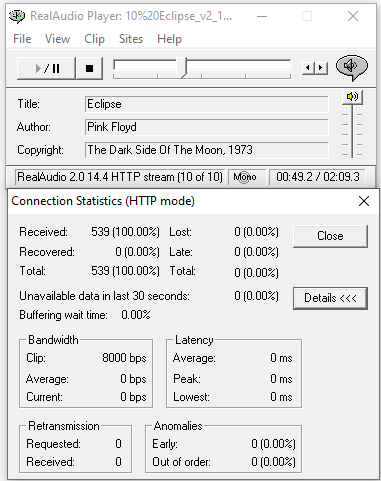
And even better, it works.
At some point, like the boxed wine project we’ll hit the point where you can just 90’s internet 100% in the browser to other browser ‘server’ nodes. It’ll be awesome.