

Description
Tired of juggling emails, spreadsheets, and multiple apps for bug tracking?
Annotatr is a WordPress plugin designed for developers, agencies, and teams to capture, assign, and resolve issues directly on your website. It keeps all feedback in one place, inside your WordPress dashboard, with context captured automatically.
Watch Annotatr in action: YouTube Demo
Key Benefits:
- Native to WordPress — No third-party apps or accounts needed
- Data belongs to you — All feedback stored in your own WordPress database
- Visual Kanban board — Track issues from Open In Progress Done
- Context captured automatically — Device, browser, screen resolution, and page URL
- Collaborative — Comments, assignments, @mentions, and notifications
Core Features (Free)
- Point & Capture: Highlight elements and submit bugs instantly
- Automatic screenshots: Capture without manual uploads
- Assign bugs to developers or testers
- Real-time notifications and activity log
- Page-specific tracking for easy context
- Modern, fast interface using the WordPress REST API
Premium Features
- Unlimited team members
- Due dates & automatic reminders
- Multiple board views (Kanban, List, Timeline)
- Bulk actions & filters
- Subtasks for notes
- Console & network error logging
- Whitelabel branding
- Statistics dashboard
- Priority support
Getting Started
- Add team members — assign developers and test users
- Create your first note — click the Annotatr icon on any page
- Point and capture — highlight elements and submit feedback
- Manage notes on the Kanban board
- Collaborate via comments and assignments
Screenshots
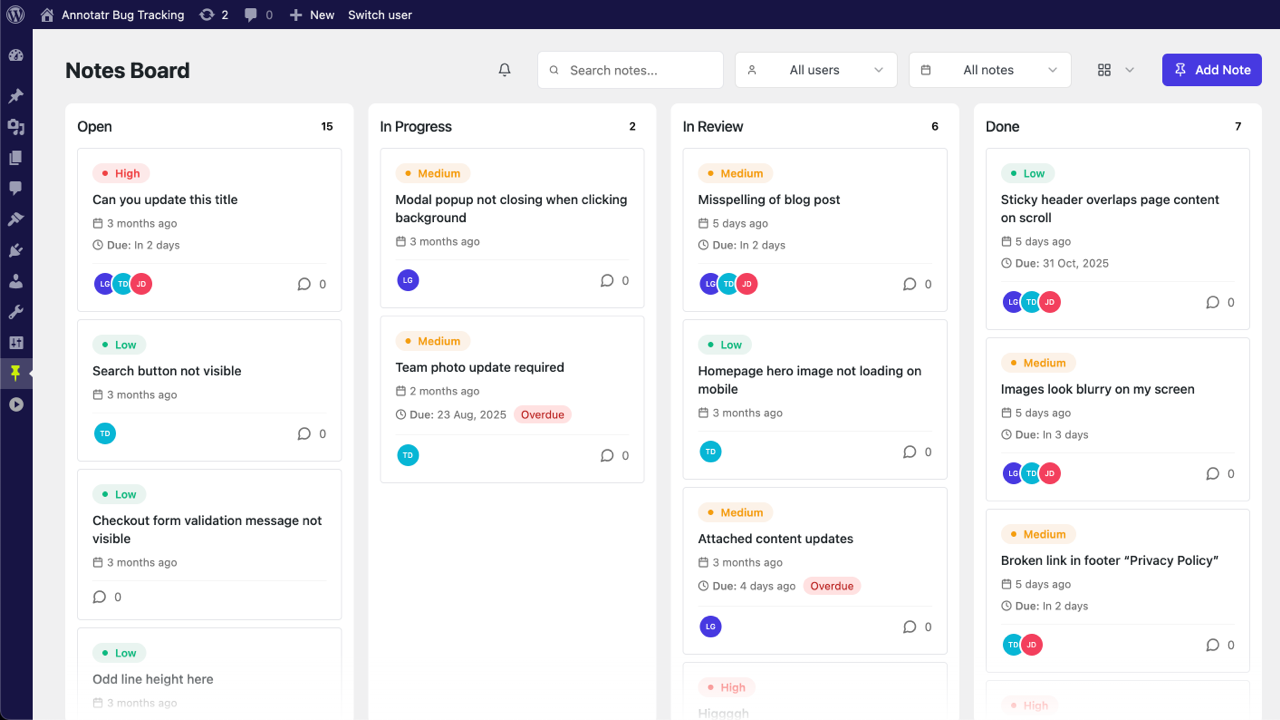
Kanban board showing bug statuses 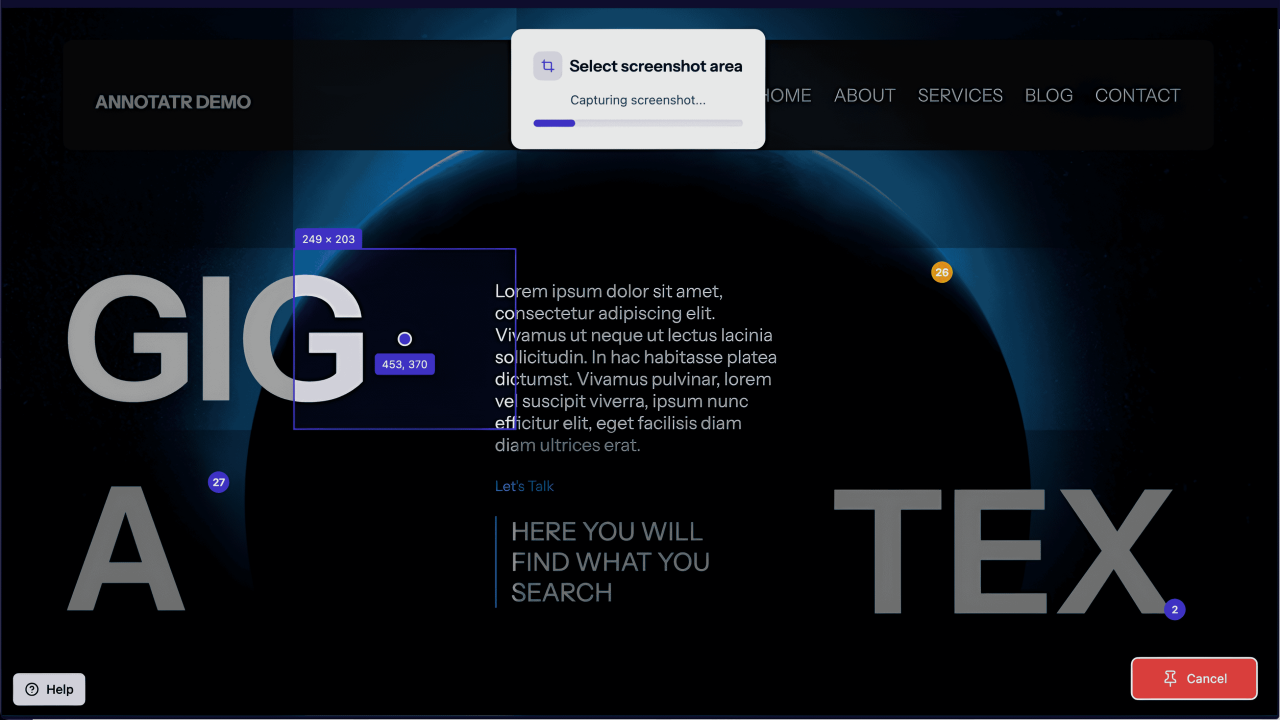
Point-and-capture interface with automatic screenshots 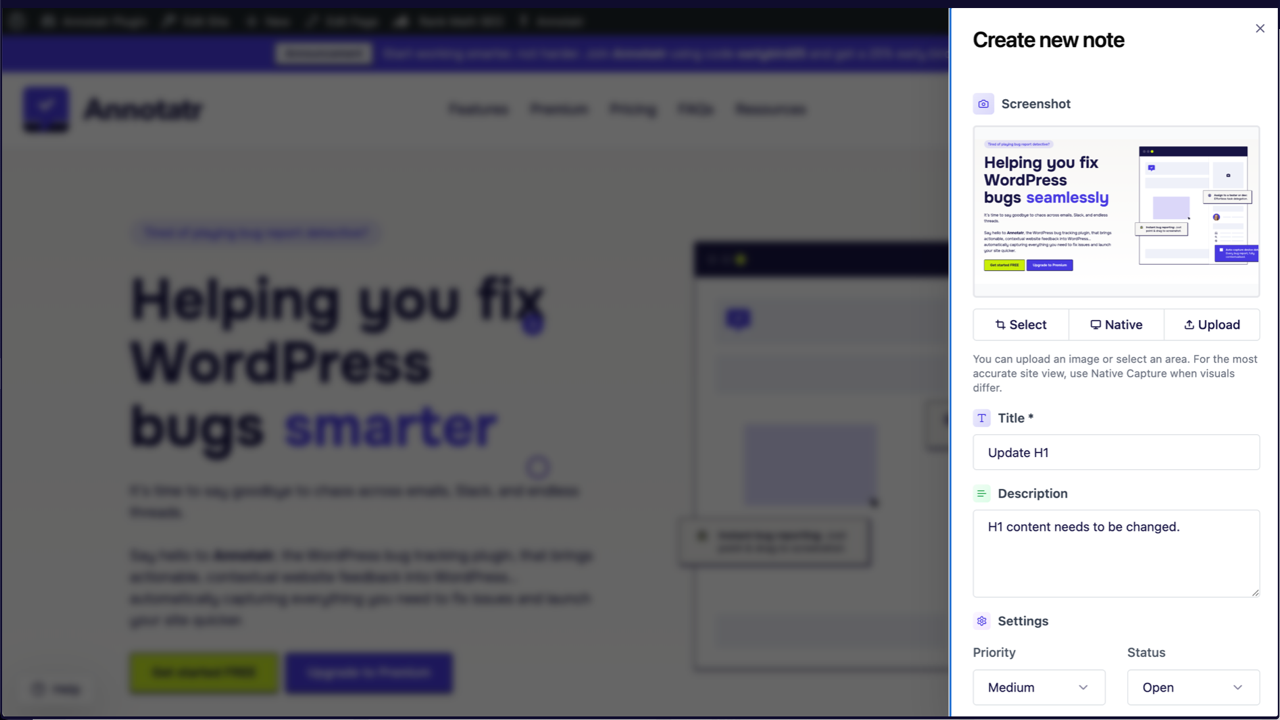
Note detail view with comments, attachments, and assignment 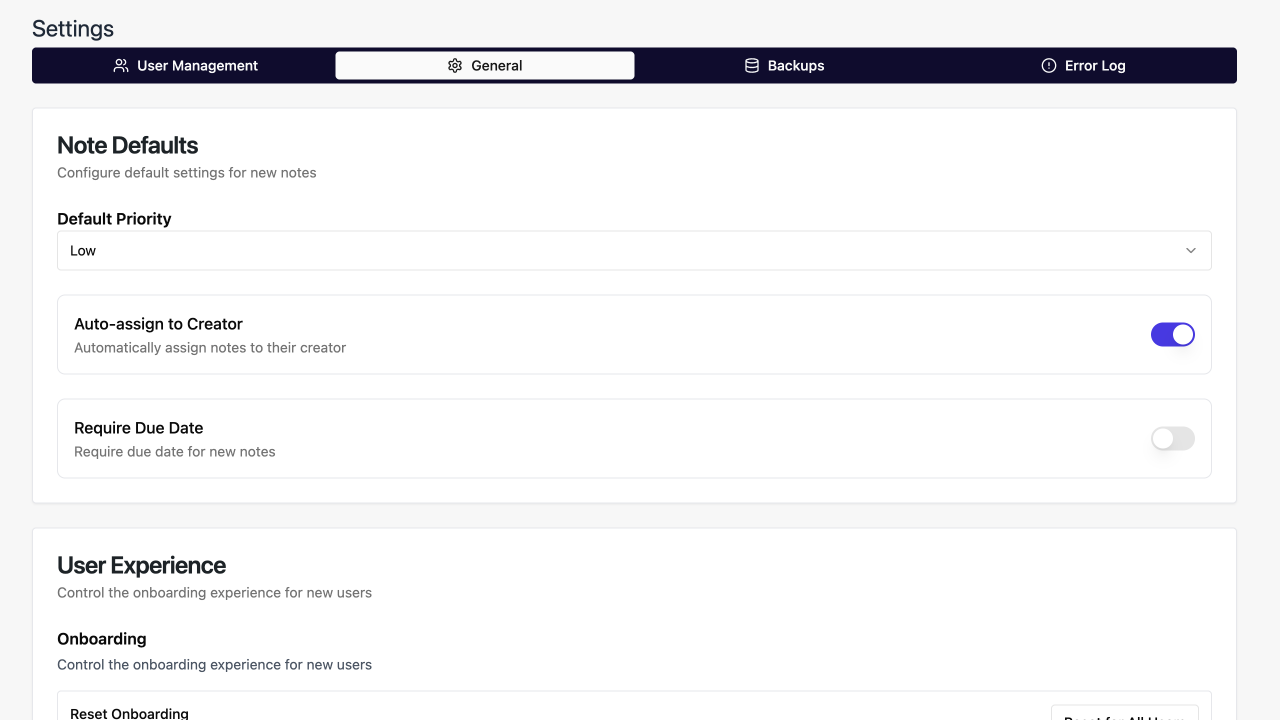
Settings page for team management 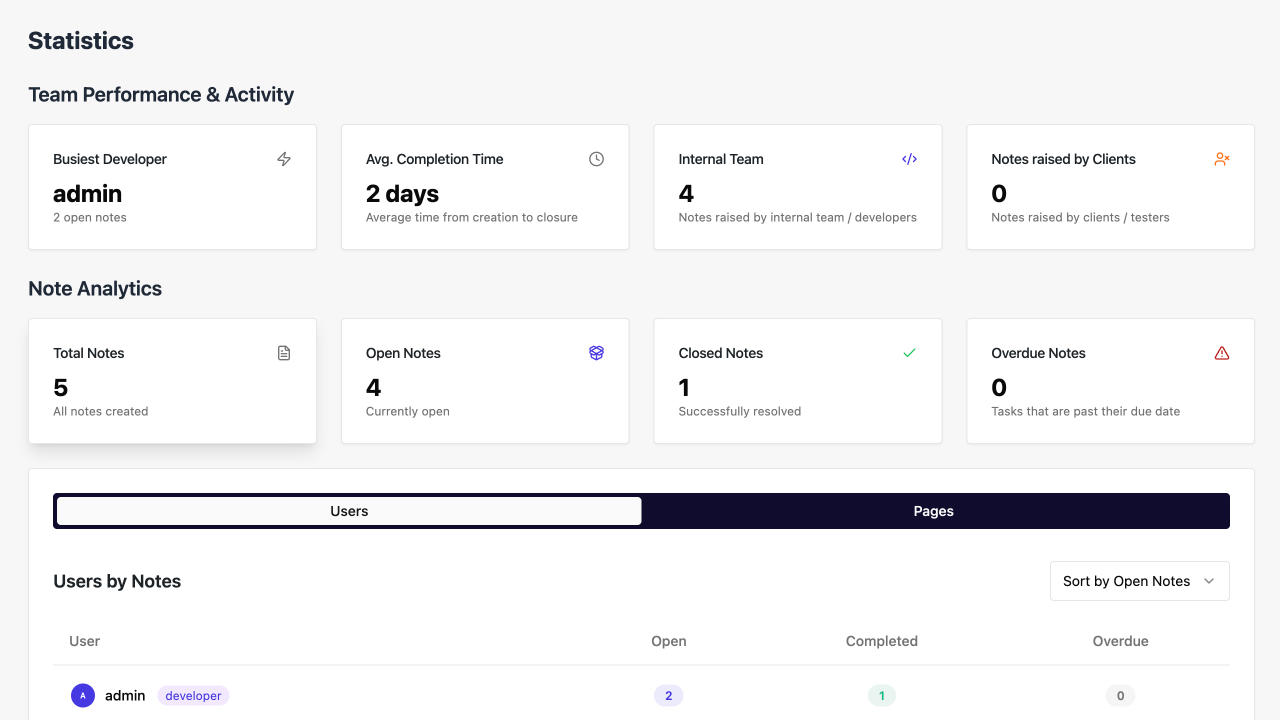
Statistics dashboard (Premium) 
Timeline view (Premium)


Installation
- Upload the plugin files to
/wp-content/plugins/annotatror install via WordPress plugins screen - Activate the plugin
- Navigate to Annotatr in your WordPress admin menu
- Configure team members and notifications in Settings
FAQ
-
Can I use Annotatr for free?
-
Yes! The free version includes core bug tracking, Kanban board, and collaboration tools. Premium unlocks advanced features.
-
Does it work with any WordPress theme?
-
Yes. Annotatr works seamlessly with virtually all themes and page builders.
-
How is Annotatr different from external tools?
-
Unlike Trello, Asana, or Jira, Annotatr lives inside WordPress, capturing context, screenshots, and metadata automatically.
-
Can clients or non-technical users leave feedback?
-
Yes. Anyone with WordPress access can submit visual feedback easily.
-
Is my data private and secure?
-
Yes. All notes, screenshots, and feedback are stored in your WordPress database. No third-party storage is required.
Reviews


Contributors & Developers
“Annotatr – Bug Reporting, Bug Tracking, Kanban Board and Project Management” is open source software. The following people have contributed to this plugin.
Contributors
Interested in development?
Browse the code, check out the SVN repository, or subscribe to the development log by RSS.
Changelog
1.0.3
-
Bug Fixes
- Fixed pointer-events issue in DeleteConfirmationDialog when cancelling notes.
- Improved handling of virtual pages (404, search results) in API and frontend.
- Fixed minor UI inconsistencies in Filters, Board, and admin bar.
-
New Features
- Log capture utility: captures console errors and network failures, adds logs to bug reports, allows copying logs from NoteManager.
- User color customization: assign/update avatar colors via REST API and settings UI.
- Subtasks: create, complete, and delete subtasks within notes.
- Enhanced admin bar menu: updated icon, Board and Settings links, simplified visibility checks.
- Priority filter: filter notes by high, medium, or low priority.
- Context menu for notes: quick access to common actions.
- EmptyState component: consistent empty states for Board, DataTable, and NotificationSheet.
- Improved notification sheet: richer empty state, unread indicators, avatars with action badges.
-
Improvements
- Note import now includes due_date and closed_at fields.
- Developer/test user management enforces role exclusivity.
- Filters and Board: clear selection, bulk actions visible only when relevant, updated icons.
- Virtual page titles now display correctly in UI.
- Tailwind CSS updates for frontend/admin; improved drag-and-drop in Board.
- Email notifications: formatted activity changes, better HTML rendering.
- Note activity logging: history of changes.
- Watch/unwatch notes with notifications.
- Comment system: multiple attachments, rich text editor, delete functionality, optimistic IDs.
- Statistics display improved with page_title field.
- Minor UI/UX tweaks in HoverCard, UserStatsTable, and NoteActivityLog.
1.0.2
- Bug Fixes
- Fixed broken image attachments and upload failures.
- Fixed self-notification issues in emails and in-app notifications.
- Statistics page shows correct counts for open notes and active pages.
- Improvements
- Automatic database migrations on plugin updates.
- Notes now include page titles for better context.
- Improved completion time display and redesigned user hover cards.
- Email notifications include detailed change summaries and proper HTML formatting.
1.0.1
- Features
- Subtask management added to notes.
- Context menu added for quick actions on notes.
- Notification sheet replaces dropdown; shows avatars and unread counts.
- Comment system improvements: multiple attachments, rich text editor, delete functionality.
- Bug Fixes
- Deleted screenshots no longer appear in notes.
- Improved activity log rendering and synchronization with notifications.
1.0.0
Initial public release.
Full detailed changelog with commits and demos: https://annotatr.co.uk/changelog
