
Description
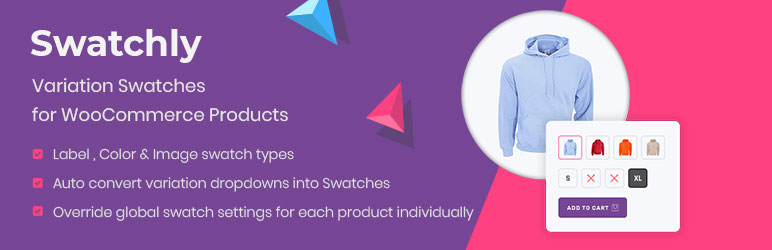
Swatchly is the ultimate WooCommerce variation swatches plugin that replaces boring dropdown menus with beautiful, clickable swatches. Show product variations as colors, images, or labels to help customers make faster purchase decisions and improve your store’s user experience.
Stop losing sales to confusing dropdown menus. Swatchly transforms your WooCommerce product variations into intuitive visual swatches that customers can instantly understand and interact with.
📌 Important Links
🔗 Live Demo | 📖 Documentation | 🚀 Pro Version | 💬 Support
📹 Video Tutorial
Learn how to install and configure Swatchly in minutes:
🎯 Why Choose Swatchly?
- ✅ Increase Conversions by 30% – Visual swatches help customers make decisions 73% faster, leading to significantly higher conversion rates
- ✅ Reduce Cart Abandonment by 25% – Clear product options decrease confusion and lower abandonment
- ✅ Better Mobile Experience – Touch-optimized swatches work perfectly on all devices
- ✅ No Coding Required – Simple, intuitive interface that anyone can use
- ✅ Universal Compatibility – Works with virtually all WordPress themes and WooCommerce extensions
- ✅ Regular Updates – Maintained for latest WordPress and WooCommerce versions
🎨 Core Features (Free Version)
Swatch Types:
- ✅ Color Swatches – Display color variations with visual color chips
- ✅ Image Swatches – Show product variations with thumbnail images
- ✅ Label/Button Swatches – Text-based swatches for sizes, materials, and more
- ✅ Multi-Color Swatches – Create swatches with multiple color combinations
- ✅ Auto-Convert Dropdowns – Automatically convert WooCommerce dropdowns to swatches
Customization & Styling:
- ✅ 3 Shape Styles – Choose from Square, Rounded, or Circle shapes
- ✅ Flexible Alignment – Align swatches left, center, or right
- ✅ Custom Dimensions – Set width, height, and font sizes
- ✅ Individual Product Override – Customize swatches for specific products
- ✅ Reset to Defaults – Easily restore global settings for any product
- ✅ Shape Inset Control – Enable/disable and adjust shape inset size
- ✅ Comprehensive Design Options – Control colors, borders, spacing, padding, and typography
Tooltips & Visual Feedback:
- ✅ Enable/Disable Tooltips – Show additional information on hover
- ✅ Text or Image Tooltips – Display tooltips with text or images
- ✅ Tooltip Image Size Control – Customize tooltip image dimensions
- ✅ Full Tooltip Customization – Style background, borders, arrow, spacing, and typography
- ✅ Disabled State Styling – Show unavailable options with cross sign, blur with cross, blur only, or hide completely
Shop & Archive Pages:
- ✅ Enable Swatches on Shop Pages – Display swatches on category and archive pages
- ✅ Flexible Positioning – Place swatches before/after title, price, or cart button
- ✅ Custom Hook Support – Use WooCommerce hooks for advanced placement
- ✅ Shortcode Support – Display swatches anywhere with
[swatchly_pl_swatches] - ✅ Product Thumbnail Switching – Change main image when selecting variations
- ✅ Show/Hide Clear Link – Option to display clear/reset link
- ✅ Show/Hide Swatch Labels – Control attribute name display
Advanced Features:
- ✅ Variation URL Generation – Create shareable links with pre-selected variations
- ✅ Ajax Variation Threshold Control – Optimize performance for products with many variations
- ✅ Recently Viewed Variations – Auto-select variations based on previous customer choices
- ✅ Import/Export Settings – Easily backup and transfer configurations
- ✅ Deselect on Click – Allow customers to unselect variations by clicking again
- ✅ Show Selected Variation Name – Display currently selected option on product page
- ✅ Variation Label Separator – Customize separator between attribute labels
Responsive & Mobile:
- ✅ Fully Responsive Design – Optimized for all screen sizes
- ✅ Mobile-Optimized Touch Targets – Perfect for smartphones and tablets
🚀 Pro Features
Unlock premium functionality to supercharge your WooCommerce store:
Advanced Swatch Options:
- 🔥 Radio Button Swatches – Additional swatch display type for better accessibility
- 🔥 Auto-Convert Image Swatches – Automatically create image swatches from variation images
- 🔥 Featured/Special Attributes – Highlight specific attributes as featured
- 🔥 Hide Out-of-Stock Variations – Automatically hide unavailable variations to prevent confusion
- 🔥 Individual Product Auto-Convert – Control auto-conversion per product
Shop Page Power Features:
- 🔥 Ajax Add to Cart – Add products to cart without page reload for seamless shopping
- 🔥 Custom Cart Button Text – Personalize the “Add to Cart” button text
- 🔥 Swatch Display Limits – Control how many swatches show on shop pages
- 🔥 Number of Swatches to Show – Set exact count for shop page display
- 🔥 Conditional Display – Use PHP conditions to show/hide swatches programmatically
Premium Benefits:
- 🔥 Priority Support – Faster response times from expert team
- 🔥 Regular Feature Updates – Get new features as they’re released
- 🔥 30-Day Money-Back Guarantee – Risk-free purchase
- 🔥 Lifetime Usage Rights – Use forever, even after support period
🎯 View All Pro Features & Pricing
🏆 Perfect For Every Industry
Fashion & Apparel Stores
Show color and size variations clearly to reduce returns and increase customer satisfaction. Ideal for clothing with multiple patterns and materials.
Furniture & Home Decor
Display material textures and finish options to help customers visualize products. Perfect for customizable furniture.
Electronics & Tech Stores
Make technical specifications easy with visual selection for storage, colors, and configurations. Simplify complex product variations.
Craft & Art Supplies
Display extensive color palettes, material types, and size variations intuitively for creative customers.
Any Variable Product Store
Improve user experience across all industries with products that have multiple variations.
⚡ Performance & Compatibility
- ✅ Lightweight and optimized for speed
- ✅ Minimal impact on page load times
- ✅ Follows WordPress coding standards
- ✅ Regular updates for WordPress & WooCommerce compatibility
- ✅ Accessibility improvements for screen readers
⭐ What Store Owners Say
“Simple and effective. Just what I wanted!”
“I was looking for a simple to use plugin that did the job it said it would do and that’s exactly what I found with the Swatchly plugin. I had a small issue and contacted support. I received immediate help and they resolved my issue quickly. Super great customer service and support. I highly recommend this plugin!!” – dorikkd ⭐⭐⭐⭐⭐
“Good and quick support”
“I had some issues with WooCommerce Bundle and this plugin, but I wrote to the support team and they quickly fixed it. Great support and plugin!” – Mikkelaveo ⭐⭐⭐⭐⭐
“It works fine, and if not they solve it!”
“It works fine with elementor. It is easy to use and customize. One day it stops working because an Elementor update. But it only takes few hours to them to solve the problem. Good choice for your web.” – Brandhip ⭐⭐⭐⭐⭐
Join 6,000+ active WooCommerce stores using Swatchly to enhance their product pages and boost conversions.
📚 Documentation & Support
🔒 Privacy Policy
Swatchly does not collect or store any personal data from your customers. The plugin may collect non-sensitive diagnostic data to improve performance and compatibility only if you opt in through the admin settings.
Screenshots
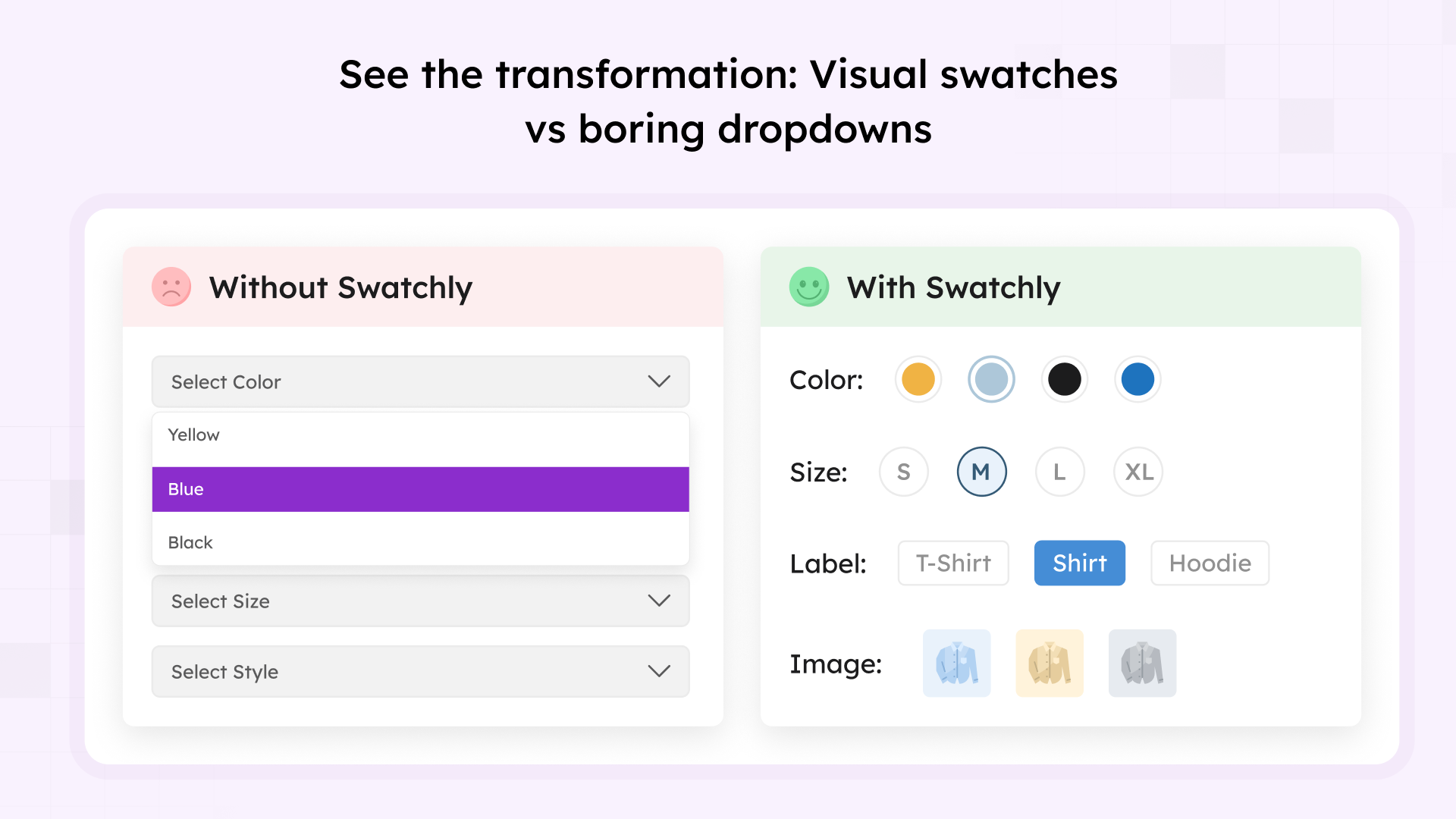
Dramatic before/after comparison showing visual swatches replacing traditional dropdowns 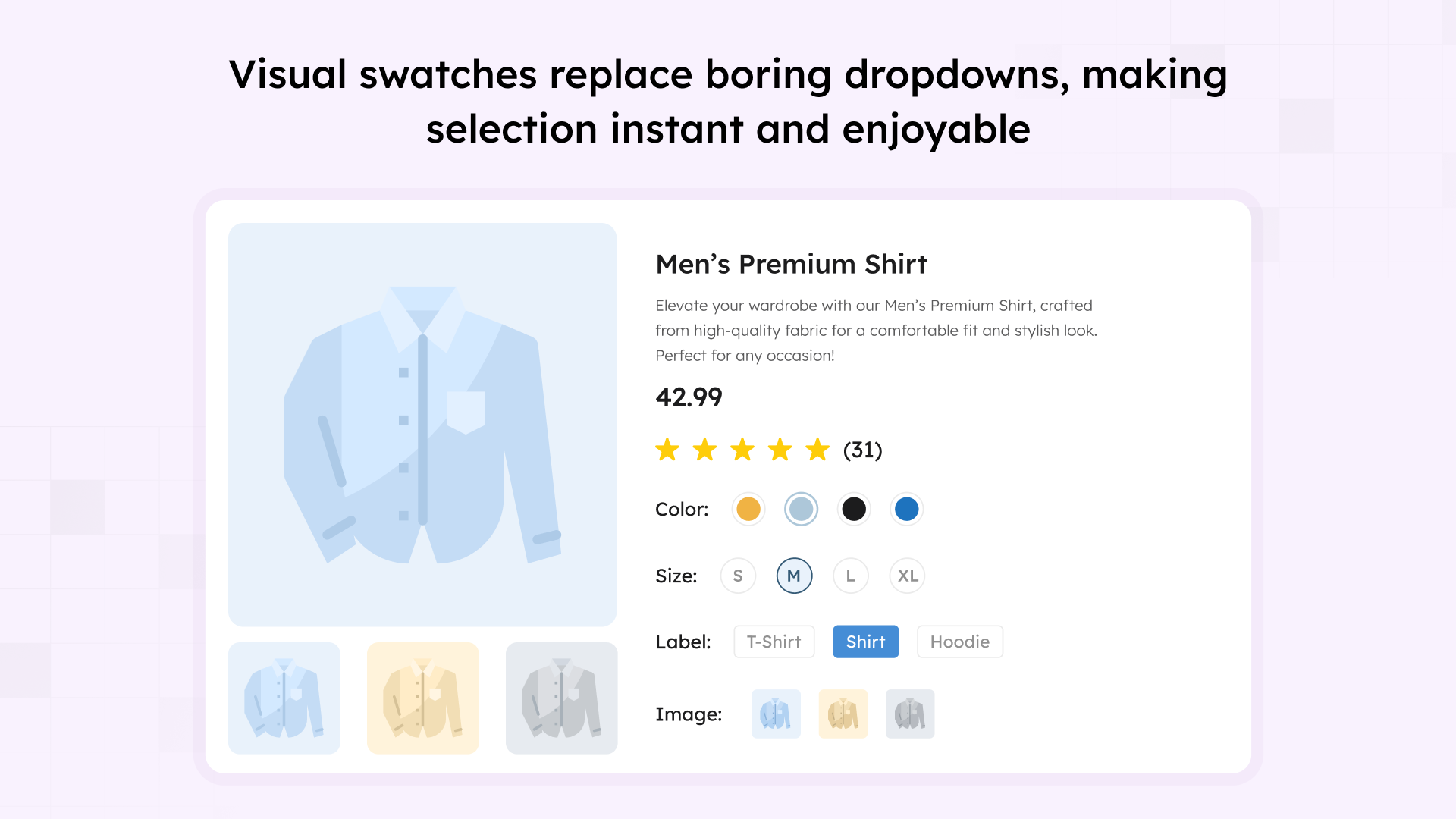
Beautiful product page displaying Color, Size, Label, and Image swatches together 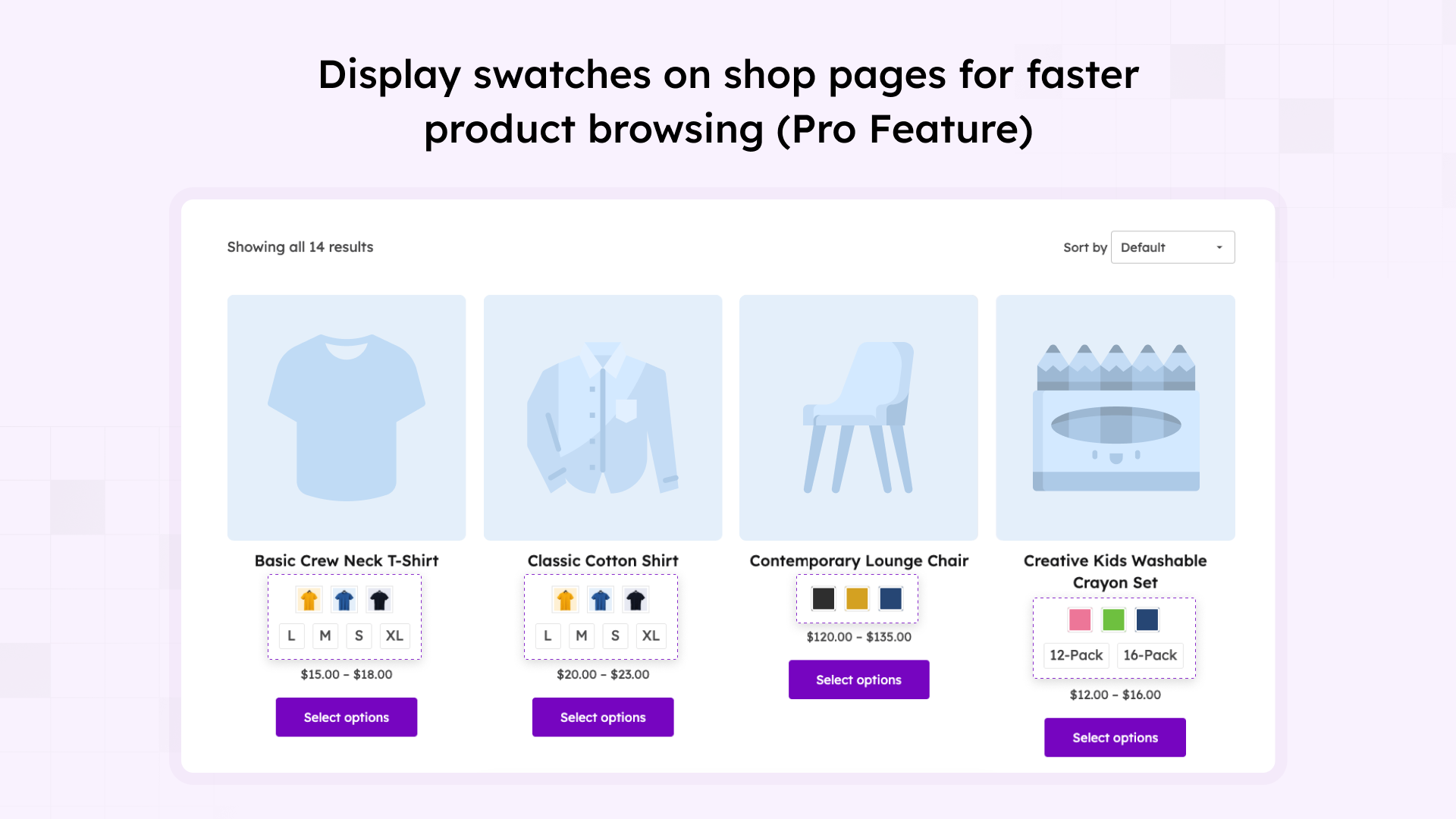
Shop and archive pages showing swatches for quick product selection 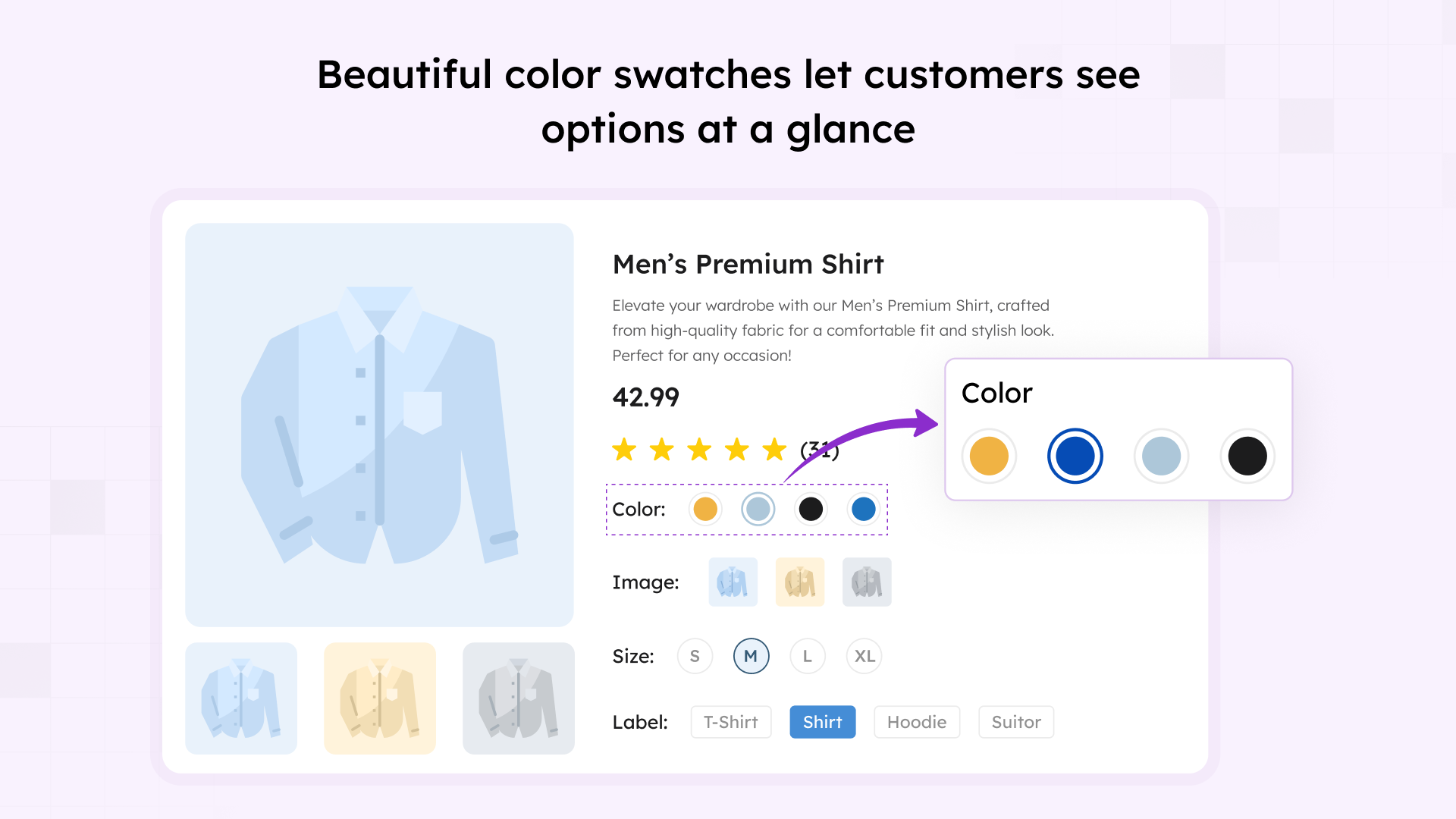
Color swatches with visual preview – perfect for apparel, accessories, and more 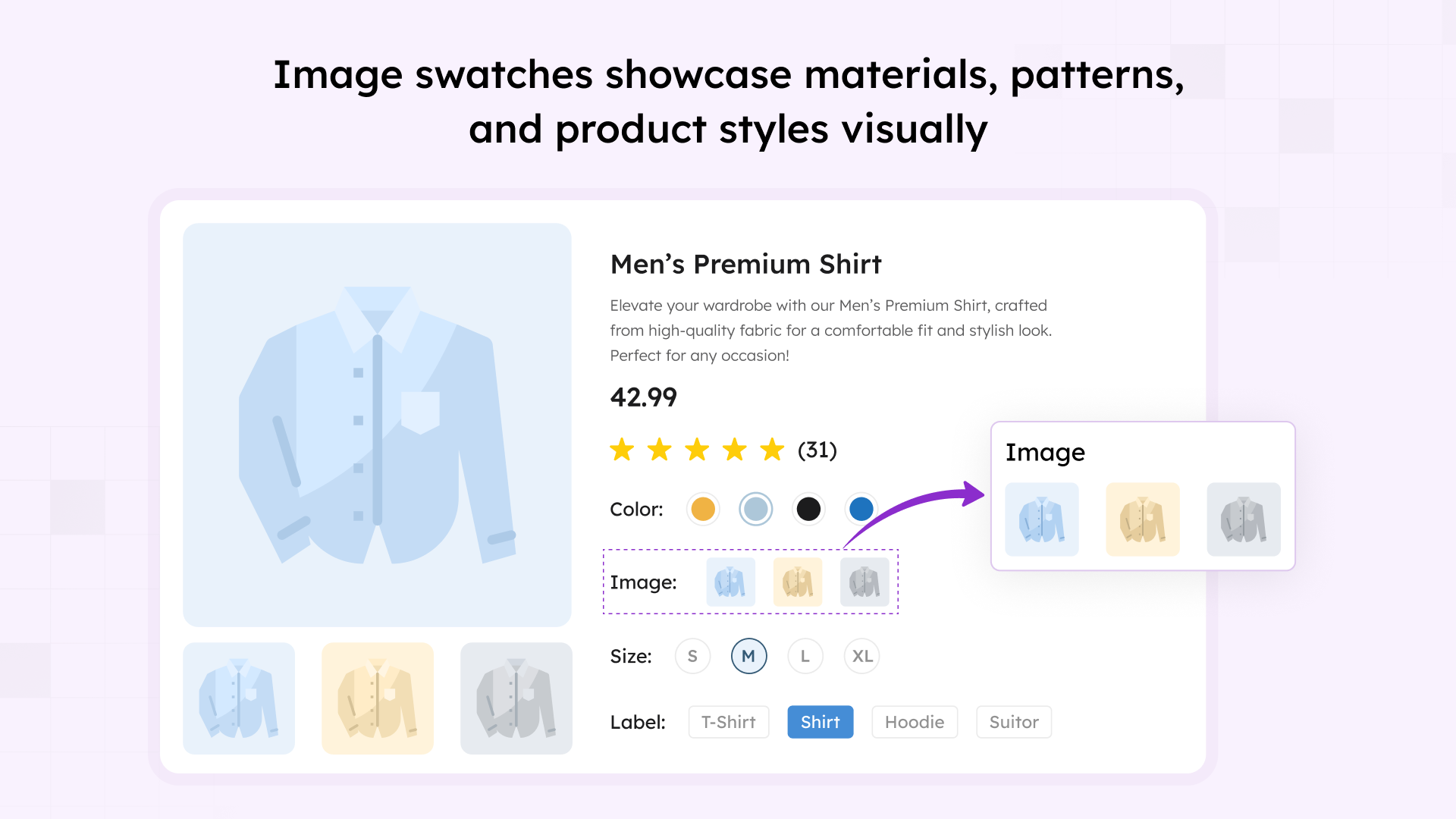
Image swatches displaying product variations with thumbnail previews 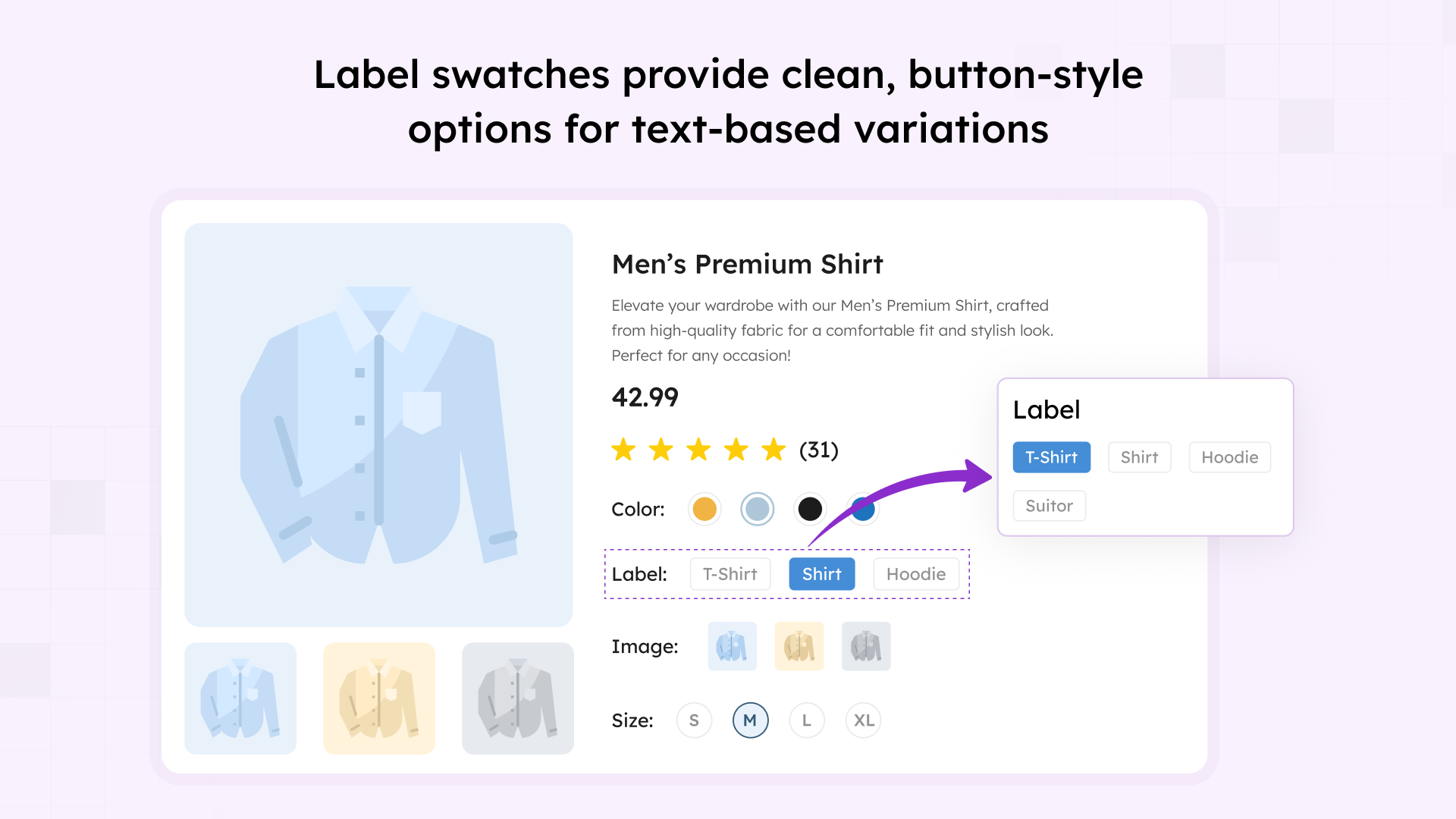
Label swatches for product types, styles, and non-visual attribute options 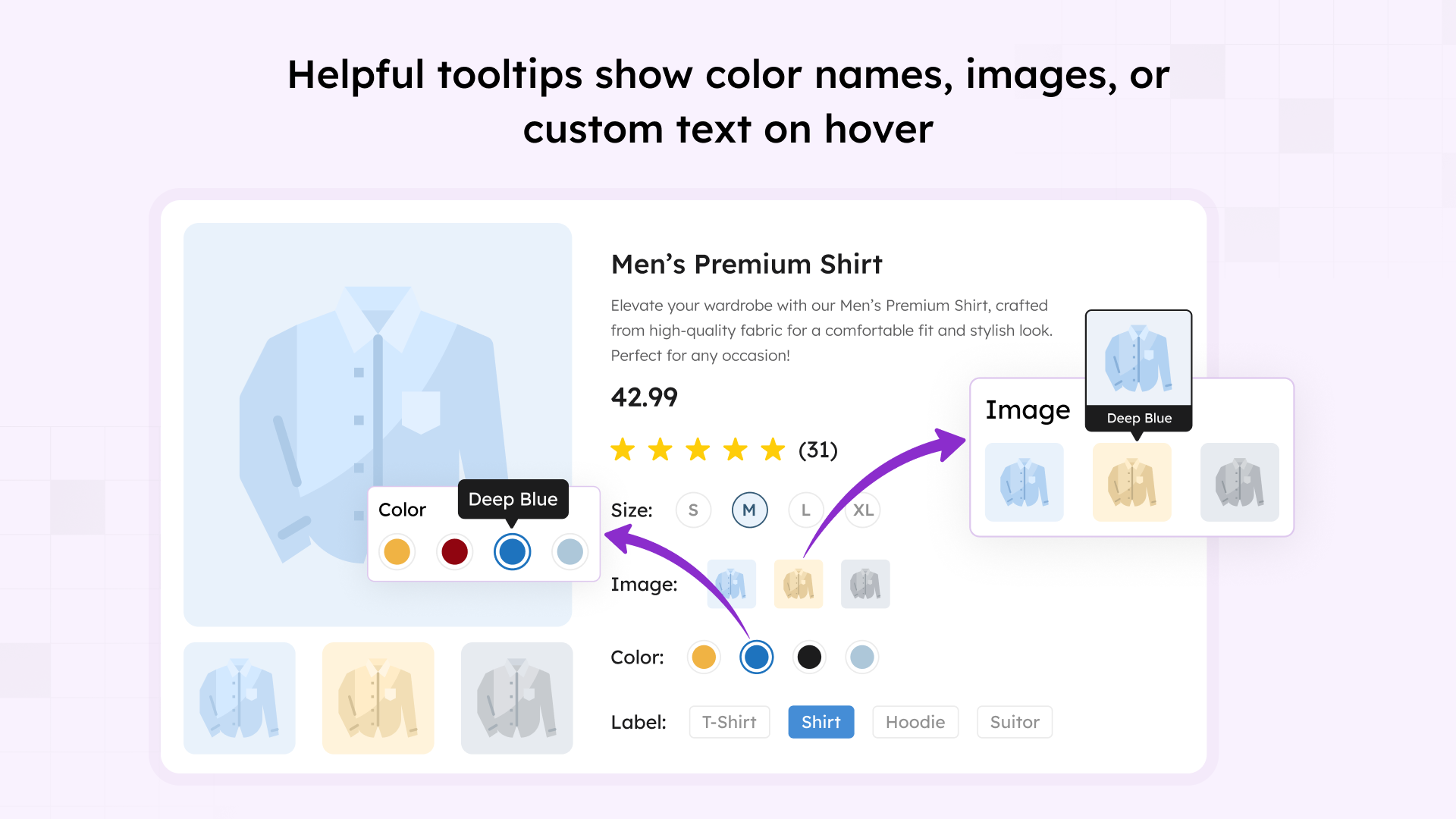
Interactive tooltips displaying additional product information on hover 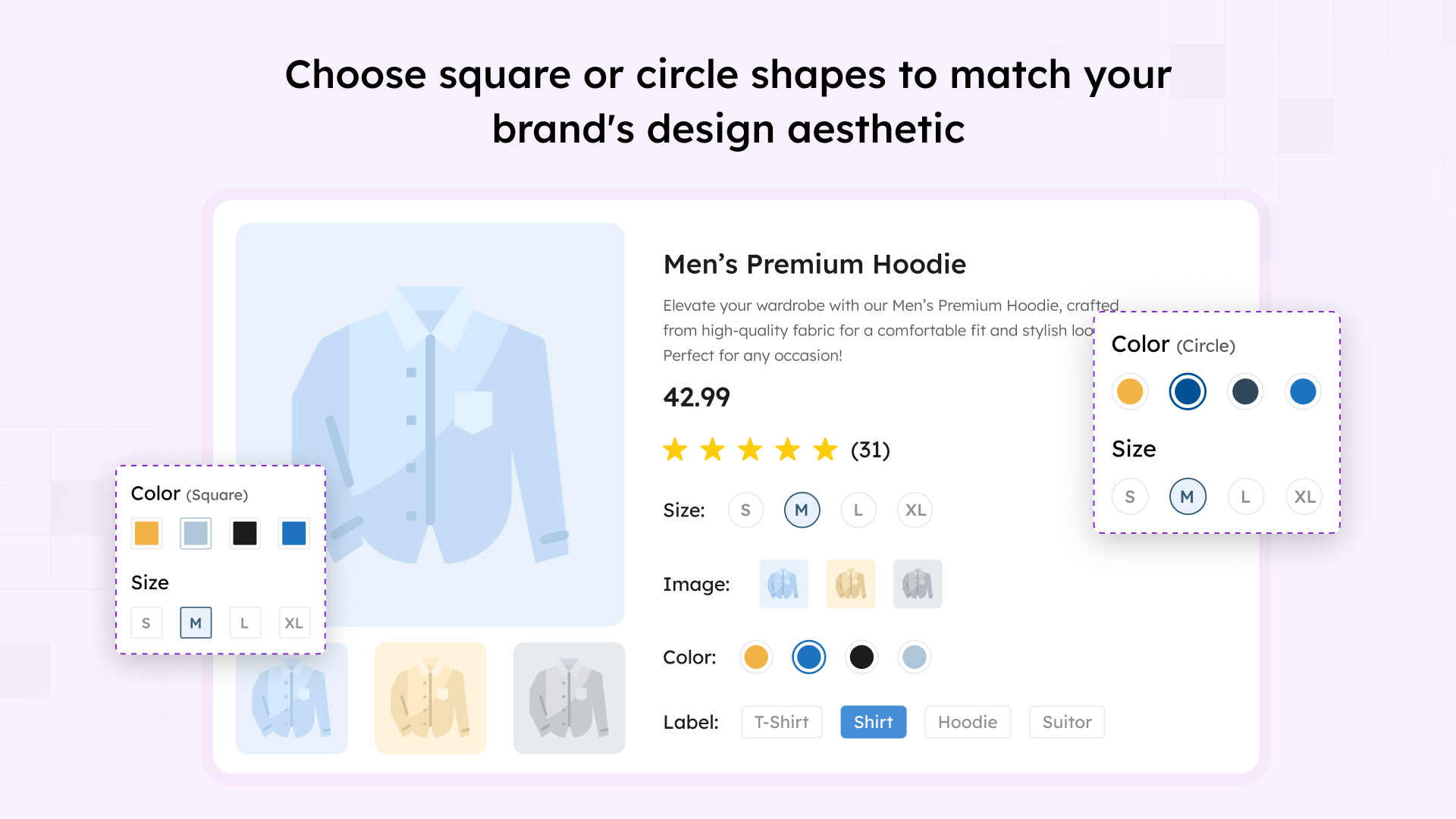
Flexible swatch shape options – customize with Square, Rounded, or Circle styles 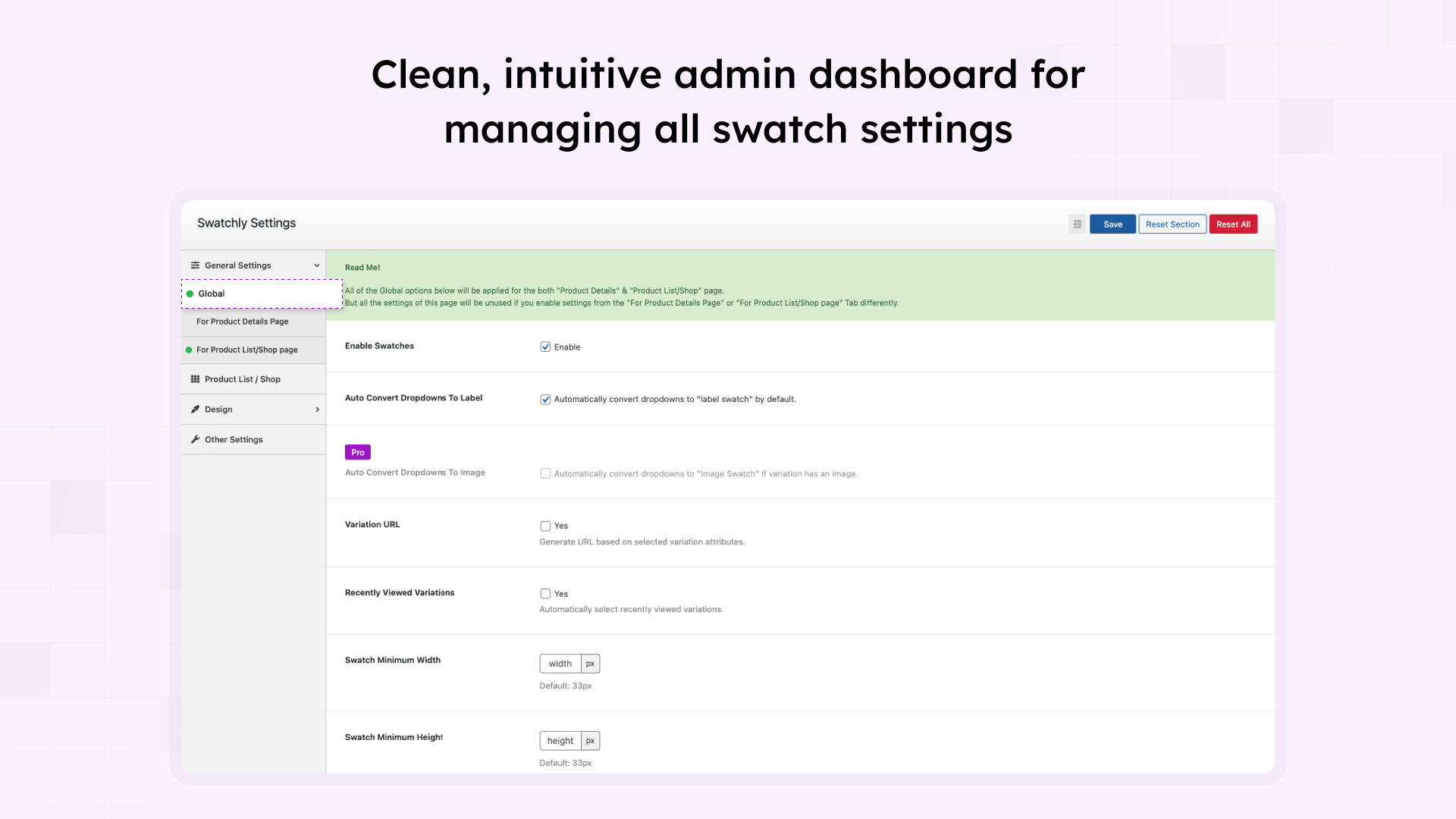
Easy-to-use settings dashboard with all plugin options in one place 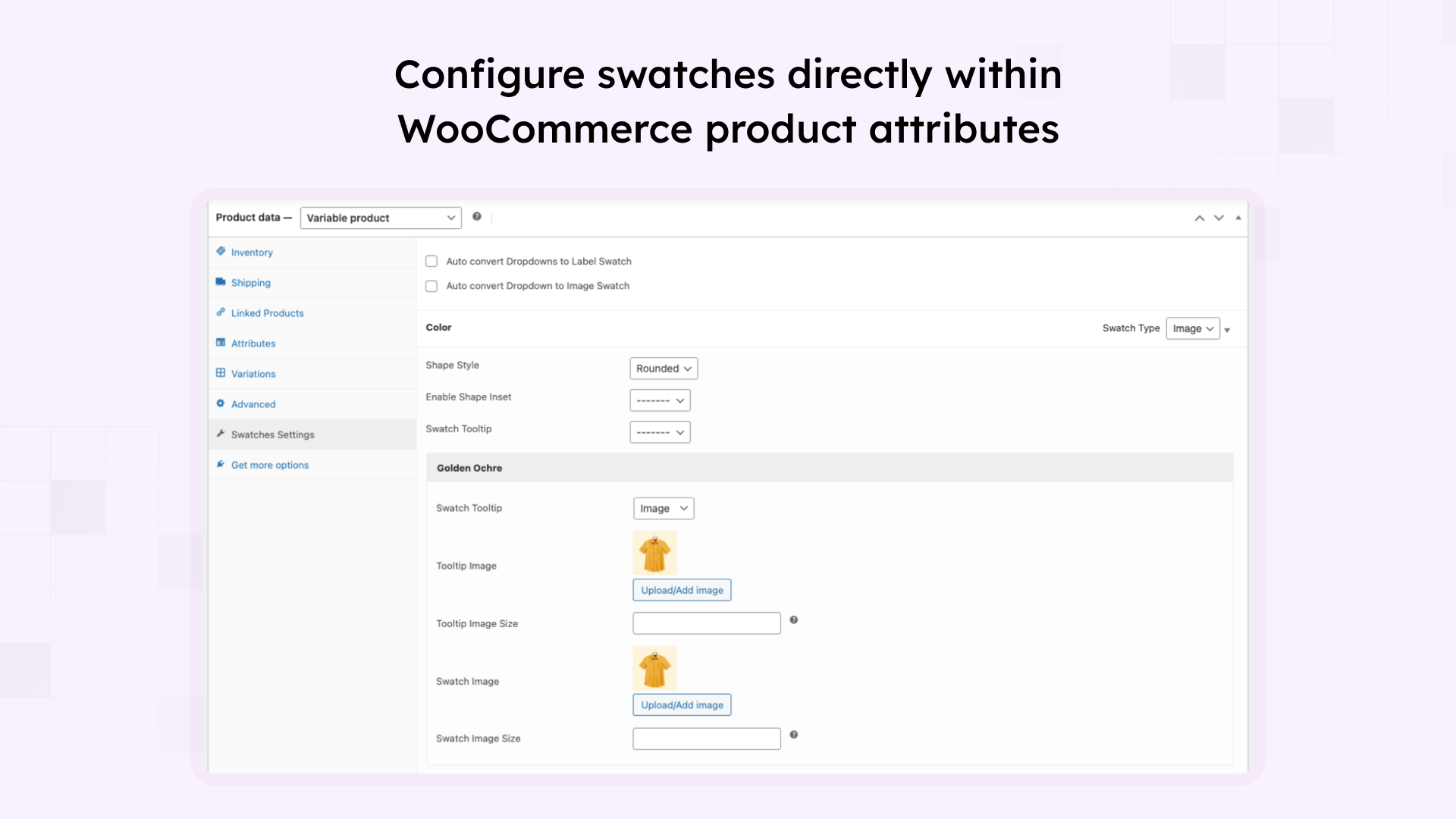
Product attribute configuration showing swatch types, images, and tooltip settings 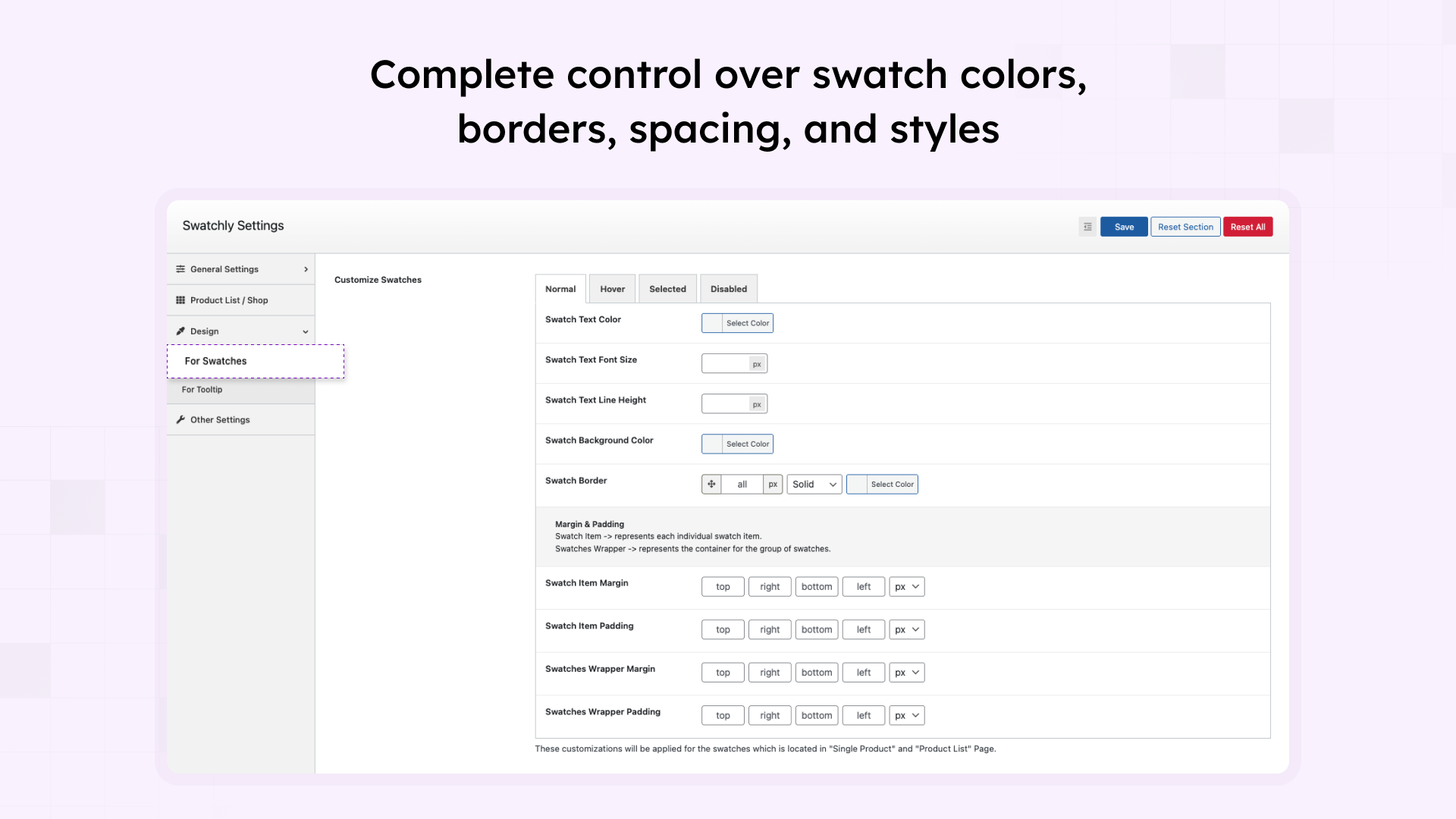
Design customization panel for full control over swatch appearance 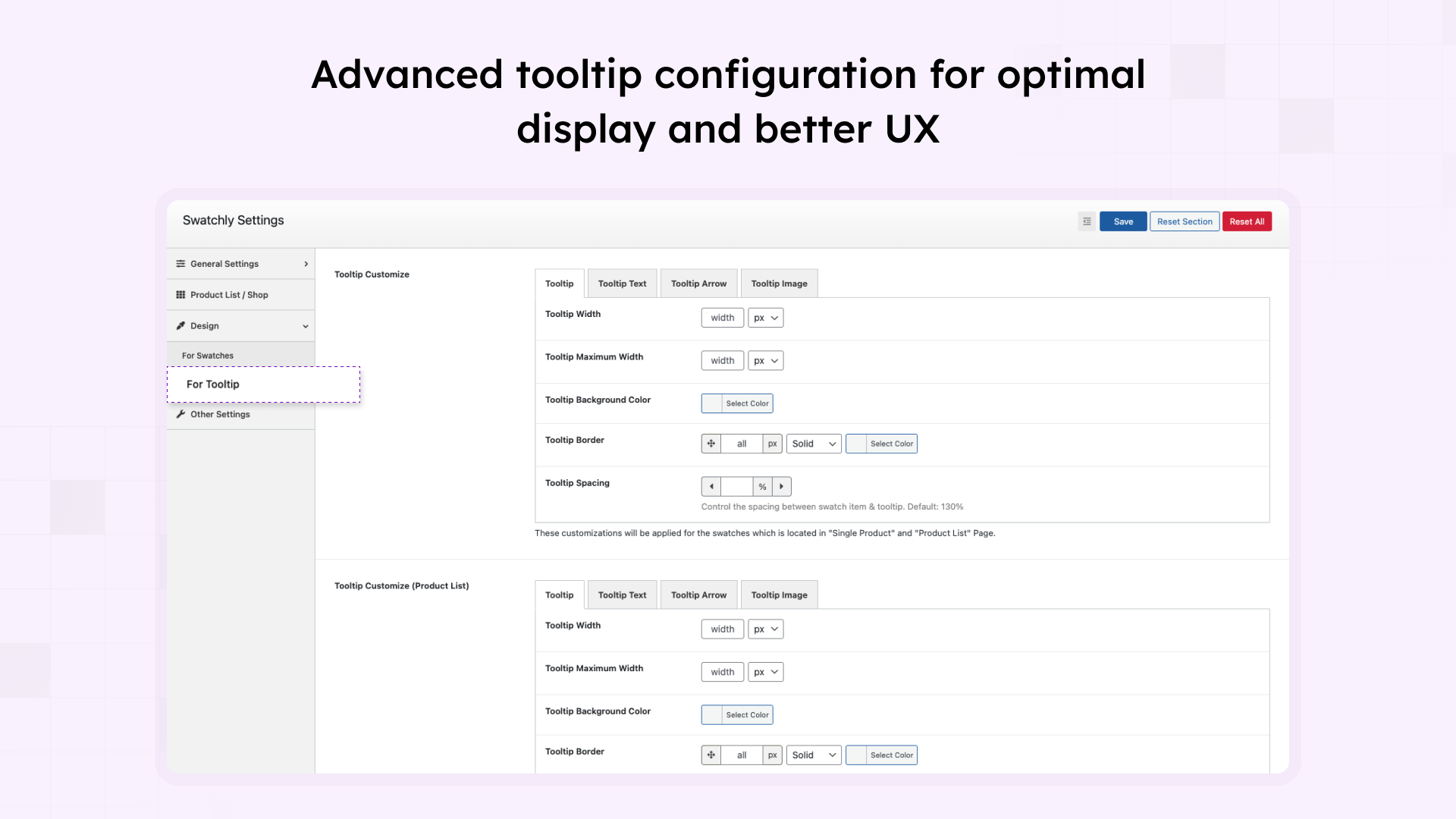
Tooltip settings page with options for width, colors, borders, and spacing 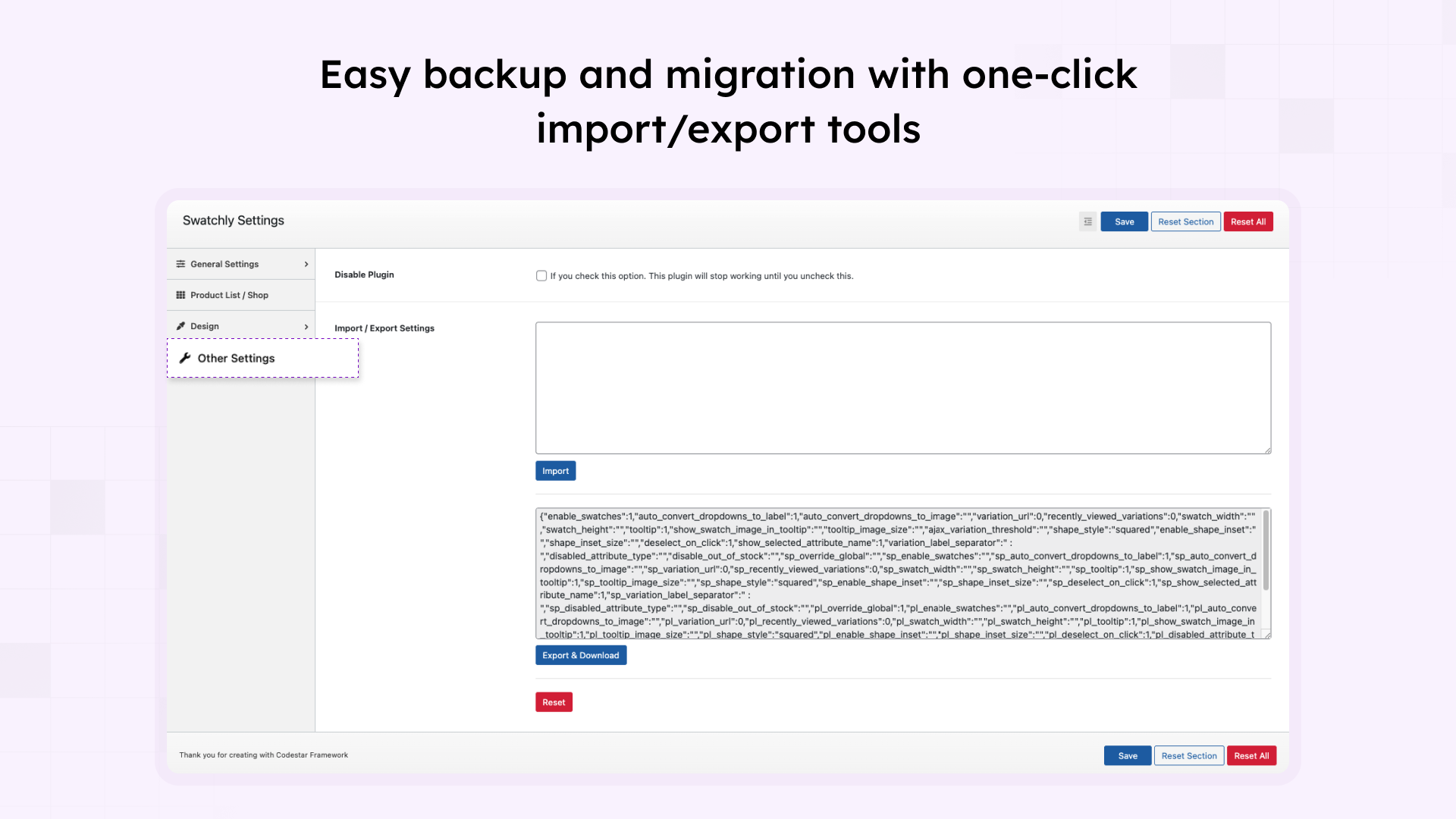
Import/export settings for easy backup and site migration


Installation
🚀 Automatic Installation (Recommended)
- Go to your WordPress Dashboard Plugins Add New
- Search for “Swatchly”
- Click “Install Now” and then “Activate”
- Navigate to Dashboard Swatchly to configure settings
📦 Manual Installation
- Download the plugin zip file
- Go to WordPress Dashboard Plugins Add New Upload Plugin
- Choose the downloaded zip file and click “Install Now”
- Click “Activate” to enable the plugin
- Navigate to Dashboard Swatchly to configure settings
⚙️ After Installation
- Ensure WooCommerce is installed and activated
- Go to Swatchly settings (Dashboard Swatchly)
- Configure global settings for product pages and shop pages
- Create or edit product attributes (Products Attributes)
- Assign swatch types (color, image, or label) to each attribute value
- Apply the attribute to your variable products
- Swatches will automatically appear on your product pages
📖 Quick Start Guide
Step 1: Navigate to Products Attributes in your WordPress dashboard
Step 2: Create or edit an attribute (e.g., “Color” or “Size”)
Step 3: Add attribute terms and assign swatch types (color, image, or label)
Step 4: Apply the attribute to your variable products
Step 5: Configure swatch appearance in Swatchly settings
FAQ
-
Will Swatchly work with my theme?
-
Yes! Swatchly is designed to work with virtually all WordPress themes that support WooCommerce. Our flexible design options ensure seamless integration. If you encounter any compatibility issues, our support team is ready to help.
-
Do I need coding skills to use Swatchly?
-
Not at all! Swatchly features an intuitive admin interface that makes setup and customization simple for everyone. No coding knowledge is required for any features.
-
Will this slow down my website?
-
No. Swatchly is optimized for performance with minimal impact on load times. The plugin uses lightweight code, follows WordPress best practices, and loads assets only where needed.
-
Can I customize how swatches look?
-
Absolutely! You can customize shapes (square, rounded, circle), sizes, colors, borders, spacing, and add tooltips. Swatchly offers extensive styling options to match your brand perfectly.
-
Does Swatchly work on mobile devices?
-
Yes! Swatchly is fully responsive and mobile-optimized with touch-friendly targets that work perfectly on smartphones and tablets.
-
Can I show swatches on shop/category pages?
-
Yes! Swatchly supports displaying swatches on both individual product pages and shop/archive pages. You can control positioning and behavior for each page type separately.
-
Is Swatchly compatible with the latest WooCommerce version?
-
Yes! We regularly update Swatchly to ensure full compatibility with the latest versions of WordPress and WooCommerce. Check our changelog for the most recent compatibility information.
-
Can I use different swatch types for different attributes?
-
Yes! You can assign different swatch types (color, image, label) to each attribute independently. For example, use color swatches for colors and label swatches for sizes.
-
Does Swatchly support multi-color swatches?
-
Yes! You can create swatches that display multiple colors, perfect for products with multi-colored variations.
-
What’s the difference between free and pro versions?
-
The free version includes all essential features: color, image, and label swatches, tooltips, shop page support, and extensive customization options.
The Pro version adds: radio button swatches, catalog mode (B2B), out-of-stock hiding, Ajax add to cart, swatch limits, custom cart text, featured attributes, auto-convert image swatches, and priority support.
-
Can I hide out-of-stock variations?
-
Yes! This feature is available in the Pro version. You can automatically hide unavailable variations to prevent customer confusion.
-
Does Swatchly work with Quick View plugins?
-
Yes! Swatchly is compatible with 15+ popular quick view plugins including ShopLentor, YITH Quick View, WPC Smart Quick View, QuickSwish, Addonify, Merchant, and more.
-
Can I import/export my settings?
-
Yes! Swatchly includes import/export functionality for global settings, making it easy to backup configurations or transfer settings between sites.
-
Is Swatchly translation-ready?
-
Yes! Swatchly is fully translation-ready and includes a POT file. It’s compatible with WPML and other translation plugins for multilingual stores.
-
Can I use Swatchly on multiple websites?
-
The free version can be used on unlimited sites. For the Pro version, we offer different license options:
* Single Site License (1 website)
* Multi-Site License (5 websites)
* Agency License (unlimited websites) -
How do I get support?
-
For the free version, use the WordPress.org support forum.
Pro users Visit our website for detailed documentation and video tutorials.
-
Does Swatchly support shortcodes?
-
Yes! Use the
[swatchly_pl_swatches]shortcode to display swatches anywhere on your site, including custom positions and page builders.
Reviews


Contributors & Developers
“Swatchly – Product Variation Swatches for WooCommerce” is open source software. The following people have contributed to this plugin.
Contributors


Translate “Swatchly – Product Variation Swatches for WooCommerce” into your language.
Interested in development?
Browse the code, check out the SVN repository, or subscribe to the development log by RSS.
Changelog
Version: 1.4.9 – Date: 14 December 2025
- Added: Oxygen Builder compatibility.
Version: 1.4.8 – Date: 13 November 2025
- Fixed: Minor issue with notice manager.
Version: 1.4.7 – Date: 27 October 2025
- Fixed: Swatches not working properly on mobile devices.
Version: 1.4.6 -Date: 22 October 2025
- Improved: Accessibility support for swatches.
- Improved: Screen reader experience with more descriptive labels.
- Tested: Compatibility with WooCommerce latest version.
Version: 1.4.5 -Date: 28 July 2025
- Added: Recently Viewed Variations feature to auto select the variations based on the user’s previous selection.
Version: 1.4.4 -Date: 13 July 2025
- Fixed: Issue where the color and image attributes were not being saved.
Version: 1.4.3 -Date: 19 June 2025
- Fixed: Translation issue in multiple areas.
Version: 1.4.2 -Date: 16 April 2025
- Tested: Compatibility with the latest version of WordPress.
Version: 1.4.1 -Date: 10 April 2025
- Updated: User permission checks for better role-based access control in AJAX handling.
Version: 1.4.0 -Date: 29 January 2025
- Fixed: Issue with multiple initialization of Swatchly on product page.
Version: 1.3.9 -Date: 03 December 2024
- Fixed: Conflict with 3rd party plugin.
Version: 1.3.8 -Date: 25 November 2024
- Fixed: Text Domain loading warning with WordPress 6.7.1
Version: 1.3.7 -Date: 17 November 2024
- Fixed: “Variation URL” not working with elementor loop issue.
- Fixed: Swatch not working properly with bundles product issue.
Version: 1.3.6 -Date: 14 October 2024
- Fixed: Issue with the button text color on swatch button hover does not change correctly.
Version: 1.3.5 -Date: 26 September 2024
- Added: Compatibility for WooCommerce Product Bundles plugin.
Version: 1.3.4 -Date: 11 September 2024
- Added: Compatibility for Astra Pro quick view
Version: 1.3.3 -Date: 01 September 2024
- Improved: Coding standards in some areas.
- Compatibility with WooCommerce latest version.
Version: 1.3.2 -Date: 03 August 2024
- Updated: 3rd party libraries for latest PHP version compatibility.
Version: 1.3.1 -Date: 11 July 2024
- Fixed: Encoding issue in product variation dropdown.
Version: 1.3.0 -Date: 10 July 2024
- Fixed: Issue duplicate form field id in the same form.
Version: 1.2.9 -Date: 24 June 2024
- Fixed: Escaping issues have been resolved in multiple areas.
- Updated: Language translation .pot file
Version: 1.2.8 -Date: 13 May 2024
- Fixed: Escaping issues have been resolved in multiple areas.
Version: 1.2.7 -Date: 18 Apr 2024
- Tweak: Loading banner in the post/page editor has been removed
Version: 1.2.6 -Date: 17 Apr 2024
- Added: Compatibility for ShopLentor universal product slider
- Added: Option to generate URL based on selected variation attributes for product details page.
- Improved: Removed dependency on JS for Diagnostic data notice dismiss issue
- Fixed: Product image doesn’t change issue in product loop while use single product add to cart function
Version: 1.2.5 -Date: 19 Feb 2024
- Added: Option to generate URL based on selected variation attributes.
- Updated: Language translation .pot file
Version: 1.2.4 -Date: 18 Dec 2023
- Updated: Language translation .pot file
- Tweak: Opt-in message to provide non-sensitive diagnostic data and usage information to improve the plugin
Version: 1.2.3 -Date: 14 Nov 2023
- Fixed: Console error issue with the Barn2 plugin
Version: 1.2.2 -Date: 13 Sep 2023
- Added: Compatibility with Barn2 Product Filters Plugin.
Version: 1.2.1 -Date: 10 Apr 2023
- Added: Security nonce verification for recommended plugins
Version: 1.2.0 -Date: 04 Apr 2023
- Added: 2 new action hooks
- Added: YITH infinite scroll support
Version: 1.1.9 -Date: 19 Jan 2023
- Fixed: Swatches doesn’t show in elementor preview mode
Version: 1.1.8 -Date: 06 Oct 2022
- Fixed: Product loop gallery navigation doesn’t change after variation update
- Updated: Readme file
Version: 1.1.7 -Date: 11 Aug 2022
- Tweak: Compatibility for Elementor’s related products
- Fixed: Related product’s Alignment issue
Version: 1.1.6 -Date: 17 Jul 2022
- Tweak: Added product type condition to avoid generating error
- Fixed: get_current_screen Undefined function issue
- Fixed: Tooltip override issue
- Fixed: Codestar file not found issue
- Added: Full Compatibility with the infinite scroll support
- Added: Compatibility for the WooLentor’s universal product quick view & position
- Added: Compatibility for the Astra theme
Version: 1.1.5 -Date: 29 May 2022
- Fixed: Show selected variation name issue
- Fixed: Shortcode notice was shown on products loaded via ajax
- Added: Compatibility for the “Urna” theme ajax loading issue on shop page
- Added: Compatibility for the “jet smart filters” plugin
- Added: Compatibility for the “Airi” theme infinite scroll & all major infinite scroll
Version: 1.1.4 -Date: 28 Apr 2022
- Improved: Global Settings
- Updated: Pot file
Version: 1.1.3 -Date: 23 Mar 2022
- Fixed: swatchly_pl_swatches shortcode error while using it outside it’s scope
Version: 1.1.2 -Date: 12 Mar 2022
- Fixed: Duplicate variation JS file on single product page
- Changed: Demo link
Version: 1.1.1 -Date: 26 Feb 2022
- Added Compatibility: For the “annasta WooCommerce Product Filters” plugin
Version: 1.1.0 -Date: 14 Feb 2022
- Fixed: e.indexOf is not a function JS error
Version: 1.0.9 -Date: 8 Jan 2022
- Recommended extensions added in admin
- Hello elementor theme support
- Updated pot file
Version: 1.0.7 -Date: 1 Nov 2021
- Fixed: Tooltip image size override issue
- Fixed: Tooltip options were overridden even if the the swatch type is = select/inherit at product level
- Fixed: Event preventDefault for the product loop
- Improved: Global settings
Version: 1.0.6 -Date: 9 Oct 2021
- Fixed: Attribute slug show instead of the the label
- Fixed: Ordering support for the swatches
- Fixed: Tooltip image size value override
- Added: swatchly_return_default_select filter to return default select programmatically
- Added: swatchly_exclude_variation filter to exclude variation programmatically
- Added: Tooltip image size global option
- Added: Catalog mode help text
- Improved: Undefined array key warning
- Improved: Variable naming into the code
- Improved: Some global options
Version: 1.0.5 -Date: 4 Oct 2021
- Updated: Language file
- Fixed: Version name parameter with enqueue CSS/JS
Version: 1.0.4 -Date: 13 Sep 2021
- Fixed: Single product variation form’s table tr,td CSS apply for only swatchly tr,td. Conflict fixed for pricing tier plugins.
- Fixed: Swatches does not show for out of stock products in the product loop
- Added: Show “out of stock” status when a variation combination chosen from product loop
- Improved: Typo of plugin settings options
Version: 1.0.3 -Date: 4 Sep 2021
- Fixed: Notice conflict with whols plugin
- Added: Support link to the description after intro
- Fixed: Menu position conflict problem
Version: 1.0.2 -Date: 1 Aug 2021
- Fixed: Pro notice width
- Fixed: “Remove Image” button of product Meta Box
Version: 1.0.1 -Date: 29 Jun 2021
- Added quick view support
- General settings indicator improved
- Added Ajax variation threshold
- Preview admin column warning fix
- Added “reset to default swatch settings” option for product Meta Box
Version: 1.0.0
- Initial Release
