

Charts
Use the Cake Wallet Charts tab to follow live and historical crypto prices, set a favorite asset, sort your followed list, and control fetching with Fiat API.
The Charts tab, the last tab in the bar at the bottom of the home screen, shows live and historical prices for the assets you choose to follow.
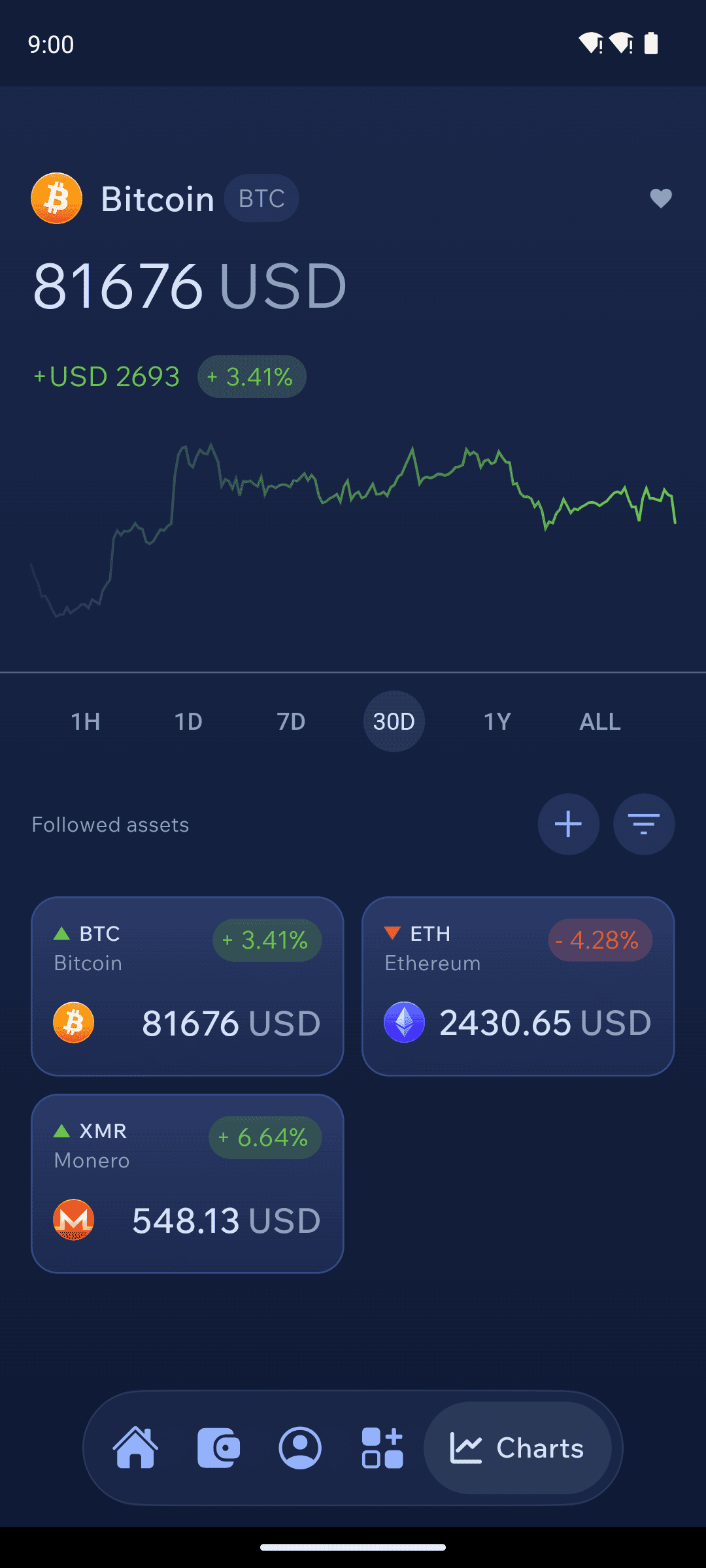
The chart
The large chart at the top shows your favorite asset — Bitcoin unless you pick another — with its current price and how much it has moved over the selected range. Choose a range with 1H, 1D, 7D, 30D, 1Y or ALL; the chart opens on 30D each time you visit the tab. Prices are shown in your selected fiat currency.
Followed assets
Below the chart, Followed assets lists every asset you follow. Bitcoin, Monero and Ethereum are followed to start with.
Tap
+to follow another asset.Tap the sort button to order the list by
Marketcap,Gains,LossesorAlphabetical.Long-press an asset to make it your
Favorite(shown in the top chart) or toRemoveit. You always keep at least one followed asset.Tap an asset to open its own chart, with shortcuts to
Swapit, set it as yourFavorite, and — if your open wallet holds it —BuyorSellit.
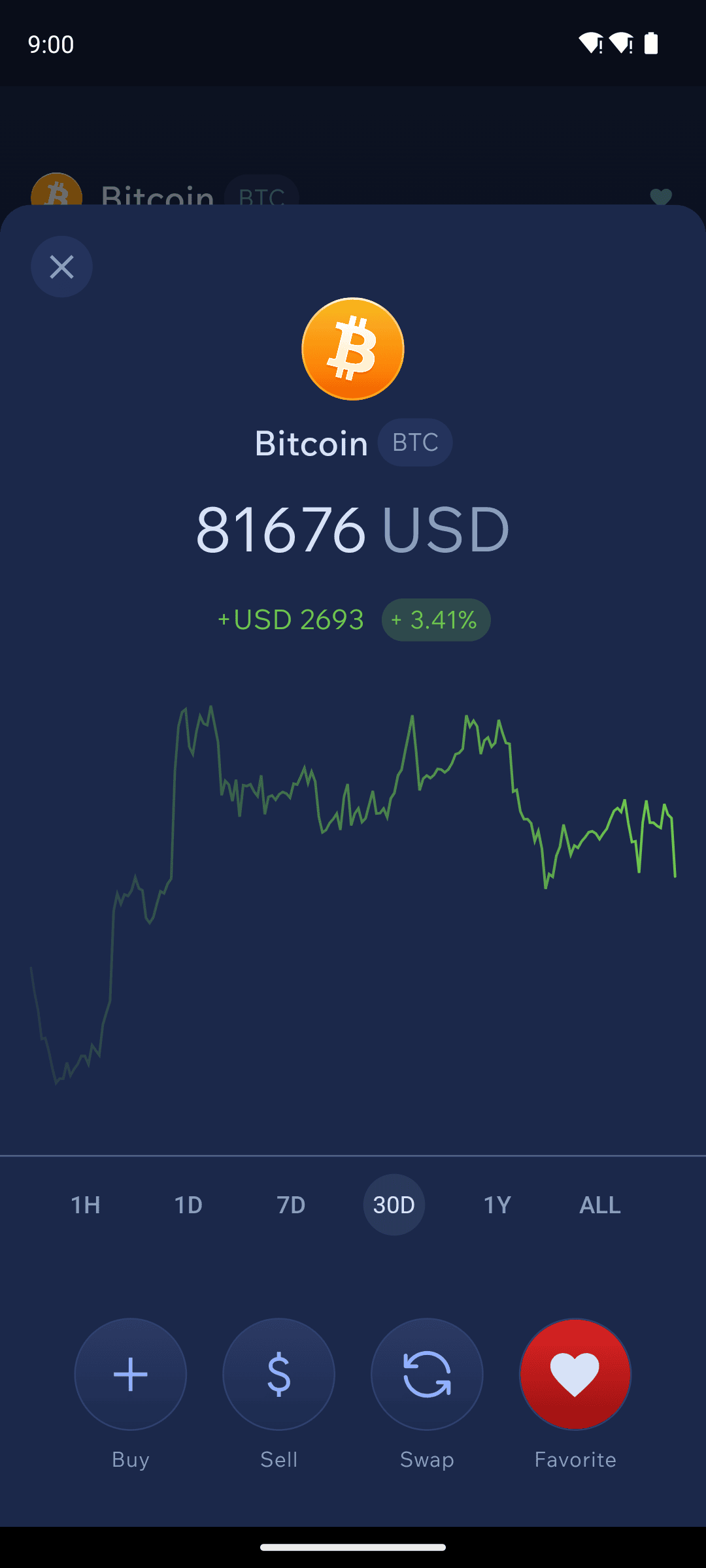

Pull down on the page to refresh prices.
Privacy
Price data comes from Cake Wallet's price server, the same one that provides the fiat value of your balances. The server sees which assets you follow, not your wallets or balances. Price history is stored on your device, so only missing data is requested.
Charts follow your Fiat API setting under Settings → Connections:
Enabled— prices are fetched normally (through Tor if built-in Tor is on).Tor only— prices are fetched from Cake's onion service.Disabled— Charts is turned off and the tab showsCharts unavailable.
Was this helpful?
