
In this tutorial, we will see how to display an image as an output using python by the use of open-cv which is exist as cv2 (computer vision) library.
We can use imshow() method of cv2 library to display an image in a window. In order to use cv2 library, we need to import cv2 library using import statement.
Now let’s see the syntax and return value of cv2 imshow() method, then we will move on the examples.
Syntax
cv2.imshow(win_name,image)
Parameters
You need to pass two parameters to imwrite() method. Parameters are:
1) win_name: Name of the window in which the image will be displayed.
2) image: Image pixel matrix of that image, which will need to be shown.
Return Value
None
Return value
Let’s see the python code :
# import computer vision library(cv2) in this code
import cv2

# main code
if __name__ == "__main__" :

    # mentioning absolute path of the image
    img_path = "C:\\Users\\user\\Desktop\\flower.jpg"

    # read or load an image
    image = cv2.imread(img_path)

    # show the image on the newly created image window
    cv2.imshow('image window',image)
Output :
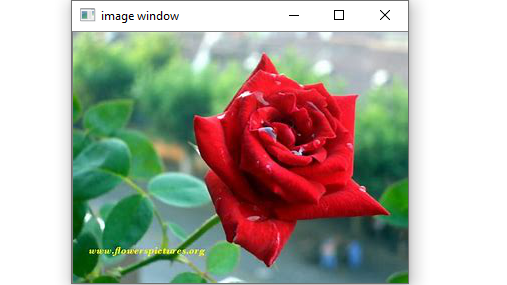
As you can see, a window is opened to display the image. Window size is dependent on size of the image. If window size is greater than screen resolution, then it displays scaled version of the image.

