I love when Matt Haughey posts lengthy entries like this one.
He’s right; ABRP is an incredible app for electrical vehicle owners. It’s now owned by Rivian, and it can read my car’s battery data directly via the Internet. But if you’re using ABRP with a non-Rivian, follow Matt’s advice.
Everyone on reddit says ABRP (A Better Route Planner) is the best EV route planning app so I downloaded it and paid for a pro account and tried it on my first trip back to Oregon from Texas last December. I found it was not as good as the built-in VW nav because it had no idea what the live battery status was. It would wildly overestimate how far I could get between stops, and frequently gave bad advice on where to stop for a charge. It stressed me out and I nearly ran the car down to 0%, so I stopped using it.
For this trip, I wanted to give the app another try because it was tedious to use half a dozen different map and charger apps to figure out where I should stop while headed down to LA. On the plus side, I learned while researching ABRP that it could be greatly improved with the addition of a bluetooth OBD port connector, which lets the car talk to my phone, giving the app the ability to always know exactly how much battery I had left in real-time.
⤢A random puzzle in Pinball Whiz!: drag parts from the bin onto the pegs, then pull the plunger.
I love pinball, but I don’t love playing pinball video games. I also love puzzles, and I do love playing puzzle video games.
So I combined those two things into a game I’m having a lot of fun playing, and I hope you will, too.
Today I launched Pinball Whiz!, which is a pinball-themed puzzle game. You get a pinball machine with a target. Your job is to arrange items on the pinball machine — bumpers, flippers, slingshots, etc. — to guide the ball into the hole, with as few parts (and as few tries!) as possible.
You can play infinite random puzzles, a slew of puzzle packs, and a new daily puzzle every single day. The app is free, and you can unlock extra pinball machine themes, soundtracks, and puzzle packs for a few bucks. Or don’t. You’re good either way.
This game makes me happy.
There are no timers, you have infinite tries, and you can worry about getting three stars or just enjoy solving each puzzle.
I love Nathan Fielder. I love his show Nathan For You, I love The Rehearsal, I loved his scripted fiction series The Curse with Emma Stone. That last one has the most shocking ending of any television series I have ever watched, and I say that with no spoilers and no hyperbole.
I am of course very excited to see his Elizabeth Holmes documentary “You Can See Everything.”
This Wired interview with Nathan is excellent.
What’s interesting about her to me, I think, just goes beyond that in any given moment … I can’t piece it together. She makes these claims that are like—how could anyone believe this or say they’ve never done this? Is it a lie in that moment? Is it a lie if she believes it to be true
MapQuest has been on quite the unexpected tear over the last couple of months. The mapping service’s app surged in popularity after it refused to refer to Lake Ontario as Lake America (unlike Google Maps and Apple Maps)…The app now has another handy tool. You can toggle a layer that shows known outdoor surveillance cameras and license plate readers.
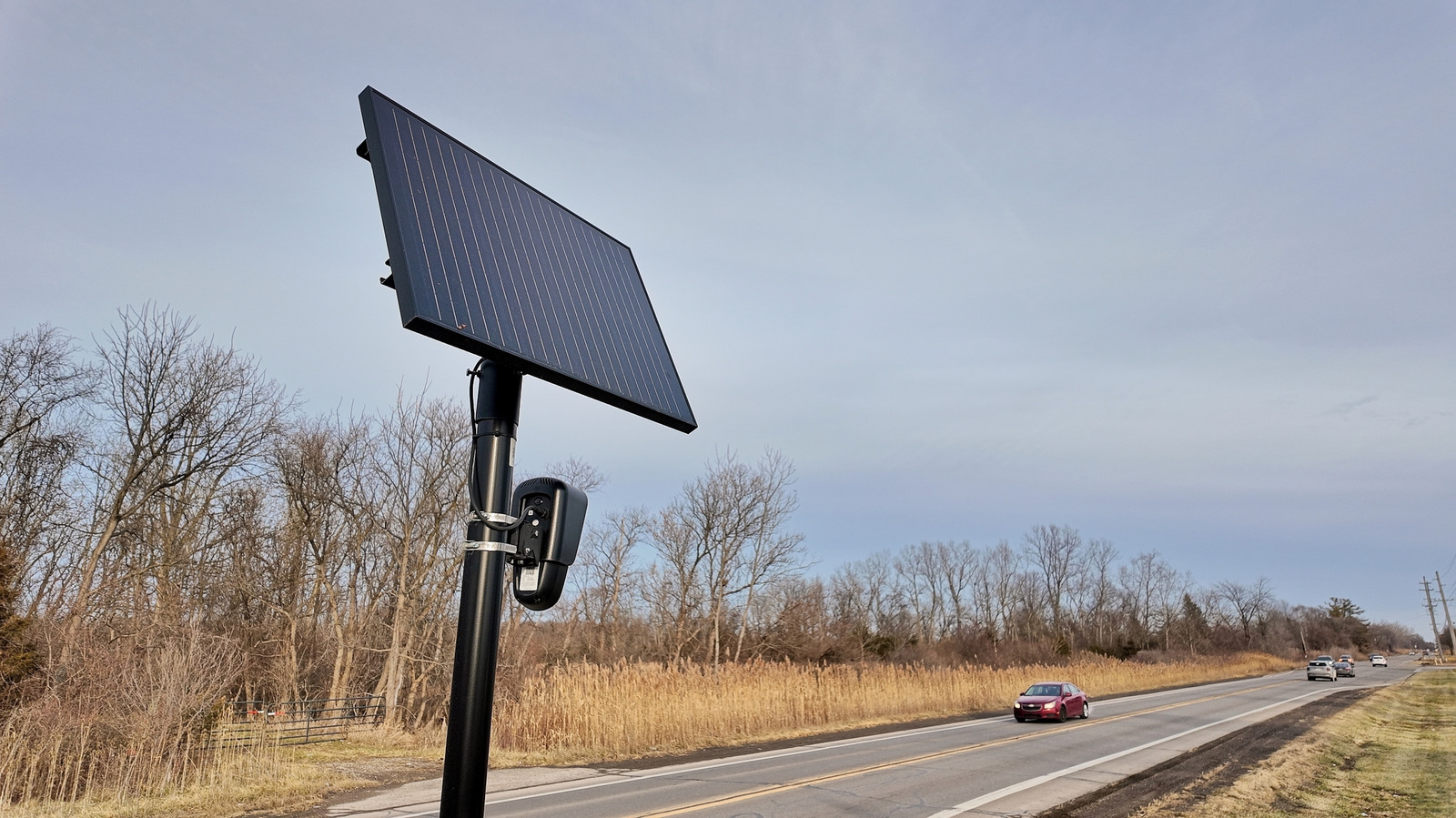
The layer will show you where Flock cameras are.
I spent a long, long time as a Google Maps devotee. Then I switched to Apple Maps. My allegiance has switched again.
We had an Amazon Echo Show in our kitchen for a while. My son was a bit too young and screen-obsessed at the time, though, so he would stare at the screen for extended periods of time when it showed various headlines and whatnot that Amazon would occasionally put up there. And when we played music, he’d watch the lyrics go by. We didn’t love that behavior, so we switched to an audio-only Amazon Echo device.
It’s been years since then. So I’m going to try the HomeView in the place of that Echo.
Here’s why:
I’m confident that Apple won’t show endlessly scrolling promos on that screen. Amazon’s Echos are increasingly desperate to increase engagement. The ones with displays show constant, ever-changing messages. And when you use an Echo — to set a timer, to check the weather — it very frequently prompts you to use it for something else. It’s obnoxious. “It’s going to be sunny and 56 degrees today. By the way, I can also play you a news brief—” “ALEXA STOP!” is a frequent callout. I expect the HomeView won’t require that either.
But the display is helpful. I appreciate seeing a timer. The Echo Show in my office lists my next meeting, the date and time, the current weather — I love these things.
Yes, my phone shows those things. Yes, my Apple Watch shows those things. But I like that data being glanceable and not requiring I look at a full-on distraction machine. I’m thinking the HomeView might be the Kindle hardware of tiny bits of data I want. In other words, I won’t bother using the HomeView to search the web or play games; I’ll use it for quick bits of info and not get sucked into my phone. I’m looking forward to that.
A read-only Mac app for the READMEs, specs, and other .md files you encounter
⤢Press Space on a Markdown file in the Finder, and MacMD Viewer’s Quick Look extension renders it, Mermaid diagram and all. I think in plain text. I write in plain text and html. And sometimes, when I have to, I use Markdown. I’m not alone.
Markdown has exploded. When I work with Claude Code, it leaves Markdown files everywhere: plans, specs, READMEs, notes to its future self. Those files are meant to be read by humans, and yet they’re by definition a mix of pound signs, asterisks, and pipes. Markdown is readable. Technically. So are CSV files, but I still prefer viewing those in a spreadsheet editor.
Developer Arthur Teboul had the same thought, and he did what indie developers do: He built the thing he wanted. It’s called MacMD Viewer, and it does exactly one thing.
Like Preview, for Markdown
Arthur is a solo developer based in Paris. His background is product and growth at early-stage startups, and these days his focus is automation. He started MacMD Viewer about six months before it shipped, because, as he puts it on his About page, whole days of his are spent reading what AI agents produce, and macOS defaults to showing all of it as raw text.
So MacMD Viewer is a viewer. Not an editor. It’s read-only on purpose; it never touches your source file. You write wherever you already write (BBEdit, VS Code, Obsidian, or, increasingly, let’s be honest, nowhere, because an LLM robot wrote it), and MacMD Viewer shows you the rendered result.
Arthur’s own one-line pitch is “Like Preview. For Markdown.” That’s about right.
What it does
The app is great, so is its upgrade to macOS via Quick Look. Install the app, flip on its Quick Look extension in System Settings, then select any .md file in the Finder and press Space. You get a properly formatted document: headings, tables, syntax-highlighted code blocks — it just works.
When you want to actually settle in and read, you open the file in MacMD Viewer itself. There’s an outline sidebar for jumping through long documents, a word count and reading time at the bottom of it, and a stack of document themes (GitHub, Sepia, Solarized, Nord, Dracula, Tokyo Night, a serif “book” look, and more). Pick a paired theme and it swaps between its light and dark variants as your Mac does. Your Finder previews follow whichever theme you pick, too.
⤢MacMD Viewer itself, with the outline sidebar for jumping around long documents.
It renders Mermaid diagrams inline. If you don’t know what Mermaid is: It’s a way to write flowcharts and sequence diagrams as text. If you do know what Mermaid is, you already know that AI coding tools love it, and that most Markdown previewers don’t.
Built for the agent era
MacMD Viewer has live reload: Keep a document open, and when the file changes on disk, the view updates.
Arthur leans into this. There’s even a /macmd skill for Claude Code, so the agent can pop a file open in the viewer for you (with a toggle if you’d rather it didn’t).
The little things
I spent some time with the changelog, and it’s a good one. Version 1.0 shipped in March. Since then, Arthur has added PDF export and printing, tabs, rendering of YAML front matter as a tidy Properties block, local images, adjustable text column width, and a “Copy as Markdown” command that grabs the raw source (⌥⌘C) while plain old ⌘C still copies the rendered text.
What I really appreciate, though, is how the changelog is written. Each fix comes with a plain-English explanation of what was actually wrong, and often a thank-you to the specific person who reported it.
How it compares
If you’re a longtime Mac nerd, you might be thinking: Doesn’t Marked already do this? Marked 2 is a terrific, deep app, and if you’re a writer who wants previews with style checks and export options galore, it’s worth a look. MacMD Viewer is narrower and lighter: a quick, focused reader that lives in the Finder and keeps up with your agents.
Pricing
MacMD Viewer costs $19.99, once. No subscription, no account. There’s no free trial, but there is a 14-day money-back guarantee. A license covers one Mac at a time and is transferable; there’s a $39.99 family pack for three Macs and a $129 pack for ten.
It’s sold directly rather than through the Mac App Store, and you can also get it via Homebrew or Setapp. It requires macOS 14 Sonoma or later, and runs natively on both Apple silicon and Intel Macs.
If you live in Markdown, or if you’ve found yourself squinting at the piles of .md files your AI tools leave behind, check out MacMD Viewer.
Reply All was a great podcast. It ran on Gimlet back when Gimlet was a thing, both before and after Spotify comically overpaid for it. Reply All ended ignominiously, but it had some amazing episodes, including one that I consider to be the best episode of any podcast of all time. If you’ve never heard “The Case of the Missing Hit,” go listen now.
Both the Reply All hosts now host other podcasts of their own. Each is good. Each is worth a listen.
PJ Vogt hosts Search Engine. Each week, PJ picks a question that’s been rattling around his head and chases it until he gets an answer. Some of the questions are silly and some are serious, and he gives both kinds the same treatment. Time put it on its list of the 100 best podcasts of all time, which is high praise.
A fun recent episode is “Why didn’t Chris and Dan get into Berghain?” Two Americans fly across an ocean to try to get into Berlin’s most exclusive techno club, where the line can run for hours and the bouncers never explain who they let in and who they reject. The episode sounds like it could be a waste of time, but it’s a genuinely smart look at how exclusivity works. And a lot more. It’s a nuanced episode. Freakonomics Radio liked it enough to run it on its own feed. It’s a two-parter; here’s part 2.
Also check out “What’s the best phone to do crimes on?” It starts out as exactly what the title says, then it goes somewhere else entirely. (The less you know, etc.)
Alex Goldman hosts Hyperfixed. Listeners write in with problems, which range from small, nagging annoyances to big life decisions, and Alex tries to solve them. Most of the problems turn out to be much bigger than they look. On Reply All, Alex often got obsessed with a single small mystery and attempted to solve it. This is that, every week. The Times of London called it “just wonderful.” It is.
Start with “Dylan’s Supermarket Cold Case.” Dylan is bothered by something at the grocery store, namely all those open-front refrigerators, and he can’t quite put his finger on why. Both The Times and the Financial Times singled out this episode. It is both very funny and yet also about energy efficiency.
Then listen to “Two Birds, One Hundred Stones.” A listener named Keenan has always had a question about his mom’s past, and Alex helps him chase it down. Matt Haughey wrote that it “really hits all the right notes” and compared it favorably to Heavyweight, which is about the highest praise a show like this can get. Hyperfixed itself re-aired it on New Year’s Day with an update from Keenan, so listen to that version.
One more, for the Reply All diehards: “ReTell All” is about a listener whose favorite podcast came to an abrupt end in 2022. You can guess which one.
A read-later app for iPhone, iPad, and Mac built around turning pages instead of scrolling
I don’t know who invented the “read it later” app concept. I know I’ve used and loved several apps for later reading over the years. The read it later craze was at one point so frothy that my pal Dan Moren and I created a joke bookmarklet called Read It Now. We both still think it’s very, very funny.
Anyway, I was delighted to hear from developer Max Melzer recently about his app Flyleaf, which is built around deferred reading — and pagination.
Max is a solo developer in Germany. Flyleaf is a read-later app for iPhone, iPad, and Mac. You save an article, and Flyleaf strips out the popups, ads, and trackers, and then lays out what’s left as pages you turn, like a magazine or an ebook, instead of one long column you scroll forever.
⤢The same article in Flyleaf on Mac, iPad, and iPhone.
Max believes vertical scrolling isn’t great for focused reading. He’s believed that a long time. His first iOS device was a second-generation iPod touch, and the first app he bought for it was Instapaper, back when Marco Arment’s app could lay out articles as horizontal pages. “I absolutely loved that thing,” he wrote in his post about why he built Flyleaf. When Instapaper eventually came to the Mac, the pages didn’t come with it. Max decided that if he wanted that reading experience back, he’d need to build it himself.
So he did, slowly. Version one was a JavaScript plugin that paginated his own blog. (“I didn’t want to read my own blog, I wanted to read other people’s stuff.”) Then, after WWDC in June 2023, Max built a SwiftUI app.
Flyleaf 1.0 shipped in March 2024. Max builds it in the evenings; by day, he’s a Java developer at a small product company. Before that, he studied theology, and he moved into software, in his words, because it’s “a more reliable way to feed a family.” His earlier side project, Devotionalium, is a daily verse app that draws from the scriptures of multiple world religions. Holy moly. (See what I did there?)
The basics are what you’d want: You save links from the share sheet (or a bookmarklet), and they sync across your devices with iCloud, with no account to sign up for. There are color themes and real typography controls. There are tags. There’s a Discover view that resurfaces things from your list, which anyone who’s ever used a read-it-later app understands the importance of immediately. Most of us are better at flagging long articles to read later than we are at actually, you know, reading them. Discover reminds you of the gems you’ve tucked away.
And there’s a fullscreen mode where the interface gets out of the way entirely, with gestures to bring the controls back when you need them.
A few other nice touches: If an article is blocked in your region or sits behind a login, Flyleaf can pull it from archive.today in one tap. You can import local PDFs. There’s Markdown export, and a table of contents for long pieces. And if you’re coming from somewhere else, there are importers for Pocket (RIP), GoodLinks, and Readwise Reader.
Built for the Duo
The new 2.7 update adds support for the iPhone Duo, ahead of its October 23 ship date. I complained about how hard Apple made it for developers to get Duo-ready in time, so credit where it’s due: Max got there. Unfold the phone and Flyleaf shows a sidebar for your lists, and it reads two pages side by side, like the iPad version.
The update also adds an optional “Stack” page-turn style, where each page sits on top of the next and you swipe it away to reveal the one underneath, rather than sliding across one long continuous strip. Max says it makes for less distracting motion.
Hand-crafted
Max pitched Flyleaf to me as “hand-crafted, not vibe-coded,” and he means it literally. He wrote a note about AI on the Flyleaf site: “No AI agent has ever seen the code base.” He made the app icon by hand in Pixelmator. He’s also refreshingly honest that this isn’t a vow: He uses Claude Code at his day job “with mixed results,” he’s worried about what these tools will do to his skills, and he thinks they could help indie developers like him if used with intention. Whatever you think about AI coding tools (I use them; I’ve written about it), I appreciate that Max thinks about these things, and that he clearly develops with intention.
He also follows Apple’s conventions instead of fighting them, which shows. The Mac version is a native Mac app, not a stretched-out iPad port. And the App Store privacy label says Flyleaf collects no data at all.
Pricing
Flyleaf is free, and the free version gets you the pagination, the clean reading view, and iCloud sync. An optional subscription, $2 a month or $17 a year, unlocks the extras: themes, tags, and the archive.today integration. One subscription covers iPhone, iPad, and Mac. It requires iOS 17 or macOS 14.
If you’ve always found scrolling through long articles a little exhausting, and you’re the kind of person who misses Instapaper’s old page-flipping mode, check out Flyleaf on the App Store.
Apple has released the uninsured repair costs for the iPhone Duo, and they aren’t for the faint of heart. Depending on what damage your phone takes, you could pay 75% of the retail value to get it fixed.
The breakdown of repair costs doesn’t list the hinge. So if the hinge falls into the “Other” category… yikes.
I launched with no business plan, then quickly launched Memberships when some kind readers asked for a way to support the site. That was awfully nice of them.
More recently, some friendly folks asked about advertising on the site. To date, I’ve only run house ads for my apps. Now, though, I’m opening the door to weeklong sponsorships.
If you’re interested in promoting your product, software, or service to my audience of brilliant, nerdy people, get in touch.


_edit_final_web.jpg)