In a post by Greg Joswiak on X, Apple has said it will hold an ‘Pro and Tell’ in Los Angeles, California on Wednesday, October 28 at 10:00 am Pacific.
Judging from the ‘Pro’ in the tagline, I wouldn’t be surprised if we see the much rumored touch-screen MacBook Pro at the event. Other rumors point to a possible refresh of the iMac and the iPad mini.
Our very own Federico will be there in person to cover the event, and of course we’ll have written coverage here on MacStories and later on AppStories.
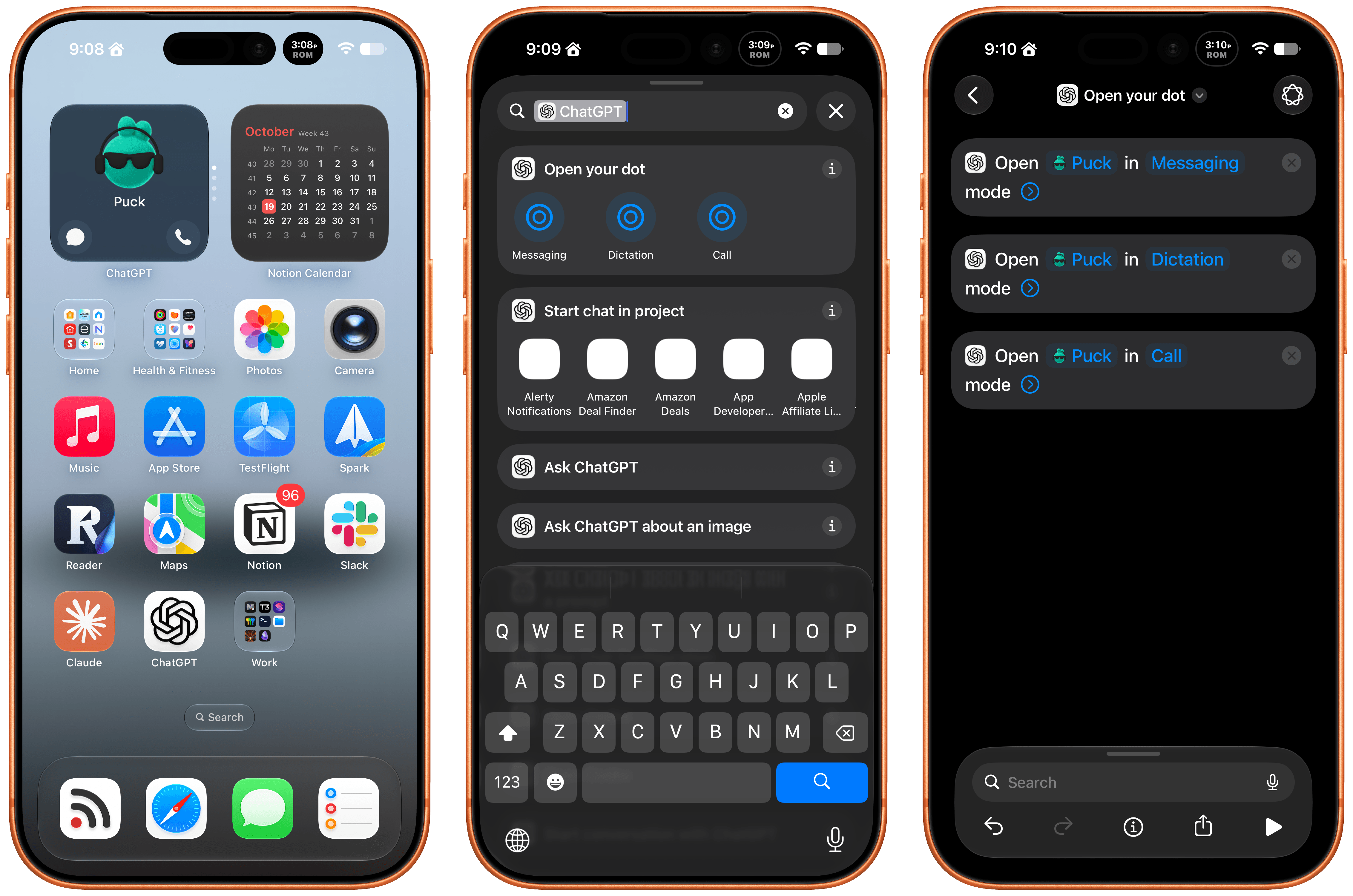
Late Friday, OpenAI updated the ChatGPT app on iOS and iPadOS with a new widget for your Dot and Shortcuts actions that let you control it three ways. The implementation is really well done and adds automation options worth considering.
First of all, the Dot widget is about as simple as it gets, but also very useful. I have the ChatGPT app set up to drop me into its Codex view because that’s typically how I use the app. I open Codex, check on a long-running project, and provide whatever input is necessary to keep things moving.
The problem I’ve run into is that I’ve been using my Dot, Puck, more and more to kick off research, ask one-off questions and check in on things like my email. Landing in Codex means tapping around more, which I can avoid now with ChatGPT’s new small-sized widget. The widget has two modes. The first simply shows your Dot’s avatar, and tapping on it opens your Dot’s message thread. However, if you edit the Dot, you can toggle on the “Show shortcut button” to display messaging and voice buttons beneath your Dot, adding the option to start a voice call with your Dot. As simple as this is, it’s been great to have the option to start in Codex via the ChatGPT app or check in with my Dot thread using the widget.
The other interesting feature is a trio of Shortcuts actions to message, dictate, or call your Dot. Each action has two parameters: the name of your Dot and how you want to communicate with it. That first parameter is an interesting one because tapping on it opens a list with your sole Dot in it because currently, you can only have one Dot. However, it also strongly suggests that the ability to set up multiple Dots is on the horizon, which OpenAI clearly telegraphed during its DevDay. After all, why have a parameter that opens a list unless there’s more than one choice?
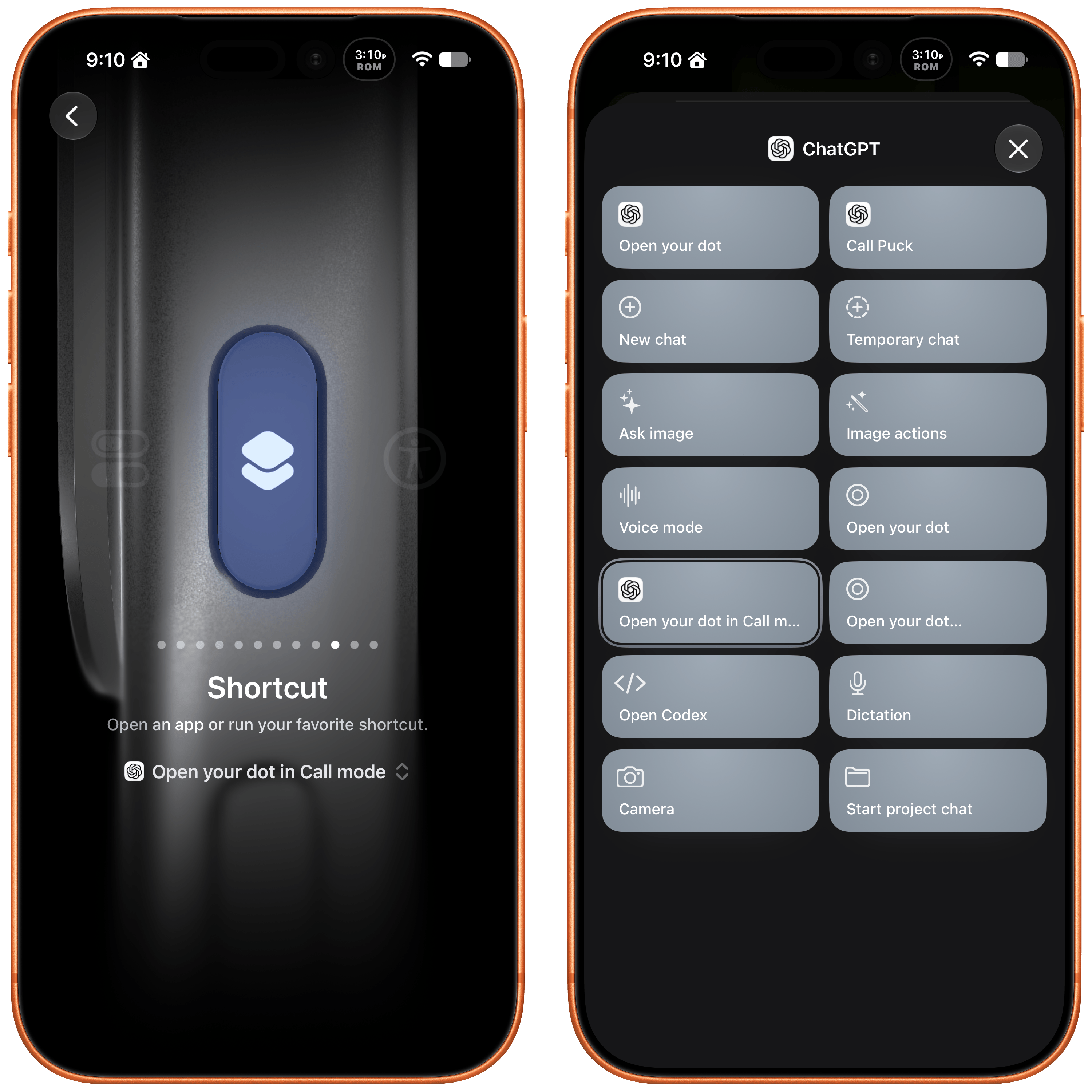
I’ve set my Action button up to call my Dot.
The actions can be used in your shortcuts, are accessible from Spotlight Search, and most interestingly can be tied to an iPhone’s Action button, allowing you to visit your Dot’s thread in any of three ways. I’ve set my Action button up to start a Dot call. I often think of tasks and have ideas for research topics when I’m out for a walk, and I want to see if having brief calls with my Dot is an effective way to get a jump on those ideas, so they’re waiting for me in ChatGPT when I get home.
These actions and widgets are an excellent addition to OpenAI’s app and a cut above Anthropic’s more barebones approach to widgets and Shortcuts. I would, however, like to see Dots integrated even deeper into Shortcuts. The Shortcuts actions only open your Dot thread in one of the three modes. I’d love to be able to connect Dots to other apps with actions that accept input from other sources and produce outputs that can be used in other actions.
While I’m making requests, I still think multiple Dots need to be supported sooner rather than later, and OpenAI needs to provide a better mechanism for switching between Macs if you use a Dot with multiple computers. Plus, Dots are still a little buggy, with scheduled tasks failing too often and for reasons that aren’t always clear.
That said, the latest update is worth checking out if you’ve found Dots helpful. The strength of Dots is that they’re everywhere you can access ChatGPT, and now with widgets and Shortcuts actions, getting to your Dot in each of those places is easier than ever.
You’ve set up Focus modes for work and weekends, built Shortcuts for repetitive tasks, and rearranged your Home Screen until everything is perfect. But then your phone buzzes with another notification for a newsletter, shipping update, or sale. Meanwhile, the important email you need to follow up on is buried under everything else. You’ve put thought into how your devices work for you, but are you in charge of your email or is it in charge of you?
SaneBox brings that same attention to detail to your email. Its AI filtering sorts your messages with nothing to install, and since 2010, it has helped people separate the messages that need attention from the ones that can wait.
SaneBox’s SaneLater folder keeps messages that can wait in a dedicated folder, so you can focus on more important things. SaneNews collects newsletters in one place, ready for when you can take a break. And if the same unwanted sender keeps interrupting your day, move one of their messages to SaneBlackHole to keep their future messages out of your inbox.
There are tools for staying on top of ongoing conversations, too. SaneNoReplies collects conversations where you haven’t received a response, so you can follow up. When you need an answer before a deadline, SaneReminders can remind you to check back. You can snooze messages, too, putting something aside until you have time.
SaneBox works with the account and apps you already use. It sorts messages on your mail server, so its folders are available in Apple Mail, Outlook, or whatever other email app you use on your Mac, iPhone, and iPad.
SaneBox also learns from your email habits, and you can teach it your preferences. If a message belongs somewhere else, move it and SaneBox will use that folder going forward. Plus, the Daily Digest brings together unread messages in your SaneBox folders, so you can review everything when you’re ready to wrap up your day.
Privacy matters, too. SaneBox sorts using message headers, not the contents of your emails, and it doesn’t store full messages or attachments. Its security is reviewed every year as part of Google’s verification process, audited independently by Leviathan Security Group, and tested through HackerOne.
All of that adds up to less time managing email and more time for everything else, which is why more than 100,000 people rely on SaneBox and have given it a 4.9 rating across more than 1,000 reviews.
Meta just released the weights for Muse Spark Open, a multimodal large language model with a mixture-of-experts architecture. It has over 800 billion parameters in total, with 40 billion active per token, and it can run on the latest Mac Studios.
Meta worked closely with Apple to make that happen specifically on the M5 Ultra Mac Studio with the support of MLX, the Apple-led, open-source machine-learning framework. The result is a frontier-class model that can be run locally on desktop hardware.
Apple’s Machine Learning Research blog put the M5 Ultra through its paces standalone and connected with other M5 Ultra Studios, and the results are impressive. If you’re at all interested in running LLMs locally, it’s worth checking out all the details, but a few things jumped out at me:
The M5 Ultra’s time to first token exceeds the M3 Ultra by 4.6x thanks to the M5 Ultra’s Neural Accelerators.
Tokens generated by the M5 Ultra beat the M3 Ultra by 1.6x.
However, thanks to MLX’s support of RDMA over Thunderbolt 5, big models like Muse Spark Open can be split across multiple M5 Ultra Mac Studios accelerating tasks further. For very large contexts that means a time to first token that’s up to 1.8x faster, but it’s also what lets the model fit onto desktop hardware because even the 4-bit version of Muse Spark Open requires 493GB of memory.
Some of Apple’s testing was done with the 512GB model of the M5 Ultra Mac Studio, which is slated for release at the end of the year. Apple hasn’t said how much the new model will cost, but for context, the 256GB model with 2TB of storage will set you back over $11,000. So the 512GB model isn’t your typical consumer purchase, even more so since running Muse Spark Open requires at least two of them.
However, that doesn’t make this any less of an accomplishment. Muse Spark Open is at the bleeding edge of models that can be run locally on computers that can sit on your desk and don’t need more power than can be delivered from a wall outlet. That’s made possible by the unique combination of Apple silicon and updates to MLX. Plus, with the pace of advancements in AI and Apple silicon hardware, what may only meet enterprise budgets today could become accessible to more consumers faster than most of us might expect.
Ben Davis (co-host of one of my favorite new podcasts this year, Nerd Snipe) has a fascinating take on a question I’ve seen many in the Apple community ponder as well: if these frontier models are so good, why do most AI apps from the big labs still kind of suck?
Davis wrote about this in relation to the ChatGPT/Codex desktop app, which has turned into a bit of a kitchen-sink design phenomenon with all kinds of features crammed into a UI that has two left sidebars, multiple modalities, and all sorts of disjointed menus.
To me the most interesting thing here is the implied question of “if the Codex team has unlimited tokens on really powerful unreleased models, why is the product getting worse?”
The lazy answer is “it’s just vibe coded slop, real artisanal code wouldn’t be like this”. Anyone who still says this is a moron and you can ignore them.
“Vibe coding” is not the problem. Frankly, these models are better at writing code than pretty much anyone at this point. You tell the model to make something and it’ll make that thing quite well. And also to be clear, Jira was horrid before LLMs existed. Good and bad products have always existed, and I actually think you can make infinitely better products now when using the agents properly (see T3 Code and Grok Bot).
I’ve been reviewing apps for over 17 years. Without a doubt, the most basic “vibe-coded” app created with Opus 5.5 today is infinitely more stable and nicer than any first app from an amateur developer in 2009. So if we agree that these models can write good code now, why is it that so many apps are still bad?
As we argued in our interview with OpenAI’s own Andrew Ambrosino (the irony is not lost on me), it comes down to human discernment, taste, and other qualities that can’t be turned into “metrics” for a model…at least not yet.
Davis continues:
To put a more precise definition on it, I think this “taste” is the ability to make good decisions in places where there isn’t a programmatic verification function.
For example: “make this function really fast” isn’t a “taste” task it’s a hill climbing task (make changes => test changes => repeat until goal met) which the models excel at right now (I think that any problem which can be expressed in this shape can be solved now by Opus 5.5)
“Which of these color palettes do you prefer?” is a “taste” question. You can’t really put a verifier on it other than your own opinion AKA your own taste. It’s a simple little example, but everything from codebase structure to dashboard layout to how features in chatgpt fit together all fit under here. Their implementations are “correct”, the tests pass, I just hate the choices they made.
“The tests pass, I just hate the choices” sums up my experience with coding agents perfectly. We’re working on our first two apps for MacStories (more in the near future), and while I’m not writing the code, I have to spend so much time thinking about usability decisions, onboarding flows, iOS best practices, and “it just doesn’t feel right” issues that models haven’t been able to abstract yet. I have to wonder if, in a rush to maximize infinite token usage and build everything “because why not?”, perhaps the big labs may have ignored these other aspects of good software design. I strongly believe that there’s more to a great app experience than elegant code that passes tests.
Knowing how these things can change so quickly in this scene, I’m sure this post will be obsolete in a few months. Maybe even weeks. But at this moment in time, Davis’ article is spot-on and human decisions still make a dent in software coded by agents.
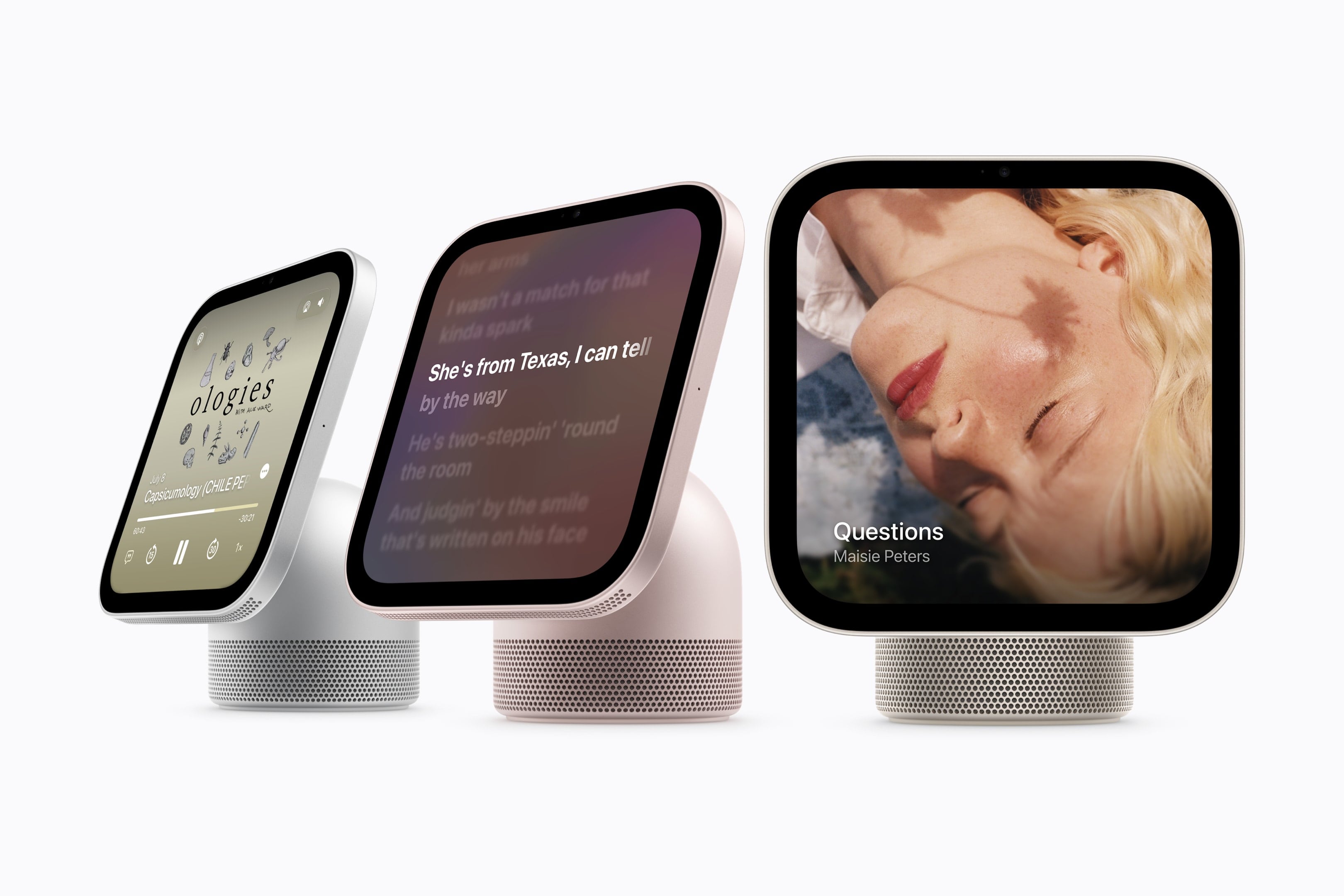
Yesterday, Wired reported that third-party apps with CarPlay functionality would be available on Apple’s new HomeView device. That struck me as odd. I was expecting, and I think many others were at least hoping, that the HomeView would be a new platform for building apps. And while strictly speaking that doesn’t seem to be the case, in an entirely different way it is. Here’s what’s going on.
Apple’s original press release caused some confusion because it doesn’t spell out the CarPlay angle. Instead, it simply says that the HomeView supports “compatible third-party audio and video apps,” and “[s]elect apps require a paired and compatible iPhone nearby,” which is also a CarPlay requirement. That press release also mentioned the HomeView’s ability to use widgets and access personal context without ever mentioning whether that applies to third-party apps.
On Apple HomeView, people can place widgets on the Modular face and the Home Screen. Widgets on HomeView are from the small system family, and share the appearance of iPhone widgets. A person chooses widgets from among those already installed on HomeView, like Weather or World Clock, or from their individually connected iPad or iPhone.
As for whether Siri can access third-party data and actions, I suspect the answer is yes. Apple’s press release called out personal context specifically, which was confirmed by Apple’s Kaiann Drance and Lilian Rincon in an interview with Reuters. So, for example, you can presumably use the HomeView to retrieve an old message from the Messages app on your iPhone. The Q&A section on the HomeView product page also mentions taking action across apps with Siri. That strongly suggests that the HomeView’s functionality will be the same as the new HomePod mini 2’s when it gains Siri AI capabilities, even though I haven’t seen anything from Apple that addresses whether that sort of Siri integration extends to third-party apps directly.
So, as of today, Apple has documented support for CarPlay audio and video apps and small widgets. I suspect Siri AI will provide another route, too. That limited app model may disappoint some, but I think it points to where personal assistants are heading. Apps aren’t going away, but the need for a separate app on every device is.
Siri, with apps integrated through App Intents, is emerging as a new UI. Developers who have adopted that technology already give users ways to interact with their apps beyond the apps themselves. I expect HomeView will extend that opportunity even further without requiring developers to build for an entirely new device. If it does, that’s a win for developers and users alike, and perhaps just the tip of the iceberg in a world where computing extends beyond apps.
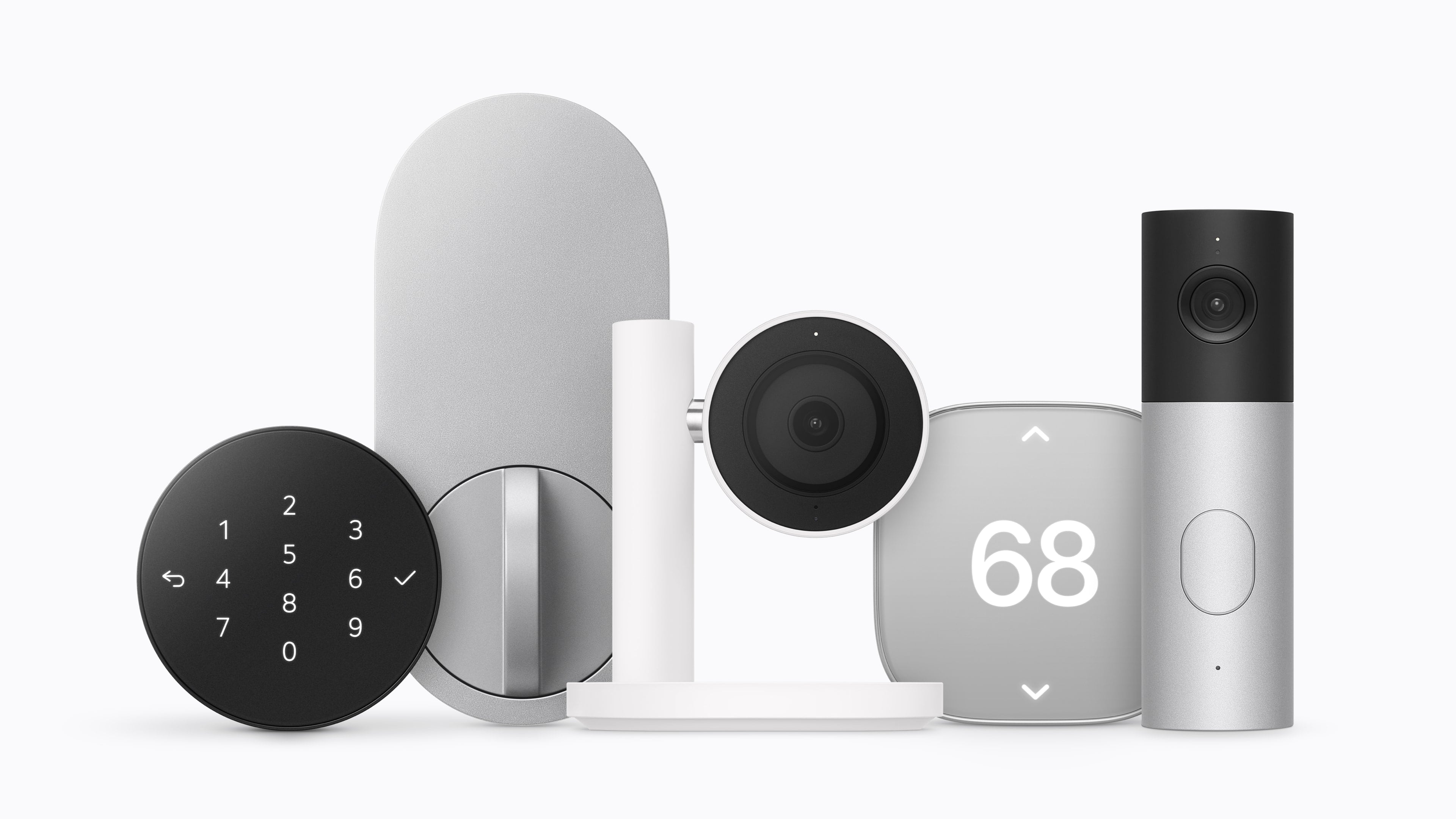
LG has developed a video doorbell, a floodlight camera, outdoor and indoor cameras, a thermostat, and a temperature sensor, along with a smart lock that supports Ultra Wideband for hands-free door unlocking. Schneider Electric will offer a smart thermostat and temperature and humidity sensors. Device installation will also be available through a partnership between ADT and Apple Retail in the U.S. for an additional fee.
Source: Apple.
Standout features include:
the ability of the cameras to pick out faces, animals, vehicles, and packages,
iCloud+ support for HomeKit Secure Video,
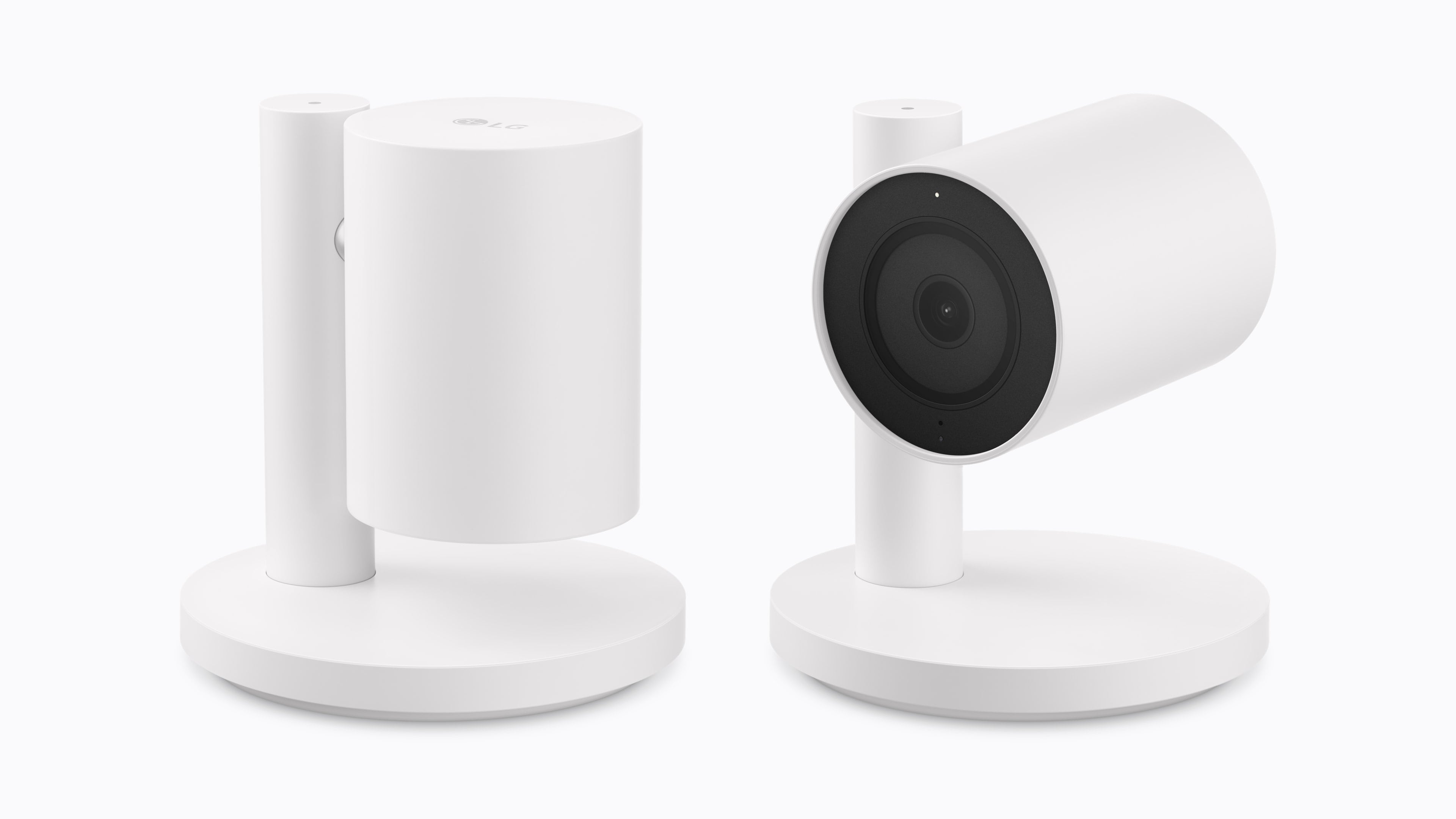
the ability for the indoor cameras to tilt down when a household member returns home,
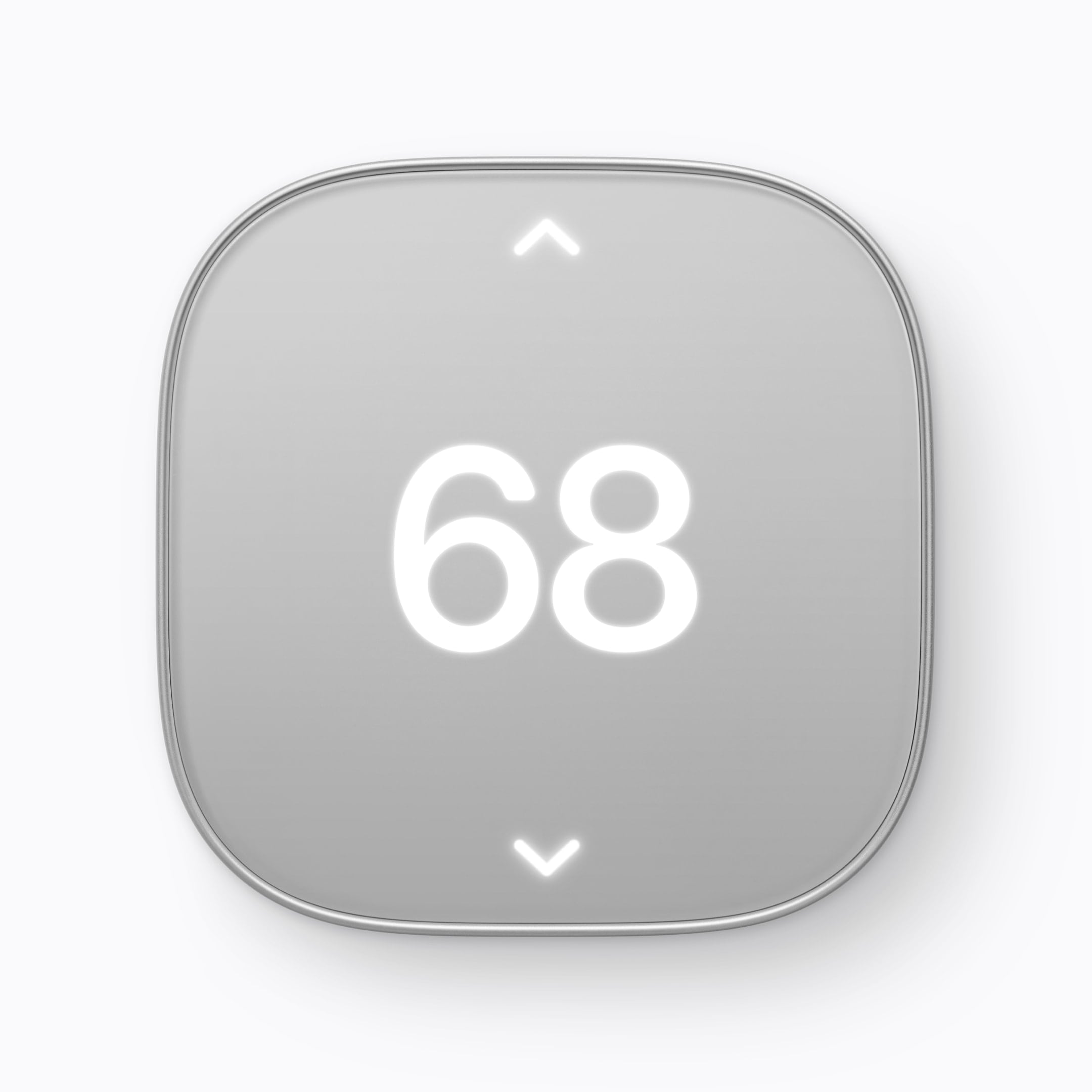
adaptive temperature on the thermostat that adjusts heating and cooling according to whether someone is home, and
the ability to shift heating and cooling use (U.S. only) to when available energy sources are cleaner.
Source: Apple.
Pricing for the devices is as follows:
LG Video Doorbell Wired: $249.95
LG Floodlight Cam: $399.95
LG Outdoor Cam Plug-In: $299.95
LG Indoor Cam Plug-In: $199.95
LG Smart Deadbolt Lock: $349.95
LG Smart Thermostat: $199.95
LG Temperature Sensor: $39.95
Schneider Home Smart Thermostat: $199.95
Schneider Home Room Sensor: $39.95
The cameras will be available in the U.S., Canada, and the UK, with other devices limited to the U.S. and Canada.
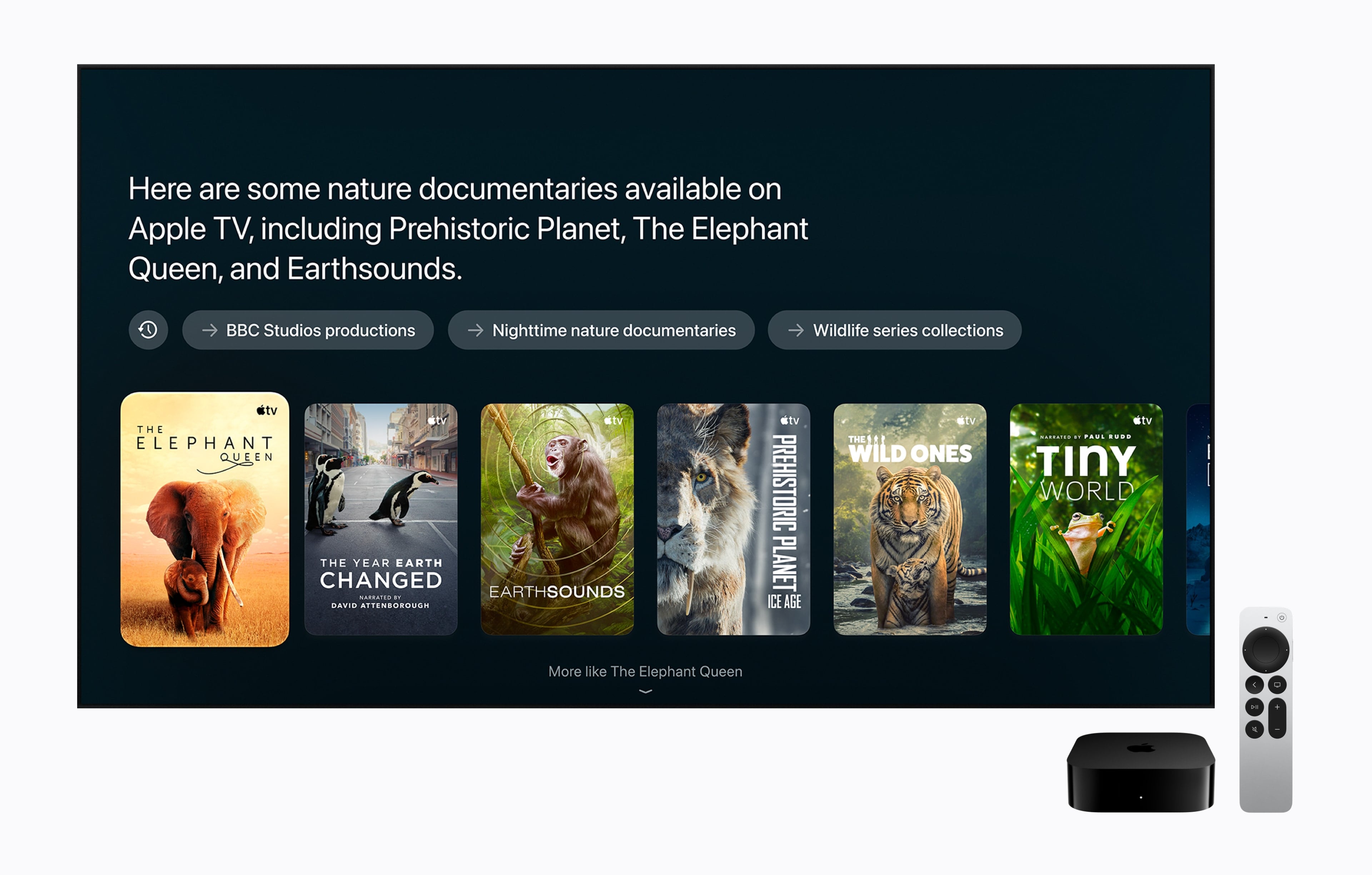
Apple also updated the Apple TV 4K today. Last updated in 2022, the Apple TV 4K’s fourth-generation update is focused on bringing an improved surround sound experience to the Apple TV, along with Siri AI. From the outside, the new Apple TV 4K looks like the old one: a nondescript black box that sits under your TV, but on the inside, the components have been upgraded. The Siri Remote has been updated too.
Source: Apple.
The updated Apple TV features Apple’s A19 chip with an AV1 decoder and three far-field microphones. The A19 chip has a faster CPU (a claimed 50% boost) and GPU (a claimed 2x improvement), which may come in handy when playing games. The microphones allow a user’s voice to be picked up by the Apple TV despite background noise, and Apple says Siri AI will enable new ways to discover what to watch on the device. It’s worth noting that Siri AI is available on the second- and third-generation Apple TV 4K, too. Other upgraded specs that are notable include Wi-Fi 7 and Bluetooth 6.
Source: Apple.
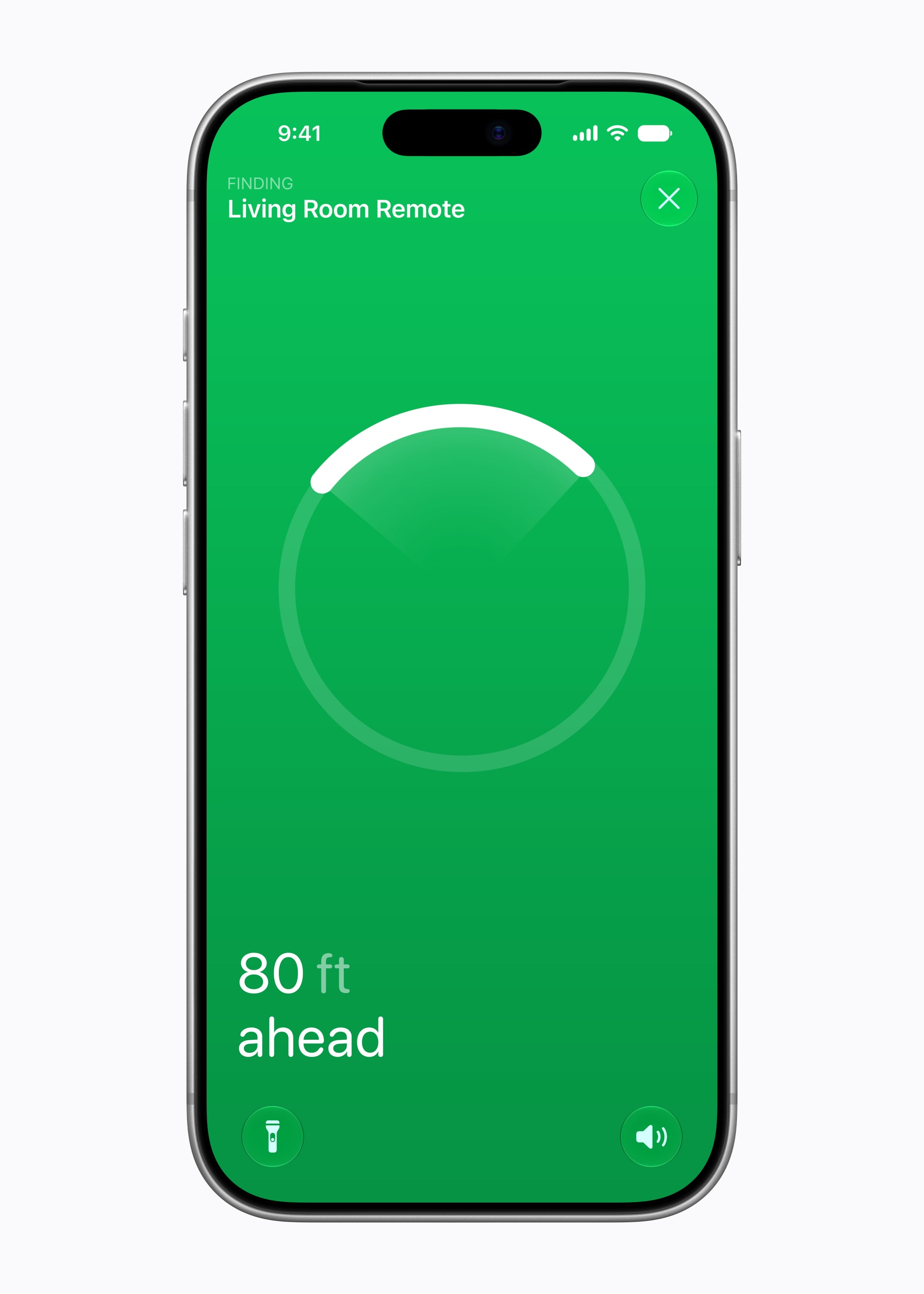
Apple has also expanded the surround sound capabilities of the Apple TV. It can now be paired with four Apple HomePod mini 2s or second-generation HomePods or two pairs of each HomePod type. As for the Siri Remote, it now supports Precision Finding and can play a sound when used with the Find My app.
The new Apple TV 4K is a steep $299, which is disappointing but understandable given the update and 128GB of storage and can be preordered now in the U.S. and 29 other countries, with delivery and in-store availability on November 13.