Discover the Next AI Breakthrough

Launch and discover the latest AI tools, AI agents, LLM apps, and AI workflows.

AI Launch - Domain Rating

Top 8 on Outbid

#1$35
Boost Domain Rating - Boost Domain Rating is a platform to discover and upvote the best tech products. Find top products launching daily. logo

Boost Domain Rating - Boost Domain Rating is a platform to discover and upvote the best tech products. Find top products launching daily.

Boost Domain Rating is a platform to discover and upvote the best tech products. Find top products launching daily.

#2$30
DirEasy - The Best Directory Boilerplate with AI | DirEasy logo

DirEasy - The Best Directory Boilerplate with AI | DirEasy

The best directory boilerplate, packed with AI, Listings, Payment, Submission, CMS, Blog, Authentication, Newsletter, SEO and more.

#3$25
Quiz Shot - Solve Any Screenshot Question in Seconds. logo

Quiz Shot - Solve Any Screenshot Question in Seconds.

AI Study Assistant that answers any screenshot question. Get free AI tutor and step-by-step math and homework help with ChatGPT.

#4$20
Quiz Boost - Invisible AI for Proctored Exams. logo

Quiz Boost - Invisible AI for Proctored Exams.

Quiz Boost works seamlessly with Canvas, Blackboard, Moodle, Schoology, and more. Get intelligent assistance that's completely undetectable by standard LMS monitoring.

#5$20
allentown logo

allentown

The best Nextjs SaaS boilerplate - https://t.co/Ovnu9Do4HE A powerful AI-powered directory boilerplate - https://t.co/nvavdYLYDB ALL-In-One AI ChatGPT Copilot - https://t.co/jzVKjEj3Tj

#6$16
LinkSalad - LinkSalad is a platform to discover and upvote the best tech products. Find top products launching daily. logo

LinkSalad - LinkSalad is a platform to discover and upvote the best tech products. Find top products launching daily.

LinkSalad is a platform to discover and upvote the best tech products. Find top products launching daily.

#7$13
Canvas Zero - Turn invisible during any Canvas test logo

Canvas Zero - Turn invisible during any Canvas test

The most trusted Canvas anti-detection extension. Stay invisible, browse freely, and never get caught switching tabs during quizzes.

#8$12
AIChatOne - All-in-One AI Assistant logo

AIChatOne - All-in-One AI Assistant

AIChatOne is an all-in-one AI assistant with the most advanced AI models (GPT-4, Claude 3, Gemini, etc.) to help you Chat, Search, Write, Read and more

Top Projects Launching Today

New launches in
00h
:
00m
:
00s
No projects found for "Top Projects Launching Today"

Yesterday's Launches

No projects found for "Yesterday's Launches"

Last Week's Top

StudioCreate+ logo

StudioCreate+: Unleash Your Creativity in 2D, 3D, and 360° StudioCreate+ is a powerful digital drawing and painting application designed specifically for Windows users. It provides a comprehensive suite of tools for creating stunning artwork, illustrations, and sketches across 2D, 3D, and immersive 360° environments. This versatile SAAS caters to both beginners and professional artists, illustrators, and designers looking for an intuitive yet advanced creative platform to bring their visions to life. Key Features Extensive Brush Library: Offers a wide range of customizable brushes for diverse artistic styles and textures. Advanced Layer Management: Supports complex compositions with robust layer organization and blending modes. 2D, 3D, & 360° Creation: Unique capability to work across traditional 2D art, 3D modeling, and panoramic 360° scenes. Intuitive User Interface: Designed for ease of use, making it accessible for beginners while providing depth for professionals. High-Quality Output: Tools to create professional-grade artwork, illustrations, and sketches. Use Cases Artists can utilize StudioCreate+ to bring their imaginative concepts to life, from detailed character designs and vibrant landscapes in 2D to immersive 3D models and panoramic 360° scenes. Its versatile brush engine and layer system make it ideal for digital painting, concept art, comic book illustration, and even creating assets for games or virtual reality experiences. The ability to work in 360° opens up new avenues for environmental art and immersive storytelling. For illustrators and designers, the app serves as a robust platform for creating professional-grade illustrations for books, magazines, and digital media. Designers can leverage its capabilities for prototyping visual concepts, storyboarding, and developing visual assets for various projects, benefiting from its ability to handle diverse creative demands. Whether you're sketching an initial idea or finalizing a detailed piece, StudioCreate+ provides the tools needed for every stage of the creative process. Pricing Information Specific pricing details for StudioCreate+ are not provided in the available content. Users are encouraged to visit the official StudioCreate+ website for the most current information on subscription plans, one-time purchase options, or any available free trials. User Experience and Support StudioCreate+ boasts an intuitive interface, making it accessible for beginners while offering the depth required by professionals. The focus on ease of use ensures a smooth creative workflow, allowing artists to concentrate on their art rather than struggling with complex menus. While specific details on documentation or support channels are not provided, a powerful application of this caliber typically includes comprehensive in-app help, tutorials, and potentially a community forum for user assistance. Technical Details StudioCreate+ is developed as a dedicated application for the Windows operating system. The provided content does not specify the underlying programming languages, frameworks, or specific technologies used in its development. Its native Windows integration suggests optimized performance for the platform. Pros and Cons Pros: Versatile 2D, 3D, and 360° creation capabilities in one app. Wide range of brushes and advanced drawing tools. Intuitive interface suitable for all skill levels. Powerful for digital drawing, painting, and illustration. Dedicated Windows application for optimized performance. Cons: Platform limited to Windows (no mention of Mac/Linux/web versions). Specific pricing details are not explicitly provided. No explicit mention of advanced collaboration features. Potential learning curve for mastering advanced 3D/360° features. Conclusion StudioCreate+ stands out as a comprehensive digital art studio for Windows, empowering users to explore their creativity across multiple dimensions, from traditional 2D to immersive 360°. Its blend of powerful features and user-friendliness makes it an excellent choice for anyone serious about digital art and illustration. Visit the official StudioCreate+ website to unleash your artistic potential and transform your ideas into stunning visuals.

Glypse logo

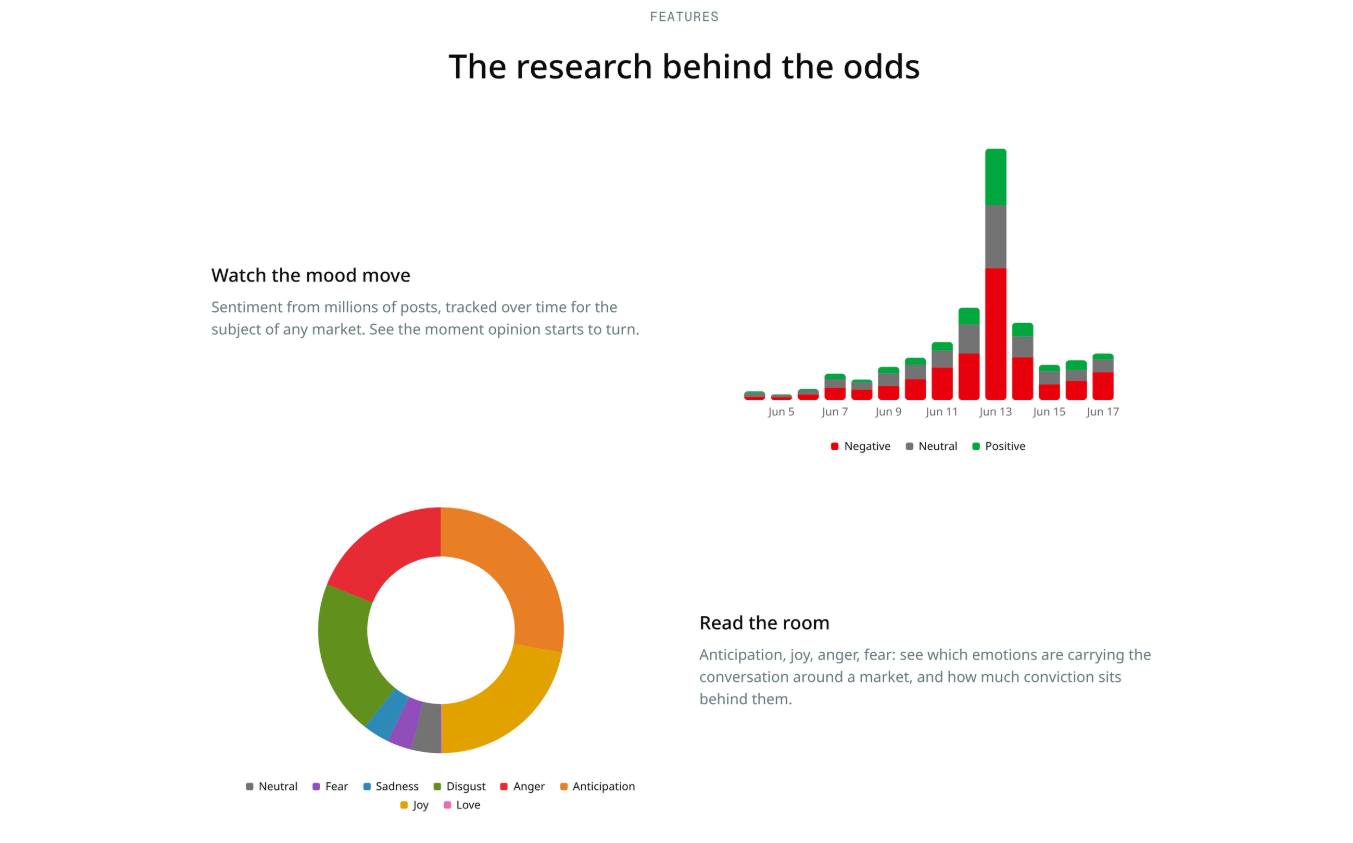
Glypse is an AI research engine that helps prediction market traders turn large amounts of information into useful market intelligence. It monitors news, social conversations, and market activity to surface relevant signals across thousands of live markets on Polymarket and Kalshi.Traders can use Glypse to find markets gaining momentum, understand why odds are moving, investigate competing outcomes, and review arguments from different sides of a prediction. As new developments emerge, Glypse continuously refreshes its research so users can keep track of changing narratives and market sentiment.Instead of searching across multiple sources, traders can use Glypse as a centralized research layer before making decisions on the platforms where they trade. Core research is available for free, giving users an accessible way to explore sophisticated prediction market analysis.

InboxDoc logo

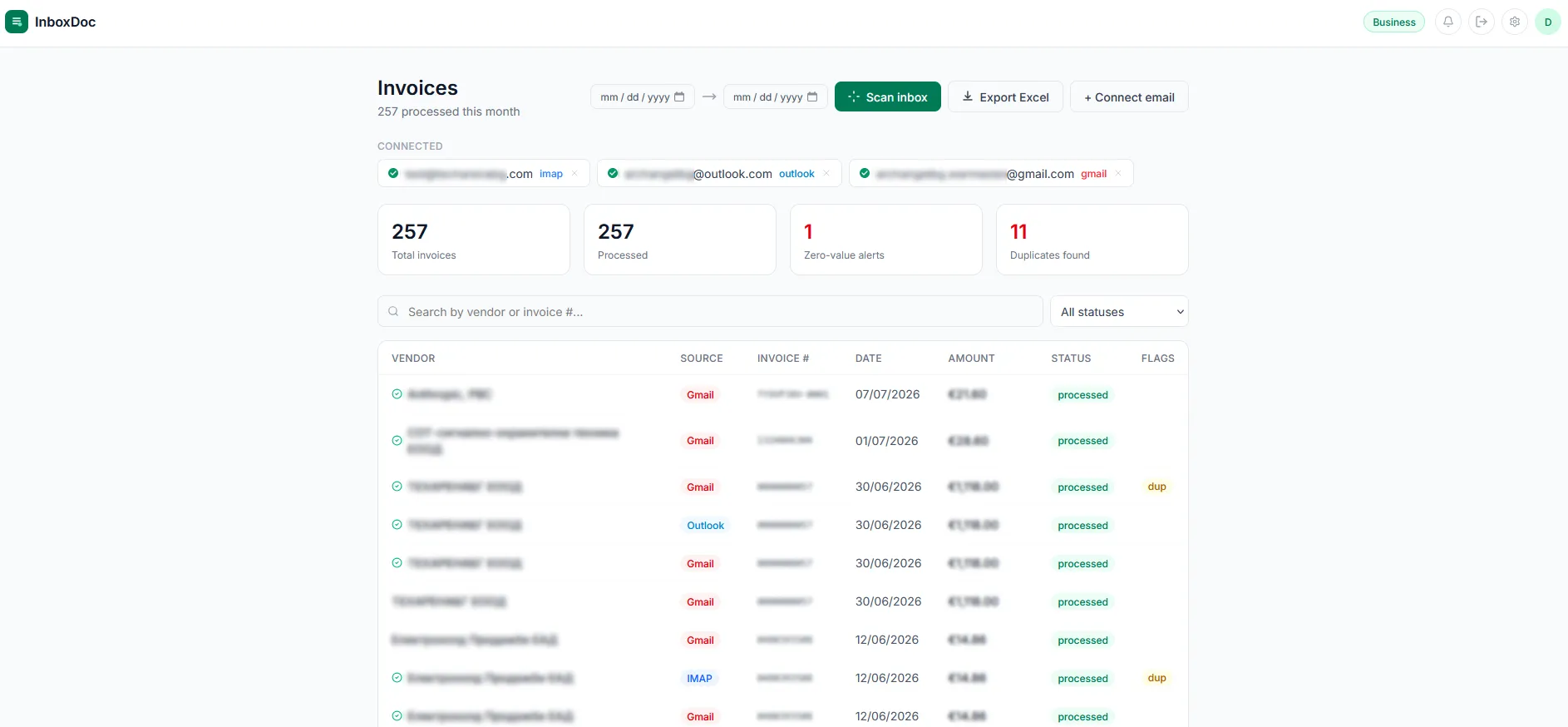
AI reads your inbox and extracts invoice data automatically - vendor, amount, tax, dates. No manual entry.

ThreadOut logo

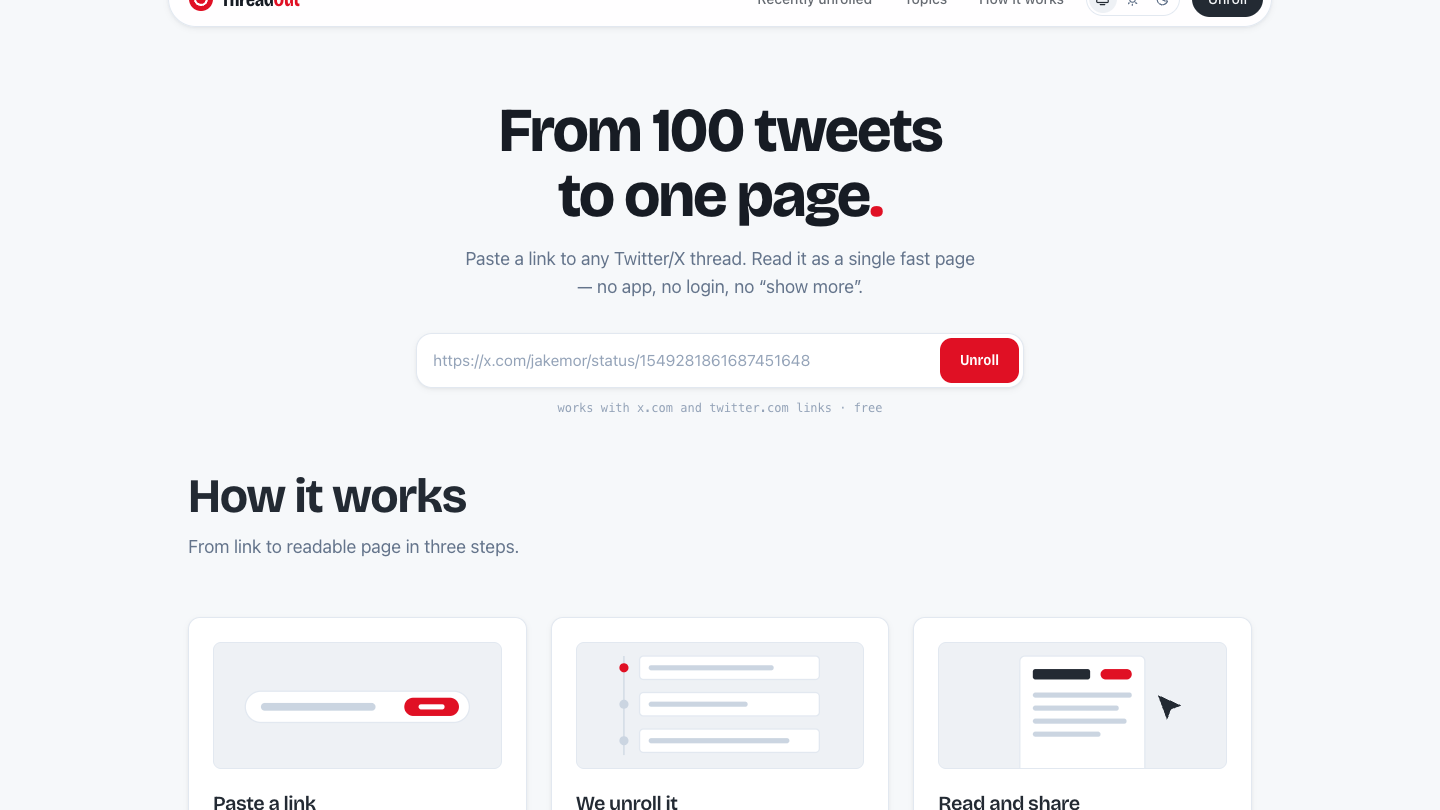
Long Twitter/X threads are hard to read: the text is chopped into dozens of boxes and replies break the order. ThreadOut fixes that. Paste a link to any tweet in a public thread and read the whole thread as one page, in the author's order, with images and quoted tweets in place. Popular threads also get an AI summary at the top and topic tags, so you can tell in seconds whether a long thread is worth your time. No account, no login, no paywall.

Flower Wand Garden logo

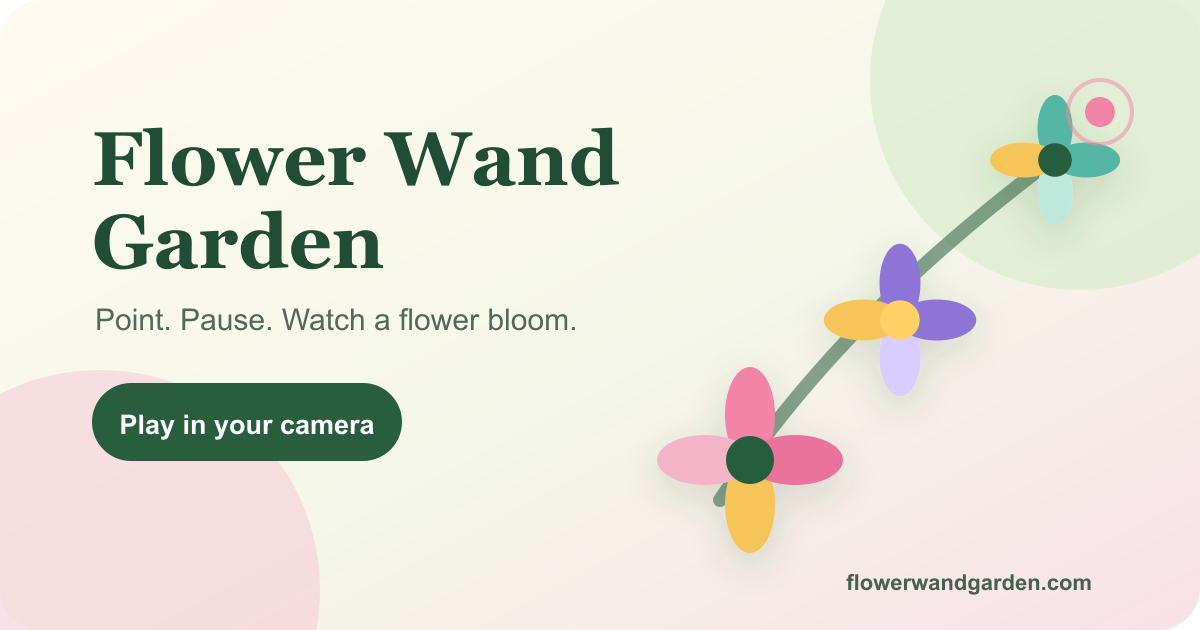
Flower Wand Garden is a free, camera-powered browser experience that transforms your index fingertip into a virtual wand, allowing users to grow animated flowers or twinkling stars with a simple gesture. Designed for joyful, quick play, it caters to families, educators, and social media enthusiasts looking for a creative and private way to interact with digital art.Key Features:Fingertip Hand Tracking: Utilizes 21 hand landmarks to precisely follow your index fingertip, enabling intuitive interaction.Multi-Hand Play: Supports up to four hands simultaneously, fostering collaborative creativity among friends and family.Original Art & Twinkling Stars: Features a vibrant library of original flower sprites and a mode to sprinkle randomly sized, colored, and twinkling stars.Live Camera Filters: Enhance your creations with vivid, oil, watercolor, ink, and vintage filters, baked directly into your captures.Privacy Face Mask: Automatically covers faces with flowers or emoji avatars, ensuring privacy in shared photos and videos.Whack-a-Mole Mode: A playful game mode where users bonk flower-wearing moles with a hammer, adding a fun, interactive element.Photo & Short Video Capture: Easily capture clean JPEG photos or 15-second video clips for sharing, with no account required.Use Cases:Flower Wand Garden shines in various playful scenarios. For birthdays and parties, it turns cake-cutting into a magical performance, allowing guests to take turns planting blooms before capturing a memorable photo. Its interactive nature makes it ideal for families and classrooms, teaching children patience and coordination as they learn to hold a steady hand to grow digital wonders.Social media users can leverage Flower Wand Garden to create engaging content for platforms like TikTok and Reels. Users can build a bouquet around their face or an object, then record a unique 15-second clip ready for sharing with friends or followers. The built-in privacy mask ensures that faces can be kept private, making it suitable for a wider audience.Pricing Information:Flower Wand Garden is completely free to use, offering all its features without any cost. There are no hidden fees, subscriptions, or in-app purchases, making it an accessible tool for everyone.User Experience and Support:The platform boasts a remarkably simple and intuitive user experience. There's no sign-in, app download, or complex controller required; users simply tap "Play" and allow camera access. All camera processing happens locally on the device, ensuring a private and responsive interaction. While no explicit support documentation is mentioned, the "How it works" and "FAQ" sections within the site provide clear guidance on usage.Technical Details:Flower Wand Garden leverages advanced browser capabilities for real-time hand detection and composition. It uses hand landmarks from the live camera feed, likely powered by technologies like MediaPipe, to track the index fingertip. The entire process, from hand detection to flower animation and media capture, occurs client-side in the user's browser, ensuring that no camera stream is uploaded. Video recording relies on browser support for MediaRecorder and canvas captureStream.Pros and Cons:Pros:Completely free with no sign-in or installation required.Strong privacy focus with local processing and face masking.Engaging and creative for all ages, fostering imagination.Supports multi-user interaction for collaborative play.Includes a fun Whack-a-Mole game mode.Easy photo and video capture with built-in filters.Cons:Requires good lighting and full hand visibility for optimal tracking.Video mode availability depends on browser support.No advanced editing features beyond basic filters.Limited to browser-based use, no dedicated app.Conclusion:Flower Wand Garden offers a delightful and accessible way to engage with digital creativity through simple hand gestures. Its commitment to privacy, ease of use, and diverse play modes make it a unique tool for spontaneous fun and content creation. Explore Flower Wand Garden today to wave your finger and grow a little wonder.

Last Month's Top

MultiTool Pro AI KIT Utilities  logo

MultiTool Pro: The Ultimate All-in-One Productivity & AI Toolkit MultiTool Pro is a groundbreaking all-in-one SaaS application that consolidates over 80 professional tools and extensive online resources into a single, free-to-use platform. It eliminates the need for multiple apps by providing a comprehensive suite of utilities, an AI Hub, and integrated access to popular online services, all without any subscriptions or paywalls. This versatile toolkit targets a broad audience, including students, professionals, developers, content creators, and everyday users seeking to streamline digital tasks, enhance productivity, and access a wide array of online content from one convenient location. Key Features 80+ Core Utilities: Access advanced calculators, password generators, unit converters, QR code generators, JSON formatters, and many more essential tools. Integrated AI Hub: Leverage AI for paraphrasing, grammar and spell checking, summarization, sentiment analysis, keyword extraction, and text enhancement. Massive Online Resources: Seamlessly browse and interact with over 100 popular online platforms, including media streaming, social sites, TV/radio, productivity tools, and games. Smart AI Assistant: Utilize an intelligent chatbot with voice input capabilities that understands and guides users through the app's extensive features. In-App Browser: Enjoy a full-screen browser experience with mobile/desktop toggling and internal tabs for integrated web access. Multi-Language Support: The app supports universal words across 50+ languages and offers full page translation to 25+ languages. Use Cases MultiTool Pro is incredibly beneficial for individuals looking to declutter their devices and simplify their digital workflow. A student can use the advanced calculator for complex assignments, the word counter for essays, and the summarizer for research papers, all while accessing educational resources or streaming media within the same app. Developers can quickly format JSON, encode/decode URLs, and convert bases without switching between browser tabs or dedicated applications. For content creators and marketers, the AI Hub offers powerful tools for refining text, checking grammar, extracting keywords for SEO, and analyzing sentiment, ensuring high-quality and impactful content. Everyday users can manage finances, convert units, generate strong passwords, or simply enjoy games and streaming services, making it a true digital Swiss Army knife. Pricing Information MultiTool Pro stands out with its commitment to being completely free. There are no hidden costs, paywalls, subscriptions, or trials – the entire suite of 80+ tools and extensive online resources is available at no charge, forever. This makes it an exceptionally cost-effective solution for comprehensive digital utility. User Experience and Support The application boasts a user-friendly interface with premium features like dark/light themes, mutable sound effects, and a searchable grid for tools. Its intuitive design aims for ease of use, allowing users to quickly find and utilize the desired functionality. The "Smart AI Assistant" provides robust in-app guidance and support, making it accessible even for new users. Technical Details While specific programming languages or frameworks are not explicitly mentioned, MultiTool Pro's broad functionality, including an in-app browser, AI capabilities, and extensive online resource integration, suggests a robust, likely cross-platform development approach. The seamless integration of web-based services and local utilities points towards a modern architecture capable of handling diverse tasks efficiently. Pros and Cons Pros: Completely free with no subscriptions or paywalls. Massive collection of 80+ tools and 100+ online resources. Integrated AI Hub for text enhancement and analysis. User-friendly interface with customization options. Smart AI Assistant provides in-app guidance. Cons: Specific technical stack details are not provided. The sheer number of tools might present a slight initial learning curve. Reliance on external online resources means performance can depend on third-party services. Conclusion MultiTool Pro redefines digital convenience by offering an unparalleled collection of productivity, AI, and web browsing tools within a single, perpetually free application. It's an indispensable resource for anyone looking to enhance efficiency and consolidate their digital life. Download MultiTool Pro today to experience the ultimate all-in-one toolkit and replace dozens of individual apps.


StudioCreate+ logo

StudioCreate+: Unleash Your Creativity in 2D, 3D, and 360° StudioCreate+ is a powerful digital drawing and painting application designed specifically for Windows users. It provides a comprehensive suite of tools for creating stunning artwork, illustrations, and sketches across 2D, 3D, and immersive 360° environments. This versatile SAAS caters to both beginners and professional artists, illustrators, and designers looking for an intuitive yet advanced creative platform to bring their visions to life. Key Features Extensive Brush Library: Offers a wide range of customizable brushes for diverse artistic styles and textures. Advanced Layer Management: Supports complex compositions with robust layer organization and blending modes. 2D, 3D, & 360° Creation: Unique capability to work across traditional 2D art, 3D modeling, and panoramic 360° scenes. Intuitive User Interface: Designed for ease of use, making it accessible for beginners while providing depth for professionals. High-Quality Output: Tools to create professional-grade artwork, illustrations, and sketches. Use Cases Artists can utilize StudioCreate+ to bring their imaginative concepts to life, from detailed character designs and vibrant landscapes in 2D to immersive 3D models and panoramic 360° scenes. Its versatile brush engine and layer system make it ideal for digital painting, concept art, comic book illustration, and even creating assets for games or virtual reality experiences. The ability to work in 360° opens up new avenues for environmental art and immersive storytelling. For illustrators and designers, the app serves as a robust platform for creating professional-grade illustrations for books, magazines, and digital media. Designers can leverage its capabilities for prototyping visual concepts, storyboarding, and developing visual assets for various projects, benefiting from its ability to handle diverse creative demands. Whether you're sketching an initial idea or finalizing a detailed piece, StudioCreate+ provides the tools needed for every stage of the creative process. Pricing Information Specific pricing details for StudioCreate+ are not provided in the available content. Users are encouraged to visit the official StudioCreate+ website for the most current information on subscription plans, one-time purchase options, or any available free trials. User Experience and Support StudioCreate+ boasts an intuitive interface, making it accessible for beginners while offering the depth required by professionals. The focus on ease of use ensures a smooth creative workflow, allowing artists to concentrate on their art rather than struggling with complex menus. While specific details on documentation or support channels are not provided, a powerful application of this caliber typically includes comprehensive in-app help, tutorials, and potentially a community forum for user assistance. Technical Details StudioCreate+ is developed as a dedicated application for the Windows operating system. The provided content does not specify the underlying programming languages, frameworks, or specific technologies used in its development. Its native Windows integration suggests optimized performance for the platform. Pros and Cons Pros: Versatile 2D, 3D, and 360° creation capabilities in one app. Wide range of brushes and advanced drawing tools. Intuitive interface suitable for all skill levels. Powerful for digital drawing, painting, and illustration. Dedicated Windows application for optimized performance. Cons: Platform limited to Windows (no mention of Mac/Linux/web versions). Specific pricing details are not explicitly provided. No explicit mention of advanced collaboration features. Potential learning curve for mastering advanced 3D/360° features. Conclusion StudioCreate+ stands out as a comprehensive digital art studio for Windows, empowering users to explore their creativity across multiple dimensions, from traditional 2D to immersive 360°. Its blend of powerful features and user-friendliness makes it an excellent choice for anyone serious about digital art and illustration. Visit the official StudioCreate+ website to unleash your artistic potential and transform your ideas into stunning visuals.

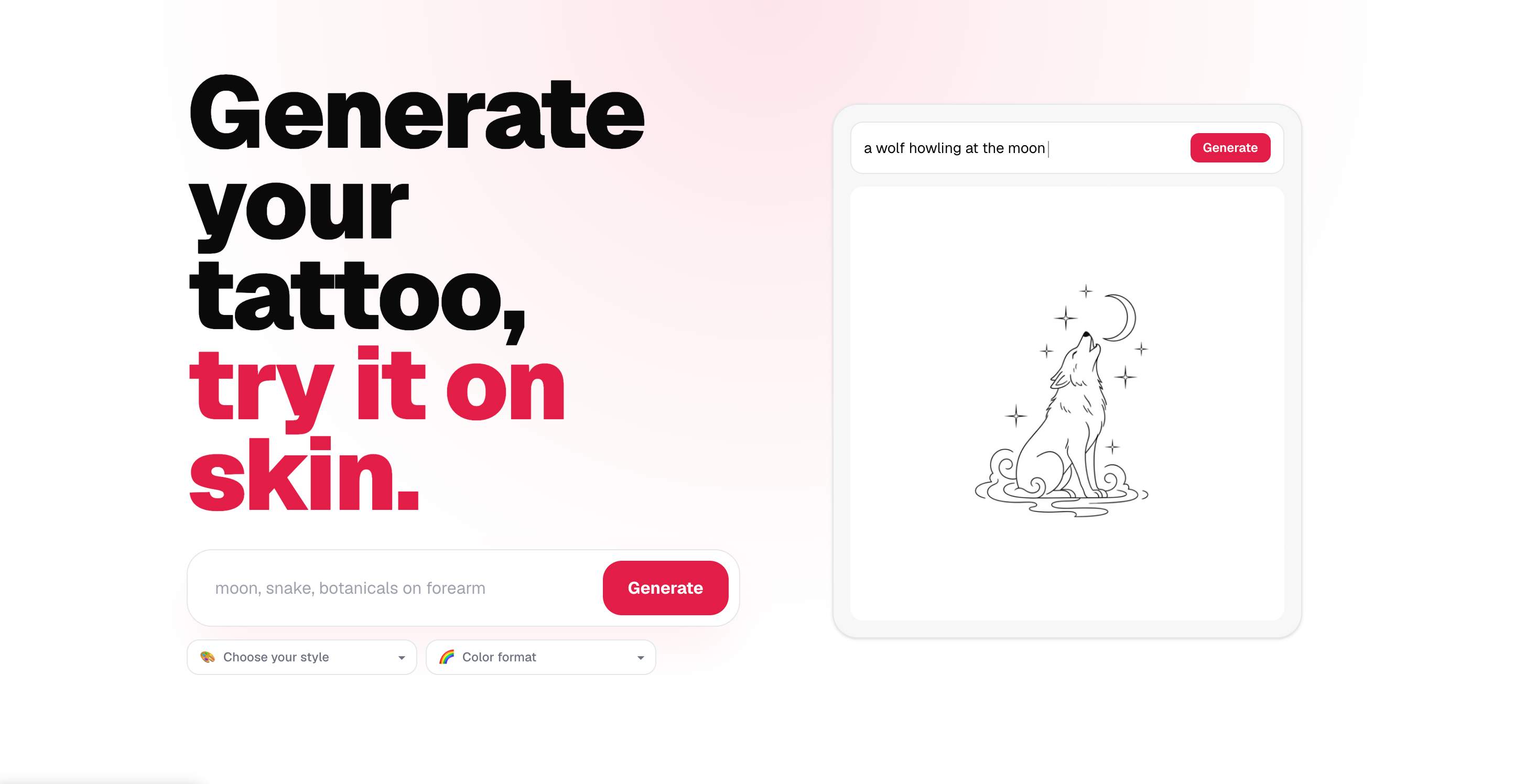
CustomTattoo AI logo

AI tattoo design tool that lets users generate custom tattoo ideas, save concepts, and preview designs on their own skin before getting inked.

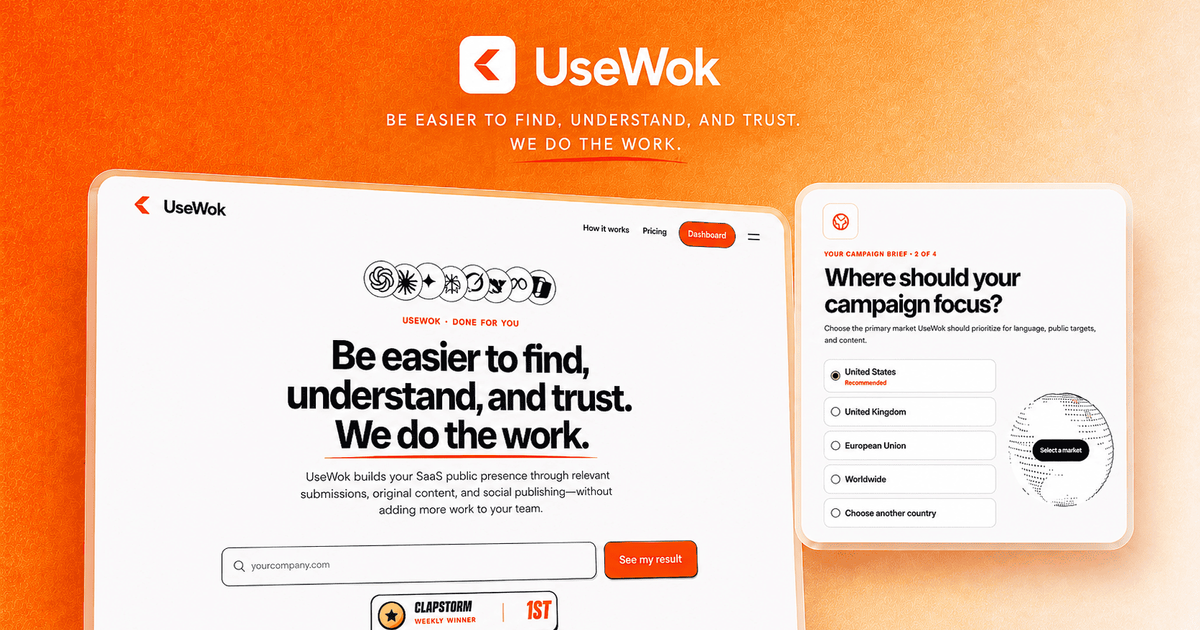
UseWok logo

Done-for-You SaaS Presence for Search & AI | UseWokMake your SaaS easier to find, understand, and evaluateMore buyers now use AI assistants and search engines to discover and compare software. Yet many strong SaaS products remain difficult to evaluate because their public information is incomplete, inconsistent, or scattered across the web.UseWok solves that problem by building and managing a tailored public presence campaign around your SaaS.Add your website, then confirm your audience, target markets, positioning, goals, and preferred social channels. UseWok uses those choices to create a custom 14-day campaign, rather than applying the same generic strategy to every company.UseWok then handles the execution through 50+ premium directories and public-profile submissions, original articles, targeted social publishing, campaign tracking, and verified public URLs.You do not receive another audit, dashboard, or list of marketing tasks to complete yourself. UseWok runs the campaign while your team stays focused on building the product.Tailored campaign directionEvery campaign is built around your SaaS, audience, countries, positioning, priorities, and selected channels.Relevant public submissionsUseWok researches, prepares, and submits your SaaS to 50+ premium directories selected for your product and target market.Original contentUseWok creates original articles based on your approved product information, expertise, use cases, audience, and positioning.Targeted social publishingRelevant content is prepared and published across your selected channels to reinforce one clear and consistent public message.Campaign trackingFollow preparation, submissions, published content, campaign activity, and verified live URLs from one place.UseWok is built exclusively for SaaS companies that want a stronger public presence without hiring an expensive agency, paying for another monthly platform, or managing dozens of marketing tasks.The tailored 14-day campaign costs $59 once, with no monthly subscription, automatic renewal, onboarding call, or complicated setup.

Glypse logo

Glypse is an AI research engine that helps prediction market traders turn large amounts of information into useful market intelligence. It monitors news, social conversations, and market activity to surface relevant signals across thousands of live markets on Polymarket and Kalshi.Traders can use Glypse to find markets gaining momentum, understand why odds are moving, investigate competing outcomes, and review arguments from different sides of a prediction. As new developments emerge, Glypse continuously refreshes its research so users can keep track of changing narratives and market sentiment.Instead of searching across multiple sources, traders can use Glypse as a centralized research layer before making decisions on the platforms where they trade. Core research is available for free, giving users an accessible way to explore sophisticated prediction market analysis.

Subscribe to Newsletter

Subscribe to our newsletter to get the best products weekly.

Latest Blogs