
PEN
Everyday Life, Captured. PEN.
A picture is worth a thousand words.
A rainy street. A weekend away. A quiet moment shared across the table. OM SYSTEM PEN turns the everyday into something worth remembering, capturing not only what you saw, but the feeling behind it.
- All-Cross-Type Phase-Detection Sensor
- Profile Control Switch
- IPX1 Weathersealed
- Articulating Touch Screen
- 121 Phase Detect AF Points
- Creative Video Features
- Computational Photography Button
- Rangefinder Style Design
- 4K30 Video
- Art Filters
Your Signature
With creative tools built-in, PEN helps you shape color, contrast, movement, and mood in the moment. Instead of waiting until later to edit, you can create images that already feel like yours the instant you capture them. Tell your story the exact way you see it.
Creative Simplicity
Create more of the look you want, with less guesswork. PEN gives you easy in-camera tools to capture richer detail, softer motion, greater depth, and more expressive images, so it’s simple to make everyday moments look the way they feel.
Your Everyday Carry
A timeless range-finder style design. Compact, and made for everyday life, PEN brings back the simple pleasure of carrying a camera, looking through the viewfinder, and capturing the authentic moments that move you.
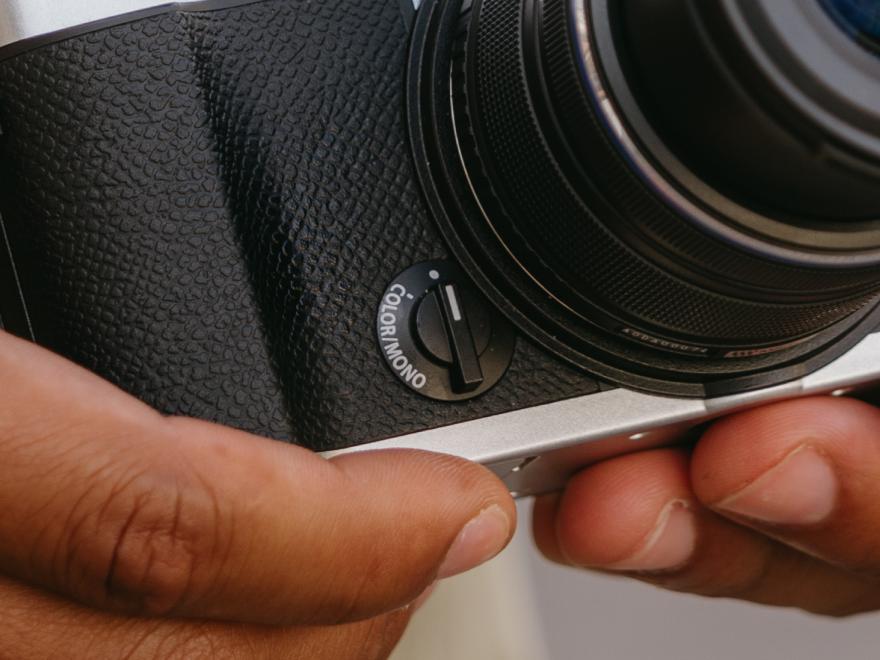
Profile Control Switch
The Profile Control switch makes it easy to explore a look that feels like you. From rich colour to classic black and white, you can choose from inspiring film-like profiles, shape the mood of your image, and create a signature style that feels personal from the very first shot. With art filters close at hand, it’s simple to experiment, have fun, and make every photo your own.
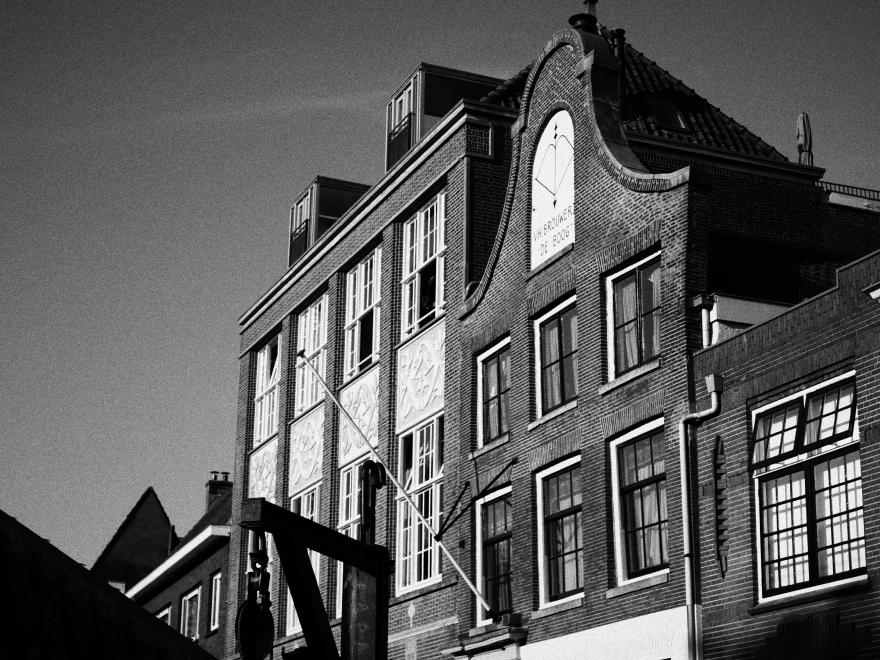
Colour and Monochrome Profiles
With four colour profiles and four monochrome profiles to choose from, PEN makes it easy to find a look that feels right from the start. Use the film-like profiles as they are, or make them unique by customising your favourite profiles. Whether you are shooting stills or video, it is simple to create a signature style that feels uniquely you.
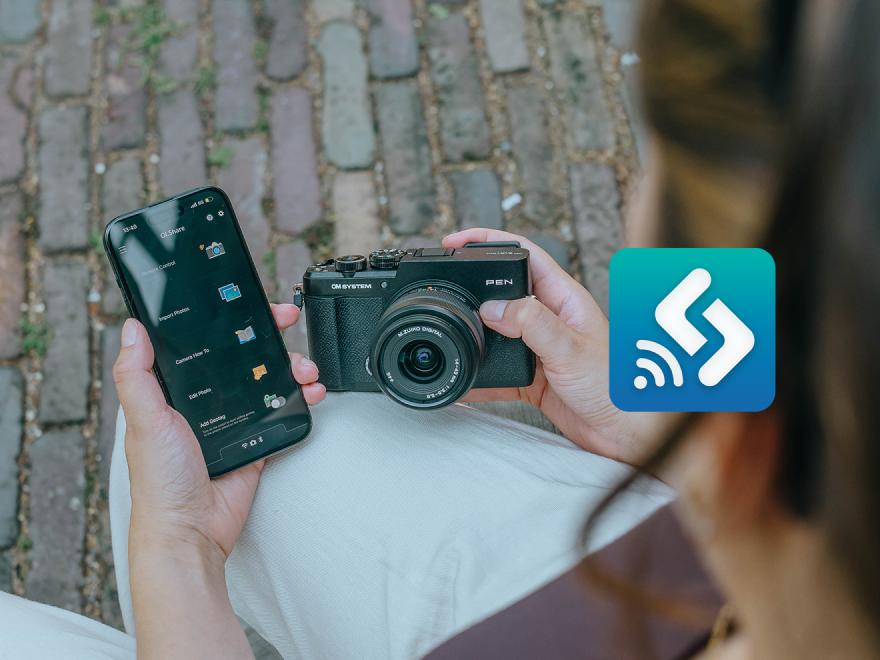
Sharing Your Film-Like Profiles
Define your look, then share it with others. Custom colour and monochrome profile recipes can be sent to fellow creators, who can easily upload them to their camera using OM Workspace or the newly updated OI.Share app.
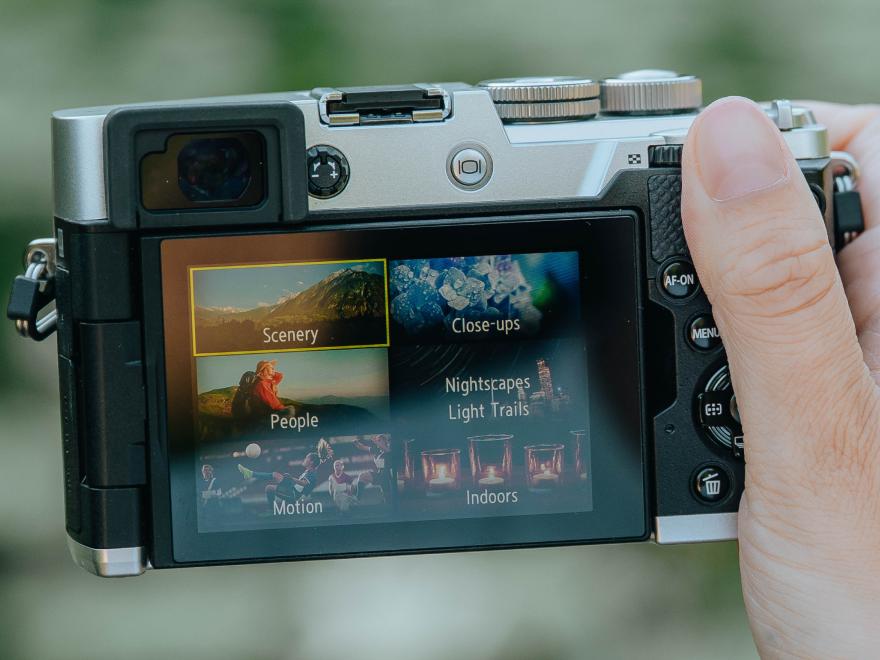
Scene Modes
How do you take the guess work out of complex photography modes?
Scene Modes take the guesswork out of more advanced photography by automatically optimizing settings for the kind of image you want to create. Whether you are capturing a night scene, portrait, landscape, or close-up, PEN makes it easier to get beautiful results with confidence.
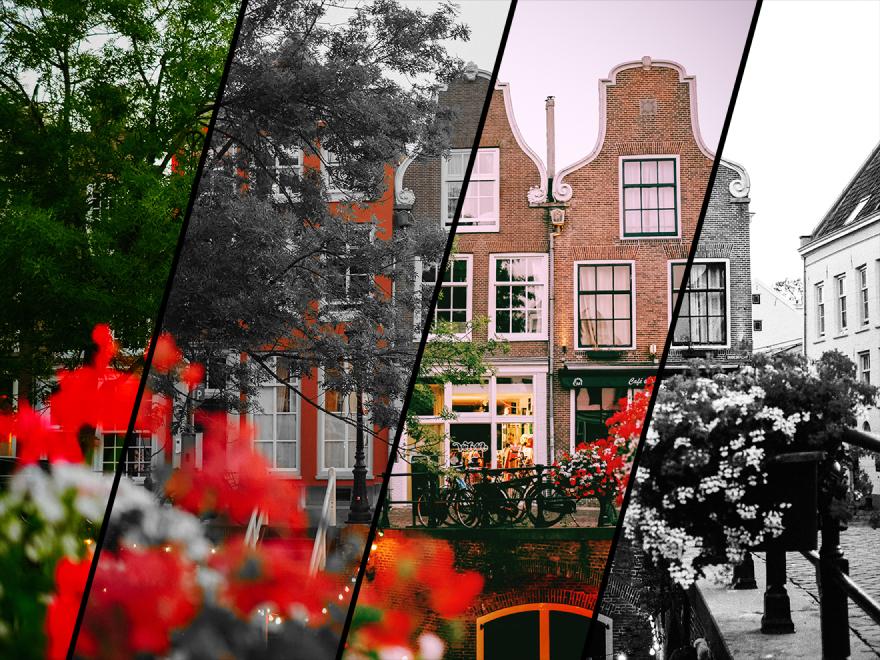
Art Modes
How do you make creative looks with the press of a button?
Art Filters make it simple to give your images more mood, character, and visual impact right in the camera. Whether you are shooting stills or video, you can apply artistic effects with ease and explore different creative styles without needing extra editing.
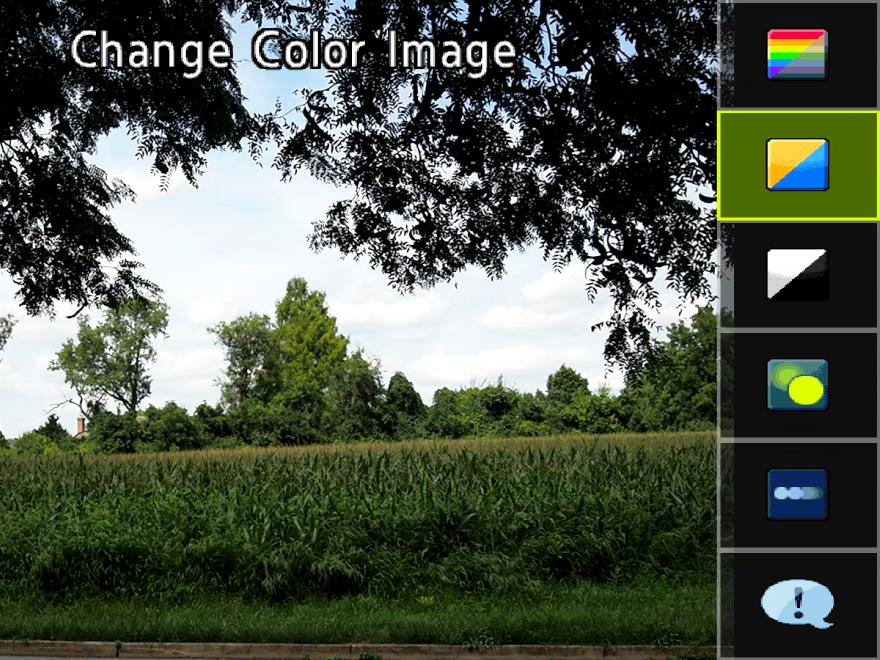
Auto Live Guide
How does Auto Live Guide work?
This feature helps you adjust the look and feel of your images and videos in a simple, visual way. Instead of needing to understand technical settings, you can make changes like background blur, brightness, colour tone, and motion effects more intuitively, so it is easy to explore a more creative style with confidence.
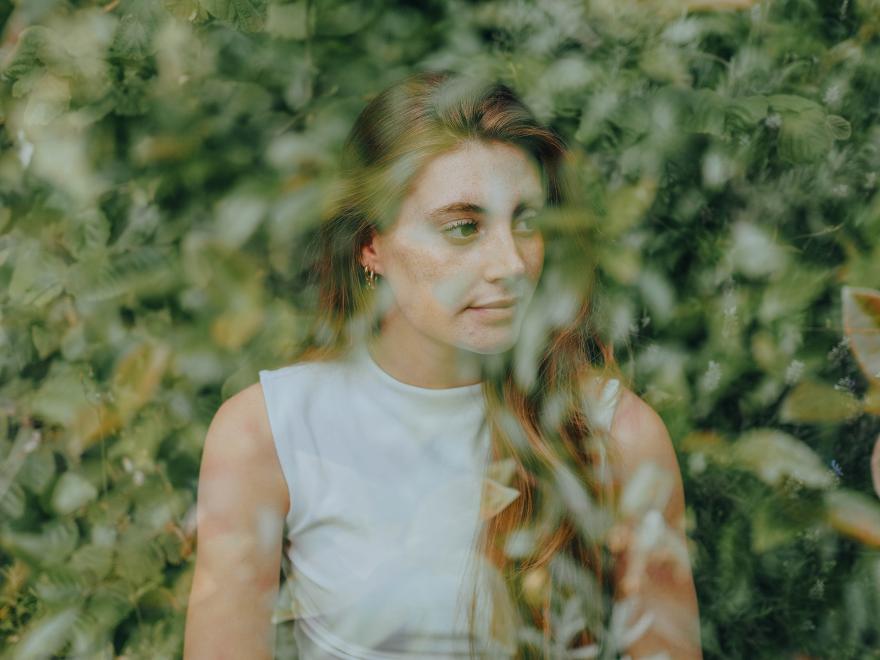
Multiple Exposure
What is Multiple Exposure mode?
Multiple Exposure lets you blend different moments, shapes, or details into one image, opening up a more artistic way to tell your story. The PEN shows your first shot faintly on screen while you line up the second, so you can see the blend forming instead of guessing at it. It is a creative tool for making images that feel less ordinary and is uniquely yours.
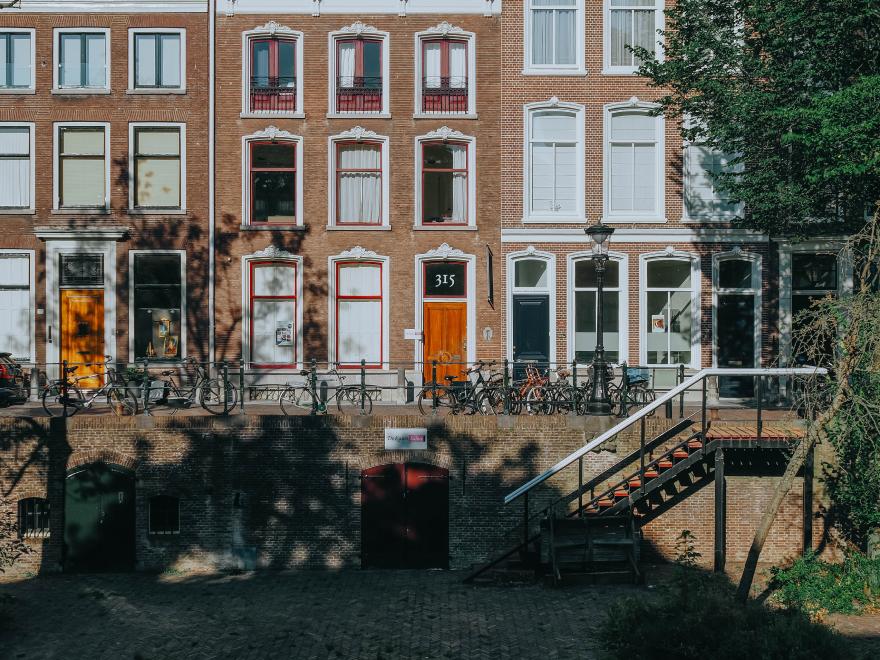
High Res Shot Mode
What is High Res Shot Mode?
You can capture more detail when it matters most. High Res Shot Mode combines multiple images into one, helping you create photos with greater detail, cleaner texture, and less visible noise. It is especially useful for scenes like architecture, landscapes, artwork, or still subjects where you want a richer, more refined result. Use Tripod High Res Shot when you have time to set up for maximum detail, or choose Handheld High Res Shot for sharp, high-quality results without needing extra gear.
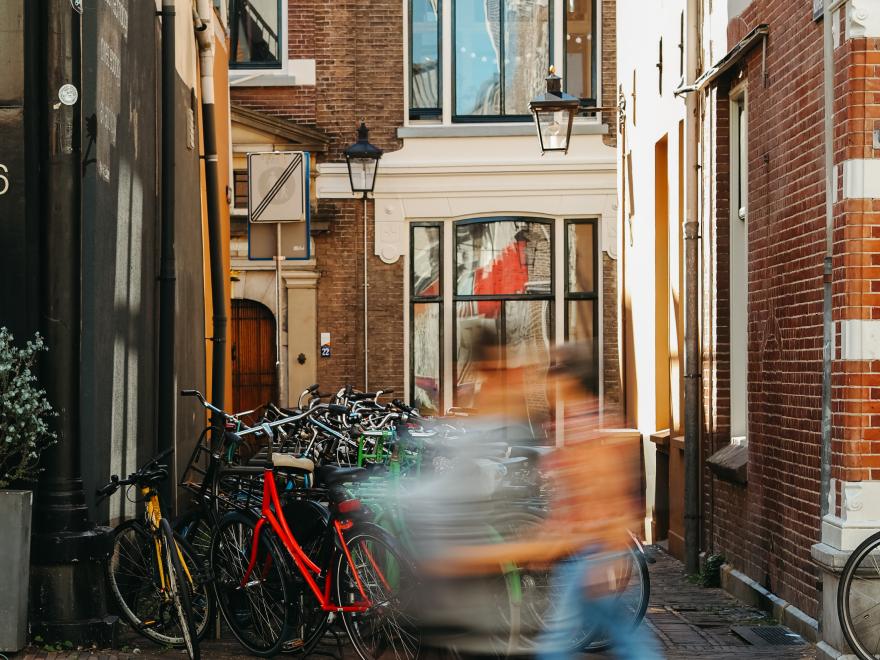
Live ND
What does Live ND do?
Smooth motion, without packing extra filters. Live ND is an in-camera feature that helps you create soft, flowing motion in scenes like waterfalls, rivers, clouds, or busy streets, all without needing an external darkening filter. It makes it easier to capture a more creative, atmospheric look in bright conditions, so you can explore long-exposure-style effects with less setup and more confidence. Best of all it shows you the effect live on screen before you take the picture.
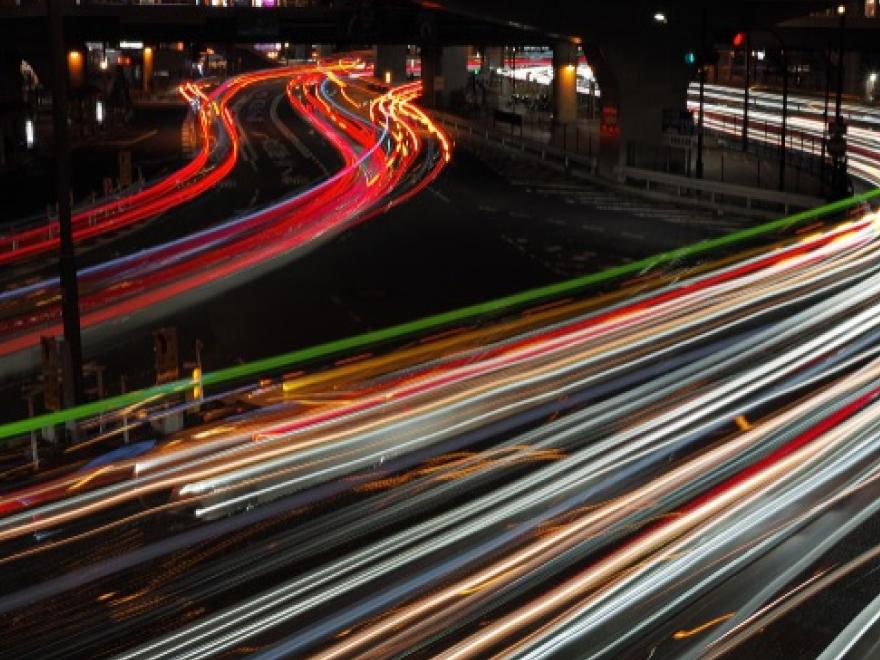
Live Composite
How can you make light trails in camera without editing?
Live Composite lets you build light into the image, little by little. Watch the image come to life right on the screen as it builds. Designed for scenes where light changes over time—like star trails, fireworks, traffic trails, or light painting—it adds only new points of light as they appear, helping keep the rest of the scene balanced and properly exposed. And it all happens in-camera, so you can create dramatic long-exposure images without complicated editing afterward.
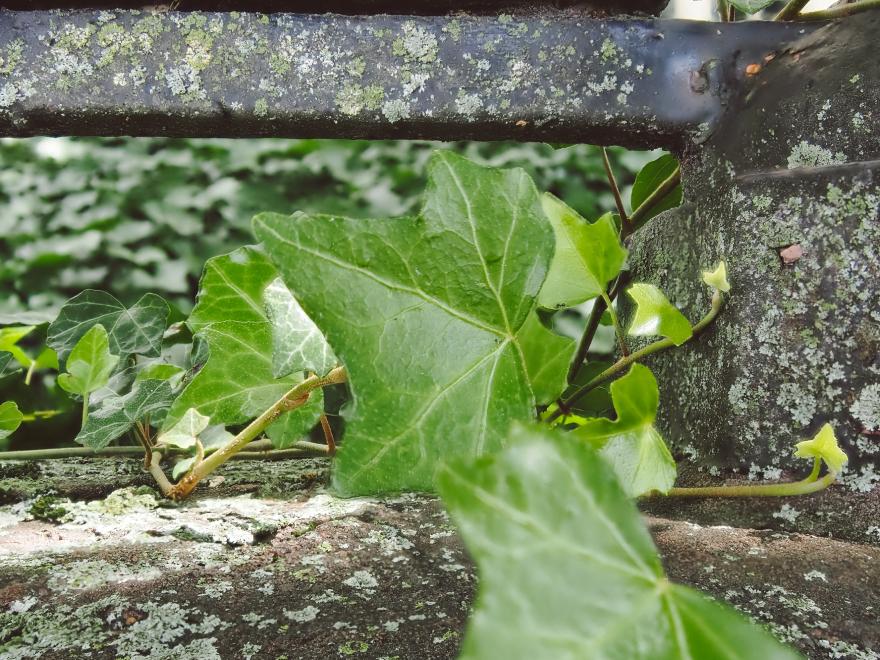
Focus Stacking
How can you get more of your photo in focus?
Keep more of the scene sharp with Focus Stacking. This feature combines multiple images taken at different focus points to create one photo with greater sharpness from front to back. It is especially useful for close-ups, flowers, food, and small subjects when you want more detail in focus without needing to edit later.
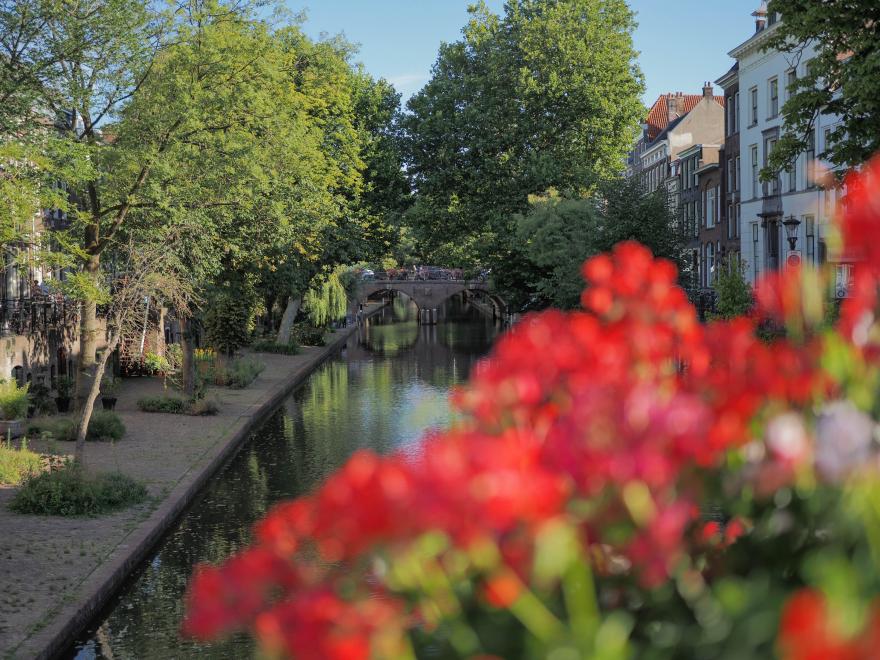
HDR
How Can you balance light and detail more naturally?
HDR Mode helps bring out more detail in both bright and dark areas of a scene, so images look closer to the way you remember them. HDR fixes the show there the sky is bright and everything below it is a black silhouette. It is especially helpful for sunsets, backlit portraits, or high-contrast scenes where it can be difficult to capture everything clearly in a single shot.
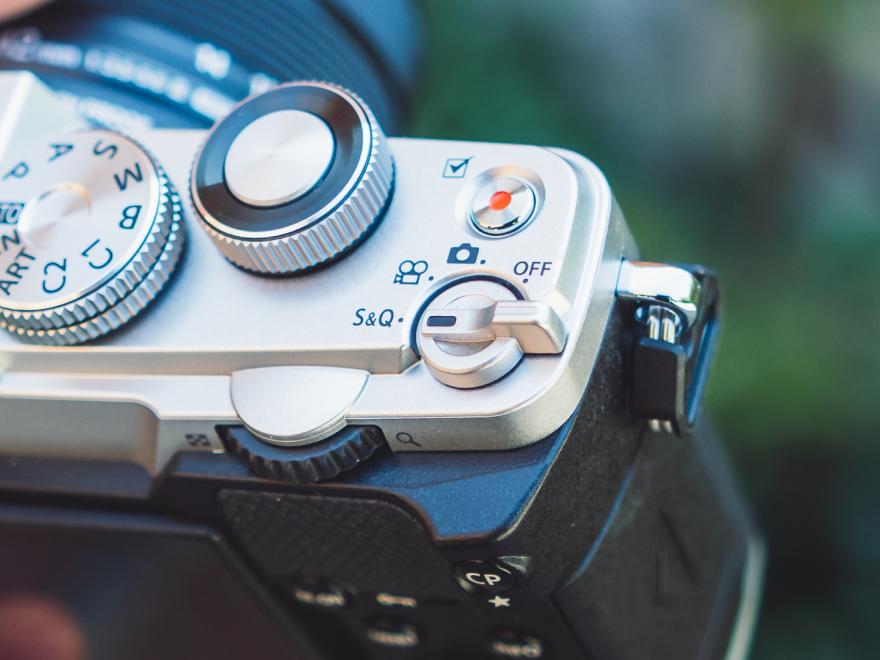
Slow & Quick Video Modes
Slow down the moments that happen in an instant, or speed up the ones that unfold over time. Slow & Quick Motion video mode easily gives you a new way to tell the story, revealing movement, mood, and details you might otherwise miss.
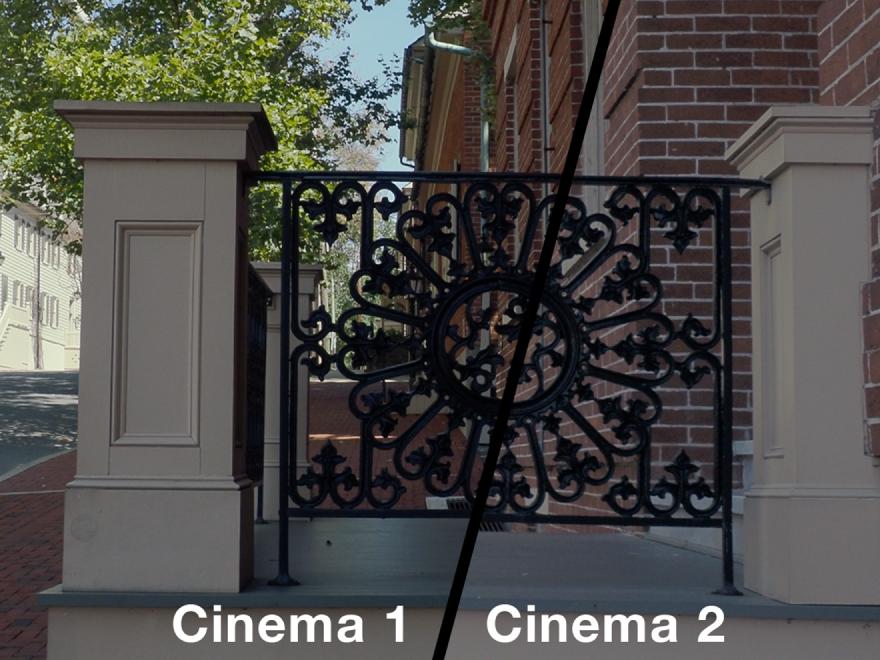
OM Cinema 1 & 2
Your signature look with built-in creative video modes, OM Cinema 1 & 2. With these modes you can capture cinematic videos without need of colour grading or intense editing.
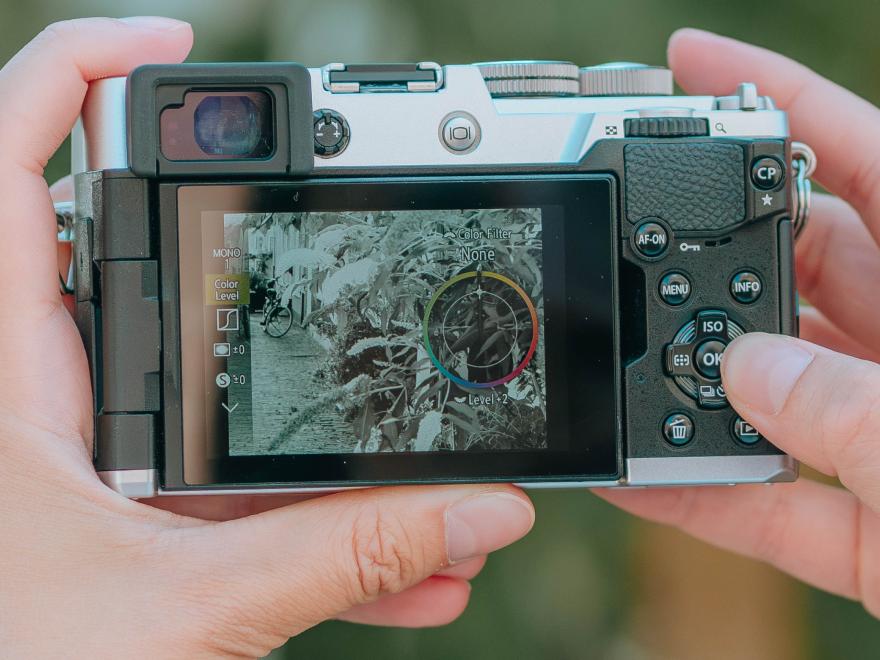
Profile Control
The Profile Control switch brings creative tools together in one easy place, so it is simple to move from everyday shooting into a more expressive style of photography. With colour and monochrome profile recipes, it gives you faster access to the tools that shape the unique look of the image.
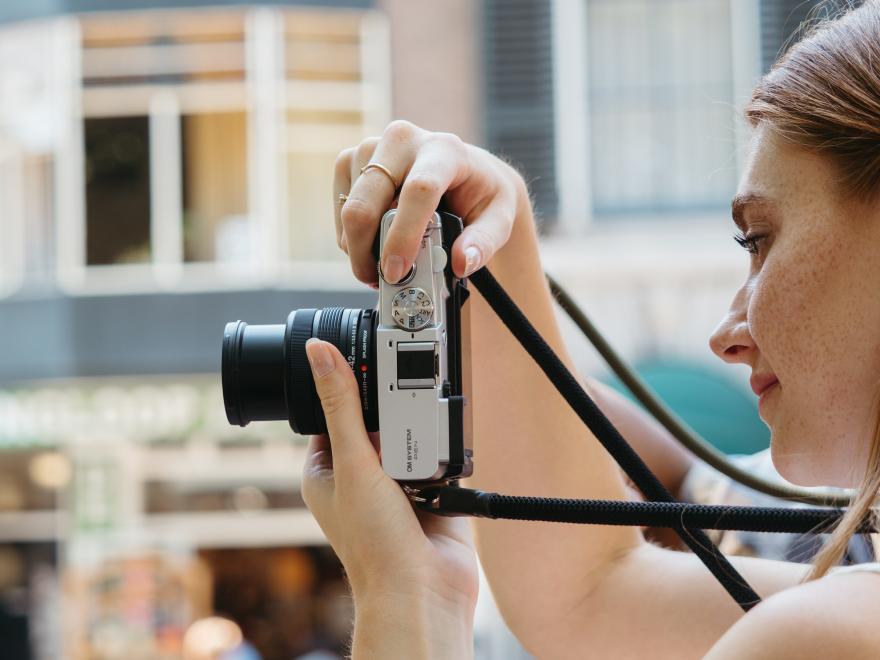
Vertical Video
What’s the best way to film vertical content? With PEN, it’s easy to shoot in portrait or landscape orientation and transfer your footage to your phone or computer exactly as it was captured. That means no extra rotating or reformatting during editing, so creating social-ready content is faster and gives you more free time to keep on creating.

Plug & Play Webcam Mode
What’s the easiest way to look better on camera for calls, streaming, or content creation? PEN makes it easy to use your camera as a webcam, so you can enjoy better image quality without a complicated setup. Simply connect it via USB-C and start using it for video calls, livestreams, or online content creation, with a clearer, more polished look.

Classic Rangefinder Design
A timeless design built to inspire you to feel the connection to your subject and the joy of photography.
Looking through the viewfinder creates a more focused, immersive way to photograph. It helps you pay attention to light, framing, and the feeling of the moment.
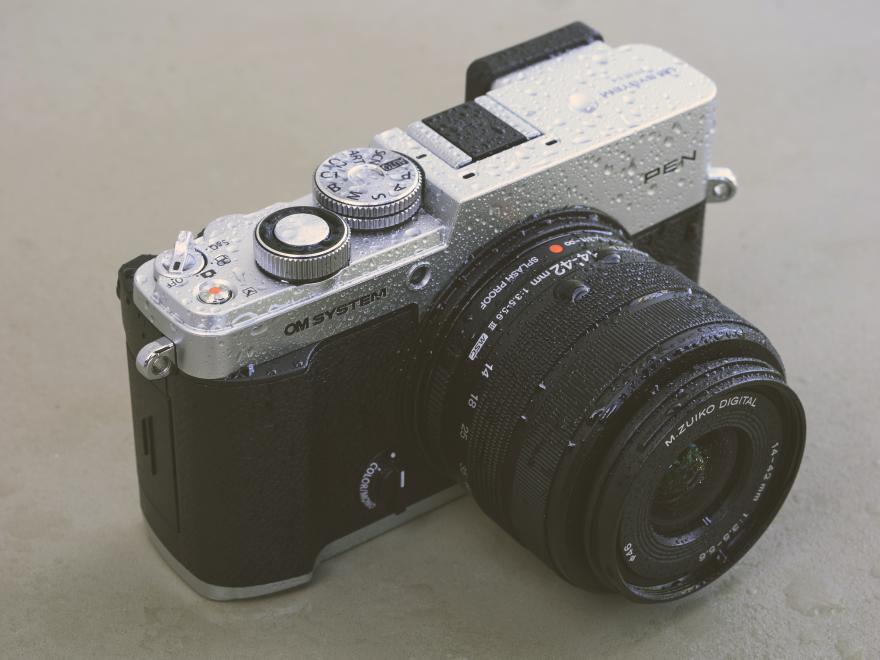
IP Rated Confidence
Don’t let a little rain stop you from telling your story. The PEN has IPX1 certified weathersealing for reliability come rain or shine, so you can keep capturing no matter what mother nature has in store for the day.

AI Subject Detection AF
Fast AI autofocus with human and pet subject detection helps PEN recognize what matters in the frame and keep it sharp. That makes it easier to capture fleeting expressions, movement, and everyday moments without second-guessing focus.

Stay Sharp with Better Focus
PEN combines a 20.4MP Live MOS sensor with on-chip All-Cross-Type Phase-Detection AF and the high-speed TruePic IX image processor to deliver fast, highly accurate autofocus performance.
Now enhanced with AI subject-detection AF for even greater ease of use.

Stay Dust Free
PEN features a dust reduction system which ensures camera’s internals stay clean, so your photos remain flawless and free of spots
The Super Sonic Wave Filter vibrates over 30,000 times per second when the camera is turned on, obliterating dust on the spot!

Keep it Steady
Built-in image stabilization helps reduce blur from camera shake, especially in lower light or when shooting handheld. That means clearer travel scenes, sharper evening moments, and more freedom to shoot without needing a tripod.

A legacy of everyday accessibility
Since it was originally introduced in 1959, the Olympus PEN line has made photography feel more open, approachable, and enjoyable for more people. Designed to feel as intuitive and natural as pen and paper, it helped empower more people to capture the moments, feelings, and perspectives they wanted to share.

Designed to be carried, made to be used
The PEN was created as a compact camera for everyday life, easy to take with you and make your own. Today, PEN reimagines that legacy for modern life, combining the spirit of the original with a refined design made to be carried, used, and loved every day.
The leather wrist strap included with purchase is a third-party accessory manufactured and supplied by Clever Supply LLC. OM Digital Solutions Americas Inc. (OMDA) makes no additional representations or warranties regarding the strap, including its fitness for a particular purpose, quality, or compatibility with any specific camera model, except to the extent required by applicable law.
To the maximum extent permitted by law, OMDA is not responsible for damage, scratches, marks, loss, or other harm to any camera body, strap lugs, or other property arising from:
1. Attachment, use, or removal of the strap
2. Any defect, failure, or malfunction of the strap
3. Incorrect fitting, misuse, or use beyond the strap’s intended purpose
Nothing in this notice limits any rights or remedies that cannot be excluded under applicable law.
Why photographers love the PEN
The camera is the perfect lightweight camera to carry with you every day, ready to capture those unexpected and beautiful moments without compromising quality in the results.
The creative dial gives you the freedom to customise colour profiles and bring your own vision to different scenarios, determining the mood and expressing your own style, while keeping you focused on the scene and allowing you to see the edit in real time.

Creative by nature, Anna Salvador is a Barcelona-based photographer and designer. Her curiosity and love of travel have taken her on solo journeys, camera in hand, and led her to live in New Zealand for four years. Inspired by nature, light, and everyday scenes, she captures beauty in small details, evoking nostalgia and tranquillity through her imagery.

I especially appreciated its compact size and lightweight design, without any compromise in the camera body's power and performance.
In Paris, I had the opportunity to test different ways of using it, ranging from lifestyle to street photography. The camera is perfectly suited to these types of photography: it allows you to explore the city discreetly, blend into the crowd, and capture exceptionally high-quality images, all while remaining lightweight and comfortable to carry.

Gérard Trang is a travel and street photographer whose quiet, empathetic gaze finds poetry in urban life. Walking patiently, he captures passing figures, weathered façades, and fleeting light—fragments that reveal the city’s fragility. His work, shared on Instagram @superchinois801, is a visual journal of streets, journeys, and lived moments.

Technical specifications

| Video Quality | 4K, C4K, Full HD, S&Q |
| Image Stabilisation | Built-in 5-axis sensor-shift image stabilisation |
| Available protection plans | PROTECT - Extended Manufacturer Coverage- 1 year manufacturer's warranty, + an additional 2 years with protection plan - Product Replacement - Expedited Service (return product within 3 business days of receipt at the repair center) - Genuine OM SYSTEM Parts PROTECT + Everything included under the PROTECT plan, plus: - Accidental Damage Protection - Annual Clean & Check Service |
| Video Quality | 4K, C4K, Full HD, S&Q |
| Image Stabilisation | Built-in 5-axis sensor-shift image stabilisation |
| Available protection plans | PROTECT - Extended Manufacturer Coverage- 1 year manufacturer's warranty, + an additional 2 years with protection plan - Product Replacement - Expedited Service (return product within 3 business days of receipt at the repair center) - Genuine OM SYSTEM Parts PROTECT + Everything included under the PROTECT plan, plus: - Accidental Damage Protection - Annual Clean & Check Service |
- Type
Lens mount Micro Four Thirds - Image Sensor
Type 4/3'' Live MOS sensor Effective pixels 20.4 Megapixels Full resolution 21.8 Megapixels Aspect ratio & area 4:3 / 17.3 x 13.0mm Filter array Primary colour filter (RGB) - Filter
Dust reduction filter Supersonic Wave Filter - Viewfinder
Type OLED Electronic Viewfinder Pixel number 2.36M dots Magnification Approx. 1.10×–1.23× depending on Finder Style (-1m⁻¹, 50mm lens, infinity) Angle of view Approx. 100% Style 3 styles selectable Correction of color temperature +/- 3 levels Diopter adjustment Equipped -4.0 - +2.0 diopters / built-in type Eye point Approx. 20.5 mm (-1m⁻¹, from rear lens surface) - Monitor
Monitor type Vari-angle LCD - Touch Panel Resolution 1040K dots Monitor size 7.6cm / 3.0'' (3:2) Brightness adjustment +/- 7 levels Color balance Brightness ±7 levels / Colour temperature ±7 levels Touch Control functions AF area enlargement, AF area selection, AF targeting pad, Art Filter, Face/Subject selection, Frame forward/backward, Live Guide, Magnified playback, Menu control, Movie Controls, Profile mode controls, Scene Modes, Shutter release, Super Control Panel, Wi-Fi connection - Level Gauge
Detection 2-axis Display Rear display and viewfinder - Live View
Magnification levels 3 / 5 / 7 / 10 / 14x Live ND Available (ND2 / 4 / 8 / 16)S/M mode only; flash unavailable; ISO up to 800; max shutter speed 1/30 sec. at ND2, decreasing with higher ND steps - Image Stabiliser
Type Sensor shift Modes S-IS AUTO, S-IS1, S-IS2, S-IS3, OFF Lens IS priority Available Live View stabilisation Available Effective Compensation Range Center 5.5 steps / Corner 4.5 steps
Up to 5.5 EV stepsNote * With M.Zuiko Digital 14-42mm F3.5-5.6 III at 42mm (84mm equiv.); yaw/pitch/roll; CIPA 2024 standard - Focusing System
Method High-speed imager AF; imager phase detection AF + imager contrast AF Face Detection extension Face / Eye detection AF available in Video recording mode only Manual focus Available, with enlarged focusing area, focus peaking and focus indicator Focus areas 121 points * /
121 points contrast AF
All target, single target (normal / small), group target (5-area / 9-area / 25-area), custom target 1-4 (AF area and its increment steps selectable)AF illuminator Equipped AF targeting pad Available AF working range -3.5 EV to 20 EV (ISO approx. 100, F2.8 lens) Focus limit Available; up to 3 distance settings can be saved AF tracking Available (C-AF+TR / C-AF+TR+MF) C-AF tracking sensitivity 5 steps C-AF Center Priority Available Number of images 3 - 999 shots Step size 10 levels Modes S-AF, S-AF+MF, C-AF, C-AF+MF, MF, C-AF+TR, C-AF+TR+MF, Preset MF, Starry Sky AF, Starry Sky AF+MF, Super spot AF Focus peaking Back light effect On / Off Color selection White, black, red, yellow Intensity High / Normal / Low Focus Stacking Mode Technology Available Compatible Lenses 100-400mm F5.0-6.3 IS, 12-100mm F4 IS PRO, 12-40mm F2.8 PRO, 12-40mm F2.8 PRO II, 12-45mm F4 PRO, 150-400mm F4.5 TC1.25x IS PRO, 300mm F4 PRO, 30mm F3.5 Macro, 40-150mm F2.8 PRO 40-150mm F4.0 PRO, 60mm F2.8 Macro, 7-14mm F2.8 PRO, 8-25mm F4 PRO, 8mm F1.8 Fisheye PRO, M.Zuiko Digital ED 100-400mm F5.0-6.3 IS II, M.Zuiko Digital ED 90mm F3.5 Macro IS PRO, 14-42mm F3.5-5.6 III, M.Zuiko Digital ED 150-600mm F5.0-6.3 IS, M.Zuiko Digital ED 50-200mm F2.8 IS PRO Compatible Converter 1.4x Teleconverter MC-14, 2x Teleconverter MC-20 Note Angle of view becomes slightly smaller - Exposure System
Modes Aperture priority, Art Filter, AUTO, Bulb (Live Bulb, Live Time, Live Composite), Custom, Manual, Programme automatic, Scene select, Shutter priority Exposure compensation +/- 5 EV ( 1, 1/2, 1/3 steps )
Note: Monitor and EVF displays only up to ±3 EV.Exposure bracketing 3/5 frames (2.0 or 3.0 EV)
7 frames (2.0 EV)ISO bracketing 3 frames ( 1/3, 1/2, 1 EV steps ) HDR bracketing 3 / 5 frames ( +/- 2 / 3 EV steps )
7 frames ( +/- 2 EV steps )AE lock Available
Flicker Scan: Available - Multi-Exposure
Max. number of frames 2 frames (shooting) Auto gain control Available - Light Metering
Method TTL image sensor metering Zones 324 zones Multi-pattern Sensing System Detection range -2 - 20 EV (f2.8, ISO 100) Modes Centre weighted metering, ESP light metering, Highlight, Shadow, Spot metering - Art Filter
Modes Bleach Bypass, Cross Process, Diorama, Dramatic Tone, Gentle Sepia, Grainy Film, Instant Film, Key Line, Light Tone, Pale & Light Color, Partial Color, Pin Hole, Pop Art, Soft Focus, Vintage, Water Color Variation / Effect Art Filter Fine Tune available for Pop Art, Soft Focus, Pin Hole, Cross Process, Instant Film Note * 18 colours selectable - Monochrome Profile Control
Monochrome Profile Control 8 color filters with 3 levels; shading effect 11 steps (-5 to +5); Film Grain Off/Low/Med/High; monochrome color Normal/Sepia/Blue/Purple/Green; MONO1–MONO4 memories - Color Profile Control
Color Profile Control Color Profile Control Saturation of 12 colors adjustable in 11 steps (-5 to +5); shading effect 11 steps (-5 to +5); COLOR1–COLOR4 memories; Highlight & Shadow settings can be stored - Sensitivity
Auto ISO LOW 64 - 6400 Manual ISO LOW approx. 64 / approx. 100; ISO 200-25600 - White Balance
AUTO WB system Auto WB White balance bracketing 3 frames; A-B / G-M axis; 2 / 4 / 6 steps Custom WB Custom WB (Kelvin setting) Manual White balance (One-Touch) Available One-touch white balance 4 custom settings can be registered Preset values 7 - Sequence Shooting
Speed Approx. 5fps (selectable 1-5fps)
Max. number of frames: RAW 29 / JPG (LF): 154Anti-shock mode Speed Approx. 4.8fps (selectable 1-5fps) Pro Capture mode Speed* Approx. 30fps (selectable 15, 20, 30fps)**Compatible lenses are limited.
***Focus and exposure are fixed at first frameSpeed (H) Approx. 30fps Speed (L) Approx. 8fps Silent mode Speed (H) Approx. 30fps
Max. number of frames: RAW 20 / JPG (LF): 20Speed (L) Approx. 8fps
Max. number of frames: RAW 23 / JPG (LF): 48Conditions SanDisk SDSDXWH-064G-JNJIP (UHS-I U3 Class10 64GB)
When using the M.Zuiko Digital ED 12-40mm F2.8 PRO II
Low ISO processing: Priority is given to sequential shootingInterval shooting - Image Processing
Art Filter bracketing Available Color space sRGB / AdobeRGB Fisheye compensation Available; 3 styles with M.Zuiko Digital ED 8mm F1.8 Fisheye PRO Gradation Auto / Normal / High Key / Low Key Black & White filter Yellow, Orange, Red, Green Black & White toning Normal / Sepia / Blue / Purple / Green Picture mode Art Filter, Colour Creator, Colour Profile Control, Custom, Monochrome Profile Control, Monotone, Natural, Portrait, Underwater, Vivid, Flat, e-Portrait Engine TruePic™ IX Tele converter effect 2x - External Flash Control
X-sync speed 1/250 sec.; electronic shutter: 1/50 sec. up to ISO 6400, 1/20 sec. ISO 8000+ / ISO bracketing Intensity +/- 3 EV ( 1/3, 1/2, 1 EV steps ) - Wireless Flash Control
Available - Recording Formats
JPEG Applied RAW 12bit RAW & JPEG Applied parallel recording Aspect ratio 4:3 / 3:2 / 16:9 / 6:6 / 3:4 - Still Image Recording
DCF 2.0 EXIF 3.0 RAW Applied - Image Size
RAW 5184 x 3888 compressed JPEG 5184 × 3888 to 1024 × 768 - Movie Recording System
Recording format MOV(MPEG-4AVC/H.264) Picture mode Flat, OM-Log400, OM-Cinema1, OM-Cinema2 Time code Rec run / Free run
Drop frame / Non-drop frame
ALL-I: FHD 30p/25p/24p approx. 202 Mbps (48kHz/16bit) or approx. 205 Mbps (96kHz/24bit)
FullHD IPB /LongGOP FHD 30p/25p/24p approx. 30/33 Mbps; 60p/50p approx. 52/55 Mbps depending on audioImage Stabilisation Mode M-IS1, M-IS2, OFF 4K Movie quality 4096×2160 (C4K) / 24p approx. 237/240 Mbps
3840 x 2160 (4K) / 30p, 25p, 24p / IPB (approx. 102 Mbps)HD Movie quality Full HD 1920 × 1080 30p/25p/24p ALL-I or LongGOP; 60p/50p LongGOP - Movie Specialties
Art Filter Available Fast motion S&Q Movie available Flicker Scan Available Monitor mode Live View Output via HDMI: Monitor mode / Record mode Record mode 4K/C4K cannot be set; movie quality can be YCbCr 4:2:2 8-bit High-Speed Recording S&Q capture up to 120 fps Time lapse 4K / FHD: 5 / 10 / 15 / 30 fps Slow motion Available - Sound Recording System
Speaker Built-in mono speaker Image footage 30s Functions Wind noise reduction / Recording volume / Microphone volume limiter Internal microphone Built-in stereo microphones Microphone functions Recording Volume, Volume limiter, Wind Noise Reduction - View Images
Modes Calendar, Enlargement, Index, Movie, Single-frame Shooting information Off / On Highlight/Shadow point warning Available Histogram in playback mode Available Auto rotation Available - Image Editing
Editing functions Aspect ratio, Correction of saturation, e-Portrait, Gradation auto, Image Overlay, Monochrome, Post recording, RAW data edit, Red-eye reduction, Resize, Sepia, Trimming - Movie Editing
In-movie image extraction Available (4K only) Trimming Available - Customisation Options
Programmable button Equipped Fn Button Equipped My Mode 5 settings storable (Can be set to mode dial.) Factory reset Full / Basic Menu languages in camera Croatian, Czech, Danish, Dutch, English, Estonian, Finnish, French, German, Greek, Hungarian, Italian, Latvian, Lithuanian, Norwegian, Polish, Portuguese, Russian, Serbian, Slovenian, Spanish, Swedish, Turkish, Ukrainian - Interface
Hot shoe Equipped HDMI™ Micro HDMI (Type D) Microphone jack 3.5 ø mm mini-jack (plug-in power on/off) USB 2.0 High Speed Applied USB 3 Type C Wireless connectivity Bluetooth®, Wi-Fi Communication method Bluetooth® Low Energy Ver.5.2 Media SD / SDHC (UHS-I) / SDXC (UHS-I) Note "HDMI", the HDMI logo and "High-Definition Multimedia Interface" are trademarks or registered trademarks of HDMI Licensing LLC.
The Bluetooth® word mark and logos are registered trademarks owned by the Bluetooth SIG, Inc. and any use of such marks by OLYMPUS CORPORATION is under license.
Wi-Fi is a registered trademark of the Wi-Fi Alliance. - Wi-Fi Functions
Easy Connection QR code setting GPS info Available through Smartphone GPS data Image Share Available; marking function for image share
Simple Image Transfer (Power-Off Standby) Images can be automatically imported using image-share marking / remotely viewed while camera power is off; activated via Bluetooth and imported via Wi-Fi
Wireless Release Remote Control Wireless release (half/full press), movie start/stopWireless Shooting Available (Live View remote control) - Power Supply
Battery life Image shooting EVF approx. 410 shots / LCD approx. 410 shots (CIPA) Movie recording Approx. 80 min CIPA; approx. 130 min when zoom and other operational functions are not used Battery BLS-7 Li-ion battery Sleep mode 1, 3, 5min. and off selectable. USB charging Built-in battery can be charged with USB (when camera power is off) - Dimensions / Weight
Width 125.8mm Depth 43.3mm Height 74.5mm Weight 393g (including battery and memory card) Weight (body only) 344g (body only) - Environment
Humidity 30 - 90% operation humidity / 10 - 90% storage humidity Temperature -10 - 40°C Operating temperature / -20 - 60°C storage temperature - Exterior
Available Colours Black, Silver
Get The Most Out Of Your PEN


Choose another location or language:
