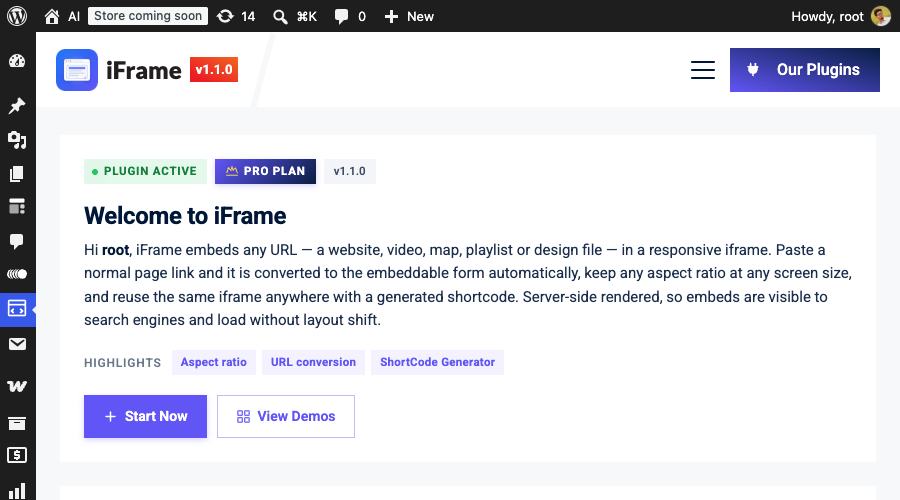
iFrame puts videos, maps, playlists, design files and whole websites inside your pages — in iframes that convert themselves from plain links and keep their shape on every screen.
Works with the block editor, shortcodes, Elementor and PHP templates.
A raw iframe that looks fine on your desktop overflows on a phone. A pasted watch link renders a blank grey box. A slow third-party player shoves your layout around while it loads. Visitors don't file bug reports — they leave.
iFrame exists so none of that reaches your visitors: links convert to their working form, ratios hold on every screen, and the frame is real server-rendered HTML that never jumps.
Nobody remembers embed URLs. Paste the page link you already have — the watch page, the share link, the map you're looking at — and iFrame rewrites it to the form that actually plays. YouTube even switches to the privacy-enhanced no-cookie player, with the right permissions and referrer policy set for you.
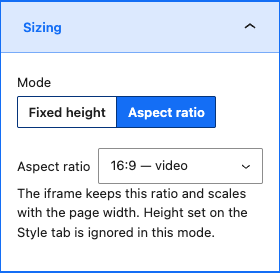
A fixed-height iframe that looks right on desktop overflows on a phone. Switch the block to Aspect ratio mode — 16:9, 4:3, 1:1, 9:16, 21:9 or your own — and the embed scales with the page, every time, with modern CSS and no padding hacks.
Need exact dimensions instead? Fixed width and height still work, along with borders, shadows and alignment.
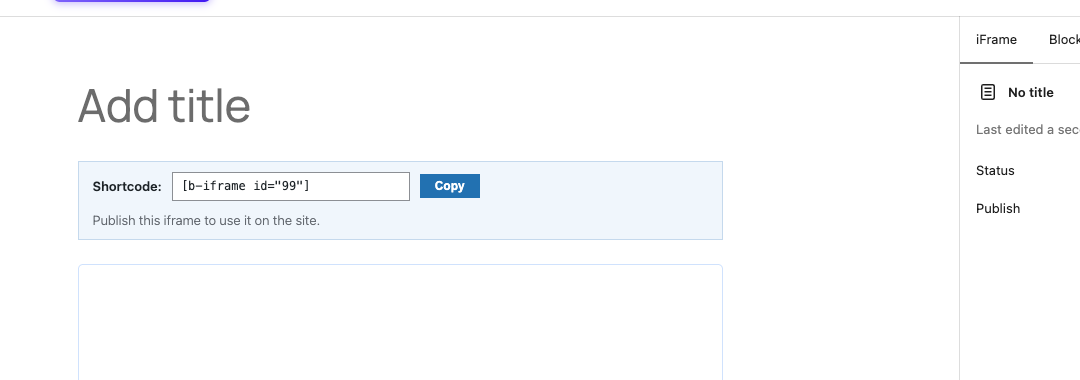
Design an iframe with the full block editor, publish it, and it gets its own shortcode — [b-iframe id="123"] — shown right in the editor with one-click copy. Paste it into posts, widgets, Elementor or your theme. Edit the iframe in one place and every copy updates.
For quick one-offs, the classic shortcode works anywhere too: [iframe src="https://…" ratio="16:9"]
Search "iFrame" in the editor and paste any URL. Recognised links convert on the spot.
Choose an aspect ratio so it scales with the page, or set exact dimensions. Style with borders and shadows.
The iframe is rendered server-side — visible to search engines, no layout shift, and a fullscreen button for visitors.
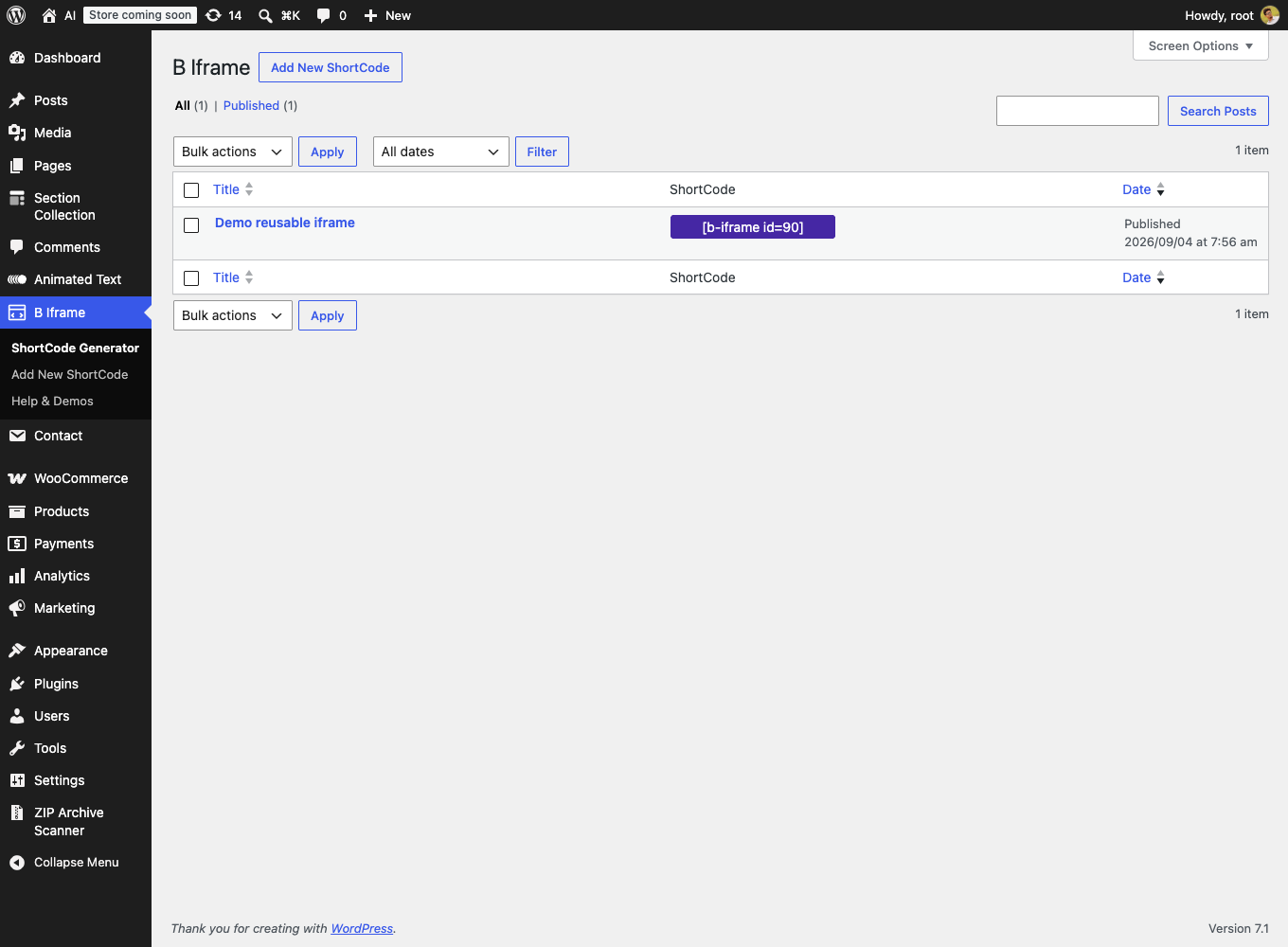
Every iframe you build in the ShortCode Generator is listed with its shortcode and a copy-to-clipboard button — hand them to editors who never touch the block editor.
Welcome tour, getting-started guides for Gutenberg, shortcode, Elementor and PHP, live demos, and a settings page that controls exactly what happens to your data on uninstall.
Nothing loads from YouTube until you press play.
Real HTML in the page: crawlers index it, no-JS visitors see it, nothing jumps while loading.
16:9, 4:3, 1:1, 9:16, 21:9 or any custom ratio — in the block and the shortcode.
The public script is a few KB of vanilla JavaScript — no framework shipped to your visitors.
YouTube embeds use the no-cookie player, and nothing loads from third parties until it has to.
If a site's headers forbid framing, the editor tells you before your visitors meet an empty box.
An optional fullscreen button for visitors, and eager/lazy loading control per embed.
Each one was made from a plain pasted link — the same way it works in your editor.
Pasted as a watch link; converted to the no-cookie player.
[iframe src="youtube.com/watch?v=…" ratio="16:9"]Pasted as a place link; converted to an embeddable map.
[iframe src="google.com/maps/place/Dhaka" ratio="16:9"]Pasted as an open.spotify.com link; converted to the embed player.
[iframe src="open.spotify.com/track/…" ratio="16:9"]Used iFrame on a site? Tell other builders what worked for you — reviews are what keep free plugins alive.
— You, hopefullyFound a bug or missing feature instead? The support forum reaches the developers directly.
— Also welcomeEvery rating on WordPress.org helps other people find the plugin.
— Thank youYes — everything on this page is in the free plugin on WordPress.org. No locked features, no upsells.
Links to known providers are rewritten to the URL those providers require for embedding — for example youtube.com/watch links become youtube-nocookie.com/embed links. Unrecognised links are left untouched.
Sites can send an X-Frame-Options or Content-Security-Policy header that forbids being shown inside other pages, and browsers enforce it. iFrame detects this in the editor and warns you; use the site's own embed or share URL if it offers one.
Yes. Use [iframe src="…" ratio="16:9"] anywhere shortcodes work, drop a generated [b-iframe id="123"] into Elementor's Shortcode widget, or call do_shortcode() from a template.
No. The iframe is rendered server-side as plain HTML, the frontend script is a few KB of vanilla JavaScript, and you can set embeds to lazy-load so they only fetch when scrolled into view.
In aspect-ratio mode the embed scales with the page width and keeps its proportions on any screen. Fixed-size embeds are capped at 100% width so they never overflow the layout.
Yes — build it once in the ShortCode Generator and paste its [b-iframe id="123"] shortcode wherever you need it. Edit the iframe in one place and every copy updates.
Nothing without consent. YouTube embeds default to the privacy-enhanced no-cookie player, and the optional Freemius usage tracking only activates if you explicitly opt in — Skip keeps the plugin fully functional.
Install iFrame from your Plugins screen and your next embed takes thirty seconds.
GPL-3.0 · by bPlugins · more providers and features on the roadmap

 iFrame


