-
-
-
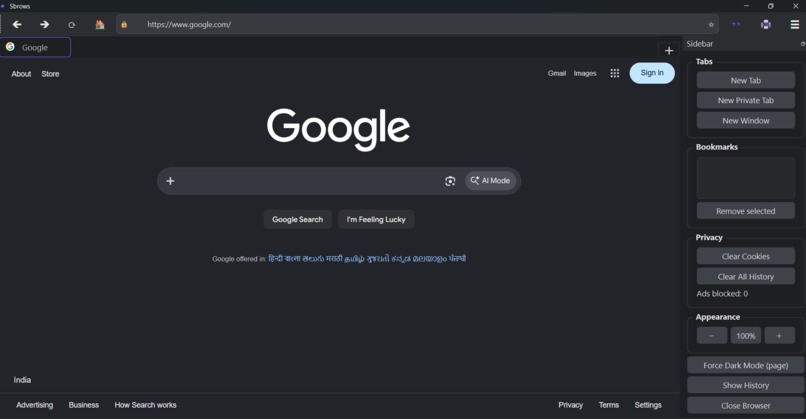
Side bar with functions
-
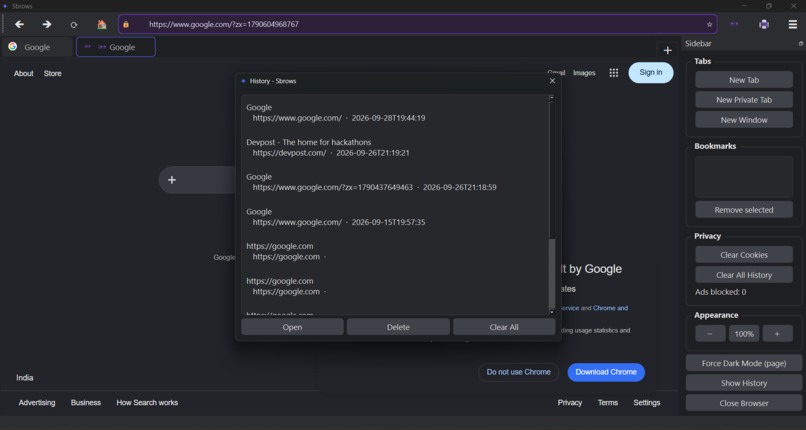
User Histroy
-
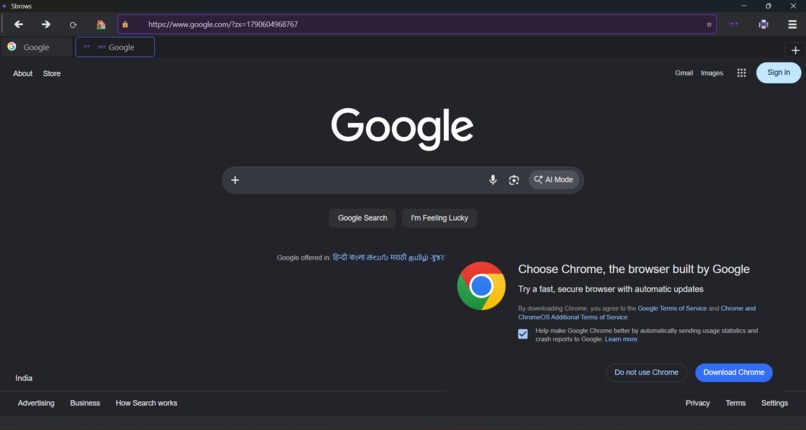
Private mode


Inspiration
Every day we use a browser for hours, but for most developers it's a complete black box — pages just appear. I wanted to open that box. Instead of reading about how browsers work, I decided the only way to really understand them was to build one myself.
There was a personal angle too: I care about privacy, but mainstream browsers bury those controls three menus deep. I wanted a browser where ad-blocking, cookie control and private tabs are first-class citizens, not afterthoughts. And I set myself one extra constraint that shaped the whole project: the entire browser had to live in a single Python file with zero external assets — no icon packs, no asset folders — so anyone could clone it and run it in one command.
What it does
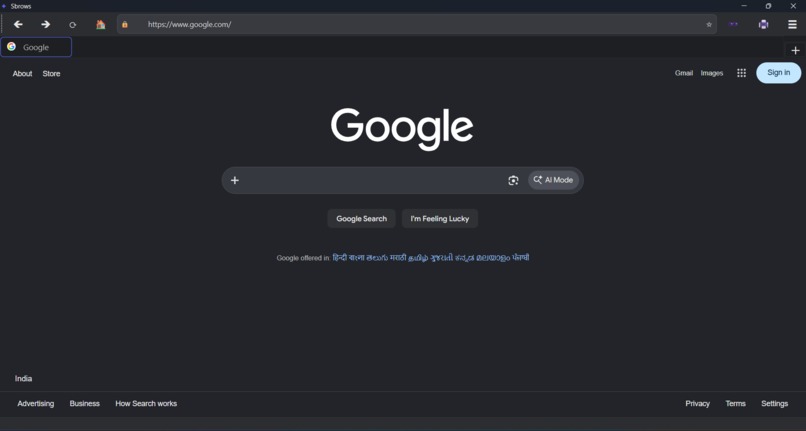
SBrows is a fully functional desktop web browser, written in Python on QtWebEngine (the same Chromium engine behind many modern browsers), with real privacy features built in:
Tabbed browsing — movable, closable tabs with live favicons, loading indicators and tooltips. A built-in ad blocker — every network request passes through an interceptor that blocks 25+ known ad/tracker domains plus keyword-matched request paths, with a live counter of blocked ads in the sidebar. Private tabs — a completely separate off-the-record profile (no history, no persistent cookies, no saved session) with an unmistakable purple theme: the tab, URL bar and toolbar all change so you always know which mode you're in. Bookmarks — star any page, manage them in the sidebar, open with a double-click. Smart history — timestamped entries with page titles, URL autocomplete from history and bookmarks, delete or clear-all from a dialog. Session restore — close the browser, reopen it, and all your tabs come back. Download manager with progress, find-in-page (Ctrl+F), save page as PDF, zoom controls, a per-page force dark mode toggle, an HTTPS indicator, and mic/camera permission prompts. It's all keyboard-driven too — Ctrl+T for a new tab, Ctrl+Shift+P for a private one, Ctrl+D to bookmark, F11 for fullscreen, and more.
How we built it
The entire browser is a single ~1,100-line Python file built on PyQt6 and QtWebEngine, plus JSON files for state.
The architecture centres on QtWebEngine's profile system: SBrows creates one persistent profile for normal tabs and one off-the-record profile for private tabs. Every tab's page belongs to a profile, and that single decision makes the whole privacy model work — downloads, cookies and the ad blocker all hook into the profile rather than into individual tabs.
Ad blocking works at the network layer: a QWebEngineUrlRequestInterceptor inspects every outgoing request before it leaves the browser and silently drops ones matching the blocklist. That's the same principle uBlock operates on, at a much smaller scale.
Everything else is Qt signals doing the heavy lifting — URL bar sync, tab titles, favicons, progress — and JSON files for bookmarks, history and the session snapshot. Since I'd banned external assets, all icons are generated at runtime by painting Unicode glyphs onto pixmaps, which is why the repo has no image folders.
Challenges we ran into
The hardest bugs were all at the boundary between Python and C++:
The invisible profile bug — my pages were silently using QtWebEngine's default profile while my custom profile (with the download handler and cookie controls attached) sat orphaned. Downloads didn't trigger, "Clear Cookies" did nothing, and nothing crashed to tell me why. The fix was threading the profile through every page constructor. The garbage collector strikes back — I attached an ad-blocker interceptor without keeping a Python reference to it. PyQt doesn't own it, so Python happily garbage-collected an object C++ still held a pointer to — a crash waiting to happen. Every Qt object now lives on the window. Popups stole my tabs — re-parenting a web page between views when opening a link in a new tab left a dead tab behind. Qt's createWindow() contract (return a fresh page and let the engine navigate it) was the key insight. A window the size of a stamp — calling showMaximized() in the constructor and show() afterwards silently resets the window to an un-maximized size. The window was coming up ~100px large. Format drift — my own first version stored history as plain strings; the rewrite wanted structured entries. I had to build a migration path so users' existing history wouldn't crash the new code.
Accomplishments that we're proud of
- A browser you can actually use as a daily driver — tabs, downloads, bookmarks, PDF export — in one readable Python file.
- Privacy features that genuinely work at the network layer, not cosmetic toggles.
- The private-tab experience: the purple tab, URL bar and toolbar make the mode impossible to miss, the way a privacy mode should feel.
- The zero-asset constraint held: clone, pip install -r requirements.txt, run.
- Every bug above was found and fixed the hard way, and each fix taught me something real about Qt internals. ##What we learned Mostly, that "it works" and "it's correct" are different things. A browser can load pages while its downloads are silently broken — distributed bugs like that taught me to read library ownership and lifetime semantics, not just API signatures.
Concretely: how Chromium profiles isolate cookies and storage; how Python's garbage collector interacts with C++ objects held by Qt; that createWindow() is a contract with the engine, not a convenience; and how signal/slot architecture scales a UI from one tab to many. I also learned that small UX decisions — a purple URL bar, a lock icon — communicate more to users than any settings menu.
What's next for SBrows
- Custom context menus — open link/image in new tab, copy link, search selection.
- A download manager page — history, pause/resume, open folder.
- Search engine selector — Google, DuckDuckGo, Bing from the URL bar.
- Reader mode and pinned tabs.
- Per-site permissions — remember mic/camera decisions instead of asking every time.
- Long term: a lightweight extension hook so the ad-blocker list is user-editable at runtime.
Built With
- pyqt6
- python
- qtwebengine


Log in or sign up for Devpost to join the conversation.