-
-
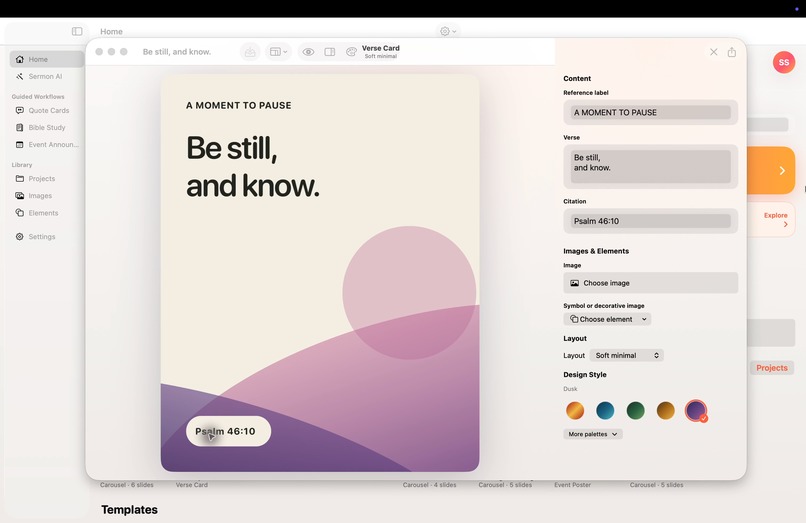
Templates
-
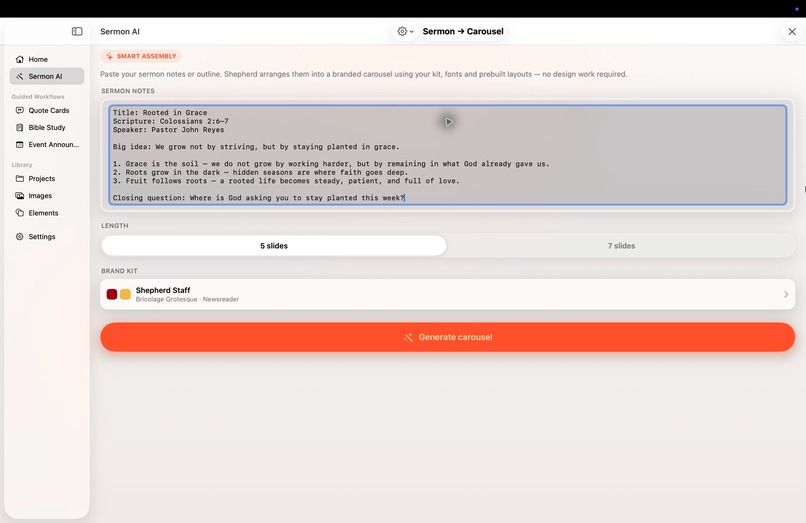
Sermon to Carousel Generation
-
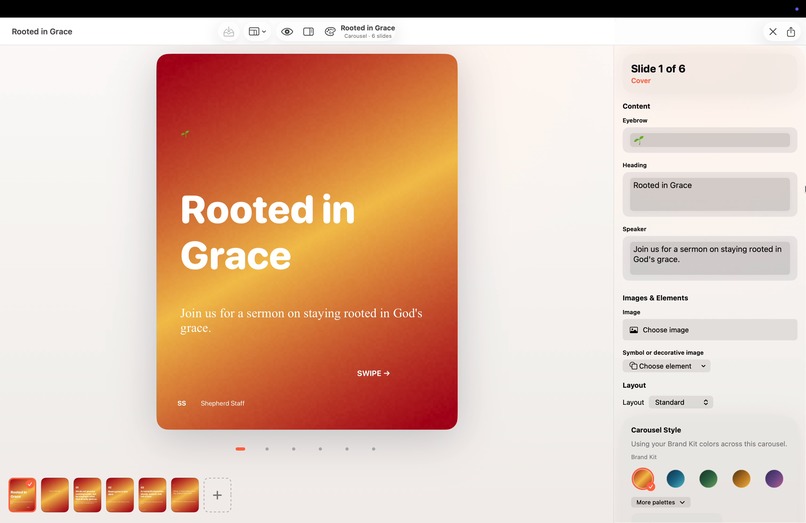
Carousel editor
-
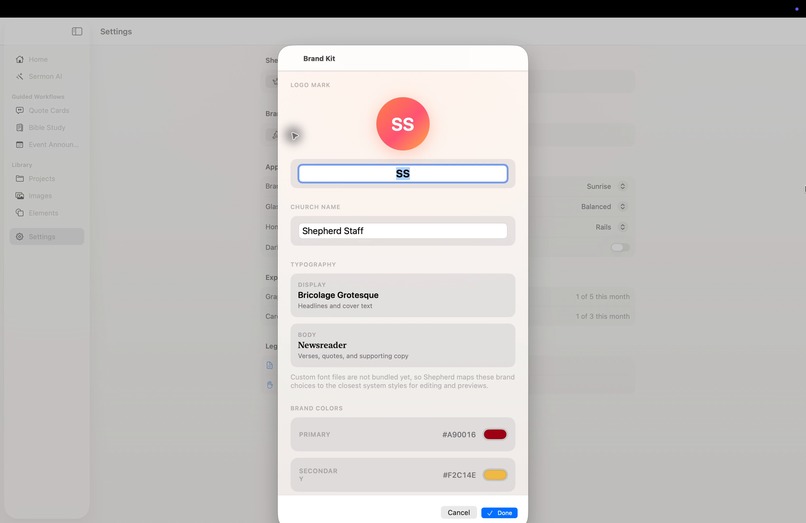
Brand Kit
-
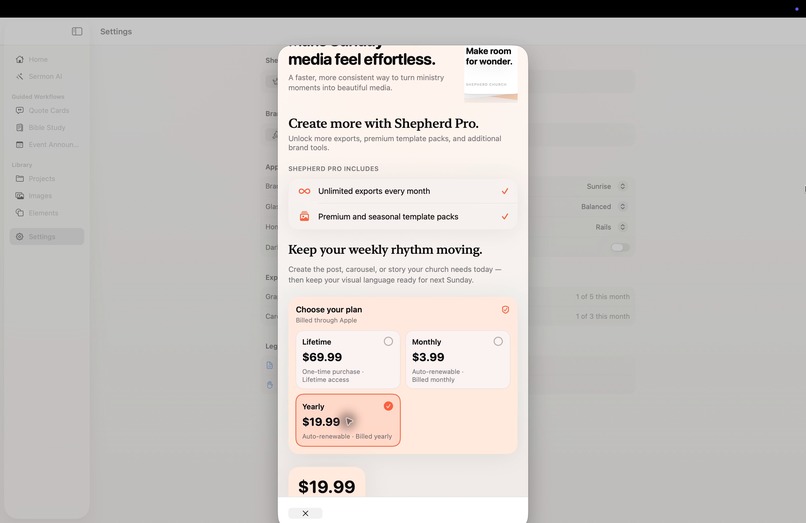
Paywall
-
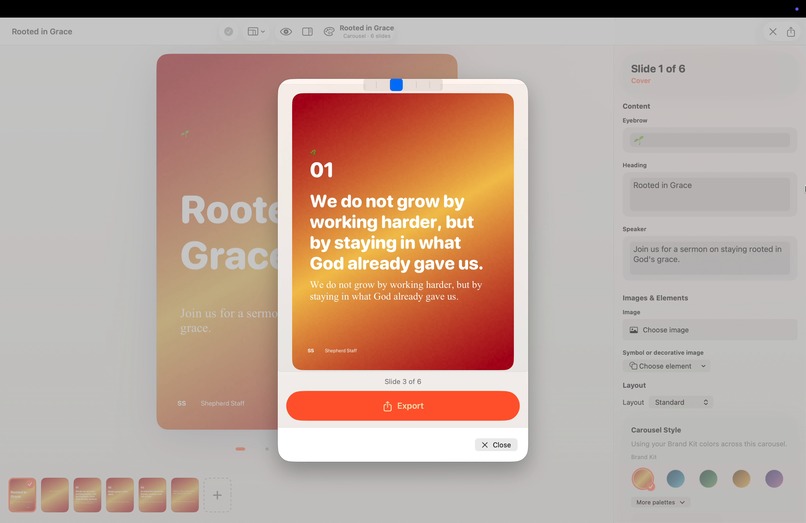
Export
-

AppIcon


Inspiration
Church media is often made by volunteers who are asked to turn a sermon, Scripture passage, or announcement into polished social content on a weekly deadline. Many teams do not have a trained designer. I built Shepherd Studio to make that recurring work feel focused and manageable on Mac: start from a relevant layout, add the ministry's content, apply its brand, review the result, and export.
What it does
Shepherd Studio is a native macOS guided publishing app for church media teams, pastors, ministry coordinators, and volunteer designers. It helps users create branded graphics and social carousels from structured content, reuse a church Brand Kit, edit focused fields and slides, manage projects and media locally, and review and export finished work. Sermon assistance can use Apple Foundation Models when available and a local fallback when unavailable; the app distinguishes which path produced the draft.
The product is intentionally focused on common church-media workflows rather than a general-purpose freeform design canvas.
How I built it
I built Shepherd Studio with Swift and SwiftUI for macOS. Structured template and carousel content resolves through a versioned layout catalog into a design document. The same document drives the editor preview and PNG renderer, keeping exported artwork aligned with what the user reviewed.
Projects and media use a local-first architecture with Codable content, SwiftData-backed project records, durable media files, and recovery handling. Purchases sit behind a service boundary; the app contains a RevenueCat-backed purchase service and custom paywall. Initially started on Claude Code, then moved and mostly built with Codex, and light manual coding, reviewing, and auditing with Xcode.
Challenges we ran into
- Initially started for iOS, iPadOS, and macOS, but decided to go for macOS for now since having check 3 different platforms with different screen sizes can be very challenging
- Keeping the workflow simple for volunteers without turning it into a generic editor.
- Keeping preview and exported artwork aligned across layouts and output ratios.
- Preserving project and media data through local saves and interrupted operations.
- Supporting model-assisted sermon drafting honestly when on-device AI is unavailable.
- Adapting the guided workflow and project library to a native Mac release.
- Presenting subscription choices clearly while handling loading, cancellation, pending purchases, restore, and entitlement refresh.
- We keep on encountering layout issues, but managed to normalize some, and more improvements is on the way in our roadmap
Accomplishments that we're proud of
- A working sermon-to-carousel path from notes to structured slides.
- Reusable Brand Kit behavior across guided designs.
- Local project and media library foundations designed to preserve user work.
- A focused export flow with separate graphic and carousel allowances.
- An approved, and first published publicly available native macOS release.
What we learned
A narrow workflow can be more valuable than a larger toolbox. Church volunteers often need fewer decisions and a dependable path to a good result more than they need additional design controls, though I have friends uses Canva, Gemini, ChatGPT for graphics work, but I wanted to lean on a much more traditional way with some controls but simplified, and does not need internet most of the time. Structured content also matters: it lets the same design drive editing, preview, export, and tests. Finally, AI is more trustworthy when the product distinguishes model-generated output from a local fallback.
What's next for Shepherd Studio
- more templates
- improved layouts and experience in editing mode
- support for iPhones, iPhone Duo, and iPad


Log in or sign up for Devpost to join the conversation.