

What is a webhook?
Creem uses webhooks to push real-time notifications to you about your payments and subscriptions. All webhooks use HTTPS and deliver a JSON payload that can be used by your application. You can use webhook feeds to do things like:- Automatically enable access to a user after a successful payment
- Automatically remove access to a user after a canceled subscription
- Confirm that a payment has been received by the same customer that initiated it.
Steps to receive a webhook
You can start receiving real-time events in your app using the steps:- Create a local endpoint to receive requests
- Register your development webhook endpoint on the Developers tab of the Creem dashboard
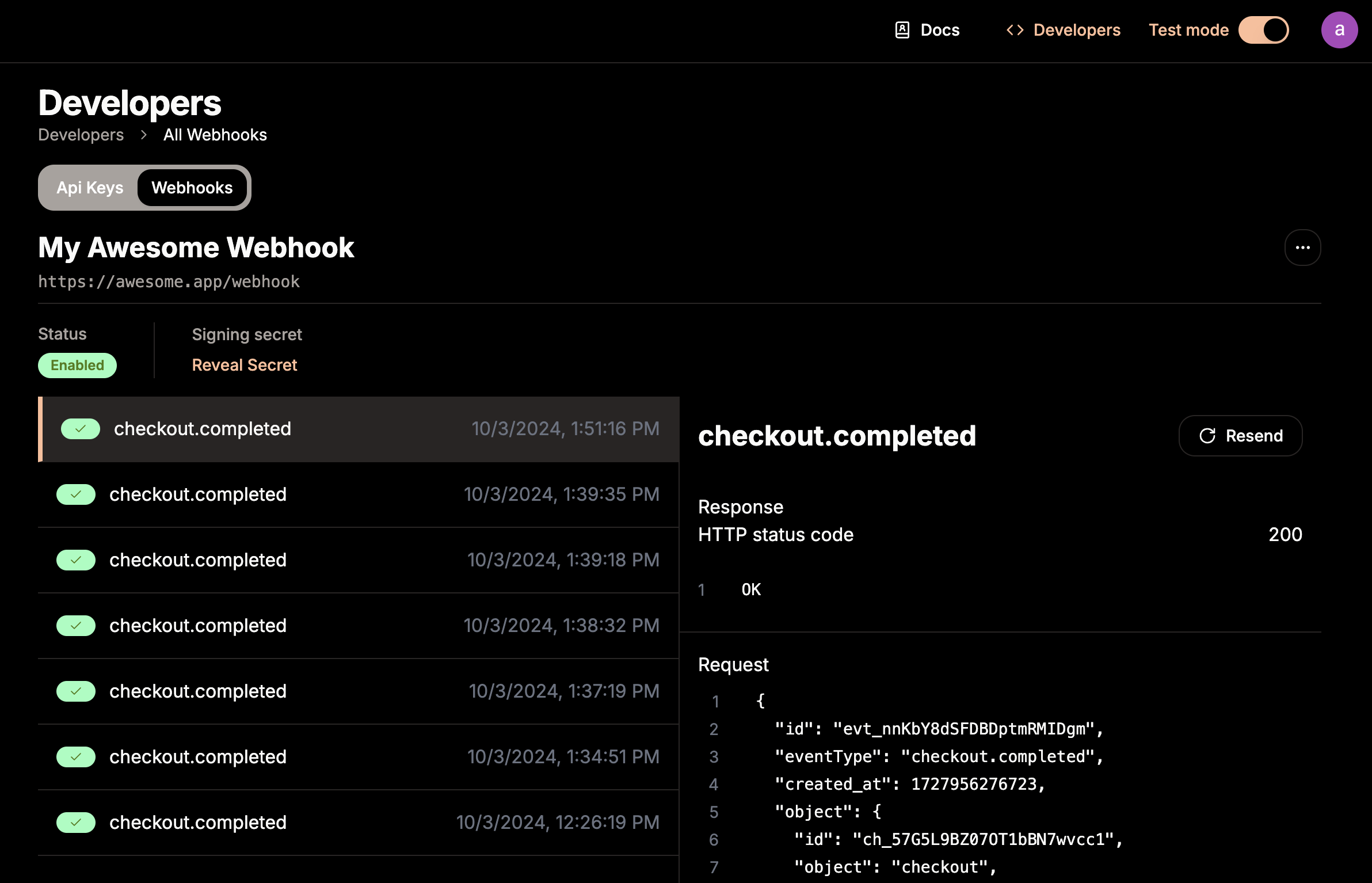
- Test that your webhook endpoint is working properly using the test environment
- Deploy your webhook endpoint to production
- Register your production webhook endpoint on Creem live dashboard
On Next.js projects, the @creem_io/nextjs adapter exports a
Webhook helper that verifies signatures and surfaces typed lifecycle callbacks. Use it as your
default implementation before falling back to manual parsing.1. Create a local endpoint to receive requests
In your local application, create a new route that can accept POST requests.2. Register your development webhook endpoint
The quickest way to receive events locally is the Creem CLI: it registers a temporary endpoint for you and forwards events to your server with the real signature header, no public URL needed.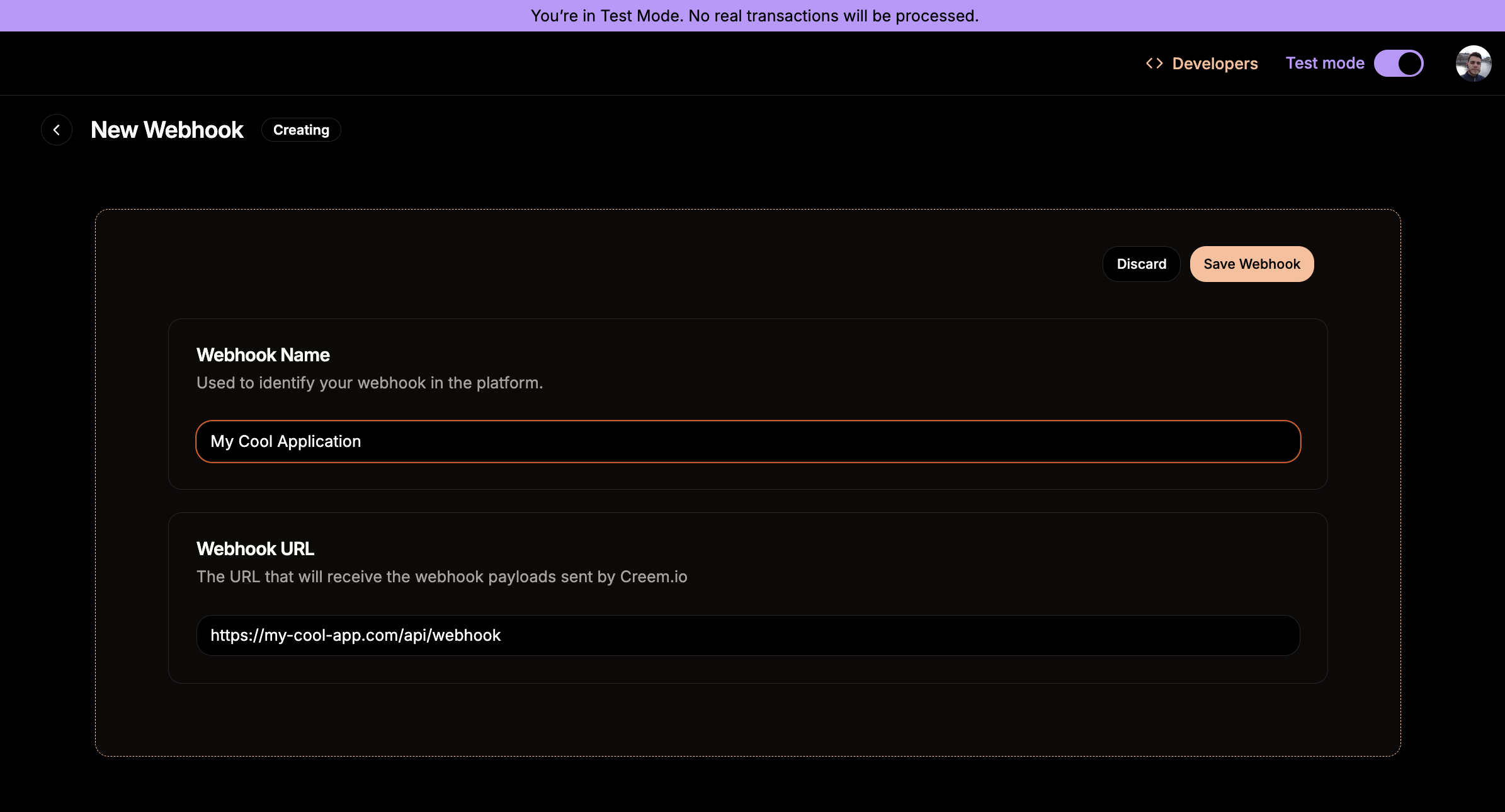
3. Test that your webhook endpoint is working properly
Create a few test payments to check that your webhook endpoint is receiving the events.4. Deploy your webhook endpoint
After you’re done testing, deploy your webhook endpoint to production.5. Register your production webhook endpoint
Once your webhook endpoint is deployed to production, you can register it in the Creem dashboard.Register endpoints programmatically
Every step above can also be done from code, so an integration (or an AI agent) can provision its own endpoint. The public API exposes webhook endpoint management under/v1/webhooks; the same operations are available in the TypeScript SDK, the CLI and the MCP server. Keys need the webhooks:read or webhooks:write scope.
events list subscribes the endpoint to every event type. See the Webhooks API reference for the full contract.
Network Configuration
Creem does not provide static source IP addresses for outbound webhooks in either Test Mode or
production. If your firewall or WAF protects the webhook endpoint, do not rely on source-IP
allowlists as the authentication mechanism. Keep the endpoint reachable over HTTPS and verify
every request with the
creem-signature header.Webhook Signatures
How to verify Creem signature?
Creem signature is sent in thecreem-signature header of the webhook request. The signature is generated using the HMAC-SHA256 algorithm with the webhook secret as the key, and the request payload as the message.
Sample Webhook Header
Sample Webhook Header
creem-signature header.
payload is the request body, and the secret is the webhook secret.
Simply compare the generated Signature with the one received on the header to complete the verification process.
Event Types
List of supported event types and their payloads.checkout.completed
A checkout session was completed, returning all the information about the payment and the order created.Sample Request Body
Sample Request Body
License keys
If the purchased product issues license keys, the checkout object also carries alicense_keys array, as shown in the sample above.
license_keys is only present when the order actually issued license keys. For a product without
a license key feature the field is omitted entirely — check whether it is present rather than
expecting an empty array.
One key is issued per license key feature on the product, multiplied by the number of units purchased — a three-unit order of a keyed product delivers three entries. Always treat
license_keys as a list, never as a single key.
For issuing and managing keys, see Licenses.
subscription.active
Received when a new subscription is created, the payment was successful and Creem collected the payment creating a new subscription object in your account. Use only for synchronization, we encourage usingsubscription.paid for activating access.
Sample Request Body
Sample Request Body
subscription.paid
A subscription transaction was paid by the customerSample Request Body
Sample Request Body
subscription.canceled
The subscription was canceled by the merchant or by the customer.Sample Request Body
Sample Request Body
subscription.scheduled_cancel
The subscription was scheduled for cancellation at the end of the current billing period. The subscription remains active untilcurrent_period_end_date, after which it transitions to canceled.
This event is triggered when a customer or merchant requests cancellation but opts to cancel at the end of the period rather than immediately. You can use this event to notify the customer about the upcoming cancellation or to offer retention incentives.
The subscription can be resumed before the period ends using the Resume Subscription endpoint, which will change the status back to active and prevent the cancellation.
Sample Request Body
Sample Request Body
subscription.past_due
The subscription payment has failed and the subscription is now past due. This occurs when a payment attempt fails (e.g., card declined, insufficient funds). Creem will automatically retry the payment according to the retry schedule. If a retry succeeds, the subscription transitions back toactive. If all retries are exhausted, the subscription is canceled.
Sample Request Body
Sample Request Body
subscription.unpaid
The subscription moved to theunpaid status after failed payment collection. Treat it like subscription.past_due in payment-recovery UI, and suspend access according to your policy.
Sample Request Body
Sample Request Body
subscription.expired
The subscription was expired, given that thecurrent_end_period has been reached without a new payment.
Payment retries can happen at this stage, and the subscription status will be terminal only when status is changed to canceled.
Sample Request Body
Sample Request Body
refund.created
A refund was created by the merchantSample Request Body
Sample Request Body
dispute.created
A dispute was created by the customerSample Request Body
Sample Request Body
subscription.update
A subscription object was updatedSample Request Body
Sample Request Body
subscription.trialing
A subscription started a trial periodSample Request Body
Sample Request Body
subscription.paused
A subscription was paused.Sample Request Body
Sample Request Body
credits.granted
Credits were added to a customer’s credit account. It fires for every credit that raises a balance, for example a credit through the API or an auto-recharge top-up. Reversals don’t fire it.amount_minor_units and balance_after_minor_units are strings in the account’s units.
Sample Request Body
Sample Request Body
credits.consumed
Credits were debited from a customer’s credit account, either through the API or by prepaid usage settlement. Reversals don’t fire it. Usebalance_after_minor_units to warn a customer before their balance runs out.
Sample Request Body
Sample Request Body
customer_credits.exhausted
A customer’s credits ran out while Creem settled a prepaid usage price on one of their products. It fires once per exhaustion: the first refused settlement sends it, and it fires again only after credits were added and ran out again. Creem also emails the customer. A debit through the API that exceeds the balance doesn’t fire this event. That request fails with422 and the error code insufficient_balance. See Auto-refill for how exhaustion episodes and automatic top-ups work.
Sample Request Body
Sample Request Body
credits.auto_recharged
An empty credit account was topped up with an automatic charge. It fires only for customers who opted in to auto-recharge, after the charge succeeds and the credits are added. The same top-up also firescredits.granted. See Auto-refill for consent, guardrails, and how the charge is made.
Sample Request Body
Sample Request Body
