I - Pre-requisites for setting up a programing environment
-
A laptop with Mac OS High Sierra or higher:
-
A server with Ubuntu 16.04:
-
A mobile phone with Android OS 6.0:
- Make sure to turn on Developer Mode
- Have a Google Play Store account with gmail and password
Notes:
- Make sure Bash version is at least 4.0

- Make sure the following GNU commands are available from the Bash command prompt:
   find, grep, awk, sed, dos2unix, dot, curl, wget, adb, aapt, scp, apktool, split, sshpass, tesseract, html2text, uiautomatorviewer…
- Any text editor is sufficient to develop in Bash and Python

- Eclipse IDE (Keepler) is preferred if developing in Java with Soot framework

- gcc and GNU build system are preferred if developing in C

- Software version control (e.g., git, svn) is highly recommended for serious programmers

- Openssh is recommended if working in a team of at least 2 people

- Database management system can be used but not required

- Graphical softwares (e.g., Adobe products) can be used but not required

- Latex is recommended for serious programers

- FileZilla can be used but not required

- Server secondary-storage should be large if running with thousands of apks

- Apache webserver can be replaced with a more light-weight webserver

- alias server='python -m SimpleHTTPServer' is a very useful snippet for launching a builtin python webserver

- Cisco Anyconnect client can be used for remote access from home to school if necessary

- Screaming Frog and httrack can be used but not required

- lxml can be used but not required
II – Project structure
The project consists of the following packages:

LeftoverAccountAnalyzer/lai
	contains all the tools for automated testing android apps via appium

LeftoverAccountAnalyzer/lai_web
	contains all the tools for automated testing websites via selenium

AccountDeletionAnalyzer/analyzer
	contains all the tools related to account deletion functionality for android apps

AccountDeletionAnalyzer/analyzer_web
	contains all the tools related to account deletion functionality for the web

AccountDeletionAnalyzer/analyzer_combiner
	contains all the tools which combine results from the two packages analyzer and analyzer_web

RetentionPeriodAnalyzer/pystatparser or AccountDeletionAnalyzer/pystatparser
	contains a parser for natural language processing

AccountDeletionAnalyzer/nlp
	contains all the tools which use pystatparser for analyzing the semantics in natural language processing

AccountDeletionAnalyzer/duc
	contains all the tools to be used with Soot framework
III – Notations
./		run an executable bash script
<  >		some user input
[ X | Y ]	choose either X or Y
Z		software tool Z is developed or customized in-house
___		optional
IV - Software tools and usages
| Synopsis |
./apkdl.sh |
| Description |
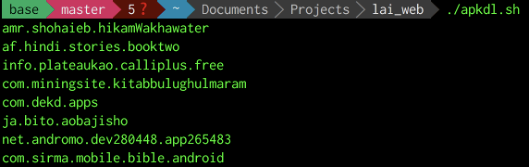
scrape all the android package names from a website |
| Options |
the input website is already hardcoded as apk-dl.com |
|
the script will return a list of android package names |
| Dependencies |
curl |
|
awk |
| Packages |
lai_web |
|
|
| Examples |
 |
| Synopsis |
./apk2web.sh <apkfile> |
| Description |
find the equivalent website address for an apk file by looking into the manifest |
| Options |
<apkfile> |
|
an apk file |
|
given an apk file, the script will return the equivalent website address |
| Dependencies |
aapt |
|
dos2unix |
|
grep |
| Packages |
lai_web |
|
|
| Examples |
 |
| Synopsis |
./apk2url.sh <packagelist> auto |
| Description |
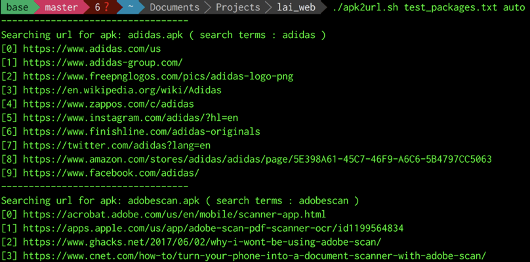
find the equivalent website address for for a list of android package names via google |
| Options |
<packagelist> |
|
a text file containing android package names |
|
the auto flag is optional: |
|
if present, the script will automatically pick the first website address from google candidate search results |
|
if not present, the script will let testers pick a website manually from the google candidate search results |
| Dependencies |
url.py |
| Packages |
lai_web |
|
|
| Examples |
 |
|
 |
| Synopsis |
./auto.sh [<apklist-directory><server-username> <server-password> <wait-time-in-secs> collect | <apkdir> apk2web ] |
| Description |
an automatic script to collect apks and websites without any manual intervention |
| Options |
collect |
|
automatically go to google play store, download apks, and upload them to a dedicated server |
|
<apklist-directory> |
|
a directory which contains files whose contents are android package names |
|
<server-username> |
|
ssh username |
|
<server-password> |
|
ssh password |
|
<wait-time-in-secs> |
|
time to wait between each batch of apk files finish uploading to the server |
|
apk2web |
|
automatically find equivalent websites from a directory containing all apk files pulled from the mobile phone |
|
<apkdir> |
|
a directory which contains all apk files pulled from the android mobile phone |
| Dependencies |
lac_batch.sh |
|
upload.sh |
|
apk2web.sh |
| Packages |
lai_web |
| Notes |
Appium is required to run the script |
|
|
| Examples |
 |
|
 |
| Synopsis |
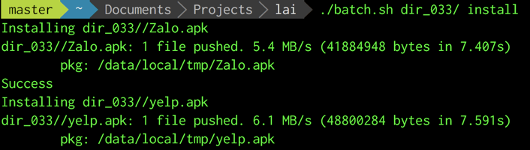
./batch.sh <apk-directory> [ install | uninstall | remove | signup | login | delete | manual ] |
| Description |
a tool for testers to work with a directory containing apk files (working in batch mode) |
| Options |
<apk-directory> |
|
a directory which contains apk files |
|
Choose one of the following options: |
|
install |
|
install all the apk files in the directory on the android mobile phone |
|
uninstall |
|
uninstall all the apk files in the directory from the android mobile phone |
|
remove |
|
remove the <apk-directory> and all the output directories _out and error directories _err, ready for next batch signup |
|
signup |
|
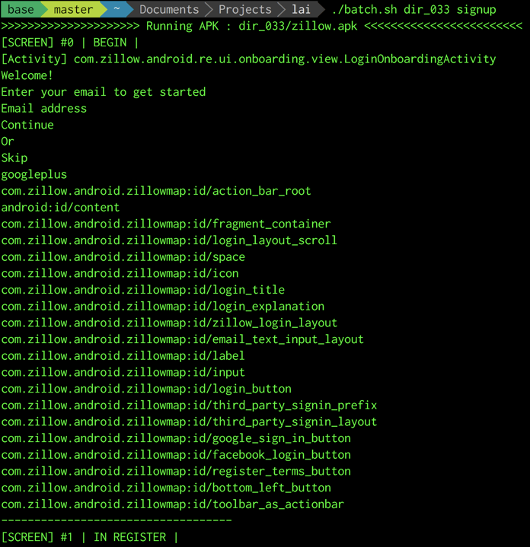
automatically signup a user account for each of the apk file in <apk-directory> |
|
login |
|
automatically login the user account for each of the apk file in <apk-directory> |
|
delete |
|
automatically delete the user account for each of the apk file in <apk-directory> |
|
manual |
|
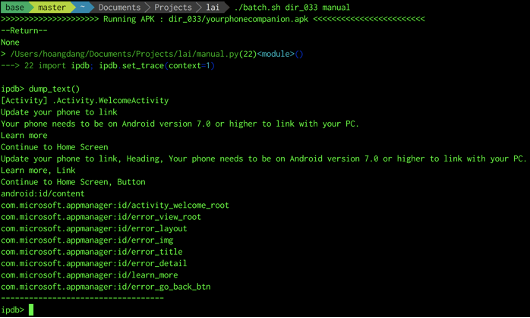
manual intervention from testers, break into ipdb console and finish any of the options above |
|
Testers can also use function dump_text builtin the tool to do screen scraping on the android phone |
| Dependencies |
adb |
|
aapt |
|
grep |
|
manual.py |
|
delete.py |
|
login.py |
|
signup.py |
| Packages |
lai |
|
lai_web |
| Notes |
Appium is required to run the script |
|
Depending on the chosen option, the tool will save log files into _out and _err directories, from which statistical analysis can be performed |
|
|
| Examples |
 |
|
 |
|
 |
|
 |
|
 |
| Synopsis |
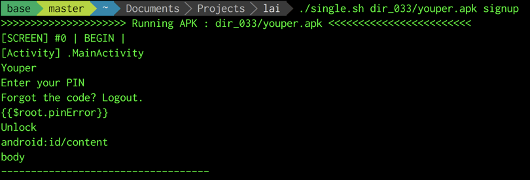
./single.sh <apkfile> [ download | signup | install | uninstall | login | delete | launch | search | manual ] |
| Description |
a tool for testers to work with one single apk file |
| Options |
<apkfile> |
|
an apk file |
|
|
|
Choose one of the following options: |
|
download |
|
download the <apkfile> from the server |
|
signup |
|
automatically signup a user account for each of the apk file in <apkfile> |
|
install |
|
install the <apkfile> from the android mobile phone |
|
uninstall |
|
uninstall the <apkfile> from the android mobile phone |
|
login |
|
automatically login the user account of the <apkfile> |
|
delete |
|
automatically delete the user account of the <apkfile> |
|
launch |
|
launch the <apkfile> and fire random events with monkey tool |
|
search |
|
Automatically search apk file for a given android package name by automating google web browser |
|
manual |
|
Manual intervention from testers, break into ipdb console and finish any of the options above |
| Dependencies |
adb |
|
monkey |
|
scp |
|
signup.py |
|
manual.py |
|
delete.py |
|
login.py |
| Packages |
lai |
|
lai_web |
| Notes |
Appium is required to run the script |
|
This script is similar to batch.sh except it works on only 1 apk file at a time, can be used in tandem with batch.sh |
|
It also provides some extra commands not in batch.sh |
|
|
| Examples |
 |
|
 |
| Synopsis |
./pm.sh [ pull | uninstall | list | count | <package-file> search | <package-name> pull ] |
| Description |
a package manager tool to help testers manage android packages efficiently |
| Options |
pull |
|
pull all non-system packages from the android phone to your laptop |
|
uninstall |
|
uninstall all non-system packages currently residing in the android phone |
|
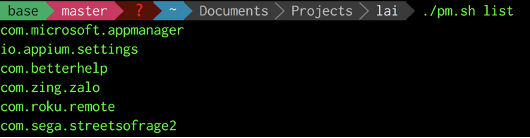
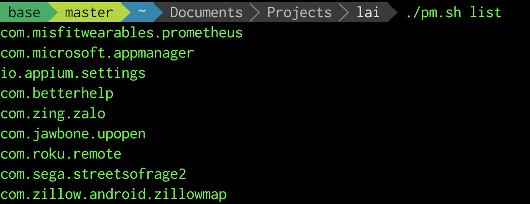
list |
|
list all non-system packages in the android phone |
|
count |
|
count the number of packages after pulling |
|
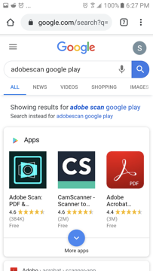
search |
|
automatically search for android packages via google browser in the phone |
|
<package-file> |
|
a text file which contain android packages |
|
pull |
|
pull a specific package from the android phone to your laptop |
|
<package-name> |
|
an android package |
| Dependencies |
dos2unix |
|
sed |
|
cut |
|
adb |
| Packages |
lai |
|
|
| Examples |
 |
|
 |
|
 |
| Synopsis |
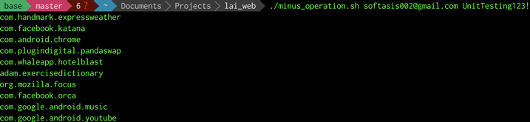
./minus_operation.sh <gmail> <gpassword> |
| Description |
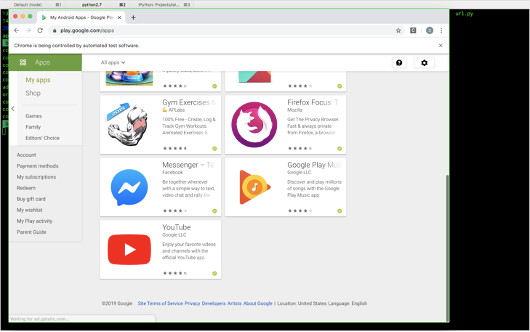
auto login google play store website (My apps page) and calculate the difference between all the android packages listed there versus all the android packages listed in the mobile phone |
|
|
| Options |
<gmail> |
|
google email address to login play store |
|
<gpassword> |
|
google password to login play store |
| Dependencies |
my_apps.py |
|
awk |
|
dos2unix |
| Packages |
lai_web |
| Notes |
A compatible chromedriver is required for using with Chrome web browser |
|
|
| Examples |
 |
|
 |
| Synopsis |
./lac_batch.sh [ <gmail> <gpassword> minus | <./minus/laXX> install | <package-name> <app-email> <app-password> clean | pull | uninstall | <./minus/laXX> remove ] |
| Description |
When users uninstall apps on their android phones, they may have forgotten to delete their user accounts for those apps,the script can help to automatically cleanup those accounts, it also other functions to manage apk files |
| Options |
minus |
|
see minus_operation.sh |
|
<gmail> |
|
google email address to login play store |
|
<gpassword> |
|
google password to login play store |
|
install |
|
automatically searching the play store for packages provided in <./minus/laXX> and install them on android phone |
|
<./minus/laXX> |
|
a text file which contains a list of android package names |
|
clean |
|
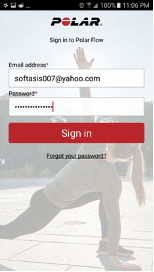
given <app-email> and <app-password>, this will automatically delete the user account on a given <package-name> |
|
<package-name> |
|
the package-name of an app currently residing on android phone |
|
<app-email> |
|
the email that user has provided when signing up with an app on android |
|
<app-password> |
|
the password that user has provided when signing up with an app on android phone |
|
pull |
|
see pm.sh |
|
uninstall |
|
see pm.sh |
|
remove |
|
remove all log directories _out and _err, ready for the next batch |
|
<./minus/laXX> |
|
a text file which contains a list of android package names |
| Dependencies |
minus_operation.sh |
|
gsplit |
|
store.py |
|
dos2unix |
|
adb |
|
grep |
|
lac_adf.sh |
|
cleanup.py |
| Packages |
lai |
|
lai_web |
| Notes |
Appium is required to run the script |
|
|
| Examples |
 |
|
 |
| Synopsis |
./upload.sh <ssh-username> <ssh-password> |
| Description |
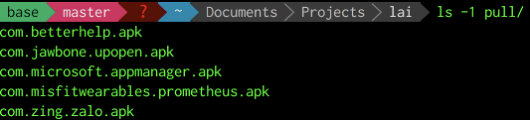
this little snippet will upload all apk files in pull directory and upload to a specific directory on the dedicated server, it can replace FileZilla |
| Options |
<ssh-username> |
|
ssh username to login the dedicated server |
|
<ssh-password> |
|
ssh password to login the dedicated server |
| Dependencies |
sshpass |
| Packages |
lai_web |
| Notes |
a pull directory which contains all apk files must exist before running this script (e.g., after running pm.sh pull) |
|
|
| Examples |
 |
|
 |
| Synopsis |
./lac_adf <package-name> |
| Description |
Check on-the-fly whether an existing package on the android mobile device has user account deletion function or not(without using any natural language processing technique) |
| Options |
<package-name> |
|
an android package on the mobile device |
|
|
|
The script will return: |
|
AD means account deletion |
|
Not AD means not account deletion |
| Dependencies |
adb |
|
dos2unix |
|
grep |
|
sed |
| Packages |
lai_web |
| Notes |
To know which packages are currently installed on the device, see pm.sh |
|
|
| Examples |
 |
|
 |
| Synopsis |
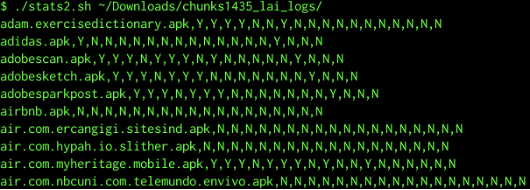
./stats2.sh <log-directory> |
| Description |
gather statistics for each android app after running batch.sh script |
| Options |
<log-directory> |
|
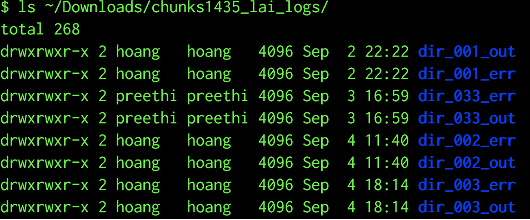
a directory which contains all the log files stored under _out and _err directories |
| Dependencies |
grep |
| Packages |
lai |
| Notes |
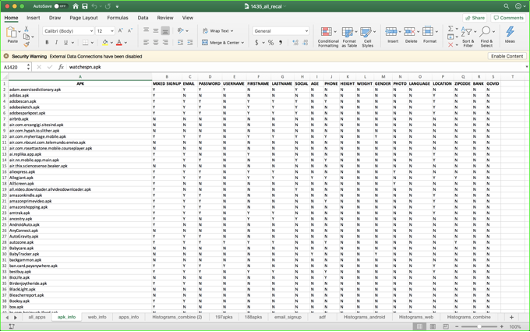
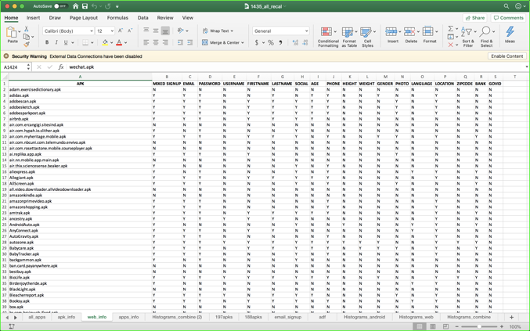
Make sure to run batch.sh before running this script. The results can be redirected to a csv file and export to ms excel for further analyses |
|
|
| Examples |
 |
|
 |
|
 |
| Synopsis |
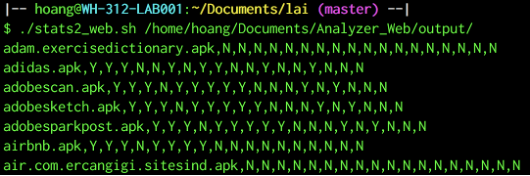
./stats2_web.sh <weblog-directory> |
| Description |
gather statistics for each website after running batch.sh script |
| Options |
<weblog-directory> |
|
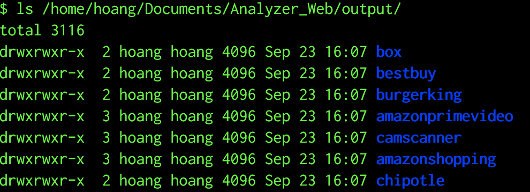
A directory which contains all the log files for websites after running adf.sh script |
| Dependencies |
grep |
| Packages |
lai |
| Notes |
Make sure to run adf.sh for the web first before running this script. The results can be redirected to a csv file and export to ms excel for further analyses |
|
|
| Examples |
 |
|
 |
|
 |
| Synopsis |
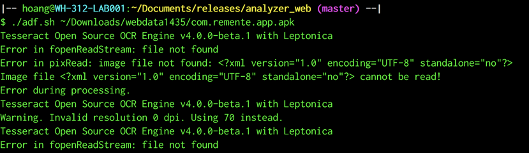
./adf.sh [ <apkfile> | <website> ] |
| Description |
build a strings-to-screen mapping model to determine whether a given apk file has user account deletion functionality |
| Options |
<apkfile> |
|
an apk file |
|
<website> |
|
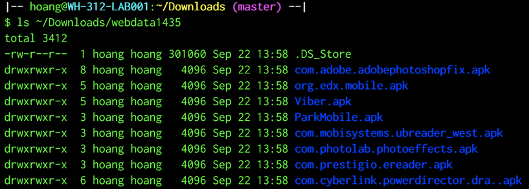
a website which is downloaded as a webpage complete from google chrome |
|
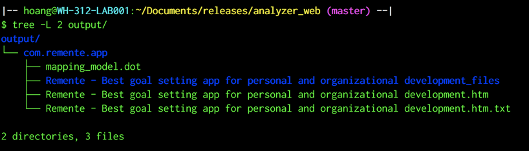
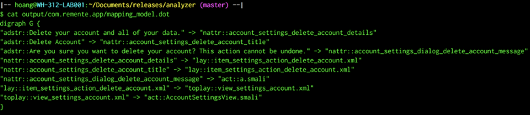
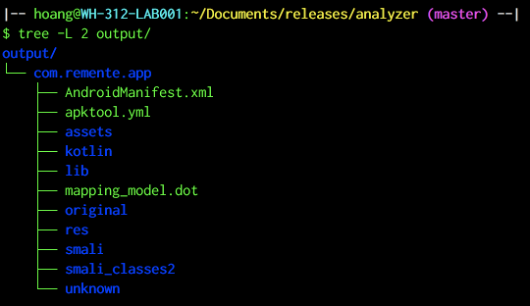
the script returns a mapping_model.dot file for the corresponding apk or website in output directory for further analyses |
| Dependencies |
apktool |
|
find |
|
awk |
|
xargs |
|
tesseract |
|
grep |
|
sed |
|
semantics.py |
| Packages |
analyzer |
|
analyzer_web |
| Notes |
Options are available depending on which package the script is running from |
|
The script depends on tesseract to convert images to text |
|
The script depends on semantics.py which use natural language processing to check the semantics of a phrase |
|
Further analysis can be performed on mapping_model.dot file by using stats.sh script |
|
|
| Examples |
 |
|
 |
|
 |
|
 |
|
 |
|
 |
|
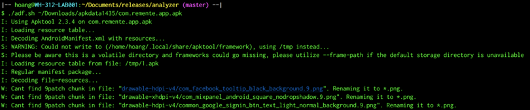 |
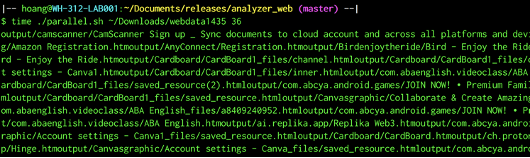
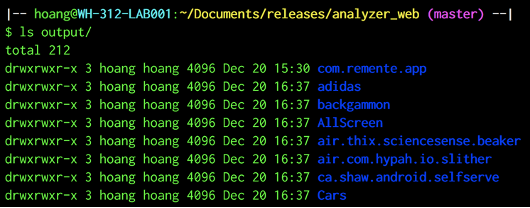
| Synopsis |
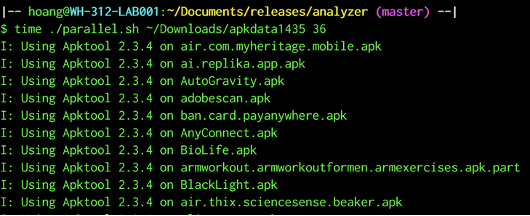
./parallel.sh [ <apk-directory> | <web-directory> ] <max-num-of-cores> |
| Description |
an efficient way to run adf.sh in a multiprocessing environment |
| Options |
<apk-directory> |
|
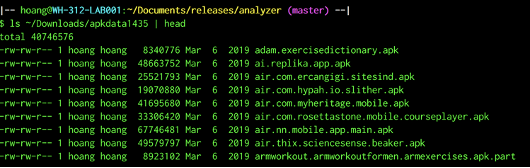
a directory which contains all downloaded apk files |
|
<web-directory> |
|
a directory which contains all downloaded websites |
|
<max-num-of-cores> |
|
a maximum number of cpu cores assigned to run this task in parallel |
| Dependencies |
adf.sh |
|
xargs |
| Packages |
analyzer |
|
analyzer_web |
| Notes |
<max-num-of-cores> must be less than or equal to the actual number of cpu cores the server has |
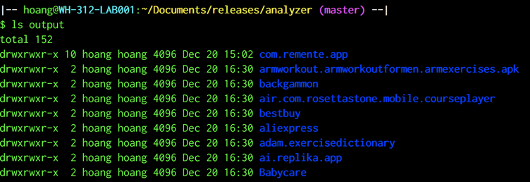
| Examples |
 |
|
 |
|
 |
|
 |
|
 |
| Synopsis |
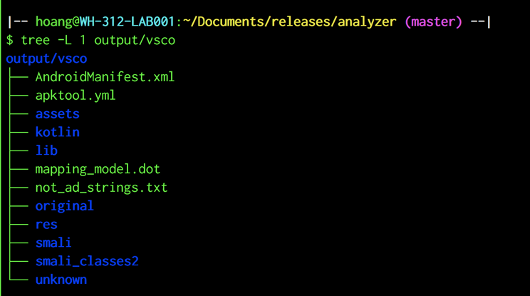
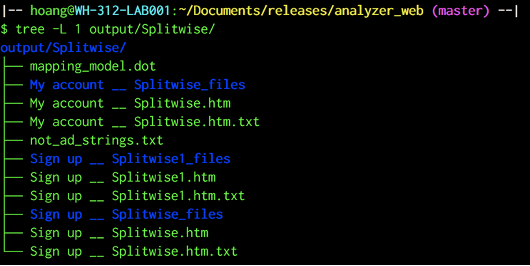
./adf_fp.sh [ <apkfile> | <website> ] |
| Description |
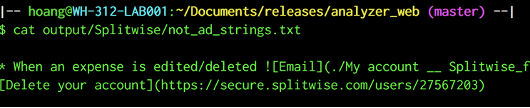
find not account deletion strings (not-ad) for an apk or a website using natural language processing |
| Options |
<apkfile> |
|
An apk file |
|
<website> |
|
A website which is downloaded as a webpage complete from google chrome |
|
If not-ad is found, the script will save it in not_ad_strings.txt for an equivalent apk or website in output directory. Otherwise, it will output nothing |
| Dependencies |
grep |
|
sed |
|
xargs |
|
semantics.py |
| Packages |
analyzer |
|
analyzer_web |
| Notes |
Must run adf.sh or paralle.sh first before running this script. |
|
|
| Examples |
 |
|
 |
|
 |
|
 |
|
 |
|
 |
| Synopsis |
./parallel.sh [ <apk-directory> | <web-directory> ] <max-num-of-cores> |
| Description |
an efficient way to run adf_fp.sh in a multiprocessing environment |
| Options |
<apk-directory> |
|
a directory which contains all downloaded apk files |
|
<web-directory> |
|
a directory which contains all downloaded websites |
|
<max-num-of-cores> |
|
a maximum number of cpu cores assigned to run this task in parallel |
| Dependencies |
adf.sh |
|
xargs |
| Packages |
analyzer |
|
analyzer_web |
| Notes |
<max-num-of-cores> must be less than or equal to the actual number of cpu cores the server has |
|
This tool is similar to parallel.sh |
|
|
| Examples |
 |
|
 |
| Synopsis |
./stats.sh [ time | dot | svg | fp ] |
| Description |
a tool to extract statistical information from log files |
| Options |
time |
|
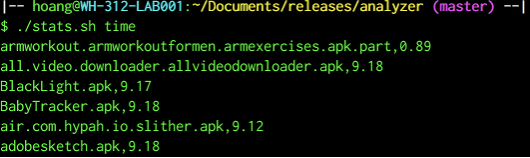
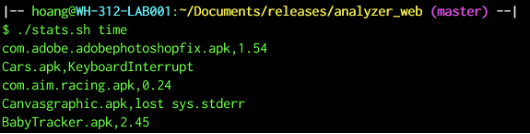
output time in seconds for each app (apk or website) |
|
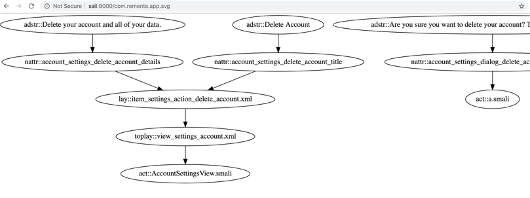
dot |
|
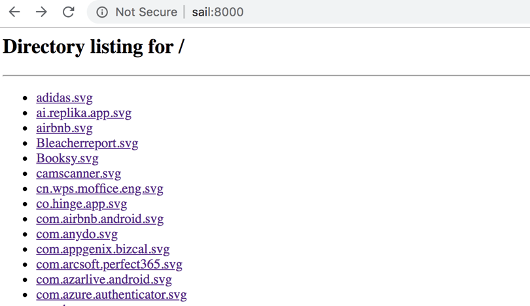
copy all valid mapping_models.dot files to analyses/dot directory (see adf.sh for more information) |
|
svg |
|
convert those mapping_model.dot files to svg files |
|
fp |
|
copy all not_ad_strings.txt files to analyses/fp directory (see adf_fp.sh for more information) |
| Dependencies |
find |
|
sed |
|
tail |
|
grep |
|
dot |
|
wc |
| Packages |
analyzer |
|
analyzer_web |
|
lai (deprecated) |
|
lai_web (deprecated) |
| Notes |
Must run adf.sh or parallel.sh or adf_fp.sh or parallel_fp.sh first before running this script |
|
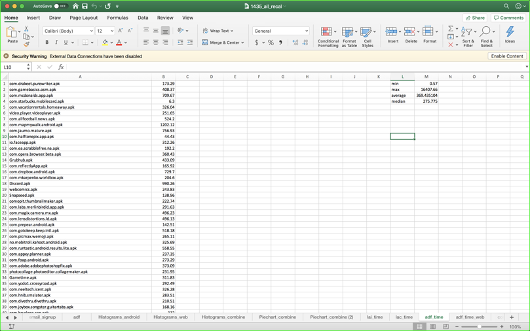
Time outputs can be redirected to a csv file and export to Microsoft Excel for further analyses |
|
|
| Examples |
 |
|
 |
|
 |
|
 |
|
 |
|
 |
|
 |
| Synopsis |
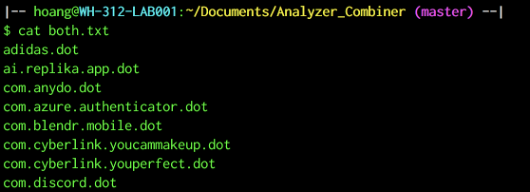
./concat.sh <apk-dot-directory> <website-dot-directory> |
| Description |
combine adf results from apks and websites together |
| Options |
<apk-dot-directory> |
|
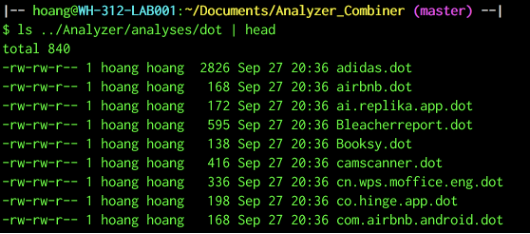
the directory which contains all the dot files for apks after running adf.sh or parallel.sh tools in package analyzer |
|
<website-dot-directory> |
|
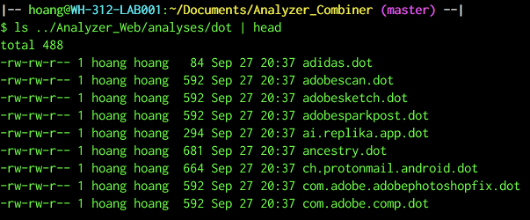
the directory which contains all the dot files for websites after running adf.sh or parallel.sh tools in package analyzer_web |
|
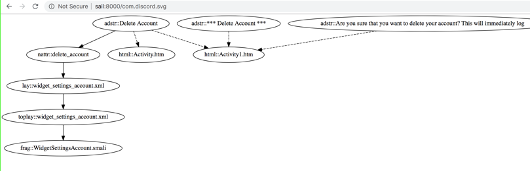
after combining dot files, the script will convert them into svg files, also it saves the common dot files into both.txt |
| Dependencies |
head |
|
tail |
|
sed |
|
cp |
|
dot |
| Packages |
analyzer_combiner |
| Notes |
Must run adf.sh or parallel.sh first before running this script (in both package analyzer and analyzer_web) |
|
In svg graph, dotted lines represent paths coming from the website, normal lines are from the apk |
|
|
| Examples |
 |
|
 |
|
 |
|
 |
|
 |
| Synopsis |
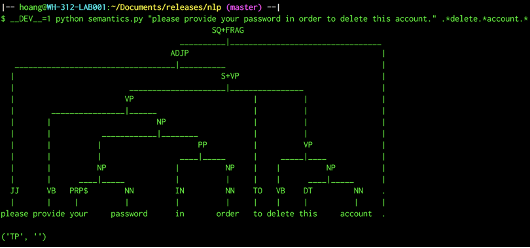
DEV=1 python semantics.py <paragraph> .*<verb>.*<noun>.* |
| Description |
Check the semantics of a paragraph against a special regular expression using natural language processing techniques |
| Options |
<paragraph> |
|
A collection of sentences preferred to be in English |
|
<verb> |
|
An English verb |
|
<noun> |
|
An English noun |
|
DEV=1 is optional: |
|
if present, a constituent tree will be printed and vice versa |
|
the script will return: |
|
(‘TP’, ‘’) means the paragraph’s true meaning has been understood as intended by regex .*<verb>.*<noun>.* |
|
(‘FP’, some reason) means the paragraph’s true meaning has not been understood by regex .*<verb>.*<noun>.* |
| Dependencies |
pystatparser |
|
nltk |
| Packages |
nlp |
| Notes |
on linux or unix system, it is highly recommended to set PATH variable pointing to this package so that the command can be used through the system and as a dependency to other scripts |
|
currently the lab server file /etc/bash.bashrc is set up as : export PATH=$PATH:/home/hoang/Documents/Achilles/py |
| Examples |
 |
|
 |
| Synopsis |
python context.py <document> |
| Description |
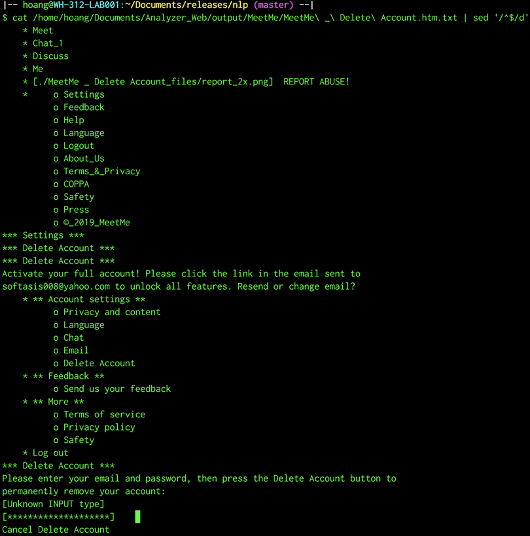
an attempt to classify a document content on the difficulty levels of the user account deletion process using natural language processing techniques |
| Options |
<document> |
|
A text file |
|
the script should return one of the following values in increasing difficulty order: |
|
-1: no context match |
|
0: there is an account deletion function |
|
1: the account deletion function asks for reasons |
|
2: the account deletion function asks to enter some inputs |
|
3: the account deletion function asks to confirm email address |
|
4: the account deletion function asks to contact customer service |
| Dependencies |
semantics.py |
| Packages |
nlp |
|
|
| Examples |
 |
|
 |
To pull single apks manually from android device to computer:
- Firstly find the path of packages:
adb shell pm list packages -f -3
Output :
package:/data/app/com.foap.android-1/base.apk=com.foap.android
package:/data/app/com.adventure.skyticket-1/base.apk=com.adventure.skyticket
package:/data/app/com.getsomeheadspace.android-2/base.apk=com.getsomeheadspace.android
package:/data/app/com.mercariapp.mercari-1/base.apk=com.mercariapp.mercari
package:/data/app/com.multibrains.taxi.passenger.tirhal-1/base.apk=com.multibrains.taxi.passenger.tirhal
- To pull a specific package- Example: com.mercariapp.mercari-1:
adb pull /data/app/com.mercariapp.mercari-1/base.apk /Users/preethis/Desktop
apktool to extract retention period from apps:
| Synopsis |
python py.py (Change corresponding app folder names in the source code and run) |
| Description |
A program to extract retention period patterns |
| Options |
None |
| Dependencies |
semantics.py, apktool |
| Packages |
none |
|
|
| Notes |
This program converts or reverse engineer’s apk files to decoded form and creates an output directory containing decoded folders and uses ‘strings.xml’ file to extract retention period patterns |
Web tool to extract retention period from websites:
| Synopsis |
python testing.py <foldername.apk> |
| Description |
A program to extract retention period patterns |
| Options |
None |
| Dependencies |
semantics.py |
| Packages |
none |
|
|
| Notes |
This program converts folder containing webpages to texts and creates an output directory containing converted text folders, then uses these files to extract retention period patterns |
| Synopsis |
python url.py <android-package-file> |
| Description |
A little snippet to help testers pick the equivalent websites for android packages by listing the top ten results from google |
| Options |
<android-package-file> |
|
a text file containing android package names |
| Dependencies |
urlparse |
|
googlesearch |
| Packages |
lai_web |
| Notes |
Output results will be saved in an csv file and can export to excel for further analysis |
|
|
| Examples |
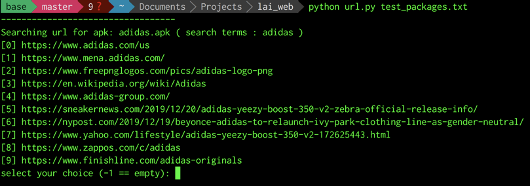 |
|
 |
| Synopsis |
python store.py <android-package-names-via-stdin> |
| Description |
automatically goes to google play store, search for apks and install them to the android phone |
| Options |
<android-package-names-via-stdin> |
|
A list of android package names seperated by new line \n from stdin |
| Dependencies |
commons.py |
| Packages |
lai_web |
| Notes |
<android-package-names-via-stdin> can be replaced by a redirection from cat command |
|
Appium is required to run the script |
|
|
| Examples |
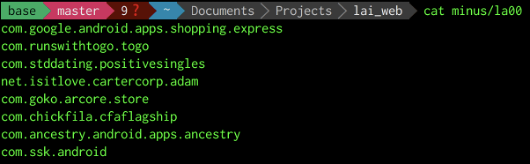 |
|
 |
|
 |
| Synopsis |
python my_apps.py <gmail> <gpassword> |
| Description |
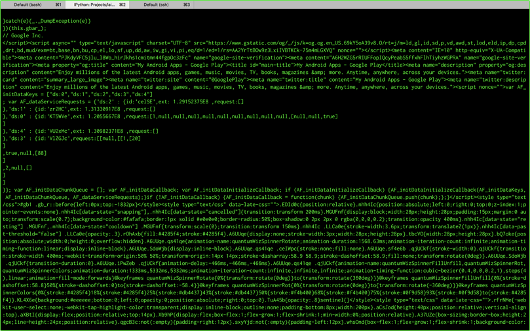
automatically navigate and scrape html from My apps page on google play store website via chrome browser |
| Options |
<gmail> |
|
google account email to login play store |
|
<password> |
|
google account passowrd to login play store |
|
The script will scrape all html content from My apps page of google play store |
| Dependencies |
common_web.py |
|
python selenium |
|
chrome driver |
| Packages |
lai_web |
| Notes |
Make sure to install python selenium, chrome driver, chrome browser before running this script |
|
|
| Examples |
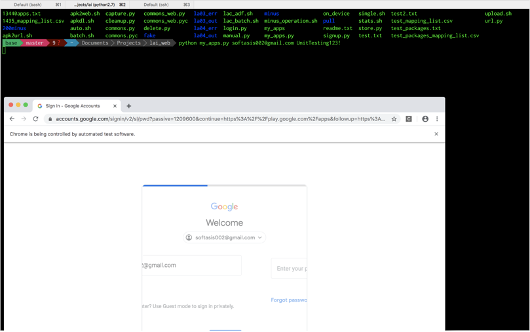 |
|
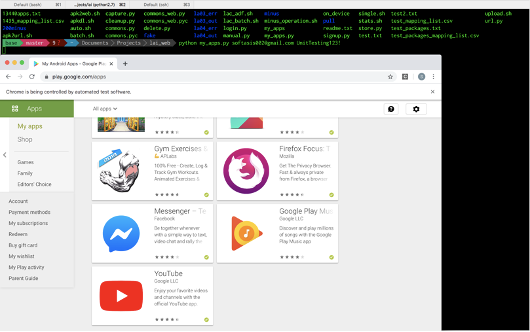 |
|
 |
| Synopsis |
python manual.py [ <apkfile> | <website-address> ] |
| Description |
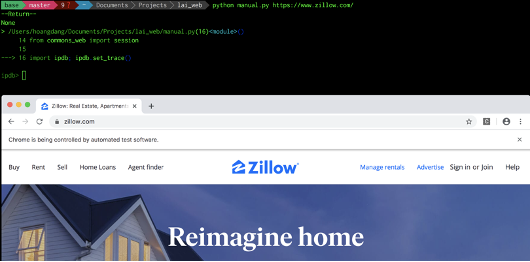
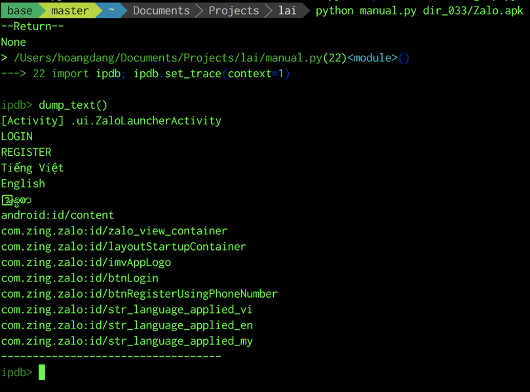
Automatically launch an apkfile or a website then break into its ipdb console for manual intervention tasks |
| Options |
<apkfile> |
|
An apk file |
|
<website-address> |
|
A website address |
| Dependencies |
commons.py |
|
commons_web.py |
|
ipdb |
| Packages |
lai |
|
lai_web |
| Notes |
Appium is required if running the script from package lai |
|
Selenium, chrome driver, and chrome browser are required if running the script from package lai_web |
|
|
| Examples |
 |
|
 |
|
 |
|
 |
| Synopsis |
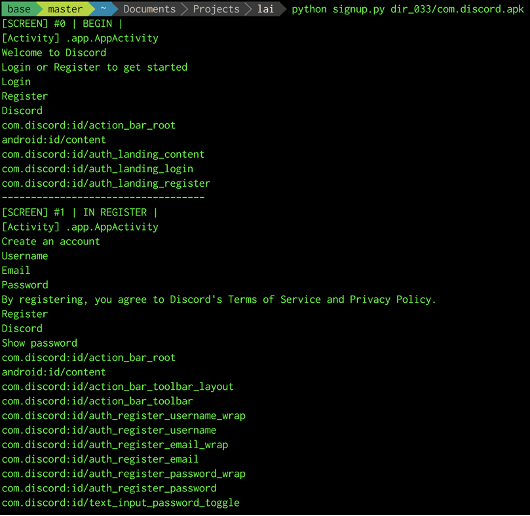
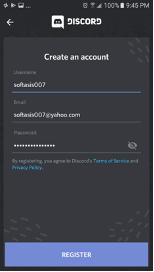
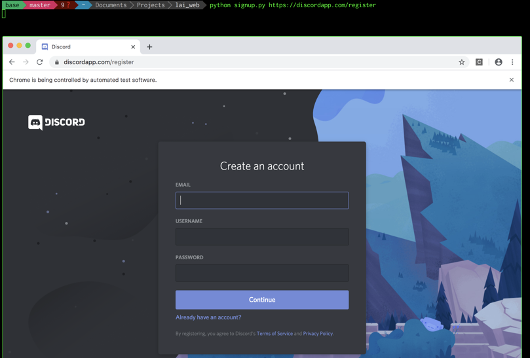
python signup.py [ <apkfile> | <website-address> ] |
| Description |
an attempt to automatically signup a user account via the android application or its equivalent website |
| Options |
<apkfile> |
|
An apk file |
|
<website-address> |
|
A website address |
| Dependencies |
commons.py |
|
commons_web.py |
| Packages |
lai |
|
lai_web |
| Notes |
Appium is required if running the script from package lai |
|
Selenium, chrome driver, and chrome browser are required if running the script from package lai_web |
|
User account information is hardcoded in commons.py or commons_web.py |
|
|
| Examples |
 |
|
 |
|
 |
| Synopsis |
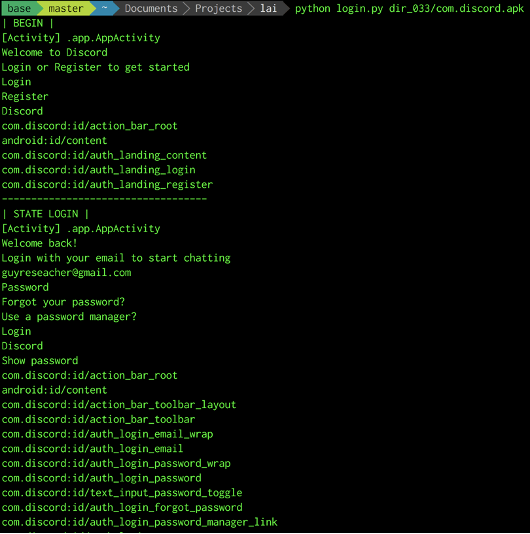
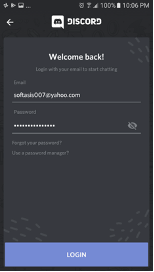
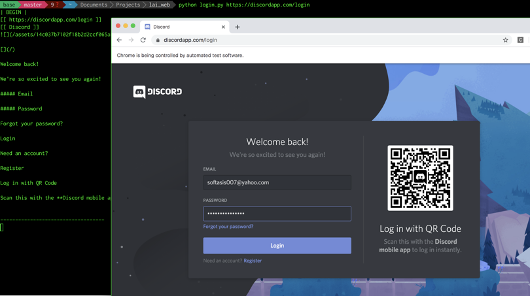
python login.py [ <apkfile> | <website-address> ] |
| Description |
an attempt to automatically login a user account via the android application or its equivalent website |
| Options |
<apkfile> |
|
An apk file |
|
<website-address> |
|
A website address |
| Dependencies |
commons.py |
|
commons_web.py |
| Packages |
lai |
|
lai_web |
| Notes |
Appium is required if running the script from package lai |
|
Selenium, chrome driver, and chrome browser are required if running the script from package lai_web |
|
User account information is hardcoded in commons.py or commons_web.py |
|
|
| Examples |
 |
|
 |
|
 |
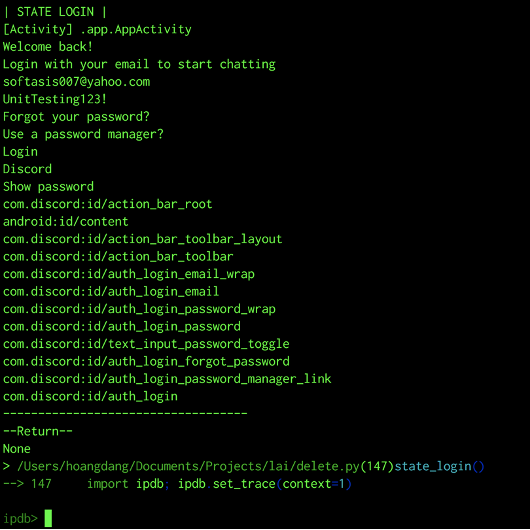
| Synopsis |
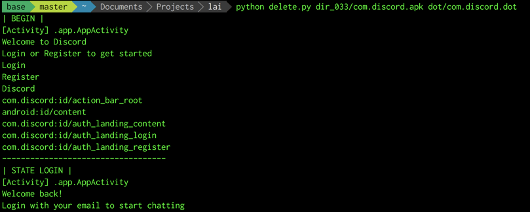
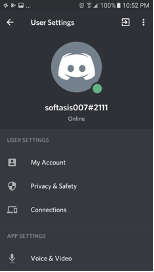
python delete.py [ <apkfile> <dotfile> | <website-address> ] |
| Description |
an attempt to automatically delete a user account via the android application or its equivalent website |
| Options |
<apkfile> |
|
An apk file |
|
<dotfile> |
|
A dot file generated by adf.sh to guarantee that the account deletion functionlity exists on the apk |
|
<website-address> |
|
A website address |
| Dependencies |
commons.py |
|
commons_web.py |
| Packages |
lai |
|
lai_web |
| Notes |
First make sure that there exists a user account with an android application or its equivalent website, possibly by running signup.py |
|
Appium is required if running the script from package lai, also must run adf.sh or parallel.sh first to have dot files |
|
Selenium, chrome driver, and chrome browser are required if running the script from package lai_web |
|
User account information is hardcoded in commons.py or commons_web.py |
|
|
| Examples |
 |
|
 |
|
 |
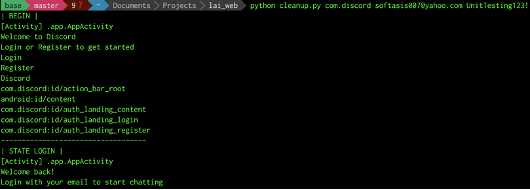
| Synopsis |
python cleanup.py <package-name> <app-email> <app-password> |
| Description |
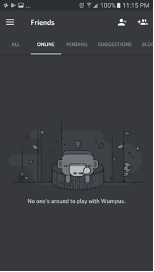
An attempt to automatically cleanup a user account for a certain android app when the user uninstalls it but forgets to do so |
| Options |
<package-name> |
|
The android package name which currently resides on the android device |
|
<app-email> |
|
The user email which the user uses to login the app |
|
<app-password> |
|
The user password which the users uses to login the app |
| Dependencies |
commons.py |
| Packages |
lai |
|
lai_web |
| Notes |
Appium is required to run the script |
|
Make sure that the exists on the device, this can be checked by using pm.sh |
|
|
| Examples |
 |
|
 |
| Synopsis |
from commons import <some-functionality> |
| Description |
A python library to interact with the android mobile device via appium |
| Options |
<some-functionality> can be one of the followings: |
|
external constants |
|
UNINSTALL_FLAG, EMAIL, PASSWORD, USERNAME, BIRTHDAY, FIRSTNAME, LASTNAME,PHONENUMBER, HEIGHT, WEIGHT, AGE, GENDER, LOCATION, ZIPCODE, SSN, DLN, CREDITCARD |
|
external variable |
|
session |
|
functions: |
|
init |
|
deprecated |
|
init2 |
|
auto launch an android app using the apk file and get a session ready |
|
init3 |
|
auto launch an android app using the package name and get a session ready |
|
uninstall |
|
uninstall the android app by using the apk file |
|
find |
|
find a widget by its text |
|
find_edits |
|
find all the editable widgets |
|
find_clickable_textviews |
|
find all the textview widgets which are clickable |
|
scroll_to |
|
scroll to a specific widget identified matching its text |
|
getClickableWidgets |
|
get all clickable widgets on the screen |
|
filterClass |
|
deprecated |
|
filterKeyword |
|
deprecated |
|
checkWidgetCount |
|
deprecated |
|
Init |
|
deprecated |
|
swipe_up |
|
auto swiping up the screen |
|
swipe_left |
|
auto swiping to the left of the screen |
|
dump_text |
|
dump all the textual information of current active screen |
| Dependencies |
appium |
|
time |
|
re |
|
csv |
|
os |
|
selenium |
| Packages |
lai |
|
lai_web |
| Notes |
none |
| Synopsis |
from commons_web import <some-functionality> |
| Description |
A python library to interact with the android mobile device via Selenium |
| Options |
<some-functionality> can be one of the followings: |
|
external constants |
|
UNINSTALL_FLAG, EMAIL, PASSWORD, USERNAME, BIRTHDAY, FIRSTNAME, LASTNAME,PHONENUMBER, HEIGHT, WEIGHT, AGE, GENDER, LOCATION, ZIPCODE, SSN, DLN, CREDITCARD |
|
external variable |
|
session |
|
functions: |
|
init |
|
auto launch a website address (url) and get the session ready |
|
dump_text |
|
dump all textual information of a webpage |
|
dump_html |
|
dump all html information of a webpage |
|
find_clickable |
|
find a clickable widget if its text matches a specific regular expression pattern |
|
find_editables |
|
find all editable widgets on current webpage |
|
fill_edits |
|
automatically fill all editable widgets with information provided via a dictionary data type |
|
nicely_quit |
|
nicely quit the web session |
|
signal_handler |
|
nicely handle external signals |
|
click |
|
click on provided web element |
|
shutdown |
|
shutdown the session |
|
save_as |
|
mimic the save as functionality of a chrome web browser |
|
scroll_infinite |
|
automatically scroll the webpage until its end is reached |
|
|
| Dependencies |
selenium |
|
time |
|
html2text |
|
re |
|
sys |
|
pyautogui |
| Packages |
lai_web |
| Notes |
none |
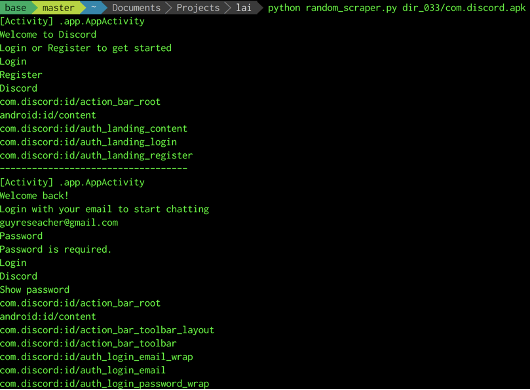
| Synopsis |
python random_scraper.py <apkfile> |
| Description |
a tool which triggers random events on the android app and scrape all the screen textual information |
| Options |
<apkfile> |
|
An apk file |
| Dependencies |
commons.py |
|
monkey |
| Packages |
lai |
| Notes |
Appium is required to run the script, must set --relaxed-security option |
|
the number of events and iteration to be fired are hardcoded in the script |
|
|
| Examples |
 |
|
 |
| Synopsis |
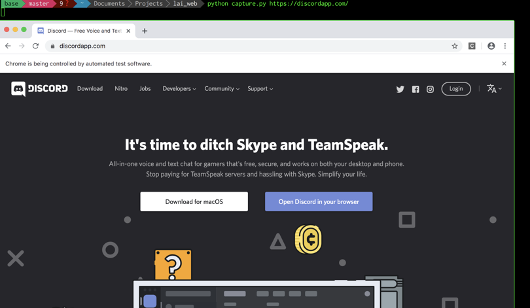
python capture.py <website-address> |
| Description |
A tool which mimics the save as function in google chrome web browser |
| Options |
<website-address> |
|
A website address |
| Dependencies |
commons_web.py |
| Packages |
lai_web |
| Notes |
Selenium, web driver, and chrome browser are required before running this script |
|
Make sure to have pyautogui library installed |
|
|
| Examples |
 |
| Synopsis |
see examples |
| Description |
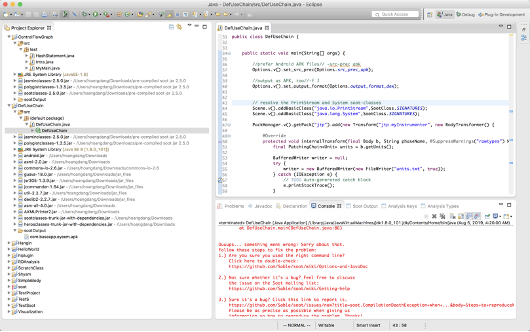
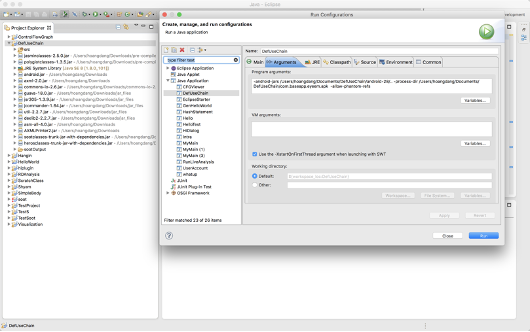
a tool for def-use-chain analysis using Soot Framework |
| Options |
see examples |
| Dependencies |
see examples |
| Packages |
see examples |
| Notes |
Eclipse (Keepler) is currently used for running this script |
|
|
| Examples |
 |
|
 |
| Synopsis |
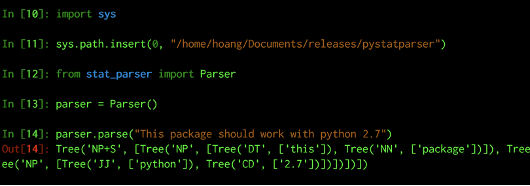
from stat_parser import Parser |
| Description |
A python package for parsing natural languages |
| Options |
none |
| Dependencies |
github |
| Packages |
pystatparser |
| Notes |
This open-source python package has been readjusted to work properly with python 2.7 |
|
|
| Examples |
 |
| Synopsis |
#include “auth.h” |
| Description |
A small c-library built with curl to bypass basic authorization |
| Options |
functions: |
|
basic_auth |
|
bypass basic authorization |
|
basic_get |
|
simulate a GET request bypassing basic authorization |
| Dependencies |
curl |
|
Base64Encode |
|
Base64Decode |
|
crypto |
| Packages |
clang |
| Notes |
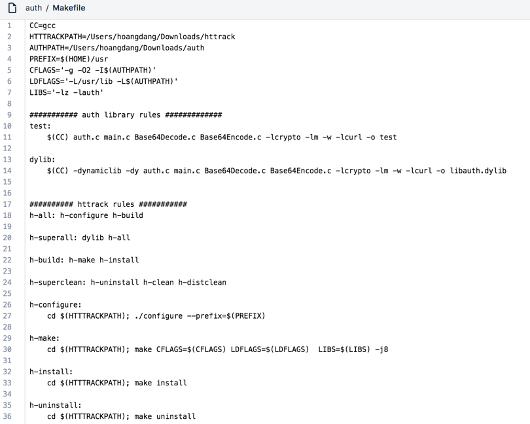
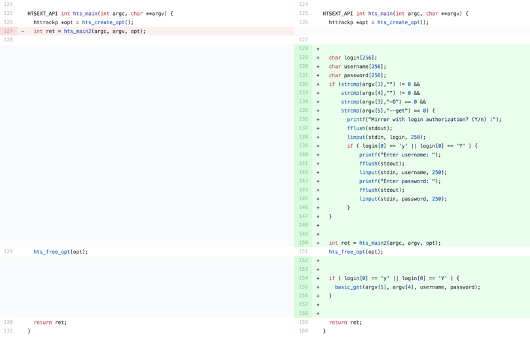
At the time of writing, httrack was a popular opensource website copier but it did not pass basic authorization |
|
This library can be compiled as a dynamic library .so to be used in complement with httrack |
|
|
| Examples |
 |
|
 |


