

⚠️ Note: This documentation is for the upcoming V2 Beta. If you are looking for the documentation for the current stable release (v1.0.1), please click here.
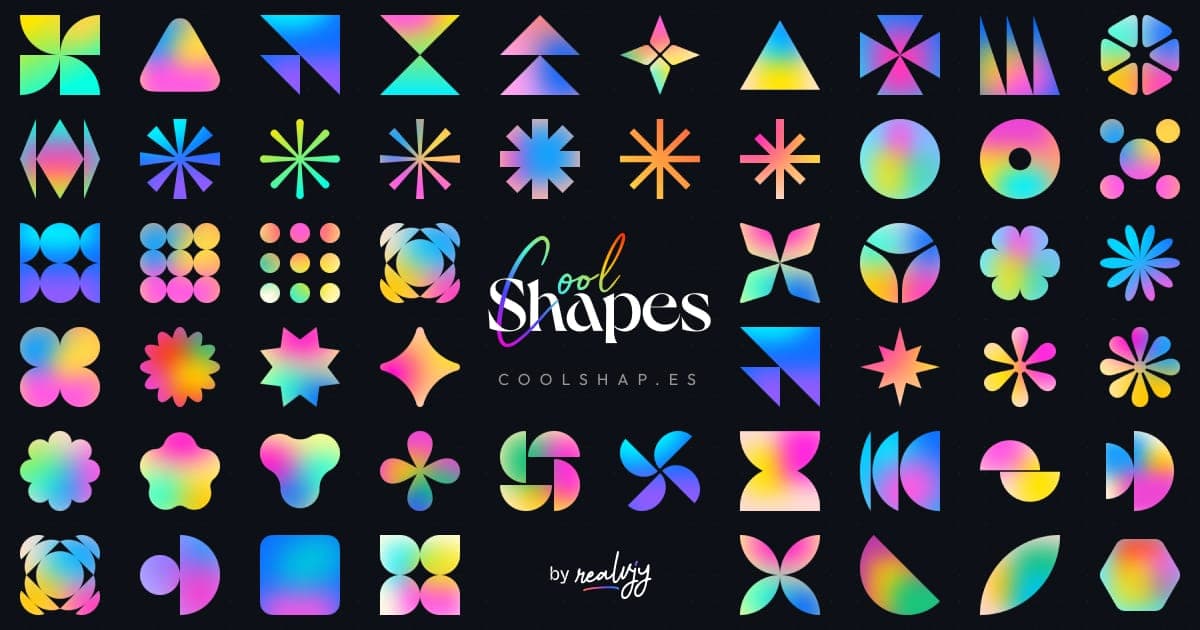
A simple, fun project for the sake of creating some cool-looking abstract shapes with little grainy gradients crafted by @realvjy. Coolshapes is a completely open-source set of 100+ abstract shapes crafted for any design and development projects. Free for both commercial and personal use. Licensed under MIT.
npm install coolshapes-reactor
yarn add coolshapes-reactThere are two types of components available in Coolshapes, which you can use: Global component and Component for each category of shapes. and, you can pass additional props to adjust the shapes.
Just import the Global component Coolshape and it will work.
import { Coolshape } from "coolshapes-react";

const App = () => {
  return <Coolshape type="star" index={1} size={48} noise={true} />;
};

export default App;You can import the component for specific category - Star,Ellipse... etc - and simply pass the index of the shape.
import { Star } from "coolshapes-react";

const App = () => {
  return <Star index={1} size={48} />;
};

export default App;setting the random prop to true or leaving the index or type prop empty would replace the shape with a
random shape every time it renders.
// renders a random shape from any category
const Component = () => {
  return <Coolshape random={true} />;
};
// renders a shape from the category star
const Component2 = () => {
  return <Coolshape type="star" random={true} />;
};import { getRandomShape } from "coolshapes-react";getRandomShape(); // returns a random shape componentgetRandomShape({ type: "ellipse" }); // returns a random shape component from the category ellipsegetRandomShape({ onlyId: true }); // returns shape identifier that can passed as props to the shape component
// {shapeType, index}getRandomShape({ onlyId: true, type: "star" }); // returns shape identifier that can passed as props to the shape component
// {shapeType: "star", index}You can access available shape types and counts using shapeTypes and shapesCount.
import { shapeTypes, shapesCount } from "coolshapes-react";
// shapeTypes: ['star', 'ellipse', ...]
// shapesCount: { star: 13, ellipse: 12, ... }import { Coolshape, shapeTypes, shapesCount } from "coolshapes-react";
const ShapeGrid = () => {
return (
<>
{shapeTypes.map((type) => {
const count = shapesCount[type];
// Numbers start at 0, all other shapes start at 1
const startIndex = type === 'number' ? 0 : 1;
const endIndex = type === 'number' ? 9 : count;
return Array.from({ length: endIndex - startIndex + 1 }, (_, i) => startIndex + i).map((index) => (
<Coolshape key={`${type}-${index}`} type={type} index={index} size={48} />
));
})}
</>
);
};| name | data type | default | description |
|---|---|---|---|
size |
Number | 200 | The dimension of shape |
type |
String | random | The category of shapes, if left empty it will randomly select a category. |
noise |
Boolean | true | Whether to add noise to the shape or not. |
index |
Number | random | The index of shape within the shape category, it would randomly select a shape from the category if type prop given. index starts from 1. |
random |
Boolean | false | If set true it will select a random component |
fill |
String | none | Overrides the default mesh gradient with a flat hex/rgba color (e.g., "#000000"). Pass "transparent" to remove color. |
gradient |
String | default | Applies a preset gradient (e.g., "gradient-1"). Set to false or leave empty when using fill. |
outline |
Number | 0 | Adds a stroke outline of the specified width. |
outlineColor |
String | #fff | The color of the outline stroke. |
outlineJoin |
String | bevel | SVG stroke-linejoin for the outline (round, miter, bevel). |
outlineCap |
String | round | SVG stroke-linecap for the outline (round, butt, square). |
blur |
Number | 0 | Applies a Gaussian blur filter of the specified pixel radius. |
transparent |
Boolean | false | Removes the underlying white background layer, making the shape completely transparent behind the fill. |
Index starts from number
1for all shapes, EXCEPT for thenumbercategory which strictly maps to actual digits (0-9).
The shapes are SVG components behind the hood, so it's also supports all the props that can be passed in a svg element.
There are a total of 115 shapes available in Coolshapes under the following categories.
| name | count |
|---|---|
star |
13 |
triangle |
14 |
moon |
15 |
polygon |
8 |
flower |
16 |
rectangle |
9 |
ellipse |
12 |
wheel |
7 |
misc |
11 |
number |
10 |
Note: While passing the category name in the component, the name will be in lower case.
all the components have classname coolshapes assigned as default, but you can also pass custom classname of yours.
import { Star } from "coolshapes-react";

export const Shape = () => {
  return <Star className={"myshape"} />;
};
// make the shapes size responsive similar to img elements.
.coolshapes {
width: 100%;
max-height: 48px;
}We have given umd, es and cjs versions of the build.
const Coolshapes = require("coolshapes-react");Using with react in the browser
<!doctype html>
<html>
  <head>
    <meta charset="UTF-8" />
    <script src="https://unpkg.com/react@18/umd/react.development.js"></script>
    <script src="https://unpkg.com/react-dom@18/umd/react-dom.development.js"></script>
    <script src="https://unpkg.com/@babel/standalone/babel.min.js"></script>
    <script src="https://unpkg.com/coolshapes-react/dist/umd/coolshapes.js"></script>
  </head>
  <body>
    <div id="root"></div>
    <script type="text/babel">
      const domContainer = document.querySelector("#root");
      const root = ReactDOM.createRoot(domContainer);
      const coolshapes = window.coolshapes;
      const Coolshape = coolshapes.Coolshape;
      root.render(<Coolshape />);
    </script>
  </body>
</html>https://unpkg.com/coolshapes-react/dist/umd/coolshapes.js
Grab it from Figma Community
-
Crafted by realvjy. You are always welcome to share your feedback on twitter or any other social media platform.
-
Noisy Gradients Plugin - Some of the gradients generated using Noisy Gradients Figma plugin
If you want to contribute, create a pull request.
Coffee fuels design & coding ☕️

