Rebooting a Windows PC via PowerShell is a routine administrative task. This guide will teach you how to use...
Tag Archive for: powershell remoting
4sysops - The online community for sys and AI ops
Enable Windows Remote Management (WinRM) for Ansible
By default, Ansible uses SSH on Linux machines. Although Windows supports an OpenSSH server, this method is not entirely...
Copying files between Windows and Linux with SCP and PowerShell
There are various mechanisms for copying files between Windows and Linux. A proven tool for this purpose is Secure...
Install PowerShell remoting over SSH
PowerShell 7.x supports SSH for cross-platform remoting. Learn how to configure and test PowerShell remoting between Windows, Linux, and...
Invoke-Command: Connecting to computers requiring different credentials
Connecting to computers that require different credentials via the PowerShell cmdlet Invoke-Command is a common occurrence. This post explains...
Invoke-Command: Dealing with offline computers
When you need to run PowerShell commands against a large set of computers with the PowerShell cmdlet Invoke-Command, you...
Using PowerShell implicit remoting
Implicit remoting is an excellent way to get access to commands in modules that you don't have installed locally.
PowerShell remoting with SSH public key authentication
In my previous post I explained how you can enable PowerShell with SSH transport. Today, I will show how...
Enable PowerShell Core 6 remoting with SSH transport
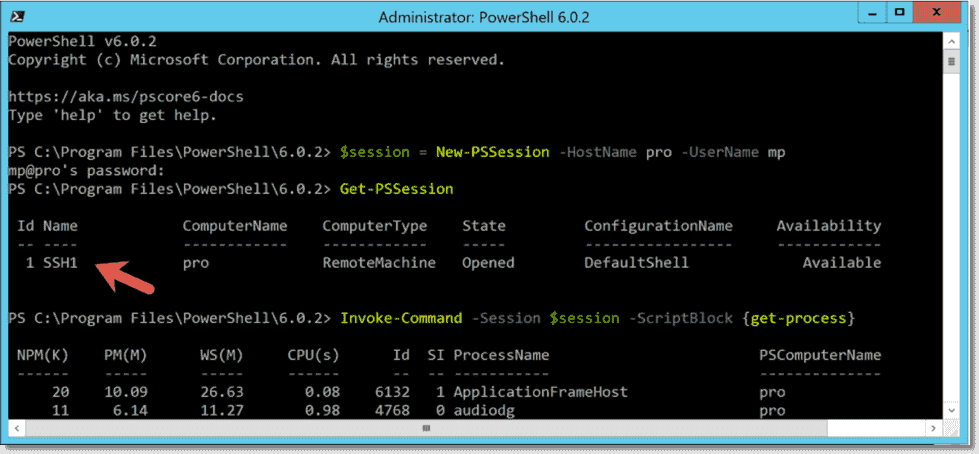
PowerShell 6 Core comes with a new feature that allows you to work with PowerShell remoting using SSH transport...
Enable PowerShell remoting
If you want to manage Windows computers remotely with PowerShell, you first have to enable PowerShell remoting on the...
Configure SSH-based PowerShell Core remoting between Windows and Linux
In this tutorial we set up cross-platform SSH-based remoting with PowerShell Core 6.0 and test it on Windows Server...
Allow PowerShell remoting for non-administrators
By default, only administrators can connect via PowerShell remoting. If you want to enable PowerShell remoting for a single...
Disable PowerShell remoting: Disable-PSRemoting, WinRM, listener, firewall, LocalAccountTokenFilterPolicy
Depending on your environment, up to five steps are required you to completely disable PowerShell remoting on a Windows...
Enable PowerShell remoting with Enable-PSRemoting
If you want to manage Windows computers remotely with PowerShell, you first have to enable PowerShell remoting on the...
Enable PowerShell remoting remotely via PsExec
To enable PowerShell remotely on a single machine, you can use Microsoft's free remote-control tool PsExec. This option helps...
Enable PowerShell remoting via Group Policy
To enable PowerShell remoting on multiple computers, you can use Group Policy. Three polices are relevant:
Testing PowerShell remoting
To test you have enabled PowerShell remoting correctly, you can enter this command Enter-PSSession -ComputerName <hostname> This will open...
Allow PowerShell remoting for a workgroup and standalone computer
PowerShell remoting works best in an Active Directory environment. If you want to enable remoting for workgroup or standalone...
Increase PowerShell remoting security with two simple techniques
In this article, I will discuss two simple methods to improve PowerShell remoting security. The first is by temporarily...
Install OpenSSH on Windows for PowerShell Core remoting via SSH
In this article, I will show how to set up an SSH server on Windows and how to install...