
Free screencasting and eLearning software
ActivePresenter is a free professional screencasting and eLearning software that is excellent for creating software demonstrations, software simulations, and quizzes. With ActivePresenter you can easily record your computer screen, create software tutorials, edit and annotate screencasts or design eLearning materials. You can then quickly publish your creation to the web, desktops, and mobile devices.
Is ActivePresenter free to download?
ActivePresenter is free for personal and non-commercial use, although some of its features are limited in the free version. It does, however, offer final videos in HD and without watermarks, so this version is often sufficient for users, especially those who are just beginning to create interactive digital material.
For experienced users who wish to unlock all the rich features of ActivePresenter, or use it in a professional capacity, there are various paid-for licenses available.
The ActivePresenter software is available for Microsoft Windows including Windows 11, and macOS X. It is developed by Atomi Systems and is available in a range of languages including English, French, Polish, Vietnamese, Russian, and German.
Alternatives to ActivePresenter for professional screen capturing include SnagIt, Camtasia, Obs Studio, and iSpring Free Cam. Free options include VidShot Capturer, Showmore - Free Screen Recorder, Free Screen Recorder, and Cam Studio. Adobe Captivate, meanwhile, is specifically designed for creating eLearning content. For basic presentation and slide creation, Microsoft PowerPoint is still a popular choice.
What can I do with ActivePresenter?
ActivePresenter is a free screen recorder and screencast video editor with all the tools you need for recording your screen and creating attractive screencast videos. With its fast, smart screen capture technology, it records your screen in crystal-clear quality and cleanly captures system audio and audio from external devices.
With ActivePresenter, making a professional screencast or a training video is relatively straightforward. You can record what is happening on your screen, edit the content and then export it into various formats, including JPEG and PNG images, HTML slideshows, PDFs, Microsoft Word, Excel or PowerPoint presentations, interactive simulations, and a choice of video export options (AVI, MP4, WMV, and WebM). The software even supports lossless codecs in MKV format.
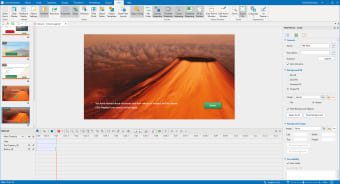
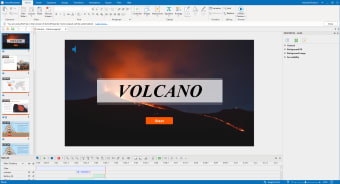
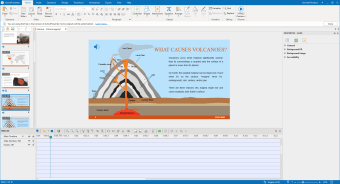
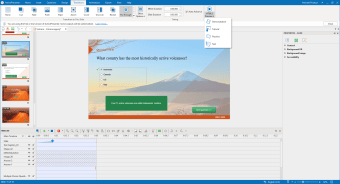
You can also enhance your screencasts or eLearning creations with voiceover, callouts, annotations, videos, and graphics. To make sure your audience is really engaged in your content, you can also make your screencasts interactive by adding application simulations, branching scenarios, and quizzes.
All these features make ActivePresenter a good choice for educators and trainers who need to prepare materials for corporate training or similar. Other uses include creating gameplay videos or conference material.
If you are producing e-Learning materials and educational technology, ActivePresenter will allow you to pack your output into a Shareable Content Object Reference Model (SCORM)-compliant package to import and use in most Learning Content Management Systems (LCMS).
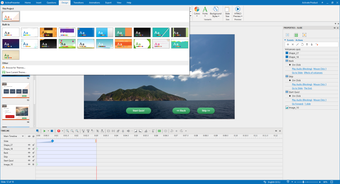
Because of its focus on more professional utilization, using ActivePresenter does come with a learning curve. If you're proficient at creating screencasts and eLearning content, you'll likely find operating ActivePresenter a breeze. If you're a newbie, you'll want to get to grips with its extensive online tutorials or use the templates available within the program.
Once you've shared your output, you can track and report key metrics so you can evaluate learner performance. This is super useful in determining how effective your content has been.
Create professional training and eLearning videos
Thanks to its mix of recording tools and graphic and audiovisual editing tools, ActivePresenter allows you to develop a wide variety of projects. These can have educational, commercial, advertising, research, or demonstration purposes and cover everything from video tutorials and training, to Gameplay videos and eLearning materials to conference presentations.
Because of its rich features, tools, and options, ActivePresenter does require fairly extensive practice to use effectively. Because of this, it is perhaps better suited to professional users, rather than beginners. Having said that, an extensive collection of online tutorials are available for those who want to master its powerful functionality.

















.png)