

Php Debug Feature
The php Debug Feature allows users to identify and resolve errors in their php code directly within Advanced File Manager. This feature helps ensure code accuracy by highlighting issues before files are saved, reducing the risk of broken functionality.
The php Debug Feature supports relevant code validation for php used file types and stays up to date with the latest debugging standards.
How to Enable the php Debug Feature
To enable the Code Debug Feature, follow the steps below:
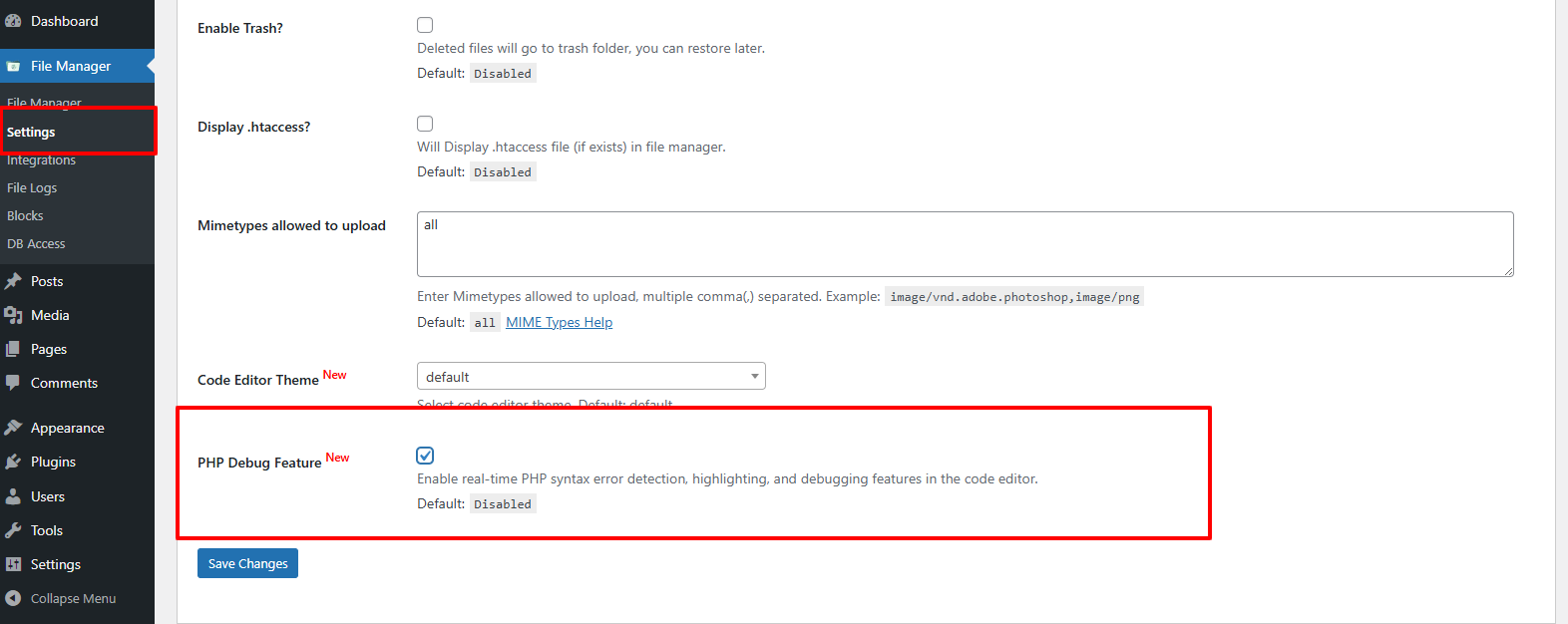
- Navigate to Advanced File Manager → Settings → php Debug Feature.
- Enable the php Debug Feature toggle and click Save Changes button.
How to Use the Code Debug Feature
1. Open Advanced File Manager.
2. Select a supported code file (such as .php) from the file manager.
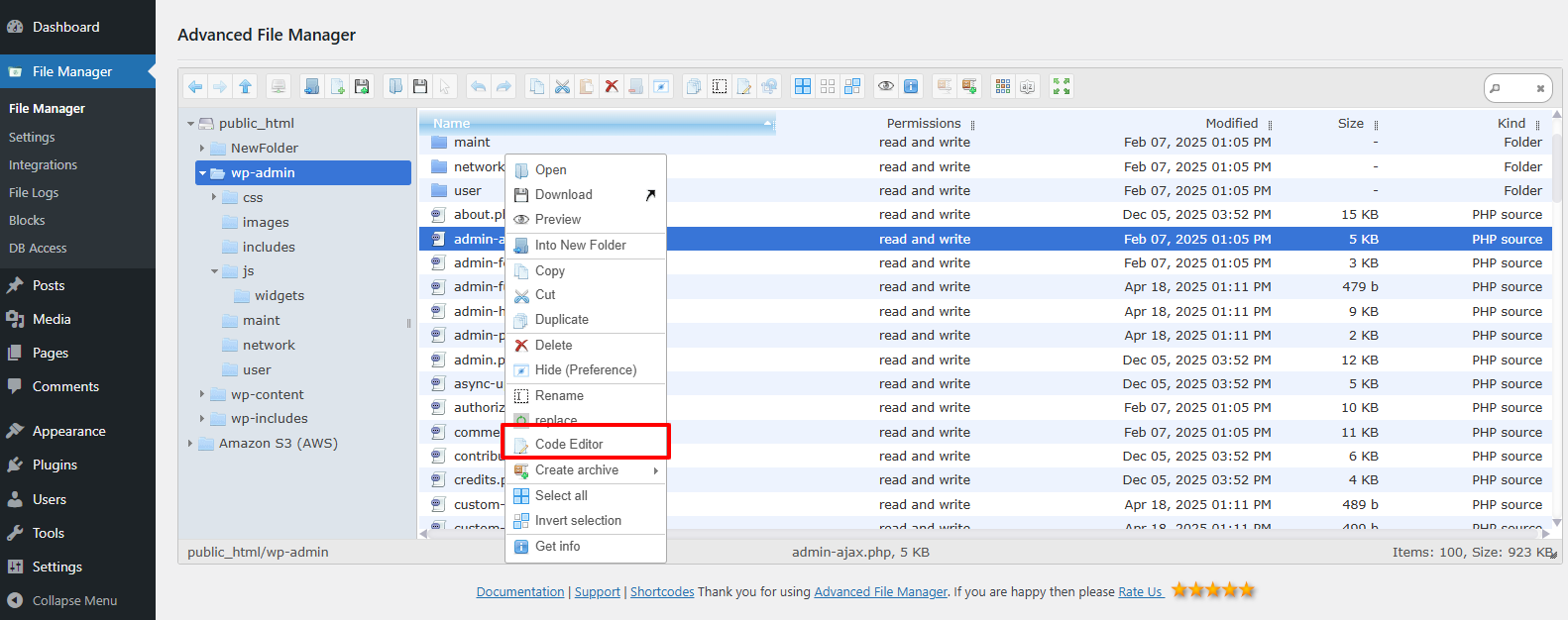
3. Right-click the file and choose Code Editor.
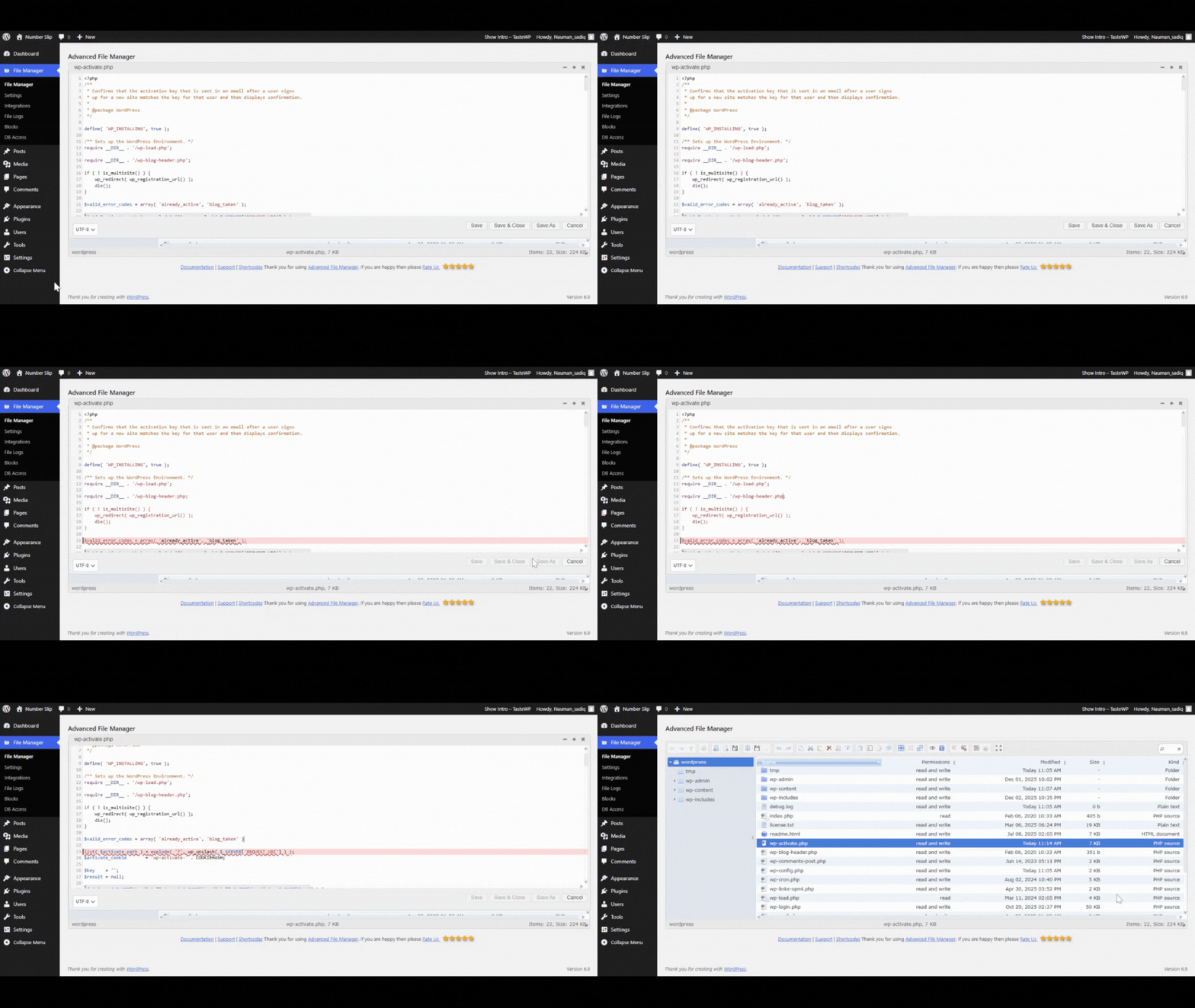
4. When the editor opens, the system automatically checks the code for errors.
5. If an error is detected, the file cannot be saved until the issue is resolved.
Once enabled, the php Debug Feature works seamlessly to help prevent faulty code from being saved.
Need help?
If you continue to experience any issues or need further assistance, please don’t hesitate to contact our Support Team. Our experts are always ready to help and will work with you to resolve any problems promptly. We take pride in delivering reliable support and excellent customer service.

