-
Premiere Pro
ContextLab: AI Context Video Editing
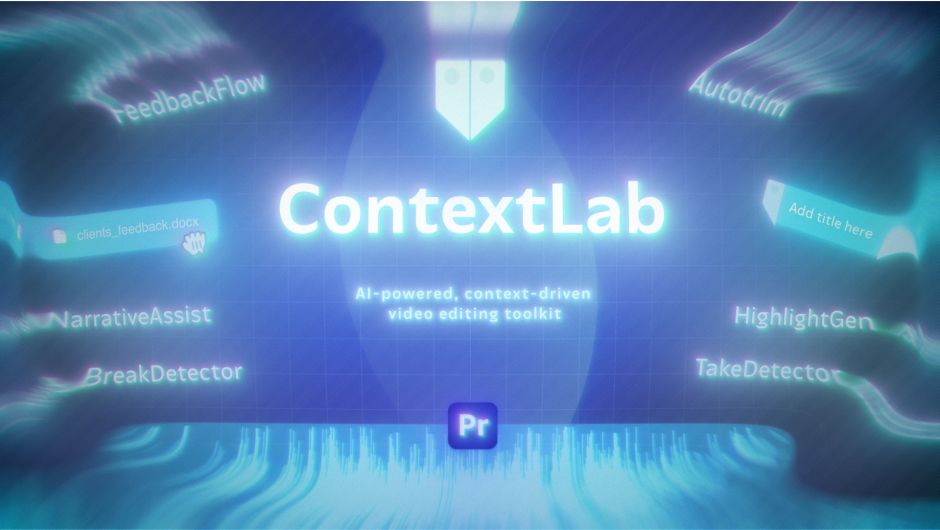
Context-aware video editing. ContextLab uses AI to understand your video's narrative, speech, and structure — helping you edit faster, deeper, and with higher quality. Smart contextual inserts, AI-powered suggestions, and automation eliminate repetitive tasks and speed up the path from rough cut to final delivery.
Unlock special upgrade price
Please log in to see if you qualify for upgrade pricing (see upgrade notice below).
-
Trial
-
EULAEND USER LICENSE AGREEMENT
This software ("the Software Product") and accompanying documentation is licensed and not sold. This Software Product is protected by copyright laws and treaties, as well as laws and treaties related to other forms of intellectual property. The author owns intellectual property rights in the Software Product. The Licensee's ("you" or "your") license to download, use, copy, or change the Software Product is subject to these rights and to all the terms and conditions of this End User License Agreement ("Agreement").
Acceptance
YOU ACCEPT AND AGREE TO BE BOUND BY THE TERMS OF THIS AGREEMENT BY SELECTING THE "ACCEPT" OPTION AND DOWNLOADING THE SOFTWARE PRODUCT OR BY INSTALLING, USING, OR COPYING THE SOFTWARE PRODUCT. YOU MUST AGREE TO ALL OF THE TERMS OF THIS AGREEMENT BEFORE YOU WILL BE ALLOWED TO DOWNLOAD THE SOFTWARE PRODUCT. IF YOU DO NOT AGREE TO ALL OF THE TERMS OF THIS AGREEMENT, YOU MUST SELECT "DECLINE" AND YOU MUST NOT INSTALL, USE, OR COPY THE SOFTWARE PRODUCT.License Grant
This Agreement entitles you to install and use one copy of the Software Product. In addition, you may make one archival copy of the Software Product. The archival copy must be on a storage medium other than a hard drive, and may only be used for the reinstallation of the Software Product. This Agreement does not permit the installation or use of multiple copies of the Software Product, or the installation of the Software Product on more than one computer at any given time, on a system that allows shared used of applications, on a multi-user network, or on any configuration or system of computers that allows multiple users. Multiple copy use or installation is only allowed if you obtain an appropriate licensing agreement for each user and each copy of the Software Product.Restrictions on Transfer
Without first obtaining the express written consent of the author, you may not assign your rights and obligations under this Agreement, or redistribute, encumber, sell, rent, lease, sublicense, or otherwise transfer your rights to the Software Product.Restrictions on Use
You may not use, copy, or install the Software Product on any system with more than one computer, or permit the use, copying, or installation of the Software Product by more than one user or on more than one computer. If you hold multiple, validly licensed copies, you may not use, copy, or install the Software Product on any system with more than the number of computers permitted by license, or permit the use, copying, or installation by more users, or on more computers than the number permitted by license.You may not decompile, "reverse-engineer", disassemble, or otherwise attempt to derive the source code for the Software Product.
Restrictions on Alteration
You may not modify the Software Product or create any derivative work of the Software Product or its accompanying documentation. Derivative works include but are not limited to translations. You may not alter any files or libraries in any portion of the Software Product.Restrictions on Copying
You may not copy any part of the Software Product except to the extent that licensed use inherently demands the creation of a temporary copy stored in computer memory and not permanently affixed on storage medium. You may make one archival copy which must be stored on a medium other than a computer hard drive.Disclaimer of Warranties and Limitation of Liability
UNLESS OTHERWISE EXPLICITLY AGREED TO IN WRITING BY THE AUTHOR, THE AUTHOR MAKES NO OTHER WARRANTIES, EXPRESS OR IMPLIED, IN FACT OR IN LAW, INCLUDING, BUT NOT LIMITED TO, ANY IMPLIED WARRANTIES OF MERCHANTABILITY OR FITNESS FOR A PARTICULAR PURPOSE OTHER THAN AS SET FORTH IN THIS AGREEMENT OR IN THE LIMITED WARRANTY DOCUMENTS PROVIDED WITH THE SOFTWARE PRODUCT.The author makes no warranty that the Software Product will meet your requirements or operate under your specific conditions of use. The author makes no warranty that operation of the Software Product will be secure, error free, or free from interruption. YOU MUST DETERMINE WHETHER THE SOFTWARE PRODUCT SUFFICIENTLY MEETS YOUR REQUIREMENTS FOR SECURITY AND UNINTERRUPTABILITY. YOU BEAR SOLE RESPONSIBILITY AND ALL LIABILITY FOR ANY LOSS INCURRED DUE TO FAILURE OF THE SOFTWARE PRODUCT TO MEET YOUR REQUIREMENTS. THE AUTHOR WILL NOT, UNDER ANY CIRCUMSTANCES, BE RESPONSIBLE OR LIABLE FOR THE LOSS OF DATA ON ANY COMPUTER OR INFORMATION STORAGE DEVICE.
UNDER NO CIRCUMSTANCES SHALL THE AUTHOR, ITS DIRECTORS, OFFICERS, EMPLOYEES OR AGENTS BE LIABLE TO YOU OR ANY OTHER PARTY FOR INDIRECT, CONSEQUENTIAL, SPECIAL, INCIDENTAL, PUNITIVE, OR EXEMPLARY DAMAGES OF ANY KIND INCLUDING LOST REVENUES OR PROFITS OR LOSS OF BUSINESS) RESULTING FROM THIS AGREEMENT, OR FROM THE FURNISHING, PERFORMANCE, INSTALLATION, OR USE OF THE SOFTWARE PRODUCT, WHETHER DUE TO A BREACH OF CONTRACT, BREACH OF WARRANTY, OR THE NEGLIGENCE OF THE AUTHOR OR ANY OTHER PARTY, EVEN IF THE AUTHOR IS ADVISED BEFOREHAND OF THE POSSIBILITY OF SUCH DAMAGES. TO THE EXTENT THAT THE APPLICABLE JURISDICTION LIMITS THE AUTHOR'S ABILITY TO DISCLAIM ANY IMPLIED WARRANTIES, THIS DISCLAIMER SHALL BE EFFECTIVE TO THE MAXIMUM EXTENT PERMITTED.
Limitation of Remedies and Damages
Any claim must be made within the applicable warranty period. All warranties cover only defects arising under normal use and do not include malfunctions or failure resulting from misuse, abuse, neglect, alteration, problems with electrical power, acts of nature, unusual temperatures or humidity, improper installation, or damage determined by the author to have been caused by you. All limited warranties on the Software Product are granted only to you and are non-transferable. You agree to indemnify and hold the author harmless from all claims, judgments, liabilities, expenses, or costs arising from your breach of this Agreement and/or acts or omissions.Governing Law, Jurisdiction and Costs
This Agreement is governed by the laws of New York, without regard to New York's conflict or choice of law provisions.Severability
If any provision of this Agreement shall be held to be invalid or unenforceable, the remainder of this Agreement shall remain in full force and effect. To the extent any express or implied restrictions are not permitted by applicable laws, these express or implied restrictions shall remain in force and effect to the maximum extent permitted by such applicable laws.Updated: Oct 21, 2025 1:35 AM
What is ContextLab?
ContextLab is an AI-powered editing toolkit for Adobe Premiere Pro that helps editors cut faster, smarter, and with greater narrative depth — by understanding the story, not just the timeline.
It intelligently analyzes video structure and spoken content, interprets client feedback, detects takes and pauses, and turns it all into context-aware edits. Every feature is built to eliminate repetitive tasks and accelerate the path from cut to publish — so you stay in your creative flow.
Who is it for?
ContextLab is built for editors, creators, and teams who work with narrative, interviews, or structured feedback.
- Video editors — streamline review rounds and save hours on trimming and takes.
- Documentary editors — organize long interviews with narrative clarity.
- Short-form creators — instantly generate highlight cuts for reels and socials.
- Content studios — scale feedback integration and maintain consistency across iterations.
- Freelancers — look pro, work fast, and respond to clients in record time.
What will your audience experience?
- Clearer storytelling: Context-aware edits preserve intent, emotion, and flow.
- More engaging content: Awkward pauses, redundant takes, and filler are removed — viewers stay focused.
- Smart captions and cues: Viewers get extra clarity from auto-added definitions, references, and quotes.
- Faster delivery: Short-form content and highlights are generated instantly, keeping your content pipeline moving.
- Professional polish: From branded MOGRTs to perfectly timed cuts, your edits feel intentional and sharp.
Work faster. Work smarter. Work with ContextLab.
Subscribe today and start editing with AI-powered tools that understand your video’s story — not just the timeline.
Narrative Assist
Understand your story — not just your words.
NarrativeAssist keeps captions clear, readable, and perfectly synced with your edit.
It follows industry timing standards from broadcast and documentary production — ensuring each caption stays long enough to be read twice, with natural pacing and rhythm.
- Readable timing — balanced duration and smooth flow.
- Professional rhythm — based on real production practice, not guesswork.
- Adaptive pacing — aligns with your edit’s tone and tempo.
Feedback Flow
Automate client feedback. Keep the flow.
- Smart import: Upload DOCX, TXT, or CSV — even unformatted feedback works.
- Context grouping: Comments are clustered by meaning and intent.
- Auto-marker placement: Timeline markers appear where they're needed — no manual syncing.
- Iterative editing: Each feedback round creates a new version. No overwrites. Full history.
Performance Assist
Automates cleanup and scene selection with a pair of smart detectors.
Take Detector: Automatically finds repeated takes, selects the best one, and places it on the timeline — preserving story continuity.
Break Detector: Removes awkward pauses, dead air, and irrelevant segments to restore natural pacing and flow.
HighlightGen
HighlightGen analyzes your content and automatically generates short-form edits that pack a narrative punch — perfect for trailers, teasers, vertical content, and social media.
- Story-driven clips: Detects moments with clear beginning, middle, and end — not just random highlights.
- Context-aware selection: Uses transcribed speech and markers to extract the most meaningful segments.
- Platform-ready output: Generates 9:16, 1:1, or 16:9 edits tailored for Reels, Shorts, TikTok, and more.
- Smart trimming: Removes filler, pauses, and off-topic content to make each clip sharp and engaging.
- Visual continuity: Maintains rhythm and flow so your highlights don’t feel like rough cuts.
Get ContextLab today!
By subscribing today, you start working faster, smarter, and more creatively.
Tutorials
Discussions
Want to talk about it?
Head over to r/aescripts to chat with fellow users about this product.
Need Support?
Please open a support ticket to be connected directly with the author of this product
Version History
1.2.1 -
Feb 18, 2026
- Simplified workflow from 6 steps to 4 steps
- New "Caption overview" step — review, apply to timeline, or run again
- Improved UI stability and responsiveness
Changed
- Updated links in the About ContextLab dialog
1.2.0 -
Jan 26, 2026
- Narrative Assist: Full integration with contextual subtitle generation
- Rebuilt UI/UX with a clear step-by-step workflow that guides users through each action
- Server-Sent Events (SSE) for real-time progress tracking
- SRT/Plain Text output support
- Configurable caption types and density settings
- Coachmarks: Interactive onboarding system for new users
- Feedback Flow: Redesigned “Prepare to Analyze” screen now lets you upload documents, images, and text together before running analysis
- Feedback Flow OCR: Image-based feedback import via screenshots
- Clipboard support: Paste images directly for OCR processing
Changed
- Refactored table rendering with enhanced accessibility features
- Improved drop zone UI and file handling
- Enhanced marker handling and tag categorization
- Updated licensing tracking with trial feedback survey
Fixed
- Fixed initialization hang on plugin startup
- Fixed missing newline issues in source files
- Improved error handling in API responses
- Various minor fixes across client and server
1.1.0 -
Oct 9, 2025
- New Home Screen: Quick product tiles (FeedbackFlow & NarrativeAssist) plus a dedicated subheader, so you can jump between workflows without reloading the panel.
- NarrativeAssist Launch: Import CSV transcripts, adjust density (-3…+3), and explanation length.
- Auto-Placed Contextual Titles: The service now estimates safe timings, trims duplicates, and streams a guided preview to let you review captions before they hit the timeline.
- FeedbackFlow Stability: Analysis runs can be canceled safely, sequence monitoring only runs when needed, and marker sync retries without guesswork delays.
1.0.6 -
Aug 23, 2025
- NEW Feature: Feedback Preview Mode – review and edit feedback content before sending it for analysis.
- UI Improvements: Enhanced interface for a smoother workflow experience.
- Bug Fix: Resolved issue with update checking.
1.0.5 -
Aug 22, 2025
Preview Mode: Review and edit feedback content before sent to analize
Quick Corrections: You can now enter quick corrections before sending to analysis
UI Improvements: Enhanced user interface for better workflow experience
1.0.4 -
Aug 18, 2025
1.0.2 -
Aug 16, 2025
1.0.1 -
Aug 15, 2025
1.0.0 -
Aug 13, 2025
0.8.0 -
Aug 11, 2025
Compatibility
Premiere Pro
2026, 2025, 2024, 2023
