
-
After Effects
Limber 2
The most-loved rigging tool for After Effects.Check out the new features in version 2
Unlock special upgrade price
Please log in to see if you qualify for upgrade pricing (see upgrade notice below).
-
Trial
-
EULAEND USER LICENSE AGREEMENT
This software ("the Software Product") and accompanying documentation is licensed and not sold. This Software Product is protected by copyright laws and treaties, as well as laws and treaties related to other forms of intellectual property. The author owns intellectual property rights in the Software Product. The Licensee's ("you" or "your") license to download, use, copy, or change the Software Product is subject to these rights and to all the terms and conditions of this End User License Agreement ("Agreement").
Acceptance
YOU ACCEPT AND AGREE TO BE BOUND BY THE TERMS OF THIS AGREEMENT BY SELECTING THE "ACCEPT" OPTION AND DOWNLOADING THE SOFTWARE PRODUCT OR BY INSTALLING, USING, OR COPYING THE SOFTWARE PRODUCT. YOU MUST AGREE TO ALL OF THE TERMS OF THIS AGREEMENT BEFORE YOU WILL BE ALLOWED TO DOWNLOAD THE SOFTWARE PRODUCT. IF YOU DO NOT AGREE TO ALL OF THE TERMS OF THIS AGREEMENT, YOU MUST SELECT "DECLINE" AND YOU MUST NOT INSTALL, USE, OR COPY THE SOFTWARE PRODUCT.License Grant
This Agreement entitles you to install and use one copy of the Software Product. In addition, you may make one archival copy of the Software Product. The archival copy must be on a storage medium other than a hard drive, and may only be used for the reinstallation of the Software Product. This Agreement does not permit the installation or use of multiple copies of the Software Product, or the installation of the Software Product on more than one computer at any given time, on a system that allows shared used of applications, on a multi-user network, or on any configuration or system of computers that allows multiple users. Multiple copy use or installation is only allowed if you obtain an appropriate licensing agreement for each user and each copy of the Software Product.Restrictions on Transfer
Without first obtaining the express written consent of the author, you may not assign your rights and obligations under this Agreement, or redistribute, encumber, sell, rent, lease, sublicense, or otherwise transfer your rights to the Software Product.Restrictions on Use
You may not use, copy, or install the Software Product on any system with more than one computer, or permit the use, copying, or installation of the Software Product by more than one user or on more than one computer. If you hold multiple, validly licensed copies, you may not use, copy, or install the Software Product on any system with more than the number of computers permitted by license, or permit the use, copying, or installation by more users, or on more computers than the number permitted by license.You may not decompile, "reverse-engineer", disassemble, or otherwise attempt to derive the source code for the Software Product.
Restrictions on Alteration
You may not modify the Software Product or create any derivative work of the Software Product or its accompanying documentation. Derivative works include but are not limited to translations. You may not alter any files or libraries in any portion of the Software Product.Restrictions on Copying
You may not copy any part of the Software Product except to the extent that licensed use inherently demands the creation of a temporary copy stored in computer memory and not permanently affixed on storage medium. You may make one archival copy which must be stored on a medium other than a computer hard drive.Disclaimer of Warranties and Limitation of Liability
UNLESS OTHERWISE EXPLICITLY AGREED TO IN WRITING BY THE AUTHOR, THE AUTHOR MAKES NO OTHER WARRANTIES, EXPRESS OR IMPLIED, IN FACT OR IN LAW, INCLUDING, BUT NOT LIMITED TO, ANY IMPLIED WARRANTIES OF MERCHANTABILITY OR FITNESS FOR A PARTICULAR PURPOSE OTHER THAN AS SET FORTH IN THIS AGREEMENT OR IN THE LIMITED WARRANTY DOCUMENTS PROVIDED WITH THE SOFTWARE PRODUCT.The author makes no warranty that the Software Product will meet your requirements or operate under your specific conditions of use. The author makes no warranty that operation of the Software Product will be secure, error free, or free from interruption. YOU MUST DETERMINE WHETHER THE SOFTWARE PRODUCT SUFFICIENTLY MEETS YOUR REQUIREMENTS FOR SECURITY AND UNINTERRUPTABILITY. YOU BEAR SOLE RESPONSIBILITY AND ALL LIABILITY FOR ANY LOSS INCURRED DUE TO FAILURE OF THE SOFTWARE PRODUCT TO MEET YOUR REQUIREMENTS. THE AUTHOR WILL NOT, UNDER ANY CIRCUMSTANCES, BE RESPONSIBLE OR LIABLE FOR THE LOSS OF DATA ON ANY COMPUTER OR INFORMATION STORAGE DEVICE.
UNDER NO CIRCUMSTANCES SHALL THE AUTHOR, ITS DIRECTORS, OFFICERS, EMPLOYEES OR AGENTS BE LIABLE TO YOU OR ANY OTHER PARTY FOR INDIRECT, CONSEQUENTIAL, SPECIAL, INCIDENTAL, PUNITIVE, OR EXEMPLARY DAMAGES OF ANY KIND INCLUDING LOST REVENUES OR PROFITS OR LOSS OF BUSINESS) RESULTING FROM THIS AGREEMENT, OR FROM THE FURNISHING, PERFORMANCE, INSTALLATION, OR USE OF THE SOFTWARE PRODUCT, WHETHER DUE TO A BREACH OF CONTRACT, BREACH OF WARRANTY, OR THE NEGLIGENCE OF THE AUTHOR OR ANY OTHER PARTY, EVEN IF THE AUTHOR IS ADVISED BEFOREHAND OF THE POSSIBILITY OF SUCH DAMAGES. TO THE EXTENT THAT THE APPLICABLE JURISDICTION LIMITS THE AUTHOR'S ABILITY TO DISCLAIM ANY IMPLIED WARRANTIES, THIS DISCLAIMER SHALL BE EFFECTIVE TO THE MAXIMUM EXTENT PERMITTED.
Limitation of Remedies and Damages
Any claim must be made within the applicable warranty period. All warranties cover only defects arising under normal use and do not include malfunctions or failure resulting from misuse, abuse, neglect, alteration, problems with electrical power, acts of nature, unusual temperatures or humidity, improper installation, or damage determined by the author to have been caused by you. All limited warranties on the Software Product are granted only to you and are non-transferable. You agree to indemnify and hold the author harmless from all claims, judgments, liabilities, expenses, or costs arising from your breach of this Agreement and/or acts or omissions.Governing Law, Jurisdiction and Costs
This Agreement is governed by the laws of New York, without regard to New York's conflict or choice of law provisions.Severability
If any provision of this Agreement shall be held to be invalid or unenforceable, the remainder of this Agreement shall remain in full force and effect. To the extent any express or implied restrictions are not permitted by applicable laws, these express or implied restrictions shall remain in force and effect to the maximum extent permitted by such applicable laws.Updated: Oct 21, 2025 1:35 AM
Simple…
Draw a bendy path, click a button and 💥 - it’s a limb.
Or take three circles and two art layers, click the same button and again - it's a limb, with perfectly rotating joints. For raster layers you can use either method - no need to move anchor points or parent anything.
Limber 2 does it all: Vector art, raster art, bendy paths, puppet-pins, faux-3D tapers and over 100 presets in the Limb Library.
Art by Gaspart and Troy Browne.
“Limber is the most intuitive rigging system I’ve used, which was a big help in making the character animation process less daunting to me.” - Ben Marriott
…yet powerful
Our three animation modes make everything a joy to animate, whether you’re a rigging rookie or a crack character animator.
IK - All limbs can be stretchy (or not). Anti-pop will smooth out tricky walk cycles. Easy foreshortening with separate lengths.
FK - For overlapping action, breaking joints, cross-body moves and perfect arcs.
FreeK - For front walk or run cycles and otherwise-impossible dimensional moves.
Animated by Philip Nordström using IK, FK and FreeK.
Limber is a one-off purchase that lasts forever, not a subscription.
Made by animators…
Limber is passionately designed and maintained by two experienced character animators.
We are Steve and Mike. We were character animators for almost a decade before we figured we could use everything we’d learned to build a tool that works the way an artist needs. Something both simple and powerful.
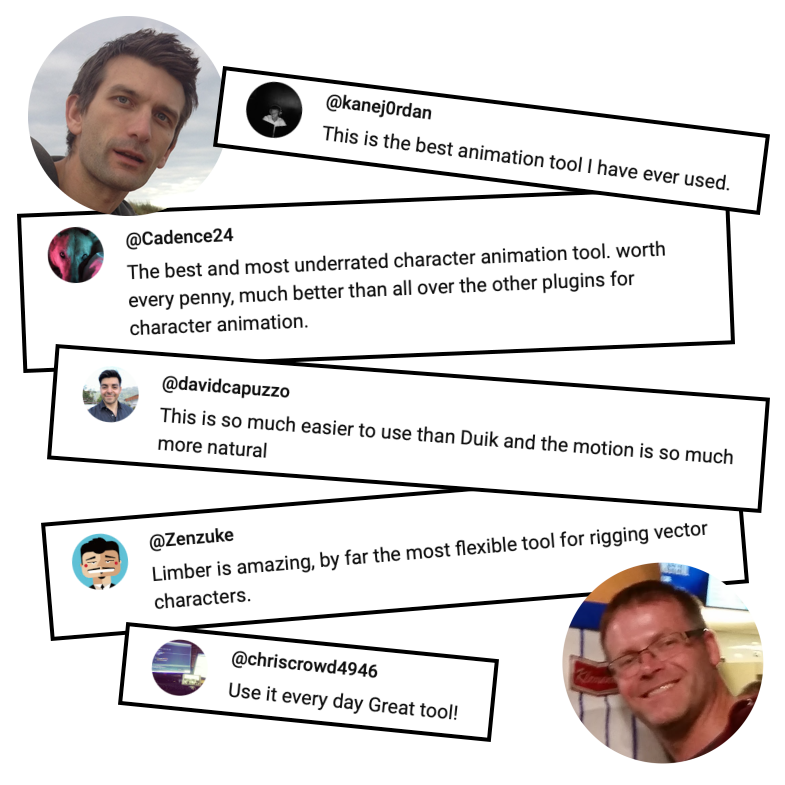
See what some of our users have said about Limber on just one of our YouTube videos:
Click here to instantly download a feature-limited* 10-day trial.
…for animators
We love animation, and we love supporting animators to make their best work.
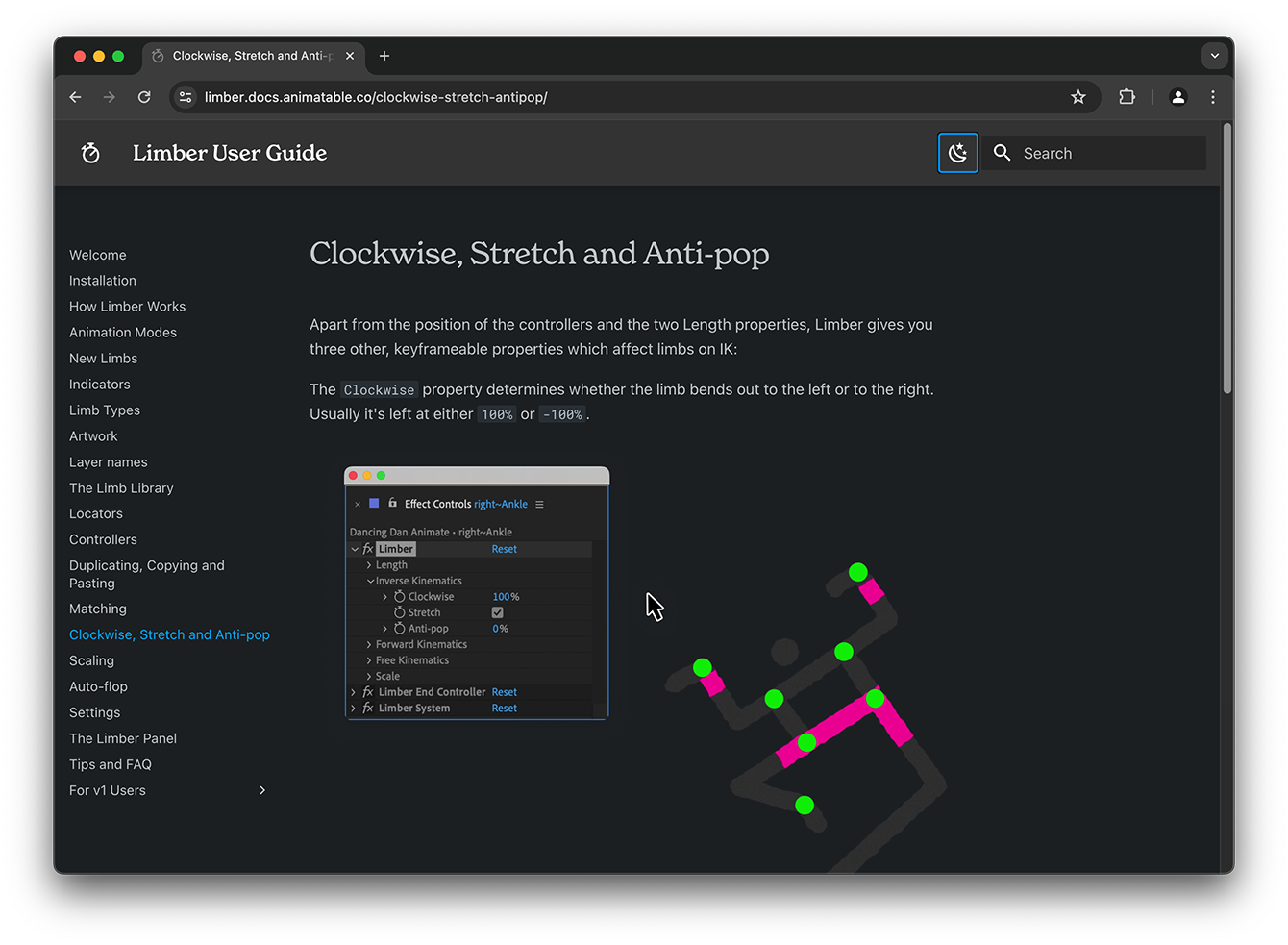
Our series of YouTube videos will teach you the fundamentals in your coffee breaks. The rich, online User Guide is the definitive reference manual for when you need it (which probably won't be often).
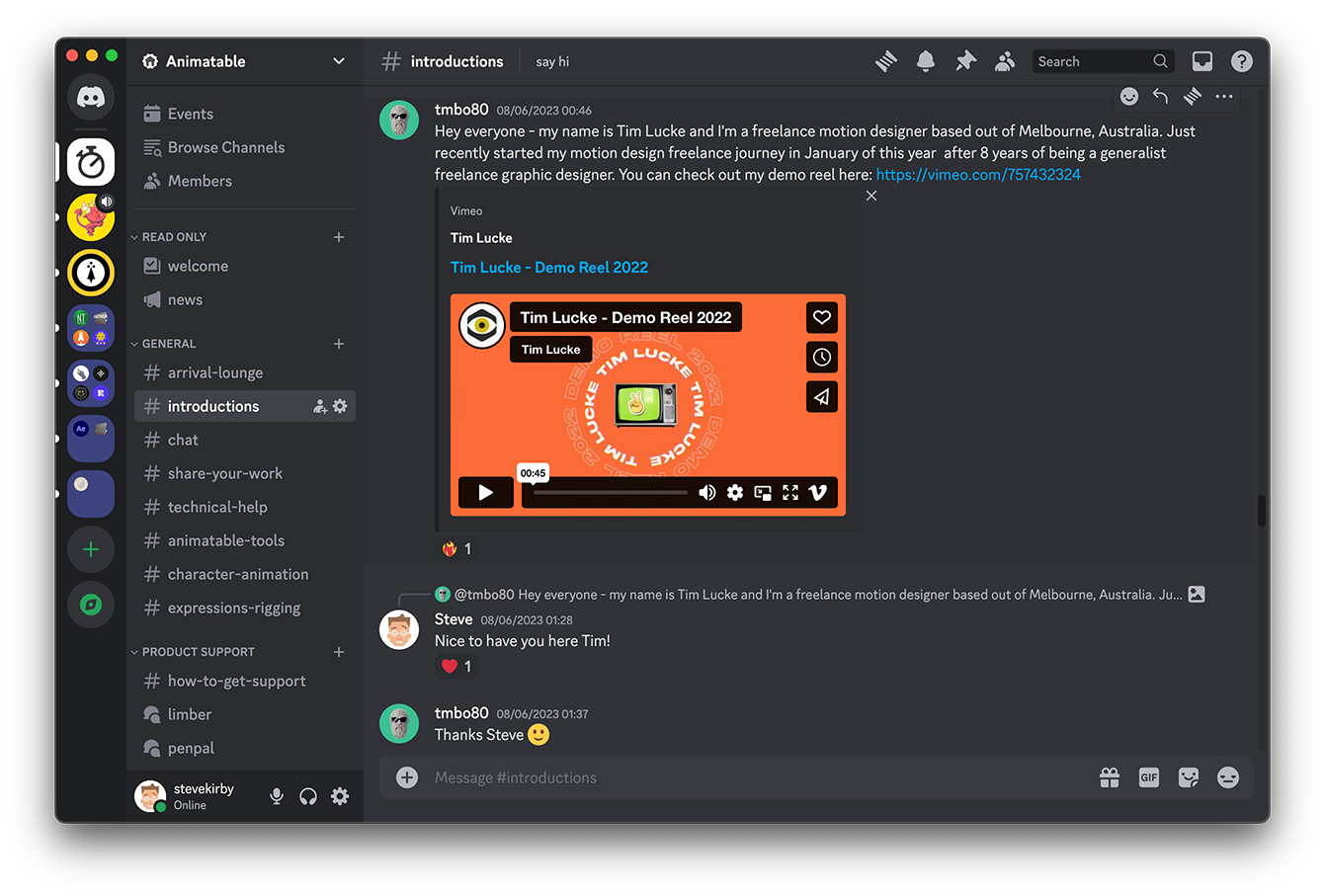
Something you want to ask? Join our dedicated Discord community or you can simply email me - I always enjoy helping folks to get the most out of our tools.
“I pretty much use Limber for all purposes unless necessary now.” - Fraser Davidson, Cub Studio
What's New ?
Version 2 adds a ton of new features and improvements. Here are just a few of them:
If you purchased Limber v1 after May 1st 2024, you can upgrade for just $16. If you purchased it before then, you can upgrade for $49. Log in to aescripts and the discounted price will be shown at checkout. If you need help, open a support ticket.
Discussions
Want to talk about it?
Head over to r/aescripts to chat with fellow users about this product.
Need Support?
Please open a support ticket to be connected directly with the author of this product
Version History
2.1.2 -
Nov 24, 2025
• Fixed expression causing Path limbs to glitch in certain rare circumstances
2.1.1 -
Nov 17, 2025
• Updated licensing framework to v4.4.2
• Fix upversion file cleaning
2.1 -
Nov 10, 2025
• Support for 3-Bone Limbs
Changed
• Updated license framework to v4.4.1
• Various minor bug fixes and improvements
2.0.6 -
Feb 26, 2025
Changed
• Locator auto-rotation algorithm now uses shortest route.
• Limb Library intro text is now dynamically sourced from the online repo.
• The Limb Library thumbnail image cache is now automatically purged when the online repo is updated.
2.0.5 -
Feb 3, 2025
Added
• Offline Limb Library - Ability to use a locally installed copy of the Limb Library repo.
2.0.4 -
Dec 9, 2024
Added
• UI panel customization - the main UI panel button groups can now be disabled and re-enabled in Settings (changes take effect on re-launch)
• Name swapping - the Rename button will now swap the layer names between two limbs you have selected
Changed
• Improved compatibility with Bodymovin for web (default limbs no longer need expressions converting to keyframes)
• Settings panel layout improved for small screens
Fixed
• Indicator layers cannot also be Art layers in the New Limb panel dropdowns
2.0.3 -
Oct 22, 2024
Changed
• Updated license framework to v4.3.1
2.0.2 -
Oct 15, 2024
Changed
• Limber will now use AE 2025's new Spectrum 2 UI components in AE2025 and up
• Limber's main UI Panel icons no longer change color on button mouseover in AE 2024 and below
• Changed the Limb Library panel layout to work better on smaller screen sizes
• Updated license framework to v4.3.0
Fixed
• Fixed an issue that caused AE to slow down or crash when Microsoft Windows display scale was set to 125%
• Fixed a bug when rigging a Puppet limb from a source layer with separated dimesions
2.0.1 -
Sep 10, 2024
Changed
Updated license framework to v4.2.0
Fixed
Fixed limb library filepath configs for some Window users
Fix for -38 license deactivation error
2.0.0 -
Sep 4, 2024
Added
• Support for rigging any type of layer into new Precomp Limbs
• Support for rigging Puppet Pinned layers into new Puppet limbs
• Integrated Rig & Pose and Path to Bone into Indicators which can be used to rig any type of limb (except the new Puppet limbs)
• Free Kinematics (FreeK) animation mode
• Fully integrated, expanded and centralized Limb Library
• Locator layers to track any point on a limb
• New Auto-scale property to scale limbs automatically
• Artwork can now be added to a limb with a single click
• All-new dynamic UI
• New Auto-flop system to automatically control bend direction
• New Flip Art property to flip asymmetrical limbs left-to-right
Changed
• Renamed Bones to Path limbs
• Moved styling properties to pseudo effect on the limb layer
• Removed FK and Joint Controllers (replaced by Locators)
• Swapped Paste and ALT-Paste behaviours
• Improved IK-FK blending algorithm to use shortest route
• Improved Clockwise interpolation to appear more linear
• Swapped Paste and ALT-Paste behaviours
Compatibility
After Effects
2026, 2025, 2024, 2023, 2022, 2021, 2020, CC 2019, CC 2018
