
-
After Effects
MOBO_Utils
New tools: Add Path Vertices, GIF Export and Arrow. An evolving set of simple native tools for Adobe After Effects. They do what’s described in their description and nothing else.
Unlock special upgrade price
Please log in to see if you qualify for upgrade pricing (see upgrade notice below).
-
EULAEND USER LICENSE AGREEMENT
This software ("the Software Product") and accompanying documentation is licensed and not sold. This Software Product is protected by copyright laws and treaties, as well as laws and treaties related to other forms of intellectual property. The author owns intellectual property rights in the Software Product. The Licensee's ("you" or "your") license to download, use, copy, or change the Software Product is subject to these rights and to all the terms and conditions of this End User License Agreement ("Agreement").
Acceptance
YOU ACCEPT AND AGREE TO BE BOUND BY THE TERMS OF THIS AGREEMENT BY SELECTING THE "ACCEPT" OPTION AND DOWNLOADING THE SOFTWARE PRODUCT OR BY INSTALLING, USING, OR COPYING THE SOFTWARE PRODUCT. YOU MUST AGREE TO ALL OF THE TERMS OF THIS AGREEMENT BEFORE YOU WILL BE ALLOWED TO DOWNLOAD THE SOFTWARE PRODUCT. IF YOU DO NOT AGREE TO ALL OF THE TERMS OF THIS AGREEMENT, YOU MUST SELECT "DECLINE" AND YOU MUST NOT INSTALL, USE, OR COPY THE SOFTWARE PRODUCT.License Grant
This Agreement entitles you to install and use one copy of the Software Product. In addition, you may make one archival copy of the Software Product. The archival copy must be on a storage medium other than a hard drive, and may only be used for the reinstallation of the Software Product. This Agreement does not permit the installation or use of multiple copies of the Software Product, or the installation of the Software Product on more than one computer at any given time, on a system that allows shared used of applications, on a multi-user network, or on any configuration or system of computers that allows multiple users. Multiple copy use or installation is only allowed if you obtain an appropriate licensing agreement for each user and each copy of the Software Product.Restrictions on Transfer
Without first obtaining the express written consent of the author, you may not assign your rights and obligations under this Agreement, or redistribute, encumber, sell, rent, lease, sublicense, or otherwise transfer your rights to the Software Product.Restrictions on Use
You may not use, copy, or install the Software Product on any system with more than one computer, or permit the use, copying, or installation of the Software Product by more than one user or on more than one computer. If you hold multiple, validly licensed copies, you may not use, copy, or install the Software Product on any system with more than the number of computers permitted by license, or permit the use, copying, or installation by more users, or on more computers than the number permitted by license.You may not decompile, "reverse-engineer", disassemble, or otherwise attempt to derive the source code for the Software Product.
Restrictions on Alteration
You may not modify the Software Product or create any derivative work of the Software Product or its accompanying documentation. Derivative works include but are not limited to translations. You may not alter any files or libraries in any portion of the Software Product.Restrictions on Copying
You may not copy any part of the Software Product except to the extent that licensed use inherently demands the creation of a temporary copy stored in computer memory and not permanently affixed on storage medium. You may make one archival copy which must be stored on a medium other than a computer hard drive.Disclaimer of Warranties and Limitation of Liability
UNLESS OTHERWISE EXPLICITLY AGREED TO IN WRITING BY THE AUTHOR, THE AUTHOR MAKES NO OTHER WARRANTIES, EXPRESS OR IMPLIED, IN FACT OR IN LAW, INCLUDING, BUT NOT LIMITED TO, ANY IMPLIED WARRANTIES OF MERCHANTABILITY OR FITNESS FOR A PARTICULAR PURPOSE OTHER THAN AS SET FORTH IN THIS AGREEMENT OR IN THE LIMITED WARRANTY DOCUMENTS PROVIDED WITH THE SOFTWARE PRODUCT.The author makes no warranty that the Software Product will meet your requirements or operate under your specific conditions of use. The author makes no warranty that operation of the Software Product will be secure, error free, or free from interruption. YOU MUST DETERMINE WHETHER THE SOFTWARE PRODUCT SUFFICIENTLY MEETS YOUR REQUIREMENTS FOR SECURITY AND UNINTERRUPTABILITY. YOU BEAR SOLE RESPONSIBILITY AND ALL LIABILITY FOR ANY LOSS INCURRED DUE TO FAILURE OF THE SOFTWARE PRODUCT TO MEET YOUR REQUIREMENTS. THE AUTHOR WILL NOT, UNDER ANY CIRCUMSTANCES, BE RESPONSIBLE OR LIABLE FOR THE LOSS OF DATA ON ANY COMPUTER OR INFORMATION STORAGE DEVICE.
UNDER NO CIRCUMSTANCES SHALL THE AUTHOR, ITS DIRECTORS, OFFICERS, EMPLOYEES OR AGENTS BE LIABLE TO YOU OR ANY OTHER PARTY FOR INDIRECT, CONSEQUENTIAL, SPECIAL, INCIDENTAL, PUNITIVE, OR EXEMPLARY DAMAGES OF ANY KIND INCLUDING LOST REVENUES OR PROFITS OR LOSS OF BUSINESS) RESULTING FROM THIS AGREEMENT, OR FROM THE FURNISHING, PERFORMANCE, INSTALLATION, OR USE OF THE SOFTWARE PRODUCT, WHETHER DUE TO A BREACH OF CONTRACT, BREACH OF WARRANTY, OR THE NEGLIGENCE OF THE AUTHOR OR ANY OTHER PARTY, EVEN IF THE AUTHOR IS ADVISED BEFOREHAND OF THE POSSIBILITY OF SUCH DAMAGES. TO THE EXTENT THAT THE APPLICABLE JURISDICTION LIMITS THE AUTHOR'S ABILITY TO DISCLAIM ANY IMPLIED WARRANTIES, THIS DISCLAIMER SHALL BE EFFECTIVE TO THE MAXIMUM EXTENT PERMITTED.
Limitation of Remedies and Damages
Any claim must be made within the applicable warranty period. All warranties cover only defects arising under normal use and do not include malfunctions or failure resulting from misuse, abuse, neglect, alteration, problems with electrical power, acts of nature, unusual temperatures or humidity, improper installation, or damage determined by the author to have been caused by you. All limited warranties on the Software Product are granted only to you and are non-transferable. You agree to indemnify and hold the author harmless from all claims, judgments, liabilities, expenses, or costs arising from your breach of this Agreement and/or acts or omissions.Governing Law, Jurisdiction and Costs
This Agreement is governed by the laws of New York, without regard to New York's conflict or choice of law provisions.Severability
If any provision of this Agreement shall be held to be invalid or unenforceable, the remainder of this Agreement shall remain in full force and effect. To the extent any express or implied restrictions are not permitted by applicable laws, these express or implied restrictions shall remain in force and effect to the maximum extent permitted by such applicable laws.Updated: Oct 21, 2025 1:35 AM
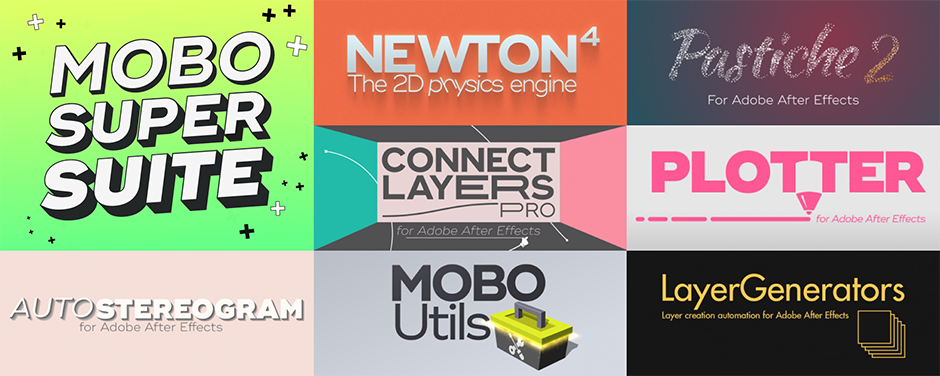
MOBO_Utils is part of the amazing
Mobo Super Suite.

MOBO_Utils
An evolving set of simple native tools for Adobe After Effects.
They do what’s described in their description and nothing else.
Sliding Price
Buy now and get future tools for free but as more tools get added the new purchase price will increase so buy now to lock in the best price!
🔥 MOBO_Utils 1.5, January 2024 update, added:
Arrow
GIF Export
🔥 MOBO_Utils 1.3, June 2022 update, added:
Add Path Vertices
🔥 MOBO_Utils 1.2, January 2022 update, added:
Color Transfer
🔥 MOBO_Utils 1.1, April 2021 update, added:
BakeAllExpressions
CopyColor
CollectFonts
RemoveAllExpressions
🔥 MOBO_Utils 1.0, Sept 2020 initial release:
BakeAllExpressions
MultiDuplicate
PasteImage
SelectSameProperties
APNGExport
ColorPalette
MOBO_Utils Tutorial by SternFX
GIF Export
Native GIF Export
Export GIF directly from the After Effects Render Queue.
Yes.
Limitation: Does not support transparency for the moment
Arrow
An effect that creates… arrows
Need an arrow? Here’s the effect you need.
Choose between 39 arrowhead styles.
Straight curves or Bézier line.
You can even convert your arrow
in Shape Layer!
Add Path Vertices
Add vertices every x pixels
How to add evenly spaced vertices
along a path?
Divide masks or path of shape layers using our plug-in Add Path Vertices.
Select one or more path then you’ll be asked to specify the distance between 2 vertices.
Voilà!
Color Transfer
Transfer the color mood
of an image to another
Ever wanted to use the color palette of one image or video on another?
For example, apply the colorful mood of a famous painting to your montage,
or the color range of a Hawaiian sunset to your own image?
Make it easy with Color Transfer.
APNGExport
Render Animated PNG file
directly from AE
Gifs are great. APNGs are better.
APNG files support 24-bit colors and 8-bit transparency.
Now you can render APNG directly from your render queue. Boom.
BakeAllExpressions
Bake all expressions of selected layers
Discouraged by baking hundreds of expressions?
Here is your one click solution.
Simply select the layers and BakeAllExpressions will bake all expressions at once!
You can choose to bake the current frame only, or the whole work area.
CopyColor
CopyColor is an hex color picker.
Set your own shortcut
to call this command.
When invoked, it will copy the currently pointed color to the clipboard.
Ready to be pasted in any color parameter!
CollectFonts
Collect all fonts used in your project
Need to collect the fonts used in your project?
CollectFonts is the command you need.
It will collect the fonts and copy them to the chosen folder.
Voilà.
Limitation: only fonts on text layer are supported, multiple fonts on text layers is not supported
ColorPalette
Generate the representative colors of an image
This plugin displays a palette with the dominant colors in a layer.
Colors are also added to color pickers so you can link them using expressions.
Dope.
MultiDuplicate
Duplicate a layer multiple times
When creating setups for our tools like Pastiche or Newton, we often duplicate things (“I want 800 circular shapes right now!”). The Select All – Copy – Paste sequence has come to an end.
This command in the Layer menu allows you to duplicate the selected layer X number of times.
Lightning fast.
PasteImage
Paste an image from your clipboard directly to your composition
Sometimes you just want to copy/paste an image in your timeline without importing it.
This will make your dream comes true.
This command in the Edit menu enables you to paste an image from your clipboard directly to your composition.
You can also set the location where images will be saved.
Yeah.
RemoveAllExpressions
Remove all expressions of selected layers.
Similar to the built-in Remove Expression command except that you don’t need to select individual properties.
Here, all expressions found in the selected layers will be removed.
Even if you have a lot.
Specially if you have a lot.
SelectSameProperties
Select the same property in every layer of your composition
It is the missing feature of the Search box in the timeline of After Effects.
You select a property (for instance the Fill Color of a shape layer), and this command placed in the Layer menu will search and select every similar property found in the composition.
Magic.
Discussions
Want to talk about it?
Head over to r/aescripts to chat with fellow users about this product.
Need Support?
Please open a support ticket to be connected directly with the author of this product
Version History
1.6 -
Sep 22, 2025
1.5 -
Jan 11, 2024
- added Arrow: an effect that draws a controllable and customizable arrow
- added GIF_Export: an output module to export gif file directly from After Effects
- fixed a bug in APNG_Export that was sometimes producing glitches in the output file
- fixed a bug in SelectSameProperties that was occurring with specific properties of shape layers
1.4 -
Apr 3, 2023
1.3 -
Jun 2, 2022
1.2.3 -
May 3, 2022
1.2.2 -
Feb 3, 2022
- Select Same Properties: added the ability to act on the selected layers only (otherwise every layer is considered)
1.2.1 -
Jan 31, 2022
- Color Transfer: fixed a bug with 16 and 32 bpc projects
1.2 -
Jan 28, 2022
- Apple Silicon architecture (M1) support for macOS versions
- added new plug-in Color Transfer that allows you to recolor a layer to match the color characteristics of another layer
- Paste Image: changed destination folder options
1.1.3 -
Nov 9, 2021
. ColorPalette: fixed a memory leak issue
1.1.2 -
Nov 5, 2021
. Fixed a bug in Color Palette that was occurring when multiple instances of the effect were used.
. Changed behavior of Color Palette: the color bar drawn over the layer is now dynamic and updates automatically according to the layer content.
. CC 2022 compatibility for every plug-in.
1.1.1 -
Sep 10, 2021
- APNG Export: added a parameter in the Options dialog to specify the number of loops (by default this value is 0 which means infinite looping).
- Copy Color: fixed a bug that was occurring with machines with multiple screens/monitors.
1.1 -
Apr 2, 2021
- added BakeAllExpressions (bake all expressions found in the selected layers)
- added CollectFonts (collect all fonts used in the project)
- added CopyColor (pick a color and save it in hex format to the clipboard)
- added RemoveAllExpressions (remove all expressions from the selected layers)
1.0.7 -
Jan 5, 2021
-APNG Export :Fixed a bug that was sometimes crashing AE at the end of the render.
1.0.6 -
Jan 4, 2021
-APNG Export :Fixed fps bug in the render settings.
1.0.5 -
Jan 1, 2021
-PasteImage :Fixed a bug in the Settings dialog (Mac).
1.0.4 -
Dec 18, 2020
-PasteImage :Fixed a bug on Mac that was preventing the plug-in to appear in the Edit menu.
1.0.3 -
Dec 17, 2020
-PasteImage :Fixed a bug when the clipboard contains text data from Illustrator.
1.0.2 -
Nov 16, 2020
-MultiDuplicate: the number of copies chosen by the user is stored in prefs and becomes the default value for the next session.
-PasteImage: fixed a bug when the destination folder of the pasted image was the Project Folder.
1.0.1 -
Oct 16, 2020
- PasteImage: You can know set the location where images will be saved.
By default the image is saved to the Desktop. To change this location, press and hold the Shift key while clicking on the command (a dialog allows you to customize the save folder).
1.0 -
Sep 23, 2020
Compatibility
After Effects
2026, 2025, 2024, 2023, 2022, 2021, 2020, CC 2019, CC 2018
