

ማብራሪያ
A simple and lightweight plugin that can automatically convert Media images to the WebP or AVIF image format as they are uploaded. Includes the ability to add watermarks to uploaded images. Support for optionally retaining backups of the original image.
- No cost, no subscriptions
- No reliance on transmitting your images to a third party server
- Support for multisite networks
- No third-party PHP libraries are used
- JavaScript is native (does not use jQuery)
Modern image formats
AVIF images are ~50% smaller than JPEG images, and WebP images are ~30% smaller than JPEG images with the same image quality.
Screenshots
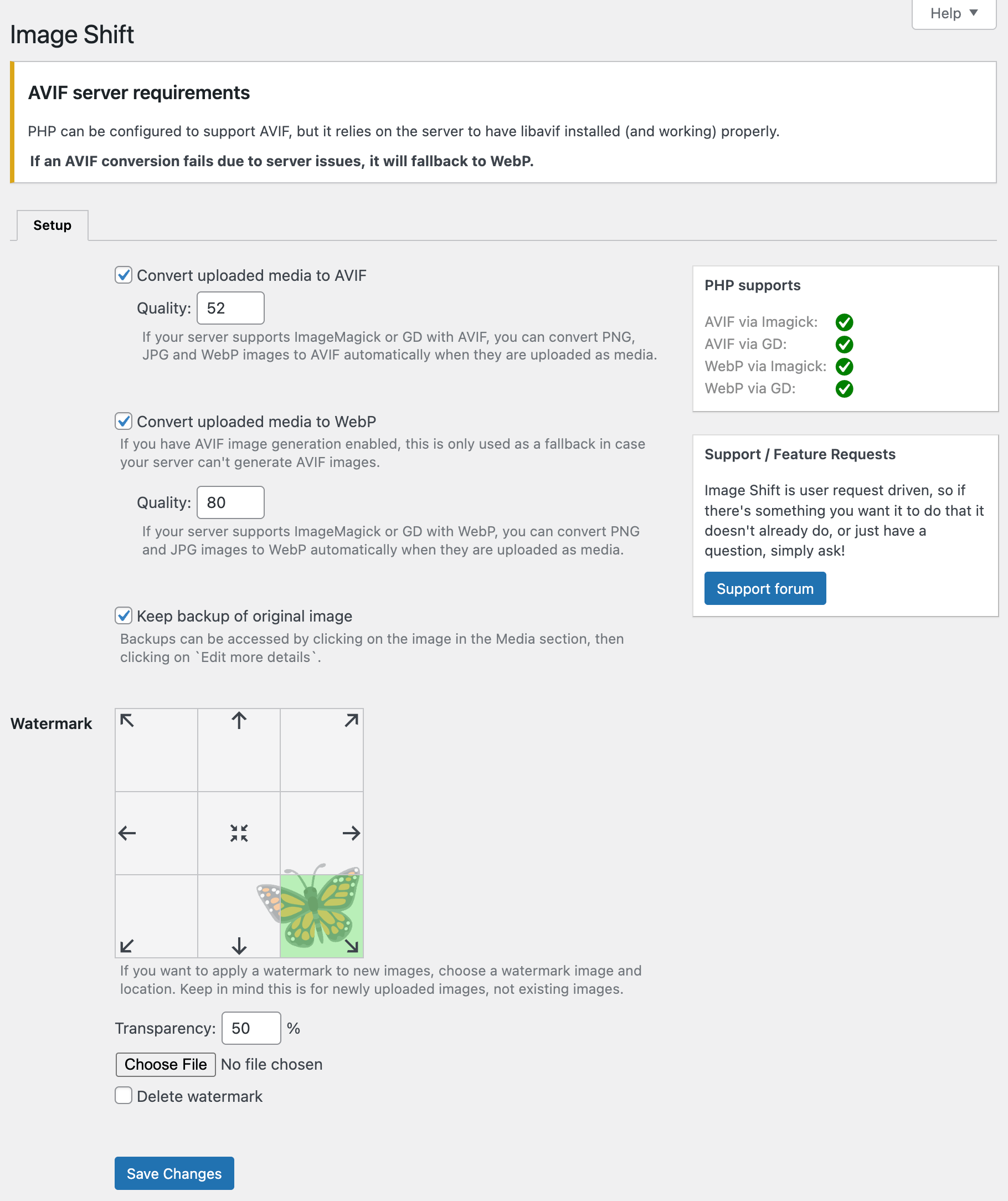
Simple setup within WordPress.

መጫን
From your WordPress dashboard
- Navigate to “Plugins” -> Add New
- Search for
Image Shift - Activate Image Shift from your Plugins area
Manual upload
- Download Image Shift
- Upload the
image-shiftdirectory to your/wp-content/plugins/directory - Activate Image Shift from your Plugins area
የተለመዱ ጥያቄዎች
-
Does this work with multisite networks?
-
Yes. This can be deployed on a per-side basis or network-wide for all sites.
-
Does this convert images I’ve uploaded in the past?
-
It does not convert images uploaded before installing this plugin. Changing image extensions and URLs after the fact can lead to issues where previously referenced images no longer work.
If you use Cloudflare (even the Free plan), you can use Image Transformations to automatically convert legacy images to modern formats with the free App for Cloudflare® plugin.
-
I have an idea for this plugin, can I make a suggestion?
-
Yes, please do! You can find the suggestion area over here.
Reviews

Contributors & Developers
“Image Shift – Convert, optimize and watermark AVIF & WebP media images” is open source software. The following people have contributed to this plugin.
Contributors
Interested in development?
Browse the code, check out the SVN repository, or subscribe to the development log by RSS.
Changelog
1.0.1 (2026-01-24)
- Added option to retain original image as a backup.
1.0.0 (2026-01-23)
- Initial release of Image Shift for WordPress.
