

Description
Bulk Deployer helps developers and agencies manage multiple WordPress installations by automating plugin deployment to many sites at once. Perfect for WordPress developers, agencies, and site administrators who need to deploy plugins across multiple client sites efficiently.
Key Features
- Bulk Deployment: Deploy multiple plugins to multiple sites simultaneously
- Secure Credential Management: Store FTP/SFTP credentials with encryption
- Connection Testing: Test connections before deployment to avoid failures
- Progress Tracking: Real-time deployment progress with detailed results
- Flexible Protocols: Support for both FTP and SFTP connections
- Clean Interface: Intuitive admin interface for easy management
- Security First: All credentials encrypted using WordPress salts
Use Cases
- WordPress agencies managing multiple client sites
- Developers deploying plugins across development environments
- Site administrators updating plugins on multiple installations
- Automated deployment workflows for plugin updates
Security Features
- Nonces on all AJAX endpoints for CSRF protection
- Capability checks (
manage_options) for access control - Passwords encrypted using WordPress salts
- Secure credential storage and transmission
External Connections
This plugin enables you to deploy WordPress plugins to remote servers via FTP or SFTP. All connections are made exclusively to servers that YOU configure with YOUR own credentials.
What Gets Connected
- Your Own Servers Only: The plugin connects only to FTP/SFTP servers that you manually add in the settings
- User-Controlled Credentials: All server addresses, ports, usernames, and passwords are provided by you
- No Third-Party Services: No data is sent to any service controlled by the plugin author or any third party
What Data Is Sent
- Plugin Files: When you initiate a deployment, the plugin uploads the selected WordPress plugin files to your specified servers
- When: Data is sent only when you manually trigger a deployment action
- Where: Data goes only to the FTP/SFTP servers you have configured
- No Tracking: The plugin does not send any analytics, usage data, or personal information anywhere
Connection Protocols
- FTP: Standard File Transfer Protocol connections to your servers (typically port 21)
- SFTP: Secure File Transfer Protocol over SSH to your servers (typically port 22)
- Both protocols require you to provide server credentials and are used solely to upload plugin files to your own infrastructure
SSH2/SFTP Protocol Usage
This plugin uses the PHP SSH2 extension to establish SFTP connections to your remote servers. When SFTP is selected (port 22), the plugin uses the SSH2 protocol and the ssh2.sftp:// stream wrapper to securely transfer files.
What it is: SSH2 is a PHP extension that implements the SSH2 (Secure Shell) protocol, enabling secure file transfers via SFTP. The ssh2.sftp:// is a PHP stream wrapper that allows file operations over SFTP connections.
What it’s used for: The SSH2 extension is used to establish secure SFTP connections to your configured remote servers for uploading plugin files. This provides encrypted file transfer capabilities.
What data is sent: When you deploy plugins via SFTP, the plugin sends:
* Plugin files (as ZIP archives and extracted files) to your configured SFTP servers
* Authentication credentials (username and password) to establish the SFTP connection
* File transfer commands and directory operations
When: Data is sent only when you manually initiate a deployment action through the plugin’s admin interface.
Where: All connections are made to SFTP servers that you configure with your own server addresses, ports, and credentials. No data is sent to any third-party service.
PHP SSH2 Extension: This plugin requires the PHP SSH2 extension (php-ssh2) to be installed on your server for SFTP functionality. The SSH2 extension is an open-source PHP extension that implements the SSH2 protocol. For more information about the SSH2 protocol, visit: https://www.php.net/manual/en/book.ssh2.php
Privacy: All server credentials are encrypted using WordPress salts before being stored in your database. The plugin does not collect, store, or transmit any data to external services beyond the SFTP connections you configure.
For your security and legal protection, all server credentials are encrypted using WordPress salts before being stored in your database.
Screenshots
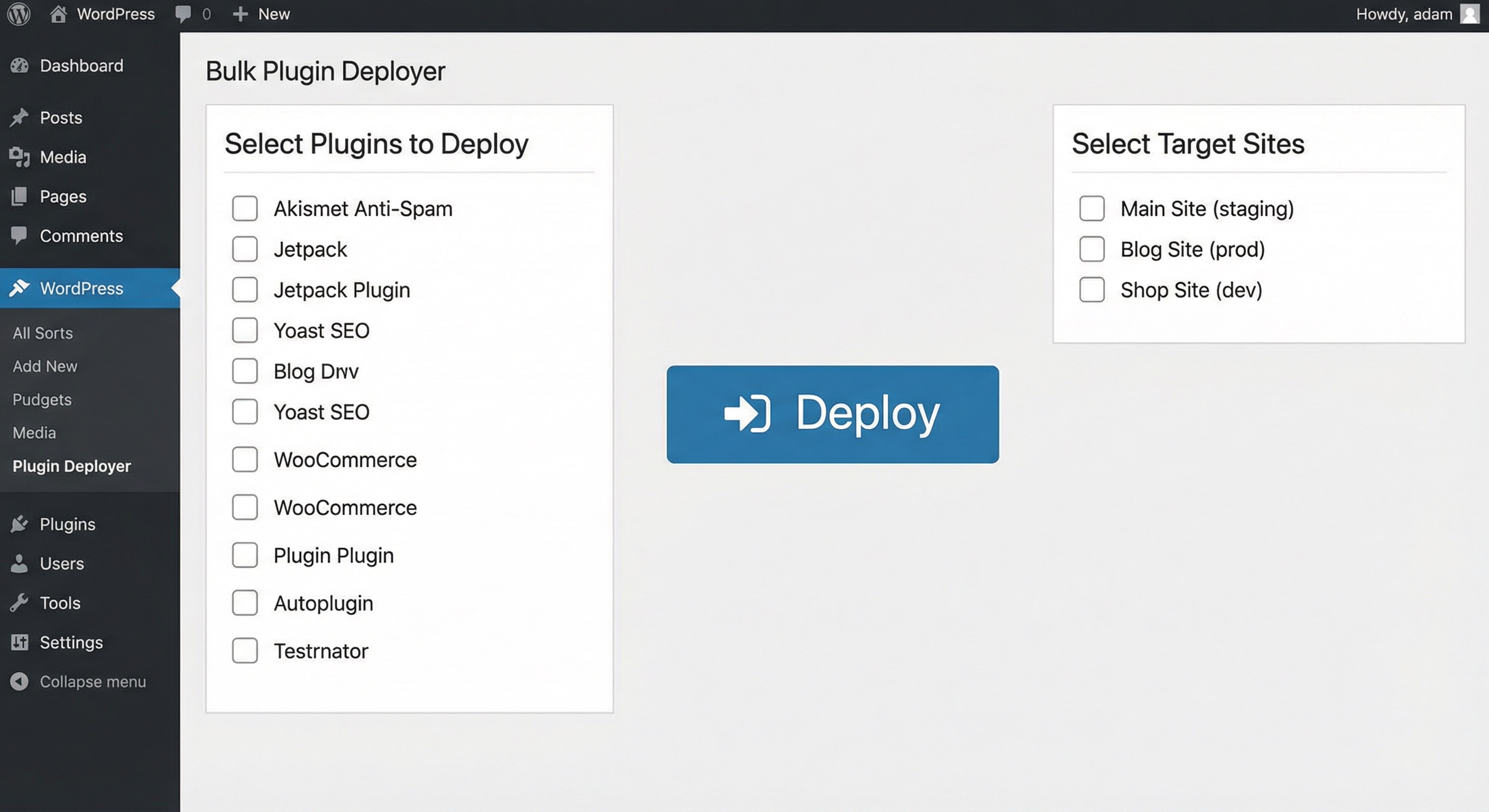
Deploy plugins to multiple sites at once – select plugins, choose target sites, and deploy with one click

Installation
- Upload the
bulk-deployerfolder to/wp-content/plugins/ - Activate the plugin via Plugins Installed Plugins
- Go to Bulk Deployer in the admin sidebar menu
FAQ
-
Does this plugin activate plugins remotely?
-
No. It uploads plugin files to the target site’s
wp-content/pluginsdirectory. You can then activate the plugins on the target site manually or through your site management tools. -
What if my host blocks FTP?
-
Use SFTP by setting the port to 22. Most modern hosting providers support SFTP which is more secure than FTP.
-
Are passwords stored securely?
-
Yes. All passwords are encrypted using WordPress salts before being stored in the database. The encryption is irreversible and follows WordPress security best practices.
-
Can I deploy to sites with different WordPress versions?
-
Yes, as long as the target sites meet the minimum requirements (WordPress 5.0+ and PHP 7.4+). The plugin will upload files regardless of the WordPress version.
-
What happens if a deployment fails?
-
The plugin provides detailed error messages for each failed deployment. You can retry individual sites or troubleshoot connection issues before attempting again.
-
Is there a limit to the number of sites I can manage?
-
No, there’s no hard limit on the number of sites you can add. However, performance may vary based on your server resources and the number of simultaneous deployments.
-
Can I schedule automatic deployments?
-
Currently, deployments are manual. Future versions may include scheduling capabilities.
-
Does this work with multisite installations?
-
Yes, you can deploy plugins to individual sites within a multisite network, but you’ll need to add each site separately with its own credentials.
Reviews
There are no reviews for this plugin.
Contributors & Developers
“Bulk Deployer” is open source software. The following people have contributed to this plugin.
Contributors
Translate “Bulk Deployer” into your language.
Interested in development?
Browse the code, check out the SVN repository, or subscribe to the development log by RSS.
Changelog
1.0.0
- Initial release
