Built for beauty and speed.

Cross-platform MIT-licensed Desktop GUI framework for C, C++, Python and Rust, using the Mozilla WebRender rendering engine
v1.0.0-alpha1

2025-04-03

release notes api docs user guide
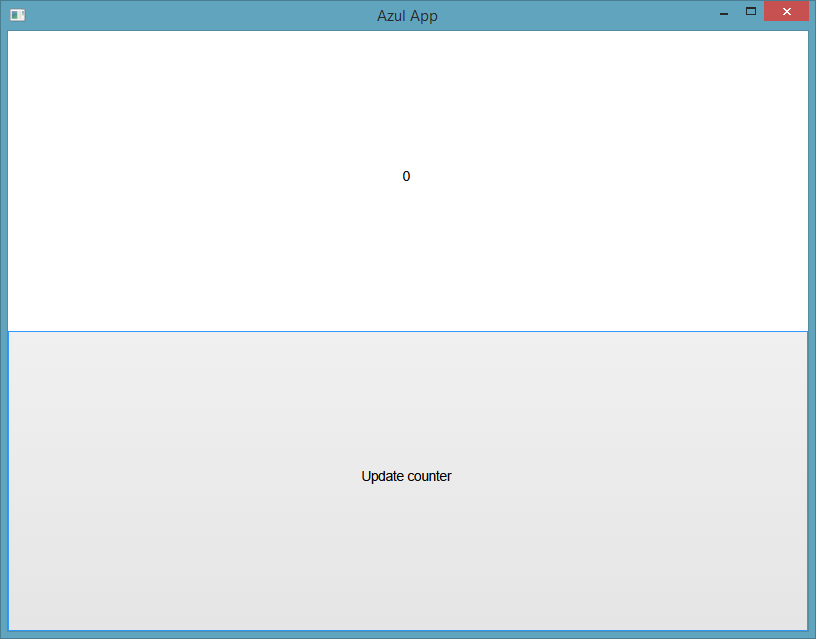
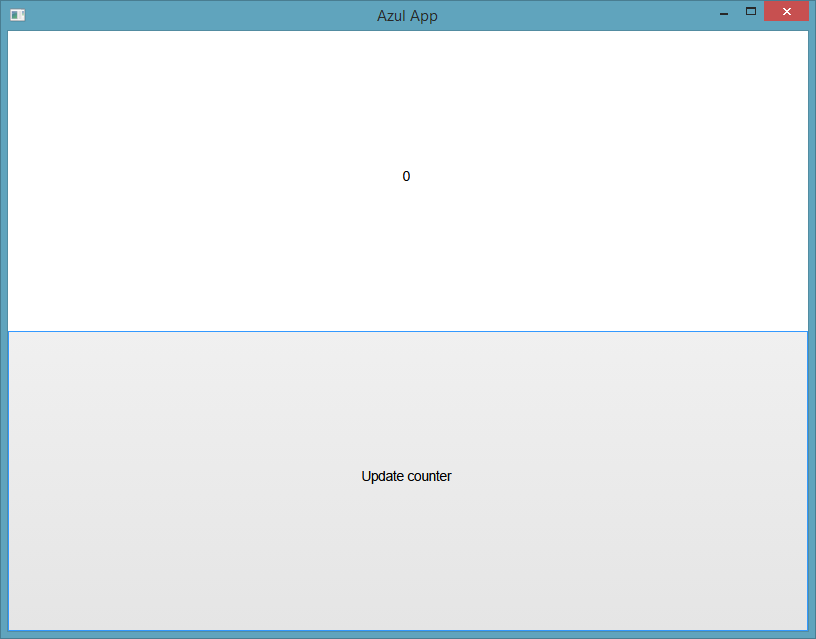
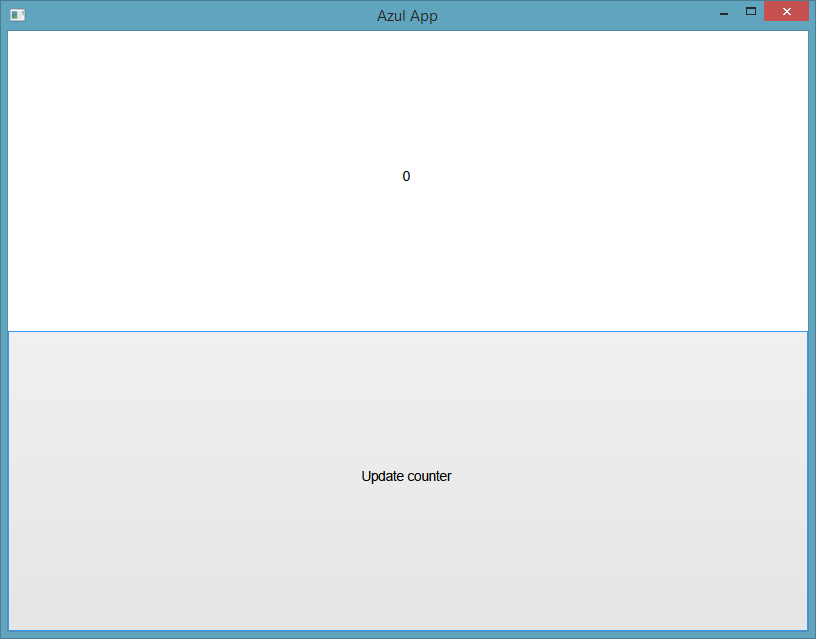
A minimal Azul application demonstrating the basic structure A minimal Azul application demonstrating the basic structure A minimal Azul application demonstrating the basic structure

Hello, World.
Goodbye, JavaScript.

No Chromium. No V8. No 200MB runtime. Just a 15MB DLL and GPU-accelerated rendering via WebRender. Your app state lives in YOUR code - Azul just renders it. Unlike React, you control exactly when the UI refreshes. Write once in Rust, C, C++ or Python. Style with real CSS. Ship a single binary that starts instantly.

from azul import *

class DataModel:
    def __init__(self, counter):
        self.counter = counter

def layout(data, info):
    label = Dom.text(str(data.counter))
    label.set_inline_style("font-size:50px;")

    button = Dom.div()
    button.set_inline_style("flex-grow:1;")
    button.add_child(Dom.text("Increase counter"))
    button.set_callback(On.MouseUp, data, on_click)

    body = Dom.body()
    body.add_child(label)
    body.add_child(button)

    return body.style(Css.empty())

def on_click(data, info):
    data.counter += 1
    return Update.RefreshDom

model = DataModel(5)
window = WindowCreateOptions.create(layout)

app = App.create(model, AppConfig.create())
app.run(window)
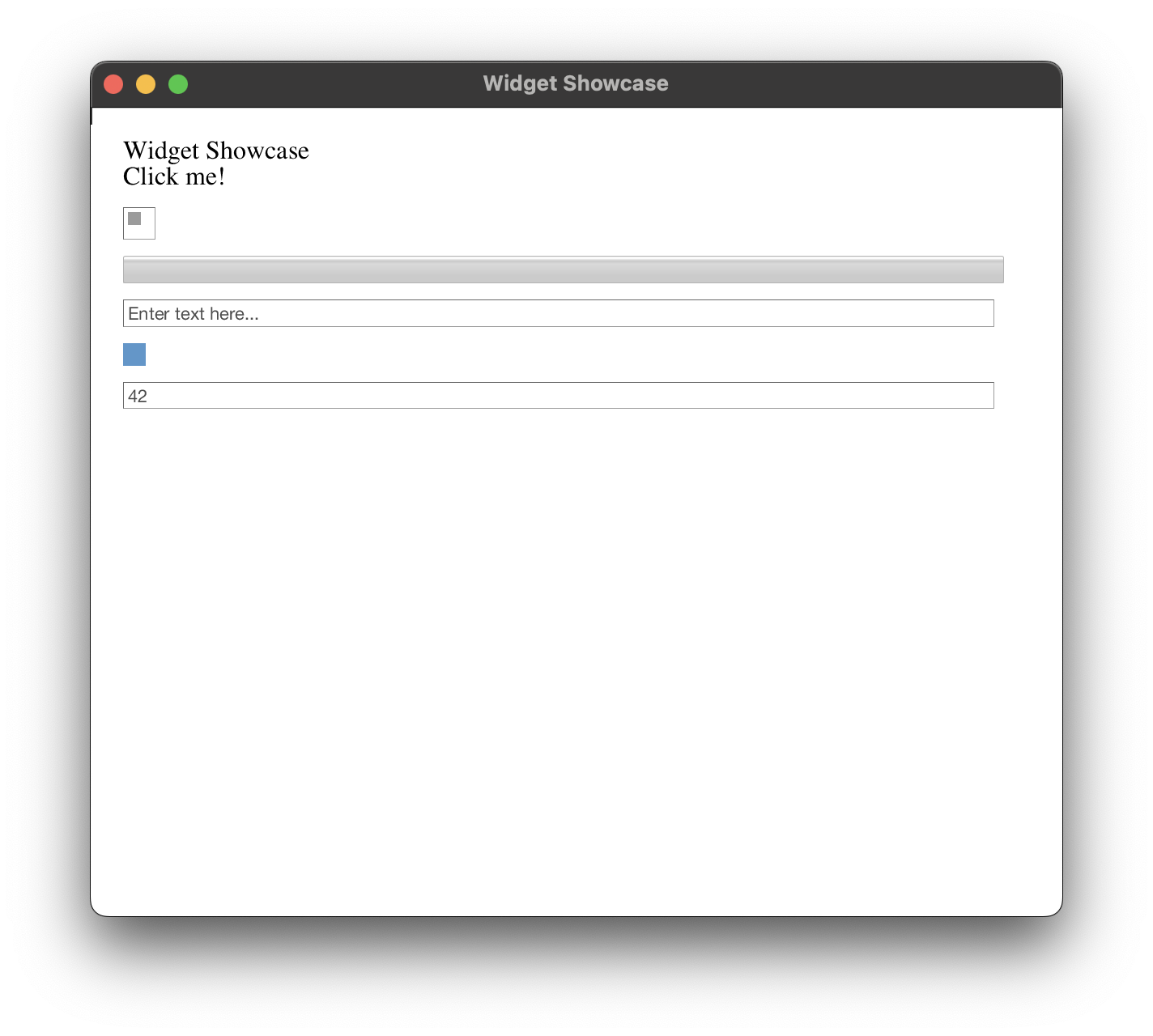
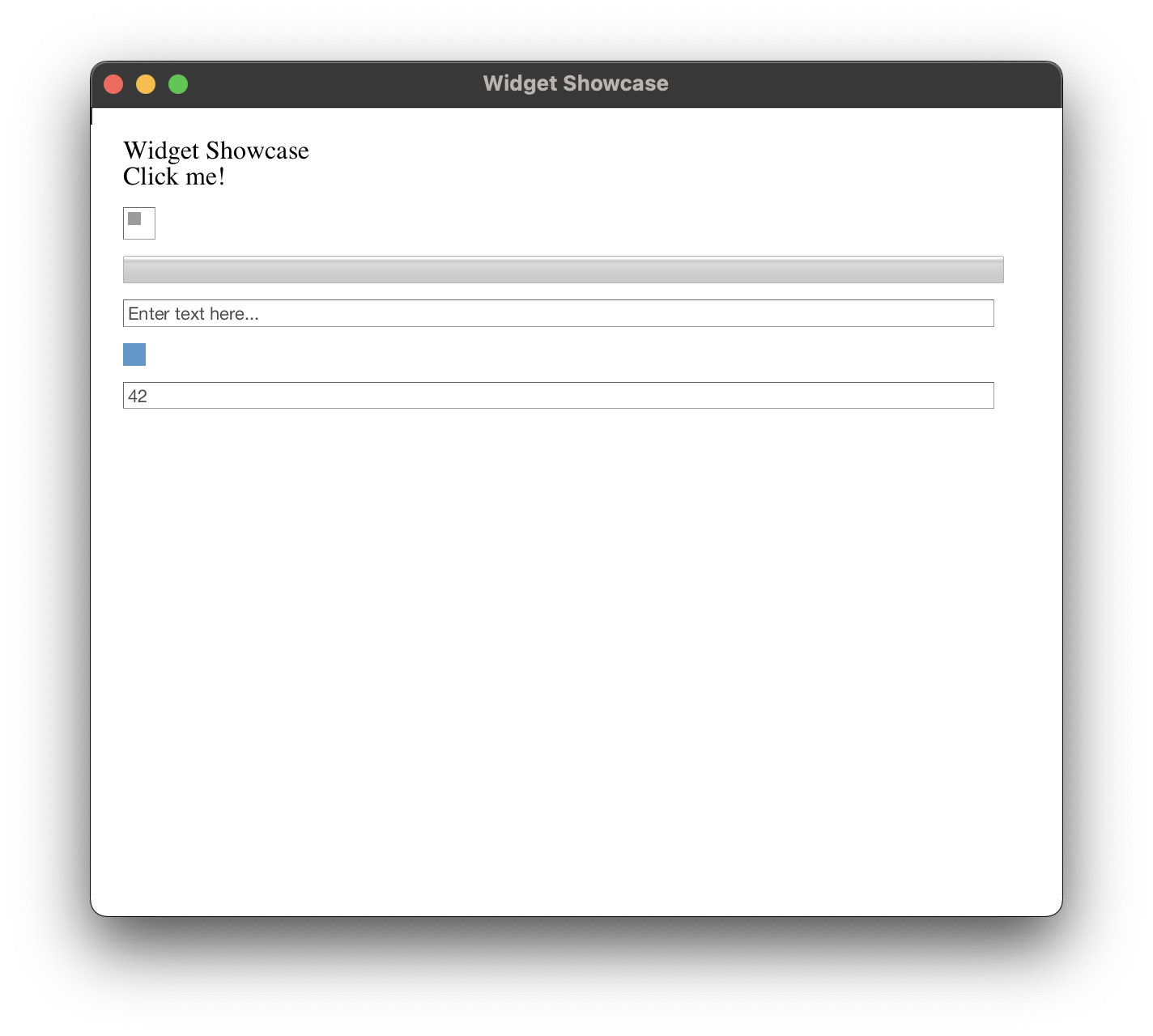
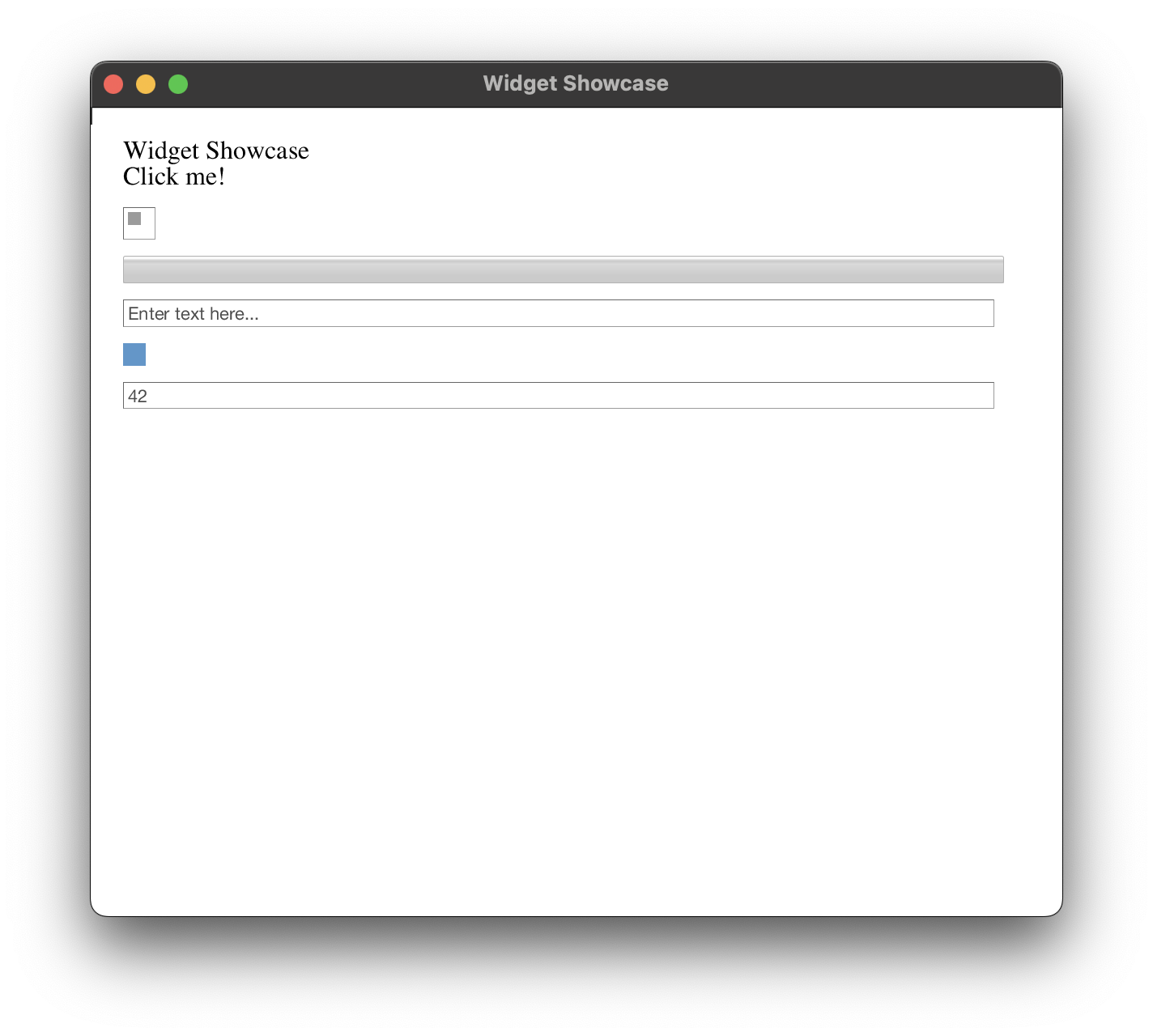
Demonstration of all built-in widgets including buttons, checkboxes, inputs and more Demonstration of all built-in widgets including buttons, checkboxes, inputs and more Demonstration of all built-in widgets including buttons, checkboxes, inputs and more

Massive Widget
library

Buttons, inputs, dropdowns, tabs, color pickers, progress bars - all GPU-rendered and fully styleable via CSS. No DOM/JS bridge overhead. Callbacks are direct function pointers to your native code. Compose widgets freely - no prop drilling, no state lifting. Your architecture, your rules.

# Widgets Showcase - Python
# python widgets.py

from azul import *

class WidgetShowcase:
    def __init__(self):
        self.enable_padding = True
        self.active_tab = 0
        self.progress_value = 25.0
        self.checkbox_checked = False
        self.text_input = ""

def layout(data, info):
    # Create button
    button = Dom.div()
    button.set_inline_style("margin-bottom: 10px; padding: 10px; background: #4CAF50; color: white; cursor: pointer;")
    button.add_child(Dom.text("Click me!"))
    button.set_callback(On.MouseUp, data, on_button_click)

    # Create checkbox
    checkbox = CheckBox(data.checkbox_checked).dom()
    checkbox.set_inline_style("margin-bottom: 10px;")

    # Create progress bar
    progress = ProgressBar(data.progress_value).dom()
    progress.set_inline_style("margin-bottom: 10px;")

    # Create text input
    text_input = TextInput()
    text_input.set_placeholder("Enter text here...")
    text_input_dom = text_input.dom()
    text_input_dom.set_inline_style("margin-bottom: 10px;")

    # Create color input
    color = ColorU(100, 150, 200, 255)
    color_input = ColorInput(color).dom()
    color_input.set_inline_style("margin-bottom: 10px;")

    # Create number input
    number_input = NumberInput(42.0).dom()
    number_input.set_inline_style("margin-bottom: 10px;")

    # Create dropdown
    dropdown = DropDown(["Option 1", "Option 2", "Option 3"]).dom()
    dropdown.set_inline_style("margin-bottom: 10px;")

    # Compose body
    body = Dom.body()
    body.set_inline_style("padding: 20px; font-family: sans-serif;")
    
    title = Dom.text("Widget Showcase")
    title.set_inline_style("font-size: 24px; margin-bottom: 20px;")
    body.add_child(title)
    
    body.add_child(button)
    body.add_child(checkbox)
    body.add_child(progress)
    body.add_child(text_input_dom)
    body.add_child(color_input)
    body.add_child(number_input)
    body.add_child(dropdown)

    return body.style(Css.empty())

def on_button_click(data, info):
    data.progress_value += 10.0
    if data.progress_value > 100.0:
        data.progress_value = 0.0
    return Update.RefreshDom

model = WidgetShowcase()
window = WindowCreateOptions.create(layout)

app = App.create(model, AppConfig.create())
app.run(window)
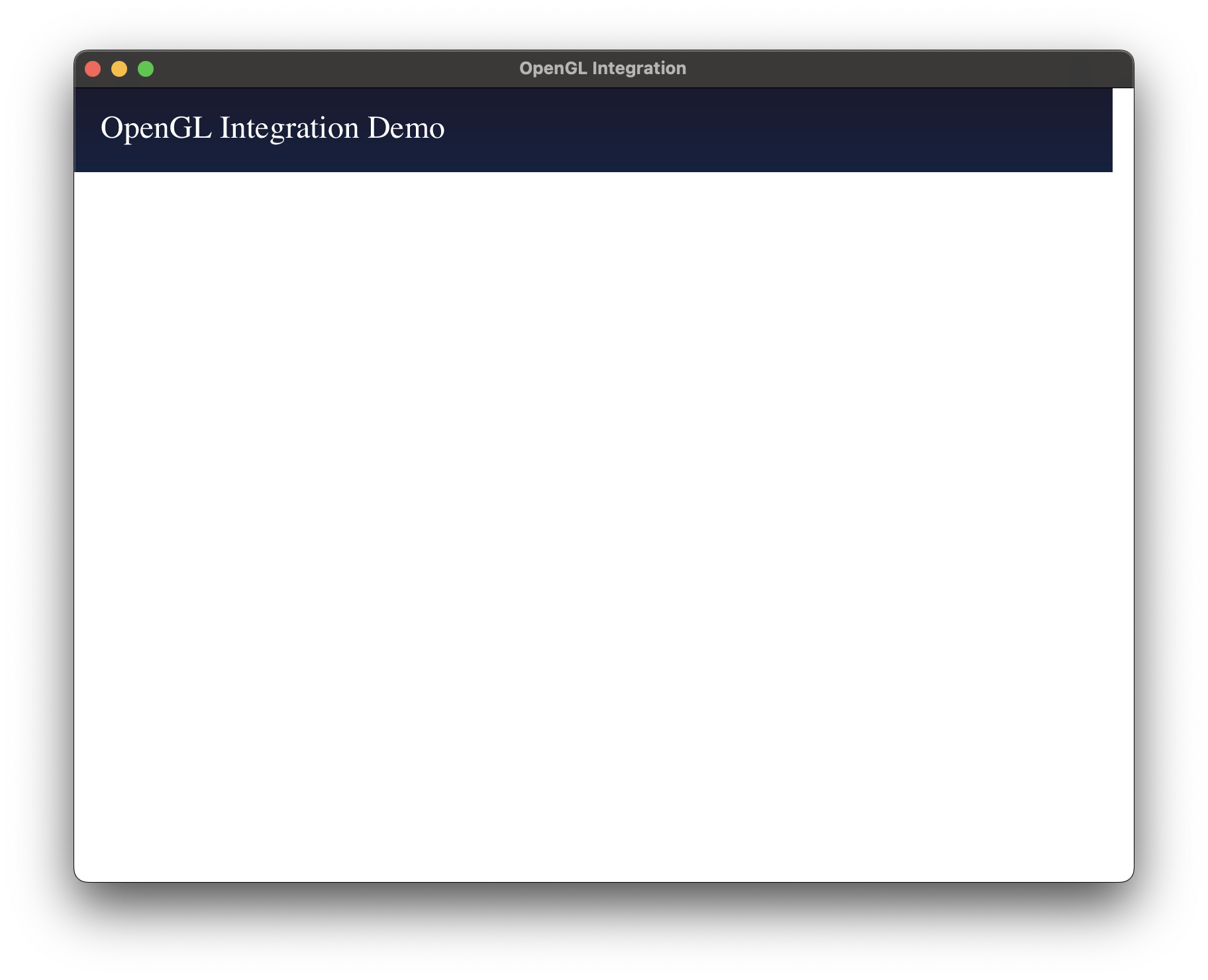
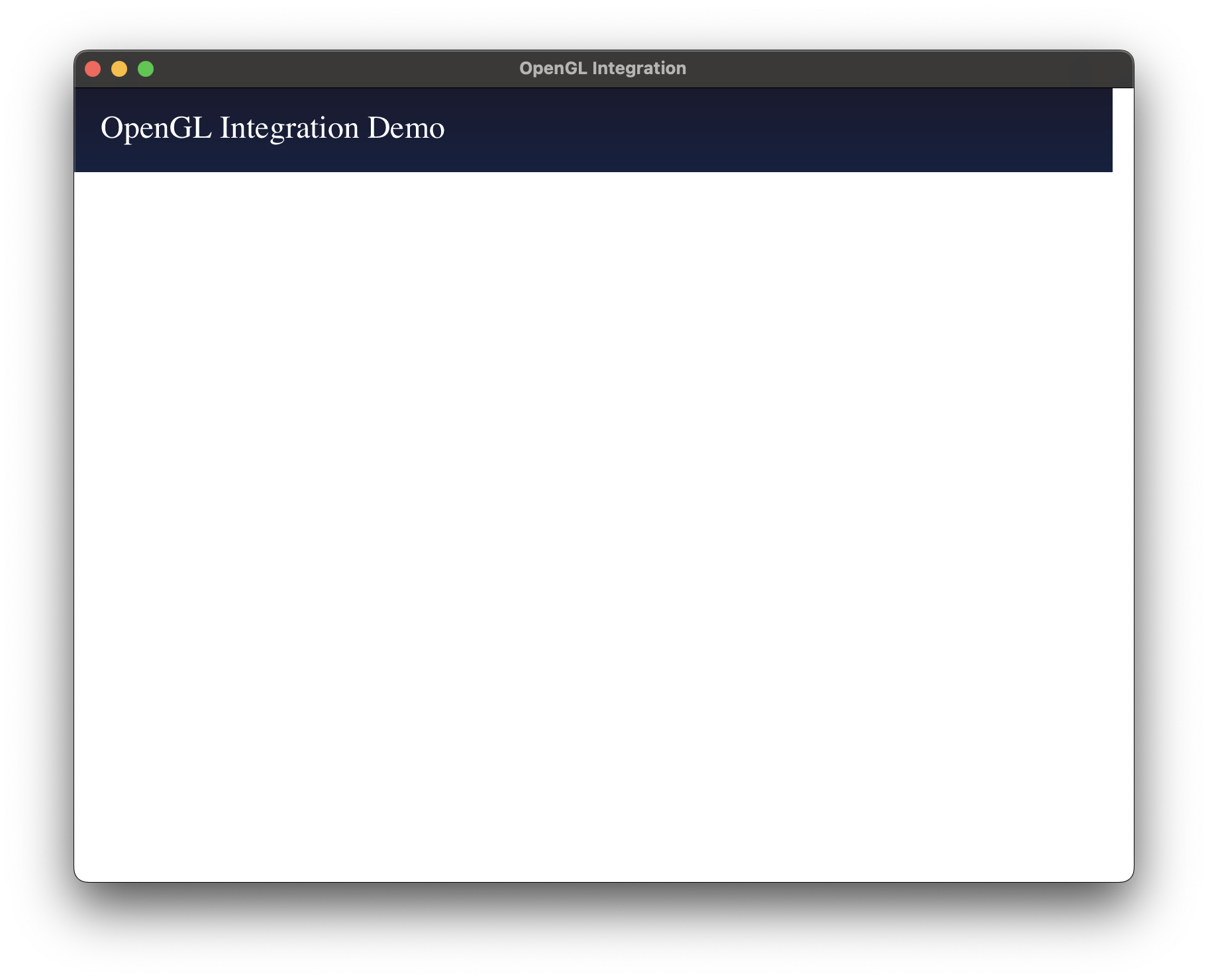
Hardware-accelerated custom rendering with OpenGL textures Hardware-accelerated custom rendering with OpenGL textures Hardware-accelerated custom rendering with OpenGL textures

OpenGL
Integration

Embed raw OpenGL directly in your UI - no WebGL abstraction, no canvas hacks. Render 3D scenes, CAD models, or data visualizations right next to native widgets. Perfect for scientific apps, GIS or CAD.

# OpenGL Integration - Python
# python opengl.py

from azul import *

class OpenGlState:
    def __init__(self):
        self.rotation_deg = 0.0
        self.texture_uploaded = False

def layout(data, info):
    title = Dom.text("OpenGL Integration Demo")
    title.set_inline_style("color: white; font-size: 24px; margin-bottom: 20px;")
    
    image = Dom.image(ImageRef.callback(data, render_texture))
    image.set_inline_style("""
        flex-grow: 1;
        min-height: 300px;
        border-radius: 10px;
        box-shadow: 0px 0px 20px rgba(0,0,0,0.5);
    """)
    
    body = Dom.body()
    body.set_inline_style("background: linear-gradient(#1a1a2e, #16213e); padding: 20px;")
    body.add_child(title)
    body.add_child(image)
    
    return body.style(Css.empty())

def render_texture(data, info):
    size = info.get_bounds().get_physical_size()
    
    gl_context = info.get_gl_context()
    if not gl_context:
        return ImageRef.null_image(size.width, size.height, RawImageFormat.RGBA8, [])
    
    texture = Texture.allocate_rgba8(gl_context, size, ColorU.from_str("#1a1a2e"))
    texture.clear()
    
    rotation = data.rotation_deg
    
    # Draw rotating rectangles
    texture.draw_rect(
        LogicalRect(100, 100, 200, 200),
        ColorU.from_str("#e94560"),
        [StyleTransform.Rotate(AngleValue.deg(rotation))]
    )
    
    texture.draw_rect(
        LogicalRect(150, 150, 100, 100),
        ColorU.from_str("#0f3460"),
        [StyleTransform.Rotate(AngleValue.deg(-rotation * 2))]
    )
    
    return ImageRef.gl_texture(texture)

def on_startup(data, info):
    timer = Timer(data, animate, info.get_system_time_fn())
    timer.set_interval(Duration.milliseconds(16))
    info.start_timer(timer)
    return Update.DoNothing

def animate(data, info):
    data.rotation_deg += 1.0
    if data.rotation_deg >= 360.0:
        data.rotation_deg = 0.0
    return Update.RefreshDom

state = OpenGlState()

window = WindowCreateOptions.create(layout)

app = App.create(state, AppConfig.create())
app.run(window)
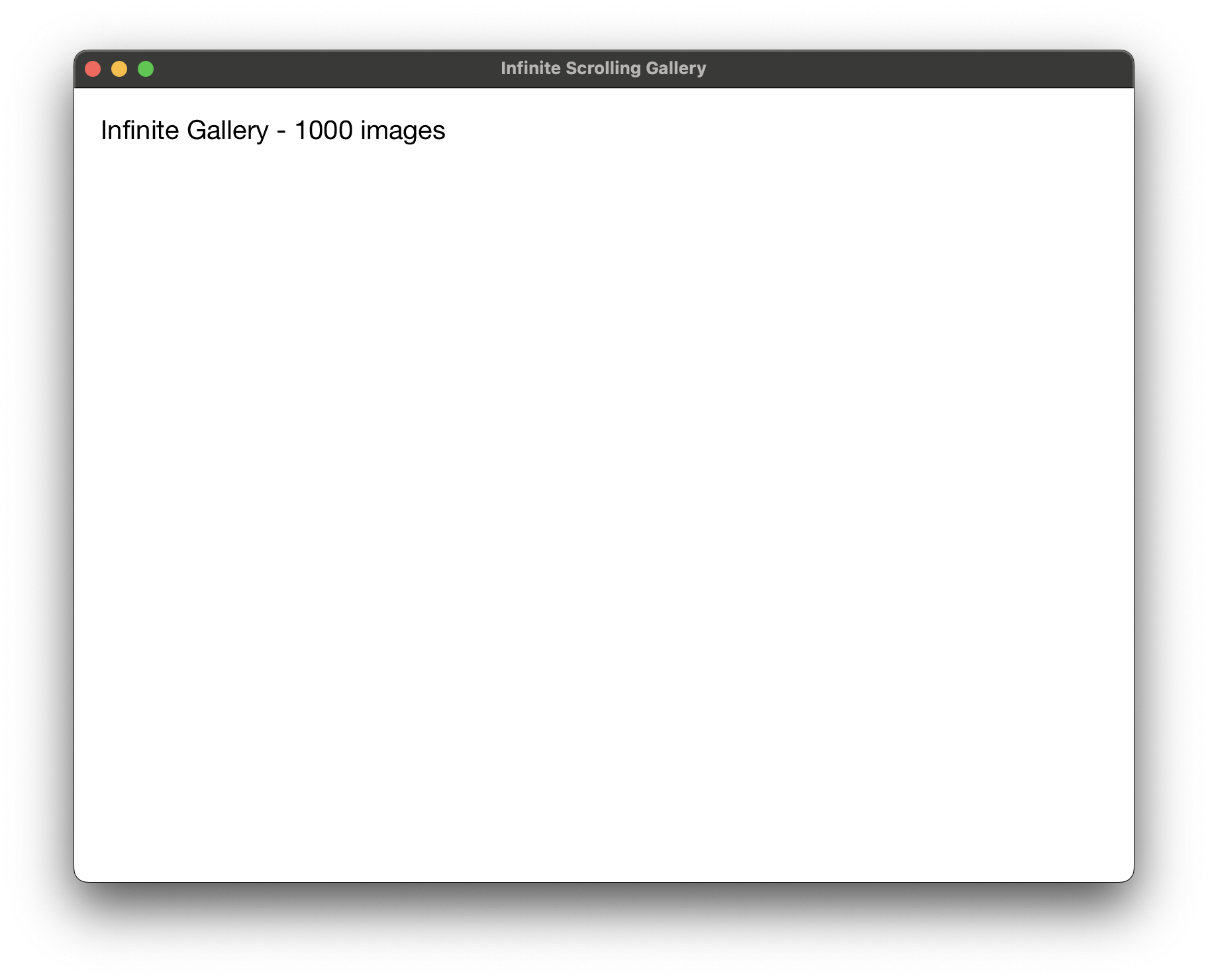
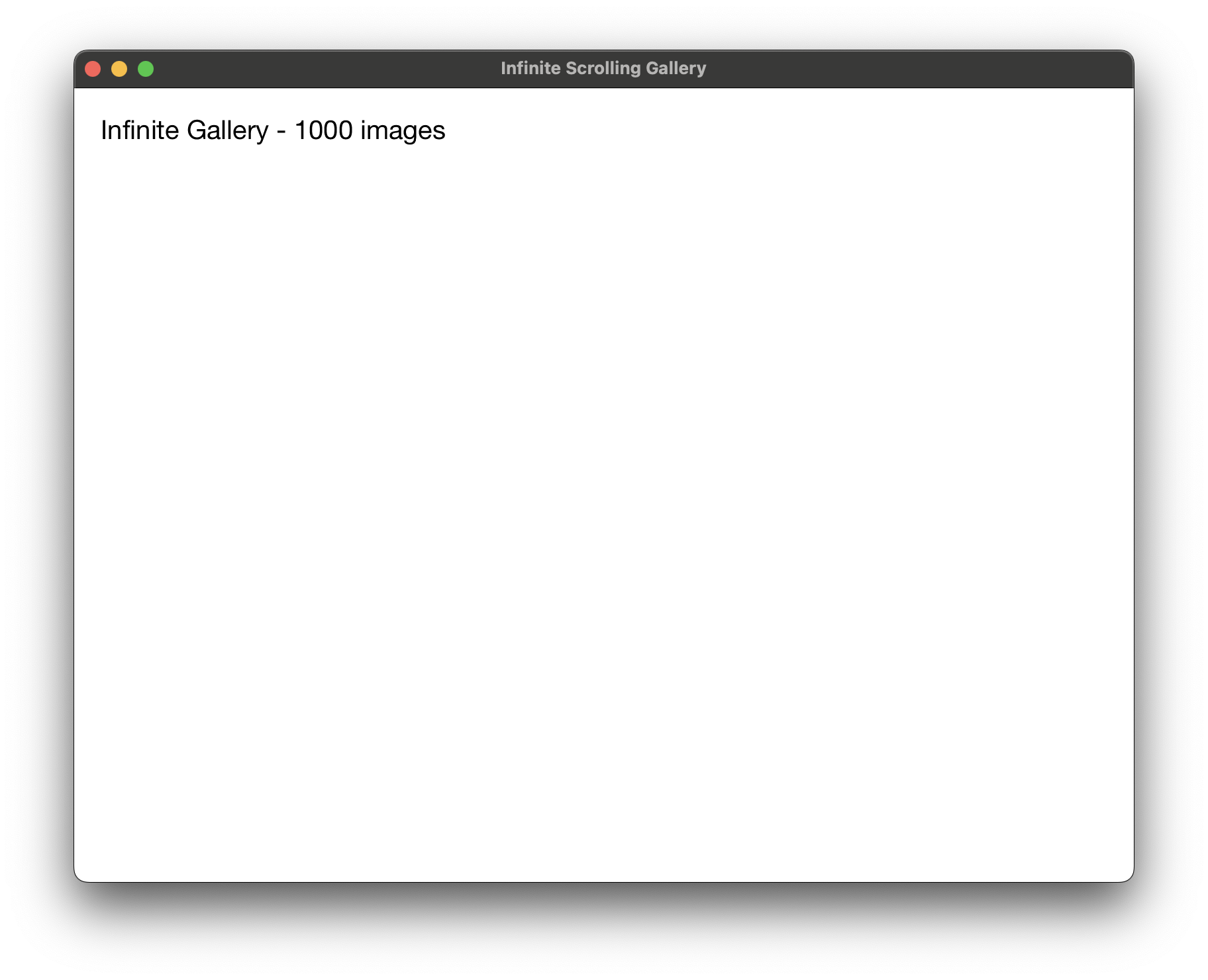
Loading and displaying infinite content using IFrameCallbacks Loading and displaying infinite content using IFrameCallbacks Loading and displaying infinite content using IFrameCallbacks

Infinite
Scrolling

Display 10 million rows at 60 FPS. IFrameCallbacks render only what's visible on screen. Lazy-load images, SVGs, and complex content as users scroll - zero upfront memory cost. Perfect for IDE file trees, database viewers, and infinite feeds, ...

# Infinite Scrolling - Python
# python infinity.py

from azul import *

class InfinityState:
    def __init__(self):
        self.file_paths = []
        self.visible_start = 0
        self.visible_count = 20
        
        # Generate dummy file names
        for i in range(1000):
            self.file_paths.append(f"image_{i:04d}.png")

def layout(data, info):
    title = Dom.text(f"Infinite Gallery - {len(data.file_paths)} images")
    title.set_inline_style("font-size: 20px; margin-bottom: 10px;")
    
    iframe = Dom.iframe(data, render_iframe)
    iframe.set_inline_style("flex-grow: 1; overflow: scroll; background: #f5f5f5;")
    iframe.set_callback(On.Scroll, data, on_scroll)
    
    body = Dom.body()
    body.set_inline_style("padding: 20px; font-family: sans-serif;")
    body.add_child(title)
    body.add_child(iframe)
    
    return body.style(Css.empty())

def render_iframe(data, info):
    container = Dom.div()
    container.set_inline_style("display: flex; flex-wrap: wrap; gap: 10px; padding: 10px;")
    
    end = min(data.visible_start + data.visible_count, len(data.file_paths))
    for i in range(data.visible_start, end):
        item = Dom.div()
        item.set_inline_style("width: 150px; height: 150px; background: white; border: 1px solid #ddd;")
        item.add_child(Dom.text(data.file_paths[i]))
        container.add_child(item)
    
    return container.style(Css.empty())

def on_scroll(data, info):
    scroll_pos = info.get_scroll_position()
    if not scroll_pos:
        return Update.DoNothing
    
    new_start = int(scroll_pos.y / 160) * 4
    if new_start != data.visible_start:
        data.visible_start = min(new_start, len(data.file_paths))
        return Update.RefreshDom
    
    return Update.DoNothing

state = InfinityState()

window = WindowCreateOptions.create(layout)

app = App.create(state, AppConfig.create())
app.run(window)
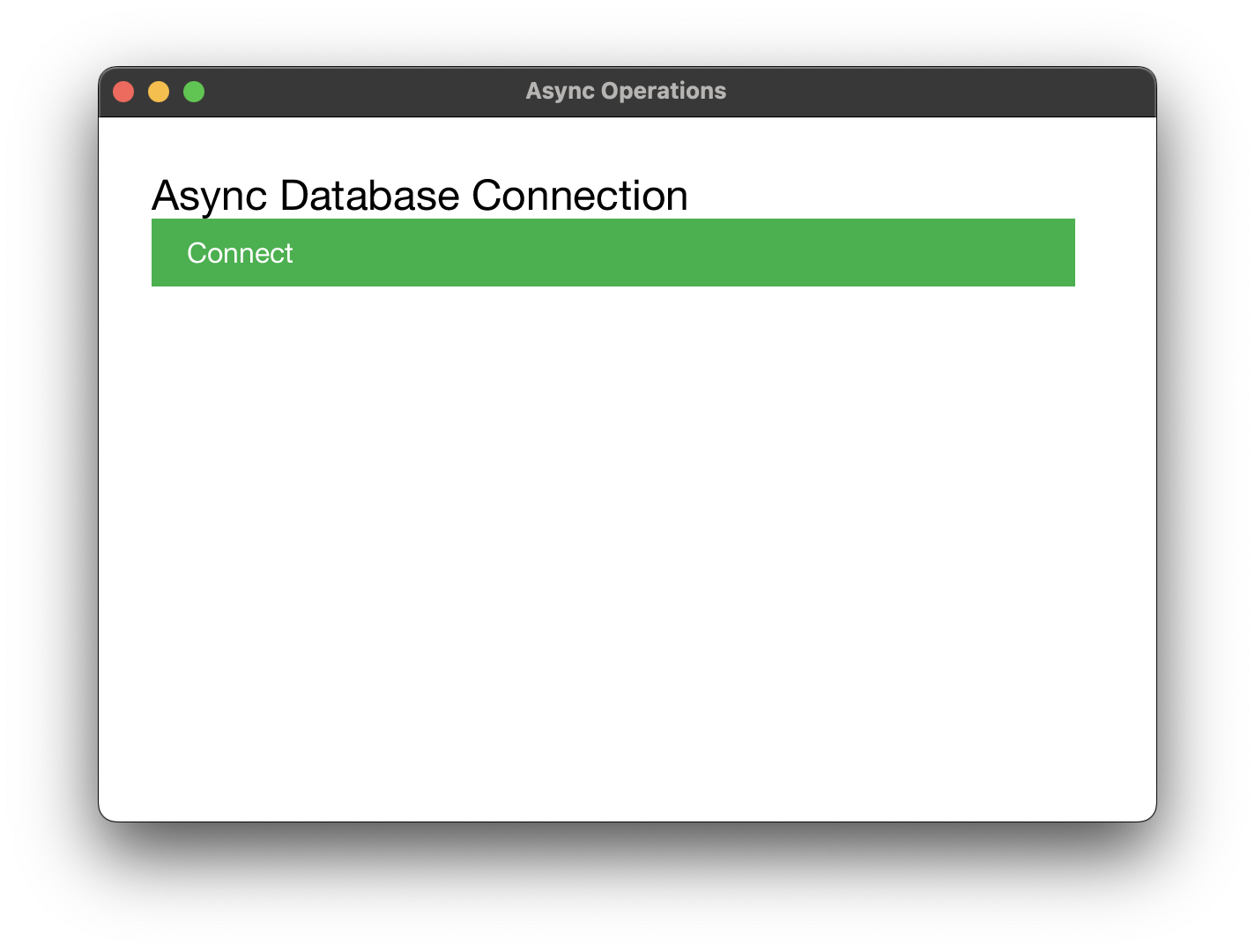
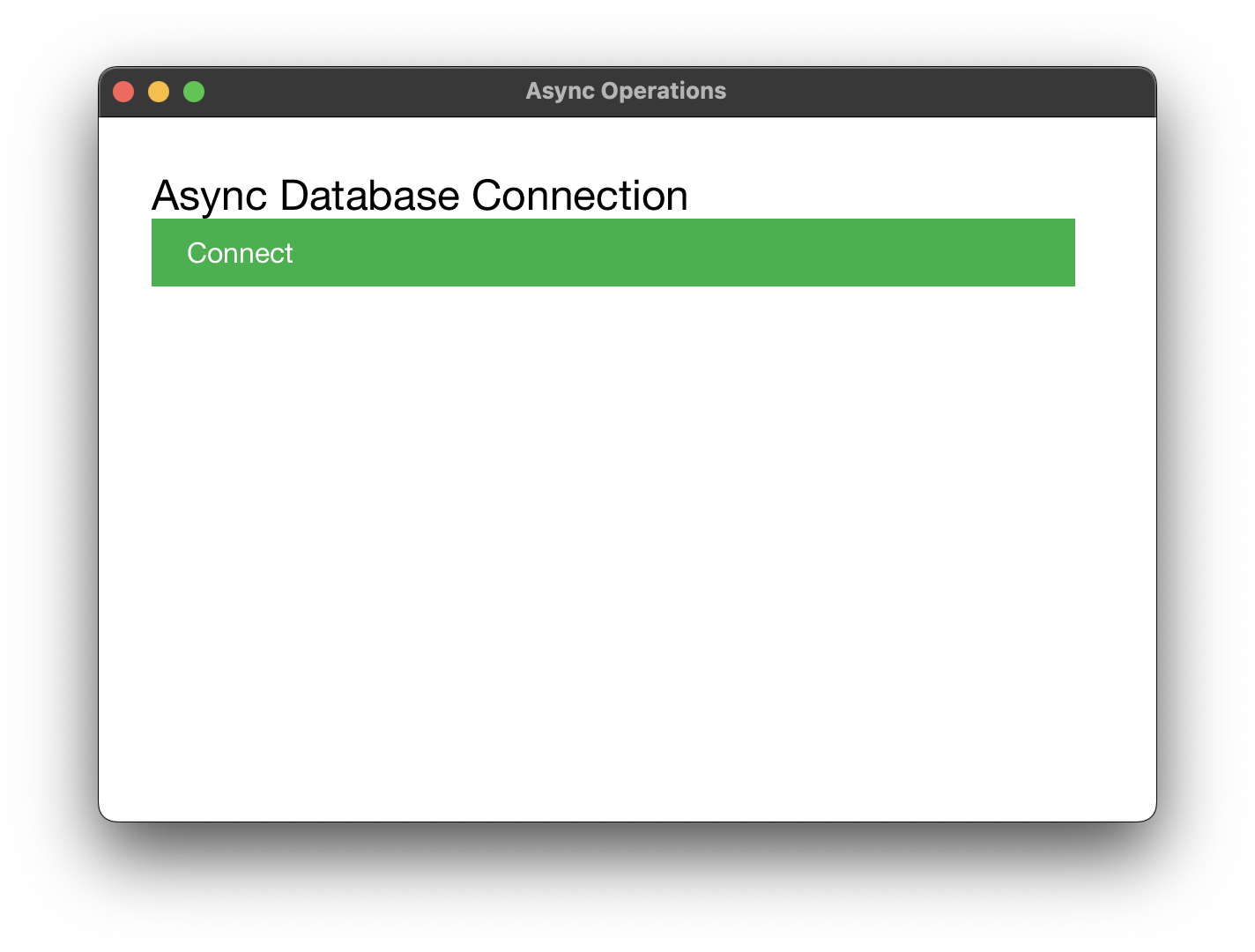
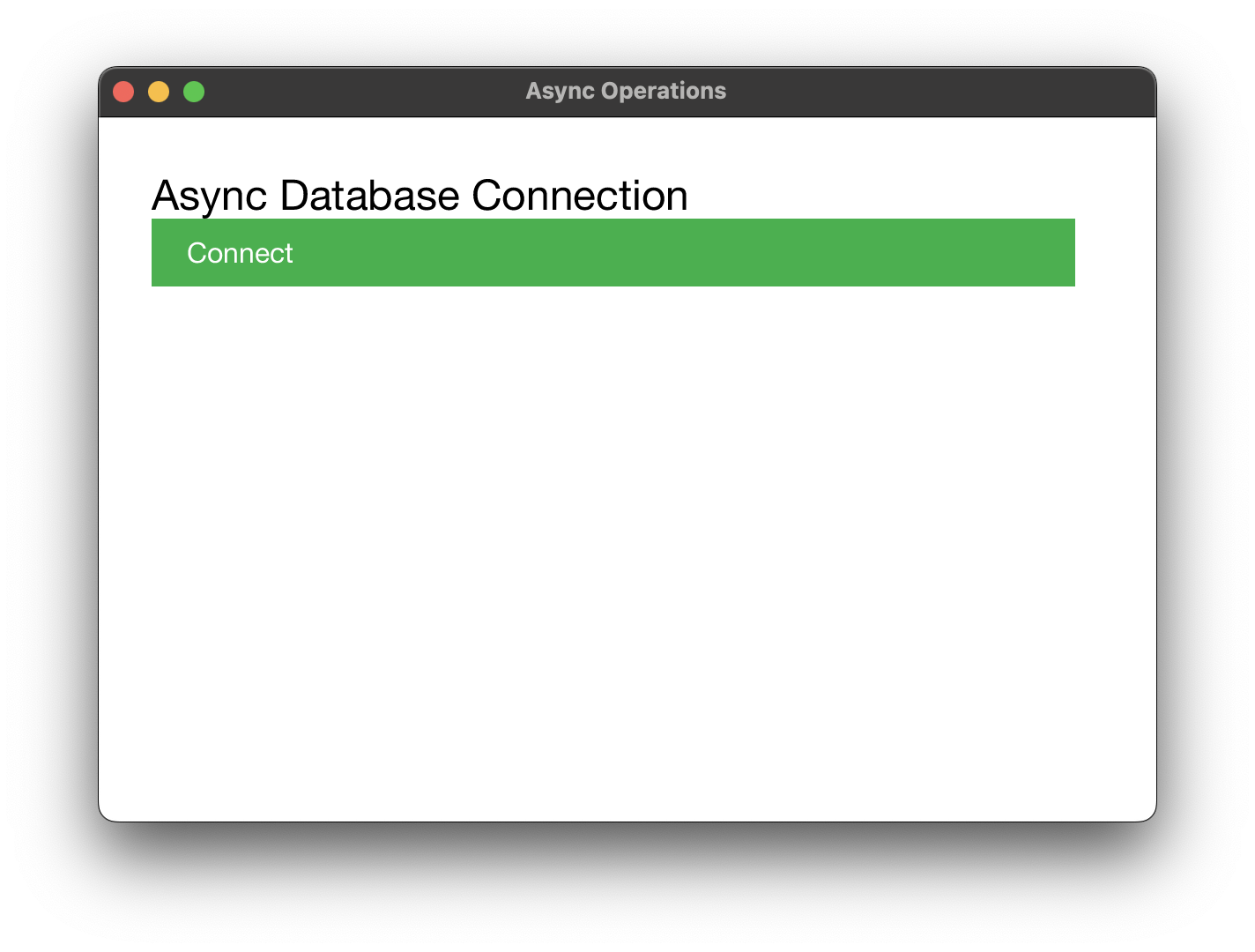
Background threads and timers for non-blocking operations Background threads and timers for non-blocking operations Background threads and timers for non-blocking operations

True Native
Multithreading

Real OS threads, not JavaScript promises. Background tasks with automatic UI updates. Spawn database queries, file operations, or network requests without freezing your app. Timers, thread pools, and progress callbacks built-in.

# Async Operations - Python
# python async.py

from azul import *

class AsyncState:
    def __init__(self):
        self.stage = "not_connected"  # not_connected, connecting, loading, loaded, error
        self.database_url = "postgres://localhost:5432/mydb"
        self.loaded_data = []
        self.progress = 0.0
        self.error_message = ""

def layout(data, info):
    title = Dom.text("Async Database Connection")
    title.set_inline_style("font-size: 24px; margin-bottom: 20px;")
    
    if data.stage == "not_connected":
        button = Dom.div()
        button.set_inline_style("padding: 10px 20px; background: #4CAF50; color: white; cursor: pointer;")
        button.add_child(Dom.text("Connect"))
        button.set_callback(On.MouseUp, data, start_connection)
        content = button
        
    elif data.stage in ["connecting", "loading"]:
        status = Dom.text(f"Progress: {int(data.progress)}%")
        progress_bar = ProgressBar(data.progress).dom()
        content = Dom.div()
        content.add_child(status)
        content.add_child(progress_bar)
        
    elif data.stage == "loaded":
        status = Dom.text(f"Loaded {len(data.loaded_data)} records")
        
        reset_btn = Dom.div()
        reset_btn.set_inline_style("padding: 10px; background: #2196F3; color: white; cursor: pointer;")
        reset_btn.add_child(Dom.text("Reset"))
        reset_btn.set_callback(On.MouseUp, data, reset_connection)
        
        content = Dom.div()
        content.add_child(status)
        content.add_child(reset_btn)
        
    else:  # error
        content = Dom.text(data.error_message)
    
    body = Dom.body()
    body.set_inline_style("padding: 30px; font-family: sans-serif;")
    body.add_child(title)
    body.add_child(content)
    
    return body.style(Css.empty())

def start_connection(data, info):
    data.stage = "connecting"
    data.progress = 0.0
    
    timer = Timer(data, on_timer_tick, info.get_system_time_fn())
    timer.set_interval(Duration.milliseconds(100))
    info.start_timer(timer)
    
    return Update.RefreshDom

def on_timer_tick(data, info):
    data.progress += 2.0
    
    if data.progress >= 100.0:
        data.stage = "loaded"
        data.loaded_data = [f"Record {i+1}" for i in range(10)]
        return Update.RefreshDomAndStopTimer
    
    return Update.RefreshDom

def reset_connection(data, info):
    data.stage = "not_connected"
    data.progress = 0.0
    data.loaded_data = []
    data.error_message = ""
    return Update.RefreshDom

state = AsyncState()

window = WindowCreateOptions.create(layout)

app = App.create(state, AppConfig.create())
app.run(window)
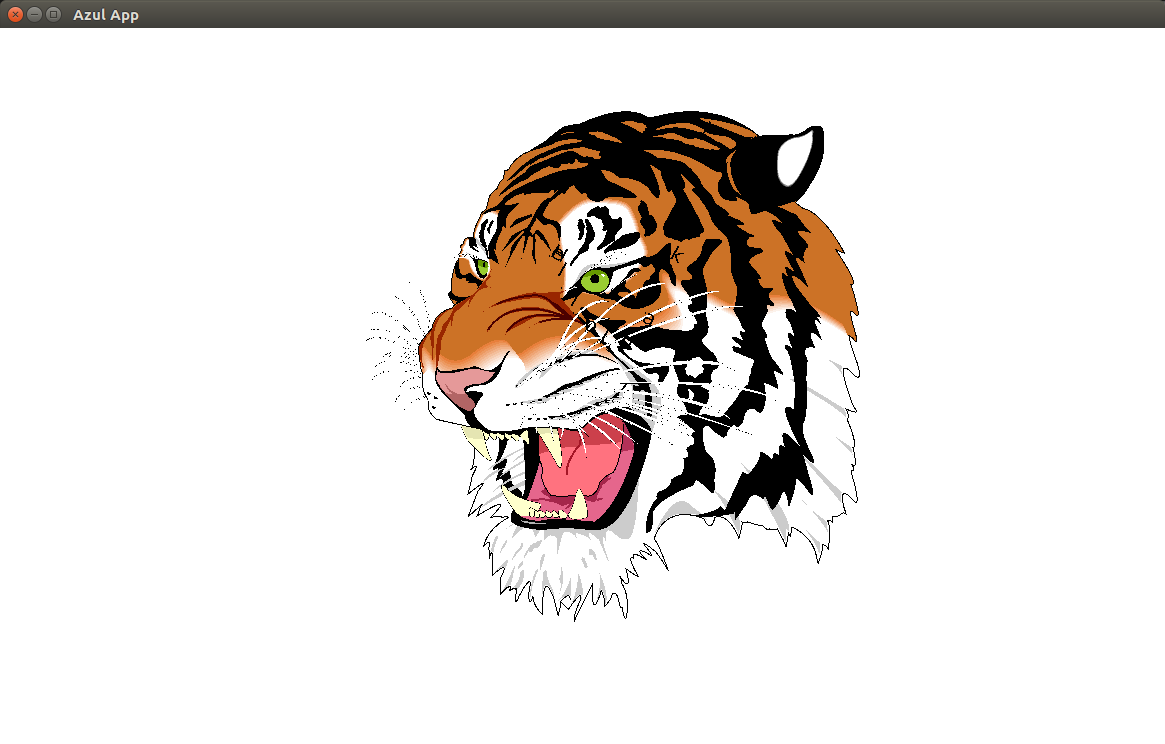
XHTML site rendered with Azul XHTML site rendered with Azul XHTML site rendered with Azul

Built-in CSS
Styling Engine

Block, inline, flexbox, grid - the same layout power as modern browsers, but without any bloat. Load XHTML from files or strings. Hot-reload your UI without recompiling. Perfect for designers: tweak styles in CSS, see changes instantly.

# XHTML file loading and rendering example

from azul import *

def layout(data, info):
    xhtml = open("assets/spreadsheet.xhtml").read()
    return StyledDom.from_xml(xhtml)

app = App.create(None, AppConfig.create())
window = WindowCreateOptions.create(layout)
app.run(window)
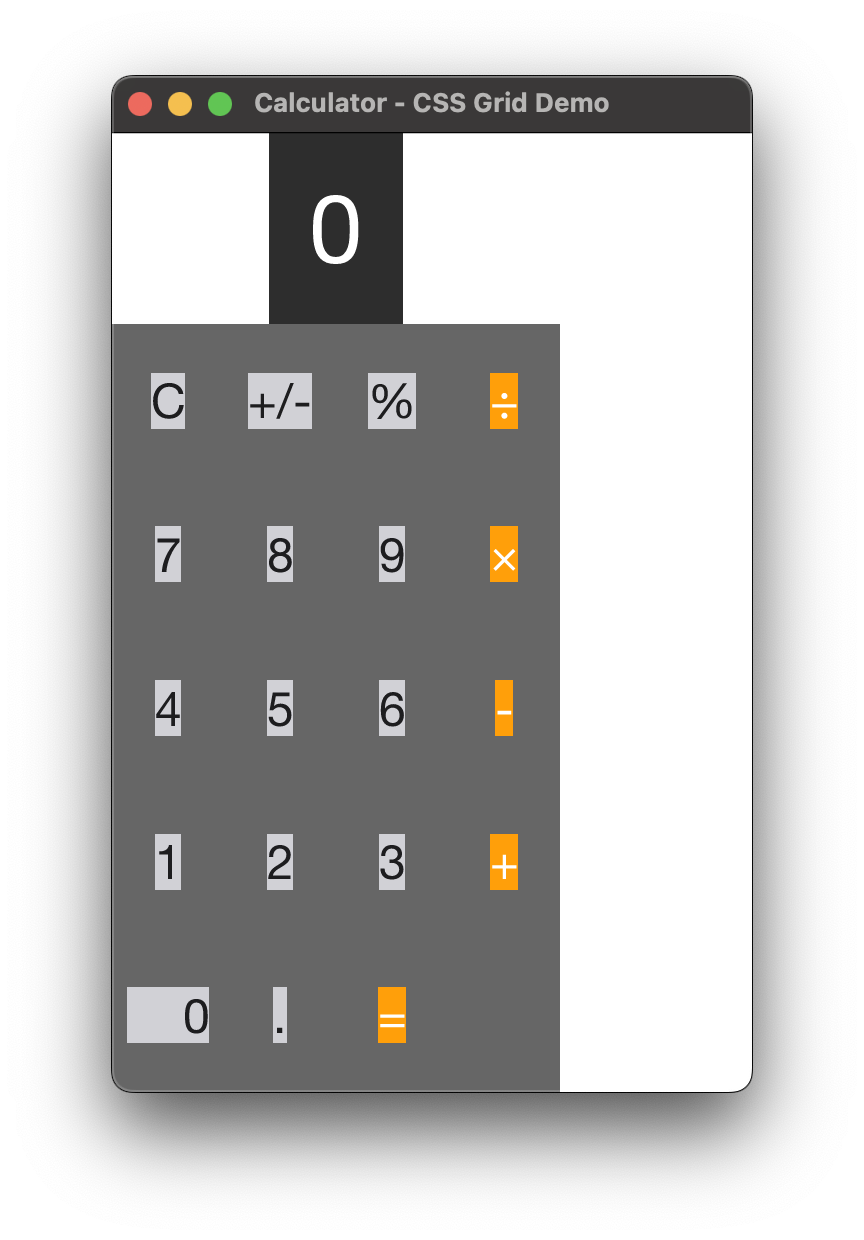
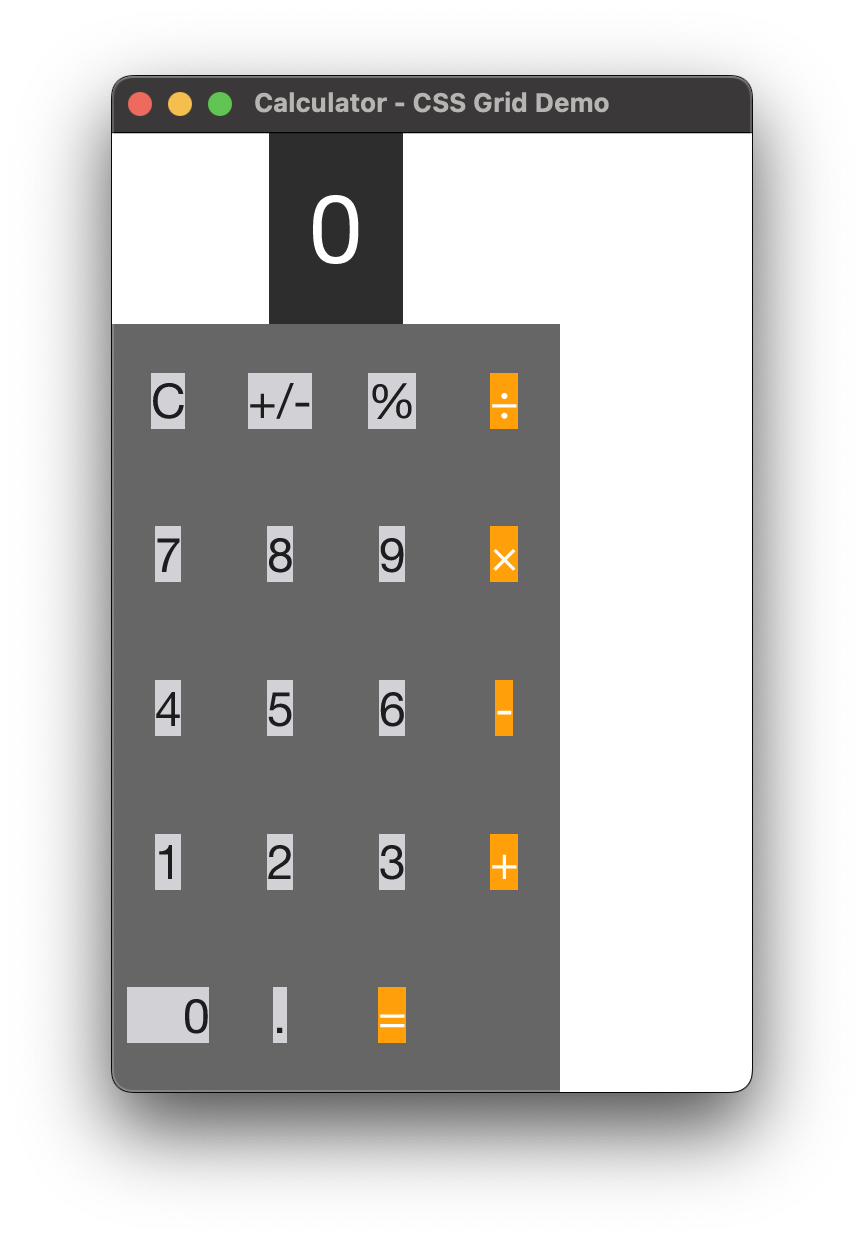
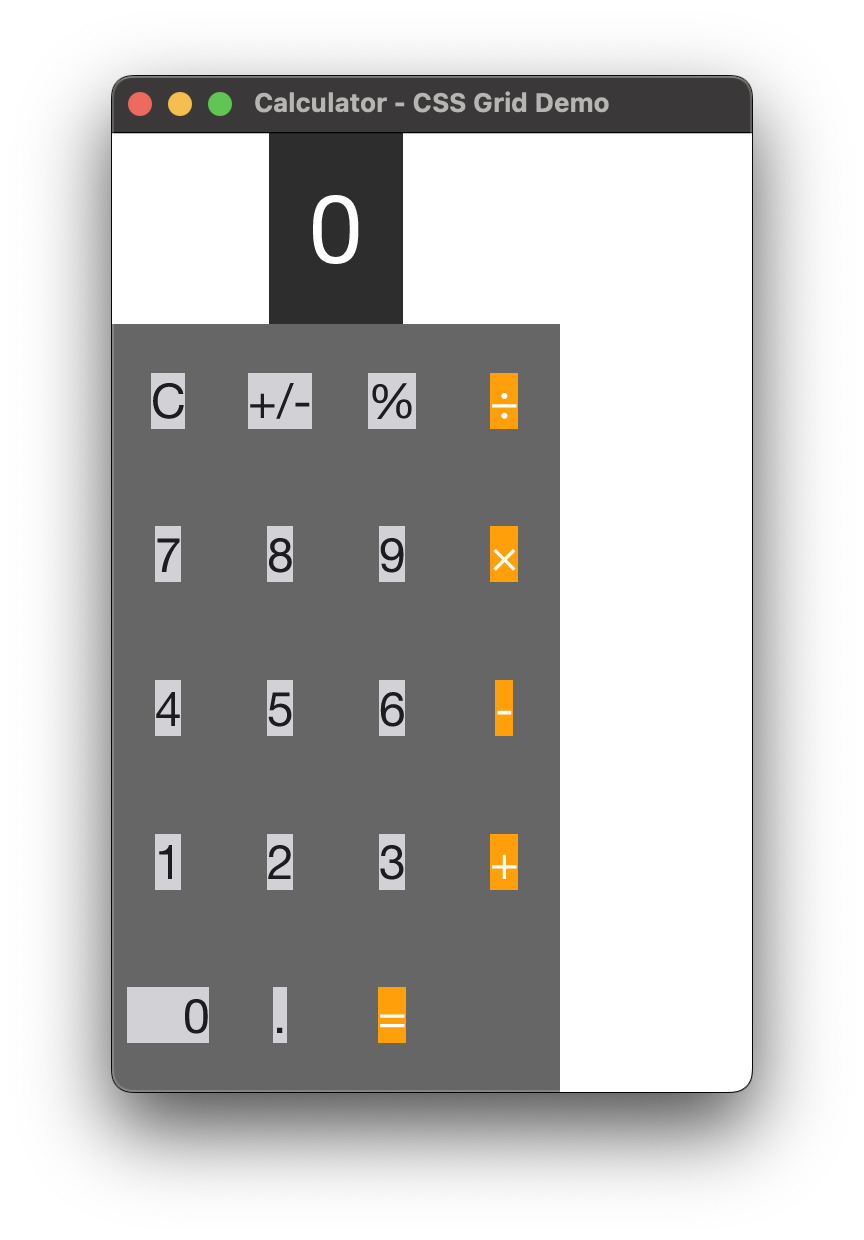
Calculator built with CSS Grid layout Calculator built with CSS Grid layout Calculator built with CSS Grid layout

Flexbox and
Grid Layouts

Modern CSS Grid and Flexbox layouts, powered by the Taffy engine. Build responsive, complex interfaces without learning yet another layout system. Just the same CSS you know from the web - without the browser baggage.

# Calculator with CSS Grid - Python
# Demonstrates CSS Grid layout and component composition

from azul import *

class Calculator:
    def __init__(self):
        self.display = "0"
        self.current_value = 0.0
        self.pending_operation = None
        self.pending_value = None
        self.clear_on_next_input = False
    
    def input_digit(self, digit):
        if self.clear_on_next_input:
            self.display = ""
            self.clear_on_next_input = False
        if self.display == "0" and digit != '.':
            self.display = digit
        elif digit == '.' and '.' in self.display:
            pass  # Don't add another decimal
        else:
            self.display += digit
        self.current_value = float(self.display) if self.display else 0.0
    
    def set_operation(self, op):
        self.calculate()
        self.pending_operation = op
        self.pending_value = self.current_value
        self.clear_on_next_input = True
    
    def calculate(self):
        if self.pending_operation is None or self.pending_value is None:
            return
        
        if self.pending_operation == "add":
            result = self.pending_value + self.current_value
        elif self.pending_operation == "subtract":
            result = self.pending_value - self.current_value
        elif self.pending_operation == "multiply":
            result = self.pending_value * self.current_value
        elif self.pending_operation == "divide":
            if self.current_value != 0:
                result = self.pending_value / self.current_value
            else:
                self.display = "Error"
                self.pending_operation = None
                self.pending_value = None
                return
        else:
            return
        
        self.current_value = result
        if result == int(result) and abs(result) < 1e15:
            self.display = str(int(result))
        else:
            self.display = str(result)
        self.pending_operation = None
        self.pending_value = None
        self.clear_on_next_input = True
    
    def clear(self):
        self.display = "0"
        self.current_value = 0.0
        self.pending_operation = None
        self.pending_value = None
        self.clear_on_next_input = False
    
    def invert_sign(self):
        self.current_value = -self.current_value
        if self.current_value == int(self.current_value):
            self.display = str(int(self.current_value))
        else:
            self.display = str(self.current_value)
    
    def percent(self):
        self.current_value /= 100.0
        self.display = str(self.current_value)

# Styles
CALC_STYLE = """
    height: 100%;
    display: flex;
    flex-direction: column;
    font-family: sans-serif;
"""

DISPLAY_STYLE = """
    background-color: #2d2d2d;
    color: white;
    font-size: 48px;
    text-align: right;
    padding: 20px;
    display: flex;
    align-items: center;
    justify-content: flex-end;
    min-height: 80px;
"""

BUTTONS_STYLE = """
    flex-grow: 1;
    display: grid;
    grid-template-columns: 1fr 1fr 1fr 1fr;
    grid-template-rows: 1fr 1fr 1fr 1fr 1fr;
    gap: 1px;
    background-color: #666666;
"""

BTN_STYLE = """
    background-color: #d1d1d6;
    color: #1d1d1f;
    font-size: 24px;
    display: flex;
    align-items: center;
    justify-content: center;
"""

OP_STYLE = """
    background-color: #ff9f0a;
    color: white;
    font-size: 24px;
    display: flex;
    align-items: center;
    justify-content: center;
"""

ZERO_STYLE = """
    background-color: #d1d1d6;
    color: #1d1d1f;
    font-size: 24px;
    display: flex;
    align-items: center;
    justify-content: flex-start;
    padding-left: 28px;
    grid-column: span 2;
"""

def create_button(calc_ref, label, event_type, event_data, style):
    def on_click(data, info):
        calc = data.downcast_ref()
        if calc is None:
            return Update.DoNothing
        
        if event_type == "digit":
            calc.input_digit(event_data)
        elif event_type == "operation":
            calc.set_operation(event_data)
        elif event_type == "equals":
            calc.calculate()
        elif event_type == "clear":
            calc.clear()
        elif event_type == "invert":
            calc.invert_sign()
        elif event_type == "percent":
            calc.percent()
        
        return Update.RefreshDom
    
    button = Dom.div()
    button.set_inline_style(style)
    button.add_child(Dom.text(label))
    button.set_callback(On.MouseUp, calc_ref.clone(), on_click)
    return button

def layout(data, info):
    calc = data.downcast_ref()
    if calc is None:
        return StyledDom.default()
    
    display_text = calc.display
    
    # Display
    display = Dom.div()
    display.set_inline_style(DISPLAY_STYLE)
    display.add_child(Dom.text(display_text))
    
    # Buttons grid
    buttons = Dom.div()
    buttons.set_inline_style(BUTTONS_STYLE)
    
    # Row 1
    buttons.add_child(create_button(data, "C", "clear", None, BTN_STYLE))
    buttons.add_child(create_button(data, "+/-", "invert", None, BTN_STYLE))
    buttons.add_child(create_button(data, "%", "percent", None, BTN_STYLE))
    buttons.add_child(create_button(data, "÷", "operation", "divide", OP_STYLE))
    
    # Row 2
    buttons.add_child(create_button(data, "7", "digit", "7", BTN_STYLE))
    buttons.add_child(create_button(data, "8", "digit", "8", BTN_STYLE))
    buttons.add_child(create_button(data, "9", "digit", "9", BTN_STYLE))
    buttons.add_child(create_button(data, "×", "operation", "multiply", OP_STYLE))
    
    # Row 3
    buttons.add_child(create_button(data, "4", "digit", "4", BTN_STYLE))
    buttons.add_child(create_button(data, "5", "digit", "5", BTN_STYLE))
    buttons.add_child(create_button(data, "6", "digit", "6", BTN_STYLE))
    buttons.add_child(create_button(data, "-", "operation", "subtract", OP_STYLE))
    
    # Row 4
    buttons.add_child(create_button(data, "1", "digit", "1", BTN_STYLE))
    buttons.add_child(create_button(data, "2", "digit", "2", BTN_STYLE))
    buttons.add_child(create_button(data, "3", "digit", "3", BTN_STYLE))
    buttons.add_child(create_button(data, "+", "operation", "add", OP_STYLE))
    
    # Row 5
    buttons.add_child(create_button(data, "0", "digit", "0", ZERO_STYLE))
    buttons.add_child(create_button(data, ".", "digit", ".", BTN_STYLE))
    buttons.add_child(create_button(data, "=", "equals", None, OP_STYLE))
    
    # Main container
    body = Dom.div()
    body.set_inline_style(CALC_STYLE)
    body.add_child(display)
    body.add_child(buttons)
    
    return StyledDom.new(body, Css.empty())

def main():
    calc = Calculator()
    data = RefAny.new(calc)
    
    app = App.create(data, AppConfig.create())
    
    window = WindowCreateOptions.create(layout)
    
    app.run(window)
if __name__ == "__main__":
    main()
\";\n\nAzStyledDom layout(AzRefAny data, AzLayoutCallbackInfo info) {\n AzStyledDom dom = AzStyledDom_fromXml(AzString_copyFromBytes((uint8_t*)XHTML_CONTENT, 0, strlen(XHTML_CONTENT)));\n return dom;\n}\n\nint main() {\n AzString empty_type = AzString_copyFromBytes((const uint8_t*)\"\", 0, 0);\n AzRefAny empty_data = AzRefAny_newC((AzGlVoidPtrConst){.ptr = NULL}, 0, 1, 0, empty_type, NULL);\n AzAppConfig config = AzAppConfig_default();\n AzApp app = AzApp_create(empty_data, config);\n \n AzWindowCreateOptions window = AzWindowCreateOptions_create(layout);\n AzString window_title = AzString_copyFromBytes((const uint8_t*)\"XHTML Spreadsheet\", 0, 17);\n window.window_state.title = window_title;\n AzApp_run(&app, window);\n AzApp_delete(&app);\n return 0;\n}\n","code_cpp":"// g++ -std=c++23 -o xhtml xhtml.cpp -lazul\n\n#include \"azul23.hpp\"\nusing namespace azul;\n\nstruct AppData { int x; };\nAZ_REFLECT(AppData);\n\n// Embedded XHTML content\nstatic const char* XHTML_CONTENT = \"

Test XHTML

This is a test spreadsheet.

\";\n\nAzStyledDom layout(AzRefAny data, AzLayoutCallbackInfo info) {\n return StyledDom::from_xml(String(XHTML_CONTENT)).release();\n}\n\nint main() {\n AppData model{0};\n RefAny data = AppData_upcast(model);\n \n WindowCreateOptions window = WindowCreateOptions::create(layout);\n \n App app = App::create(std::move(data), AppConfig::default_());\n app.run(std::move(window));\n \n return 0;\n}\n","code_cpp03":"// g++ -std=c++03 -o xhtml xhtml.cpp -lazul\n\n#include \"azul03.hpp\"\n#include \n\nusing namespace azul;\n\nstruct XhtmlState {\n int dummy;\n};\nAZ_REFLECT(XhtmlState);\n\nAzStyledDom layout(AzRefAny data, AzLayoutCallbackInfo info) {\n RefAny data_wrapper(data);\n const XhtmlState* d = XhtmlState_downcast_ref(data_wrapper);\n if (!d) return AzStyledDom_default();\n \n Dom title = Dom::create_text(String(\"XHTML Spreadsheet Demo\"));\n title.set_inline_style(String(\"font-size: 24px; font-weight: bold; margin-bottom: 20px;\"));\n \n Dom cell1 = Dom::create_text(String(\"Cell A1\"));\n cell1.set_inline_style(String(\"padding: 8px; border: 1px solid #ccc; background: #f9f9f9;\"));\n \n Dom cell2 = Dom::create_text(String(\"Cell B1\"));\n cell2.set_inline_style(String(\"padding: 8px; border: 1px solid #ccc; background: #f9f9f9;\"));\n \n Dom row = Dom::create_div();\n row.set_inline_style(String(\"display: flex; gap: 0;\"));\n row.add_child(cell1);\n row.add_child(cell2);\n \n Dom table = Dom::create_div();\n table.set_inline_style(String(\"border: 1px solid #333; display: inline-block;\"));\n table.add_child(row);\n \n Dom body = Dom::create_body();\n body.set_inline_style(String(\"padding: 20px; font-family: sans-serif;\"));\n body.add_child(title);\n body.add_child(table);\n \n return body.style(Css::empty()).release();\n}\n\nint main() {\n XhtmlState state;\n state.dummy = 0;\n RefAny data = XhtmlState_upcast(state);\n \n WindowCreateOptions window = WindowCreateOptions::create(layout);\n window.inner().window_state.title = AzString_copyFromBytes((const uint8_t*)\"XHTML Demo\", 0, 10);\n window.inner().window_state.size.dimensions.width = 800.0;\n window.inner().window_state.size.dimensions.height = 600.0;\n \n App app = App::create(data, AppConfig::default_());\n app.run(window);\n return 0;\n}\n","code_cpp11":"// g++ -std=c++11 -o xhtml xhtml.cpp -lazul\n\n#include \"azul11.hpp\"\nusing namespace azul;\n\nstruct AppData { int x; };\nAZ_REFLECT(AppData);\n\n// Embedded XHTML content\nstatic const char* XHTML_CONTENT = \"

Test XHTML

This is a test spreadsheet.

\";\n\nAzStyledDom layout(AzRefAny data, AzLayoutCallbackInfo info) {\n return StyledDom::from_xml(String(XHTML_CONTENT)).release();\n}\n\nint main() {\n AppData model{0};\n RefAny data = AppData_upcast(model);\n \n WindowCreateOptions window = WindowCreateOptions::create(layout);\n \n App app = App::create(std::move(data), AppConfig::default_());\n app.run(std::move(window));\n \n return 0;\n}\n","code_cpp14":"// g++ -std=c++14 -o xhtml xhtml.cpp -lazul\n\n#include \"azul14.hpp\"\nusing namespace azul;\n\nstruct AppData { int x; };\nAZ_REFLECT(AppData);\n\n// Embedded XHTML content\nstatic const char* XHTML_CONTENT = \"

Test XHTML

This is a test spreadsheet.

\";\n\nAzStyledDom layout(AzRefAny data, AzLayoutCallbackInfo info) {\n return StyledDom::from_xml(String(XHTML_CONTENT)).release();\n}\n\nint main() {\n AppData model{0};\n RefAny data = AppData_upcast(model);\n \n WindowCreateOptions window = WindowCreateOptions::create(layout);\n \n App app = App::create(std::move(data), AppConfig::default_());\n app.run(std::move(window));\n \n return 0;\n}\n","code_cpp17":"// g++ -std=c++17 -o xhtml xhtml.cpp -lazul\n\n#include \"azul17.hpp\"\nusing namespace azul;\n\nstruct AppData { int x; };\nAZ_REFLECT(AppData);\n\n// Embedded XHTML content\nstatic const char* XHTML_CONTENT = \"

Test XHTML

This is a test spreadsheet.

\";\n\nAzStyledDom layout(AzRefAny data, AzLayoutCallbackInfo info) {\n return StyledDom::from_xml(String(XHTML_CONTENT)).release();\n}\n\nint main() {\n AppData model{0};\n RefAny data = AppData_upcast(model);\n \n WindowCreateOptions window = WindowCreateOptions::create(layout);\n \n App app = App::create(std::move(data), AppConfig::default_());\n app.run(std::move(window));\n \n return 0;\n}\n","code_cpp20":"// g++ -std=c++20 -o xhtml xhtml.cpp -lazul\n\n#include \"azul20.hpp\"\nusing namespace azul;\n\nstruct AppData { int x; };\nAZ_REFLECT(AppData);\n\n// Embedded XHTML content\nstatic const char* XHTML_CONTENT = \"

Test XHTML

This is a test spreadsheet.

\";\n\nAzStyledDom layout(AzRefAny data, AzLayoutCallbackInfo info) {\n return StyledDom::from_xml(String(XHTML_CONTENT)).release();\n}\n\nint main() {\n AppData model{0};\n RefAny data = AppData_upcast(model);\n \n WindowCreateOptions window = WindowCreateOptions::create(layout);\n \n App app = App::create(std::move(data), AppConfig::default_());\n app.run(std::move(window));\n \n return 0;\n}\n","code_cpp23":"// g++ -std=c++23 -o xhtml xhtml.cpp -lazul\n\n#include \"azul23.hpp\"\nusing namespace azul;\n\nstruct AppData { int x; };\nAZ_REFLECT(AppData);\n\n// Embedded XHTML content\nstatic const char* XHTML_CONTENT = \"

Test XHTML

This is a test spreadsheet.

\";\n\nAzStyledDom layout(AzRefAny data, AzLayoutCallbackInfo info) {\n return StyledDom::from_xml(String(XHTML_CONTENT)).release();\n}\n\nint main() {\n AppData model{0};\n RefAny data = AppData_upcast(model);\n \n WindowCreateOptions window = WindowCreateOptions::create(layout);\n \n App app = App::create(std::move(data), AppConfig::default_());\n app.run(std::move(window));\n \n return 0;\n}\n","code_python":"# XHTML file loading and rendering example\n\nfrom azul import *\n\ndef layout(data, info):\n xhtml = open(\"assets/spreadsheet.xhtml\").read()\n return StyledDom.from_xml(xhtml)\n\napp = App.create(None, AppConfig.create())\nwindow = WindowCreateOptions.create(layout)\napp.run(window)","code_rust":"use azul::prelude::*;\n\n// Include XHTML at compile time\nstatic XHTML: &str = include_str!(\"../assets/spreadsheet.xhtml\");\n\nstruct AppData;\n\nextern \"C\" \nfn layout(_data: RefAny, _info: LayoutCallbackInfo) -> StyledDom {\n // Create fresh from XML each time to avoid clone issues\n StyledDom::from_xml(XHTML)\n}\n\nfn main() {\n let data = RefAny::new(AppData);\n let app = App::create(data, AppConfig::create());\n let mut options = WindowCreateOptions::create(layout);\n options.window_state.title = \"XHTML Spreadsheet\".into();\n app.run(options);\n}\n"}}; var installationConfig = {"version":"1.0.0-alpha1","hostname":"https://azul.rs","tabOrder":["python","c","cpp","rust"],"dialects":{"cpp":{"displayName":"C++","default":"cpp23","variants":{"cpp03":{"displayName":"C++03","altText":"Example for C++ 2003 standard"},"cpp11":{"displayName":"C++11","altText":"Example for C++ 2011 standard"},"cpp14":{"displayName":"C++14","altText":"Example for C++ 2014 standard"},"cpp17":{"displayName":"C++17","altText":"Example for C++ 2017 standard"},"cpp20":{"displayName":"C++20","altText":"Example for C++ 2020 standard"},"cpp23":{"displayName":"C++23","altText":"Example for C++ 2023 standard"}}}},"languages":{"c":{"displayName":"C","windows":[{"type":"command","content":"curl -O https://azul.rs/release/1.0.0-alpha1/azul.dll"},{"type":"command","content":"curl -O https://azul.rs/release/1.0.0-alpha1/azul.h"},{"type":"command","content":"gcc -I. hello-world.c -L. -lazul -o hello-world.exe"}],"linux":[{"type":"command","content":"curl -O https://azul.rs/release/1.0.0-alpha1/libazul.so"},{"type":"command","content":"curl -O https://azul.rs/release/1.0.0-alpha1/azul.h"},{"type":"command","content":"gcc -I. hello-world.c -L. -lazul -Wl,-rpath,'$ORIGIN' -o hello-world"}],"macos":[{"type":"command","content":"curl -O https://azul.rs/release/1.0.0-alpha1/libazul.dylib"},{"type":"command","content":"curl -O https://azul.rs/release/1.0.0-alpha1/azul.h"},{"type":"command","content":"clang -I. hello-world.c -L. -lazul -o hello-world"}]},"cpp03":{"displayName":"C++03","dialectOf":"cpp","windows":[{"type":"command","content":"curl -O https://azul.rs/release/1.0.0-alpha1/azul.dll"},{"type":"command","content":"curl -O https://azul.rs/release/1.0.0-alpha1/azul03.hpp"},{"type":"command","content":"g++ -std=c++03 -I. hello-world.cpp -L. -lazul -o hello-world.exe"}],"linux":[{"type":"command","content":"curl -O https://azul.rs/release/1.0.0-alpha1/libazul.so"},{"type":"command","content":"curl -O https://azul.rs/release/1.0.0-alpha1/azul03.hpp"},{"type":"command","content":"g++ -std=c++03 -I. hello-world.cpp -L. -lazul -Wl,-rpath,'$ORIGIN' -o hello-world"}],"macos":[{"type":"command","content":"curl -O https://azul.rs/release/1.0.0-alpha1/libazul.dylib"},{"type":"command","content":"curl -O https://azul.rs/release/1.0.0-alpha1/azul03.hpp"},{"type":"command","content":"clang++ -std=c++03 -I. hello-world.cpp -L. -lazul -o hello-world"}]},"cpp11":{"displayName":"C++11","dialectOf":"cpp","windows":[{"type":"command","content":"curl -O https://azul.rs/release/1.0.0-alpha1/azul.dll"},{"type":"command","content":"curl -O https://azul.rs/release/1.0.0-alpha1/azul11.hpp"},{"type":"command","content":"g++ -std=c++11 -I. hello-world.cpp -L. -lazul -o hello-world.exe"}],"linux":[{"type":"command","content":"curl -O https://azul.rs/release/1.0.0-alpha1/libazul.so"},{"type":"command","content":"curl -O https://azul.rs/release/1.0.0-alpha1/azul11.hpp"},{"type":"command","content":"g++ -std=c++11 -I. hello-world.cpp -L. -lazul -Wl,-rpath,'$ORIGIN' -o hello-world"}],"macos":[{"type":"command","content":"curl -O https://azul.rs/release/1.0.0-alpha1/libazul.dylib"},{"type":"command","content":"curl -O https://azul.rs/release/1.0.0-alpha1/azul11.hpp"},{"type":"command","content":"clang++ -std=c++11 -I. hello-world.cpp -L. -lazul -o hello-world"}]},"cpp14":{"displayName":"C++14","dialectOf":"cpp","windows":[{"type":"command","content":"curl -O https://azul.rs/release/1.0.0-alpha1/azul.dll"},{"type":"command","content":"curl -O https://azul.rs/release/1.0.0-alpha1/azul14.hpp"},{"type":"command","content":"g++ -std=c++14 -I. hello-world.cpp -L. -lazul -o hello-world.exe"}],"linux":[{"type":"command","content":"curl -O https://azul.rs/release/1.0.0-alpha1/libazul.so"},{"type":"command","content":"curl -O https://azul.rs/release/1.0.0-alpha1/azul14.hpp"},{"type":"command","content":"g++ -std=c++14 -I. hello-world.cpp -L. -lazul -Wl,-rpath,'$ORIGIN' -o hello-world"}],"macos":[{"type":"command","content":"curl -O https://azul.rs/release/1.0.0-alpha1/libazul.dylib"},{"type":"command","content":"curl -O https://azul.rs/release/1.0.0-alpha1/azul14.hpp"},{"type":"command","content":"clang++ -std=c++14 -I. hello-world.cpp -L. -lazul -o hello-world"}]},"cpp17":{"displayName":"C++17","dialectOf":"cpp","windows":[{"type":"command","content":"curl -O https://azul.rs/release/1.0.0-alpha1/azul.dll"},{"type":"command","content":"curl -O https://azul.rs/release/1.0.0-alpha1/azul17.hpp"},{"type":"command","content":"g++ -std=c++17 -I. hello-world.cpp -L. -lazul -o hello-world.exe"}],"linux":[{"type":"command","content":"curl -O https://azul.rs/release/1.0.0-alpha1/libazul.so"},{"type":"command","content":"curl -O https://azul.rs/release/1.0.0-alpha1/azul17.hpp"},{"type":"command","content":"g++ -std=c++17 -I. hello-world.cpp -L. -lazul -Wl,-rpath,'$ORIGIN' -o hello-world"}],"macos":[{"type":"command","content":"curl -O https://azul.rs/release/1.0.0-alpha1/libazul.dylib"},{"type":"command","content":"curl -O https://azul.rs/release/1.0.0-alpha1/azul17.hpp"},{"type":"command","content":"clang++ -std=c++17 -I. hello-world.cpp -L. -lazul -o hello-world"}]},"cpp20":{"displayName":"C++20","dialectOf":"cpp","windows":[{"type":"command","content":"curl -O https://azul.rs/release/1.0.0-alpha1/azul.dll"},{"type":"command","content":"curl -O https://azul.rs/release/1.0.0-alpha1/azul20.hpp"},{"type":"command","content":"g++ -std=c++20 -I. hello-world.cpp -L. -lazul -o hello-world.exe"}],"linux":[{"type":"command","content":"curl -O https://azul.rs/release/1.0.0-alpha1/libazul.so"},{"type":"command","content":"curl -O https://azul.rs/release/1.0.0-alpha1/azul20.hpp"},{"type":"command","content":"g++ -std=c++20 -I. hello-world.cpp -L. -lazul -Wl,-rpath,'$ORIGIN' -o hello-world"}],"macos":[{"type":"command","content":"curl -O https://azul.rs/release/1.0.0-alpha1/libazul.dylib"},{"type":"command","content":"curl -O https://azul.rs/release/1.0.0-alpha1/azul20.hpp"},{"type":"command","content":"clang++ -std=c++20 -I. hello-world.cpp -L. -lazul -o hello-world"}]},"cpp23":{"displayName":"C++23","dialectOf":"cpp","windows":[{"type":"command","content":"curl -O https://azul.rs/release/1.0.0-alpha1/azul.dll"},{"type":"command","content":"curl -O https://azul.rs/release/1.0.0-alpha1/azul23.hpp"},{"type":"command","content":"g++ -std=c++23 -I. hello-world.cpp -L. -lazul -o hello-world.exe"}],"linux":[{"type":"command","content":"curl -O https://azul.rs/release/1.0.0-alpha1/libazul.so"},{"type":"command","content":"curl -O https://azul.rs/release/1.0.0-alpha1/azul23.hpp"},{"type":"command","content":"g++ -std=c++23 -I. hello-world.cpp -L. -lazul -Wl,-rpath,'$ORIGIN' -o hello-world"}],"macos":[{"type":"command","content":"curl -O https://azul.rs/release/1.0.0-alpha1/libazul.dylib"},{"type":"command","content":"curl -O https://azul.rs/release/1.0.0-alpha1/azul23.hpp"},{"type":"command","content":"clang++ -std=c++23 -I. hello-world.cpp -L. -lazul -o hello-world"}]},"python":{"displayName":"Python","methods":["pip","uv"],"methodSteps":{"pip":[{"type":"command","content":"pip3 install azul==1.0.0-alpha1"}],"uv":[{"type":"command","content":"uv add azul==1.0.0-alpha1"}]}},"rust":{"displayName":"Rust","methods":["cargo"],"methodSteps":{"cargo":[{"type":"code","language":"toml","content":"[dependencies]\nazul = { git = \"https://azul.rs/1.0.0-alpha1.git\" }"},{"type":"command","content":"cargo build"}]}}}}; var currentLang = 'rust'; var currentOS = detectOS(); var currentCppVersion = 'cpp23'; var currentInstallMethod = {}; // Init from localStorage (function() { var savedLang = localStorage.getItem('azul-lang'); var savedOS = localStorage.getItem('azul-os'); var savedCpp = localStorage.getItem('azul-cpp-version'); var savedMethods = localStorage.getItem('azul-install-methods'); if (savedLang) currentLang = savedLang; if (savedOS) currentOS = savedOS; if (savedCpp) currentCppVersion = savedCpp; if (savedMethods) { try { currentInstallMethod = JSON.parse(savedMethods); } catch(e) {} } // Check if savedLang is a dialect variant (will be validated after functions load) })(); function detectOS() { var platform = (window.navigator?.userAgentData?.platform || window.navigator.platform || '').toLowerCase(); if (platform.indexOf('mac') !== -1) return 'macos'; if (platform.indexOf('win') !== -1) return 'windows'; return 'linux'; } function selectLanguage(lang) { currentLang = lang; localStorage.setItem('azul-lang', lang); // If this is a dialect variant (e.g., cpp23), also update the dialect version var langConfig = installationConfig.languages[lang]; if (langConfig && langConfig.dialectOf === 'cpp') { currentCppVersion = lang; localStorage.setItem('azul-cpp-version', lang); } updateAllUI(); } function selectOS(os) { currentOS = os; localStorage.setItem('azul-os', os); updateAllUI(); } function selectInstallMethod(method) { var baseLang = currentLang.startsWith('cpp') ? 'cpp' : currentLang; currentInstallMethod[baseLang] = method; localStorage.setItem('azul-install-methods', JSON.stringify(currentInstallMethod)); updateAllUI(); } // Get the base language group (e.g., cpp23 -> cpp, rust -> rust) function getBaseLang(lang) { var langConfig = installationConfig.languages[lang]; if (langConfig && langConfig.dialectOf) { return langConfig.dialectOf; } return lang; } // Check if a language is a dialect (variant) of another language group function isDialect(lang) { var langConfig = installationConfig.languages[lang]; return langConfig && langConfig.dialectOf; } // Get the current dialect variant for a dialect group function getCurrentDialectVariant(dialectGroup) { if (dialectGroup === 'cpp') return currentCppVersion; return dialectGroup; // fallback } function getMethods(lang) { // For dialects, check the actual language key (e.g., cpp23) for methods var langConfig = installationConfig.languages[lang]; if (!langConfig || !langConfig.methods) return []; return langConfig.methods; } function getInstallMethod(lang) { var baseLang = getBaseLang(lang); var methods = getMethods(lang); if (methods.length === 0) return 'default'; return currentInstallMethod[baseLang] || methods[0]; } // Get dialect variants for a dialect group (from dialects config) function getDialectVariants(dialectGroup) { var dialect = installationConfig.dialects[dialectGroup]; if (!dialect) return {}; return dialect.variants; } function updateAllUI() { // Update language buttons and dialect dropdowns document.querySelectorAll('.lang-grid button').forEach(function(btn) { var lang = btn.getAttribute('data-lang'); btn.classList.remove('active'); if (lang === currentLang) { btn.classList.add('active'); } else if (isDialect(currentLang) && lang === getBaseLang(currentLang)) { // Highlight the dialect group button when a variant is selected btn.classList.add('active'); } }); // Update dialect dropdown tabs (e.g., C++ with version selector) document.querySelectorAll('.lang-tab-dropdown').forEach(function(dropdown) { var lang = dropdown.getAttribute('data-lang'); dropdown.classList.remove('active'); if (lang === currentLang || (isDialect(currentLang) && lang === getBaseLang(currentLang))) { dropdown.classList.add('active'); } // Update the dialect select value var sel = dropdown.querySelector('.dialect-select'); if (sel && isDialect(currentLang) && lang === getBaseLang(currentLang)) { sel.value = currentLang; } }); // Show/hide dialect version selects in install-controls (legacy, can be removed) var dialectGroup = getBaseLang(currentLang); var isCurrentDialect = isDialect(currentLang); document.querySelectorAll('select.cpp-version').forEach(function(sel) { // Hide these - dialect is now selected via the tab dropdown sel.style.display = 'none'; }); // Update OS selects document.querySelectorAll('select.os-select').forEach(function(sel) { sel.value = currentOS; }); // Update method selects - only show if > 1 method available for current language var methods = getMethods(currentLang); document.querySelectorAll('select.method-select').forEach(function(sel) { if (methods.length <= 1) { sel.style.display = 'none'; } else { sel.style.display = 'inline-block'; // Populate options sel.innerHTML = methods.map(function(m) { return ''; }).join(''); sel.value = getInstallMethod(currentLang); } }); // Update install commands (on all sections that have install-commands visible) document.querySelectorAll('.feature-section .install-commands').forEach(updateInstallCommands); // Update example code Object.keys(examples).forEach(updateExampleCode); // Update images updateImages(); } function updateInstallCommands(container) { // For installation, use the actual language key (e.g., cpp23 for specific install steps) var langConfig = installationConfig.languages[currentLang]; if (!langConfig) { container.innerHTML = '
Select a language
'; return; } var steps = null; // Check for method-based installation (e.g., pip vs uv for Python) if (langConfig.methods && langConfig.methods.length > 0 && langConfig.methodSteps) { var method = getInstallMethod(currentLang); steps = langConfig.methodSteps[method]; } // Fall back to platform-specific steps if (!steps) { steps = langConfig[currentOS]; } if (!steps || steps.length === 0) { container.innerHTML = ''; return; } var html = ''; steps.forEach(function(step) { if (step.type === 'command') { html += '
' + '' + escHtml(step.content) + '' + '' + '
'; } else if (step.type === 'code') { html += '
' + '
' + escHtml(step.content) + '
' + '' + '
'; } else if (step.type === 'text') { html += '
' + escHtml(step.content) + '
'; } }); container.innerHTML = html; } function updateExampleCode(id) { var ex = examples[id]; if (!ex) return; var code = ex['code_' + currentLang]; // For dialect variants, try the specific variant first, then fallback if (!code && isDialect(currentLang)) { code = ex['code_' + currentCppVersion] || ex['code_cpp23'] || ''; } if (!code) code = ''; // Map language to Prism language class var prismLang = currentLang; if (currentLang.startsWith('cpp')) prismLang = 'cpp'; if (currentLang === 'c') prismLang = 'c'; if (currentLang === 'python') prismLang = 'python'; if (currentLang === 'rust') prismLang = 'rust'; var el = document.getElementById('example-code-' + id); if (el) { var codeEl = document.createElement('code'); codeEl.className = 'language-' + prismLang; codeEl.textContent = code; var preEl = document.createElement('pre'); preEl.appendChild(codeEl); el.innerHTML = ''; el.appendChild(preEl); el.insertAdjacentHTML('beforeend', ''); // Apply Prism highlighting if (typeof Prism !== 'undefined') { Prism.highlightElement(codeEl); } } } function updateImages() { document.querySelectorAll('.showcase').forEach(function(img) { img.style.display = 'none'; }); var cls = currentOS === 'macos' ? 'mac' : currentOS; document.querySelectorAll('.showcase.' + cls).forEach(function(img) { img.style.display = 'block'; }); } function copyText(t) { navigator.clipboard.writeText(t); } function copyExampleCode(id) { var ex = examples[id]; if (!ex) return; var code = ex['code_' + currentLang]; if (!code && isDialect(currentLang)) { code = ex['code_' + currentCppVersion] || ex['code_cpp23'] || ''; } if (code) navigator.clipboard.writeText(code); } function escHtml(t) { return t.replace(/&/g, '&').replace(//g, '>').replace(/"/g, '"'); } function escJs(t) { return t.replace(/\\/g, '\\\\').replace(/'/g, "\\'").replace(/\n/g, "\\n").replace(/\r/g, ""); } document.addEventListener("DOMContentLoaded", updateAllUI);