
Descrição
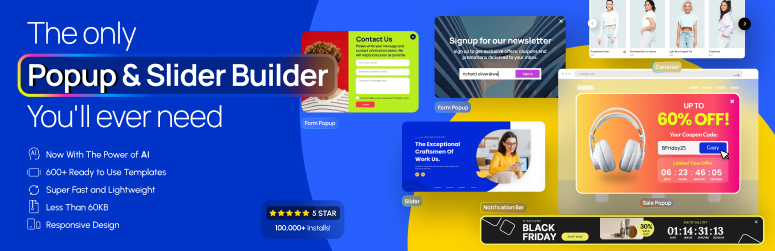
Improve users engagement rate or sales by Depicter Popup, Notification Bar, and Slider builder.
You can create converting Popup and Notification Bar, like Email subscription popup, Exit intent popup, promotion popup, cart‑abandonment popup, campaign promoting notification bar. And you can also create engaging WordPress sliders, carousels, and slideshows like layer slider, video slider, image slider, fullscreen slider, post slider, product slider, WooCommerce slider, testimonial slider, gallery slider and Elementor slider.
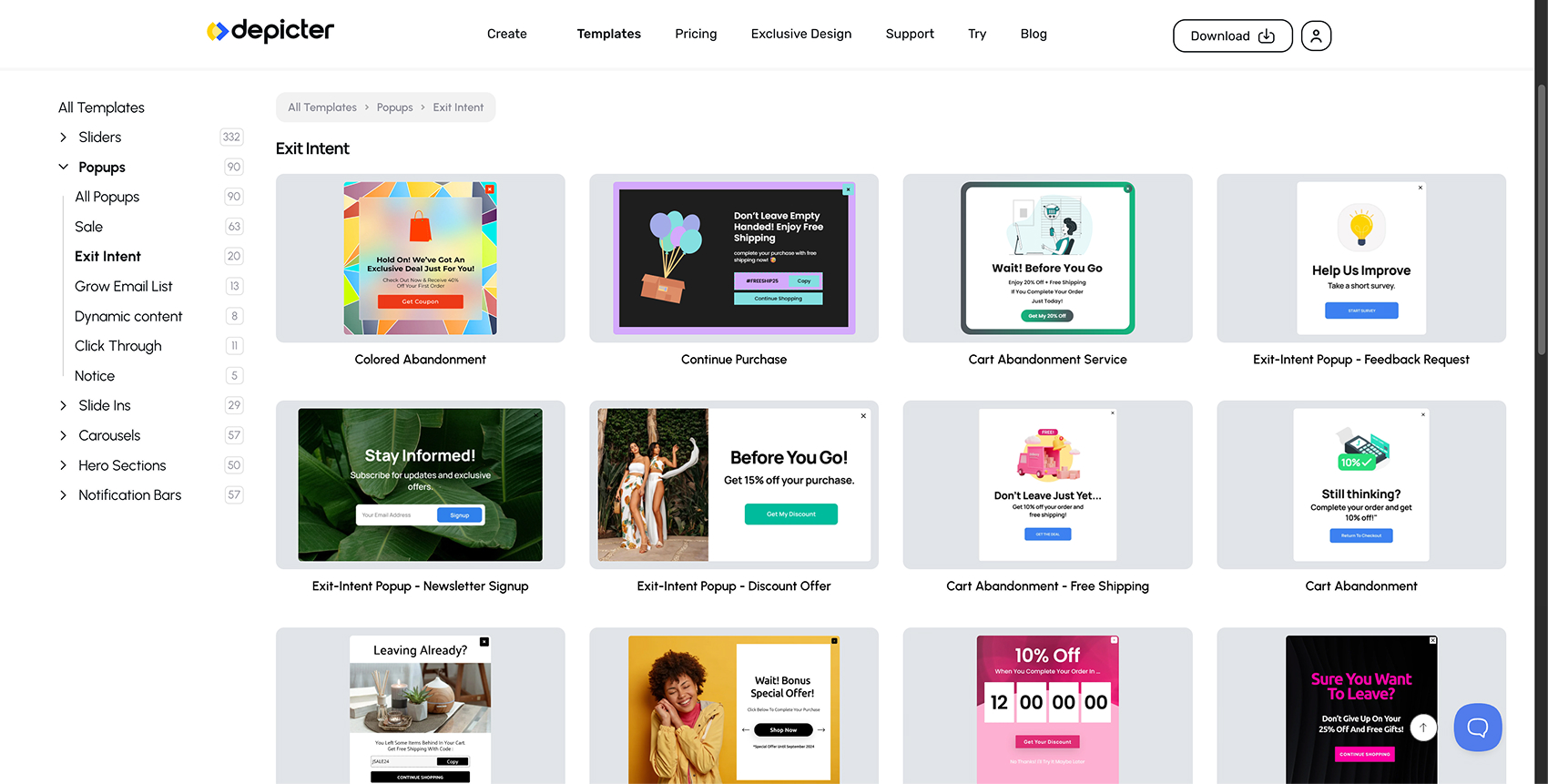
Explore Popup, slider and more Templates
- Popup Templates
- Notification bar Templates
- Slider Templates
- Carousel Templates
- Hero Section Templates
Create popups, notification bars, sliders, and carousels with an intuitive visual builder
Depicter provides a flexible way to design and display interactive elements on your WordPress site. You can create popups, sliding banners, hero sections, carousels, and other visual components without writing code.
Key Features
- Unlimited items — Create as many popups, notification bars, sliders, and carousels as needed.
- Template library — Start quickly with a wide collection of pre-designed layouts for various use cases.
- AI tools — Generate slider layouts or content using built-in AI features to speed up your workflow.
- Form builder — Add built-in forms to collect email, name, phone number, and other information.
- Performance-friendly output — Uses WebP, adaptive images, lazy loading, and optimized asset delivery.
- Visual editing — Design content through a simple, responsive editor supporting animations, effects, and custom fonts.
Popup and Notification Bar Features
- Variety of popup templates and notification bar templates
- Configure display conditions based on pages visited, device type, referrer, location, cookies, or user behavior.
- Define scheduling rules for when a popup or notification bar should appear or expire.
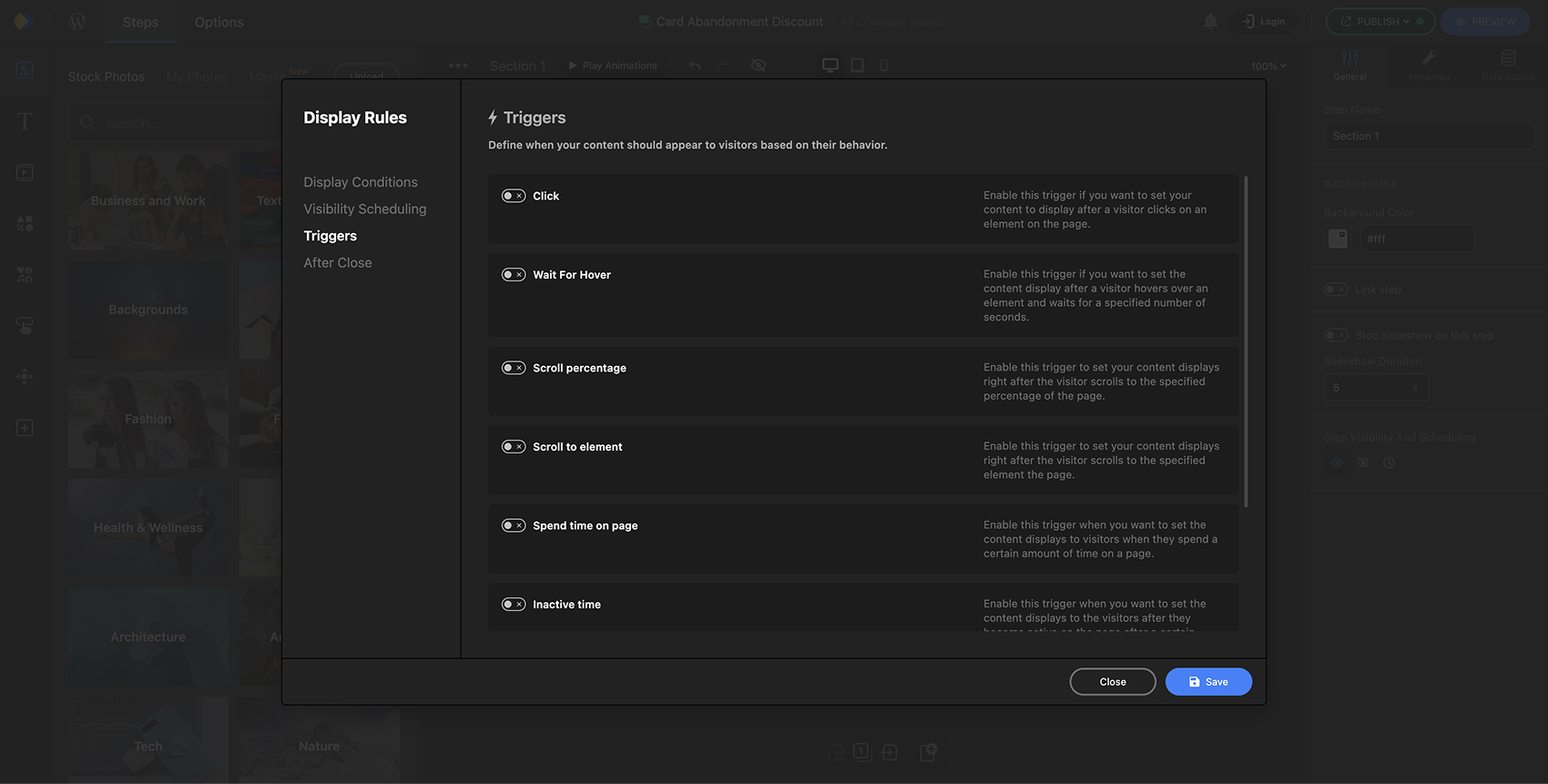
- Choose from multiple triggers: exit intent, scroll depth, time on page, inactivity, or user interactions.
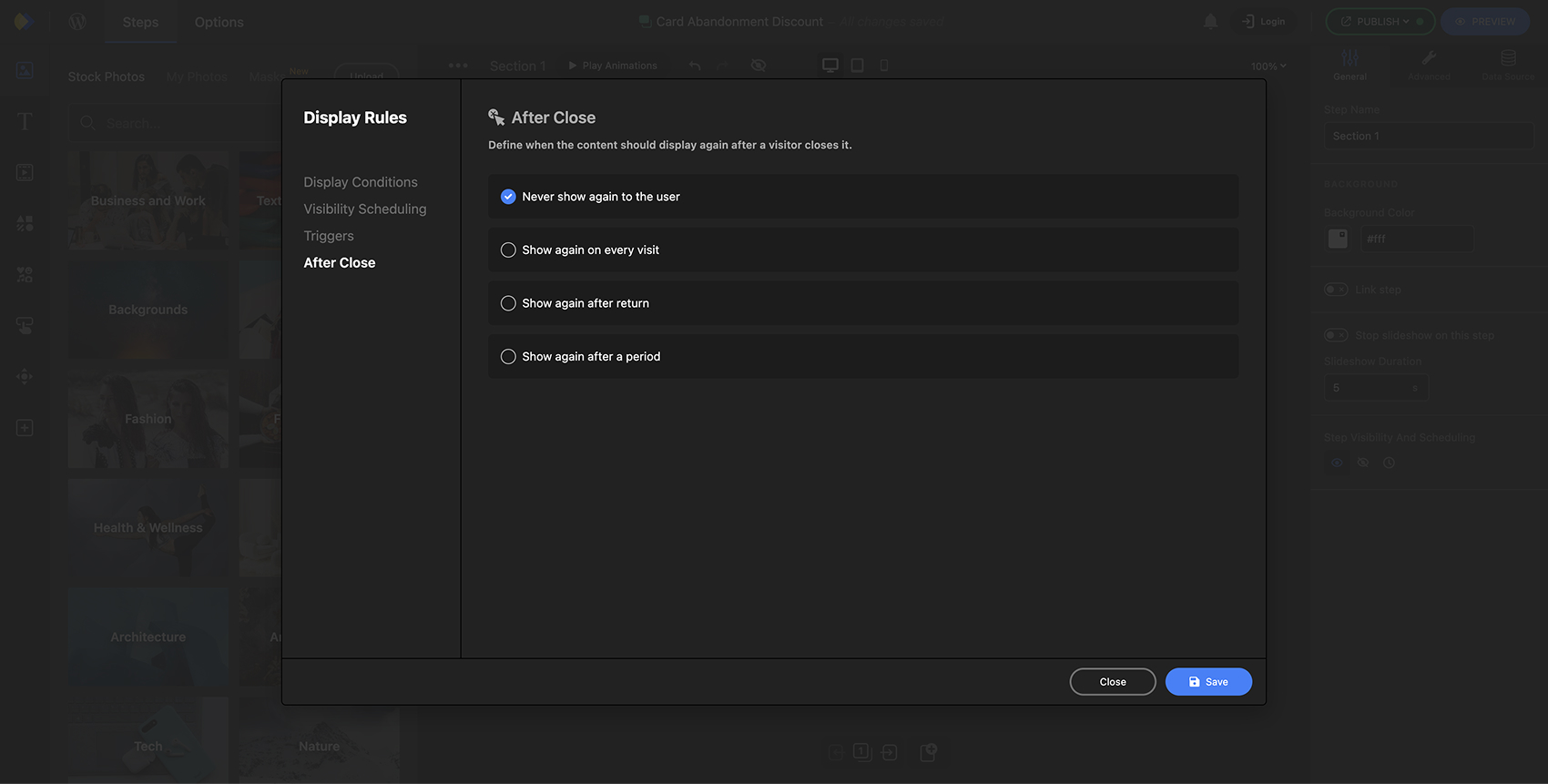
- Control reopening behavior: once per visitor, every visit, or after a specific delay.
- Create multi-step popups for more complex interactions.
- Customize mobile responsiveness and add animations or visual effects.
Slider and Carousel Features
- Create fully responsive sliders and carousels that adapt to all device sizes.
- Add animations, transitions, and parallax effects to enhance visuals.
- Use arrows, bullets, timers, and swipe navigation for a more interactive experience.
- Populate sliders with dynamic content including posts, WooCommerce products, or custom post types.
- Compatible with major page builders: Elementor, Divi, Beaver Builder, Oxygen, and the WordPress block editor.
- Add video backgrounds from YouTube or Vimeo.
- Set scheduling rules to control when sliders or carousels appear on the site.
How to create a WordPress slider with Depicter
Create a WordPress slider with AI in seconds
Use of 3rd Party Services
To improve the user experience, Depicter may use the following 3rd party services if the required feature is enabled:
- Google Places and Recaptcha are used to display location, reviews and recaptcha. Google’s TOS and Privacy Policy
- Some Depicter features and services required to contact depicter website. These features and services are not used for tracking unless explicitly mentioned, requiring your approval and manual opt-in. Learn more in our TOS.
Capturas de tela
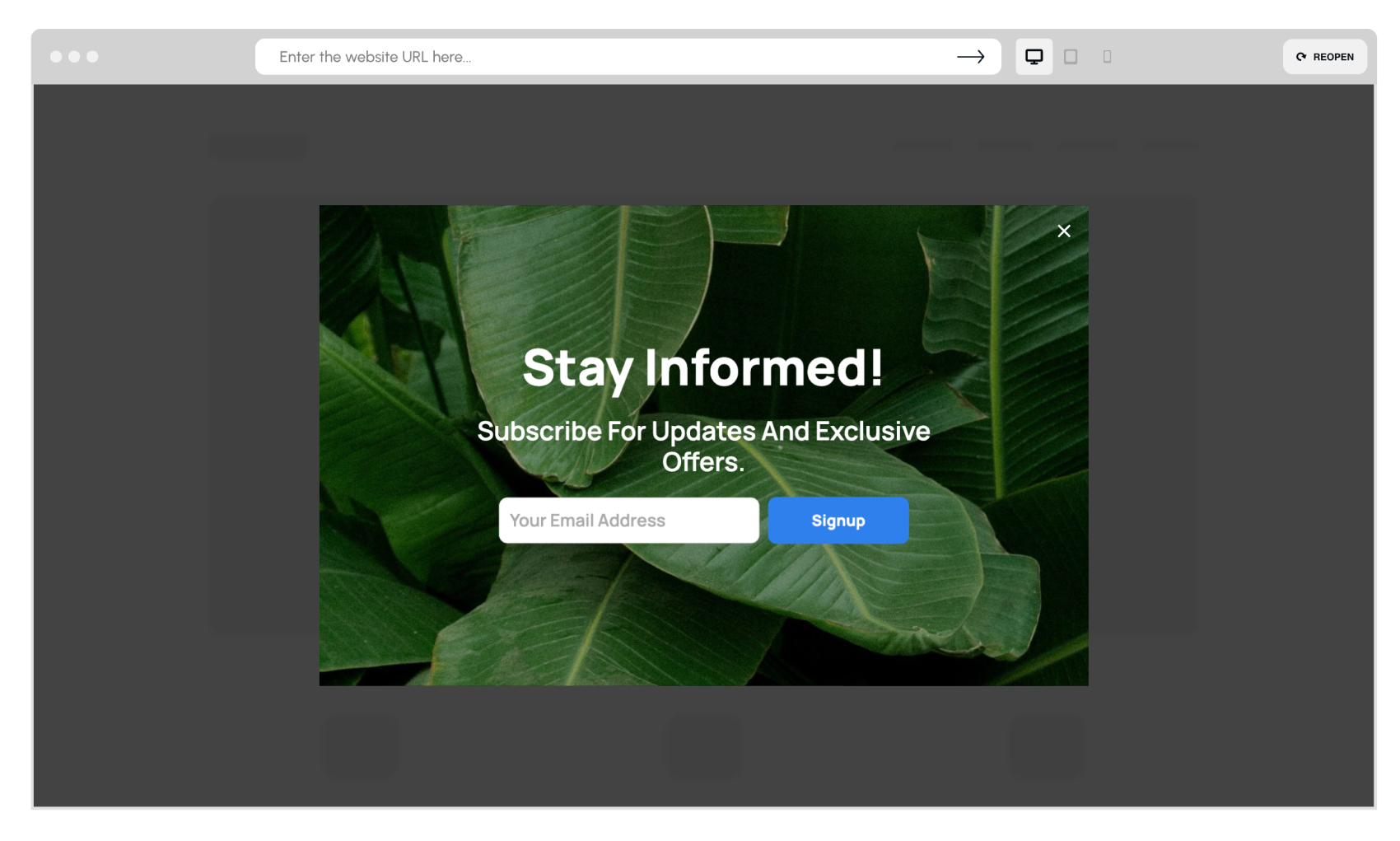
Email subscription popup by Depicter – engage visitors and grow your list. 
Dynamic on-sale products popup by Depicter – target customers with custom display rules and boost e-commerce sales. 
WordPress hero section with lead capture form by Depicter – convert visitors into quality leads. 
Email capture popup with discount offer by Depicter – grow your list and boost conversions on WordPress. 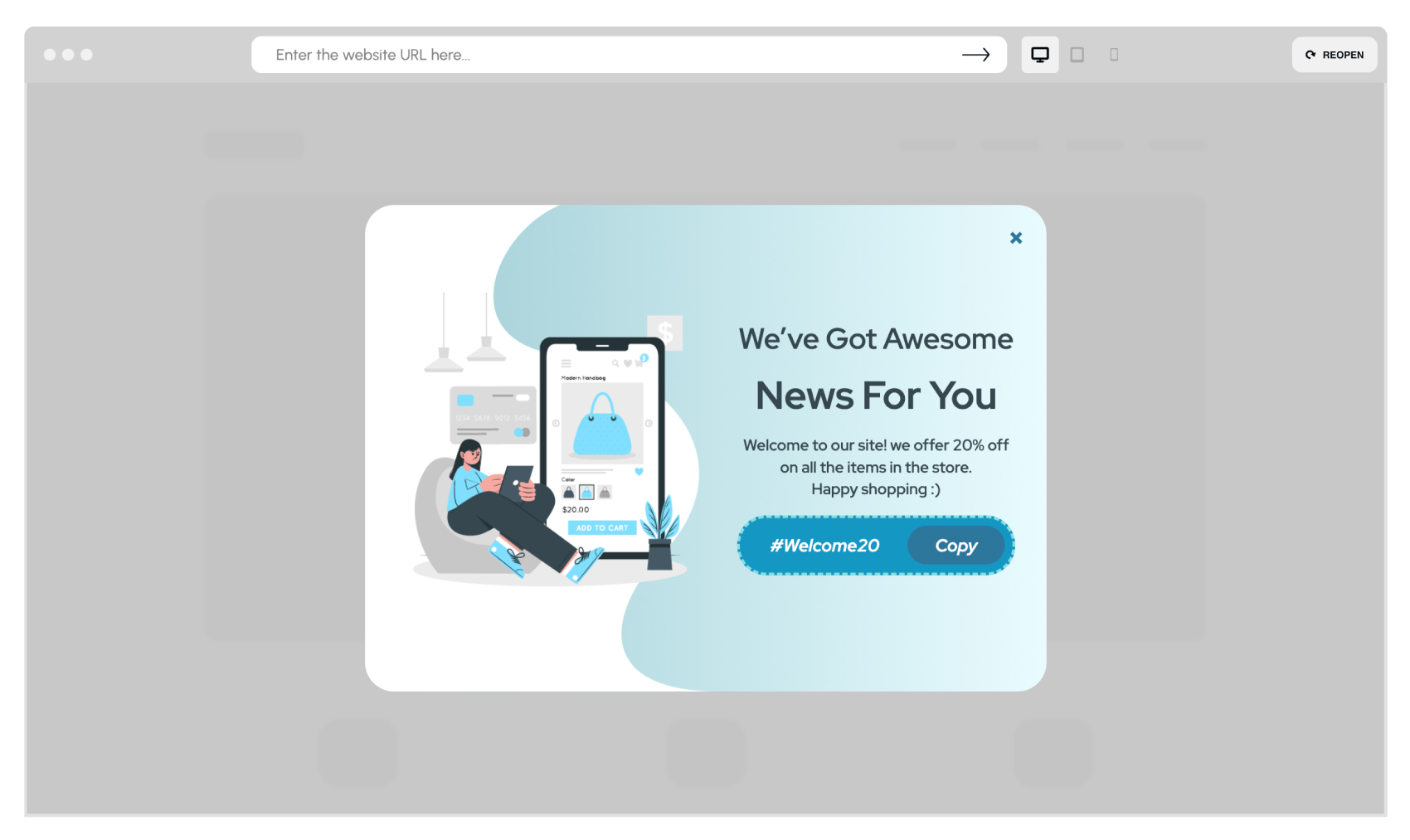
Sale notification popup with coupon code by Depicter – inform visitors and increase conversions on your WordPress site. 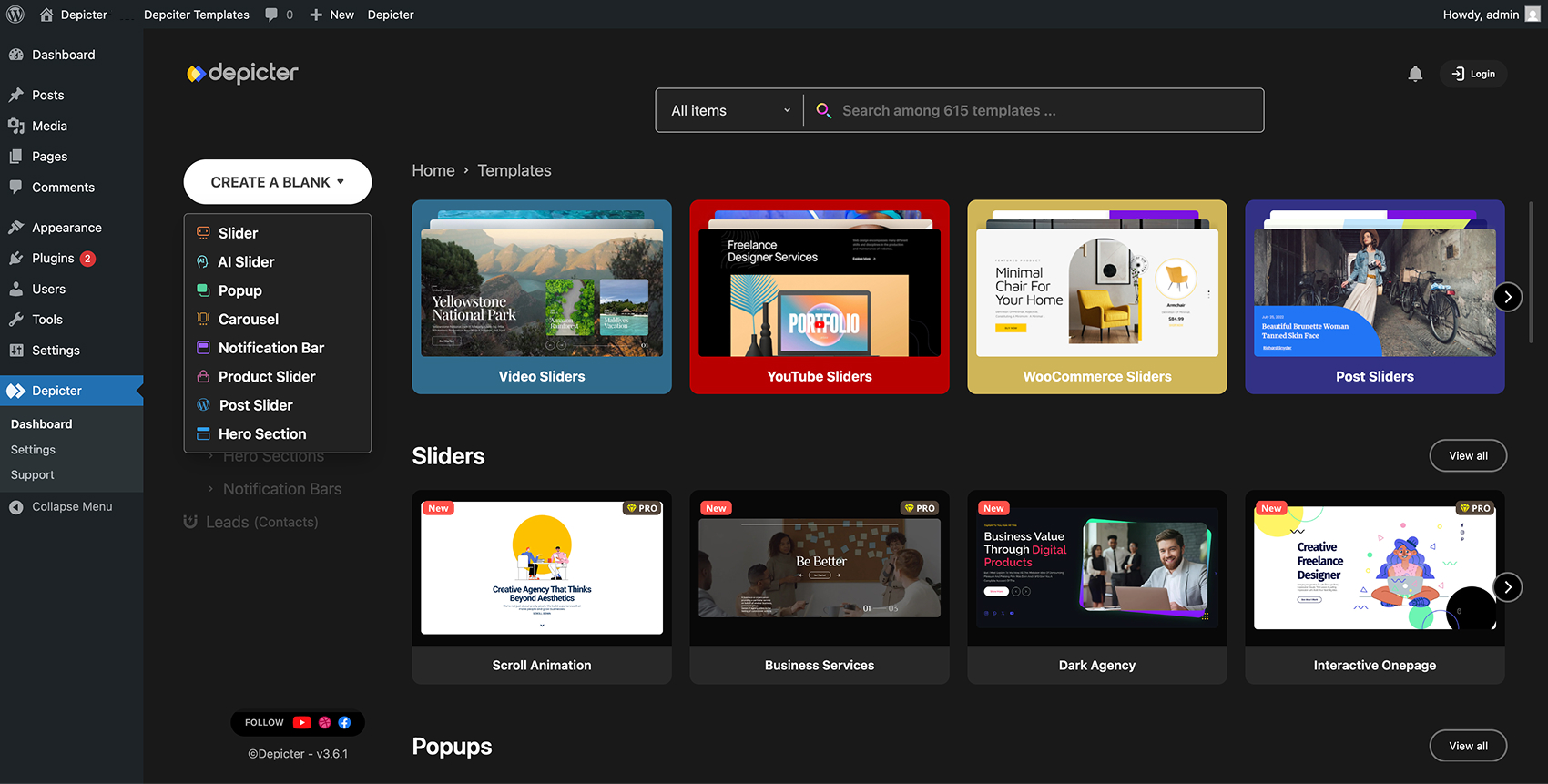
Depicter dashboard – access all-in-one tools for popups, carousels, AI tools, and marketing content creation. 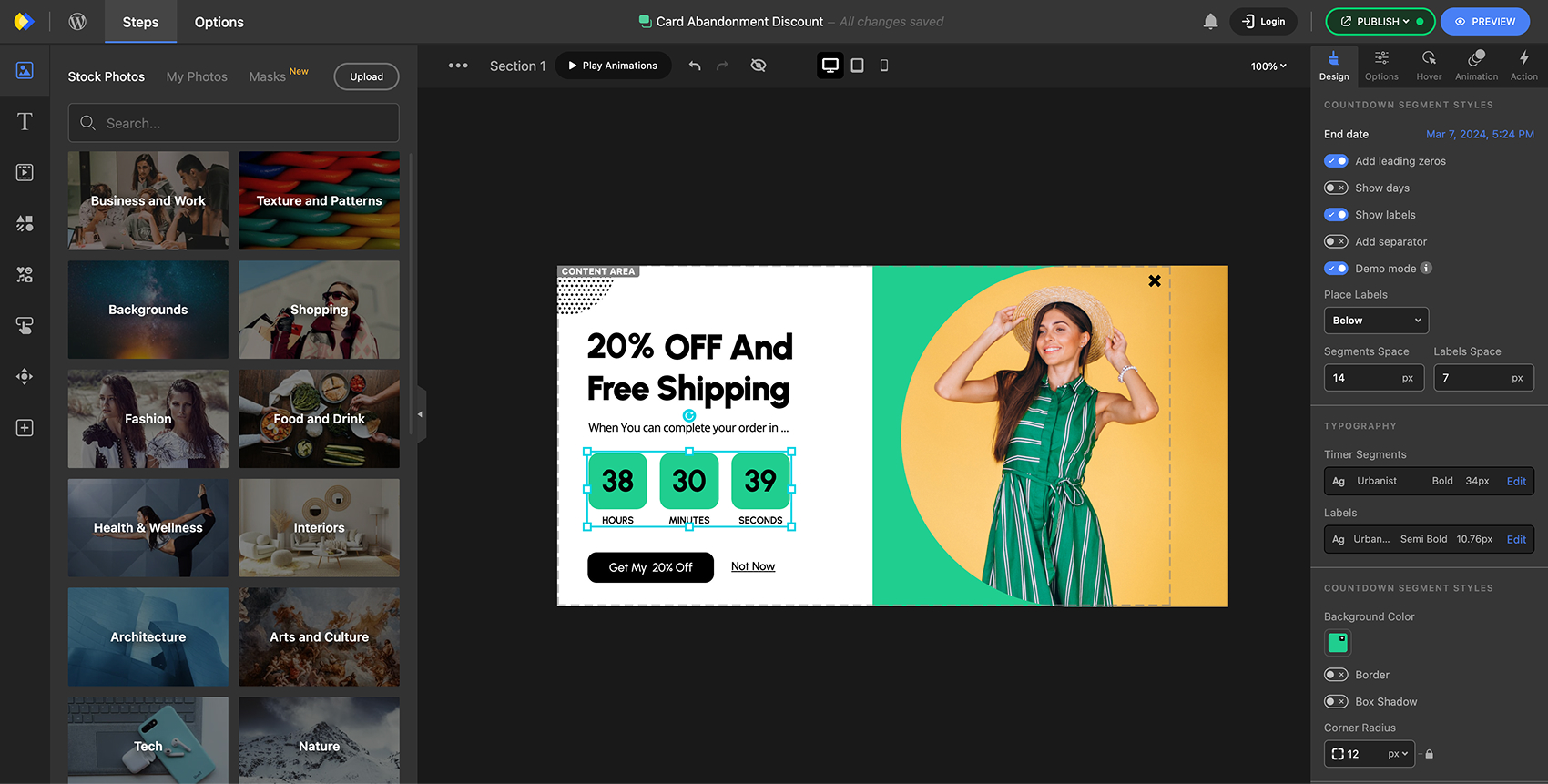
Depicter visual no-code editor for WordPress – drag and drop animated elements to create stunning marketing content. 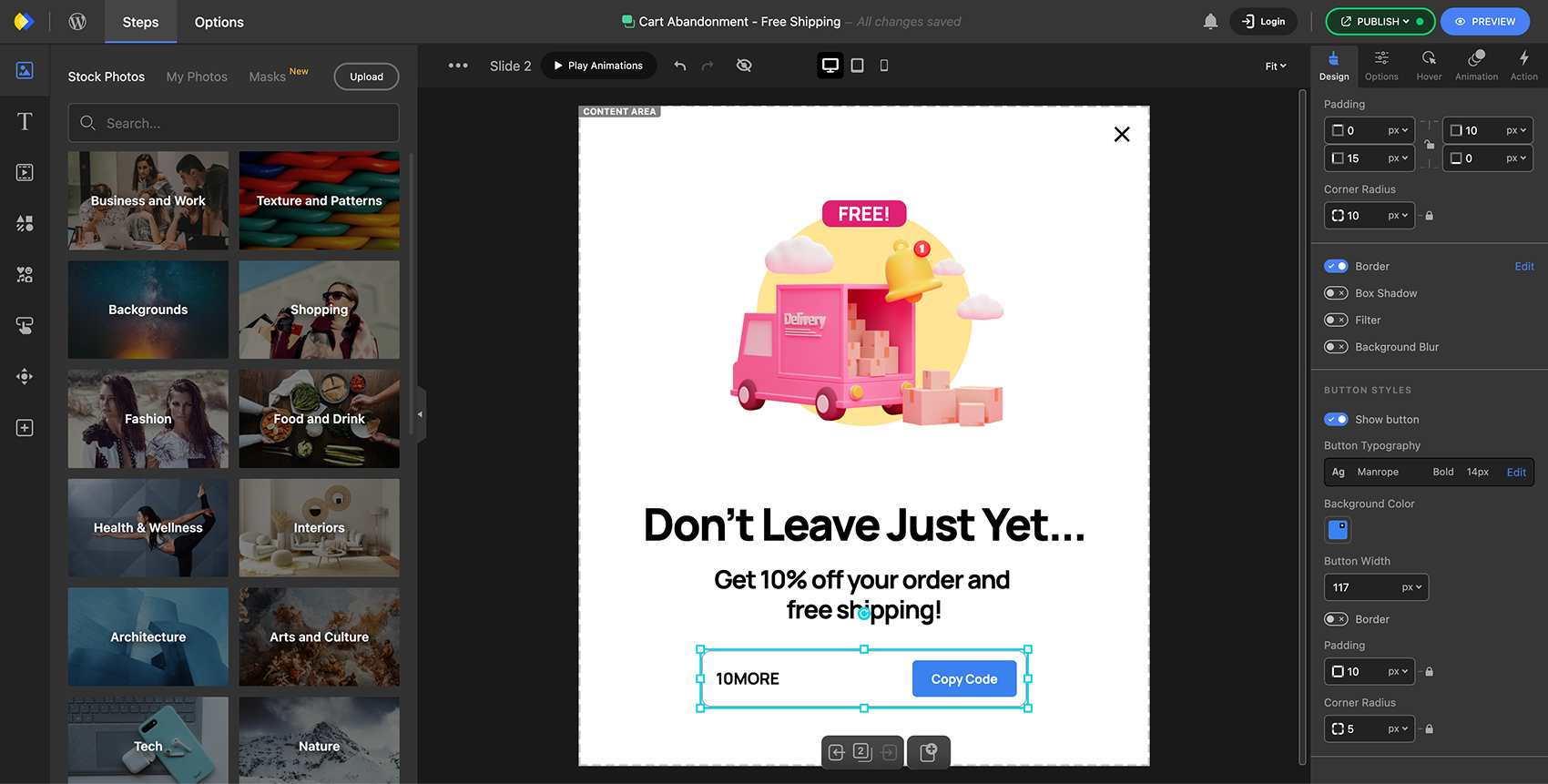
Create animated marketing content with drag-and-drop and elements like coupons and more. 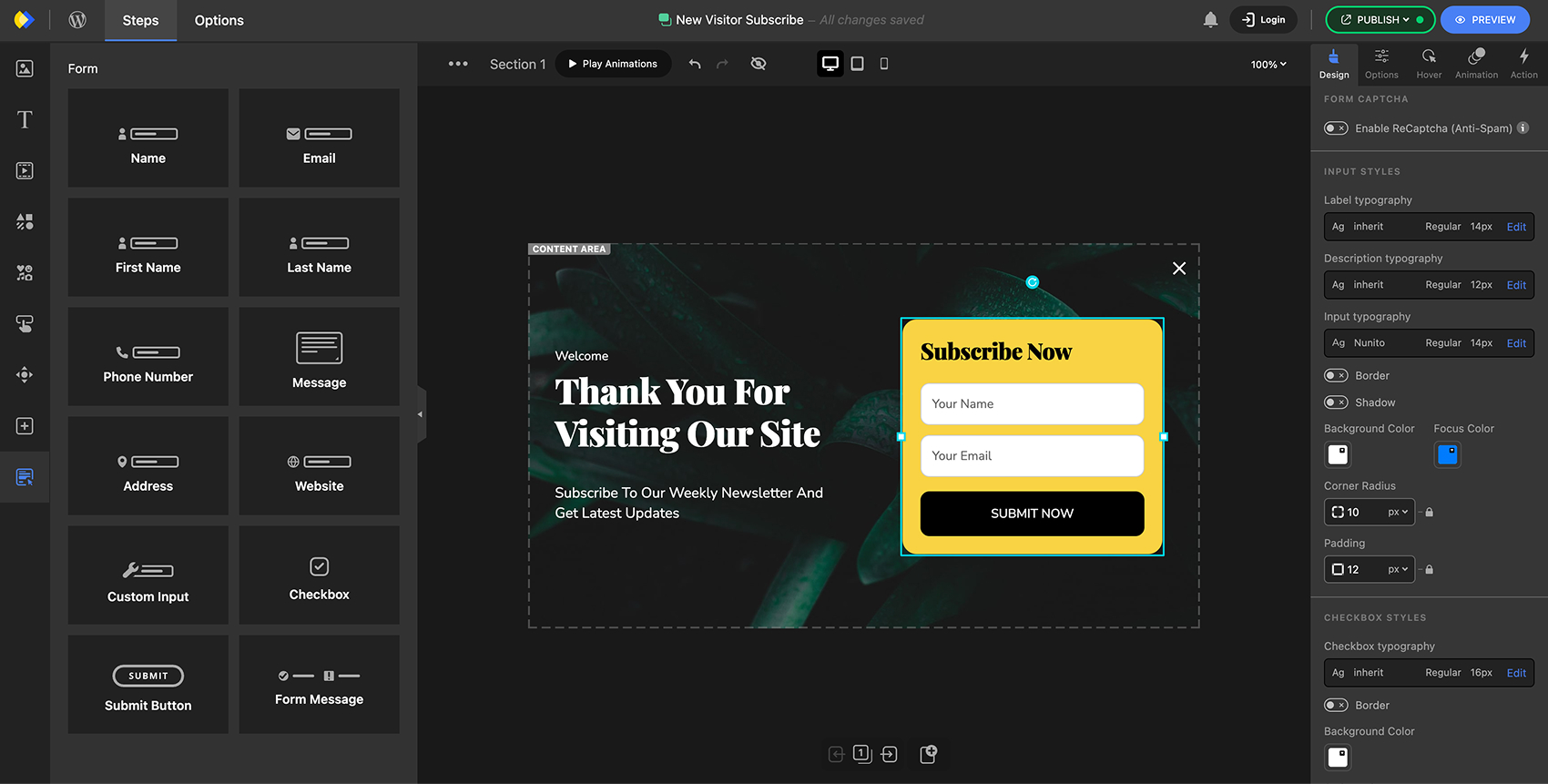
Form builder for WordPress – design custom forms visually with the no-code editor for lead generation and engagement. 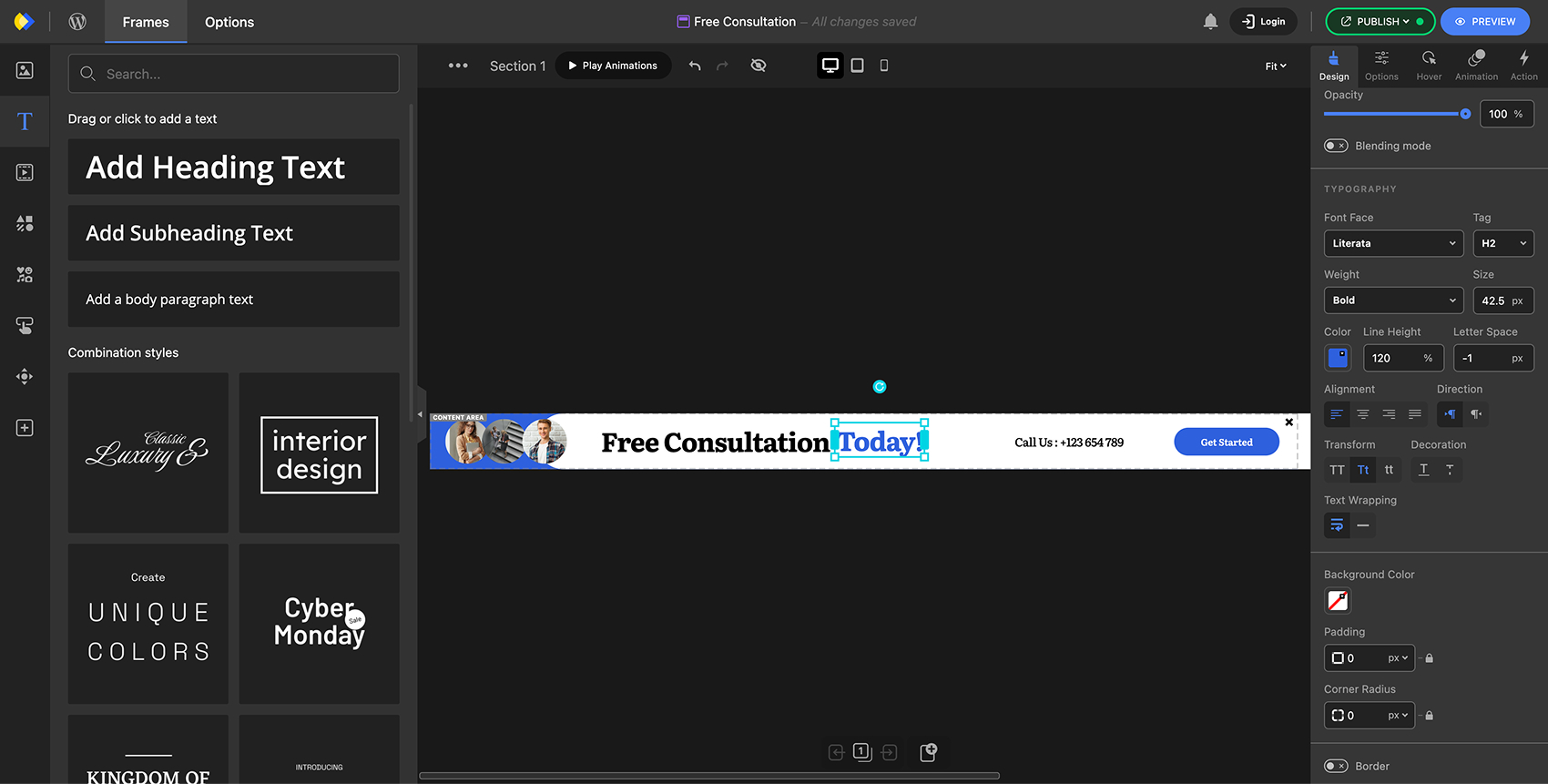
Notification bar builder for WordPress – create announcement banners with the no-code visual editor. 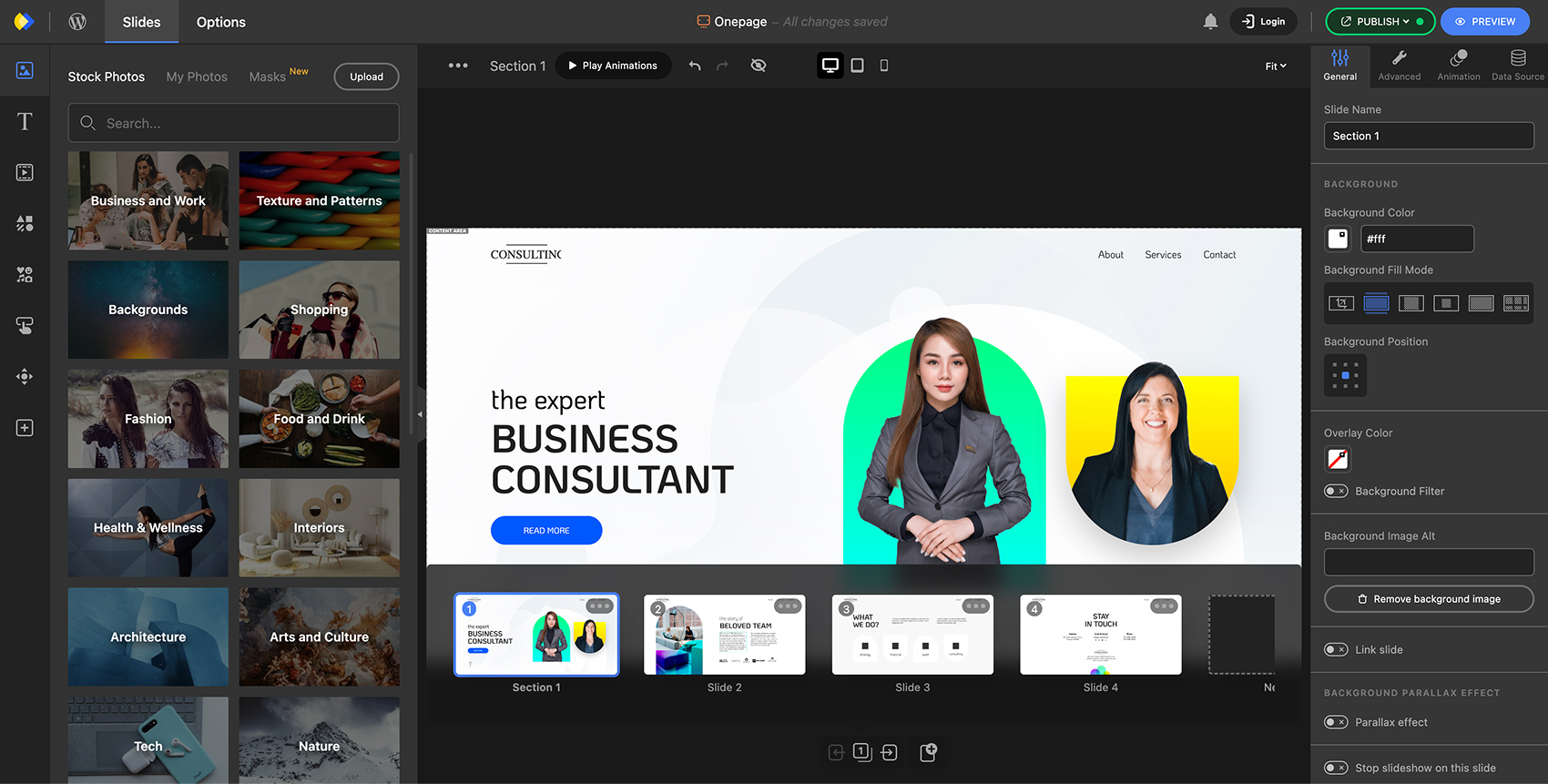
Multi-step content builder for WordPress – create interactive slides and sections to engage and convert visitors. 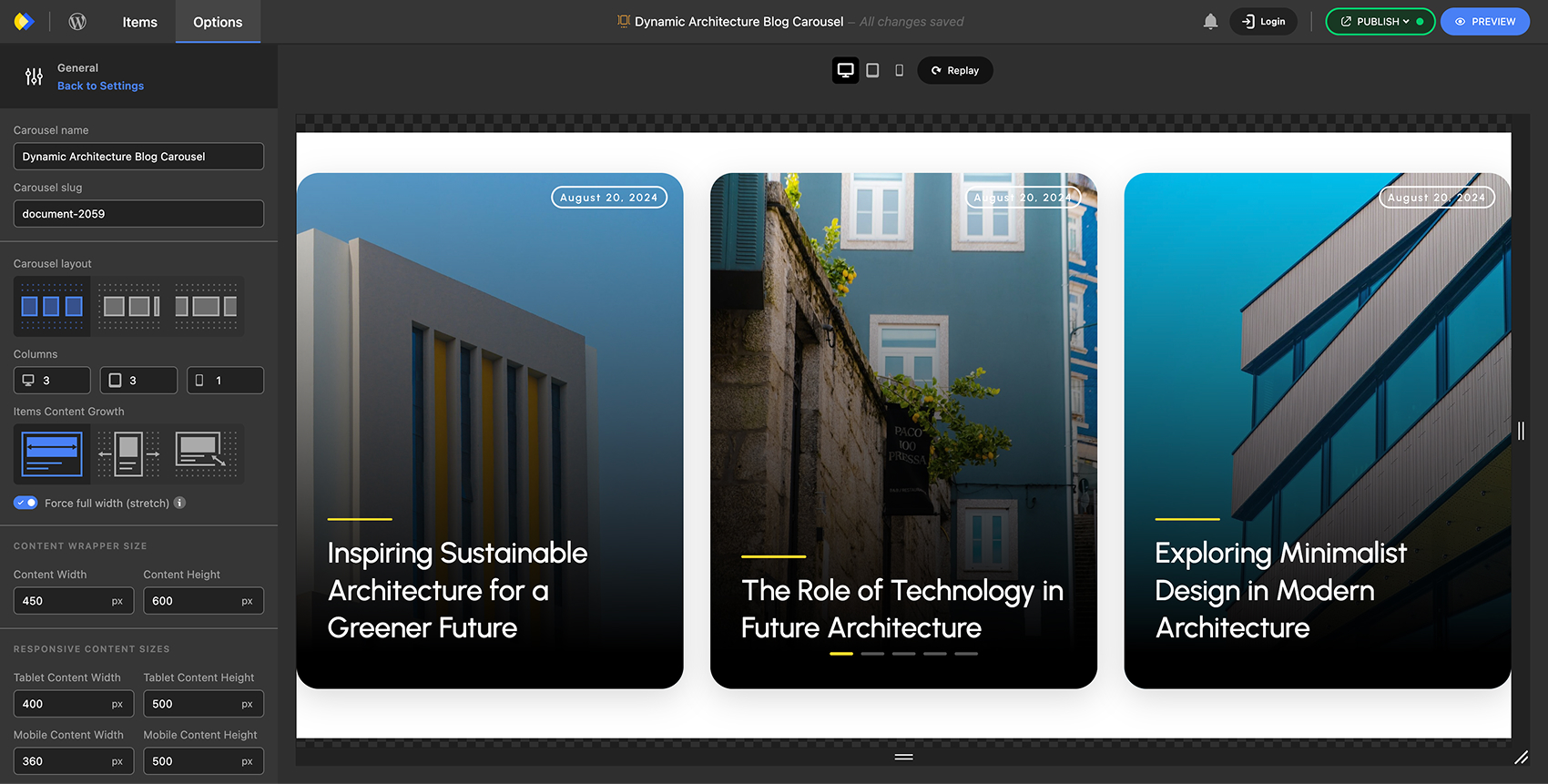
Responsive carousel builder for WordPress – create dynamic, mobile-optimized carousels with modern layouts and no code. 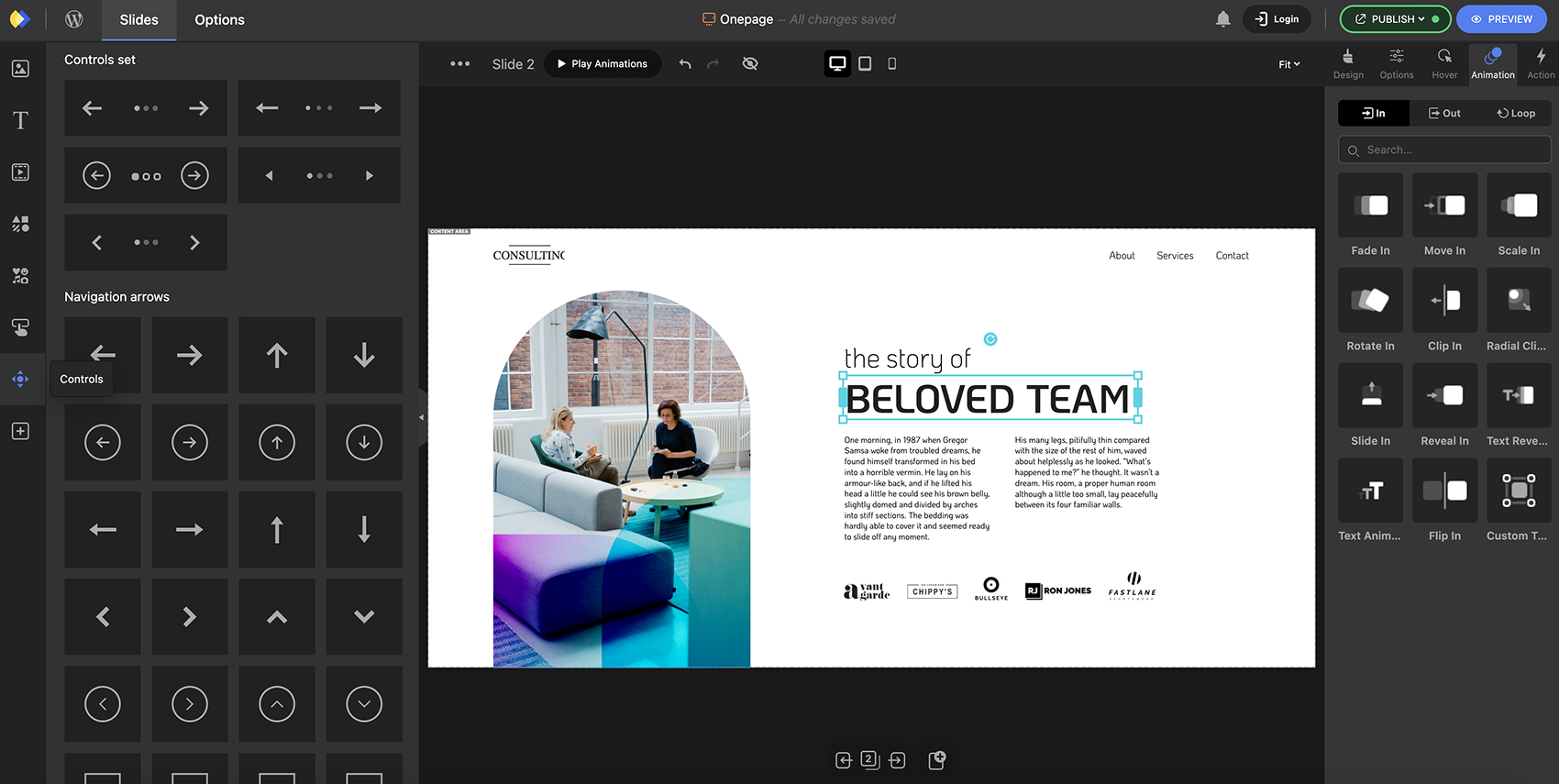
Customize navigation controls with an intuitive no-code UI. 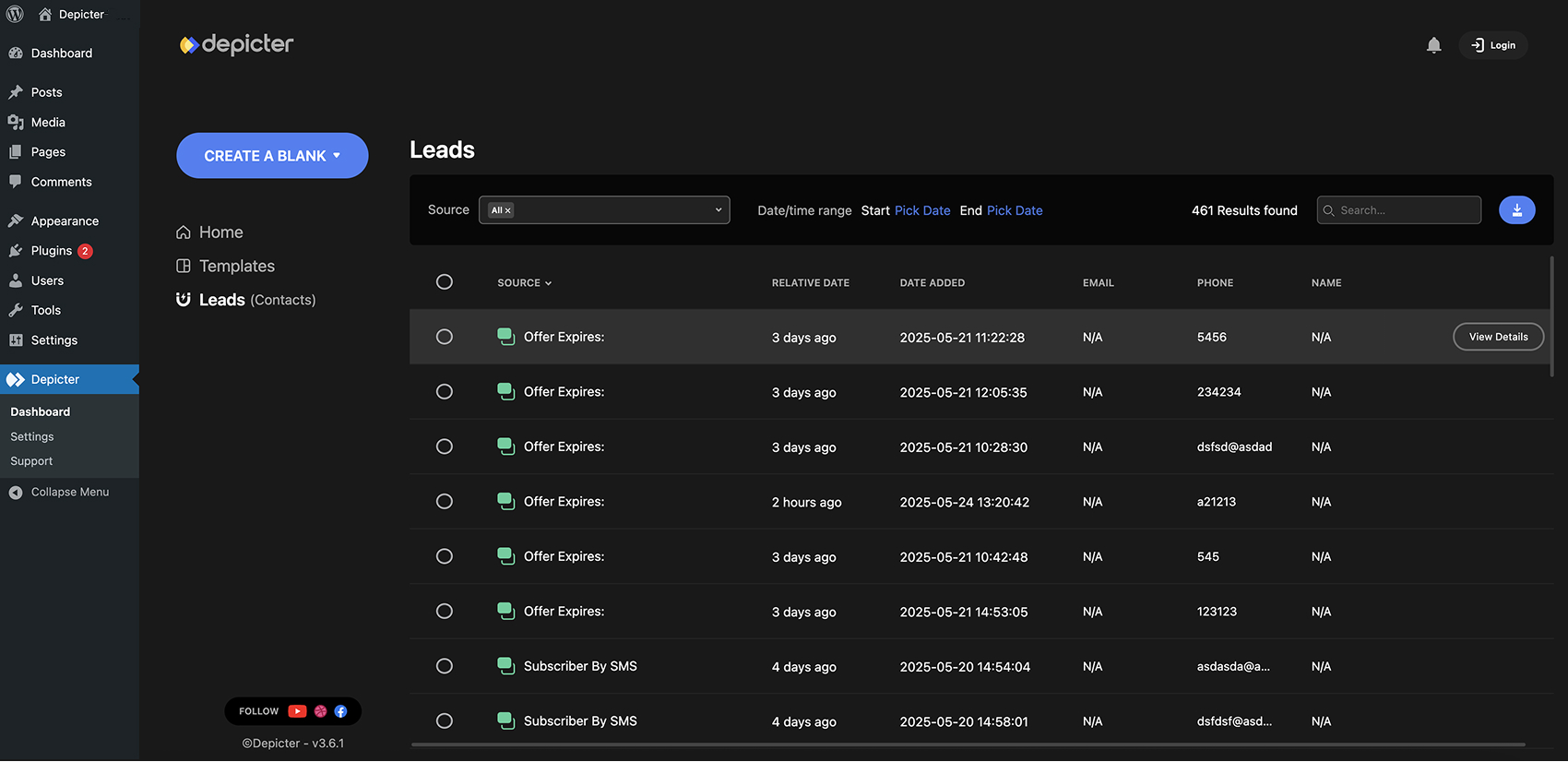
Depicter lead directory for WordPress – store, track, and sync captured leads with your favorite marketing tools. 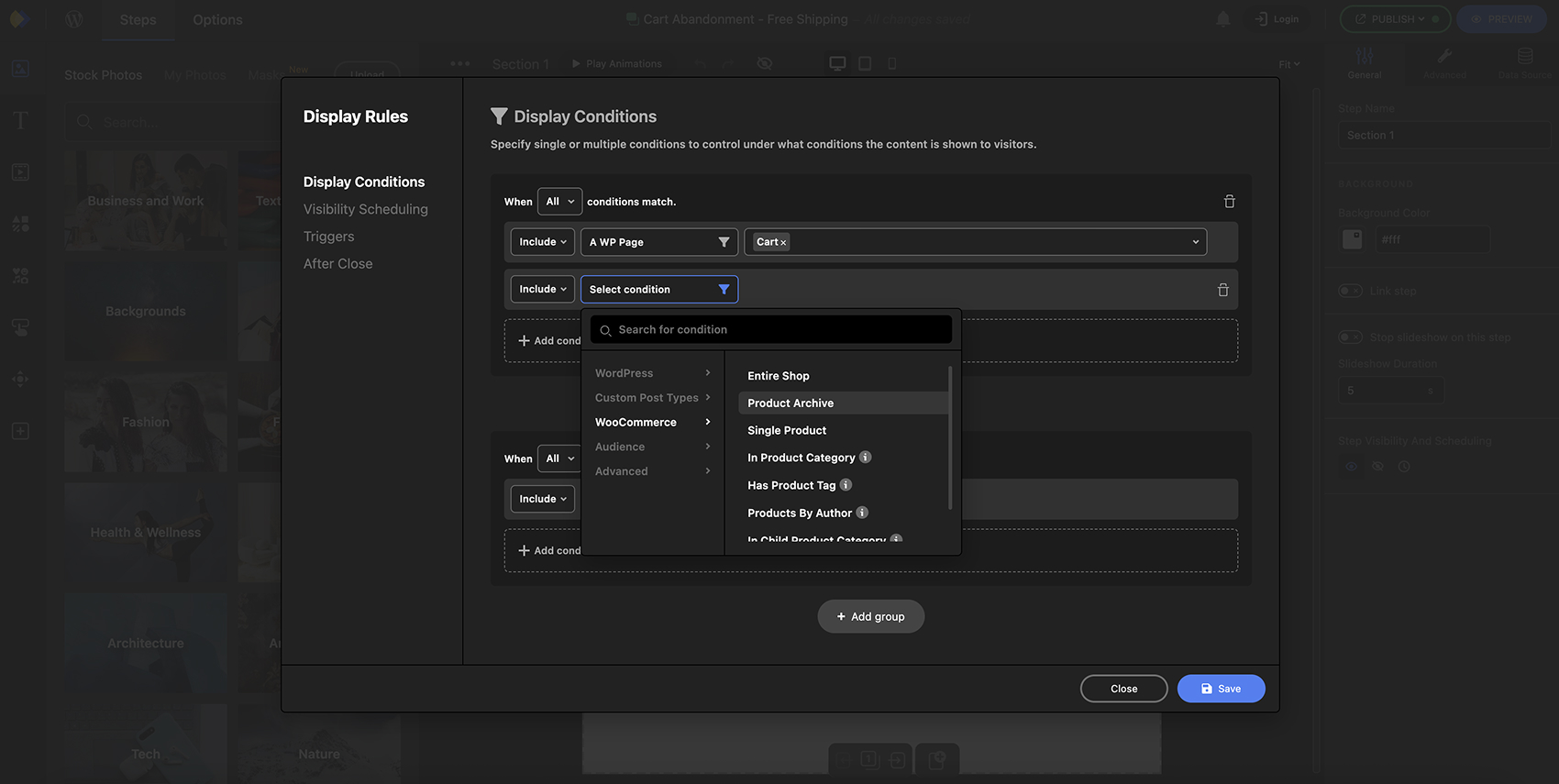
Popup display rules – set smart conditions to show popups or notification bars based on user behavior and targeting. 


Blocos
Este plugin disponibiliza 1 bloco.
- Depicter Add depicter sliders to the contents.
Instalação
Requisitos mínimos
- WordPress 4.9 ou superior
- PHP versão 7.2.5 ou superior
- MySQL versão 5.0 ou superior
Nós recomendamos que seu host suporte:
- PHP version 8.0 or greater
- MySQL versão 5.6 ou superior
- Limite de memória do WordPress 64 MB ou superior
Essa seção explica como instalar o plugin e fazê-lo funcionar
Instalação automática (forma mais fácil)
Para fazer a instalação automática do Depicter, acesse seu painel do WordPress, navegue para o menu Plugins e clique em Adicionar Novo.
No campo de pesquisa, digite “Depicter” e clique em Pesquisar Plugins. Uma vez que você o encontrou você poderá instalar apenas clicando em “Instalar agora”.
Instalação manual
Enviando no painel do WordPress
- Baixe o arquivo
depicter.zip - Navegue até o ‘Adicionar Novo’ na página de plugins
- Navegue para a área de ‘Upload’
- Selecione
depicter.zipno seu computador - Clique em ‘Instalar agora’
- Ative o plugin no painel de Plugins
Utilizando FTP
- Baixe o arquivo
depicter.zip - Extraia o
depicterno seu computador - Envie a pasta do
depicterpara a pasta/wp-content/plugins/ - Ative o plugin no painel de Plugins
O codex do WordPress contém instruções de como instalar um plugin no WordPress.
Atualizando
Você pode usar a atualização automática para atualizar o plugin em segurança.
Avaliações


Colaboradores e desenvolvedores
“Depicter — Popup & Slider Builder” é um programa de código aberto. As seguintes pessoas contribuíram para este plugin.
Colaboradores


Depicter — Popup & Slider Builder” foi traduzido para 8 localidades. Agradecemos aos tradutores por suas contribuições.
Traduzir o “Depicter — Popup & Slider Builder” para seu idioma.
Interessado no desenvolvimento?
Navegue pelo código, consulte o repositório SVN ou assine o registro de desenvolvimento por RSS.
Registro de alterações
4.7.1
- *Released: 2026-01-14
- Melhorado
- Improved icons collection.
- Updated browser support information to the latest version.
- Enabled backward compatibility for loading JavaScript modules on WordPress versions before 6.7.
- Corrigido
- Fixed an issue with switching between animation wizard phases that caused the editor to crash.
- Restored missing padding in the WordPress dashboard containers so content is no longer shifted left.
4.7.0
- *Released: 2025-12-27
- Adicionado
- ✨ Animation Wizard: Apply animations to content with one click.
- 📢 Teaser: Create teaser content for popups with customizable settings.
- 🖼️ New icon set: Refreshed collection with significantly improved performance.
- 🔒 Hidden input fields: Forms now support hidden fields for advanced workflows and integrations.
- 📨 Mailchimp integration: Send form submissions to Mailchimp.
- 👥 Leads directory: View and manage project leads in the editor.
- Melhorado
- Display rules: More flexible controls for popups and notification bars.
- Animations: Greater control over interactive and scroll-bound animations.
- Groups: Better grouping, alignment, and layout behavior.elements.
- Corrigido
- A security vulnerability fixed.
4.0.4
- Released: 2025-06-16
- Melhorado
- Now elements get highlighted when they are hovered in the layers panel.
- Text animation combined with text shadow effect now works better.
- Improved user experience with the before and after element, now it works better when it places beneath other elements.
- Now you can see how many templates are available in each category in the templates list.
- Corrigido
- Fixed an issue with displaying the forms message element after form submission.
- Fixed an issue with editing button label text and other similar elements.
- Fixed an issue with displaying the forms message element after form submission.
4.0.0
- Released: 2025-06-01
- Adicionado
- 📊 Introducing survey documents: Now you can create interactive surveys and collect valuable data from your visitors.
- 🏞️ Introducing remove background feature: Easily remove the background of your photos with just one click.
- 🎛️ Introducing layers panel: Now you can manage your elements layers easily.
- Introducing hover switch element: Create image elements that change on hover (perfect for product images).
- 🛒 Introducing add to cart element: Add an “Add to Cart” button on your WooCommerce sliders—supports both AJAX and non-AJAX.
- Introducing hover slide action triggers: Trigger element actions simply by hovering over slide elements.
- 🏷️ Sale badge element: Highlight discounts by adding sale badges to your WooCommerce sliders.
- New display rules for popup & notification bar elements: Show or hide popups/notification bars based on user login status and language.
- On form submit trigger to the submit element. Now you can bind any action to the form submit event through the submit button.
- Melhorado
- Improved player script performance: Enjoy faster loading and smoother functionality.
- Improved rendering of carousels: Experience smoother transitions and better responsiveness.
- Improved story progress indicator: Enhanced behavior for a more intuitive user experience.
- Improved browser native scroll navigation behavior. Now it should work even the page body element has overflow hidden property.
- Improved working with forms and group elements.
- Improved editor auto document recovery. Now it considers auto patching on document to recover damaged documents.
- Corrigido
- Fixed an issue with defining popup/notification bar click trigger on dynamically created elements like buttons in another slider.
- Fixed an issue with using stock photos as ken-burns effect background.
- Fixed an issue with “Best selling” filter for WooCommerce dataSource.
- Fixed a security vulnerability.
3.6.1
- Released: 2024-12-24
- Melhorado
- Improved choosing the sliding transition experience in the editor.
- Improved post slider functionality when “Include sticky posts” option is enabled.
- Improved visibility schedule functionality for popup and notification bars.
- Corrigido
- Fixed an issue with opening the editor in the Safari browser.
- An issue with changing the background image parallax effect parameters fixed.
- Fixed an issue with displaying dynamic tags in post slider when autoLayout is enabled.
3.6.0
- Released: 2024-12-01
- Adicionado
- ⭐️ Google Reviews data source: Now you can create dynamic reviews/testimonial carousel from your Google Reviews data.
- 🎨 Custom SVG color: Now you can customize svg colors directly inside the editor!
- 🔄 Publish history: With publish history feature, you can now see the history of your published versions and revert to any of them.
- 🔗 Deep-linking: Make your slides or carousel items accessible via a unique URL.
- Admin bar: Quickly access for editing inserted sliders/carousels in a page using new admin bar.
- Melhorado
- Enhanced overall performance of the editor.
- Improved the before and after element behavior plus, added a new option to control the page scrolling while dragging the handle.
- Corrigido
- Fixed an issue where elements appeared overlapped in preview when the sliding direction was set to vertical.
- Fixed an issue with the coupon box element button hover styles.
- Fixed an issue with changing the element positions on tablet and mobile breakpoints that caused the editor to crash.
3.5.1
- Released: 2024-10-02
- Corrigido
- An issue with storing leads in database fixed.
3.5.0
- Released: 2024-09-24
- Added
🧾 Forms: Easily create forms and gather data from your visitors.
📐 Auto Layout: Design more flexible, dynamic, and content-responsive layouts.
🔁 Loop Animations: Make your elements more engaging with continuous loop animations.
⭐️ Icons: Browse thousands of icons and drag them directly into your content from the assets panel.
📊 Leads Page: View and export data collected from your forms directly on the dashboard’s leads page.
🏷️ Coupon Box Element: Now you can effortlessly add coupon boxes to your content.
🔧 Shortcode Element: Easily insert any WordPress shortcode into your content. - Melhorado
- Enhanced carousel item layout for better design flow
3.2.1
- Released: 2024-08-06
- Corrigido
- Fixed an issue with Ken-burns effect.
3.2.0
- Released: 2024-08-05
- Adicionado
- Responsive background images: Now you can set different background images for different screen sizes.
- Melhorado
- Major improvement in the working with videos and their options.
- Corrigido
- Fixed an issue where looped carousel items were not located correctly.
- Fixed an issue with fade transition of slide.
3.1.2
- Released: 2024-06-27
- Corrigido
- Fixed an issue where an unwanted notice appearing in WordPress admin.
3.1.1
- Released: 2024-06-20
- Adicionado
- Flush Cache Option: Regenerate CSS and flush cache of sliders manually by new option added in Depicter setting page.
- Corrigido
- Fixed an issue where an unwanted watermark was appearing in the preview.
3.1.0
- Released: 2024-06-17
- Adicionado
- Before and After Element: Showcase before and after states of photos interactively.
- Alignment Controls: Easily align selected elements in the editor with new alignment controls.
- Border Style Options: Apply border styles to your sliders, popups, and notification banners.
- Corrigido
- Resolved an issue where the wrong blank popup and notification bar were displayed on the dashboard.
3.0.2
- Released: 2024-05-22
- Corrigido
- Access to display conditions of imported popup templates fixed.
3.0.0
- Released: 2024-05-21
- Adicionado
- Create Popups and Notification Bars: Expand your content creation beyond sliders and carousels with new popup and notification bar features.
- Improved Carousels: Enjoy smoother and more versatile carousel creation.
- Custom JS Actions: Bind custom JavaScript actions to elements for enhanced interactivity.
- Styling Options: Add box shadow and border radius to your sliders for a polished look.
- Sticky Posts Filter: Use the sticky posts filter option for WordPress dynamic sources to highlight important posts.
- Lottie Animations: Enhance your content with engaging Lottie animations.
- iFrame Element: Embed third-party services seamlessly with the new iFrame element.
- Melhorado
- Visibility Options: Improved functionality for nearby visibility options, making it easier to manage element visibility.
- Font Resizing: Enhanced resizing of font sizes using the transform tool in the editor for better control.
- Element Selection: Improved element selection and deselection process in the editor for a smoother editing experience.
- Corrigido
- Dropdown Controls: Fixed issues with opening dropdown controls in the editor UI.
- Font Weight Changes: Resolved unwanted font weight changes when selecting multiple text elements.
- Background Video: Fixed the issue with the section background video muted option.
- Vimeo Player: Addressed autoplay and loop issues with the Vimeo video player.
2.1.11
- Released: 2024-04-13
- Adicionado
- Plugin preview and test drive on WordPress.org enabled.
2.1.6
- Released: 2024-04-02
- Melhorado
- Fixed a performance issue while previewing slider in admin dashboard.
2.1.5
- Released: 2024-03-02
- Adicionado
- Added more blob style photo frames to the editor.
- Melhorado
- Improved activating slides when slideshow is enabled.
- Private posts no longer appear in post sliders
- Depicter now is fully compatible with PHP 8.2 and 8.3.
2.1.3
- Released: 2024-02-13
- Adicionado
- Introducing frames, now, you can add different frames to the photos to make custom masks.
- You now have the option to add a progress indicator with a story-like format on your sliders.
- Circle-timer control is added. Now, you can add a circle-timer to your auto slideshow sliders.
- Now you can add hover color to the element borders too.
- Melhorado
- Improved antialiasing on sliders with a visible nearby option enabled.
- Improved rendering 3D Parallax effect.
- Corrigido
- Fixed an issue with navigating direction through slides by arrow controls.
2.1.0
- Released: 2024-01-29
- Adicionado
- Countdown timers are now available, allowing you to create and display countdowns easily.
- You can now enhance your content with a new number counter feature, providing dynamic numerical elements.
- The auto-scroll feature has been added to enable smooth navigation through slides.
- Now you can change the hover border color of elements too.
- Melhorado
- Improved rendering slides when visible nearby is enabled.
- Corrigido
- Addressed conflict with WP Rocket plugin affecting image lazy loading functionality.
- Resolved issue of unexpected auto slideshow pause.
- Fixed an issue with using hover transition duration less than 1.
2.0.9
- Released: 2023-12-25
- Fixed an issue with loading content on Safari and iOS browsers.
- Resolved a problem related to computing the upper space in fullscreen layouts.
2.0.7
- Released: 2023-12-23
- Adicionado
- Now you can create vertical bullets control too.
- Customize arrow controls further by adjusting symbol size.
- Melhorado
- Improved resizing elements by transform tool
- Rendering text animations improved.
- Improvement on text trim option of excerpt element for dynamic sliders applied.
- Improvements for better compatibility with PHP 8.1+ applied.
- Corrigido
- Addressed a bug causing elements to disappear on Android browsers.
- Resolved an issue with the layout of the templates list on the dashboard when viewed in Safari.
- Fixed an issue that caused the ‘Animation Out Auto Start’ option to not work.
- Entering negative values in the number input results in the NaN value fixed.
- Unexpected font size change of text elements with auto width size fixed.
- Addressed an issue with background color of slider.
2.0.6
- Released: 2023-12-07
- Melhorado
- Compatibility with PHP 8.2 applied.
- Corrigido
- An issue with data migration in new version of Depicter fixed.
- Depicter assets will no longer load on all pages if the “Load assets on all pages” option in the settings page is disabled.
2.0.4
- Released: 2023-11-26
- Corrigido
- Resolved an issue where the validation of links (URLs) was not working correctly in certain elements.
2.0.2
- Released: 2023-11-24
- Corrigido
- A compatibility issue with Elementor while using shortcode with slug or alias fixed.
2.0.0
- Released: 2023-11-22
- Adicionado
- Welcome to your new 🎛️ dashboard! Now, managing projects and exploring templates is more streamlined and user-friendly.
- Get creative with more project types! You can now craft not only sliders but also carousels, hero sections, and dynamic sliders.
- Never miss an update with the new notifications panel! It keeps you informed about all the exciting new features, updates, and templates.
- You can now save your work as a draft, even after publishing a project.
- Scheduling feature! You can set when your sliders are visible on your website.
- You can now schedule the visibility of each slide, or set it as invisible if preferred.
- You have more control over the slideshow timer. Choose whether it pauses or resets when the mouse cursor leaves the slider.
- When there’s only one slide, the grab cursor and swipe navigation automatically disable.
- Now you can scale down and up text elements by transform tool.
- Now you can set Depicter only to start loading when it appears in the browser viewport.
- Corner radius and hover background color options have been added to Play/Pause elements.
- Melhorado
- Experience smoother project saving and loading in the editor, making your workflow more efficient.
- Enjoy improved playback options with enhanced video elements for a more versatile viewing experience.
- Get better search results while searching in your sliders in dashboard.
- Better support for system fonts is available now.
- Corrigido
- An issue where applying custom styles to elements wasn’t working correctly has been resolved.
- An issue with displaying the slider on Safari has been fixed.
- An issue with dragging elements with middle-aligned positioning origin has been fixed.
- An incompatibility with some cache plugins fixed.
- A conflict with jetpack plugin fixed, when “Compose using shortcodes to embed media” option was enabled.
1.9.6
- Released: 2023-08-01
- Adicionado
- Google fonts now download to your WordPress site upon importing templates if the fonts config is set to “Save Locally” in the settings page.
- Now you have access to over 3.2 million free stock photos from Pexels in the Depicter editor.
- Melhorado
- Mouse wheel navigation on scrollable pages has been enhanced.
- Corrigido
- A bug with Depicter element of Divi builder fixed.
1.9.5
- Released: 2023-06-14
- Melhorado
- Slider importer improved.
1.9.4
- Released: 2023-06-11
- Corrigido
- A random issue with opening documents that have dynamic sources like post slider and WooCommerce sliders has been fixed.
- An issue with applying the correct width value to the bullet points has been fixed.
- An issue that caused the browsing of stock vectors to crash has been fixed.
- An issue with the appearance of dynamic images on the slider preview, which caused some images not to crop, has been fixed.
1.9.3
- Released: 2023-06-10
- Adicionado
- Now you can enable, disable, or save Google Fonts locally on your host. (check plugin setting page).
- Now you can enable or disable preloading of website resources (images and CSS) for faster page load speed.
- Melhorado
- The swiping gesture and loop option are now turned off when only one slide is added to the slider.
- Embedded videos now support lazy loading as well.
- The loading performance of the sliders list in the dashboard area has been improved.
- Compatibility improvements with Oxygen builder applied.
- Corrigido
- The “custom” fill mode option of slide background videos has been removed.
- An issue with applying gradient colors when one of the colors is transparent has been fixed.
- Unwanted visibility of hidden elements between tablet and mobile breakpoints has been resolved.
- The issue of unwanted photo cropping while switching between slides has been fixed.
- An issue with drag and drop of Depicter block in WordPress editor fixed.
1.9.2
- Released: 2023-05-09
- Adicionado
- Depicter translated into Japanese and Dutch too.
- Corrigido
- A medium-rated security vulnerability reported by Wordfence were fixed.
- An issue that caused the first slide of some sliders not to appear were fixed.
- Some minor bugs were fixed.
1.9.0
- Released: 2023-04-29
- Adicionado
- Introducing 🪄 AI Wizard. Now you can create sliders with the power of ChatGPT in a few seconds! (PRO)
- Now you can create dynamic sliders from any WordPress Custom Post type (PRO).
- We added support for Advanced Custom Fields (ACF) to the WordPress data sources.
- Long awaited theme fonts! Now you can use any of the custom fonts that are added to your website (No config required!).
- Melhorado
- Major improvement in using data sources and creating dynamic sliders.
- Copping and resizing image elements and slide backgrounds improved.
- Corrigido
- Fixed an issue with unwanted scaling while resizing an image element right after adding it to a slide.
- An issue with Beaver Builder fixed.
1.7.3
- Released: 2023-03-20
- Adicionado
- An issue where editing dynamic tags on text elements caused the editor to crash.
- Resolved an issue where old sliders couldn’t be opened with the latest version of the editor.
- The issue causing the “invalid color” error fixed.
- Melhorado
- Improved the display of YouTube videos as slide backgrounds.
1.7.0
- Released: 2023-02-28
- Adicionado
- Now you can add YouTube or Vimeo videos as slide background (PRO).
- Now you can resize image while cropping by zoom control.
- Now you can use WebP images inside the slider.
- Melhorado
- Replacing image elements by dropping another image on them improved.
- Ken-burns effect got minor improvements.
- On preview, now you can scroll to see scroll parallax effects.
- Corrigido
- Fixed an issue that caused the editor to crash while changing animation parameters.
1.6.2
- Released: 2023-02-20
- Melhorado
- Depicter is now fully compatible and integrated with Oxygen Builder plugin.
1.6.0
- Released: 2023-02-09
- Adicionado
- Now you can add gradient colors to elements and slide background.
- Now you can add the Ken-burns effect to the slide background image (PRO).
- Text animations are available now! You can add them to single and multiline text elements (PRO).
- Introducing Clip and Reveal animation types (PRO).
- Integration for Oxygen page builder applied. Now you can use Depicter element in Oxygen builder too.
- Melhorado
- Generating thumbnails from slides are improved.
- Corrigido
- A JS error on iOS 14 fixed.
- An issue with border-radius and video elements on safari fixed.
- An issue with applying vertical parallax effect fixed.
- An issue with previewing slider on Nginx web server fixed.
- An issue with the localization of the editor fixed.
- An issue with disabling the hover effect on tablet and mobile breakpoints fixed.
1.5.5
- Lançado em: 2022-12-25
- Adicionado
- Introducing Handpicked Posts slider (PRO). Now you can handpick some posts to be displayed as a slider.
- Introduzindo WordPress Pages slider (PRO). Agora você pode mostrar as páginas do seu site como um slider.
- Introduzindo Handpicked Pages slider (PRO). Agora você pode escolher manualmente algumas páginas para serem mostradas como um slider.
- Introduzindo Handpicked Products slider (PRO). Agora você pode escolher manualmente alguns produtos para serem mostrados como um slider.
- Agora você pode cortar a imagem de fundo de uma section.
- Agora o widget para Gutenberg do Depicter tem pré-visuzliação no editor de Blocos do WordPress.
- Corrigido
- Um problema com sliders que contém elementos vazios foi corrigido.
- Um problema com a animação das cores do “Indicador de rolagem” foi corrigido.
- Um problema com a rotação responsive de alguns elementos foi corrigido.
- Um problema com a localização do Editor do Depicter foi corrigido.
- Melhorado
- Improvement for generating style for “In Stock Status” element applied.
1.5.2
- Released: 2022-12-11
- Adicionado
- Adicionadas novas traduções para os idiomas Holandês, Russo e Chinês.
1.5.1
- Released: 2022-12-06
- Adicionado
- Agora você pode publicar ou abrir um slider no Editor de blocos do WordPress.
- Corrigido
- Um problema com a mudança do slug de um slider no editor foi corrigido.
1.5.0
- Released: 2022-11-24
- Adicionado
- Mais de 50 temas premium estão disponíveis agora
- Agora você pode adicionar parallax aos elementos e fundo do slide (PRO).
- Origem de dados do WooCommerce está disponível agora (PRO).
- Origem de dados das páginas do WordPress está disponível agora (PRO).
- Agora você pode configurar seu slider para mostrar apenas uma parte ou toda a área próxima ao slide em ambos os lados (PRO).
- Agora você pode adicionar uma animação-in e animação-out ao fundo do slide (PRO).
- Melhorado
- Performance geral do Editor melhorada.
1.3.8
- Released: 2022-10-25
- Adicionado
- Now Depicter loads faster than ever before by parallel loading of slider assets.
- Nova página de configuração e opções para carregar os assets do Depicter nas páginas do website.
- Melhorado
- Melhorias no layout em tela cheia em dispositivos móveis.
- Melhorias na pré-visualização de mudanças do slider no editor.
- Processo de manter conexões no Editor melhorado.
- List of sliders in page builder elements reordered by last modified date.
- Depois de importar um novo slider, o ponto de quebra no editor é sempre o Desktop.
- Código do Depicter agora é totalmente válido com os padrões W3C
- Corrigido
- Correção para um problema quando haviam vários sliders na mesma página.
- Aparência do editor no layout RTL foi corrigido.
- Um problema carregando os arquivos de localização i18n foi corrigido.
- Um problema ao criar as tabelas do plugin após adicionar um novo site na rede foi corrigido.
- Preventing errors if one of media files used in slider was deleted from media library.
- Um problema obtendo links de mídia em sites com diretórios de upload diferentes foi corrigido.
1.3.5
- Released: 2022-10-09
- Adicionado
- Depicter Element for Divi Page builder added.
- Now you can directly publish an unpublished slider in Divi page builder.
- Now you can directly publish an unpublished slider in WpBakery page builder.
- Melhorado
- Estilo e funcionalidade de avisos não publicados foi atualizado.
- Tamanho da tela cheia em dispositivos móveis foi melhorado.
- Corrigido
- Um problema na apresentação de elementos agrupados na pré-visualização foi corrigido.
- Um problema de estilo com o slider quando haviam vários sliders na página foi corrigido.
- Um problema que impedia o slider de carregar no Safari v14 foi corrigido.
- Um problema com slides aparecendo sem elementos foi corrigido.
1.3.3
- Lançado em: 2022-10-02
- Corrigido
- Um problema com documentos antigos ou templates que faziam o editor travar foram corrigidos.
1.3.2
- Lançado em: 2022-09-24
- Corrigido
- An issue with loading custom styles of slider fixed.
- Um problema com o botão de editar um slider usando o Elementor foi corrigido.
1.3.1
- Lançado em: 2022-09-21
- Corrigido
- An issue with loading styles of slider on some page builders fixed.
- Um pequeno error envolvendo Depicter e Elementor foi corrigido.
1.3.0
- Lançado em: 2022-09-21
- Adicionado
- Agora, você pode configurar o layout de tela cheia e as margens serão calculadas automaticamente.
- Agora, a altura automática vem habilitada por padrão. Apenas aumente a altura do conteúdo de um slide e veja o resultado em uma caixa ou layout de largura completa.
- Adicionado opção de “Altura adaptável”. Ela remove a antiga opção “Aspect ratio” e melhora o redimensionamento de elementos em diferentes telas de dispositivos.
- Adicionada a possiblidade de colocar fotos em cima de elementos de vídeo.
- Agora você pode mudar a direção de navegação via swap independente da direção de transição entre os slides.
- Adicionada opção de ir para o próximo slide depois do vídeo terminar.
- Você também pode adicionar nomes de classes personalizados aos elementos. Isso vai ajudar a se conectar com scripts de terceiros.
- Agora, copiando e colando estilos inclui tamanhos também.
- Você também pode encontrar setas de navegação vertical do lado esquerdo do painel.
- Se a página não tiver um slider do Depicter, os assets não serão carregados na página.
- Melhorado
- Um botão de copiar trechos de código CSS foi adicionado.
- Melhorias geral de performance ao mover e alinhar elementos no editor.
- Melhorias no comportamento da navegação via teclado.
- Melhorias na velocidade de carregamento da pagina do slider.
- Corrigido
- SSL certificate error while importing templates fixed.
- Um problema com a apresentação das fotos de capa de vídeos hospedados no servidor no editor.
- Corrigido um problema que sobrepunha a pré-visualização do slider no modal.
1.2.0
- Released: 2022-09-05
- Adicionado
- Agora você pode publicar ou renomear um slider diretamente do painel.
- Você pode encontrar o shortcode do slider na área do painel também.
- Agora você pode pré-visualizar e publicar alterações no slider direto do Elementor do Depicter também.
- Corrigido
- Um problema com o posicionamento de elementos na visualização do dispositivo móvel foi corrigido.
- Um problema renderizando fotos dinâmicas que poderiam travar foi corrigido.
- Um problema publicando sliders logo após remover uma fonte de dados foi corrigido.
- Melhorado
- Melhorado o processo de recuperação de dados do Editor.
- Tratamento de erros melhorado no painel.
1.1.9
- Lançado em: 2022-08-27
- Corrigido
- A conflict with WPBakery page builder fixed.
1.1.8
- Lançado em: 2022-08-22
- Corrigido
- Um problema inicializando o slider quando a página já está carregada.
- Um problema carregando arquivos faltantes de js enquanto edita um post no painel do WordPress foi corrigido.
- Um problema cortando Gifs animados foi corrigido.
- Um problema renderizando imagens que poderiam causar travamento foi corrigido.
- Melhorado
- Ponto de quebra do dispositivo móvel agora é 767px.
1.1.7
- Lançado em: 2022-08-20
- Adicionado
- Agora você pode editar o conteúdo da fonte de dados conectada aos elementos de texto.
- Melhorado
- Melhorias no carregamento de elementos de imagem dentro do editor.
- Melhorias no reposicionamento de elementos usando as setas do teclado.
- Corrigido
- Um problema com o alinhamento de elementos no centro do slider foi corrigido.
- Corrigido um problema indesejado ao iniciar animações em elementos selecionados.
- Corrigidas alterações indesejadas de elemento ao alternar entre breakpoints.
- Corrigido um problema ao aplicar estilos personalizados aos elementos.
- Um problema carregando a imagem de capa do video no slide foi identificado.
- Um problema com pedaços do resumo do post no slider foi corrigido.
1.1.6
- Lançado em: 2022-07-24
- Adicionado
- Depicter está mais rápido do que nunca com novas melhorias de desempenho.
- Melhorado
- Melhorias na performance geral ao atualizar opções no editor.
- Vídeos no plano de fundo começam a tocar após o slide ser totalmente carregado.
- Corrigido
- Um problema com a opção “Próximo slide” em vídeos em loop no plano de fundo foi corrigido.
- Um problema com o cache do slider foi corrigido.
- Um problema ao exibir o carregamento da animação foi corrigido.
- Um problema com posicionamento dos controles de configuração das predefinições foi corrigido.
- Corrigido problema com estilos personalizados do slider.
- Corrigido um problema importando e exportando sliders que contém arquivos SVG.
1.1.4
- Lançado em: 2022-07-13
- Adicionado
- Agora você pode configurar elementos de vídeo de hospedagens próprias como um plano de fundo do slide utilizando o menu de contexto com o clique-direito do mouse.
- Adicionado cache para sliders publicados
- Melhorado
- Reduzido conflitos ao utilizar plugins de lazy loading de terceiros.
- Melhorias ao importar modelos e processar sliders.
- melhorias no carregamento de imagem dentro do editor.
- Melhorias gerais de desempenho ao editar o conteúdo no editor.
- Corrigido
- Um problema escondendo slider responsivo foi corrigido.
- Um problema com o ponteiro do cursor em elementos de ação foi corrigido.
- Um problema escondendo elementos descendentes de um grupo de elementos.
- Um problema importando arquivos SVG durante a importação de um slider foi corrigido.
- Um problema com a propriedade “inherit” do font-family em elementos de texto foi corrigido.
- An issue with text letter-spacing with value of 0 fixed.
1.1.2
- Lançado em: 2022-06-26
- Adicionado
- Você pode configurar o font-family como
herdado do temaem casos que você quer que o texto utilize a mesma fonte do tema. - Melhorado
- Melhorias na aparência da “área de conteúdo” do editor.
- Melhorias na qualidade do plano de fundo do slider.
- Corrigido
- Corrigida a animação indesejada do elemento de reprodução após a seleção do elemento.
- Removidas inesperadas bordas brancas nas laterais das barras de rolagem no editor.
- Visibilidade indesejada de grupo elementos descendentes corrigida.
- Um problema com a navegação em loop enquanto o teclado está ativo foi corrigido.
- Um problema ao carregar e aplicar variações do Google Font foi corrigido.
- Um problema ao conectar um elemento de imagem à uma URL foi corrigido.
- Um problema com a opção “Abrir em nova Tab” em elementos foi corrigido.
- Um problema que impedia o carregamento de recursos foi corrigido.
- Um problema com o controle de animações hover foi corrigido.
1.1.0
- Lançado em: 2022-06-14
- Adicionado
- Agora você pode criar sliders dinâmicos a partir de posts do WordPress
- Agora você pode importar e exportar seus sliders.
- Depois de cada atualização, você pode ver as alterações no seu painel direito.
- Melhorado
- Área de design do slide não muda a escala quando o valor de zoom está configurado como “fit”.
- O editor mostra um aviso quando não possui acesso ao servidores do Depicter
- Melhorias dicas na ferramenta de transformação.
- Corrigido
- Agora elementos com a opção “espere por uma ação” habilitada não aparecem no começo.
1.0.0
- Lançado em: 2022-06-01
- Melhorado
- Agora a área de slides está localizada no centro da área de trabalho.
- Melhorias no suporte para rotação 3D de animações.
- Corrigido
- Um problema aleatório ao arrastar recursos e substituir fotos da pasta de recursos foi corrigido.
- Um cálculo errado da barra de rolagem do lado direito do painel de recursos foi corrigido.
- Um problema ao aplicar o peso padrão de uma fonte aos elementos de texto foi corrigido.
- Um problema ao reproduzir a movimentação de animações após mudar o valor do movimento foi corrigido.
0.9.11
- Lançado em: 2022-05-12
- Adicionado
- Agora você pode arrastar fotos e vídeos direto do seu disco de armazenamento para o editor do Depicter.
- É possível colar cores RGBA no seletor de cores.
- Agora você pode configurar o zoom utilizando Ctrl+Shift+0
- Melhorado
- O tamanho das setas de controle foi melhorado.
- Melhorias na aparência das abas de “Slides” e “Opções”.
- Melhorias gerais de performance ao editar recursos.
- Melhorias para redimensionar fotos e elementos SVG no editor.
- Melhorias na funcionalidade de redefinir o recorte.
- Melhorias na performance da máscara de animação
- Corrigido
- Um problema indesejado de movimentação dos elementos após alternar entre slides e a aba de opções foi corrigido.
- Um problema ao digitar um espaço quando o elemento de texto ou botão está selecionado.
- Espaço adicional do lado direito da barra de rolagem removido.
- Um problema com a pré-visualização de imagens SVG no slider foi corrigido.
0.9.10
- Lançado em: 2022-04-28
- Melhorado
- Melhorias na barra de rolagem
- Melhorias no comportamento da pesquisa através dos assets.
- Corrigido
- Um problema ao digitar um espaço quando o elemento de texto ou botão está selecionado.
- An issue with …
