

Opis
Invoize turns your WordPress dashboard into a complete professional invoicing system — no extra software needed.
Whether you’re a freelancer sending a single invoice or an online store processing hundreds of orders daily, Invoize makes billing effortless, fast, and stunning on every device.
Create fully branded PDF invoices, packing slips, and quotations that impress clients. Convert any accepted quotation to a final invoice with just one click. Works perfectly standalone or automatically generates WooCommerce invoices the moment an order is placed.
Your clients get secure preview links, pay instantly, and download documents from “My Account” — everything 100% mobile-responsive.
Developed by wpsora.com and trusted by thousands of businesses worldwide.
Documentation · Support ·
Introduction
Invoize helps you create professional invoices that match your brand and workflow created by wpsora.com. Generate PDF invoices with clean templates, track statuses, let customers preview securely, and keep numbering consistent. Receipts are created when invoices are paid, and everything works with multiple currencies so your records stay accurate.
What you can do with Invoize Free
Invoize Free lets you create and email professional PDF invoices and receipts with sequential numbering, VAT or PPN, custom items, and clean templates you can brand with your logo and colors. Customers can preview securely, pay on a single payment page, and download documents from My Account. You can add QR codes, manage clients and saved products or services, schedule polite payment reminders, and view key totals from a dashboard widget with simple revenue summaries. It works with or without WooCommerce
Create reliable invoices and receipts
Create, edit, duplicate, and regenerate invoices. Use sequential numbers with prefixes and date tags, generate professional PDFs, and share secure public previews.
Accept payments on a unified payment page
Offer bank transfer and PayPal out of the box. Use one payment page for all methods. After payment, invoice status updates automatically.
Send smart emails and reminders
Use ready templates for unpaid, paid, expired, and cancelled invoices. Attach PDFs, add your logo, and CC or BCC teammates. Schedule reminders before or after the due date.
Manage clients and your business profile
Store client details, control preview access, sync WooCommerce customers, and support guest clients. Keep multiple business profiles with logos and defaults for a professional look on every document.
Built for WooCommerce
Auto-create invoices from orders, map order statuses to invoice statuses, and sync products, taxes, discounts, and shipping. Reduce stock when an invoice is paid.
See what matters at a glance
Use the dashboard widget to view unpaid and soon-to-expire invoices and mark paid quickly. Track monthly and yearly revenue with analytics .
Customize everything important
Control Bill To, product lines, discounts, multiple taxes, notes, and key dates. Set defaults for due intervals, numbering prefixes, payment methods, email templates, and currency.
Automate routine work
Cron jobs handle reminders, log cleanup, and other recurring tasks. Statuses update from due dates and from payment gateways so your records stay correct.
Features (Free Version)
- Gorgeous, fully branded PDF invoices & packing slips
- Automatic WooCommerce invoice & packing slip generation
- Sequential numbering with custom prefixes & date tags
- Mobile-first, responsive design — looks perfect on phones & desktops
- Secure client preview links + “My Account” download area
- QR codes on invoices for instant mobile payments
- Save unlimited clients & reusable products/services
- VAT, PPN, multiple tax rates & per-item discounts
- Custom email templates with your logo
- Automatic & scheduled payment reminder emails
- Dashboard widget with revenue totals and overdue alerts
- Bank transfer + PayPal “Pay Now” buttons
Premium Features (Invoize Pro)
Everything in free + powerful automation:
* Recurring invoices (weekly, monthly, yearly) – auto-created & sent
* Quotations / Estimates – public preview + one-click convert to invoice
* Full payment gateway integration: Stripe, PayPal, Xendit (QRIS, VA, cards)
* Auto-mark invoice as Paid when payment is received
* Advanced analytics & cash-flow reports
* Late fees, overdue reminders & custom email schedules
* Multi-currency with automatic detection
* Priority support & future updates first
* Full RTL (Right-to-Left) support
* Store credit for customer
Features
- Recurring Invoices: Create recurring invoices for your clients and automate your billing process.
- Reminder Emails: Send automatic reminders to your clients for overdue invoices.
- Multi-Currency Support: Create invoices in multiple currencies and accept payments in your preferred currency.
- Discount and Tax: Add discounts and taxes to your invoices to reflect the accurate amount.
Integrations
- WooCommerce Integration: Seamlessly create invoices for your WooCommerce orders automatically.
- PayPal Integration: Enable clients to pay invoices directly through Paypal. For details, see Privacy Policy and User Agreement.
- Xendit Integration: Accept payments conveniently via Xendit, a payment gateway popular in Indonesia that supports various payment methods. Learn more by reviewing their Terms of Service and Privacy Policy.
- Stripe Integration : Accept payment conveniently via StripeStripe, a leading global payment processor that supports credit/debit cards, digital wallets (like Apple Pay and Google Pay), ACH transfers, and various international payment methods.
Slike ekrana
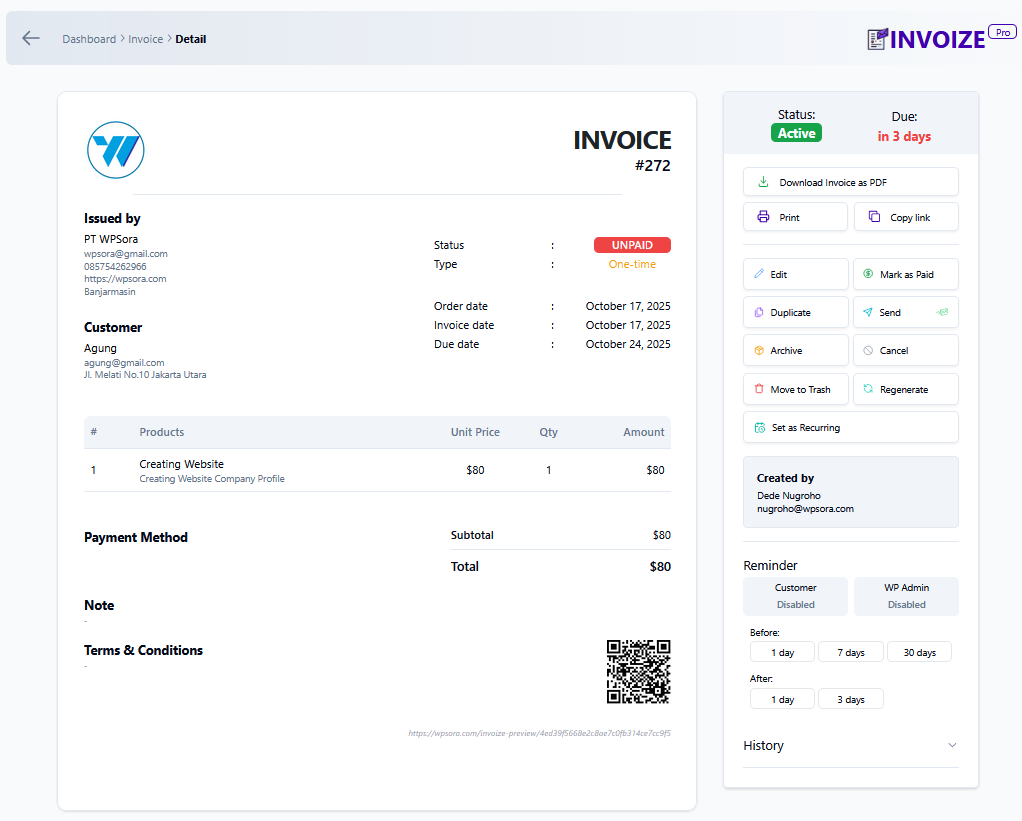
Invoize Preview 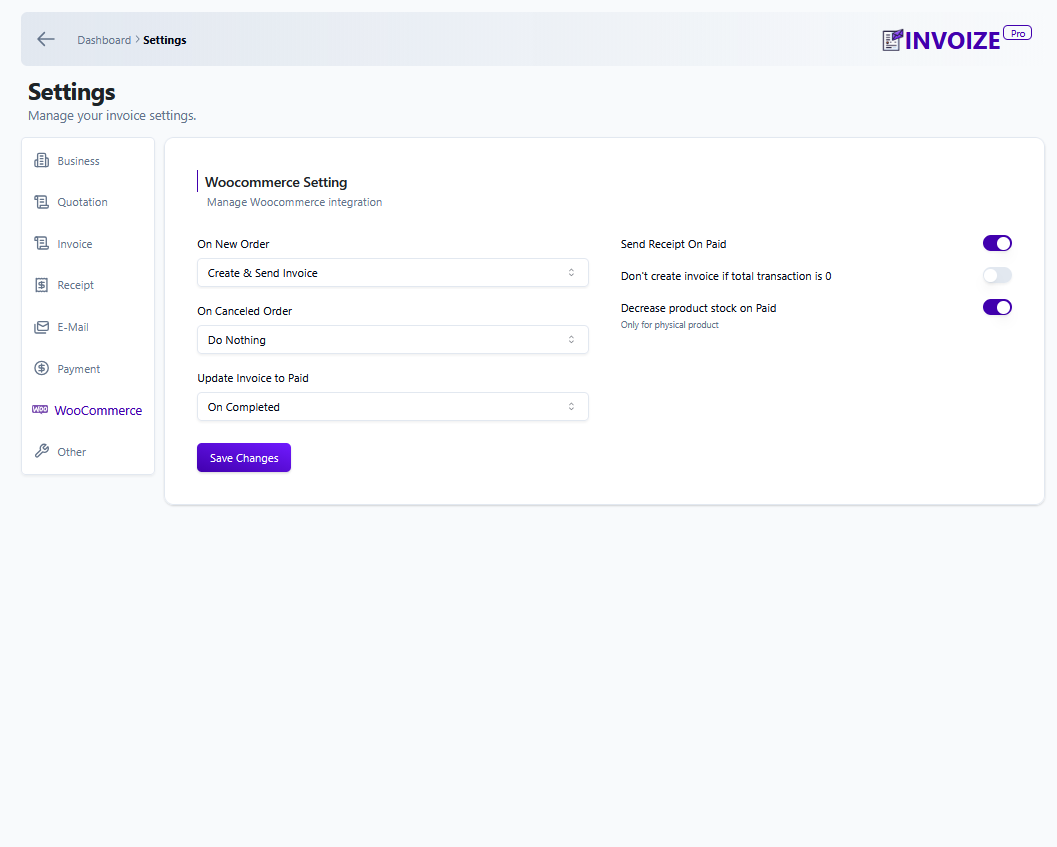
Invoize Woocommerce Integration 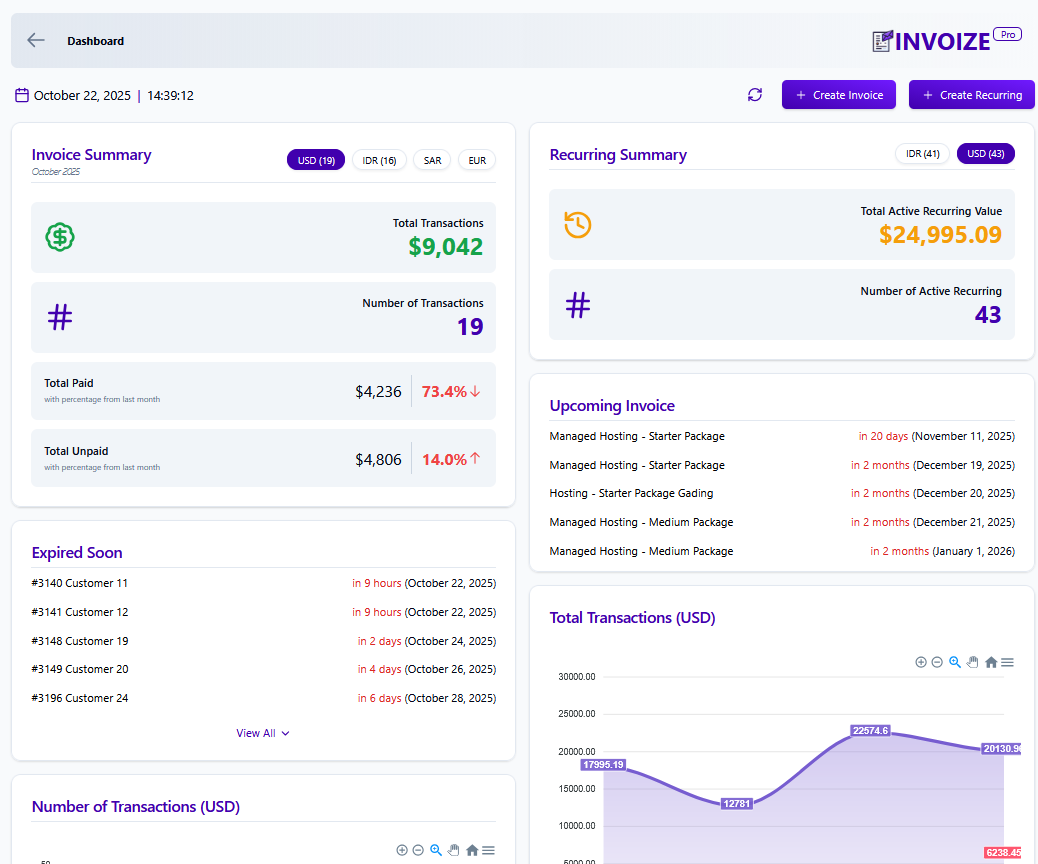
Dashboard Invoize


Instalacija
- Go to Plugins > Add New
- Search for “Invoize”
- Install and activate
- Visit Invoize > Settings to add your logo, company details & numbering
- Start creating invoices or let WooCommerce do it automatically!
ČPP
-
Can I convert a quotation to an invoice with one click?
-
Yes! In Pro, simply click “Convert to Invoice” — all items, prices, and taxes are copied instantly.
-
Does it generate packing slips?
-
Yes — both free and Pro versions generate clean, branded packing slips automatically for WooCommerce orders.
-
Is it fully mobile-responsive?
-
Absolutely. Invoices, preview pages, and payment pages look perfect on smartphones, tablets, and desktops.
-
Does it auto-create WooCommerce invoices?
-
Yes. As soon as a WooCommerce order is placed, Invoize instantly generates the PDF invoice and/or packing slip.
-
Can clients pay directly from the invoice?
-
Free: PayPal & bank transfer links.
Pro: Full Stripe, PayPal, Xendit integration with automatic “Paid” status. -
Is recurring invoicing available?
-
Yes, in Invoize Pro — set it once and let cron create and email invoices forever.
-
Where do I get help?
-
We reply fast! Contact us anytime at wpsora.com/contact
-
What is Store Credit?
-
Think of Store Credit as a private digital currency between you and your customer. Instead of sending cash back for a returned item or an overpayment, you “bank” that value into their Invoize account. The customer can then apply that balance to their next purchase with just one click.
Open Source: Invoize is open source software. You can find the complete source code on our GitHub repository, ensuring transparency and allowing you to review, contribute, or customize the plugin according to your needs.
Recenzije


Saradnici i programeri
“Invoize – PDF Invoices, Packing Slips, Quotations & WooCommerce Invoicing” is open source software. The following people have contributed to this plugin.
Doprinositelji

Prevedi “Invoize – PDF Invoices, Packing Slips, Quotations & WooCommerce Invoicing” na vaš jezik.
Zainteresirani za razvoj?
Pregledajte kôd, pogledajte SVN spremišteili se pretplatite na dnevnik razvoja od RSS.
Zapis promijena
1.18.0 | 3 January 2025
- Add Store credit feature for customer
1.17.1 | 29 December 2025
- Fixed language list on settings
1.17.0 | 29 December 2025
- Added support for Arabic language ( RTL )
1.16.4 | 26 December 2025
- Bugfix for asset files
1.16.3 | 16 December 2025
- Fixed email footer text.
1.16.2 | 16 December 2025
- Fixed error when sending Quotation email.
1.16.1 | 11 December 2025
- Fixed payment page not enabled by default.
- Fixed duplicate invoice does not reset payments from previous invoice.
- Fixed payment success page permission error if customer not logged in to WordPress.
- Fixed email sent icon is shown when invoice is not sent to email in preview page.
1.16.0 | 9 December 2025
- Added Stripe payment method.
- Fix duplicating invoice on inactive invoice will update invoice status incorrectly
- Editing expired invoice due date to the future, it will now update invoice status to active
1.15.2 | 4 December 2025
- Fixed and improved recurring trigger schedule.
1.15.1 | 4 December 2025
- Bugfix recurring trigger on the wrong schedule.
1.15.0 | 3 December 2025
- Added settings to allow invoice public access without logging in.
1.14.3 | 3 December 2025
- Fixed duplicate page content
1.14.2 | 1 December 2025
- Fixed error when creating recurring if recurring start date is in the past.
- Added restriction to not allow recuring start date in the past.
- Fixed can't add custom billed to data for recurring.
- Improved payment page for inactive invoice
- Fixed occasional error on Xendit payment success page.
- Added cache busting for assets in payment page so it will only get cached when necessary.
1.13.1 | 4 October 2025
- Fixed business icon on email
- Added documentation link for Paypal payment in the settings
1.13.0 | 25 September 2025
- Added invoice paid method data after invoice is paid
- Added ability to reduce Woocommerce product stock if product is non digital and can be turn off in settings
- Fixed downloaded invoice not able to display some latin characters
- Fixed recurring invoice not created correctly that may create duplicate
- Fixed table column in invoice list
- Fixed pagination when searching invoice
- Added invoice tab location information when searching invoice
- Payment page is now the default for all invoice payment and will show all available payment
- Invoice from woocommerce now will use invoize payment setting and no longer use woocommerce payment setting
- Added invoice paid method on paid invoice
