

Descripció
Polylang manages your multilingual website structure.
PolyTranslate AI translates your content between languages using advanced AI translation engines.
With one click, you can automatically translate:
- Posts and Pages
- Custom Post Types
- WooCommerce Products
- WooCommerce Product Variations
- Categories and Tags
- Custom Taxonomies
- Advanced Custom Fields (ACF)
- Meta Box custom fields
- SEO meta data (Yoast, Rank Math, SEOPress, AIOSEO)
- Elementor pages
- Gutenberg block content
This plugin enhances Polylang by adding professional AI translation capabilities directly inside the WordPress admin.
This is NOT a standalone translation plugin – it works exclusively with Polylang to add automatic translation capabilities.
🚀 How It Works
- Install and configure Polylang.
- Install PolyTranslate AI.
- Add your preferred AI provider API key.
- Click the Translate button inside the editor.
Your translated content is generated and saved as a normal Polylang translation.
Key Features
- Posts & Pages Translation – Translate any content instantly
- Custom Post Types Translation – Works with any custom post type
- WooCommerce Products Translation – Product titles, descriptions, and short descriptions
- WooCommerce Product Variations & Attributes Sync Product Variations & Attributes
- Advanced Custom Fields (ACF) Support – All field types including repeaters
- Meta Box Fields – Complete Meta Box plugin support
- Any Custom Fields – Universal custom field translation
- Categories & Tags – Translate taxonomies
- Custom Taxonomies – Translate any registered custom taxonomy
- Elementor Pages – Full page builder support
- Bulk Translation – Translate hundreds of posts at once
- Complete SEO Meta Translation – (Yoast, Rank Math, SEOPress, All in One SEO Pack)
- Multiple AI Services – OpenAI, DeepL, Google Translate, OpenRouter
- Smart Language Detection – Automatically detects source language
- Translate Link Targets – Automatically update post links to point to translated versions.
FREE vs Premium
The Free version includes:
✅ Posts & Pages Translation
✅ Custom Post Types Translation
✅ WooCommerce Products Translation
✅ Unlimited Translations
✅ Multiple AI Services
✅ Language Auto-Detection
✅ Translate Link Targets
The Premium version includes:
✨ Everything in Free, plus:
✨ Categories, Tags & Custom Taxonomies Translation
✨ Custom Fields Translation (ACF, Meta Box, etc.)
✨ SEO Meta Translation
✨ Bulk Translation
✨ Elementor Pages Support
Translate ACF & Custom Meta Fields in WordPress
External Services
PolyTranslate AI connects to third-party translation APIs when you trigger translations. You control your data and costs by providing your own API keys:
-
OpenAI
-
DeepL Pro
-
Google Translate API
-
OpenRouter.ai
This is a third-party addon for Polylang – not affiliated with or endorsed by Polylang.
Captures
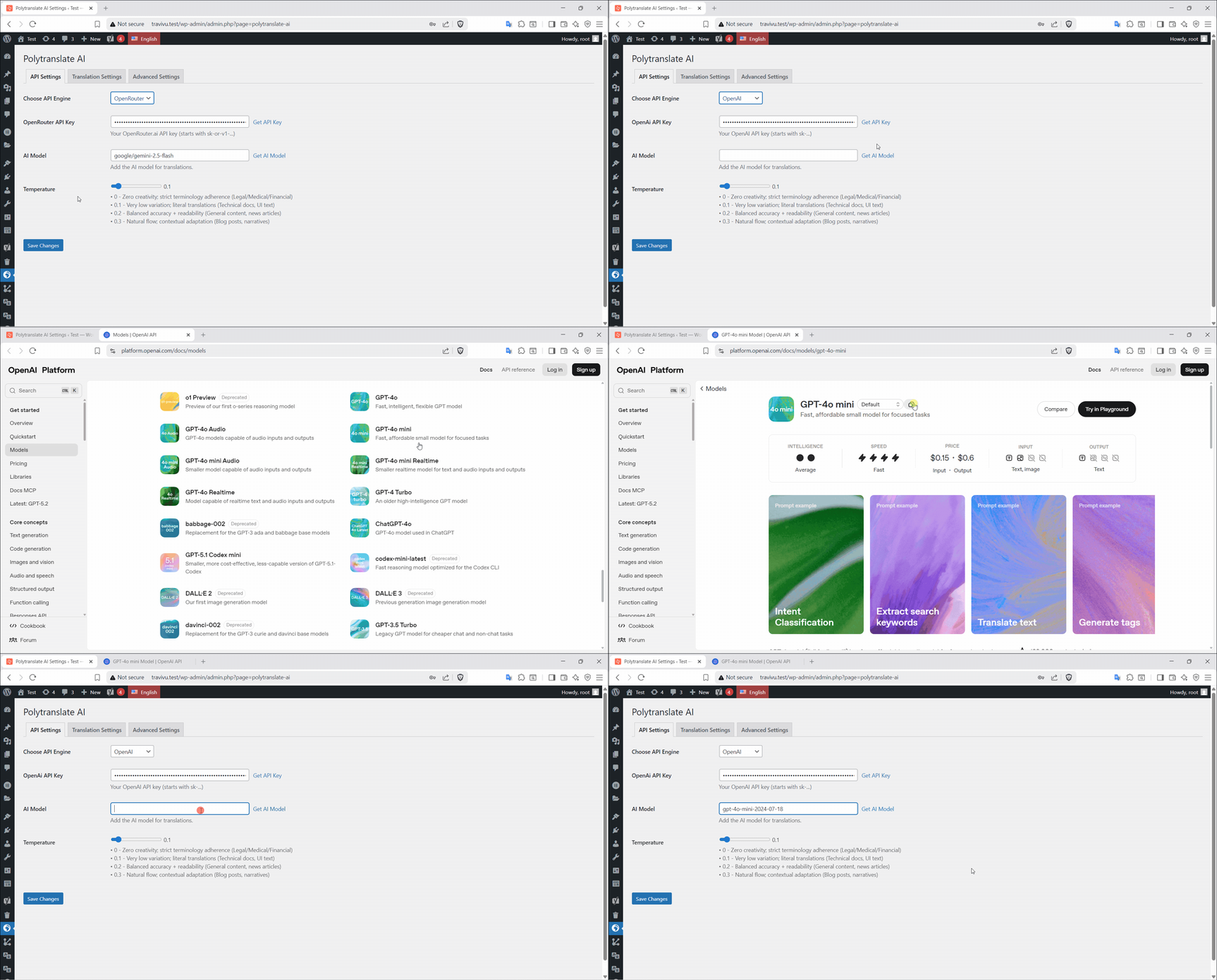
OpenAI API Settings. 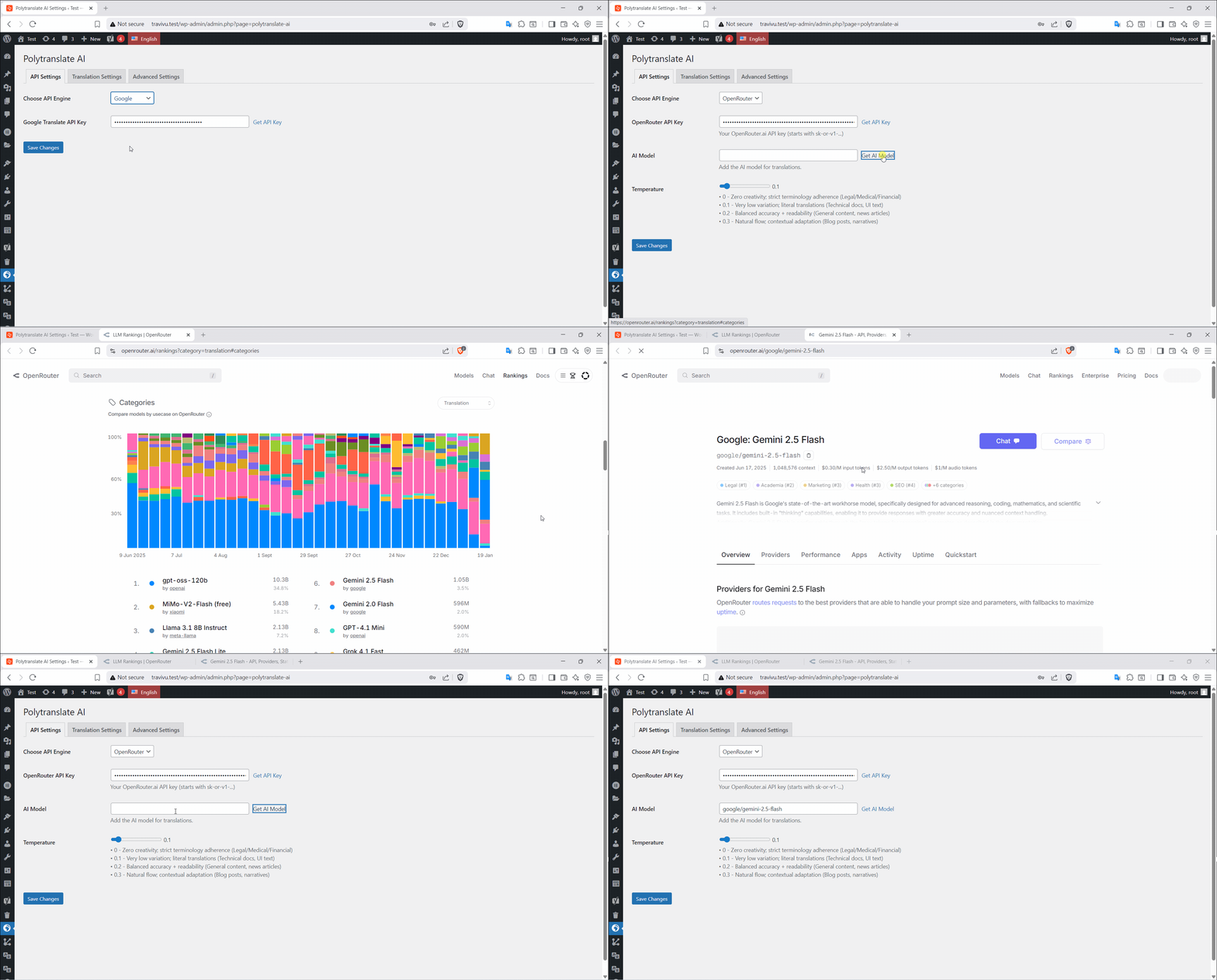
OpenRouter API Settings. 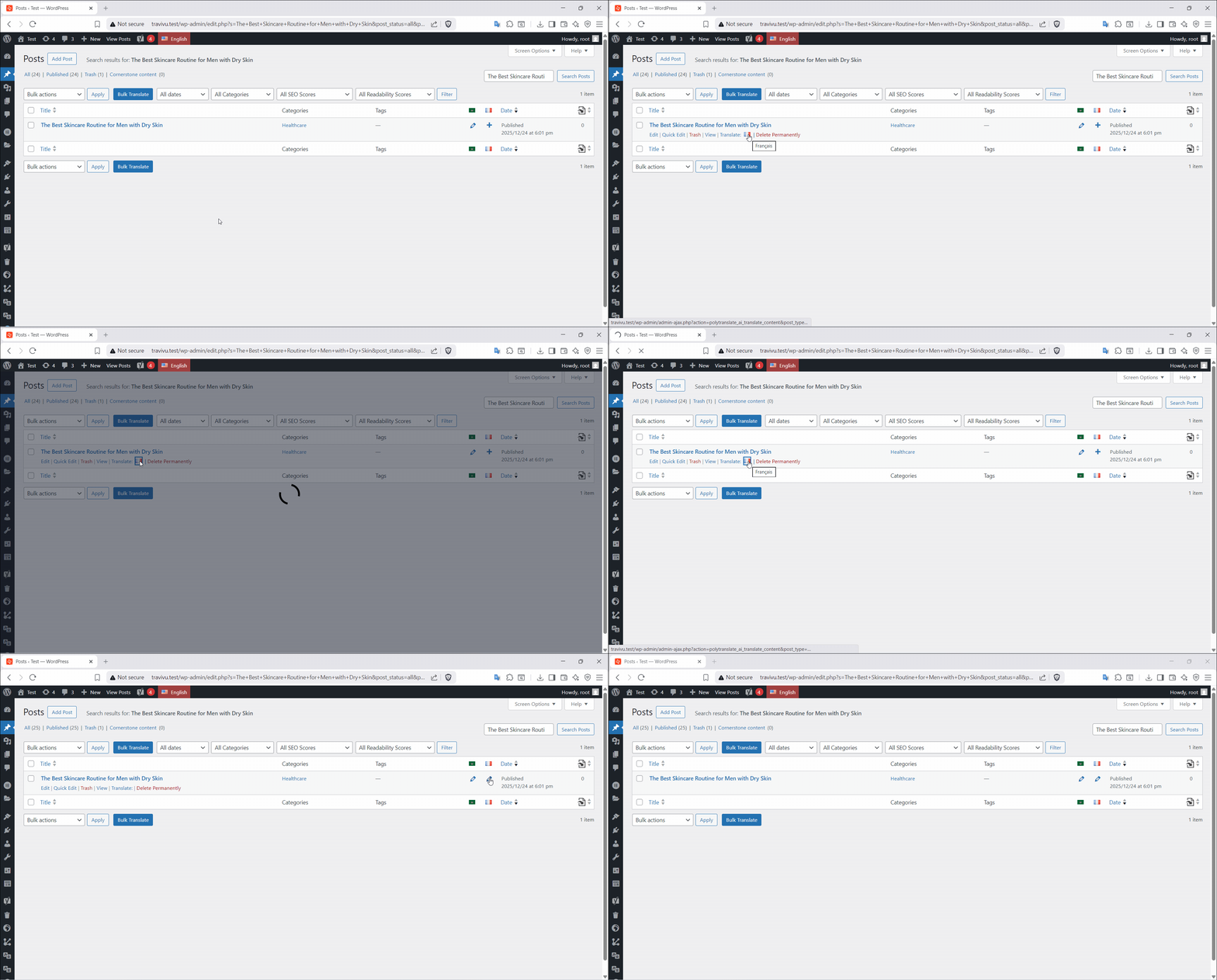
Single Translation. 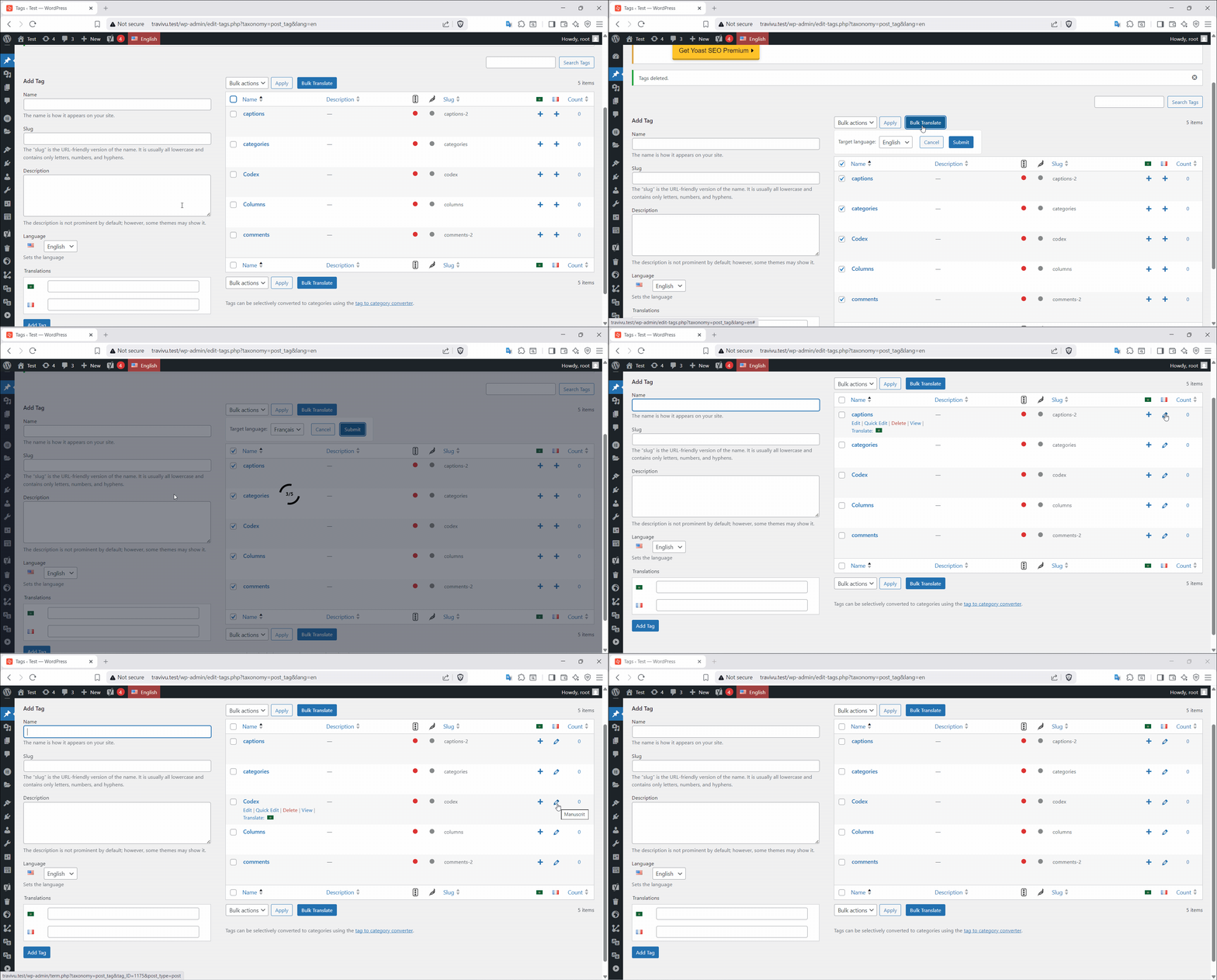
Bulk Translation.


Instal·lació
⚠️ PREREQUISITES: You MUST have Polylang installed first!
Quick Start (5 minutes):
-
Install & Configure Polylang
- Install Polylang if you haven’t already
- Go to Languages Settings in your WordPress admin
- Add your site’s languages
- Configure URL structure and language switcher
-
Install PolyTranslate AI Addon
- Go to Plugins Add New
- Search for “PolyTranslate AI”
- Click Install & Activate
- (Or upload manually to
/wp-content/plugins/polytranslate-ai/)
-
Configure Translation API
- Go to PolyTranslate AI Settings
- Choose your preferred translation service
- Add your API key (OpenAI, DeepL, Google, or OpenRouter)
- Save settings
-
Start Translating
- Edit any post/page/product in Polylang
- Click the Translate button added by this addon
- Select target languages
- Watch automatic translation happen!
PMF
-
Does this work without Polylang?
-
No. This is an addon that adds automatic translation to Polylang. You must install and configure Polylang first. Without Polylang, this plugin will not function at all.
-
Why do I need both Polylang and this addon?
-
Polylang handles the multilingual structure (language management, URL structure, language switcher, manual translations).
PolyTranslate AI handles automatic content translation (AI-powered translation using OpenAI, DeepL, or Google). -
Is this an official Polylang product?
-
No. This is an independent third-party addon created to work with Polylang. We are not affiliated with or endorsed by the Polylang team. We simply integrate with their excellent language management system.
-
Will this work with Polylang Pro?
-
Yes! This addon works with both the free Polylang and Polylang Pro. It extends either version with automatic AI translation capabilities.
-
Is this plugin completely free?
-
The core plugin is free with powerful translation features. Premium features (ACF fields, bulk translation, advanced SEO support) require a license, but you’ll still save thousands compared to traditional translation methods.
-
Can I translate Advanced Custom Fields?
-
Yes! The premium version fully supports ACF fields including text, textarea, WYSIWYG, repeater fields, and more. Also supports Meta Box and other custom field plugins.
-
Is there a restriction on how many languages I can translate?
-
No. You can translate to as many languages as you want. Polylang handles the language management, and this addon translates content between those languages.
-
What happens if I uninstall the plugin? Do all translations get lost or are they still there?
-
All translations will still be there. This plugin only adds automatic translation capabilities. Once content is translated and saved, it becomes part of your WordPress database just like any other content.
-
Does this plugin support the classic editor?
-
Yes! This plugin works with both the Classic Editor and Gutenberg block editor.
-
Is my content secure?
-
Absolutely. Your content goes directly from your site to your chosen AI service using your API keys. We never see, store, or have access to your content or API keys.
-
Can I translate WooCommerce stores?
-
Yes! Both free and premium versions support WooCommerce. Premium adds product variations, categories, attributes, and advanced WooCommerce SEO meta translation.
-
Does it work with page builders?
-
Premium version supports Elementor fully. Gutenberg works out of the box. Other page builders work for basic content – contact us for specific compatibility questions.
Ressenyes


Col·laboradors i desenvolupadors
«PolyTranslate AI for Polylang» és programari de codi obert. La següent gent ha col·laborat en aquesta extensió.
Col·laboradors

Traduïu «PolyTranslate AI for Polylang» a la vostra llengua.
Interessats en el desenvolupament?
Navegueu pel codi, baixeu-vos el repositori SVN, o subscriviu-vos al registre de desenvolupament per fisl de subscripció RSS.
Registre de canvis
3.0.2
- 🔧 FIXED: Translation of content containing special characters
- ⚡ IMPROVED: Block attributes translation for better Gutenberg compatibility
3.0.1
- 🔧 FIXED: Could not extract translation array from response
3.0.0
- 🚀 NEW: Option to Preserve original publish author
- 🚀 NEW: Smart batch translation for long content to prevent timeouts
- 🚀 NEW: Reduced API cost by sending visible text only
- 🚀 NEW: Rank Math focus keyword translation
- ⚡ IMPROVED: Faster translation processing for large content
- 🔧 FIXED: Gutenberg compatibility issues
2.2.0
- 🚀 NEW: Added option to preserve original publish date
2.1.3
- Fixed Bugs
- Work with deepL free and Pro
- Fix DeepL issue with Gutenberg editor
2.1.2
- Fixed: Compatibility with latest Polylang version
- Fixed Bugs
2.1.1
- Fixed Bugs
- Enchanced security
2.1.0
- 🚀 NEW: Add seo meta title translation support
- Fixed Bugs
2.0.5
- Fix Skip Polylang language switcher links
2.0.4
- Fixed Bugs
2.0.3
- Fixed Bugs
2.0.2
- 🚀 NEW: Add Translate Link Targets
2.0.1
- Fixed Bugs
2.0.0
- 🚀 NEW: Advanced Custom Fields (ACF) complete integration – translate all ACF field types
- 🚀 NEW: Meta Box plugin support – translate Meta Box custom fields
- 🚀 NEW: Universal custom fields translation – works with any custom field plugin
- 🚀 NEW: Enhanced bulk translation with progress indicators
- ⚡ IMPROVED: Faster translation processing for large content
- ⚡ IMPROVED: Better error handling and user feedback
- 🔧 FIXED: Minor UI improvements and bug fixes
1.1.0
- NEW: Added compatibility for translating Elementor pages
- IMPROVED: Enhanced WooCommerce product translation
- FIXED: Various stability improvements
1.0.0
- 🎉 Initial release with OpenAI, DeepL, Google Translate, and OpenRouter support
- ✅ Free translation for posts, pages, and WooCommerce products
- ✅ Premium features for taxonomies and SEO plugin integration
