

Descripció
Team Showcase is a lightweight yet powerful WordPress plugin that helps you display your team members, staff, employees, board members, or speakers in a clean and professional way.
Create stunning team sections using grid, slider, list, popup, and carousel layouts — no coding required.
The plugin works with any WordPress theme and gives you full control over layout, style, and content.
Useful Links
Installation Tutorial & Demonstration
Why Choose Team Showcase?
Most team plugins only show names and images.
Team Showcase goes further.
✔ 25+ professionally designed team layouts
✔ Grid, slider, list & filterable layouts
✔ Popup member profile with full details
✔ Easy shortcode & Gutenberg support
✔ Lightweight, fast & SEO-friendly
✔ Works with any WordPress theme
Whether you need a simple team grid or an advanced interactive team section, Team Showcase gives you full control.
Key Features – Free Version
✔ Create unlimited team members
✔ Responsive grid, slider & list layouts
✔ Select team members by categories
✔ Control ordering (ASC / DESC / Custom)
✔ Popup member details (basic layout)
✔ Easy shortcode support
✔ Clean, lightweight & fast
✔ SEO-friendly HTML markup
✔ Translation ready
✔ Works with any theme
Team Member Fields
- Member Name
- Designation
- Location
- Contact Number
- Website
- Short Description
- Team Member Image
- Social Media Profiles
- Categories
- Team Member Skills
Advanced Team Member Popup
Display detailed information in a modern popup:
✔ Full description
✔ Member Information
✔ Social media links
✔ Smooth animations
✔ Member Skills
👉 Advanced popup layouts and animations are available in Pro version »
Flexible Layout Options
Choose how your team appears:
✔ Grid layout
✔ Slider / carousel layout
✔ List layout
✔ Responsive for desktop, tablet & mobile
✔ Custom column control
👉 More layouts, animations, and filters available in Pro »
Team Showcase Pro – Unlock Full Power 🚀
Upgrade to Team Showcase Pro to build premium, conversion-focused team sections.
Pro Features
🔥 25+ premium team styles
🔥 Filterable team layouts
🔥 Advanced popup templates
🔥 Team member skills with progress bars
🔥 Additional slider controls & animations
🔥 Priority support
👉 Ideal for agencies, businesses & professional websites
Who Is This Plugin For?
✔ Companies & startups
✔ Agencies & freelancers
✔ Schools & universities
✔ Corporate teams
✔ NGOs & organizations
✔ Event speakers & staff
✔ Board members & advisors
If your website needs to build trust with real people, Team Showcase is for you.
Easy to Use – No Coding Required
- Install & activate the plugin
- Add team members
- Choose a layout style
- Insert shortcode
- Done 🎉
Performance & Compatibility
✔ Lightweight & optimized
✔ Mobile-friendly layouts
✔ Compatible with all modern themes
✔ Regular updates
✔ Follows WordPress coding standards
Support & Documentation
We actively maintain this plugin and listen to user feedback.
- Documentation included
- Community support via WordPress.org
- Priority support available in Pro
👉 Upgrade to Pro for advanced features & faster support
Captures

screenshot-1 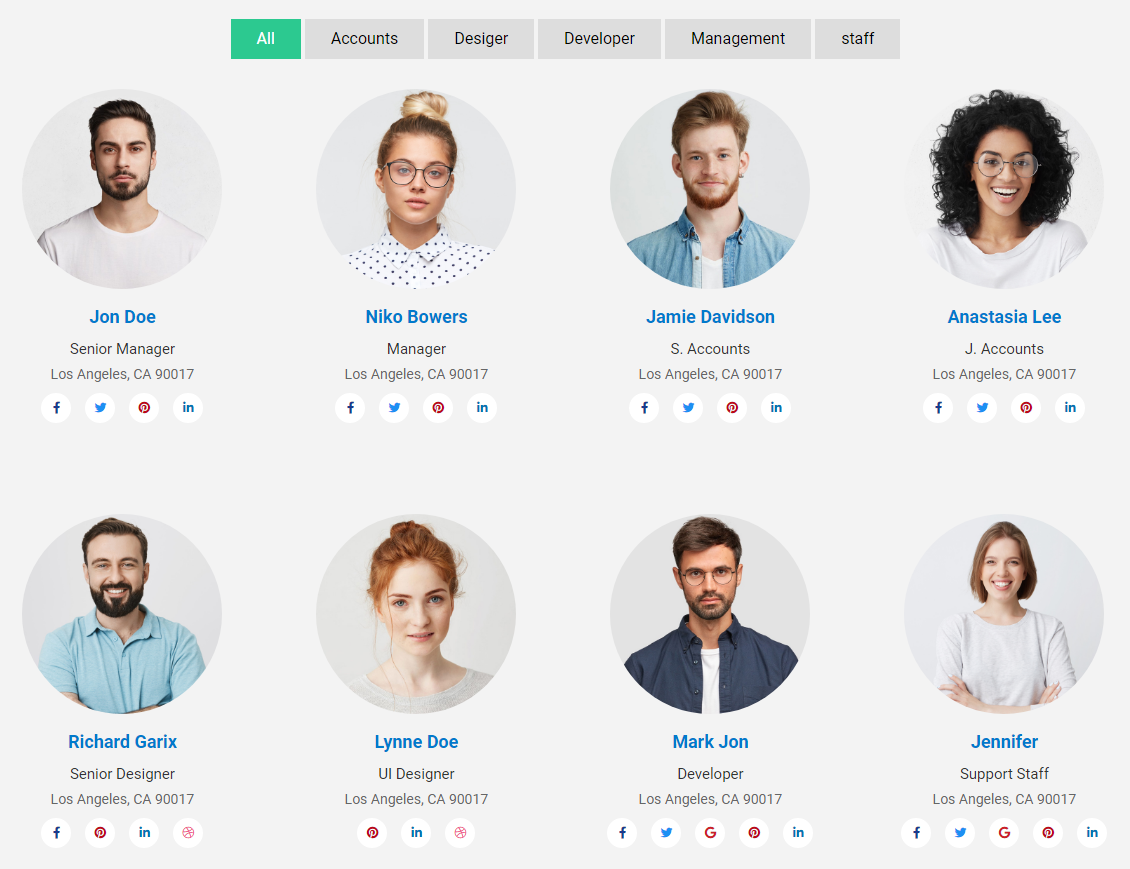
screenshot-2 
screenshot-3 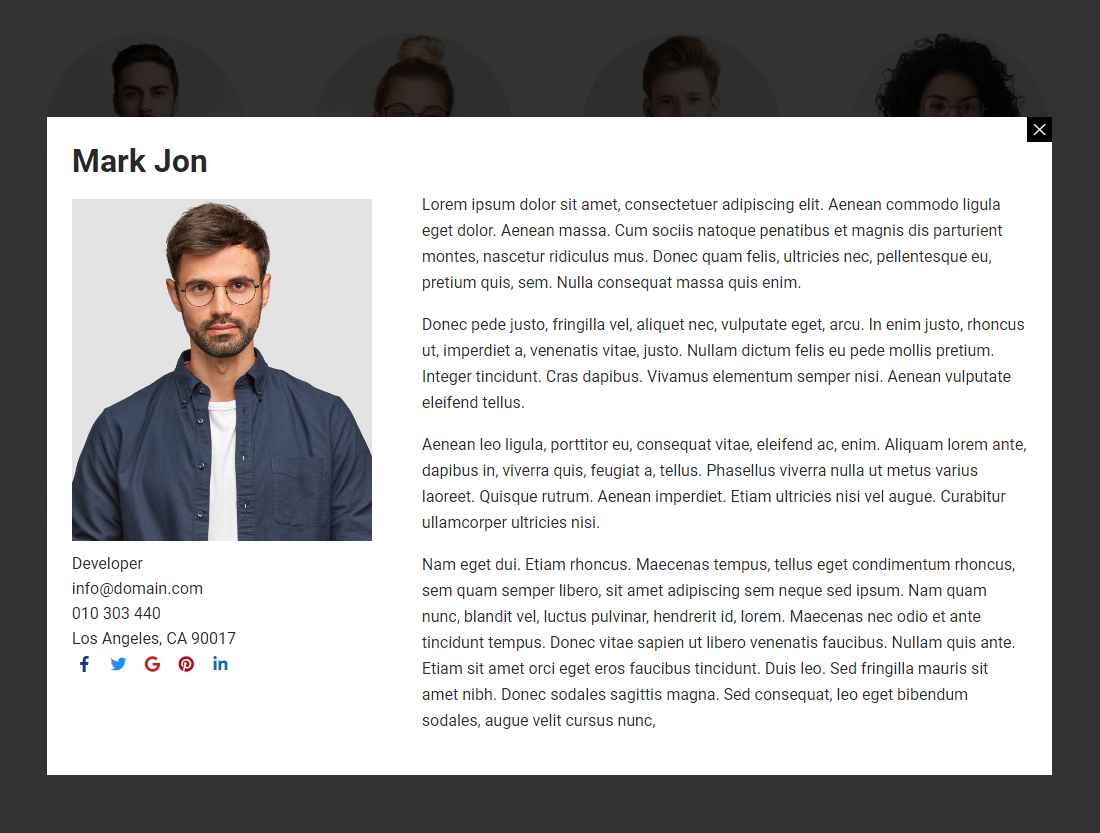
screenshot-4 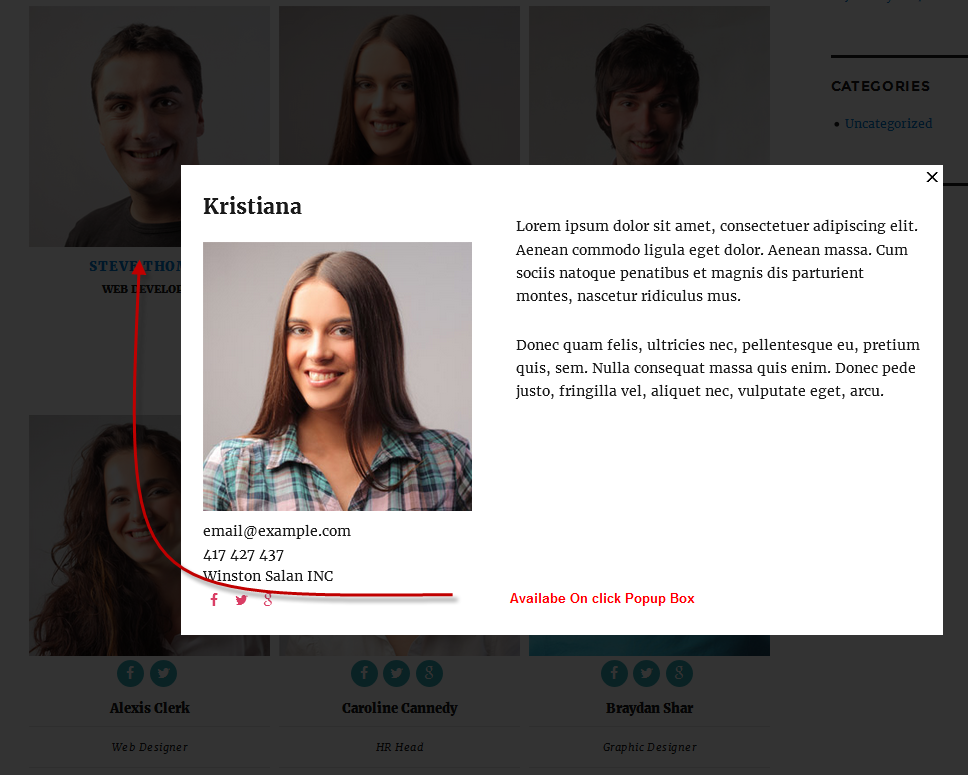
screenshot-5 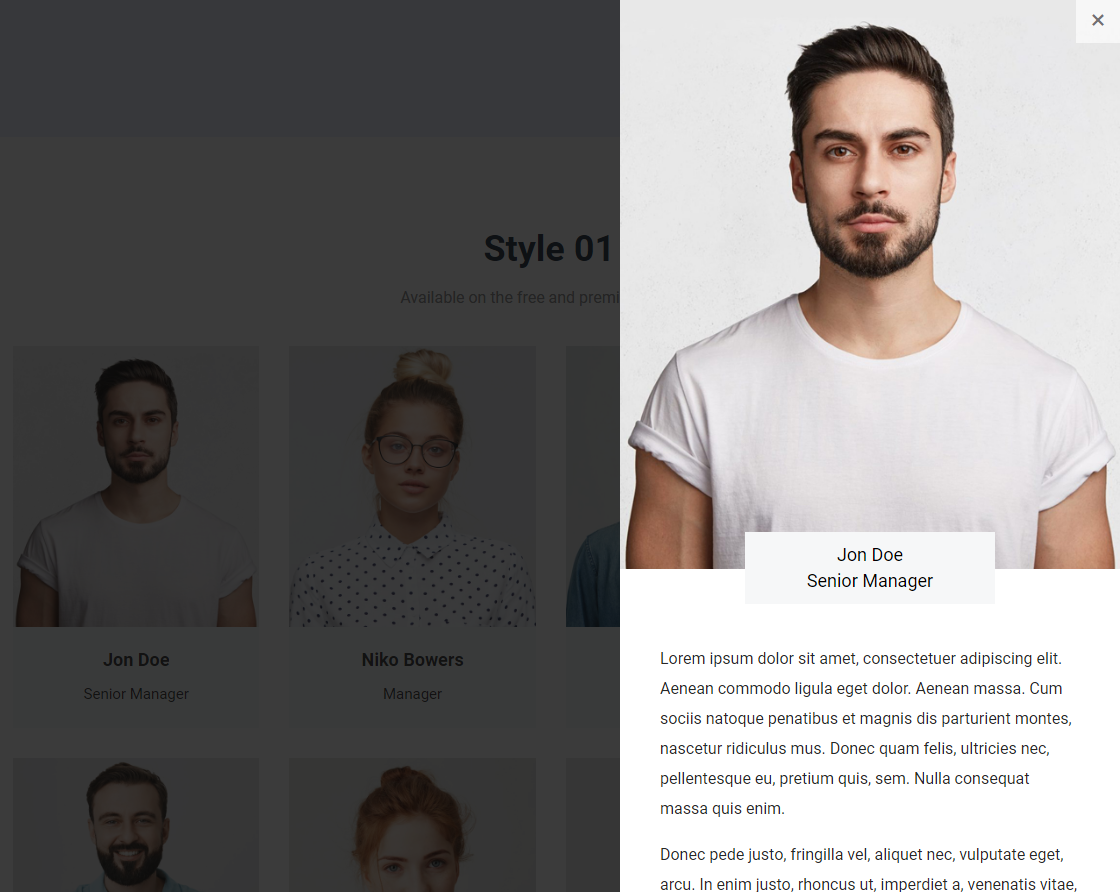
screenshot-6 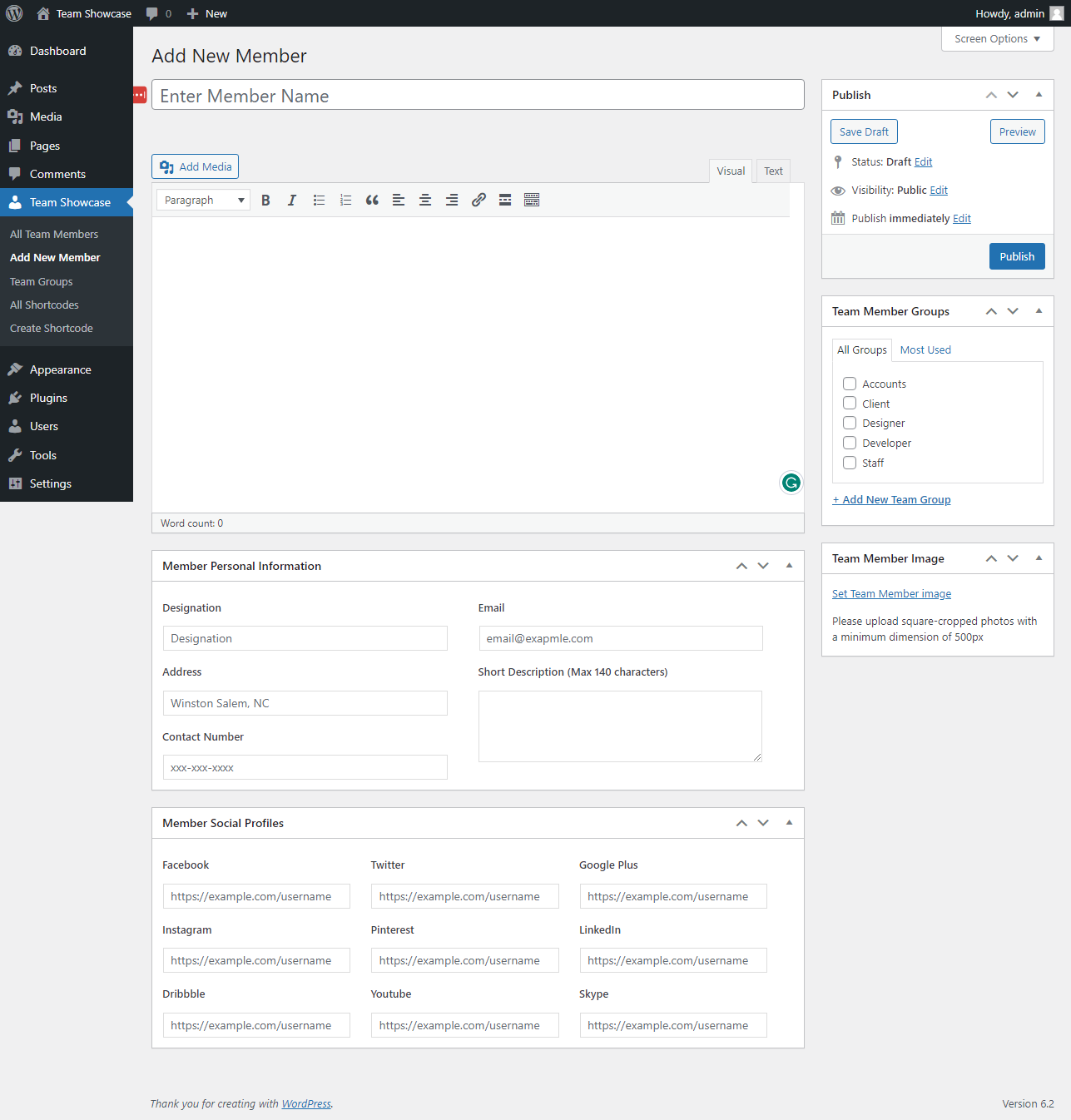
screenshot-7 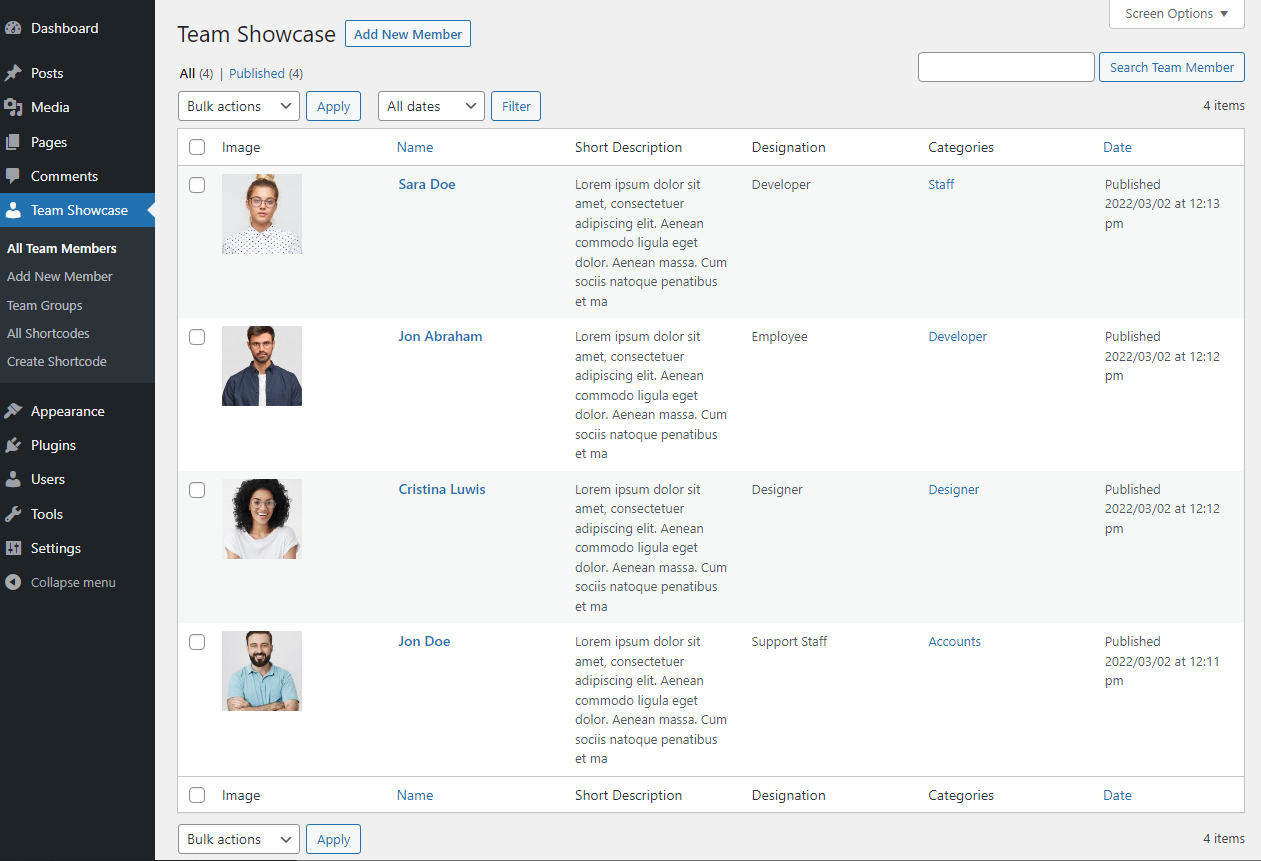
screenshot-8 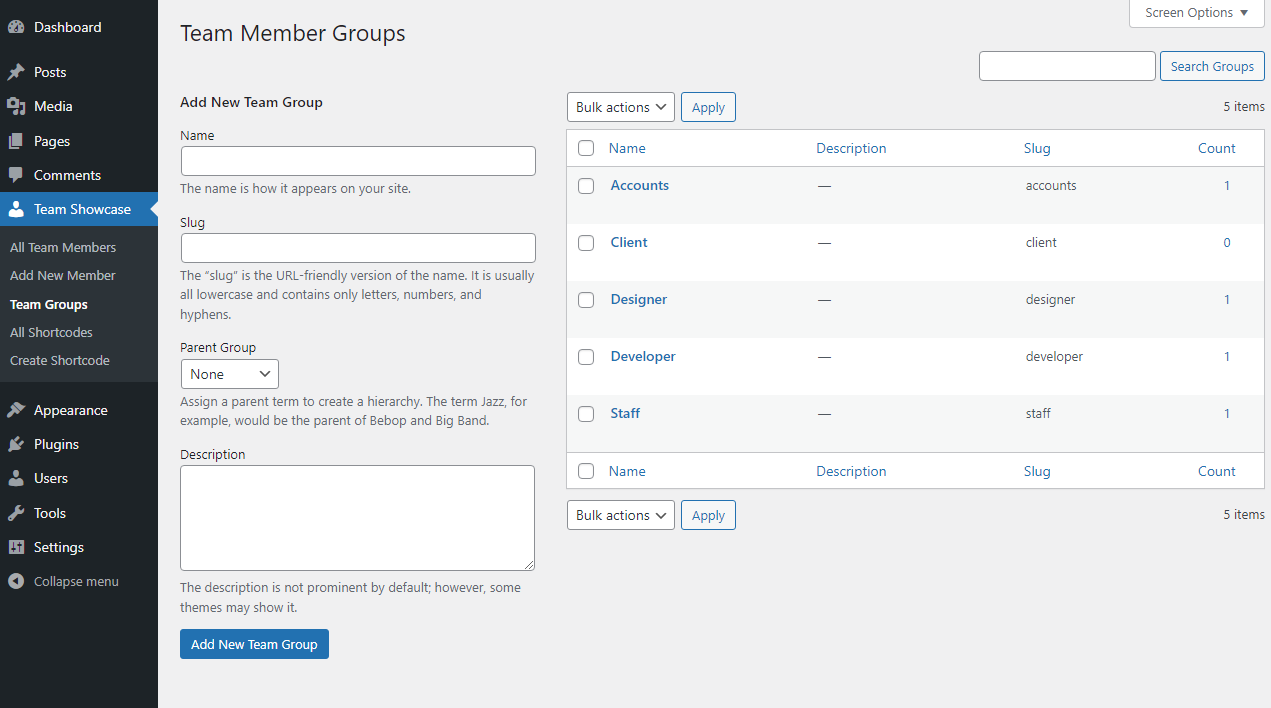
screenshot-9 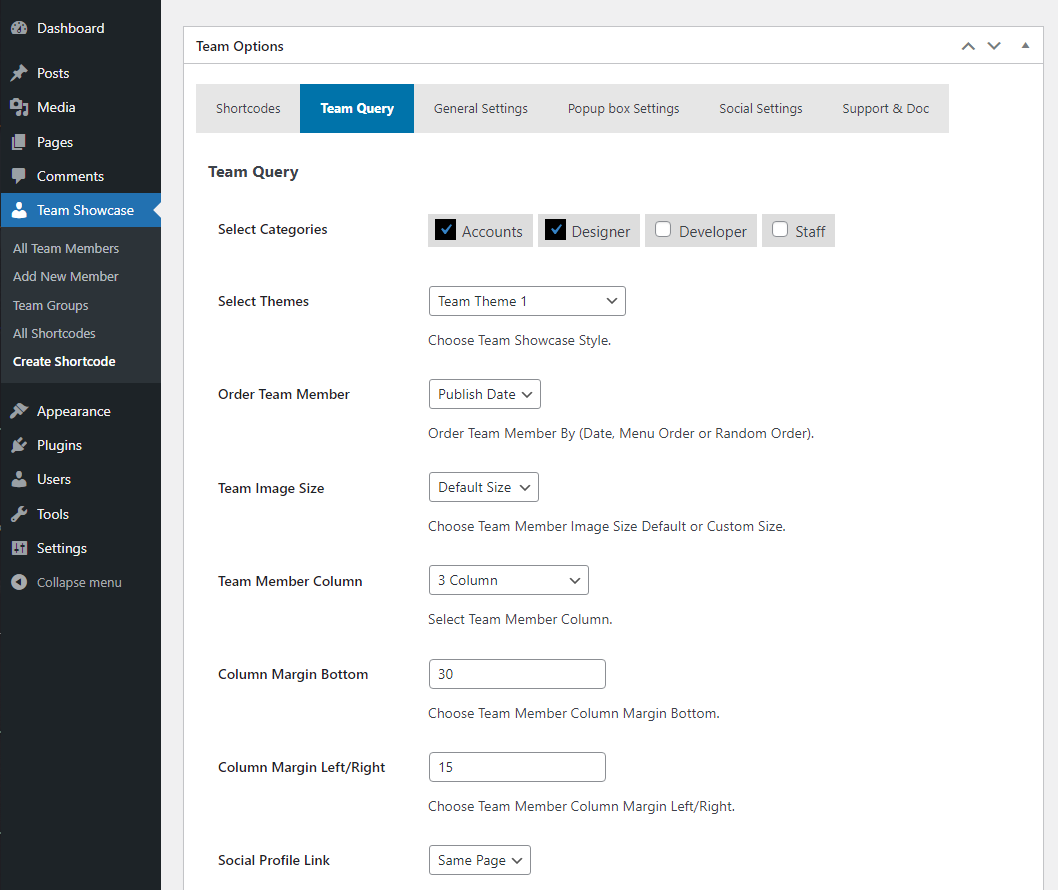
screenshot-10 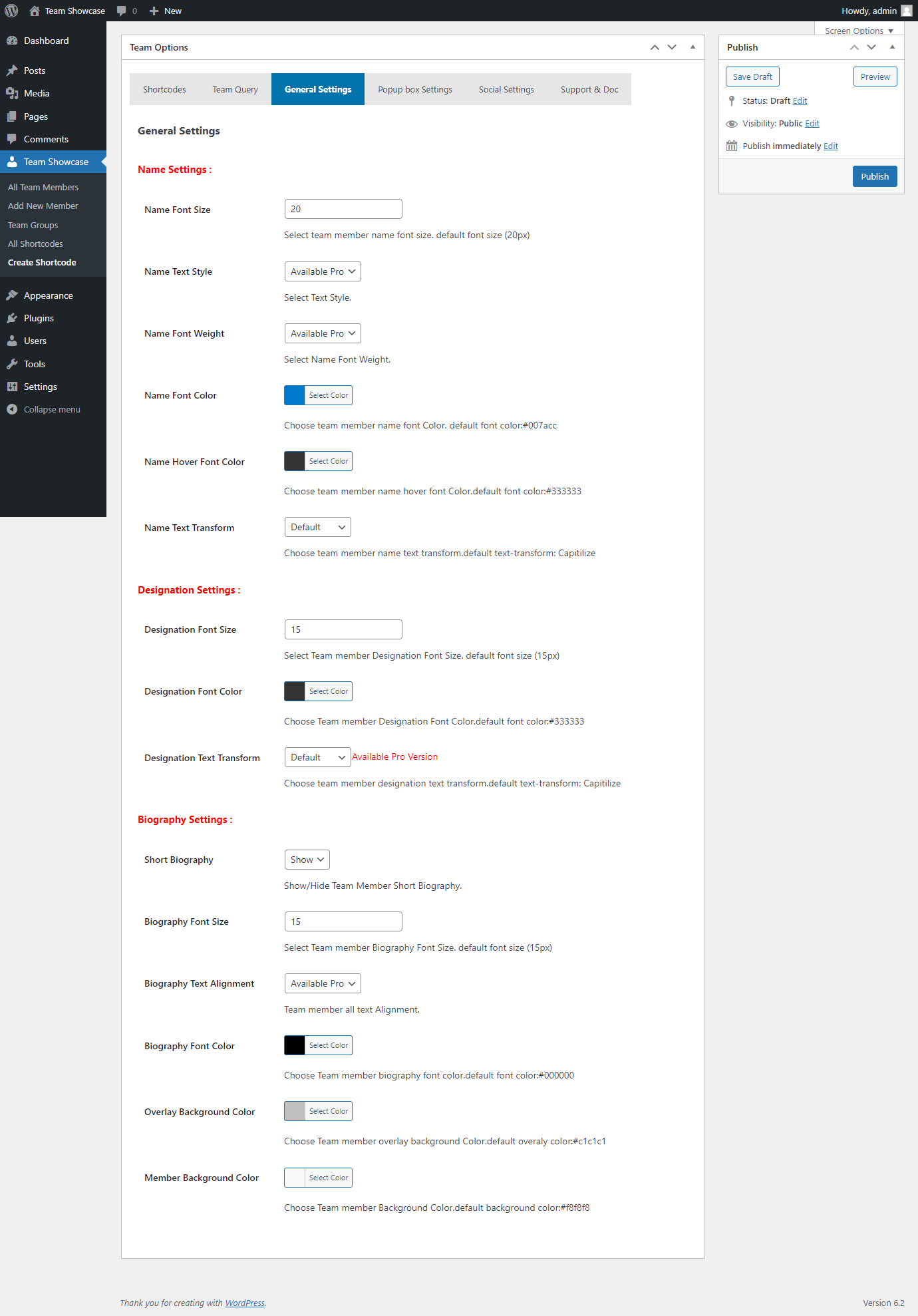
screenshot-11 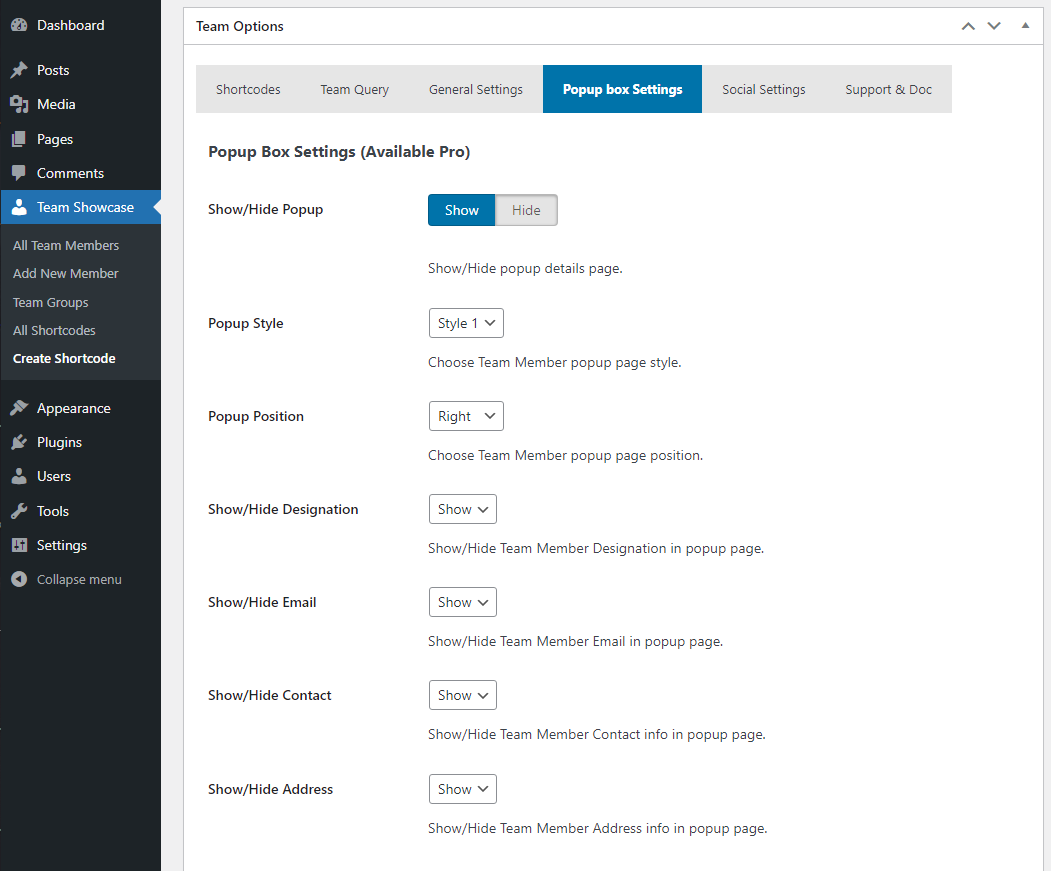
screenshot-12 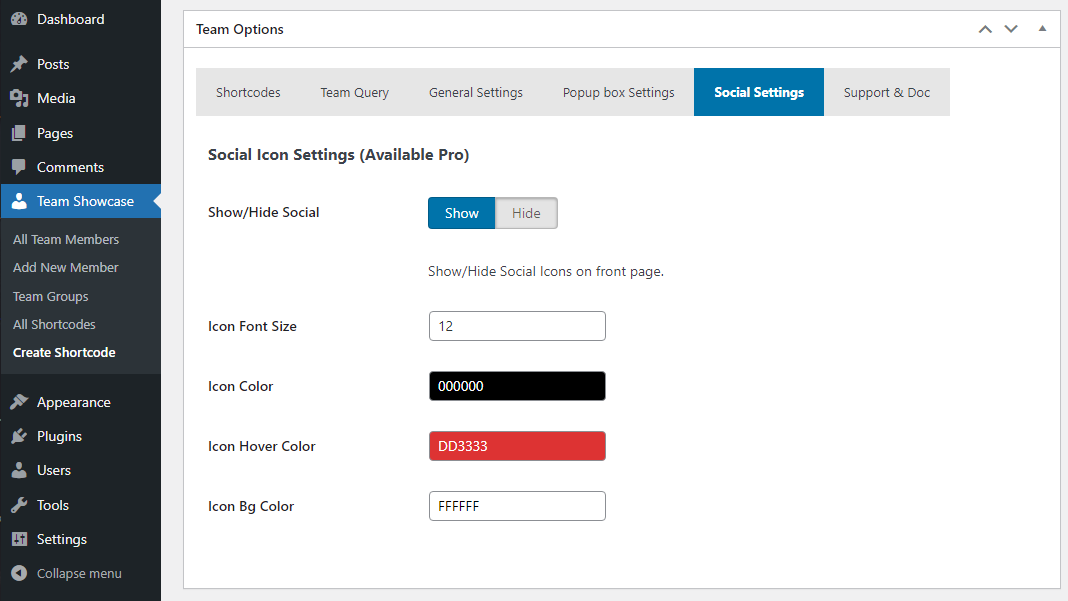
screenshot-13


Instal·lació
- Upload the plugin files to
/wp-content/plugins/team-showcase/ - Activate the plugin through the “Plugins” screen in WordPress
- Go to Team Showcase menu
- Add your team members
- Display using shortcode
PMF
-
Does this plugin work with any WordPress theme?
-
Yes, Team Showcase works with all WordPress themes.
-
Is coding required?
-
No, everything works via UI and shortcodes.
-
Is the plugin mobile responsive?
-
Yes, all layouts are fully responsive.
-
Can I display team members in a slider or carousel?
-
Yes, grid, slider, list, and carousel layouts are supported.
-
Does the plugin support popup member details?
-
Yes, clicking a team member opens a popup with detailed information.
-
Can I use multiple team sections on one page?
-
Yes, You can create unlimited showcases.
-
Is there a Pro version available?
-
Yes, Team Showcase Pro includes premium styles, filter layouts, advanced popups, skills, and priority support.
Ressenyes


Col·laboradors i desenvolupadors
«Team Showcase – Responsive Team Members Grid, Slider & Carousel Plugin» és programari de codi obert. La següent gent ha col·laborat en aquesta extensió.
Col·laboradors
Interessats en el desenvolupament?
Navegueu pel codi, baixeu-vos el repositori SVN, o subscriviu-vos al registre de desenvolupament per fisl de subscripció RSS.
Registre de canvis
3.0.0
- Fix Security Issue.
- Added New Options.
- Added New CSS.
2.9
- Fix Escaping Issue.
- Added New Options.
- Update Options Page UI.
2.8
- Fix Icon Conflict Issue.
- Fix CSS Issues.
2.7
- Check Latest Version Compatibility Issue.
- Fix CSS Issues.
- Fix Responsive Issues.
2.6
- Check Latest Version Compatibility Issue.
- Fix sanitize metabox field issue.
- Update Options page.
2.5
- Check Latest Version Compatibility Issue.
- Update Options page.
2.4
- Fix Escaping Issue.
- Added New Social Icon.
- Added Column Option for different responsive devices.
- Added More Order By Options.
- Added New Social Icon.
- Update Twitter icon to X.
- Update Options Page UI.
- Update Fontawesome latest version.
2.3
- Fix Escaping Issue.
- Added New Options.
- Update Options Page UI.
2.2
- Fix Escaping Issue.
- Update Options page.
- Update Admin Interface.
2.1
- Check Latest Version Compatibility Issue.
- Update Options page.
- Update Admin Interface.
- Added New Options.
- Added New Style.
- Update CSS.
2.0
- Added New Options.
- Fix Error Issue.
1.9
- Added New Options.
- Update Options page.
- Fix CSS Issue.
1.8
- Test with latest Version.
- Update Options page.
- Fix backend issue.
- Added New Options.
1.7
- Test with latest Version.
1.6
- Test with latest Version.
1.5
- Fix CSS Issues.
- Fix Responsive Issues.
- Update Options Page.
1.4
- Added Member Background Color Options.
- Added Social Icons.
- Added Image Size Options (Custom or Default).
- Added Menu Order Options (Date, Munu Order, Random).
- Added New Options Page.
- Added Shortcode in options page.
- Added Team Column Margin Bottom Options.
- Added Team Column Margin Left/Right Options.
- Added Team Member Name Text Transform Options.
- Added Team Member Designation Text Transform Options.
- Added Social & Popup Box Options.
- Added Help & Support Tab Options.
- Update Team Member page css.
- Update Backend Css.
- Update Options Page UI.
- Fix Menu Style Two Popup Box issues.
- Fix Responsive Issues.
- Fix Team Member default color Issues.
- Fix Team Member column height Issues.
- Fix Popup box Responsive Issues.
1.3
- Fix Css Issues.
- Update Backend UI.
- Update Team Option Page.
1.2
- Fix Css Issues.
- Update Backend UI.
- Update Team Option Page.
- Added Image Height Options.
- Fix Responsive Issues.
- remove unnecessary code.
1.1
- Fix Css Issues.
- Update Core files.
- Update Team Option Page.
- Update Admin Interface.
- Fix Responsive Issues.
- Added New Themes etc.
1.0
- Initial release
