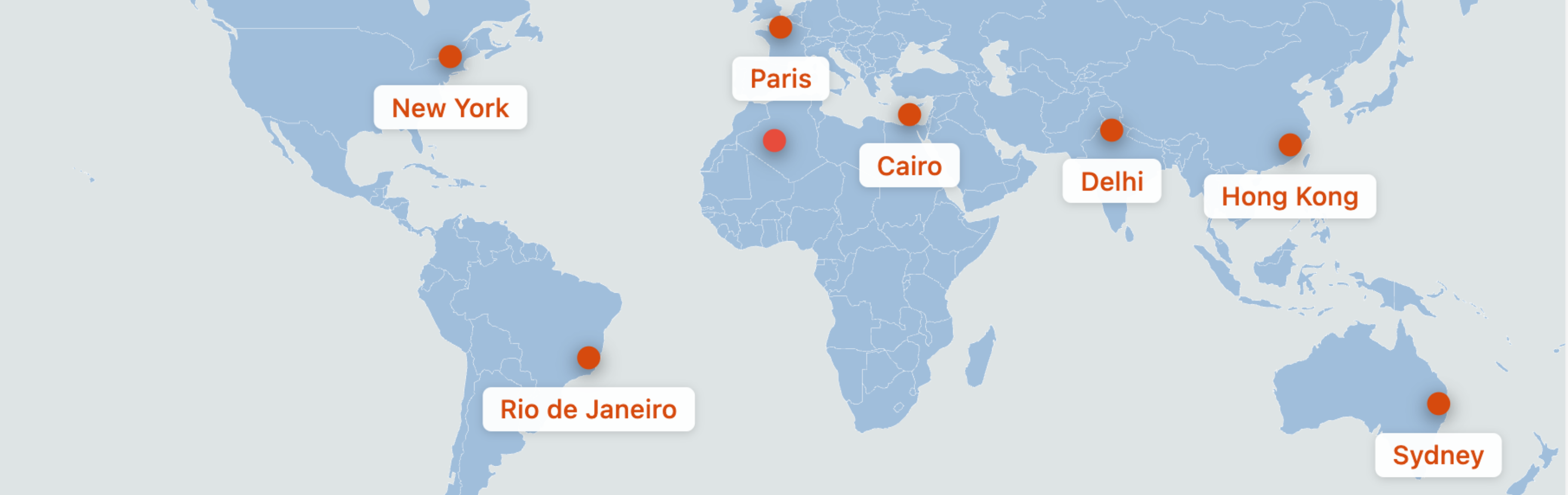

Description
Max Interactive Maps is a performance-optimized WordPress plugin that allows you to create beautiful, interactive SVG maps with clickable pins. Unlike heavy map solutions that rely on external APIs, this plugin uses inline SVGs for lightning-fast loading and zero API dependencies.
Key Features
- Drag-and-Drop Pin Placement – Easily add and position pins on a world map using an intuitive visual editor
- Percentage-Based Positioning – Pins maintain their exact positions across all screen sizes and devices
- 5 Pin Icon Styles – Choose from Simple Dot, Teardrop, Star, Flag, or Pushpin designs
- Custom Color Controls – Set land color, water/background color, border color, and individual pin colors
- Responsive Design – Maps look perfect on desktop, tablet, and mobile devices
- SEO Optimized – Automatic Schema.org/Place JSON-LD output for search engine visibility
- Zero External Dependencies – No API keys, no tile loading, no external requests
- Lightweight – Frontend assets under 10kb gzipped
Use Cases
- Travel blogs showing visited destinations
- Business locations and branch offices
- Event locations
- Real estate property maps
- Tourism and attraction maps
- Educational geography content
How It Works
- Create a new SVG Map from the WordPress admin
- Add pins by clicking “Add Pin” and drag them to your desired locations
- Double-click pins to set URLs, labels, colors, and icon styles
- Publish and copy the shortcode
- Paste the shortcode into any post, page, or widget
Screenshots
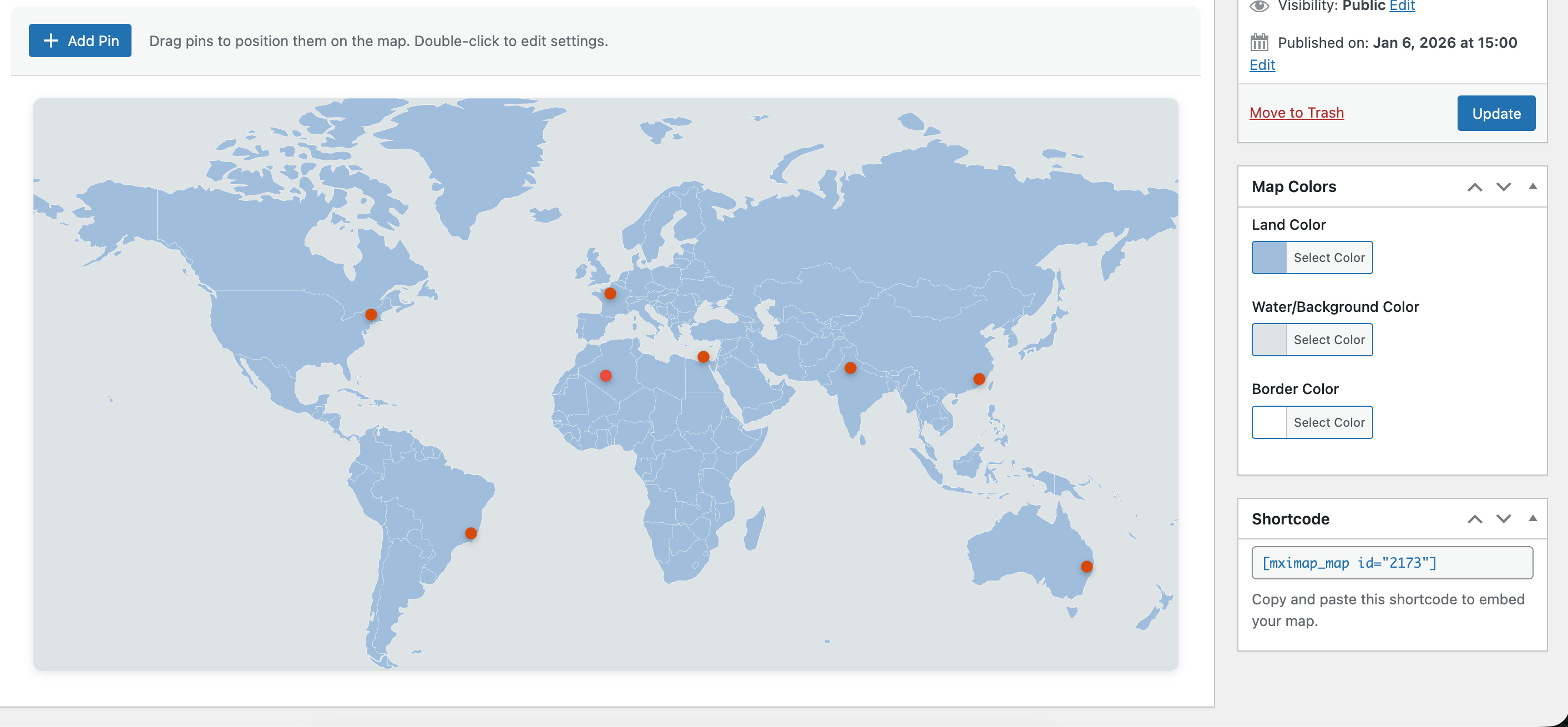
Map Builder interface with drag-and-drop pins 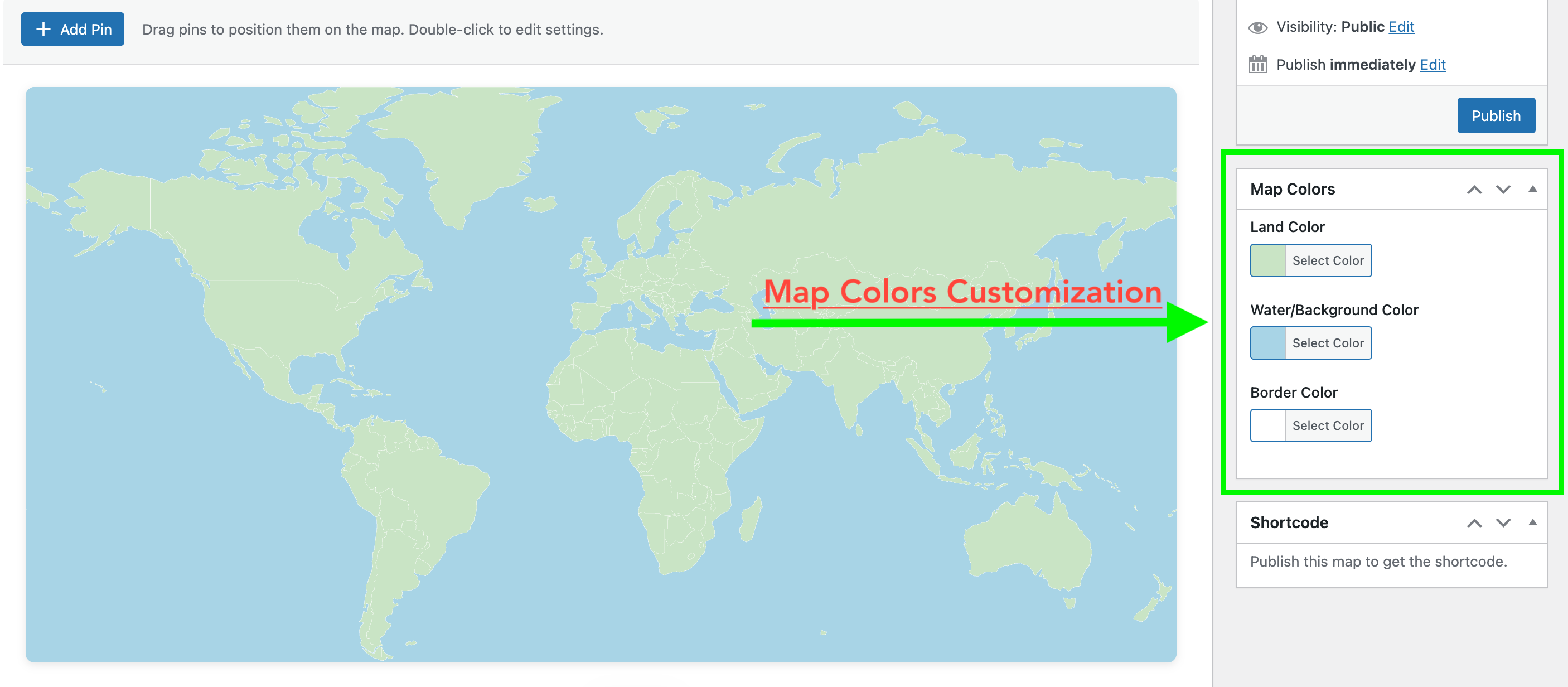
Pin settings modal for customizing URLs and styles 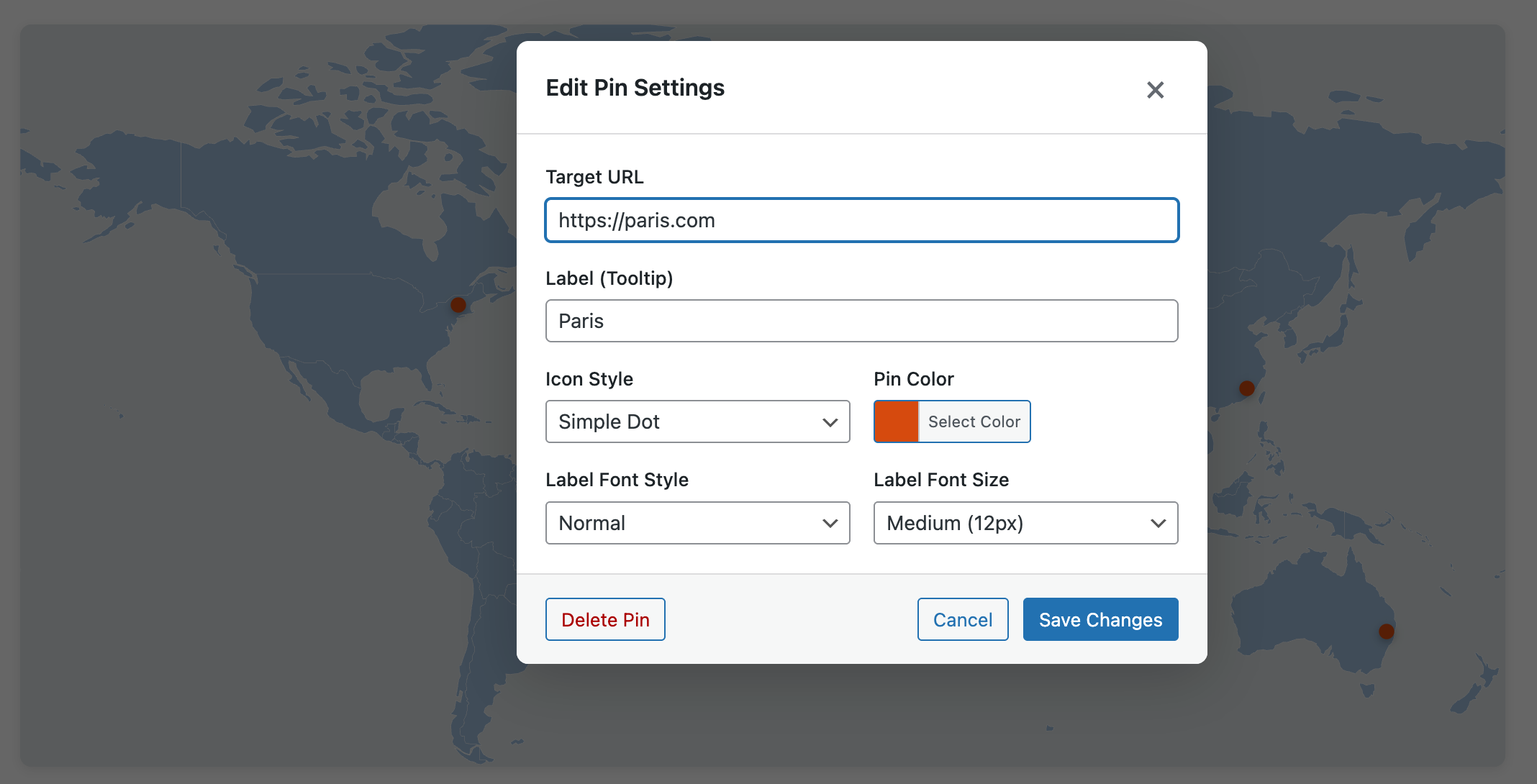
Color picker for map customization


Installation
- Upload the
max-interactive-mapsfolder to the/wp-content/plugins/directory - Activate the plugin through the ‘Plugins’ menu in WordPress
- Go to ‘Max Interactive Maps’ in your admin menu to create your first map
FAQ
-
Does this plugin require an API key?
-
No! Max Interactive Maps uses inline SVG graphics and requires no external API keys or services.
-
Are the maps responsive?
-
Yes! Maps use percentage-based positioning so pins maintain their exact locations on any screen size.
-
Can I customize the map colors?
-
Absolutely! You can customize the land color, water/background color, and border color. Each pin can also have its own color.
-
How many pins can I add?
-
There is no hard limit on the number of pins. However, for best performance, we recommend keeping it under 100 pins per map.
-
Does this affect my site’s performance?
-
No. The plugin is designed for performance with inline SVGs and minimal JavaScript. Frontend assets are under 10kb gzipped.
Reviews
There are no reviews for this plugin.
Contributors & Developers
“Max Interactive Maps” is open source software. The following people have contributed to this plugin.
Contributors

Translate “Max Interactive Maps” into your language.
Interested in development?
Browse the code, check out the SVN repository, or subscribe to the development log by RSS.
Changelog
1.1.2
- Fix residual prefixes on server and version bump.
1.1.1
- Pre-release version bump for WordPress upload.
1.1.0
- Complete plugin rebrand to Max Interactive Maps
- Renamed all files, classes, and CSS prefixes from ism to mximap
- Updated shortcode from [ism_map] to [mximap_map]
- Changed text domain to max-interactive-maps
1.0.4
- Fixed pin icon visibility when labels are present
- Changed icon positioning to use translateY(-100%) for reliable anchoring
1.0.1
- Fixed pin alignment issues on frontend
- Restructured CSS for better anchor point stability
- Decoupled pin icon position from label height
1.0.0
- Initial release
- Custom Post Type for map management
- Drag-and-drop pin placement
- 5 pin icon styles
- Custom color controls
- Shortcode embedding
- Schema.org JSON-LD output
- Responsive design
- Accessibility features
