Hostaway updates
Hostaway updates
hostaway.com

New Feature: Automate Spanish Tax Compliance with Verifactu Guest Invoicing


New


Group 102177.png

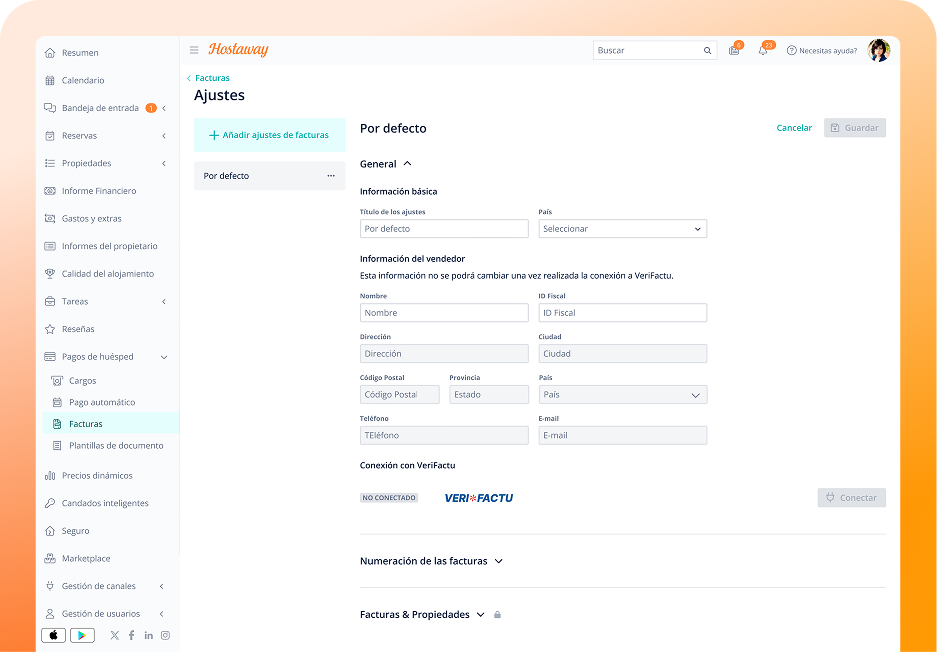
We are excited to announce our new Guest Invoicing feature, fully compliant with Spain's Verifactu anti-fraud regulation. This integration is designed to help property managers in Spain automate the generation and submission of electronic invoices, ensuring you meet all legal requirements effortlessly.

How it Works:

Our new feature integrates directly with the Spanish Tax Agency (Agencia Tributaria) to streamline your invoicing process. This eliminates the need for manual data entry and ensures that your invoices are always accurate and traceable.

Key Benefits:

  • Automate Compliance: Generate sequential, unalterable invoices that meet all Verifactu requirements, including the necessary digital integrity safeguards.
  • Save Time: Automate the entire invoicing process, from creation to submission, reducing manual work and minimizing the risk of errors.
  • Centralized Management: Manage all your guest invoices directly within your Hostaway dashboard, with clear visibility into the status of each invoice.

Getting Started:

  • Prerequisites: You will need an active Hostaway account and a Spanish tax ID (NIF/CIF). You must also submit an authorization document to the Spanish Tax Authority, allowing Hostaway to issue invoices on your behalf.
  • Configuration: In your Hostaway dashboard, navigate to Guest Payments > Invoices > Settings to connect your account to Verifactu and configure your invoice numbering and closing settings.
  • VAT Setup: Ensure your VAT calculations are correctly configured in both your OTA channels and within Hostaway’s financial settings to guarantee accurate tax calculations on your invoices.

Please Note: Hostaway will not generate Verifactu invoices for bookings where the OTA is the Merchant of Record (e.g., Airbnb), as the OTA is responsible for invoicing in these cases.

For a detailed setup guide, please visit our Help Center or contact our support team at support@hostaway.com.
Automate Legal Compliance with our SES Hospedajes Integration


New


dashboard-fr.png

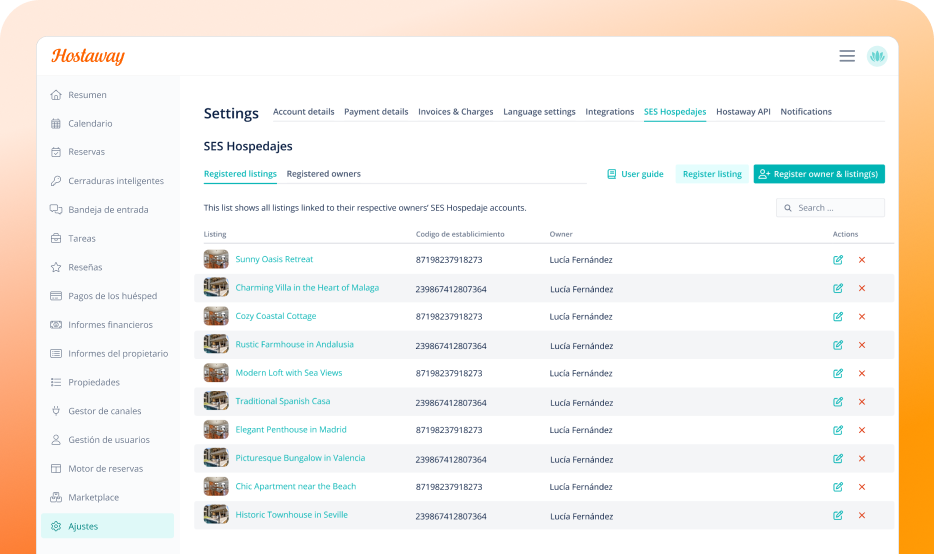
We're excited to launch our new native integration with SES Hospedajes, the mandatory government platform for registering short-term rentals in Spain. This feature automates the submission of required reservation and guest data directly from Hostaway, ensuring you stay compliant while saving valuable time.

How it Works:

Connect your Hostaway account to the SES Hospedajes platform to automate the entire registration process. Our integration eliminates manual data entry and helps you avoid costly fines for non-compliance.

Key Benefits:

  • Automate Compliance: Automatically send required data for all new bookings.
  • Save Time: Eliminate manual work and reduce the risk of errors.
  • Centralized Management: Manage compliance and track submission status directly within your Hostaway dashboard.

Getting Started:

  1. Prerequisites: You'll need an active Hostaway account, your SES Hospedajes credentials, and listings in a Spanish territory where reporting is mandatory (currently excludes Basque Country and Catalunya).
  2. Configuration: Navigate to Settings > SES Hospedajes in your dashboard to connect your listings.
  3. Automatic Data Collection: Once configured, the Guest Portal will automatically require all mandatory fields from guests for SES Hospedajes reporting.

Please Note: The integration applies to new reservations only and does not work retroactively. Only account admins can manage this setting.

For a detailed setup guide, please visit our Help Center article.

Easier Management of Booking.com Taxes and Fees


New


Improvement


image (80).png

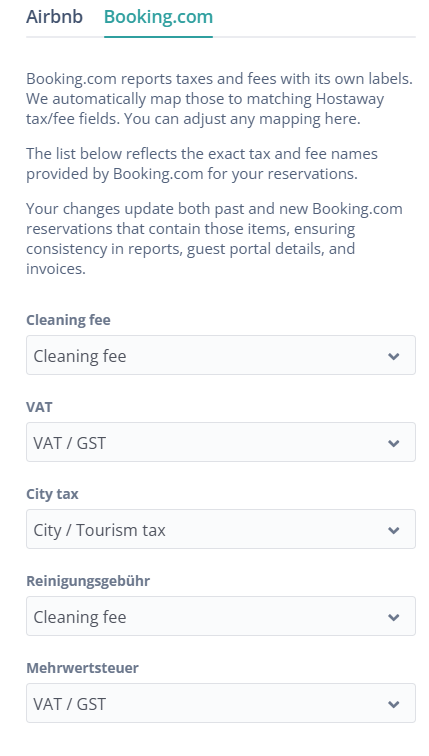
We are thrilled to share an update that makes it easier to manage Booking.com taxes and fees in Hostaway. Now, any newly received fee or tax from Booking.com will be automatically mapped using AI to the most appropriate financial field, instead of defaulting to "otherFees."

This change will apply to reservations with check-in dates in 2026 and later. Reservations with check-in dates in 2025 will remain unchanged to stay consistent with existing reports.

How it works:

  • Get automatic AI mapping for any new Booking.com fees and taxes.
  • See new fees and taxes classified right away, without any manual mapping.
  • To view and configure your fees and taxes, go to: Financial reporting > Financial settings > Taxes > Taxes mapping

Why it matters:

This update makes your financial reports clearer and more accurate. Less time will be spent on manual work, and new Booking.com fees and taxes will be handled as soon as they appear.

For more details on adding taxes, check out our USER GUIDE.

Simpler, Clearer Booking Engine Settings


Improvement


property-page-before-after.png

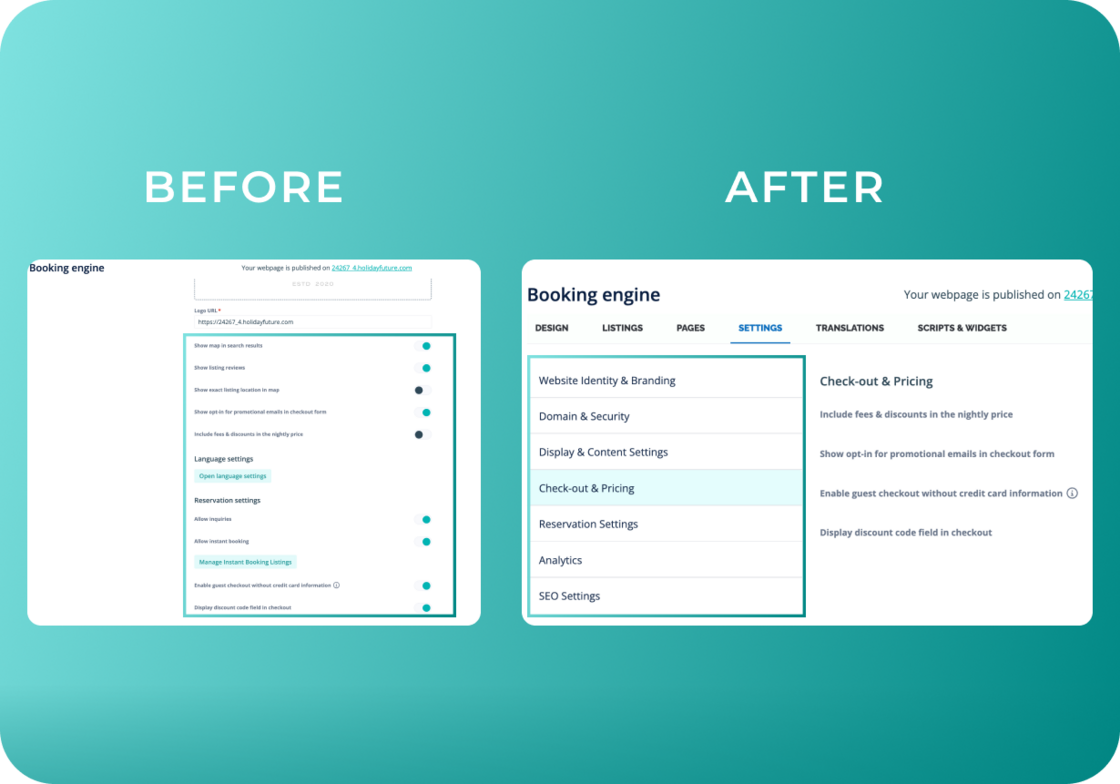
We've reorganized Booking Engine settings into clear, logical categories so you can find and customize settings faster.

Settings Tab now includes:

  • Website Identity & Branding - Logo, favicon, website name
  • Domain & Security - Domain and cookie banner
  • Display & Content - Map, reviews, amenities order
  • Checkout & Pricing - Price display, promo codes, checkout settings
  • Reservation Settings - Direct booking and inquiry options
  • Analytics - Facebook Pixel and Google Analytics
  • SEO - Search engine optimization

New Dedicated Tabs:

  • Scripts and Widgets - All widget configurations in one place
  • Translations - Language settings moved here for easier access

Why it matters:

Your Design, Listings, and Pages tabs remain exactly where you expect them, we've simply reorganized everything into intuitive categories. This means less time searching for the right setting and more time optimizing your booking engine to drive direct bookings and grow your business.

For more information on the Booking Engine settings, check out our USER GUIDE.

Set Booking.com Damage Deposits Directly in Hostaway


New


image (79).png

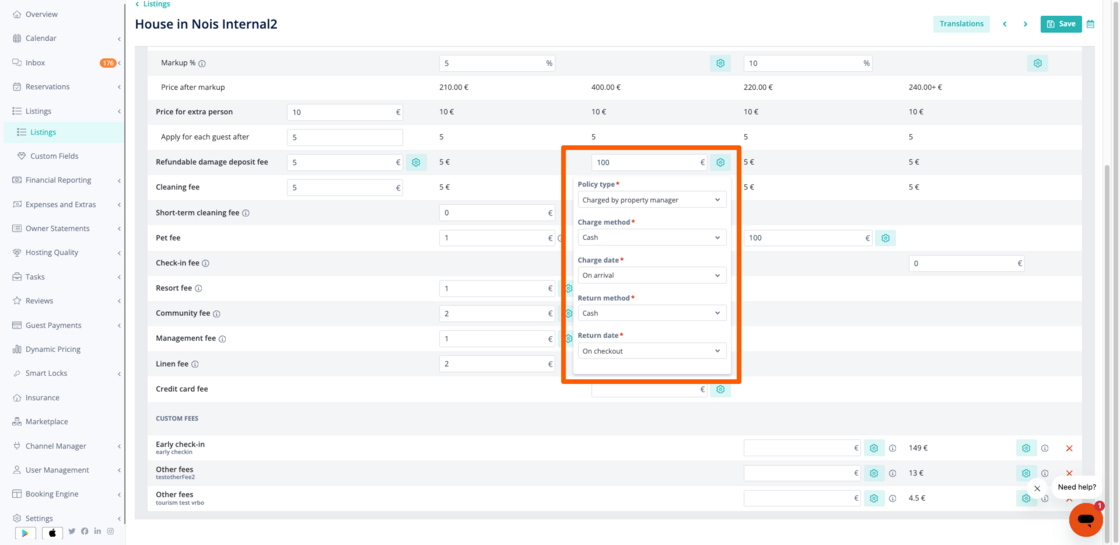
You can now configure damage deposits for Booking.com listings directly in Hostaway when creating a new listing. Choose the deposit amount, collection method (offline or online), and schedule (on arrival or check-out) without leaving Hostaway.

Why it matters:

  • Manage Booking.com damage deposits directly in Hostaway: No need to switch to the Booking.com Extranet.
  • Greater control: Decide how and when damage deposits are collected.
  • Improved guest experience: Guests see clear deposit information, leading to smoother stays and better reviews.

How it works:

  • Available for new Booking.com listings created in Hostaway when you collect payments directly.
  • If Booking.com collects payments, set the deposit in the Booking.com Extranet.
  • Setting a deposit does not enable auto-payments. Configure auto-payments separately if needed.

For more details, check out our USER GUIDE.

Enhanced Multi-Unit Functionality on Mobile


New


Multi-unit mobile.png

We are excited to announce some exciting new multi-unit functionality is now available on the Hostaway Mobile App!

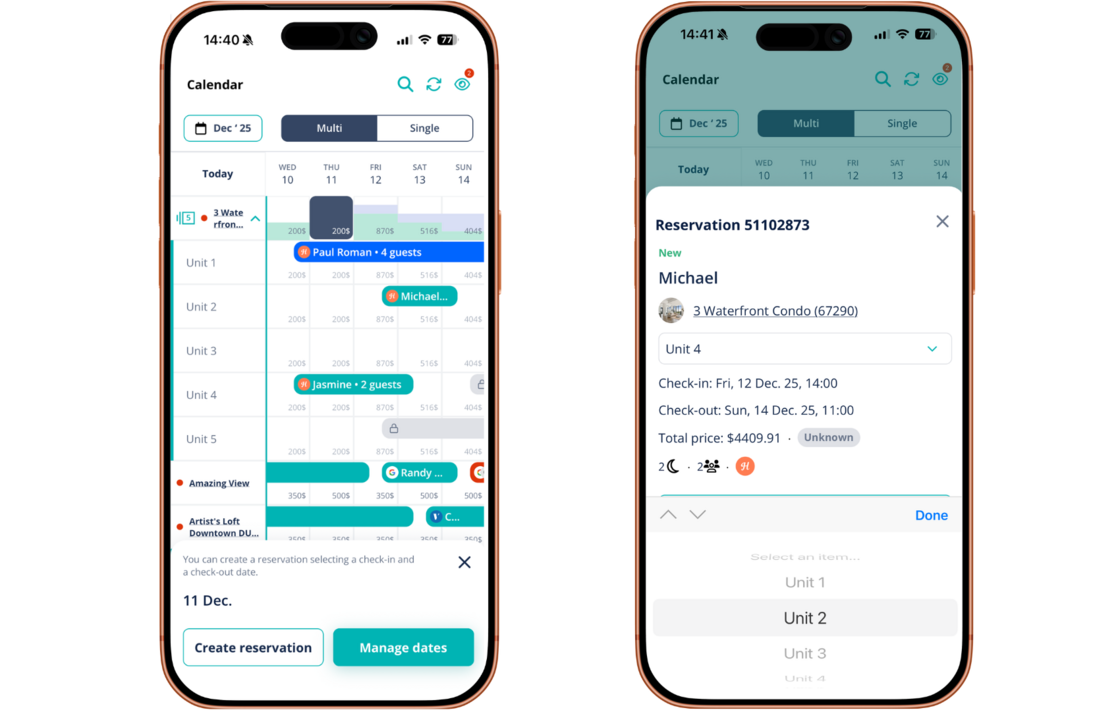
Managing multi-unit properties on the go is now easier than ever. Mirroring the functionality of the Hostaway Dashboard, mobile app users now have enhanced visibility and control over multi-unit properties directly from the multi-calendar.

With this update, you can now:

  • View, Expand, and Collapse multi-unit listings to get a clear overview of your properties.

  • Re-assign reservations seamlessly across all listings within a multi-unit property.

This enhancement provides greater flexibility and efficiency, allowing you to manage your multi-unit properties from anywhere, at any time.

For more information and links to download the Hostaway Mobile App, check out our USER GUIDE

Enhanced SEO & AI Findability for your Direct Booking Website


New


Improvement


LLM Direct Booking (1).png

We've just rolled out a major upgrade to your Hostaway Booking Engine to help you get more visibility and attract more guests.

What's New?

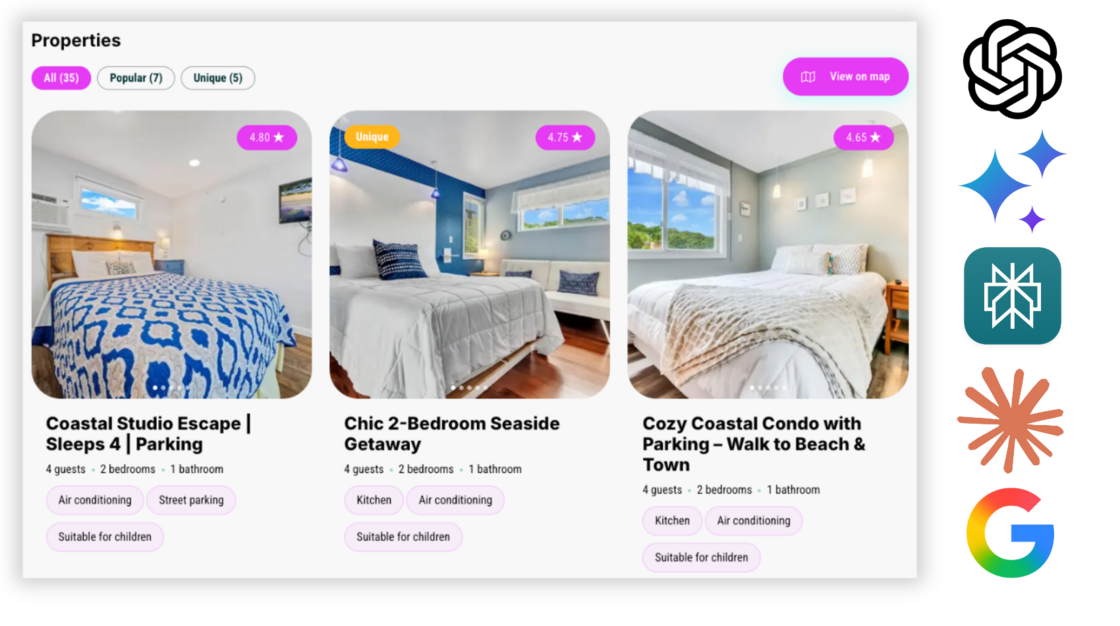
We've improved how your direct booking website communicates with search engines like Google, and LLMs like ChatGPT, Gemini, Claude, and Perplexity.

This behind-the-scenes update helps them better understand all the important details about your properties, like names, photos, availability, and prices.

Why it matters for you:

  • Ready for the Future: Your website is now optimized for new AI-powered search tools, ensuring you stay ahead of the curve and continue to attract travellers.

  • More Direct Bookings: By making it easier for Google, ChatGPT, Gemini, Claude, Perplexity, etc to find and display your listings, more potential guests will discover your website, leading to more commission-free bookings.

  • Stand Out in Search: This update helps your properties appear in Google's special "Vacation Rentals" search results, complete with photos and pricing. This makes your listings more eye-catching and clickable.

What do you need to do?

Nothing! This powerful update is already active on your booking website, working automatically to increase your traffic and grow your direct booking revenue.

Ultimately, this update is designed to do one thing: drive more commission-free direct bookings.

For more information on Hostaway's Direct Booking Engine, check out our USER GUIDE

Direct Messaging Integration with Expedia


New


expedia-messaging-email.png

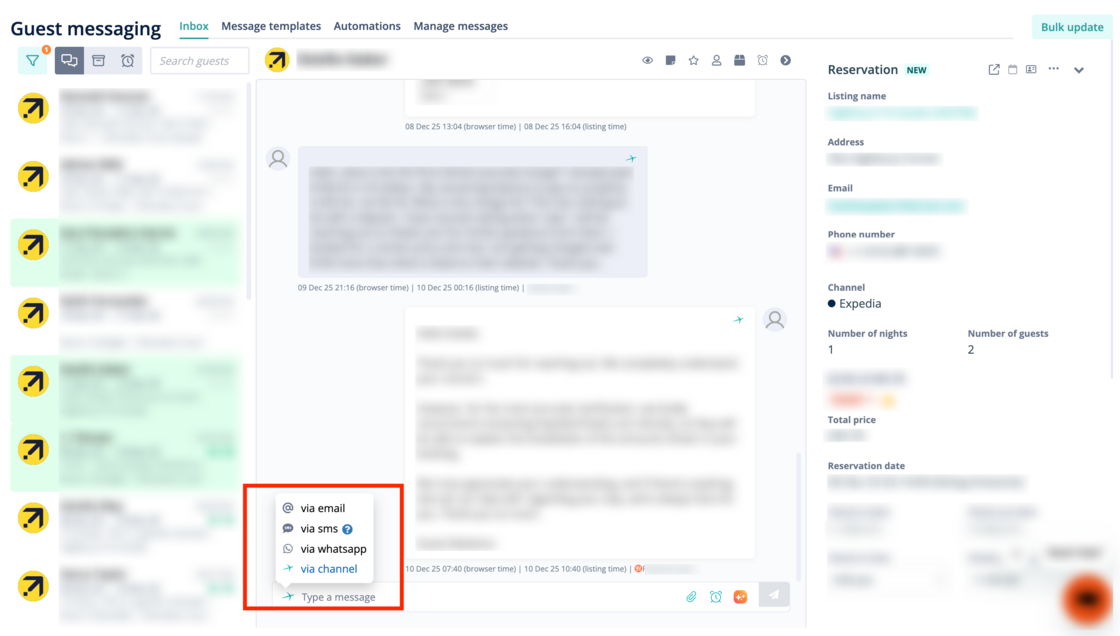
We have released a direct messaging integration with Expedia, which is now the default option for all Expedia communications in the unified inbox. This feature replaces the previous proxy email system, allowing for more reliable communication by sending messages directly to the guest's Expedia app. The integration also supports sending and receiving attachments.

image (78).png

What’s new:

  • Better guest experience: Faster, more reliable communication builds guest trust from the moment they book.
  • Save team time: Centralizing all guest conversations in the unified inbox removes the need to switch between systems
  • Increase messaging reliability: This direct integration offers a more stable and dependable communication channel than proxy email addresses, which go into spam inboxes or cause delays.

For more details on the connection, check out our USER GUIDE.

Booking.com Listing License Requirements Now Visible in Dashboard


New


image (76).png

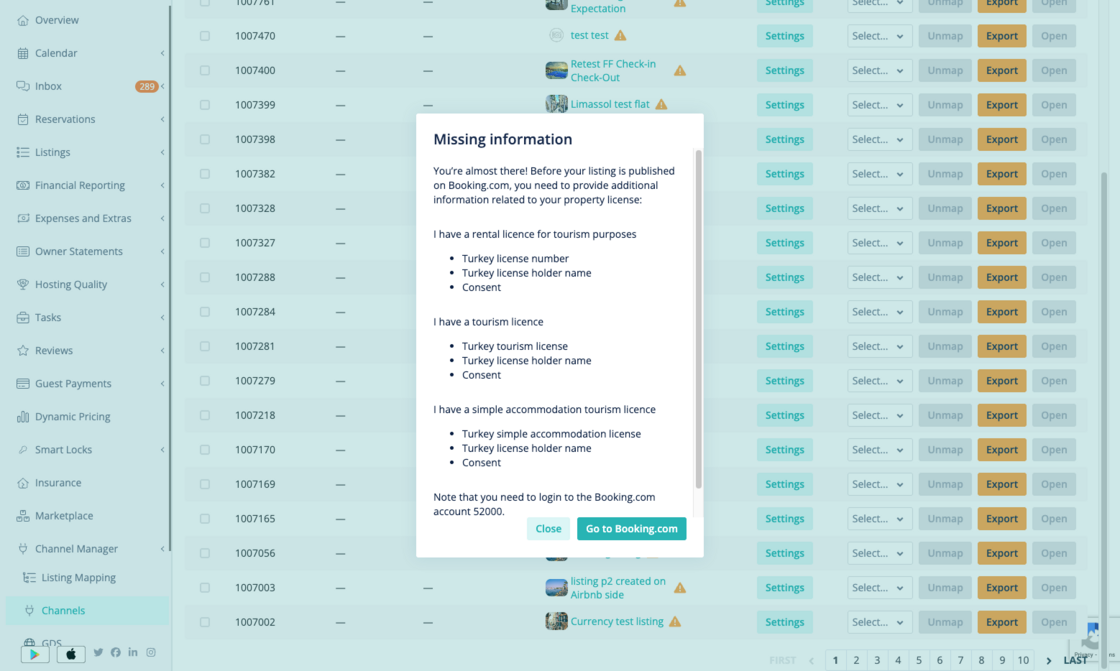
You can now see what license information is needed to get your Booking.com listings live, directly from your Hostaway dashboard.

How it works:

  • A warning icon appears in your channel list if any listings are unpublished on Booking.com due to missing license info.
  • Listings missing license details are flagged on the Booking.com channel configuration page.
  • Click the warning icon to view the required license information, as provided by Booking.com.
  • Follow the prompt to enter the required information in the Booking.com Extranet.

Property managers often miss out on bookings because they don’t know the license info is missing. This update makes it easy to spot and fix, so you can get your listings live and start receiving reservations faster.

For more details on publication status for Booking.com, you can check out our USER GUIDE.

View & Edit Listing Cleaning Status on Mobile


New


Mobile App


Screenshot 2025-11-27 at 8.55.57 AM.png

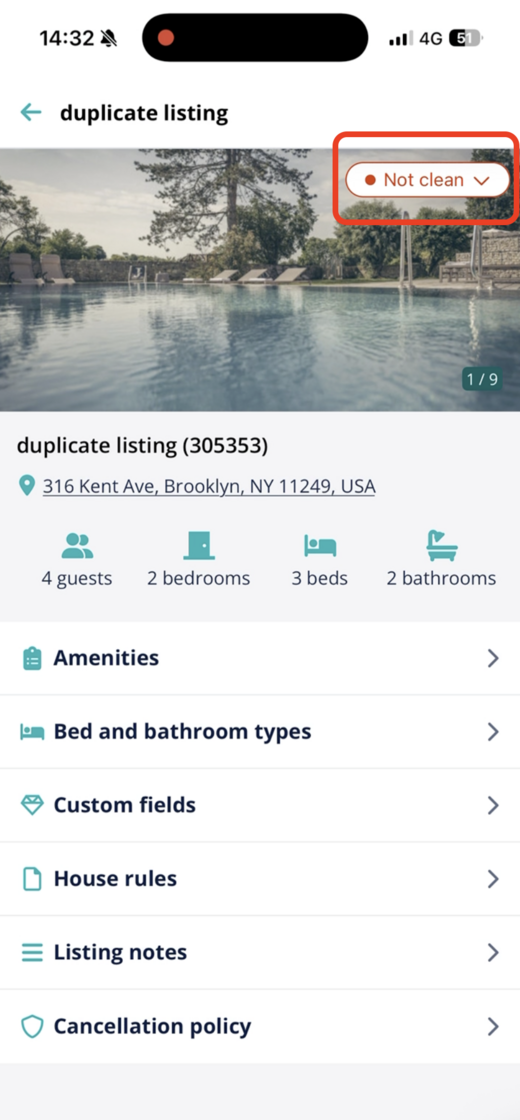
You can now view and edit each listing’s cleaning status directly from the Hostaway mobile app, so teams stay on track while on the move.

How it works:

  • Update to the latest version of the Hostaway mobile app (iOS or Android)
  • Open a listing to see its current cleaning status
  • Tap to change the status to "clean" or "not clean" and click save

This update helps you shorten delays, reduce miscommunication, and keep every cleaning task running smoothly.