

Popis
This plugin provides a dynamic display of your Minecraft server’s status, including current active players. Simply input your server’s address and port to get started.
Key Features
- Real-time Server Status: Instantly view whether your Minecraft server is online or offline.
- Active Player Display: See a list of currently active players on your server.
- Supports only Java Minecraft. Bedrock may be supported on popular demand.
Technology
Utilizes the robust PHP-Minecraft-Query library for retrieving server information. More details can be found on Packagist.
Snímky obrazovky
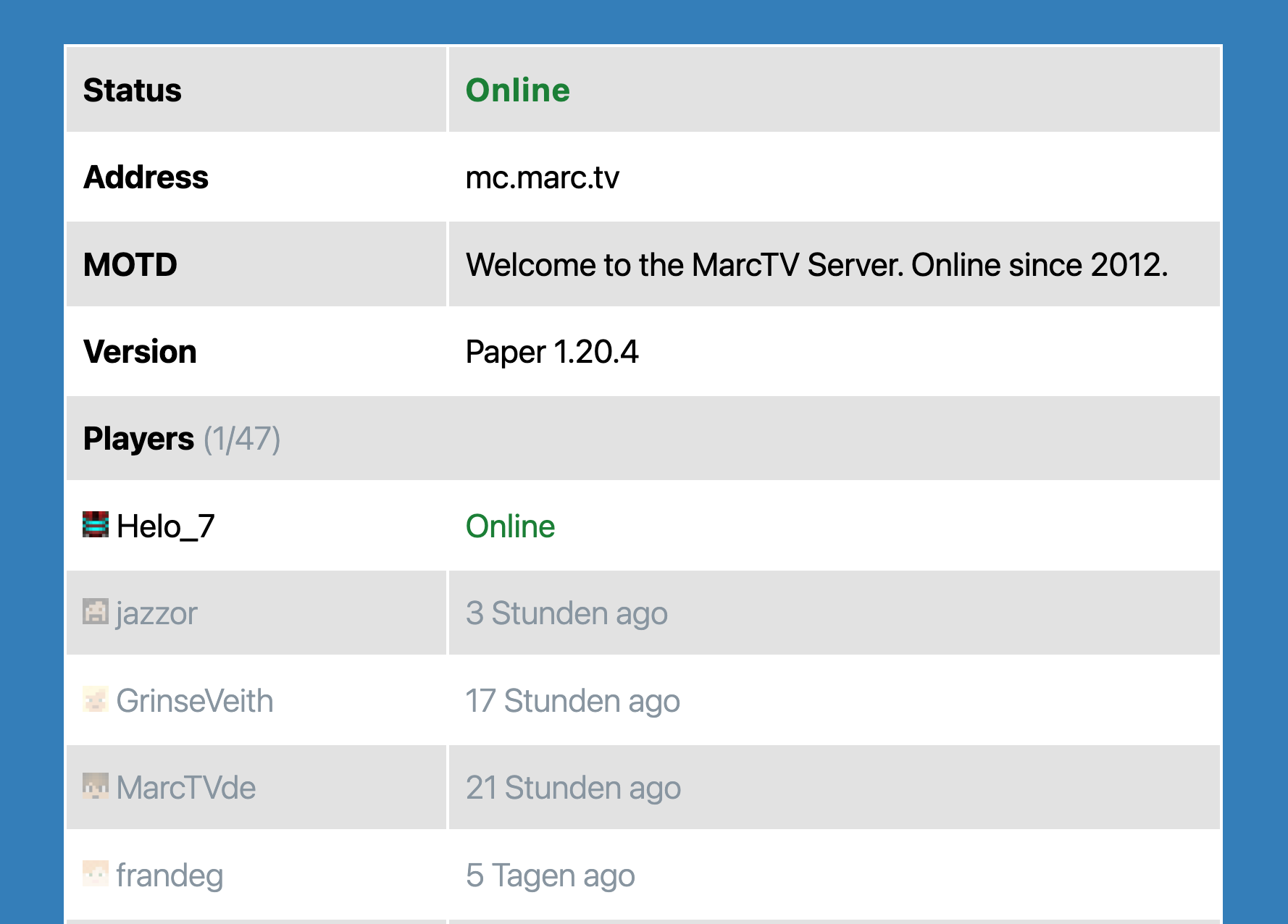
The Minecraft Server Block.

Bloky
Tento plugin poskytuje 1 blok.
- Minecraft Server Status Shows information about a Minecraft Server in a block.
Instalace
- Upload the plugin files to the
/wp-content/plugins/mc-server-statusdirectory, or install the plugin through the WordPress plugins screen directly. - Activate the plugin through the ‚Plugins‘ screen in WordPress
Recenze

20. 6. 2025
Everything is great! Thank you!

1. 4. 2024
Simple Gutenberg Plug-In that works flawless for my server!
Autoři
MC Server Status je otevřený software. Následující lidé přispěli k vývoji tohoto pluginu.
Spolupracovníci
Plugin „MC Server Status“ byl přeložen do 2 jazyků. Děkujeme všem překladatelům za jejich pomoc.
Přeložte “MC Server Status” do svého jazyka.
Zajímá vás vývoj?
Prohledejte kód, podívejte se do SVN repozitáře, nebo se přihlaste k odběru protokolu vývoje pomocí RSS.
Přehled změn
1.5.1
- Dependencies updated.
- Tested compatibility with WordPress 6.8
1.3.0
- Better Dynmap and styling.
1.1.0
- Added prefix to generic function names.
- Tested up to WordPress 6.4.
- Added fix to prevent Direct File Access to plugin files.
1.0.0
- Initial Release
