

Beskrivelse
Last Login Display adds a new column to the “Users” page in the WordPress admin dashboard, which displays the last login date and time of each user.
Features:
– Tracks and displays the last login time of users.
– Adds a sortable column to the user list for easy organization.
– Helps admins monitor user activity.
Why Use Last Login Display?
Last Login Display is the ultimate solution for tracking and managing user activity on your WordPress website. This plugin integrates seamlessly into the WordPress admin dashboard, offering valuable insights about user behavior. Here’s why it’s a must-have:
- Track User Activity: Easily monitor when users last logged into your site, helping you stay informed about active and inactive accounts.
- Customizable Date and Time Format: The plugin displays the last login time in the format defined in your WordPress settings, ensuring consistency with your site’s preferences.
- Admin Dashboard Integration: The “Last Login” column is added to the users’ table in the admin dashboard, making it convenient to view login data at a glance.
- Sortable Last Login Column: The “Last Login” column is fully sortable, allowing admins to quickly organize users by their most or least recent login activity.
- Improve User Engagement and Security: Identify dormant accounts or potential unauthorized access by analyzing login patterns, helping you enhance security and engagement.
- Lightweight and Efficient: Designed with performance in mind, this plugin adds essential functionality without slowing down your site.
How it Works
- The plugin automatically tracks users’ login times when they log in.
- The “Last Login” column will appear in the Users > All Users section of the admin dashboard.
- You can sort users by their last login time using the new column.
Usage
Once the plugin is activated:
– Navigate to Users > All Users.
– The Last Login column will display the last login date and time of each user.
– Users who have never logged in will show “Never” in the column.
License
This plugin is licensed under the GPLv2 or later. See the LICENSE file for more information.
Skærmbilleder
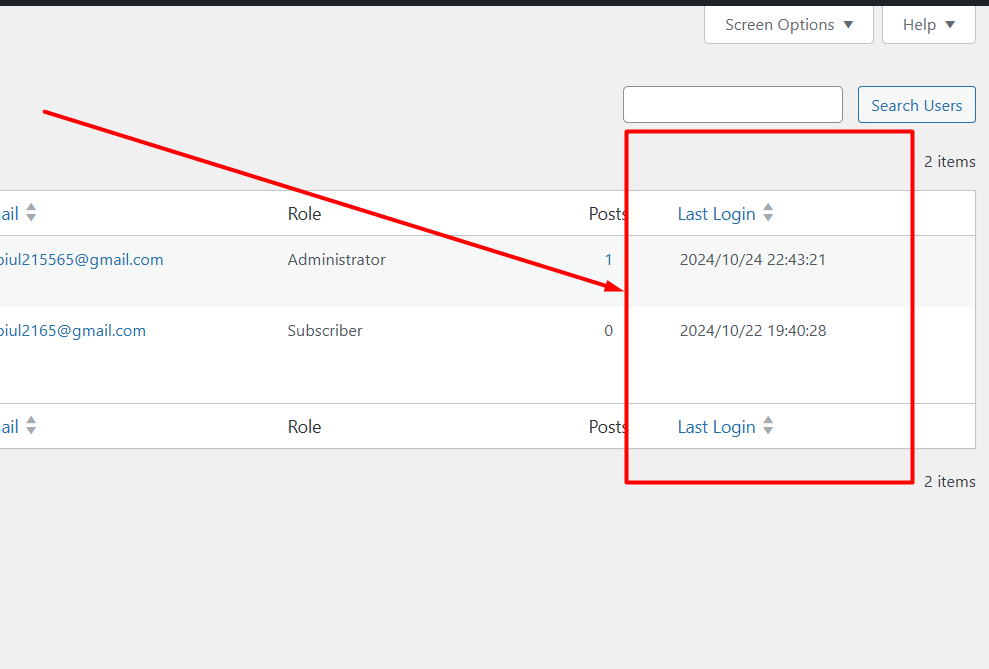
Users List with Last Login Column 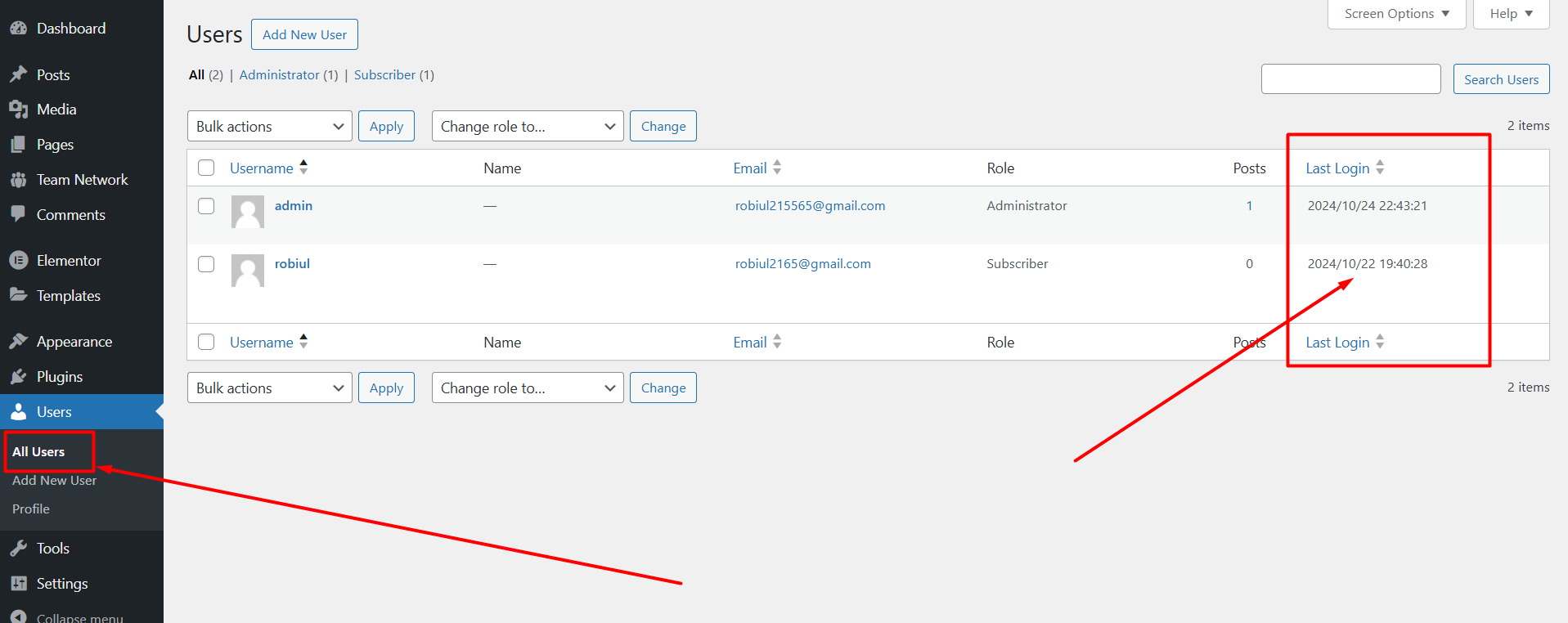
The “Last Login” column is displayed in the “Users” section of the admin dashboard.


Installation
- Upload the plugin files to the
/wp-content/plugins/last-login-displaydirectory, or install the plugin through the WordPress plugins screen directly. - Activate the plugin through the ‘Plugins’ screen in WordPress.
- Go to Users > All Users to view the last login times.
FAQ
-
Why is the last login time not showing for some users?
-
If the user has never logged in, the “Last Login” column will show “Never.” The plugin only tracks logins after it is activated. Also, the admin when it installed, it also show never.
-
Can I sort users by their last login time?
-
Yes, the “Last Login” column is sortable, allowing you to quickly see which users logged in most recently.
-
Does this work with custom login forms?
-
The plugin hooks into WordPress’s native
wp_loginaction, so it should work with custom login forms that use the default WordPress login system.
Anmeldelser


Bidragsydere & udviklere
“Last Login Display” er open source-software. Følgende personer har bidraget til dette plugin.
Bidragsydere
“Last Login Display” er blevet oversat til 3 sprog. Tak til oversætterne for deres bidrag.
Oversæt “Last Login Display” til dit eget sprog.
Interesseret i udvikling?
Gennemse koden, tjek SVN repository, eller abonner på udviklerloggen via RSS.
Ændringslog
1.0.5 – 27/04/2025
- Date Format Fixing and
- Tested Up to WP v6.8
1.0.4 – 11/01/2025
- Screenshots updated
1.0.3 – 11/01/2025
- PHP Version Updated
- Last Login tag added
- Readme file updated
1.0.2 – 30/10/2024
- WordPress tested up to version is updated to 6.7
1.0.1
Change the date format – automatically set wordpress site date format
1.0
- Initial release of the Last Login Display plugin.
