

Beschreibung
Events Manager ist ein funktionsreiches Plugin für WordPress zur Verwaltung von Veranstaltungskalendern, Buchungen, Terminen, Zeitplanung und Anmeldungen – ideal für alles, von einfachen Meetups bis hin zur umfassenden Eventplanung. Entwickelt mit Fokus auf Flexibilität, Zuverlässigkeit und leistungsstarke Funktionen.
Funktionen
- Wunderschöne Kalender, Suchseiten, Listen, Raster und Buchungsformulare, um Ihre Vor-Ort-Veranstaltungen zu fördern.
- Einfache Erstellung von Veranstaltungen (ein Tag mit Start- und Endzeit)
- Recurring and long (multi-day) event registration
- Komplexe Wiederholungsmuster mit Ausschluss-/Sperrdaten erstellen
- NEW Multiple timeslots within the day for events with advanced creation options
- Überlappende Zeitfenster
- Puffer zwischen Zeitfenstern
- Buchungsverwaltung (inklusive Bestätigung/Ablehnung, CSV export und mehr!)
- Mehrfach-Tickets
- Voll funktionsfähige Grafiken und Statistiken, einschließlich Balken-, Linien- und Kuchen-Diagrammen mit Vergleich und Stapelung
- MultiSite Event Support
- Netzwerkübergreifende gemeinsame Nutzung von Veranstaltungen – zeigen Sie Ihre Veranstaltungen und Buchungen auf anderen Unterseiten oder der Hauptwebsite
- Netzwerkweites globales Buchungsmanagement
- Unterstützung für BuddyPress und BuddyBoss
- Erstellen Sie modulare (unabhängige) Unterseiten für Veranstaltungen oder miteinander vernetzte Veranstaltungen
- NEW Multiple custom event types (Archetypes), such as Workshops, Events, Webinars, Appointments etc.
- Beschriftungen, Titelformen und CPT-Namen anpassen
- Bestimmte Funktionen für bestimmte Veranstaltungstypen aktivieren oder deaktivieren.
- Multiple Location Types
- Physische Standorte
- Online-Veranstaltungen (URLs)
- Integration von Zoom-Webinaren und -Meetings
- BuddyPress & BuddyBoss Support
- Veranstaltungen einreichen
- Gruppenveranstaltungen
- Eigene Veranstaltungen
- Aktivitätsliste
- weiteres in Planung
- Eintragungen als Gast oder Mitglied
- Zuweisung von Veranstaltungsorten und Ansicht von Veranstaltungen nach Ort
- Veranstaltungskategorien
- Einfache Erstellung benutzerdefinierter Veranstaltungsattribute (z.B. Kleiderordnung)
- Google Maps (siehe unsere API-Nutzungsempfehlungen)
- Erweitere Rechteeinstellungen – schränke n Sie das Verwalten von Veranstaltungen und Orten ein
- Widgets für Veranstaltungen, Orte und Kalender
- Feine Kontrolle darüber, wie alle Aspekte Ihrer Veranstaltungen auf Ihrer Website angezeigt werden, einfache Änderung von Vorlagen aus den Einstellungsseiten und Vorlagen-Dateien.
- iCal Feed (einzelne Veranstaltung und alle Veranstaltungen)
- Zu Google Kalender hinzufügen Buttons
- RSS-Feeds
- Kompatibel mit SEO-Plugins
- Zeitzonenunterstützung – Veranstaltungen in verschiedenen Zeitzonen erstellen
- Jede Menge Template Schlagwörter und Shortcodes für die Benutzung Ihrer Beiträge und Seiten
- Aktiv gewartet und unterstützt
- Ausführliche Dokumentation und viele Tutorials
- Und vieles mehr!
Datenschutz und Einhaltung der DSGVO
Wir stellen die Werkzeuge bereit, welche Ihnen helfen DSGVO-konform zu sein, unter anderem:
- Export/Löschung von Daten über die WordPress Privacy Tools, einschließlich Buchungs-, Veranstaltungs- und Standortdaten
- Checkboxen für die Zustimmung auf unseren Buchungs-, Veranstaltungs- und Standortformularen im Frontend
- Einstellungen, um zu kontrollieren, was exportiert/gelöscht werden kann und wo/wann Einwilligungsanfragen gestellt werden können
- Mustertext für die Datenschutzerklärung deiner Website, der beschreibt, wie Events Manager mit persönlichen Daten umgeht
Premium-Funktionen
Wir haben ein Premium-„Pro“-Add-on für Events Manager, das nicht nur die Flexibilität von Events Manager demonstriert, sondern auch einige wichtige Funktionen ergänzt, einschließlich (aber nicht beschränkt auf):
- WooCommerce-Integration (separat erhältlich)
- PayPal, Stripe, Authorize.net und Offline-Zahlungen
- Benutzerdefinierte Buchungsformulare
- Benutzerdefinierte Formulare für einzelne Teilnehmer
- Upload-Felder für Buchungen, Teilnehmende und Benutzer
- Druckbare Rechnungen und Tickets
- PDF-Tickets/Rechnungen automatisch per E-Mail versenden
- Einchecken/Auschecken
- Buchungen auf andere Daten/Uhrzeiten verschieben
- QR Scanning
- Verwalten Sie Buchungen auf Ihrem Telefon
- Benutzer ein-/auschecken
- Wartelisten
- Automation – ultimate flexibility in automation!
- Trigger:
- X Zeit vor/nach Veranstaltungsbeginn
- Wenn sich der Status einer Buchung ändert
- Wenn eine Buchung vor x Zeiten gebucht wurde
- Aktionen
- Webhook senden (Zapier, MS Automation und viele andere Dienste)
- E-Mail senden
- WhatsApp-, SMS- und Telegram-Benachrichtigungen senden
- Integration von WhatsApp, SMS und Telegram sowie interaktiven Abläufen
- Gutscheincodes
- Individuelle Buchungs-E-Mail pro Veranstaltung und Gateway
- Schnellere Unterstützung durch private Pro-Foren
Um weitere Informationen zu erhalten oder wenn Sie auf die Pro-Version umzustellen möchten, besuchen Sie unsere Plugin-Website.
Zusätzliche Plugin-Integrationen
Es gibt zwar viele Integrationen von Drittanbietern mit unserem eigenen Plugin, aber hier sind einige, die wir selbst integriert haben!
- Included in Events Manager (automatic integration)
- Additional Add-Ons
Screenshots
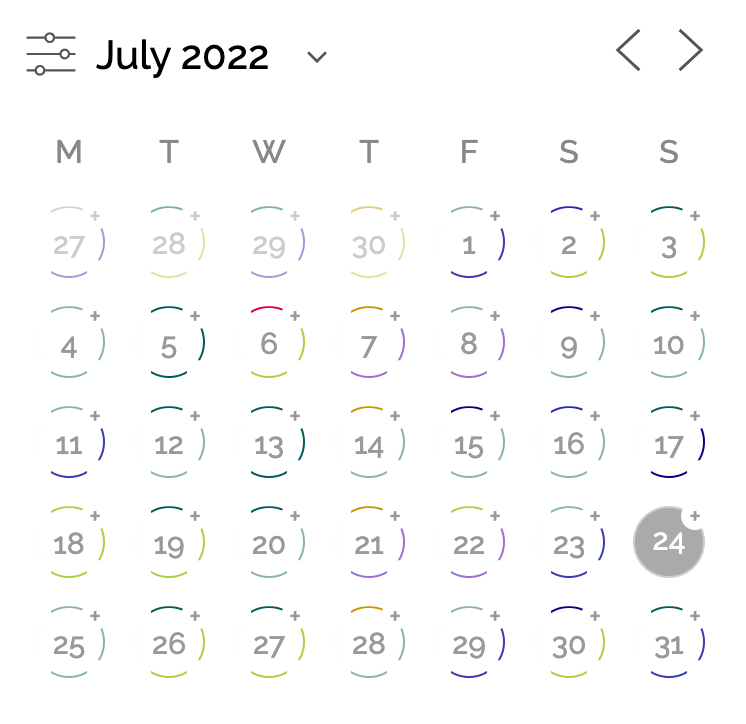
Innovativer, responsiver Kalender mit Ringen, die ereignisreiche Termine anzeigen, nach Kategorien gefärbt sind und angeklickt werden können, um weitere Veranstaltungsinformationen anzuzeigen. 
Vollständig anpassbare Event-Widgets/Blöcke und Shortcodes. 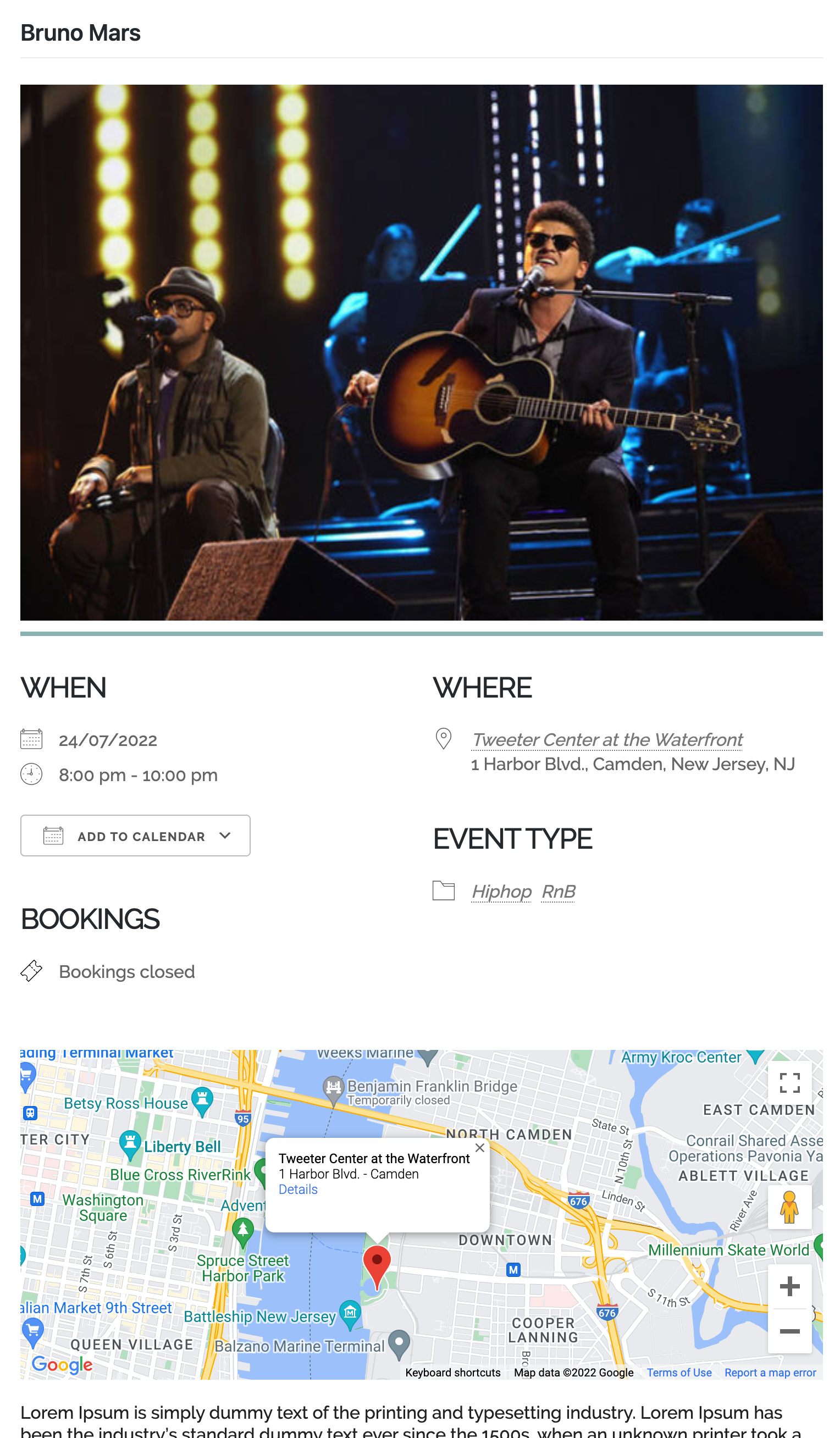
Schöne Veranstaltungsseiten, die Sie über unsere Einstellungsseite komplett anpassen können. 
Teilen Sie Ihre Veranstaltungen mit beliebten Kalender-Programmen. 
Zeigen Sie Informationen über Ihren Standort auch in Widgets, Blöcken und Shortcodes an. 
Umfassende Statistiken und Einblicke in Ihre Ticketverkäufe durch verschiedene Diagrammtypen, einschließlich Vergleich und Stapelung. 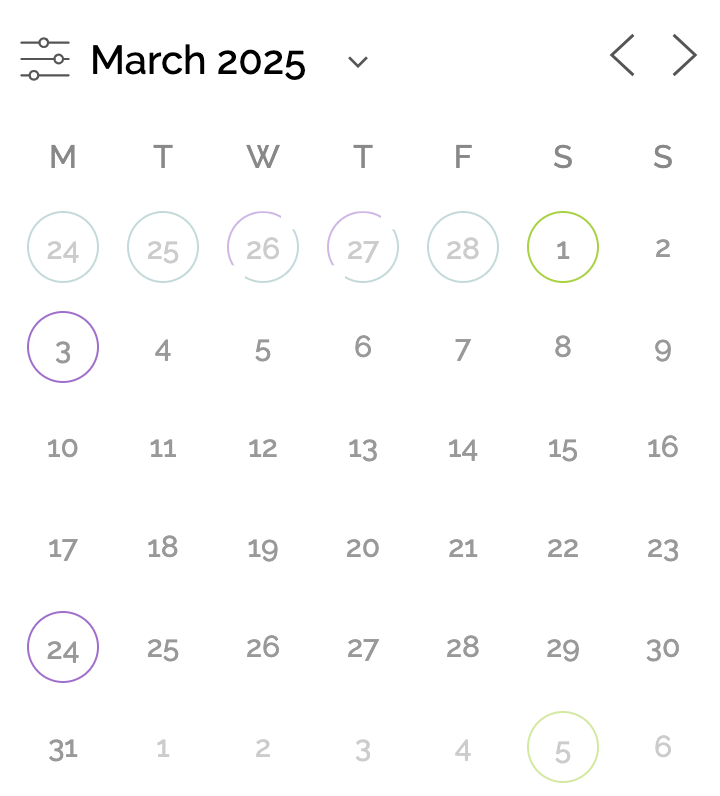
Mit unserer neuen Kalendernavigation und den Suchfiltern können Sie ganz einfach in die Zukunft springen. 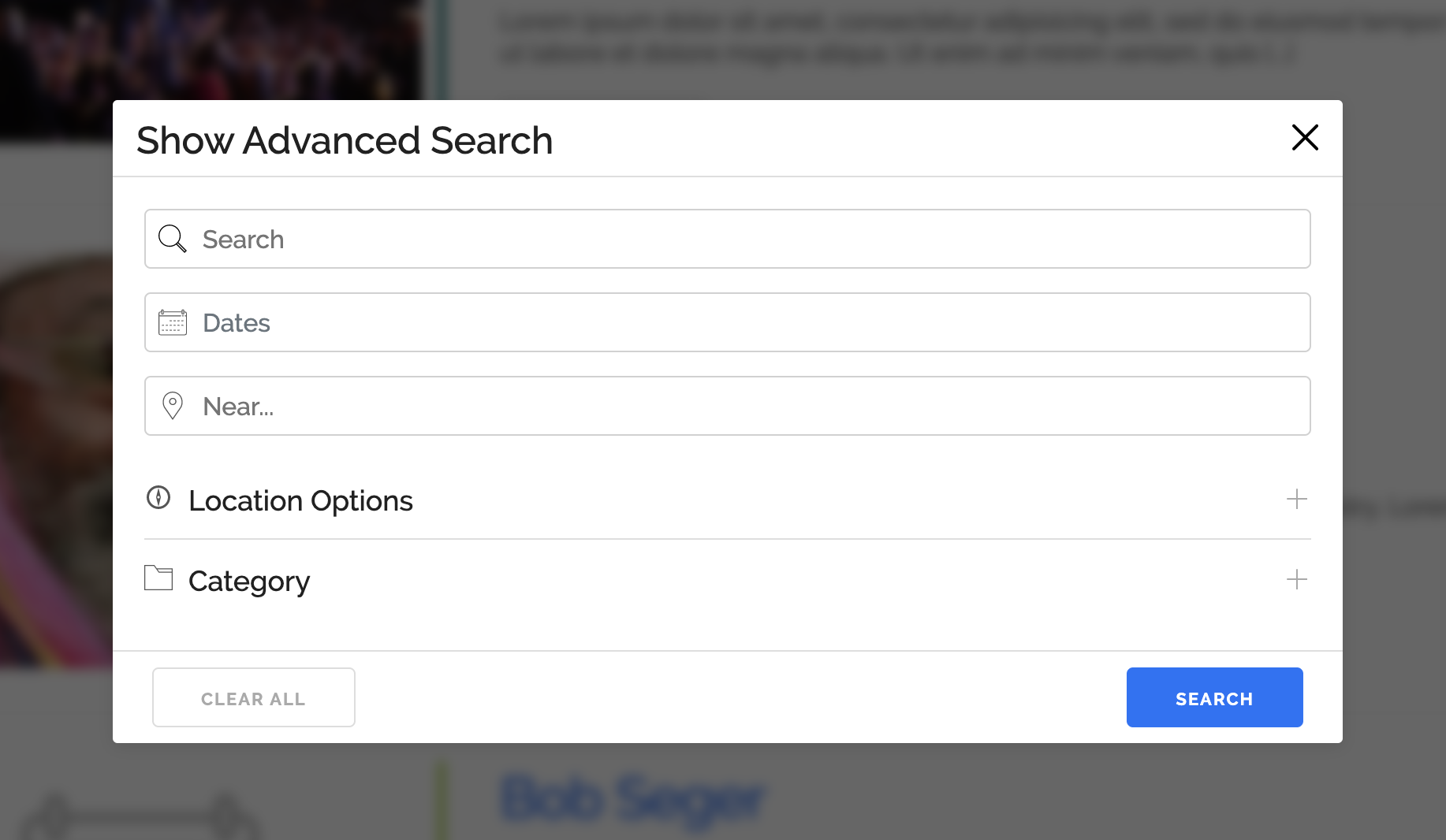
Einfach zu bedienende Suchfilter, egal ob am Telefon oder am Desktop. 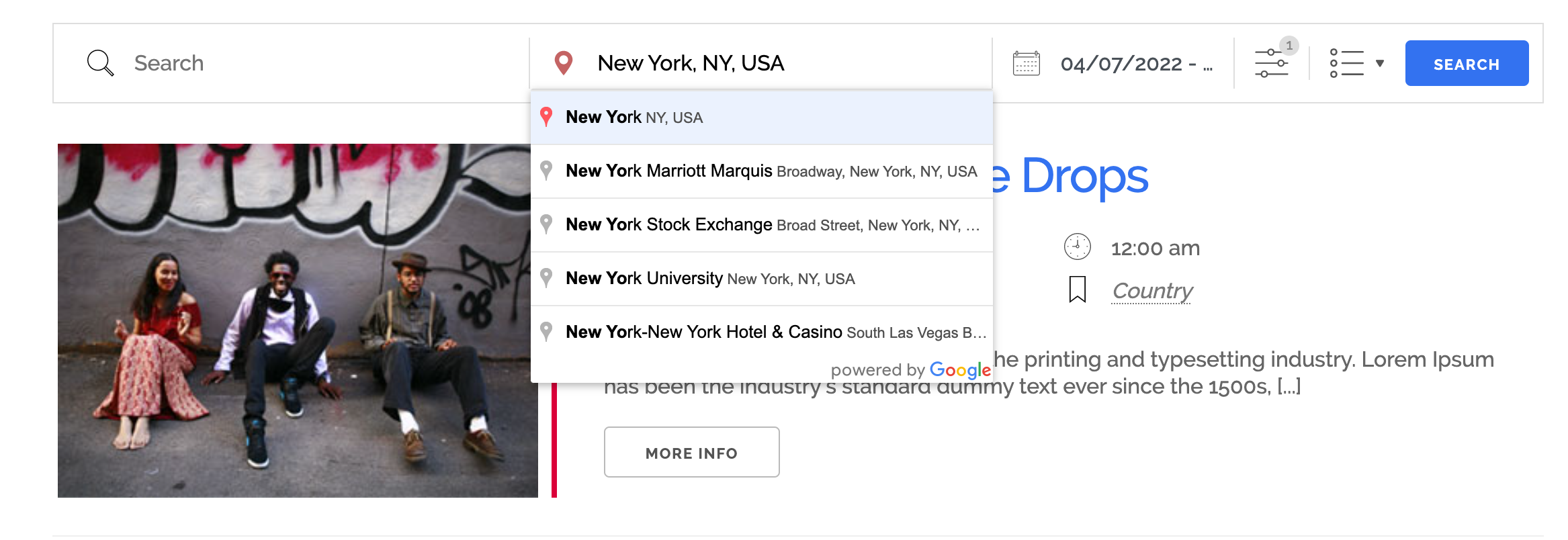
Suche mit der Google Geosuche nach Veranstaltungen und Orten innerhalb eines Suchradius. 
Intuitive Suchoberfläche für Ihre Besucher. 
Wechseln Sie schnell zwischen den Suchansichten. 
Schaue Sie sich Ihre Veranstaltungen auf einer Google-Karte an und filtern Sie diese mit Suchen. 
Mehrere Kalenderstile, die sich voll responsiv an die Breite des Kalenders anpassen. 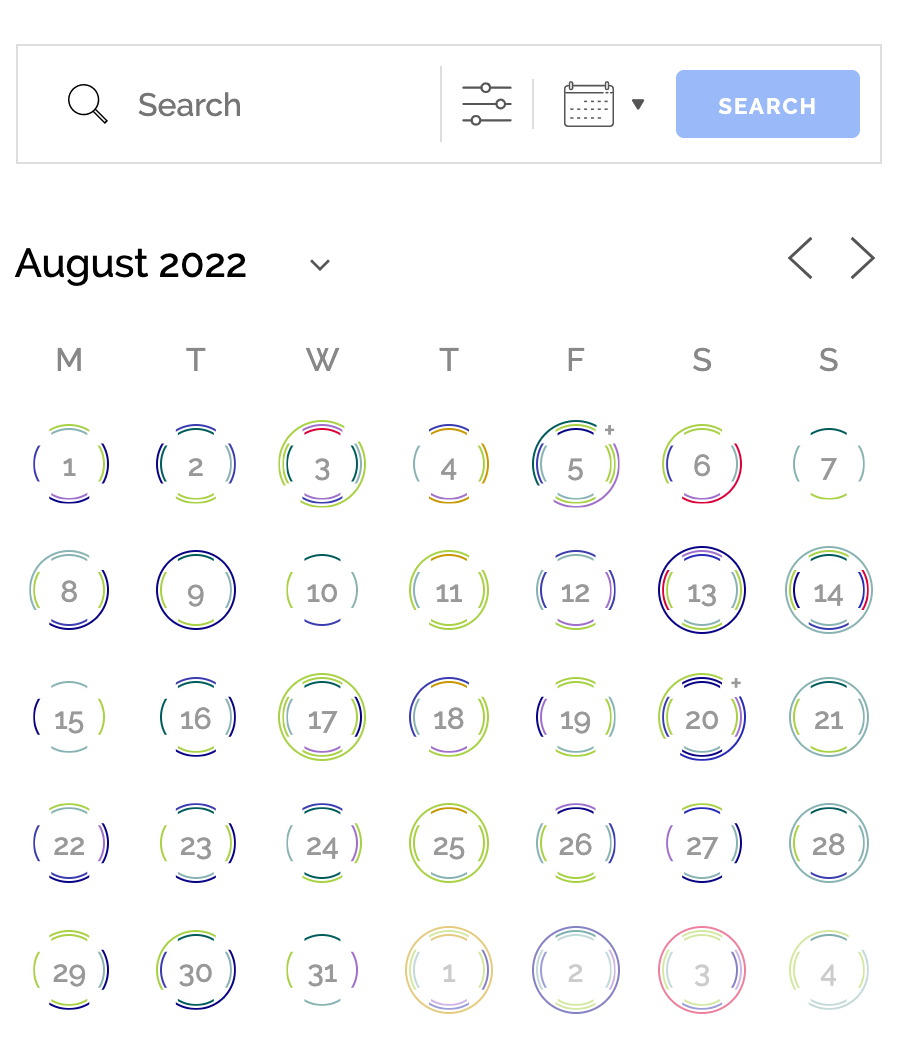
Responsive Art und Weise für Mini-Kalender, um intuitiv Daten mit vielen Ereignissen auf einen Blick anzuzeigen. 
Responsive Listen, die sich an die Größe des Inhalts anpassen. 
Saubere Formulare zum Einreichen und Verwalten von Veranstaltungen sowie zum Buchen von Veranstaltungen für Nutzer. 
Dashboard-Grafik-Widget für einen schnellen Überblick über Ihre Veranstaltungsbuchungen mit einer Vielzahl von aussagekräftigen Datenansichten. 
Rasteransicht für die Anzeige Ihrer bevorstehenden Veranstaltungen auf einen Blick


Installation
Events Manager funktioniert wie jedes andere WordPress Plugin und erfordert nur wenig Konfiguration, um Veranstaltungen zu verwalten. Wenn Sie Hilfe benötigen, besuchen Sie unsere Dokumentation oder die Supportforen.
Immer wenn Sie ein Plugin oder WordPress installieren oder aktualisieren, wird empfohlen Ihre Datenbank zuerst zu sichern!
Installation
- Wenn Sie es installieren möchten, gehen Sie zum Menüpunkt „Plugins” > „Neu hinzufügen” im Administrationsbereich und suchen nach „Events Manager”.
- Klicken Sie auf „Installieren“, sobald installiert, aktivieren Sie es und Sie sind fertig!
Wenn Sie es installiert haben, können Sie sofort anfangen Events hinzuzufügen, dabei könnten Sie sich die Dokumentation auf der Website des Plugins anschauen und lernen, wie man die volle Power von Events Manager entfesselt.
Aktualisieren
- Wenn Sie es aktualisieren möchten, besuchen Sie die Website des Plugins in Ihrem Administrationsbereich, scrollen zum Events Manager runter und klicken auf aktualisieren.
- WordPress wird Ihnen automatisch bei der Aktualisierung helfen.
Von Version 4 zu 5 aktualisieren
FAQ
-
Wofür kann ich Events Manager verwenden?
-
Events Manager ist dafür entwickelt, eine Vielzahl von Anwendungsfällen zu unterstützen, darunter:
- Verwaltung von Events, Meetups, Workshops und Webinaren
- Planung von Terminen und wiederkehrenden Veranstaltungen
- Planung und Bewerbung von Konferenzen oder Festivals
- Verwaltung von Veranstaltungsanmeldungen, Zusagen (RSVP), Ticketing und Ticketverkäufen
- Annahme von Buchungen mit optionalen Zahlungen
- Verwaltung von Veranstaltungsorten und mehreren Eventstandorten
- Erstellung eines öffentlichen Veranstaltungskalenders für die Besucher deiner Website
Auf unserer FAQ Seite findest du Hilfe zu Events Manager – Calendar, Bookings, Tickets, and more!
Rezensionen


Mitwirkende und Entwickler
„Events Manager – Calendar, Bookings, Tickets, and more!“ ist Open-Source-Software. Folgende Menschen haben an diesem Plugin mitgewirkt:
Mitwirkende


„Events Manager – Calendar, Bookings, Tickets, and more!“ wurde in 30 Sprachen übersetzt. Danke an die Übersetzer für ihre Mitwirkung.
Übersetze „Events Manager – Calendar, Bookings, Tickets, and more!“ in deine Sprache.
Interessiert an der Entwicklung?
Durchstöbere den Code, sieh dir das SVN Repository an oder abonniere das Entwicklungsprotokoll per RSS.
Änderungsprotokoll
7.2.3.1
- Fixed bug with counting approved bookings since 7.2.3
- Fixed WP caching of event timeslots using only event ID instead of full UID, causing retrieval errors
- Fixed
EM_Event::get_post_id()to returnpost_iddirectly if already set before checking recurrence conditions - Fixed timeranges (timeslots) not being properly loaded for repeated events, resulting in booking forms without timeslot selection
- Fixed calendar month picker display issue for western hemisphere timezones
7.2.3
- Fixed multi-timerange and timeslot settings not being reflected in the event submission UI in some setups
- Fixed incorrect default timerange UI data when adding an extra timerange to an event
- FAQ update
- Fixed booking cut-off time reverting to 12AM upon save for single events
- Fixed styling issues for timeslot/range editor where trash icon may not appear on front-end for multiple time-ranges
- Fixed repeating event ticket descriptions not showing on booking form if not overridden
- Fixed saving a repeated event ticket being set to price 0 rather than repeating event parent ticket price
- Fixed adding exclusion recurrence set not working when creating new event
- Changed template approach for recurrence sets so recurrence set template is within a template element
- Fixed validation errors in recurring events creating an extra blank recurrence set in UI after save attempt
- Fixed timerange validation errors not saving elements of an event such as recurrence set data, timeranges etc. requiring re-setup during submission
- Fixed event booking cut-off times not being properly saved for recurring events
- Fixed recurring/repeating event booking cut-off relative dates (by day) not being properly saved
- Fixed quick-action recurring/repeated links showing up for trashed posts
- Fixed event status inconsistencies whilst trashing and untrashing repeated events
- Fixed trashed event_status in EM_Event objects always reverting to 0 when loaded from DB
- Fixed inability to unmark an event as all-day once clicked/saved for first time
- Fixed calendar month formatting option not reflected in calendar
- Fixed booking form for timeslots showing the time picker if the event is closed to bookings
- Fixed repeating events template showing in the events list
- Fixed vulnerabilities CVE-2025-12407 and CVE-2025-12408 reported by thinnawarth mathuros via WordFence Security
- Fixed medium XSS vulnerability CVE-2025-12976 reported by Muhammad Yudha – DJ via WordFence Security
- Changed post_id and blog_id to protected properties with magic get/set, allowing post-less recurrences to reference parent post and blog IDs
- Fixed recurrences not correctly referencing categories and category properties such as colors
- Made improvements to spacing on mobile and general booking form views for better use of screen real estate
- Fixed calendar not showing timeslot events with correct time
- Fixed inconsistent results when showing events split by timeslot
- Added default option for showing calendars with or without splitting by timeslot
- Updated intl‑tel‑input to v25.12.5
- Fixed submission and UI issues with the phone field
- Fixed allowable HTML in ticket names not outputting in ticket summaries
- Added booking and ticket counting of reserved vs. pending spaces, fixing inconsistent counts with custom pending status
- Added #_UNAVAILABLESPACES and #_RESERVEDSPACES placeholders
- Changed #_BOOKEDSPACES so reserved pending spaces are excluded
- Added shared functions EM_Ticket::get_status_spaces() and EM_Bookings::get_status_count()
- Fixed ticket required checkbox getting unchecked upon second save when editing an event
- Fixed fatal error when supplying comma-separated list of views in event list or calendar shortcode
- Fixed fatal error when supplying comma-separated list of views in event list or calendar shortcode (duplicate fix)
- Fixed Google Map JS warnings
- Upgraded Google Maps to async loading and Advanced Markers
- Modified map balloon formats to exclude location name, now automatically included in balloon title
- Updated how map info balloons are styled
- Fixed privacy consent not being forced as required
- Fixed “convert to recurrence” link not working outside the event editor
- Updated readme.txt WordPress version
- Updated readme.txt WordPress version (correction)
- Fixed using event=“x“ in shortcode or PHP functions producing empty results in custom archetypes
- Added support for iCal and RSS feeds for custom archetypes
- Added support for taxonomy event lists to include all archetypes or specific ones via placeholders such as #_CATEGORYNEXTEVENTS{archetype}
- Fixed interference with other scheduled post CPTs
- Removed jQuery UI Touch Punch 0.2.3 from JS libraries
- Fixed calendar month picker showing Jan 2025 when navigating from Dec 2025 when format is set to M Y instead of F Y
- Fixed possible PHP warnings in em-event-post.php and em-location-post.php
- Fixed PHP error associated with #_BOOKINGBUTTON
7.2.2.1
- Fixed blank admin pages for some server setups (possibly PHP version)
7.2.2
- Fixed PHP notice in booking actions
- Fixed critical PHP error in rare cases when booking table settings are saved incorrectly
- Fixed timezone picker displaying default timezone after saving a single non-recurring event in event editor
- Fixed fatal error when creating new repeating events due to missing default time range
- Fixed recurring events not saving properly due to new time range selectors not being editable
- Fixed redraw issue with showing a hidden recurrences meta box and marked recurrences meta box as required to display in screen options
- Fixed JS error in time range picker when changing regular event to recurring
- Forced recurrence meta box to appear in editor regardless of screen options
- Fixed PHP error in some PHP versions due to accessing
$wp_filteras an array - Fixed potential duplicate/multiple time range slots shown on new recurrence set creations
- Fixed timeslot queries in
em_get_event()overwriting the global$EM_Eventobject with timeslot event version - Fixed time range editor not allowing multiple time ranges when in a newly added recurrence set (before saving)
- Fixed time range timeslot events not being correctly saved in repeating and recurring events
- Fixed
EM_Event::get_recurrence_days()not returning an array and causing fatal errors in some setups - Fixed recurrences not allowing „last of“ monthly patterns which refer to „first“
- Fixed recurring or repeating events not properly saving initial timerange sets
- Added
set_status()methods to Timeranges, Timerange, and Timeslot objects - Fixed recurrence sets not saving event status to timeslots
- Optimized
has_timeslot()checks to avoid regenerating timeslot objects early before saving - Fixed timeslots saving without
timerange_id - Fixed timeslots not getting deleted with an event
- Fixed duplication or saving issues when event is a draft resulting in unsaved timerange data
- Fixed duplicating single recurrences not working
7.2.1
- Fixed calendars not showing events due to timeslot update in 7.2
7.2
- MAJOR – Added multiple time range and dynamic timeslot support for single and recurring events
- Event IDs can now be comprised of format
123:123where the:123represents a timeslot ID EM_Event->event_idnow supplies the full event UID, whereasEM_Event->get_event_id()supplies just the numeric event ID- Fixed default option for em_get_option() not being used when defaulting to get_option()
7.1.7
- Fixed PHP
_load_text_domainwarning since 7.1 - Fixed PHP fatal error when viewing events page with certain settings combinations (e.g., title rewriting disabled or subsite events shown on the mainsite in MS global mode)
- Fixed location pages not working if the location slug contains the event slug (e.g.,
eventsandevents/locations)
7.1.6
- Fixed admin menu navigation issues between EM admin pages where page=events-manager-* in the URL, due to new archetypes feature in 7.1
7.1.5
- Fixed missing event list items due to change in 7.1 event_type ‚event‘ to ’single‘
7.1.4
- Fixed PHP warning for including a file intended for 7.2 update.
7.1.3
- Fixed new archetype data not being added to wp_postmeta for previously created events,
- Fixed edit booking links,
- Fixed view/edit booking page triggering AJAX instead of page reload,
- Fixed adding attendees whilst editing a booking showing attendee summary instead of the edit form (Pro inherited feature fix)
7.1.2
- Fixed issues with displaying newly created locations in listings due to eventless state since 7.1
- Fixed pagination issues for locations since 7.1
- Fixed formatting settings tab hiding formats settings text boxes in super advanced mode since 7.1
7.1.1
- Fixed events, locations and archetypes not using gutenberg when EM_GUTENBERG is set to true
- Fixed capability issues preventing repeating events from being edited
- Fixed JS validation preventing dashes being used in new custom archetypes
7.1
- MAJOR – Rewritten custom posts architecture to introduce Archetypes; create multiple event CPTs running off Events Manager infrastructure with individually customizable settings (formats, enabled/disabled features, etc.)
- Added functionality to rename labels and CPTs of main event CPT and locations
- Changed event_type single ‚event‘ type to ’single‘ to avoid confusion with CPTs
- Added fix and warning for when location Google coordinates aren’t originally saved and location editor is reopened, prompting user to re-save with updated coordinates
- Fixed pagination errors when events list default scope is selected as ‚all‘
- Added new event list scope default option, used as base scope for shortcodes, widgets, and functions outside the events page (found on settings page)
7.0.5
- Improved installation/upgrade logic to allow users to re-trigger
dbem_versionupgrades from 6 to 7 without duplicating recurrence set data. - Fixed confusing redirect when converting individual repeated events to recurring events—now correctly redirects to the converted event.
- Added
EM_Event->is_repated()and$include_repeatedboolean param toEM_Event->is_recurring()to differentiate between repeated events and instances of recurring events. - Fixed image display issues for recurring events on event lists.
- Fixed orphan removals for Multisite installations.
- Fixed date-based event queries failing due to new timezone-relative search features in EM 7.
- Added short circuit to prevent current events from showing as past events in the admin menu so that recurrences appear correctly.
- Fixed front-end editor showing recurrences instead of the main recurring event in the admin events list.
- Fixed fatal error when calling
EM_Event->get_recurrence_description()on a recurrence. - Fixed JS error occurring after a successful booking.
- Fixed and mitigated issues where broken event data in the
wp_em_eventstable (e.g., null dates) prevented saving that event in the admin area. - Fixed buggy behavior including false positive datepicker validations when saving a recurring event with primary recurrence set to an „On“ frequency.
- Fixed minor PHP warning when RSVP is disabled in the admin settings page.
- Added location duplication feature.
- Added automatic disabling of event and location duplication via third-party plugins (Yoast Duplicate Post, Duplicate Pages, and Copy & Duplicate) to prevent data breakage.
7.0.4
- Fixed 3 security vulnerabilities reported by Muhammad Yudha and @mikemyers via WordFence. Update strongly advaised.
- Fixed pagination errors introduced in 7.0.3.
- Fixed potential collation issues with DB tables and added more meaningful errors when saving index tables so admins see clearer error messages.
- Tweaked installation and update process to schedule DB updates via
wp_cronfor WP-CLI and auto-updates, rather than relying on a dashboard page load. - Fixed uninstall fatal error caused by the new
recurrencestable introduced in v7.
7.0.3
- Fixed code to prevent fatal error in some instances where users run a widget.
- Added additional CSS selector/detector to booking form JS dynamic loading to detect waitlist forms.
- Changed uploader to initialize on
initso that multisite global options are applied. - Moved
EM_MS_Globalsout ofevents-manager.phpinto its own class file. - Fixed bug in multisite global tables mode showing faulty recurrence set records in the editor.
- Added recurring event recurrence description to events admin list.
- Changed default scope to ‚all‘ for any post status other than ‚All‘ or ‚Published‘ in admin events list.
- Added
event_typesearch attribute forEM_Events::get(), accepting comma-separated list or array of event types to include. - Added
post_idaccepted boolean values (or'true'/'0') to include or exclude events with a post ID (essentially, include/exclude recurrences). - Fixed search form not working in shortcode using
has_searchdue to view container ID mismatches. - Fixed potential widget fatal errors.
- Added cache flushing when editing category colors or images to update cached pages throughout a site.
- Fixed
EM_Event->save()invocation trying to create a post even if it’s an event recurrence. - Fixed ability to add higher than
event_status1 and addedem_get_post_statusto allow custom post statuses in WP admin. - Fixed end-of-month jumps when
empty_monthsis set to false. - Changed newly added
empty_monthsshortcode prop totrue, which mimics previous calendar behavior. - Fixed orphaned events remover in admin tools incorrectly including new recurrences as orphaned events.
- Fixed conversion issues from repeated to recurring events, now prompting re-conversion for upgraded event installs.
7.0.2
- Fixed recurring event editor UI display issues on front-end for recurring/repeated event patterns.
- Fixed bbPress fatal error.
- Fixed ticket start/end times being ignored due to new overriding ticket settings.
7.0.1
- Added recurring events functionality, which now hosts one page for all events of that recurrence type.
- Added recurrence booking form picker including a calendar and dropdown selection.
- Added support for true timezone-relative calendar and recurrence selection listings via the
calendar_timezoneattribute. - Added support for searching in timezone-relative scopes for events using the
timezone_scopeattribute. - Added admin support for viewing bookings belonging to recurring events.
- Added conversion features to transfer repeated (previously called „recurring“) events into recurring events.
- Added 302 redirection functionality for converted repeated > recurring events.
- Moved booking form JS into externally and dynamically loaded JS file.
- Added month skipping navigation in calendars allowing skipping months with no events.
- Added multiple calendar UI display tweaks/fixes to eventful and today months.
- Fixed blank calendar dates showing display dates.
- Added different calendar header option via the
calendar_headerattribute. - Added
setStartOfMonth()andsetEndOfMonth()toEM_DateTime. - Added timezone display options in
EM_DateTime::getDate()andgetDateTime()functions. - Changed selectize JS to dispatch a
CustomEventobject from parent element withdetailcontaining selectize objects. - Post ID is now optional for events.
- Fixed loading order of translated string assignments so they occur after init, while hard-coding potentially required strings during previously translated actions/filters.
- Updated readme „tested up to“.
- Namespaced Selectize and the
.selectize()functions toEM_Selectizeand.em_selectize()respectively to avoid collisions with other plugins. - Fixed phone input button styling clashes in manual bookings and potentially other pages.
- Moved
EM_Scripts_and_Stylesout ofevents-manager.phpinto its own class. - Added
EM\Scripts_and_Styles::add_js_var()allowing for footer localization. - Added
em_wp_localize_script_footerallowing plugins to override EM localized script vars. - Added a catch exception in
EM_DateTime::modify(). - Renamed some PHP variables in overriding methods (minor).
- Added multi-layer recurrence patterns including exclusions so events can have multiple recurrence patterns.
- Added
event_typefield allowing for recurrences, repeated, and recurring event types. - Changed recurring event saving logic to prevent deletion unless explicitly rescheduled or removed.
- Added cancellation/deletion options for recurrences not included in newly rescheduled patterns.
- Improved event update logic so that only new recurrences are added during rescheduling.
- Changed vocabulary from “recurring events” to “repeating events” for clarity and future compatibility.
- Updated ticket logic to support recurrence/override patterns while maintaining parent-child relationships.
- Added
Recurring_SetsandRecurring_Setobjects to handle recurrence data. - Rewritten recurring event logic for greater flexibility and future extensibility.
- Added
EM_Ticket::get()for cache-friendly ticket retrieval. - Added
EM_DateTimeZone::getCity(). - Deprecated
recurrence_fields ineventstable. - Added
em_event_recurrencestable. - Changed ticket deletion so it requires an event save.
- Added nonce safeguards for disabling RSVP/bookings, deleting recurrences, and rescheduling tickets.
- Added
em_datepicker_format()function to output datepicker format. - Fixed uploader validation issues in JS and PHP caused by blank default extensions settings for event/location image uploads.
- Added non-escape option to allow HTML sub-values in attendees mulitple column data views on bookings table.
- Removed JS requirement for asset selectors to be wrapped by
emin dynamic asset loading. - Improved dynamic asset loading by pre-loading asset groups before firing
onloadevents. - Improved booking form JS by encapsulating container scopes within functions and events rather than scoping at the document level.
- Fixed phone input field JS error.
- Fixed missing uploader field minified CSS files.
- Fixed calendars showing the wrong month when there’s a long event starting in an earlier month.
- Fixed ticket caching issue when saving events, which caused the event editor/page to show outdated ticket data such as prices.
- Added
EM_Event->just_disabled_rsvpto detect RSVP being disabled during an event save process.
For changelog of 6.6.4.4 and lower, see the earlier reamde.txt.
