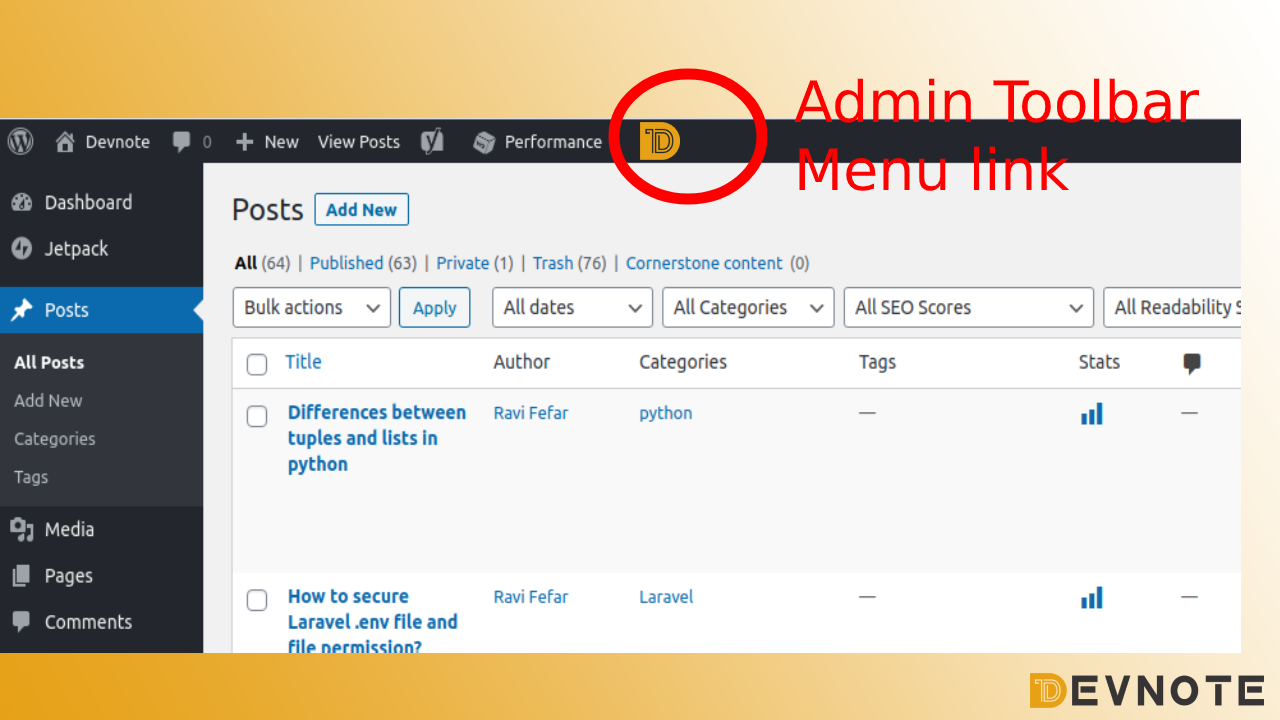
How to Add Admin Toolbar Menu link

The WordPress admin toolbar is a useful navigation element that appears at the top of the admin dashboard and front-end for logged-in users. If you want to add your own custom shortcuts or menu items for quick access, you can do it directly through your theme’s functions.php file — no plugin required.
In this tutorial, we will use the admin_bar_menu action hook to add a custom top-level menu and dropdown submenu items to the toolbar.
Step-by-Step: Add Custom Toolbar Items
- Open your theme’s
functions.phpfile. - Paste the code below.
- Replace menu titles, links, or icons with your own values.
Here is a working example:
add_action('admin_bar_menu', 'add_toolbar_items', 100);

function add_toolbar_items($admin_bar){
    $menu_id = 'top-menu-create';

    // Main parent toolbar item
    $admin_bar->add_menu( array(
        'id'    => $menu_id,
        'title' => '<span class="ab-icon dashicons-before dashicons-admin-generic"></span> Barfia setting',
        'href'  => get_admin_url().'admin.php?page=barfia-setting',
        'meta'  => array(
            'title' => __('Barfia setting'),
        ),
    ));

    // Submenu item 1
    $admin_bar->add_menu(array(
        'parent' => $menu_id,
        'title'  => __('Testing'),
        'id'     => 'dwb-drafts',
        'href'   => 'edit.php'
    ));

    // Submenu item 2
    $admin_bar->add_menu(array(
        'parent' => $menu_id,
        'title'  => __('Testing Comments'),
        'id'     => 'dwb-pending',
        'href'   => 'edit-comments.php'
    ));
}
How the Code Works
- add_action(‘admin_bar_menu’, …)
Hooks into the WordPress admin bar before rendering. - add_menu()
Adds new menu items to the toolbar. - $menu_id
Used to connect submenu items to their parent item. - dashicons
Displays an icon in the toolbar. You can change it to any Dashicons icon.
Example:
dashicons-admin-home
dashicons-admin-users
dashicons-welcome-view-site
You can find more icons in the WordPress Dashicons library.
Tips
✔ Only logged-in users with the right capability will see the toolbar.
✔ To show menu items only for admins, wrap items with:
if ( current_user_can('manage_options') ) {
    // add toolbar items
}
✔ Never edit core WordPress files — use functions.php or a custom plugin.