-
-
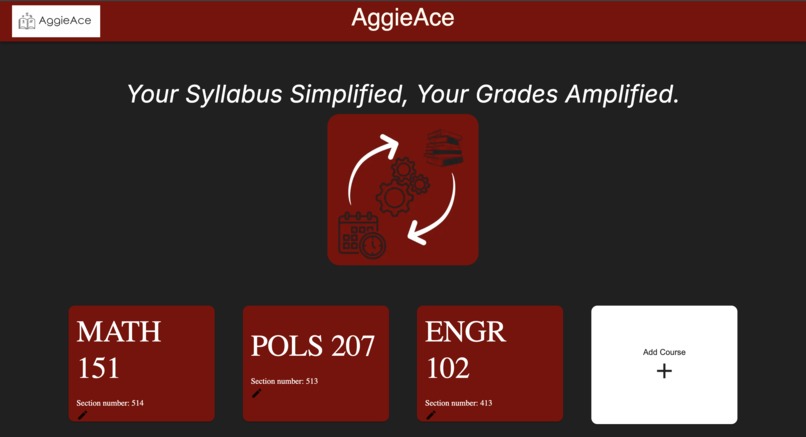
AggieAce Webstie

Inspiration
Time management is one of the key skills every college student needs to ensure success in class and a stress-free life outside of class. Every semester, students across campus encounter the redundant issue of manually creating their semester calendar, which kills a lot of time during the first week.
What it does
AggieAce lets you upload your semester syllabus for every course and convert it into an ICS file that can be imported into your Apple, Google, or other calendar, which creates an organized calendar with all lecture times, dates, and locations, assignment due dates, quizzes, and exam times.
How we built it
We used Python’s built-in file operation functions to convert a PDF to a TXT file and then sent that TXT file to OpenRuter, an LLM host platform. Our model of choice was Google’s flagship Gemini 1.5 Pro. We used strategic prompting and formatting to get a table of lecture times and then converted that table to an ICS file, which is a text-formatted file with the ‘.ics’ extension. Then, we connected it to the frontend user interface using API calls, and whenever the call was made, the process of converting the syllabus instantly started. We used Next.js with Material UI and Tailwind to create an Aggie-themed, simplistic, user-friendly webpage that allows students to add courses with their course name and section number, upload their syllabus files, and download the ICS file in return.
Challenges we ran into
First, converting the PDF file to a properly prompted string that we could send to Gemini 1.5 Pro was a challenge, considering that these AI models have hallucinations, so our output wasn’t always correctly formatted. To combat this, we used wrap prompting, enclosing the entire input in two sets of prompts that ensured it was at the beginning and end of the LLM’s context window.
Second, converting the TXT to an ICS file was challenging. It often errored, given that hardcoding would be impractical because different syllabi have different numbers of course components. To solve this, in the LLM prompt, we input a fully-fledged example ICS file for the LLM to use within its context window to provide us with an accurate output.
Accomplishments that we’re proud of
We are proud to say that almost all of the time, the inputted syllabus is converted to the appropriate ICS file. Had we had this program at the beginning of our school year, we would have saved hours off of our first weeks and been able to binge Netflix, go out with friends, and enjoy the beauty of college.
What we learned
To come up with the idea, we learned to identify issues in our own lives and convert them into working software solutions. We learned technologies such as Flask, Next.js, and Python code to solve practical problems.
What’s next for AggieAce
First, making the process much easier. To achieve that, we already have the idea of web scraping the Howdy Public Class Search to get access to every syllabus that corresponds to a certain CRN for any given semester. With that, the user can just input a CRN, and everything else is done in the background.
Additionally, using the already integrated LLM, we can have a full grade book for the entire semester already in AggieAce, with a grade calculator function. Canvas is bulky, grades are split between different platforms, and alternatives are all manual, so streamlining the process could magnify the time savings.
Making the frontend into a fully-fledged web application/mobile app. Using encryption, cloud storage, and other security-oriented technologies to create a login and sync system to ensure the data persists across devices.
By changing the way data is handled on the backend and frontend, it is very possible that the project could be packaged into a standalone web app available for use online.


Log in or sign up for Devpost to join the conversation.