-
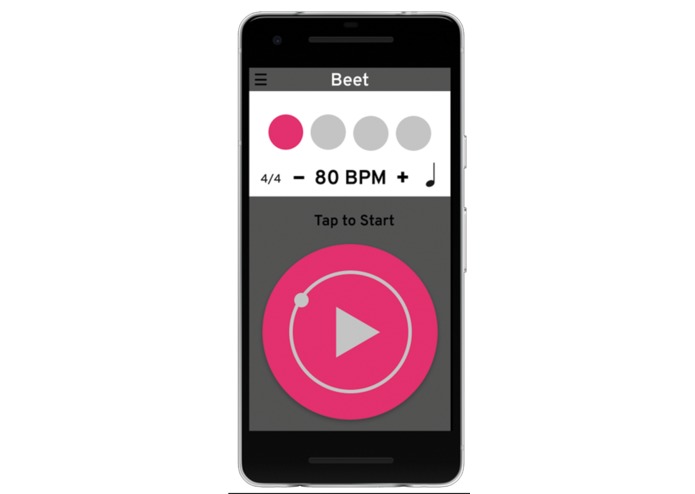
Starting User Interface
-
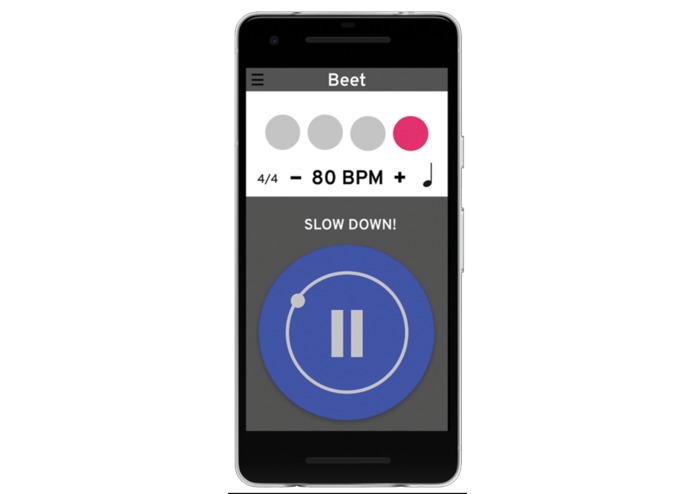
The metronome displays blue when the user is ahead of the beat.
-
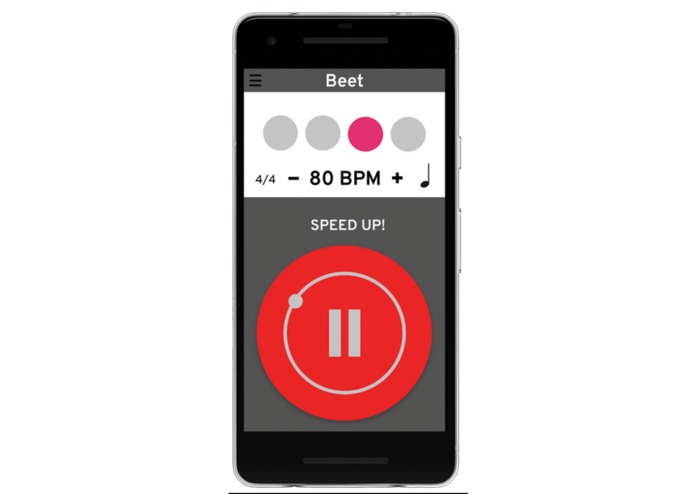
The metronome displays red when the user is behind the beat.
-

Loading Page


Inspiration
Having a strong sense of rhythm is essential for any musician but at the moment, musicians tend to follow the metronome rather than playing with it. Often, practicing with a teacher helps immensely because they are able to tell you if you're speeding up or slowing down. But when your teacher is not there, you'd have to rely on a metronome. Many musicians find it difficult to use a metronome because sometimes, it’s hard to follow and it can be really frustrating at times, especially for young musicians.
What it does
Our smart metronome will tell the user whether they are ahead or behind the beat while they are playing. By using different colours to indicate whether they are speeding up or slowing down, the user is conditioned to play in tempo. After practicing with the smart metronome for a few weeks, they will likely be able to play in time without the help of a metronome.
How we built it
By using an audio spectrum analyzer built using pyaudio, the program is able to detect the pitch and length of a note played by the user. It then compares the length of the note that the user played with the length of the actual note in the music using a metronome that we built using python. If the player is not on beat, the screen will display red, otherwise the screen displays white.
Challenges we ran into
When building the audio spectrum analyzer, the biggest challenge was getting the input and finding the average frequency. We were also working with a new library so there was a bit of a learning curve. For the metronome component, it was difficult to get the metronome to beep at the right BPM because when it goes above 144 BPM, the beats become uneven due to latency.
Accomplishments that we're proud of
We built a working metronome with the limit up to bpm = 144. We built an audio spectrum analyzer that has relatively low latency and can display the pitch accurately.
What we learned
We learned that it's more efficient to embed a function rather than writing out the code because it reduces latency. We learned how to implement new libraries like pyaudio, winsound, time, and research the documentation to use the library effectively. We learned how to manipulate time in python using time library. We learned how to incorporate loops into the usage of time comparisons and calculations. We learned how to output sound accurately using winsound.
What's next for Beet
Our next steps are to improve the user interface by creating an mobile app and allow the user to upload their own music to the program. We could also improve the program by giving it the ability to identify multiple notes and more complex rhythms, on top of improving the stability and expanding the limit of the metronome.




Log in or sign up for Devpost to join the conversation.