-
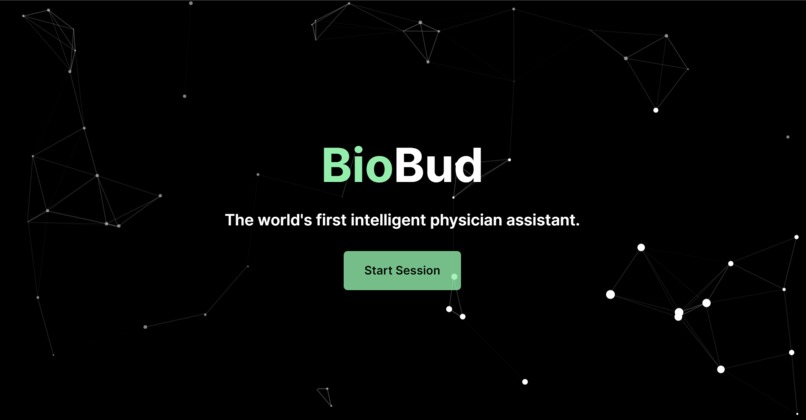
Homepage
-
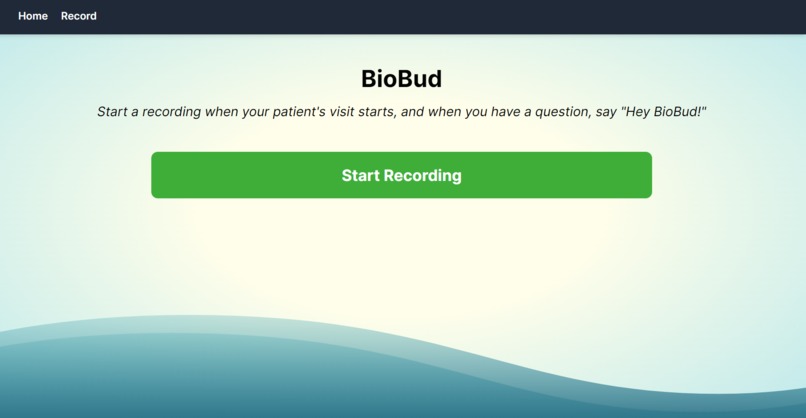
BioBud UI


Inspiration
Doctors need to make quick and accurate diagnoses for their patients, who show a unique set of symptoms. This also creates a need for patient-specific treatments, which are even harder to design for physicians. This inspired us to create a system that could accomplish these tasks and more to assist a physician in their place of practice.
What it does
We created a web application that would be able to answer any questions posed by a physician (voice recognition). This can entail either medical knowledge questions (including details about diseases and treatment options) or guidance inquiries (including suggestions for questions to ask from a patient to narrow down a diagnosis). The AI assistant responds with speech as well, allowing the doctor to maintain their main focus on the patient rather than having to type their question into a chat and read the response.
How we built it
To transcribe the doctor-patient conversations and the questions to the assistant, we used the AssemblyAI transcription API for real-time speech-to-text (minimal latency for maximum effect) paired with the PyAudio package. To create the intelligence behind BioBud, we used an API for the Generative Pretrained Transformer 3.5 (GPT-3.5) provided by OpenAI. Finally, to convert text to speech for the assistant output, we used the Google Translate Text-to-Speech API. The web application was built using a custom REST API built with Flask and Node.js. The frontend was designed with HTML, CSS, and JavaScript, and Tailwind CSS was used for an aesthetically pleasing UI.
Challenges we ran into
We faced many issues with the various natural language processing (NLP) APIs and the use of the local device's audio stream. First, with speech-to-text, we experimented with many different APIs and models, including Google Cloud Speech-to-Text API, Sphinx, and more. After extensive testing (spanning many hours), we found that AssemblyAI's STT API was the only one which was able to perform accurate and real-time (low latency) speech-to-text translation. Second, for the medical question and answering system, we experimented with many different state-of-the-art generative language models. We first explored biology-specific models such as BioGPT and BioBERT, which have been shown to perform well on biomedical literature tasks. However, our experiments found that it could not translate such knowledge to answer questions in a convenient manner for physicians. Thus, we explored more general models and found that with little adaptation, state-of-the-art models such as GPT 3.5 (which powers ChatGPT) were more practical and useful for our purposes. Finally, when trying to connect to our local device's audio stream, we faced significant issues. After extensive research online, help from mentors at HackTJ, and trial and error, we were able to use PyAudio successfully to receive the audio stream of our device's microphone array so that the Speech-to-Text API was able to receive a signal.
Accomplishments that we're proud of
We're proud that we were able to create an AI that would be able to respond to biomedical questions, and we were able to convert the text generated to speech. This could improve diagnoses and treatments doctors prescribe to patients, potentially saving thousands or even millions of lives in the foreseeable future.
What we learned
We were able to learn how to use various NLP APIs and got an insight into how GPT models and other such state-of-the-art biomedical NLP models worked at their core. We also learned how to utilize audio streams for data collection, and how to utilize Tailwind CSS to make more convenient and appealing visual user interfaces.
What's next for BioBud
We plan to perform in-field testing by giving this software to practicing doctors, so we can see if this system works in the real world. We would also like to improve the efficacy of BioBud in long-term conversations as opposed to quick remarks, which would require more scalable technologies and systems for the management and manipulation of longer audio files.


Log in or sign up for Devpost to join the conversation.