-
-
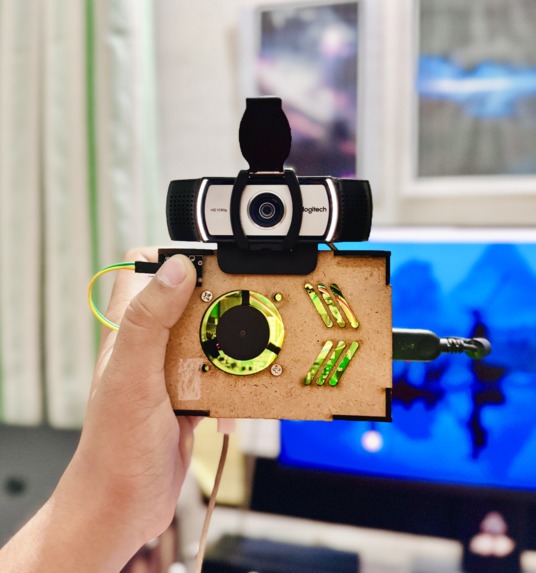
Device prototype, working on to make it much smaller
-
-
-
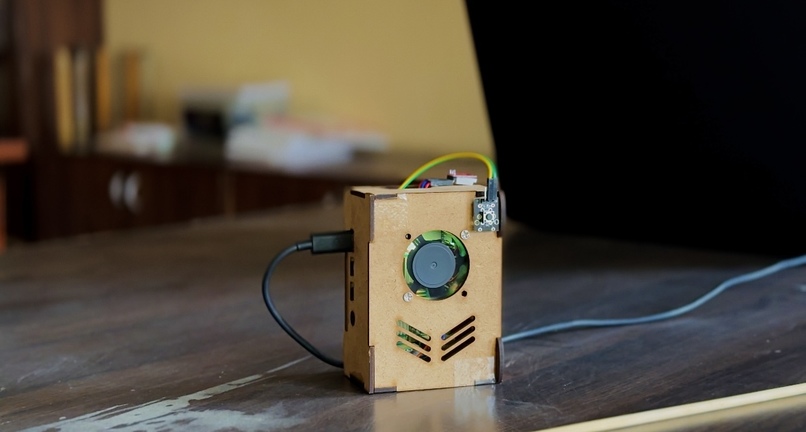


👁️ BlindSight – AI-Powered Accessibility for the Visually Impaired
🧠 About the Project
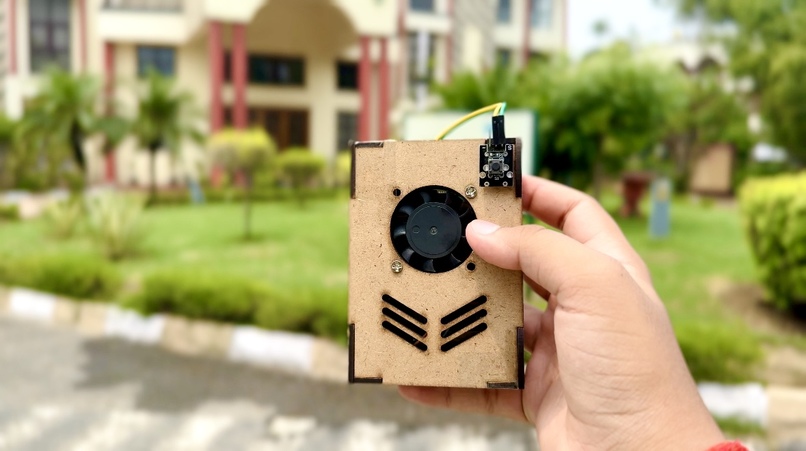
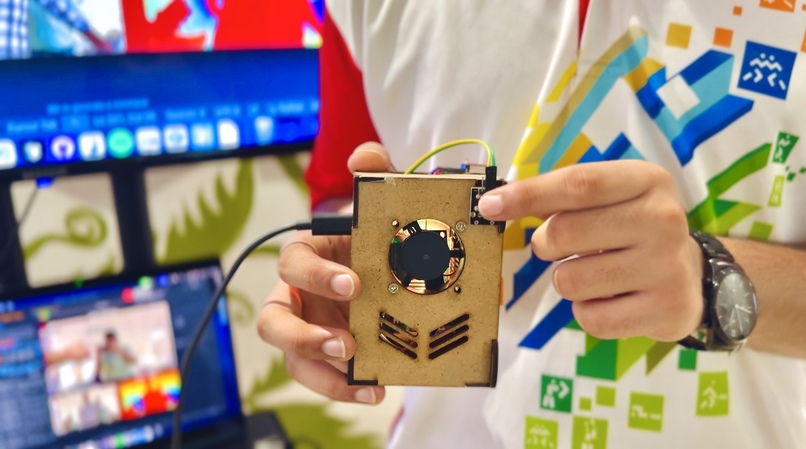
BlindSight is a wearable smart assistant designed to empower blind and visually impaired individuals with enhanced spatial awareness and object recognition.
Built using a Raspberry Pi, this compact device leverages YOLOv8 object detection, monocular depth estimation, and real-time voice feedback to help users understand their surroundings with greater confidence.
🎯 Inspiration
The inspiration came from observing the challenges that visually impaired individuals face during daily navigation.
Most existing solutions are either too expensive, bulky, or limited in functionality.
I wanted to build a low-cost, AI-powered wearable that combines vision, context awareness, and intuitive interaction—all within a single, self-contained system.
🔧 How It Works
BlindSight is a standalone, wearable AI assistant powered by a Raspberry Pi.
It runs entirely on-device—no external computer required after setup. The user wears it comfortably on the chest.
✅ Live Scene Understanding
- A mounted camera captures real-time video.
- A fine-tuned YOLOv8 model detects people, doors, stairs, furniture, vehicles, etc.
- Objects are continuously tracked, described, and spatially mapped.
📏 Depth Estimation Without a Depth Sensor
- A custom ML-Depth-Pro model estimates distance using just RGB input.
- This eliminates the need for bulky LiDAR or stereo cameras.
📡 Ultrasonic Proximity Alerts
- An HC-SR04 ultrasonic sensor detects close-range obstacles.
- Triggers a vibration motor for real-time haptic alerts when anything is too close.
🔊 Voice Feedback System
- An onboard TTS (Text-to-Speech) system conveys object names, directions, and context.
- Users are notified clearly through a small speaker integrated into the wearable.
🎛️ Tactile Button Interface
Users interact with the device using physical buttons, each mapped to a unique function:
- Describe Scene – Press to hear what’s in front.
- Object Distance – Ask how far a particular object is.
- Navigation Mode – Triggers directional assistant to guide the user toward exits.
- Voice Query – Enter voice input mode to ask:
“What’s ahead?”, “Where is the door?”, etc.
🧪 Field Testing & Support
We’ve tested BlindSight in real-world environments like classrooms and school corridors, ensuring reliability in dynamic conditions.
This project was built with the support of our school's ATL lab and Aerobay, who provided the necessary hardware, sensors, and microcontrollers.
Their encouragement helped bring this project from concept to a robust early prototype (MVP).
💡 What I Learned
- Deploying AI models on low-power embedded systems.
- Integrating YOLOv8, OpenCV, and depth models efficiently.
- Streaming video over networks and processing it on-device.
- Designing with accessibility, usability, and inclusivity in mind.
🧱 Challenges Faced
- Offloading inference to another machine (Mac) due to hardware limitations.
- GPIO configuration for buttons was tricky and is still being optimized.
- Estimating depth accurately from single RGB images was a major technical hurdle.
- Ensuring a balance of latency, accuracy, and power usage for wearability.
🚀 Next Steps
- Finalize GPIO button input to fully operate without external devices.
- Add voice-guided navigation support for structured spaces.
- Enclose hardware in a wearable vest or chest strap.
- Expand object training for diverse real-world environments.
🔗 GitHub Repo
🔗 BlindSight GitHub Repository
Made with ❤️ by Aditya Tripathi (@BENi-Aditya)


Log in or sign up for Devpost to join the conversation.