-
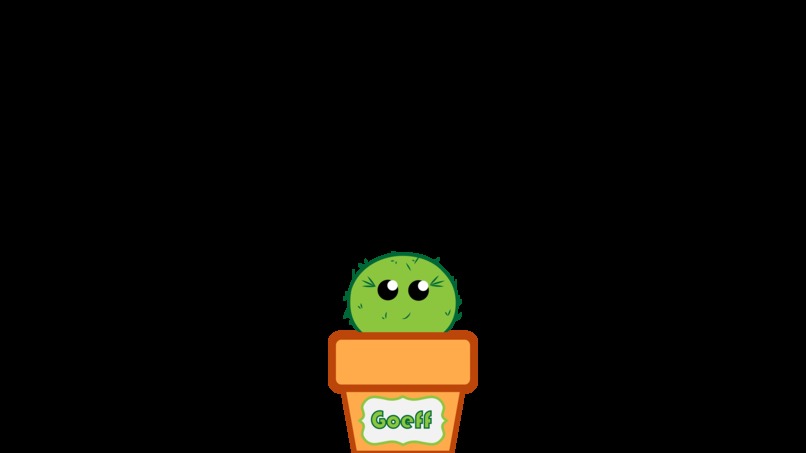
Meet Bloom Bucks favorite Saving Sprout, Geoff!

Inspiration
Our friend back home can grow the biggest garden, but struggles to grow her savings. No matter how hard she tries, she loses focus on her savings goal and spends more money than she thinks she actually does. While she is goal-oriented, she needs something more than a growing number to motivate her.
This is where Bloom Bucks comes in. A web-app that will grow with your savings! You set a goal and then as you get closer to your goal, a plant will grow with you. This cute plant will keep people like our friend on track to meet their goals and will ultimately make them more successful savers!
This app was designed for her and people like her to create a more concrete savings motivator.
What it does
Bloom Bucks was designed for people who want to save but need something more than a number to inspire them to reach their savings goals. Our web-app has users set a savings goal by planting a "Savings Sprout." As the user adds more money to their savings goal, the sprout grows with their savings! With the ability to see a plant live and grow as they get closer to their goals, an individual will be more motivated to save their money and will, therefore, be more likely to accomplish their goal.
In addition to tracking how much money a person saves towards a goal, Bloom Bucks also displays where an individual spends their money and how much money they spend at that location. This feature will allow users to analyze the spending habits that are preventing them from reaching their savings goals. Once they see where all of their money is being spent, they can adjust their funds allocation accordingly.
An extra feature of the spending map is its ability to alert the user of potential fraudulent purchases. Since the web-app shows you where all of your purchases are made, it will also show the user where purchases are taking place without their consent. The user can then take the appropriate steps to handle the situation early.
How we built it
The design was made and mocked up in Adobe Illustrator and XD. This allowed us to rapidly prototype and render our application.
The styling and layout were designed in Adobe Dreamweaver and VSC to edit the content on the page.
The user authentication uses a third party plugin called Okta. This allows for seamless authentication to our MongoDB database. The database holds data that includes user personal information (the passwords are salted too), user locations, goals, and purchases. The framework to return the information from the database is hapiJS. Once the user logs into the app, they can stay up to date on their savings goal through the "Savings Garden." When the user sets their goal and makes strides to accomplish it, that information is sent to the database and allows the plant to grow as you grow towards your goal.
The Global Spending feature tracks your spending behavior. The behavior is tracked through the Google Maps API and is connected to your bank account. When purchases are made, Google tracks the location of the purchase and sorts the data into categories. The categories are pulled from Google Places API and parse the information and renders them to the user.
The web server is hosted through Google Cloud and the database is hosted on MongoDB Atlas.
Challenges I ran into
This was the first web app we have ever made. Our graphics designer designed her first user interface and had it tie with backend engineering. Since this was some of our first time writing HTML/CSS and Javascript, we learned the entire way. We did not know how to manipulate elements using Javascript and creating a backend with a server. Because it was our first time, we frequently got lost in the code and had a hard time debugging. We could not use our third-party authentication since the network blocked our service. We could not figure out how to host MongoDB on Atlas instead of as a local instance on our machine. We got to a point at which we realized that we have not had the server running online. Learning how to drop markers in Google Maps API was a challenge as well.
Accomplishments that I'm proud of
This is our first web app! We were really ambitious and were allowed to get everything that we wanted to do. We used so many different technologies to create this app and we tied it all together. We are proud that our servers went up and running and we were able to connect to them and get information back and render them to the user.
What we learned
We learned a lot about HTML and Javascript as well as design principles. We also learned how to create servers and send information and render that information to the user. We learned how to locally host our servers and database and wire them into the project.
What's next for Bloom Bucks
Going forward with Bloom Bucks, we want to... -add more plant growing options -add a feature to redirect you to your bank account


Log in or sign up for Devpost to join the conversation.