-
-
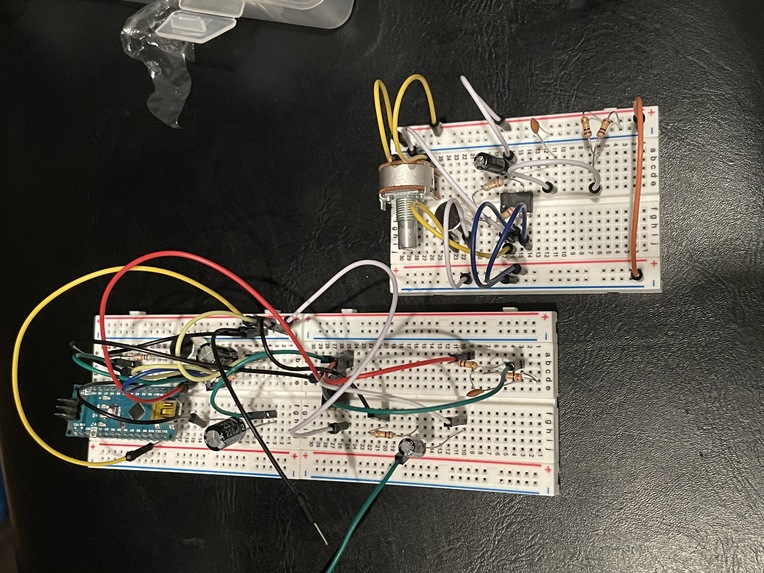
Attempted arduino/raspberry pi setup
-
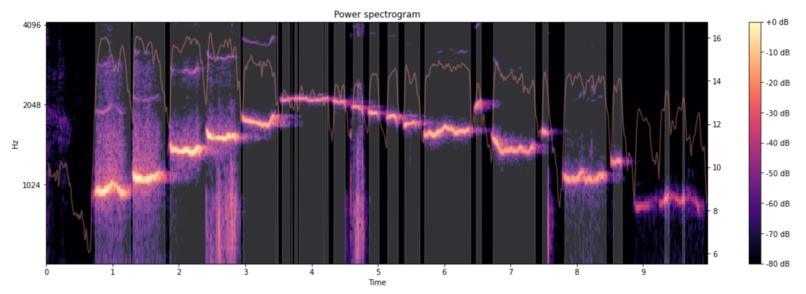
Example spectrograph used during audio analysis
-
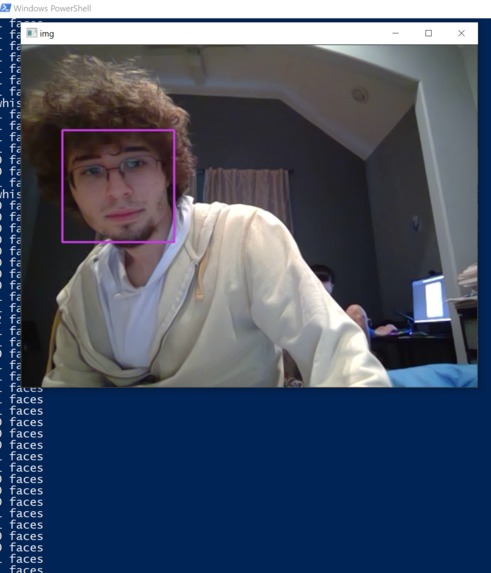
Face detection to start audio polling


Inspiration
Whistling is a fun thing to do, so we decided to make it useful.
What it does
Blowboard is a proof-of-concept of a USB device that allows one to whistle to use their keyboard hands-free. First, it detects a face using the computer's webcam, then starts polling for audio from a microphone. Then, it analyzes the audio, and based on pitch changes emulates keyboard input.
How we built it
Blowboard was primarily built using Python-Librosa, Python-numpy, and Python-pandas. Hardware was made with Arduino, breadboards and an electret microphone.
Dataflow
User stands in front of webcam → Blowboard starts polling for whistles → Blowboard hears a whistle → Blowboard simulates a pre-defined keypress → AutoHotKey runs the macro attached to that key being pressed → Blowboard magic!
Challenges we ran into
- Not understanding Python-Librosa's functions properly
- Figuring out how to set a threshold for whistling after getting all of the data
- Realizing that Raspberry Pi's don't support audio in at all through audio jack
- Getting the microphone to operate properly on a breadboard with an Arduino Nano
- TensorFlow doesn't support the latest version of Python
Accomplishments that we're proud of
- Being able to analyze live audio and separate it into distinct pitch sections
- Simulating keyboard keypresses using arduino
What we learned
- Python-Librosa is very good for analyzing audio from streams and existing files
- Mapping pitch changes to keystrokes is much harder than just mapping frequencies
- Raspberry Pi's don't support audio in at all through audio jack
- Learned about FFT for spectral audio analysis
- Learned OpenCV for face detection
What's next for Blowboard
Implement the arduino/raspberry pi microphone setup to complete the USB device, as currently it only runs on our Windows computers due to being unable to find parts


Log in or sign up for Devpost to join the conversation.