-
-
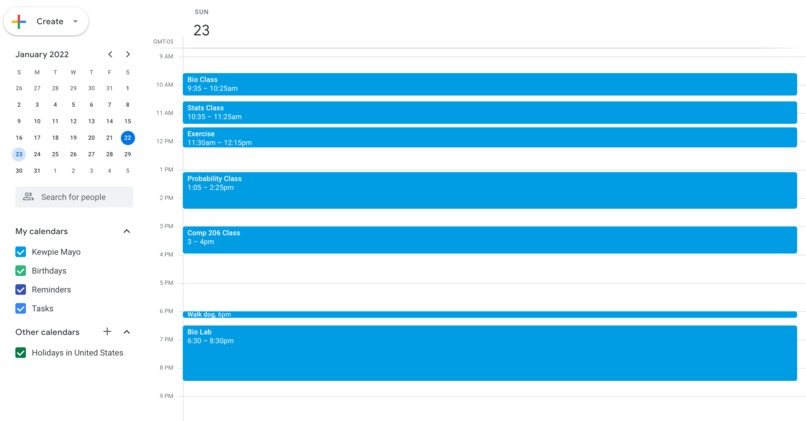
Before Eventy
-
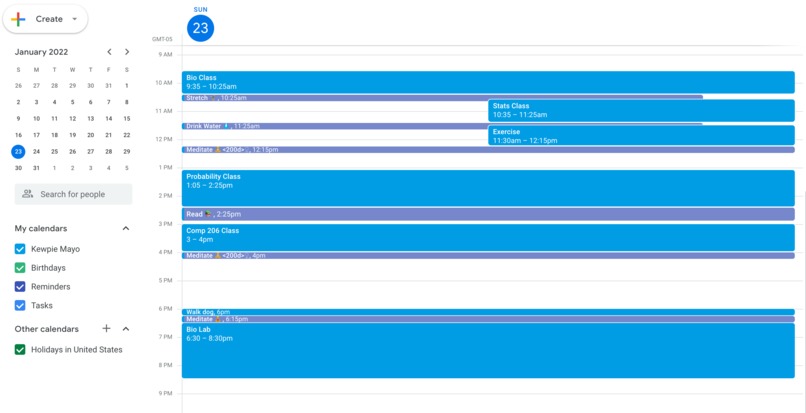
After Eventy


Inspiration
All four of us are university students and have had to study remotely due to the pandemic. Like many others, we have had to adapt to working from home and were inspired to create something to improve WFH life, and more generally life during the pandemic. The pandemic is something that has affected and continues to affect every single one of us, and we believe that it is particularly important to take breaks and look after ourselves.
It is possible that many of us will continue working remotely even after the pandemic, and in any case, life just won’t be the same as before. We need to be doing more to look after both our mental and physical health by taking regular breaks, going for walks, stretching, meditating, etc. With everything going on right now, sometimes we even need to be reminded of the simplest things, like taking a drink of water.
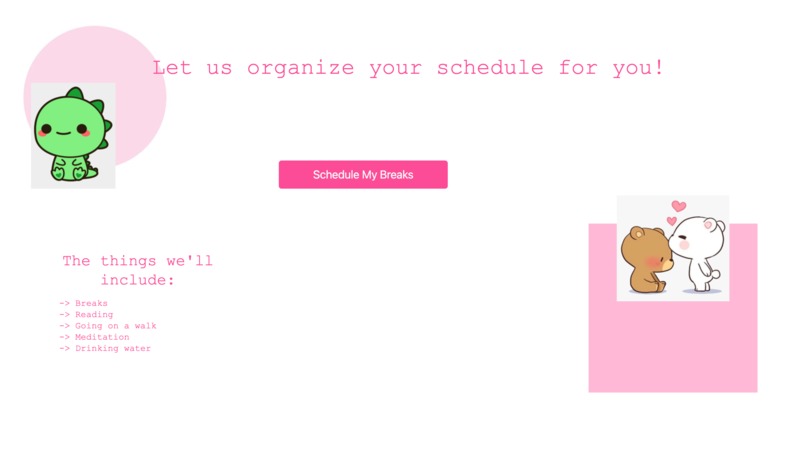
Enough of the serious talk! Sometimes it’s also important to have a little fun, and not take things too seriously. So we designed our webpage to be super cute, because who doesn’t like cute dinosaurs and bears? And also because, why not? It’s something a little warm n fuzzy that makes us feel good inside, and that’s a good enough reason in and of itself.
What it does
Eventy is a website where users are able to populate empty time slots in their Google Calendar with suitable breaks like taking a drink of water, going on a walk, and doing some meditation.
How we built it
We first divided up the work into (i) backend: research into the Google Calendar API and (ii) frontend: looking into website vs chrome extension and learning HTML. Then, we started working with the Google Calendar API to extract data surrounding the events in the user’s calendar and used this information to identify where breaks could be placed in their schedule. After that, based on the length of the time intervals between consecutive events, we scheduled breaks like drinking water, stretching, or reading. Finally, we coded the homepage of our site and connected the backend to the frontend!
Challenges we ran into
- Deciding on a project that was realistic given our respective levels of experience, given the time constraints and the fact that we did not know each other prior to the Hackathon
- Configuring the authorization of a Google account and allowing the app to access Google Calendar data
- How to write requests to the API to read/write events
- How would we do this in a way that ensures we’re only populating empty spots in their calendar and not overlapping with existing events?
- Deciding on a format to host our app in (website vs chrome extension)
- Figuring out how to connect the frontend of the app to the backend logic
What we learned
We learned several new technical skills like how to collaborate on a team using Git, how to make calls to an API, and also the basics of HTML and CSS.
Built With
- calendar-api
- css
- flask
- google-calendar
- html
- python


Log in or sign up for Devpost to join the conversation.