-
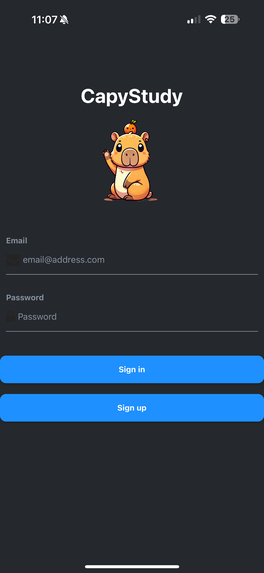
Login page
-
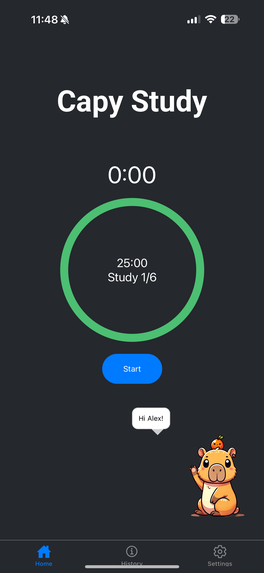
First loading the app with CapyBot greeting
-
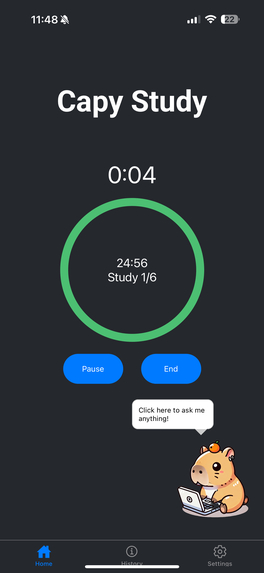
While the study session is active
-
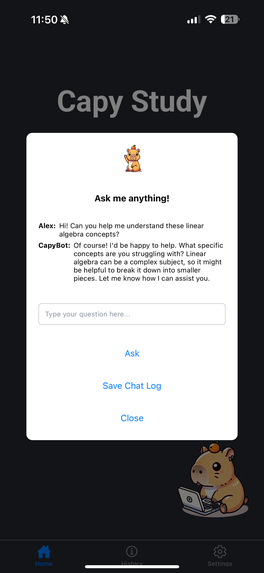
Using CapyBot to ask questions while studying
-
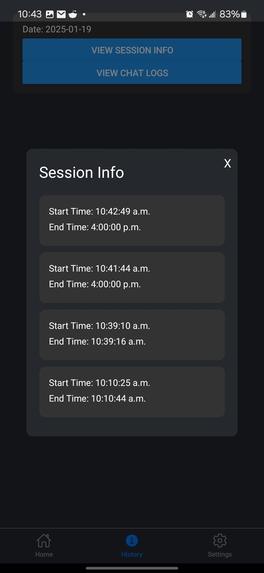
Study session history
-
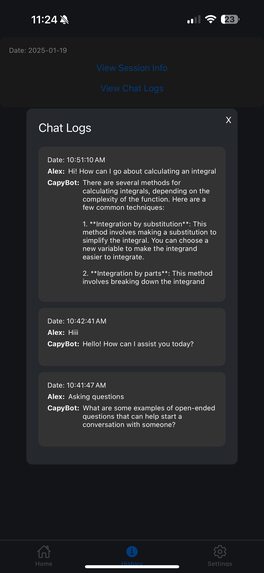
Chat log history
-
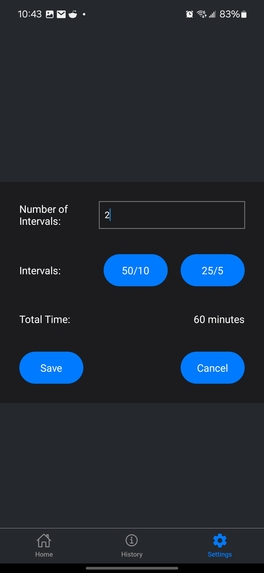
Modifying user preferences for study intervals


Inspiration
Studying can often feel tedious and overwhelming without a structured approach. One technique that has helped me throughout my academic journey is utilizing the Pomodoro Technique. This approach has set intervals for focused work, usually 25 minutes, followed by a short 5 minute break. We wanted to develop an app that not only helps students stay focused using this proven Pomodoro Technique but also make studying egaging with a cute, interactive AI companion, CapyBot!
What it does
CapyStudy is a mobile app that enhances productivity by letting the user:
- Log in securely with authentication to save and track their progress through detailed session summaries.
- Set personalized study and break intervals based on the Pomodoro technique.
- Interact with an AI-powered companion for any assistance or motivation.
How we built it
We used React Native with the Expo framework to build the app's interface, ensuring a smooth and responsive user experience across different devices. For the backend, we integrated Supabase for real-time data management and user authentication through Supabase Auth, allowing users to track and save their study data effortlessly. We also worked with OpenAI API for our chat bot study companion.
Challenges we ran into
- As first time users of both React Native Expo and Supabase, much of our time during the hackathon was spent reading the documentation and familiarizing ourselves with these technologies. Also, ensuring the app was responsive across both Android and iOS presented additional challenges, as some features and styling didn't behave consistently between platforms.
Accomplishments that we're proud of
- Building a fully functional app within the limited hackathon time, despite only two members in the team and utilzing unfamiliar technologies.
What we learned
- The power of Expo for rapidly developing cross-platform apps.
- How to effectively integrate backend tools like Supabase for authentication and data management.
What's next for CapyStudy
- Enhance the history page with detailed visualizations, such as graphs showing users' study session trends and overall progress.
- Add functionality for playing background white noise, like rain or running water, to help a users focus better during study sessions.
- Optimize the AI companion to offer more interactive features, including voice-to-speech recognition, the ability to change or mute background sounds, and adjusting interval lengths seamlessly.


Log in or sign up for Devpost to join the conversation.