-
-
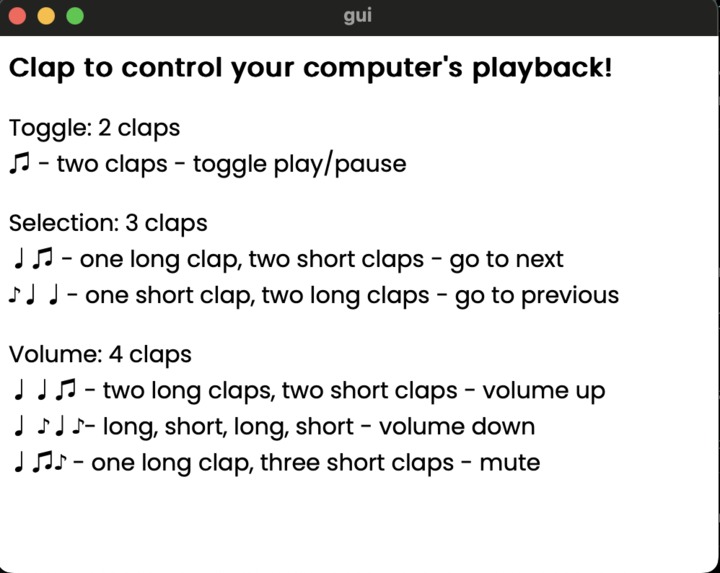
The GUI for our app

Inspiration
Sometimes, you can't be in the same place as your laptop: when you have friends over and you just can't leave the game, or a crowded house party blocks the path to your laptop, or when you're just too tired to get off the couch. Fear no longer! With the clap of a hand, you can command your computer to quickly skip past the Fairy Godmother Song from Shrek 2 to save yourself from embarrassment (or rewind to play it again!).
What it does
Clap to control your computer's playback!
Controls
Toggle: 2 claps
♫ - two claps - toggle play/pause
Selection: 3 claps
♩♫ - one long clap, two short claps - go to next
♪♩♩- one short clap, two long claps - go to previous
Volume: 4 claps
♩♩♫ - two long claps, two short claps - volume up
♩ ♪♩♪- long, short, long, short - volume down
♩♫♪ - one long clap, three short claps - mute
How we built it
We used Python as a backend with pynput and PyAudio, and the frontend app that lives in the system tray uses Tauri (Rust and Javascript).
Challenges we ran into
Clap detection has been a solved problem for a while. Good clap detection is harder. We used many different techniques (absolute differences in amplitude, convolutional networks, etc.) before settling on a simple high-pass filter over small timesteps and thresholding for non-sequential high root mean squares.
We also had trouble killing the Python backend from the Tauri app, which was solved through communication through F17.
What we learned
We learned a lot about signal processing and acoustics. Looking at spectrograms, we understood how different sounds look as waveforms, and what distinguishes sounds like claps from crinkling plastic or silibants like /s/.
Built With
- javascript
- python
- rust
- sveltekit


Log in or sign up for Devpost to join the conversation.