-
-
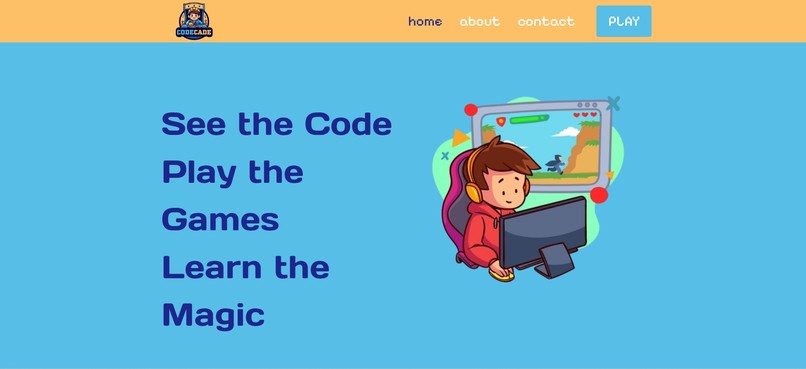
Website Home Page

CodeCade 🧠
Built by UCF Computer Science students through Project Launch (KnightHacks)
Inspiration
As a kid, I remember being terrified of coding. I never felt like the "smart one" in engineering classes; I always felt exiled for not picking things up quickly. That insecurity stuck with me. I wanted to build something that could break down that barrier for kids who might feel the same way, something that sparks curiosity and makes code feel exciting instead of scary.
The idea for the dual-screen layout came from my experience using an online GDB debugger. When I added breakpoints and watched the code execute line by line, it was the first time coding made sense to me. I could finally see how logic turned into action. That moment of clarity inspired the entire concept of CodeCade. Helping kids see what their code does as they play.
What it does
CodeCade is an interactive web platform that introduces children to coding through gameplay and real-time code visualization. Kids play simple games like Rock Paper Scissors or Hangman on one side of the screen, while the code behind the game is shown and highlighted live on the other side, showing exactly what part of the code is executing during each action.
The site also includes an AI assistant that explains each line of code in kid-friendly language, helping break down programming logic in a way that’s simple, digestible, and fun.
How we built it
- Front-end: Next.js, Tailwind CSS
- Back-end: Django
- AI integration: OpenAI API
- Design: Figma
- Project management: GitHub Projects with custom push/pull request templates, issue tracking, and branch-based workflows
We met every week in person (and online when needed), and assigned tasks using GitHub issues with clear acceptance criteria. Our Figma designs were continuously updated to guide development visually.
Challenges we ran into
- Deployment Errors: Our OpenAI integration worked locally, but crashed after deployment. After debugging with a mentor, we learned it was a CORS policy and permission issue. We fixed it by properly configuring our backend headers and deployment environment.
- Security & Screen Recording: We originally wanted to include a screen recording feature to track code execution, but realized that third-party recording tools posed privacy and safety risks for kids. We pivoted to a slow-down/play-at-your-own-pace feature instead, allowing kids to move through the game with synced code highlighting.
- Learning New Tools: For many of us, this was our first time using parts of the tech stack, especially Railway and OpenAI. It pushed us to learn fast and rely on each other.
Accomplishments that we're proud of
- Creating a functional AI assistant that explains code in child-friendly language
- Building a dual-screen experience from scratch that feels natural and engaging
- Structuring and managing our team using professional development workflows (branches, PR templates, task boards)
- Prioritizing child safety and usability, even when it meant redesigning features
What we learned
- That debugging a working local build doesn’t mean your deployment will be smooth (hello, CORS!)
- How to collaborate across disciplines — UI, logic, AI, and backend — and merge it into a cohesive product
- How powerful visual learning tools can be in breaking down complex ideas
- That it’s okay to pivot when something doesn’t align with our mission (e.g., security vs. screen recording)
What's next for CodeCade
- Add more games with interactive, real-time code connections
- Build a mini “progress tracker” so kids can see how much they’ve learned
- Expand our AI assistant to support voice explanations for accessibility
- Partner with local schools or coding clubs to get CodeCade into more hands


Log in or sign up for Devpost to join the conversation.