-
This is our awesome logo :) We actually themed the colors in our IDE from this logo.
-
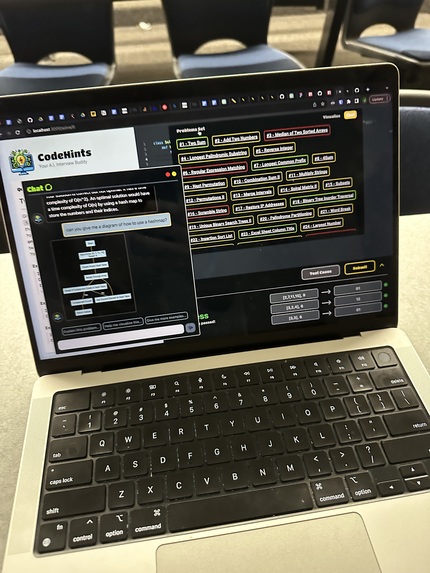
This is CodeHints with different "tabs" or navigation bar open. You can see our list of practice problems, AI assistant, and test cases.
-
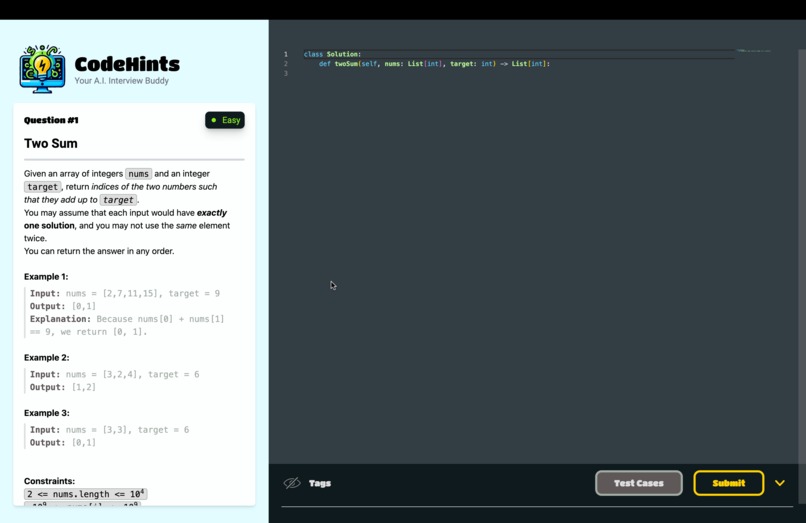
This is the main coding environment, where users can code their solutions.
-
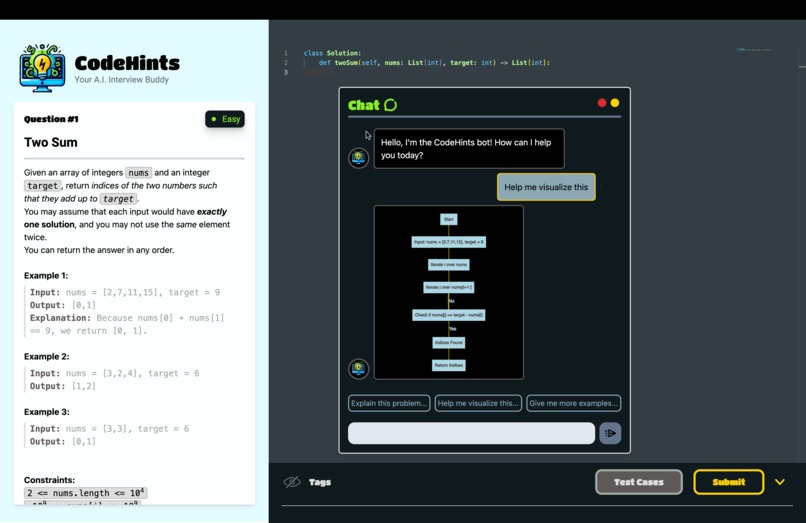
This is the chat functionality when you ask for a visualization of the problem. The assistant is smart enough to create a graph.


CodeHints - Your AI Interview Buddy!
CodeHints is an AI chat-guided software that helps you with your technical interview practice problems on LeetCode!
The project is designed to offer a comprehensive platform for mastering technical interviews, primarily focused on LeetCode questions, by providing a rich set of features including problem sets, real-time chat-based guidance, dynamic graphical problem visualization, and future enhancements such as performance analytics and statistical feedback on solutions.
Key Features
[X] Problem set with over 300 LeetCode questions;
[X] A real-time and problem-specific Chat Agent designed exclusively to helping you solve your problem!
[X] Dynamic Graphical Visualization to represent your problem.
Future Implementation:
[ ] Performance Analytics: We hope to cater the project even more to our users by providing them data analysis of their progress and performance with chat history!
[ ] Statistical Feedback on your Solution: Our AI will eventually rate your solutions based on optimal runtime and space complexities, and treat it as a metric to track your performance.
Our TechStack
✨ Next.JS for full-stack deployment
✨ LangChain for prompt-engineering and user-driven assistance
✨ Python for code execution
✨ React GraphViz for problem visualization
✨ TypeScript
✨ Tailwind for styling
✨ JSON for storing the problems
What We Learned
Building this project has been an awesome experience with ups and downs. The first night we went with no sleep and were grinding away. We decided to take some unconventional approaches like using a VS Code extension called LiveShare that let us code on the same documents at the same time - kind of like Google Docs. We learned a lot about design since we wanted to make it more of a focus for this project. We knew for a website students might need to use for weeks at a time, it would have to be a great experience UX wise.
Downloading the Project Locally
Clone the repository into your folder and cd into it. From there, run npm install and wait for your file components to build. Set your environment variables in a new .env file. These should be access keys to your OpenAI API and other auth-based components. Follow .env-examples for more.
The KnightHacks Hackathon!
Our project was prompted by the KnightHacks 2023 Hackathon -- an epic adventure at Universal of Central Florida!
Made with <3 by David Ulloa, Gabriel Lucchesi, Smyvens Estime and Jacob Schuster
Built With
- gpt-4
- graphviz
- langchain
- next.js
- python
- typescript


Log in or sign up for Devpost to join the conversation.