-
-
Core Features
-
Our Extension


🌐Vision: Making Web Development Easier
We believe that building for the web should be easier. As developers, we're constantly excited by new web features, but that excitement is often followed by a wave of uncertainty.
"Can I use this yet?" is a question that echoes in every web developer's mind.
Our vision is to create a tool that answers that question for you — automatically — so you can focus on what you do best: building amazing things for the web.
🧩 The Problem: The Compatibility Guessing Game
If you're a web developer, you know the drill.
You discover a cool new CSS property or JavaScript API, and then you spend the next hour juggling a dozen tabs — MDN, CanIUse, blog posts, and compatibility tables — just to figure out if it's safe to use.
It’s a broken workflow that leads to:
- Over-polyfilling: Bloating your app with unnecessary code “just in case.”
- Under-polyfilling: Shipping code that breaks on older browsers, leading to angry users.
- Lost Productivity: Wasting precious time on manual research instead of building.
This uncertainty is a tax on every web developer’s productivity.
💡 Our Solution: CodeSense
CodeSense is here to fix that.
It’s a developer tool powered by Baseline that makes web feature compatibility an automated part of your workflow.
Here’s what it does:
- Scans your code to see which modern web features you’re using.
- Checks their Baseline compatibility status using official, up-to-date data.
- Helps you decide if a polyfill is needed — and can even inject it for you.
- Warns you early — right in your IDE, linter, or CI/CD pipeline.
In short, CodeSense makes Baseline data actionable inside your workflow.
What is CodeSense?
CodeSense is a suite of tools designed to bring Baseline compatibility checks directly into your development process.
At its core is a powerful command-line interface (CLI) that you can run on any project.
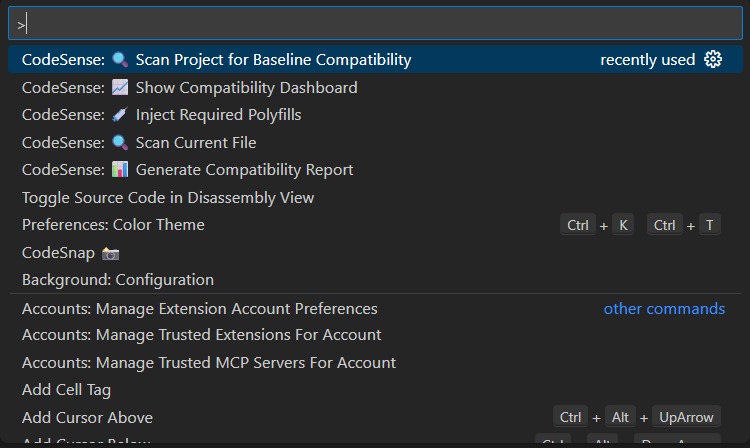
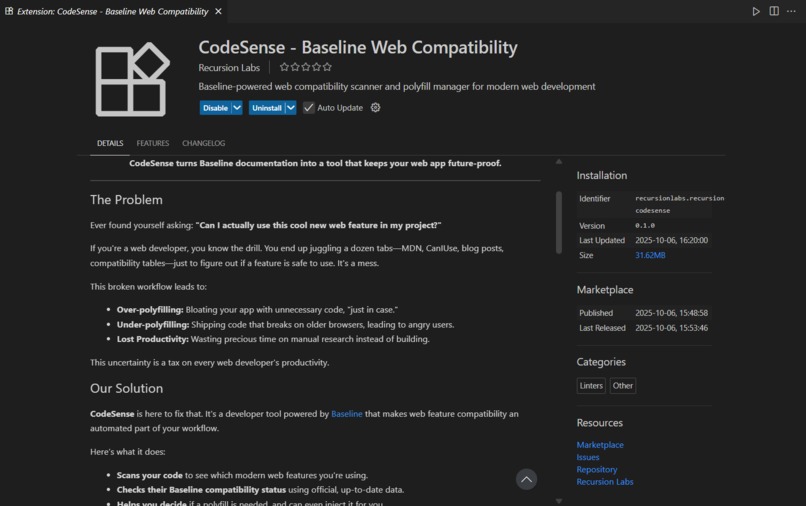
We also have a VS Code extension in the works, which will provide real-time feedback as you code.
⚙️ Key Features (MVP)
💻 Code Scanner (CLI):
Scans your project, detects the web APIs you’re using, and flags any that aren’t Baseline-compatible.📊 Baseline Check:
Uses the officialweb-featuresnpm package and the Web Platform Dashboard API to give you a clear status for each feature:- ✅ Safe: Widely supported.
- ⚠️ Partial: Newly available and might need checking.
- ❌ Not Baseline: Risky, needs a polyfill.
- ✅ Safe: Widely supported.
📄 Report Generator:
Generates simple CLI output, plus detailed Markdown and HTML reports showing:- Your project’s Baseline compliance percentage
- Any risky features found
- Your project’s Baseline compliance percentage
The Future of CodeSense
This is just the beginning.
We have a roadmap of exciting features that will make CodeSense an indispensable tool for web developers:
- ✍️ ESLint Plugin: Inline warnings right in your code as you type.
- 💉 Smart Polyfill Injection: Automatically add only the polyfills you need, right when you need them (via Babel).
- 🚦 CI/CD Integration: A GitHub Action that can block deployments if unsafe features are found.
- 🤖 AI Suggestions: Recommends Baseline-safe alternatives for risky features.
- 📈 Dashboard UI: Visualize your project’s Baseline compliance over time with charts and graphs.
🛠️ Our Tech Stack
We’re using a modern, robust tech stack to build CodeSense:
- Core: TypeScript
- Parsing: Babel, Post CSS
- Linting: ESLint
- UI (Planned): React, Next.js
- IDE Integration: VS Code API
🎯 Final Pitch: Build for the Future, Not for the Past
CodeSense is more than just a compatibility checker —
it’s a tool that empowers you to build for the future of the web.
By automating the tedious process of checking for browser support, we’re freeing up developers to do what they do best: innovate.
We believe that CodeSense has the potential to become an essential tool for any web developer who wants to build modern, future-proof web applications with confidence.
Built With
- babel
- eslint
- postcss
- typescript
- vscodeapi


Log in or sign up for Devpost to join the conversation.