-
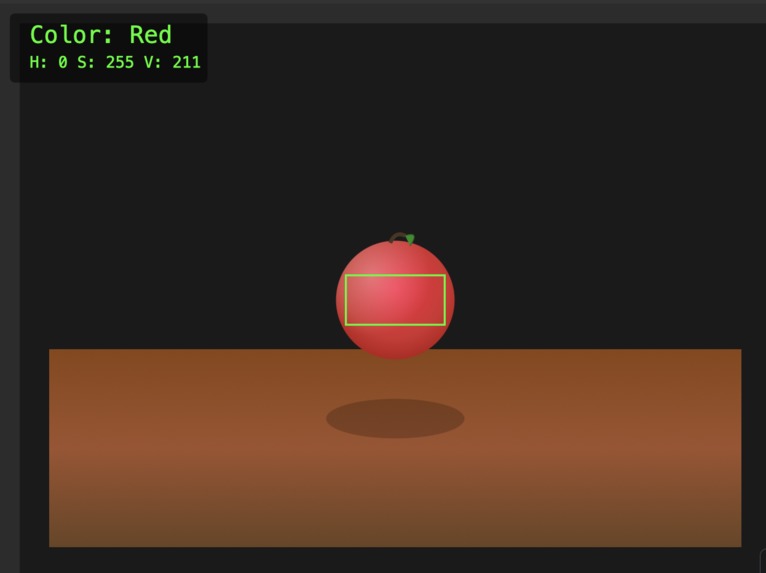
AI generated image of what the image shown to the users looks like. A red apple.
-
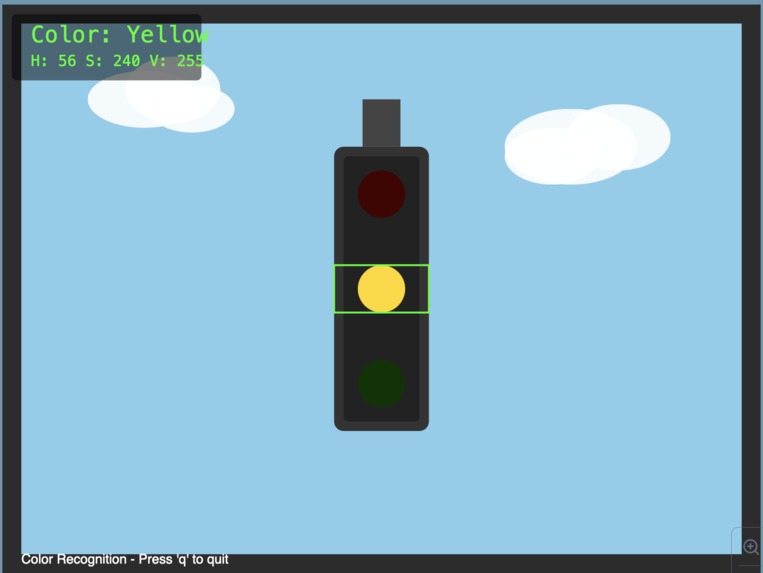
AI generated image of what a person would see at the traffic light if the light was yellow.
-
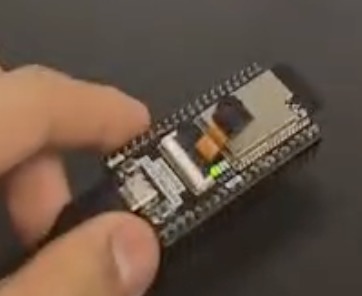
The ESP32 camera that we used for the hardware part for the project. This would be attached to the glasses.


Inspiration
We wanted to learn how to use computer vision and OpenCV, so we had many options for what we could choose. Furthermore, we also had an Arduino kit with a camera that came with it, so we wanted to proceed with computer vision. It all came down to detecting the colours of the objects being seen in front of the camera. The idea came about since I am colour-deficient, so it would be the perfect opportunity to build hardware and software to help people like me identify colours.
What it does
The computer vision program detects the colour presented in front of the camera. The camera sends signals to an Arduino IDE program, which creates a webpage link. The Python OpenCV program uses this link to process the images and determine what colour is being presented. The name of the colour and the HSV values are presented on the webpage.
How we built it
It was simple for the hardware since the camera was the main component, and we didn't need to add much to it. We connected the camera to the computer using a USB cable.
The program itself was coded on two different IDEs. The first program was coded on the Arduino IDE. Previous developers of the Arduino already did it, so all we had to do was to copy the code (but as you will see later on in the challenges we ran into, it was not as simple as copy-pasting since the program was filled with errors that we had to correct). This program was to get the camera rolling.
The second program was to code the computer vision. We did it on VS Code using the Python language and OpenCV. This required us to watch many tutorials online, but this coding part was way more straightforward than the Arduino IDE coding.
Challenges we ran into
We ran into a lot of challenges. First, we were complete beginners in computer vision, so we had to learn it from scratch. Not only did we have to learn computer vision, but also how to implement it with Arduino, which was the most complicated thing. My team were on the verge of giving up multiple times, but we made it through.
The final product is not exactly what we expected it to be. It was supposed to be a camera and a projector/screen installed on a glass to tell the person which colour they see accurately. We sadly couldn't get to that part, but we are super happy that we could get the computer vision program running on our computer, even though it was very laggy. The program accurately depicted a bag of Cheetos as green and red! Amazing stuff!
What we learned
We learned a lot of things, but we especially learned that perseverance is the key to success. Had we not persevered through the whole night, we wouldn't have experienced the epic moment where the camera showed not just one colour but multiple colours!
What's next for ColourSeek
What's next for ColourSeek is to make the code less laggy and implement it on an actual glass. The hardware is a bit chunky, so reducing its size while offering better-quality photos is something we are looking forward to doing as well. We want this technology to be able to help as many people in need as possible, and we're dedicated to bringing the best product possible.


Log in or sign up for Devpost to join the conversation.