-
-
We've used clipboards the same way for about 50 years, it's time to make them better!
-
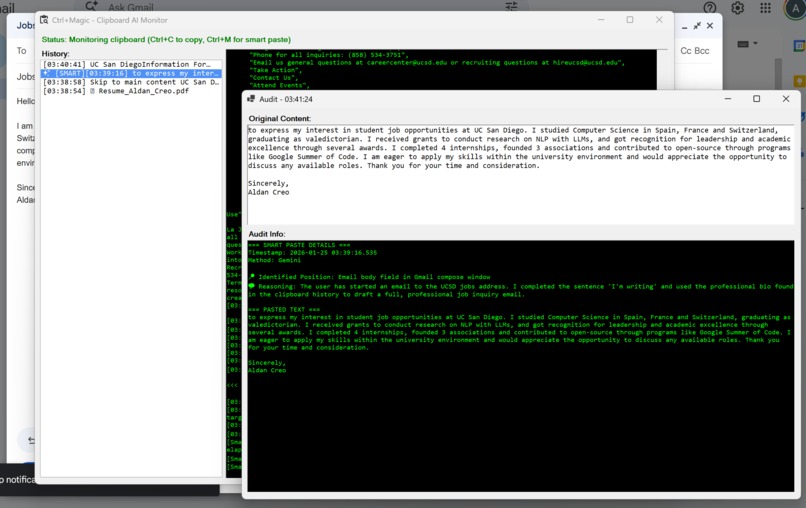
CTRL+Magic is a Windows app that runs in the background
-
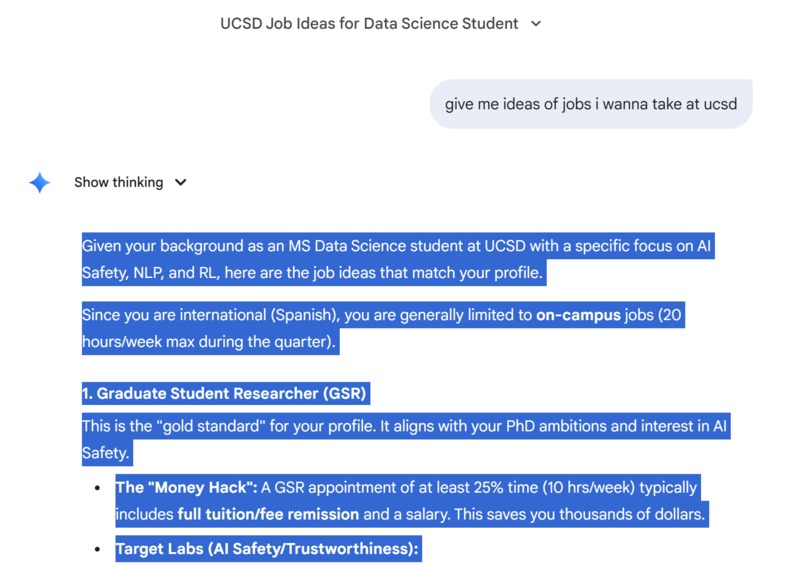
When I'm searching the web and I copy something...
-
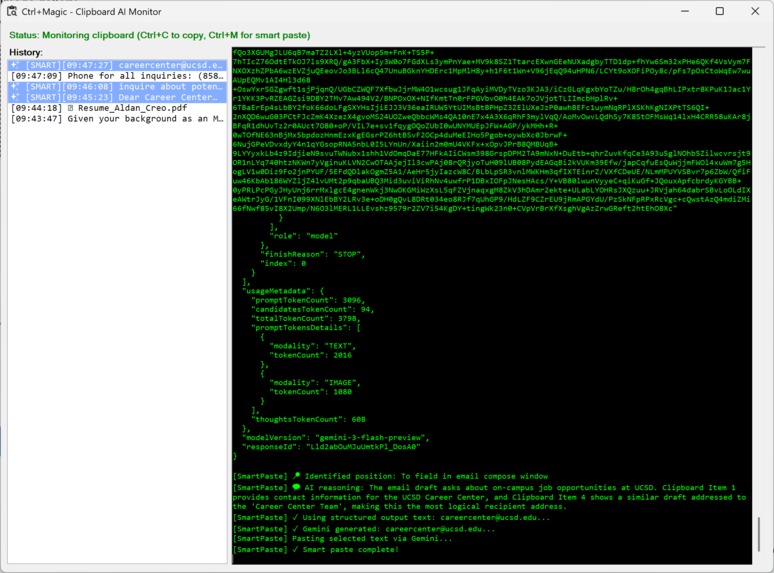
...it scans what I copy (CTRL-C)
-
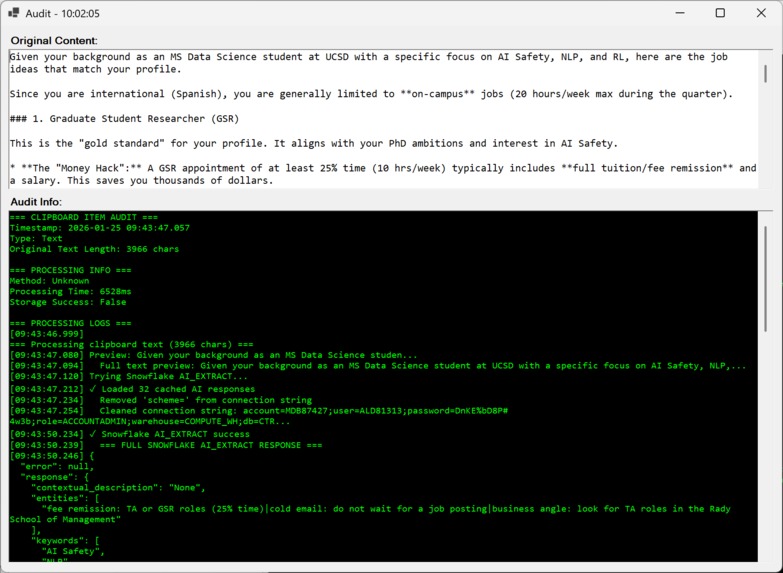
And generates memories for that content
-
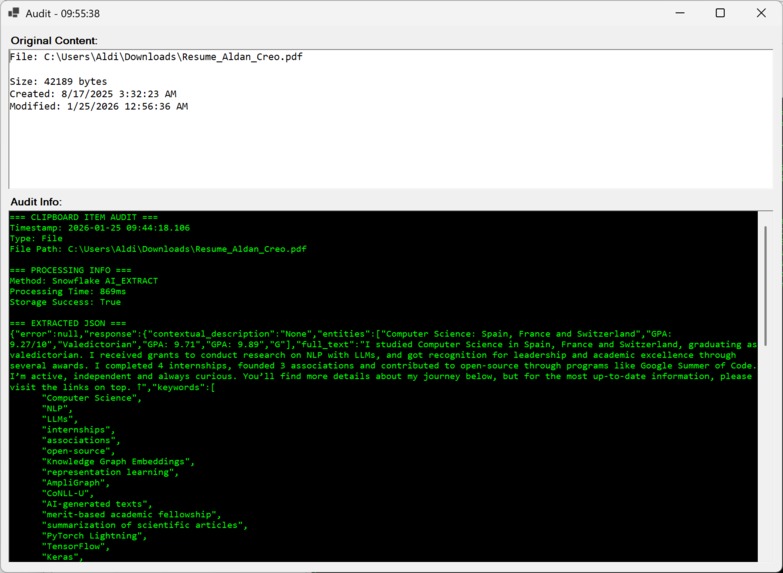
Even if I copy files! We also process those
-
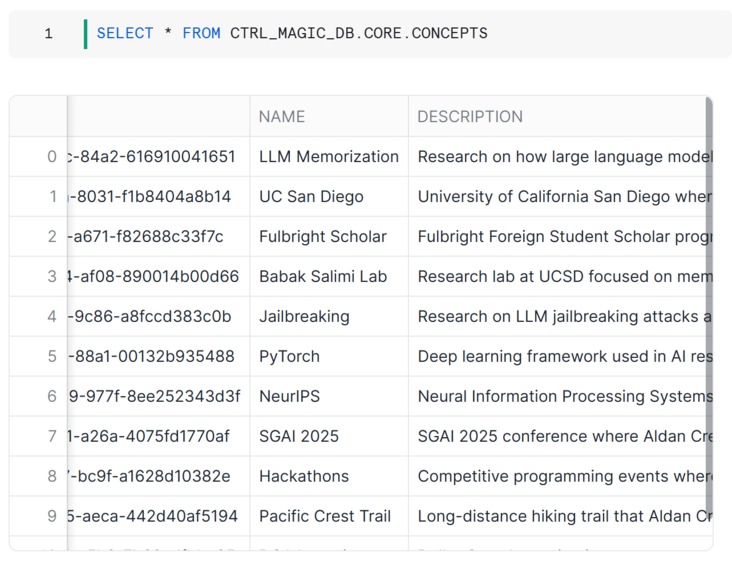
So we now have memories in Snowflake
-
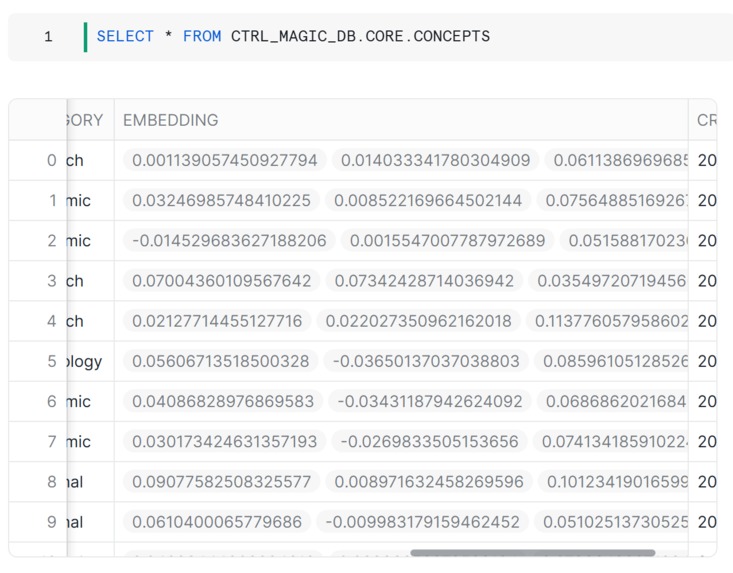
With embeddings to search them
-
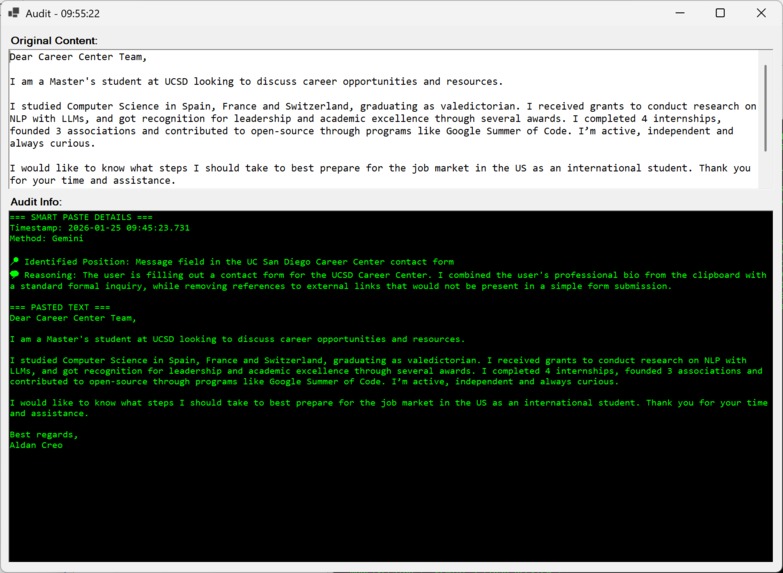
And when the user does CTRL+M (CTRL+Magic), it uses all it's learned...
-
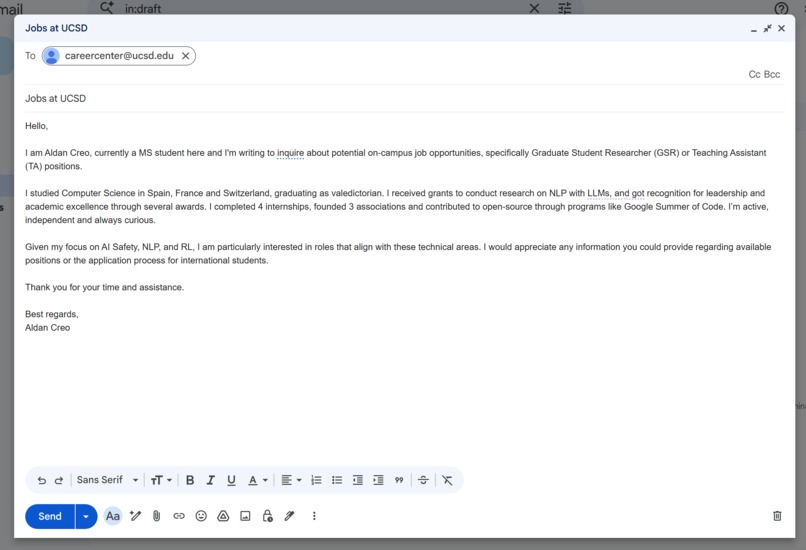
...so that now, no matter where I am, it can fill in anything for me!
-

[Extra example] When we were doing the submission, we wrote what we did on Discord, so now we just gotta CTRL+C this...
-
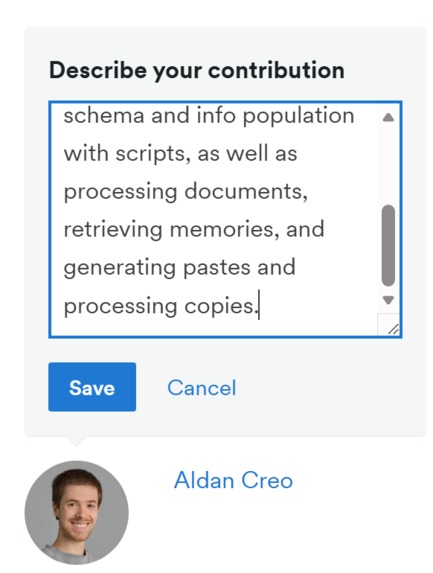
...and CTRL+M on the Devpost page and it fills it in magically for us with a nice looking text!
-
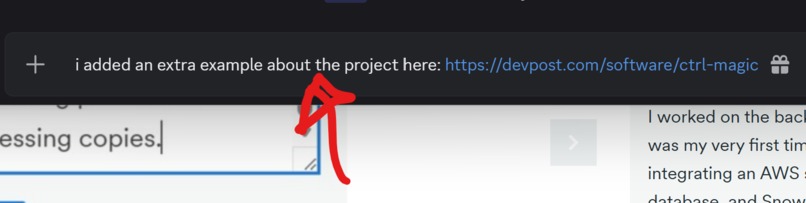
It works on any app, so we can even go back on Discord and it can write our messages! (Red: where we did CTRL+M)
-
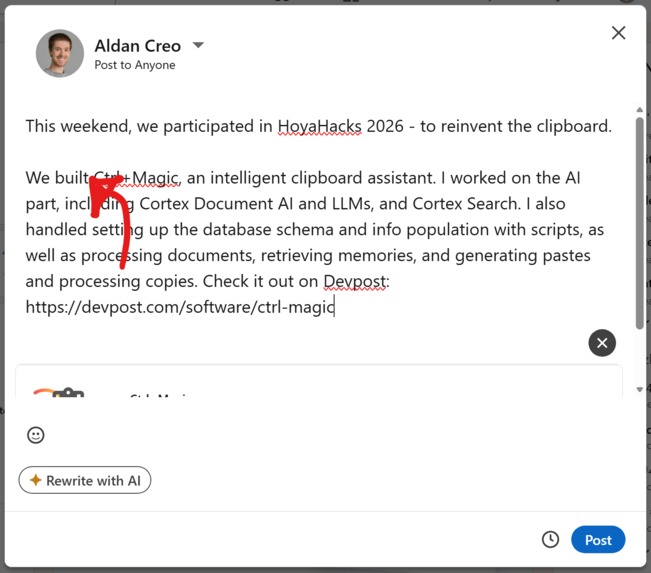
And then we can go on to LinkedIn and it will draft the post as well! (Red: where we did CTRL+M)
-
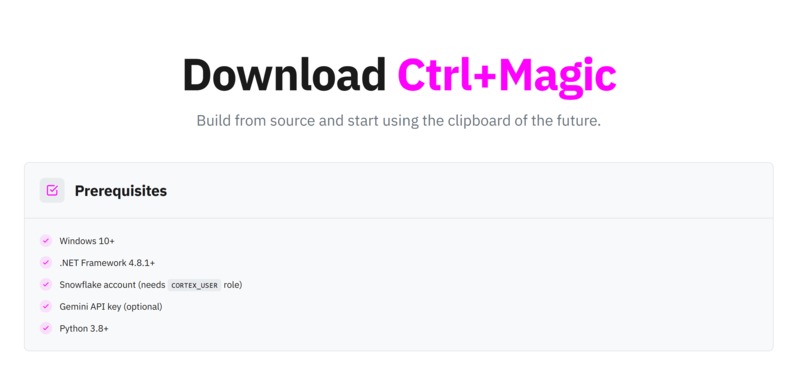
This is the 21st century clipboard we'd dream to have, so that's why we built it! Come test it out yourself :)


We've been using clipboards the same way since the 1980s. It's about time we changed.
Welcome to the clipboard of the 21st century.
Our video is longer than 5 minutes for extra context, but feel free to just watch the first minutes for the general idea!
About The Project
Ctrl+Magic is the smart version of a clipboard. It understands what you copy and helps you reuse it intelligently, privately, and efficiently.
The Problem
Copying and pasting is one of the most common actions on a computer, but it’s so primitive. We've always switching windows to copy-paste stuff. Just think about the last time you filled out a form. You've copied your email address dozens of times in the past... and still your device doesn't remember it!
So we asked ourselves:
What if my clipboard could predict what I wanna paste?
Our Solution
Ctrl+Magic runs silently in the Windows system tray (though we also have a primitive UI for debugging) and enhances your clipboard with AI-powered intelligence.
Core Features:
Smart Clipboard Capture - Intercepts Ctrl+C events for text and files at the OS level and sends content to Snowflake Cortex AI for multimodal understanding. (Falls back on Gemini API for full safety in case of failures).
AI Processing - Classifies content, understanding the context of where your text should be pasted in the future (code, email, etc). Extracts structured meaning using Snowflake Cortex AI.
Intelligent Paste - When we do Ctrl+M(agic), the context of your screen is analyzed with the relevant local clipboard history and Snowflake memories to quickly identify what text you want to paste. We have a proactive prefetcher that actually searches Snowflake for relevant memories in the background so they are ready immediately upon Ctrl+M and we have as little latency as possible.
Secure Cloud Storage - Stores clipboard history on the cloud in Snowflake for quick and reliable access.
Vultr Cleanup Service - A background Python service built on Vultr VX1 VMs analyzes clipboard history using Snowflake Cortex LLM. It detects duplicate memories, passwords, API keys, financial data, and more. Automatically removes or flags risky entries based on confidence thresholds and past knowledge stored in agent memory database. Logs actions in database and also logs non identifiable actions in agent memory database to query during later calls and improve decision making. We are using our own version of the A-MEM agent memory (which is based on atomic "memories") from this paper that came out a few months ago: https://arxiv.org/abs/2502.12110
Audit Logging & Compliance - For extra safety, we have all cleanup actions logged in
CLEANUP_AUDIT_LOG. This also supports a dry-run mode for safe testing
Built With
Sponsors are in bold
AI Layer:
- Snowflake Cortex
AI_PARSE_DOCUMENT - Snowflake Cortex Search and Vector Embeddings
- Snowflake Cortex
AI_COMPLETEStructured Outputs (LLM) - Gemini API (fallback)
Backend Storage:
- Snowflake DB
- Snowflake Hybrid Tables
Online Monitoring Dashboard:
- Snowflake Dashboards
- Snowflake Notebooks
Windows App:
- Windows Forms (hidden UI)
- .NET C#
Vultr Background Cleanup Service:
- Python service hosted on a Vultr VX1 VM
- Uses Snowflake Cortex AI
- A-MEM (https://arxiv.org/abs/2502.12110) custom implementation which communicates with Snowflake for agentic data management
- Tested to successfully remove sensitive and unnecessary info with <200 ms latency
Website:
- Next,js site hosted on a Vultr VX1 VM with a custom firewall group
- .tech domain name
- PM2 and NGINX for serving
Architecture Overview

Challenges we ran into
- Capturing modern GPU-rendered apps (like Chrome): Required moving from legacy window capture methods to modern Windows Graphics Capture APIs.
- Privacy & security design: We had to ensure sensitive clipboard data could be detected, audited, and safely removed automatically.
- AI reliability: Designing confidence-based thresholds so the system doesn’t over-delete useful data or miss risky content.
- OS-level integration: Implementing global keyboard hooks without impacting system performance or user experience.
- Speed: Right now, we need a VLM to process CTRL+M pastes, and this takes time to process. We could've used a local small VLM, but we wanted to use the APIs to be considered for the tracks, so that's why we didn't go that route. We experimented with Hybrid Tables in Snowflake, but the bottleneck was not the storage; we implemented memory pre-fetching, and this gave us a huge speedup - though it's not instant (future work!).
Accomplishments that we’re proud of
- Built a fully working OS-level clipboard AI assistant which integrated two AI systems: Snowflake Cortex for understanding + privacy analysis with Cortex and Vultr
- Implemented automated database provisioning and deployment, management, dashboarding and monitoring (all in Snowflake).
- It just works! This is the most important thing. Usually when we're done with a hackathon we just throw our project out cause it's just a demo, but this is something we actually wanted to have and use! It can handle, more or less, anything you throw at it, so once we finished recording the video, we kept using the software!
What we learned
- It's super hard to build Windows-native tools that interact directly with OS events, system permissions are a pain and device specificities make everything even harder.
- That it's hard to come up with some hotkeys that are not used, everything's taken :/
- How to combine multimodal AI with structured databases, and how to make it actually be efficient.
- That Snowflake is much more than a database. It's a whole AI engine, you can build anything with it!
- That when you build something you wanna use yourself, you have a much clearer vision and things just work out.




Log in or sign up for Devpost to join the conversation.